Project Resource Management Software

Allocate, Track and Monitor Resources. Right People, Right Projects

Profit.co is a project resource management software that gives PMO leaders a live view of who is available, who is allocated, and what each resource costs so projects are staffed correctly from day one.

Start free trial
4.7 rating

Rated 4.7/5 by 500+ PMO Leaders on

G2,Gartner, Capterra

Enterprise Grade Security

Your portfolio data stays secure and compliant – meeting the standards enterprise procurement requires.

Built for Execution

A Complete View of Who Is Working on What – and at What Cost

From team allocation to staffing hours and cost per resource – Profit.co surfaces it all inside your project, with no separate tool required.

Start free trial

See Every Team Member’s Role, Cost, and Access in One Place

Assign team members and get a full picture of their department, job title, and access level alongside their cost per hour. Rates are defined by resource type and flow into project financials automatically.

team allocation

Know Who Is Available and When, Before the Project Starts

For every resource, see their allocated period, available hours, planned allocation, and logged effort – all in one staffing view.

utilization heatmap

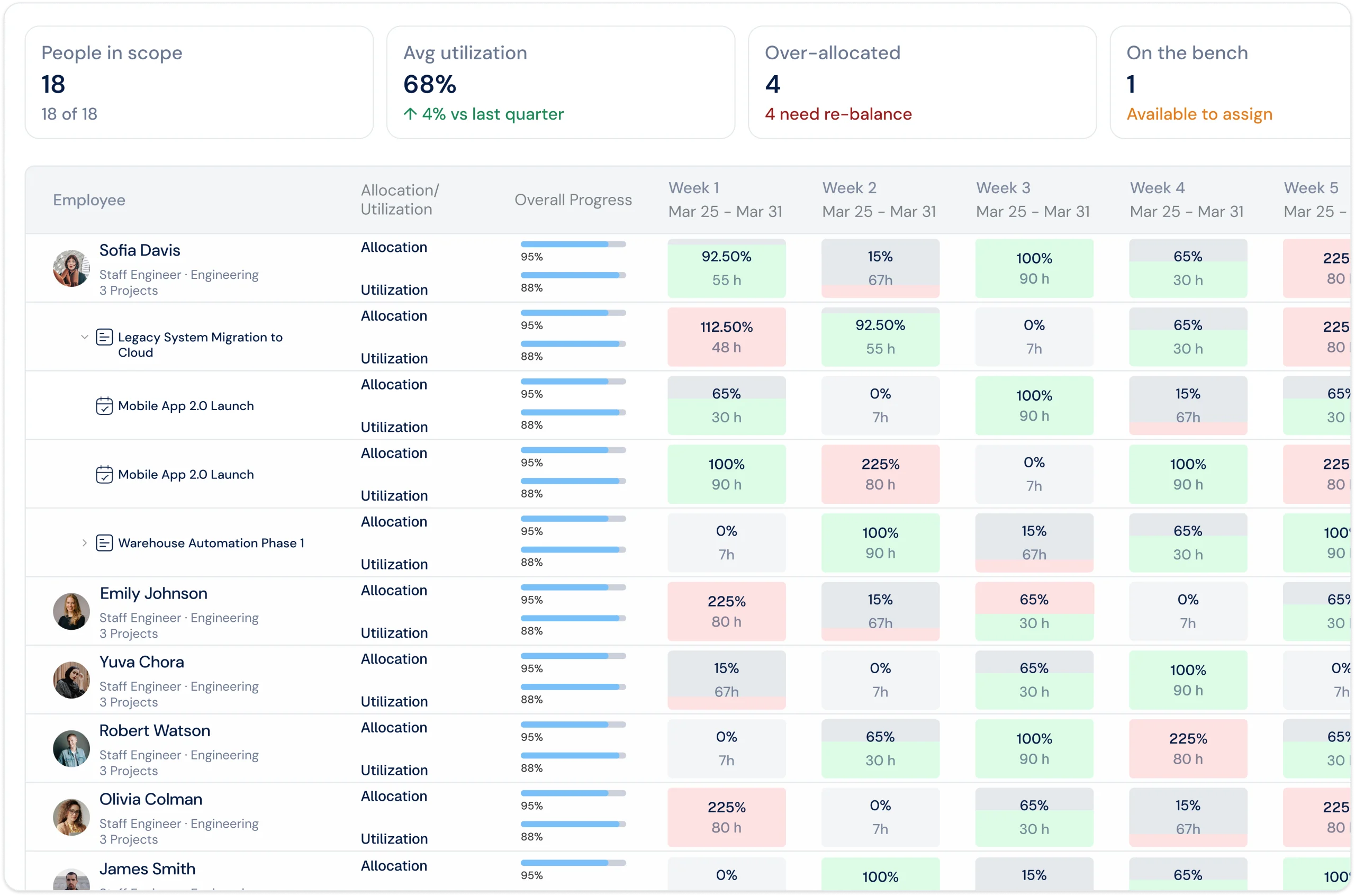
Track How Much Each Person Is Being Used

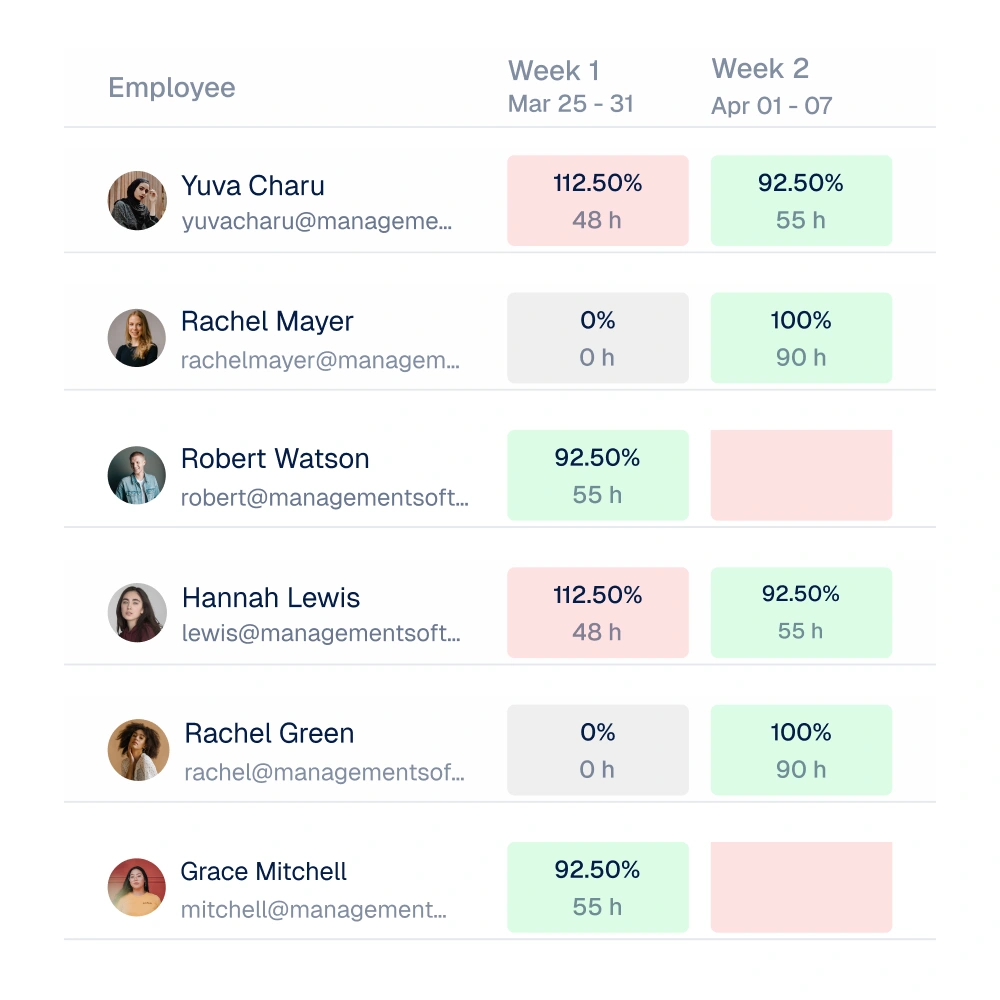
Profit.co tracks each resource’s utilisation. See capacity percentages at a glance, colour-coded, so you know who is over capacity and who is not.

staffing visibility

Highly Rated by Our Users

A comprehensive solution with advanced features to manage your projects from start to finish, ensuring team alignment and goal achievement.

new okr frame

See Profit.co Resource Management in Action

Book a 30-minute session with a resource management expert. Walk away with a clear plan to get resource management running in Profit.co.

Rated 4.7/5 by 500+ PMO Leaders on

Start free trial
Strategy Execution Suite

Resource Management Is One Part of How Profit.co Runs Your Portfolio

ppm
Project Portfolio Management
Resource Management Built Into Your PPM Module

Resource management sits inside Profit.co’s PPM module alongside project timelines, governance, and finance. One platform, no separate tool.

strategy execution
Strategy Execution
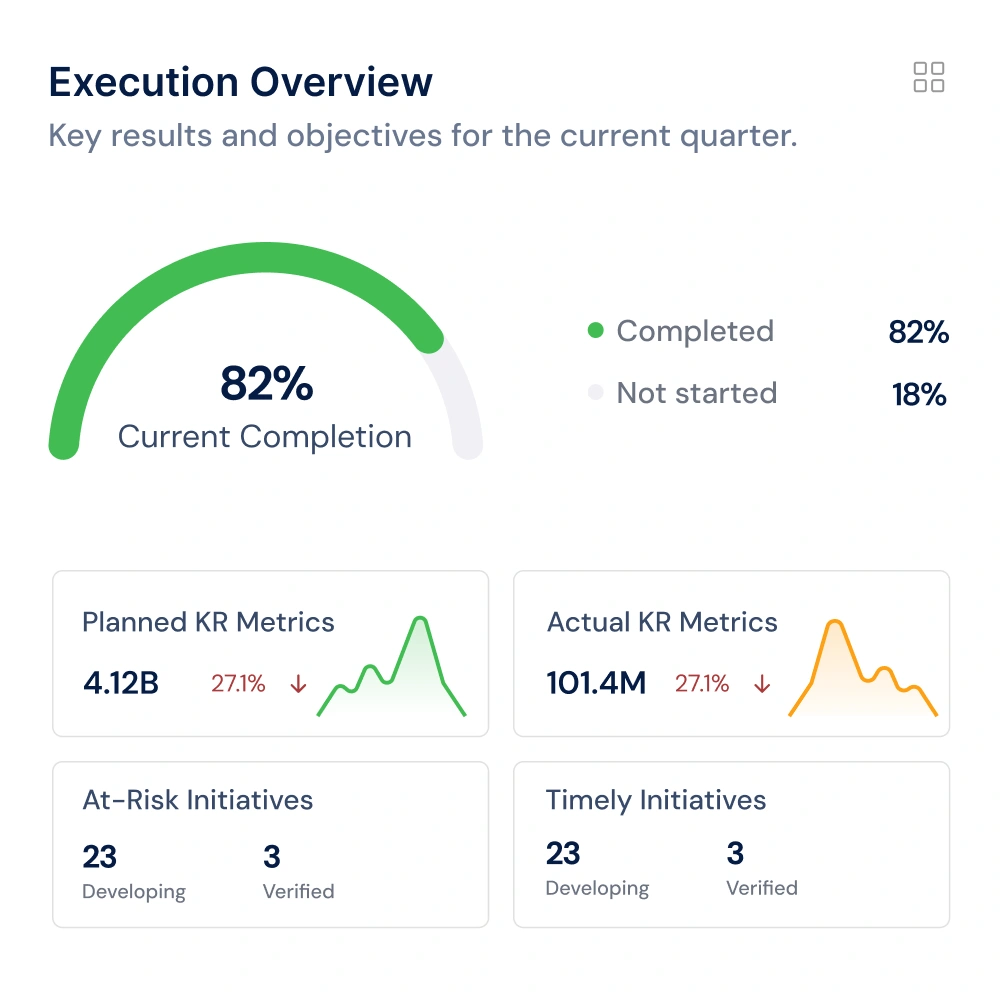
Projects and Resources Linked to Strategic Objectives

Projects with allocated resources sit within portfolios linked to strategic objectives. Leadership sees who is working on what and whether that work ties to business goals.

ai agents
AI Agents
Make Faster Portfolio Decisions With AI

Profit.co’s AI Agents accelerate project creation and structuring so your PMO spends less time on setup and more on portfolio governance.

Integrations

Connect the Tools Your Teams Already Use

Profit.co pulls live data from 100+ integrations – so your metrics and progress stay automatically updated without manual effort.

View all integrations

Our Customers Are Saying

Verified ratings across G2, Capterra, and Gartner Peer Insights

Rated 4.7/5 by 500+ PMO Leaders on

David Serra

David Serra

Head of Transformation & CMO CELO Industry – Spain
For us, the key factor was achieving full alignment between OKRs, projects, and tasks, supported by automation and KPI-driven governance. Profit.co provided a centralized portfolio management system – a single source of truth for all projects.
David Serra

Catherine Pelton

Communications Manager RUNX1 Research Program – USA
With Profit.co, we can assign tasks, track progress, and see how everything contributes to our overall goals and mission. Watching everything come together, from the bottom-up tasks to the overarching strategy, is incredible.
FAQs

Have questions?

We got answers.

What is project resource management software?

Project resource management software helps PMOs plan, allocate, and track people across projects. In Profit.co, this means assigning team members by role, monitoring available, planned, and logged hours, and tracking the cost of each resource, all inside your existing project in the PPM module. There is no separate tool required and no switching between systems.

What does Profit.co show in the resource management view?

Profit.co shows two views inside the People tab. Members and Access shows who is on the project, their role, department, job title, cost per hour, and access level. The Staffing view shows each resource’s allocated period, available hours, planned allocation, and logged effort, broken down month by month and by quarter.

Can Profit.co track cost per resource?

Yes. Profit.co records a cost per hour for each team member and applies it against their allocated hours on the project. This gives your PMO full visibility into the financial impact of each resource assignment without needing a separate cost tracking tool. Cost rates are defined by resource type and apply automatically across every project.

How does Profit.co show resource utilisation?

Profit.co’s Resource Management Insights view displays utilisation as a percentage per person, updated week by week. Cells are colour-coded so your PMO can see at a glance who is within capacity and who is not, well before it has an impact on project delivery. No manual calculation or separate reporting required.

Is resource management a separate tool or part of PPM?

It is built directly into Profit.co’s PPM module. Resource management sits inside your project alongside timelines, finance, governance, and execution. Your team does not need to switch between tools to manage people and project delivery together. Everything is visible in one place, updated in real time as your team logs progress.

Is there a free trial?

Yes. Profit.co offers a 30-day free trial with no credit card required. You can set up your first project, assign resources, and see live utilisation and staffing data within the trial period. You will have access to all resource management features from day one. Visit profit.co/pricing for full plan details.

How long does it take to get started with Profit.co?

Most teams are live within 3 to 7 working days, with resource types, cost rates, and project assignments all configured through guided onboarding. Dedicated implementation support is included on every plan. Your team will have a working resource management setup, with real data, before the end of the first week.

Can we not just manage resources in a spreadsheet?

You can, but every update requires manual entry and the data is only current as of the last time someone edited the file. Profit.co tracks available hours, planned allocation, and logged effort automatically as your team logs progress. Your resource picture is always up to date with no manual update needed.

Can’t find your answers?

Get in touch with us we are happy to assist you!

Ask Questions

See How Profit.co Allocates, Tracks & Monitors Resources — Across Every Project.

Join 1,500+ customers using Profit.co as their project resource management software.

Start free trial