

A Strategy Roadmap turns long-term business goals into a structured hierarchy of Themes, Sub-Themes, and Initiatives you can track over time. You can now also choose exactly which fields appear alongside that hierarchy in the Gantt view.
Table of Contents
What is a Strategy Roadmap?
A Strategy Roadmap is a planning structure in Profit.co that organizes long-term business goals into Themes, Sub-Themes, and Initiatives, with OKRs linked to each Initiative so progress stays measurable. The roadmap displays as a Gantt view table alongside Themes and Initiatives.
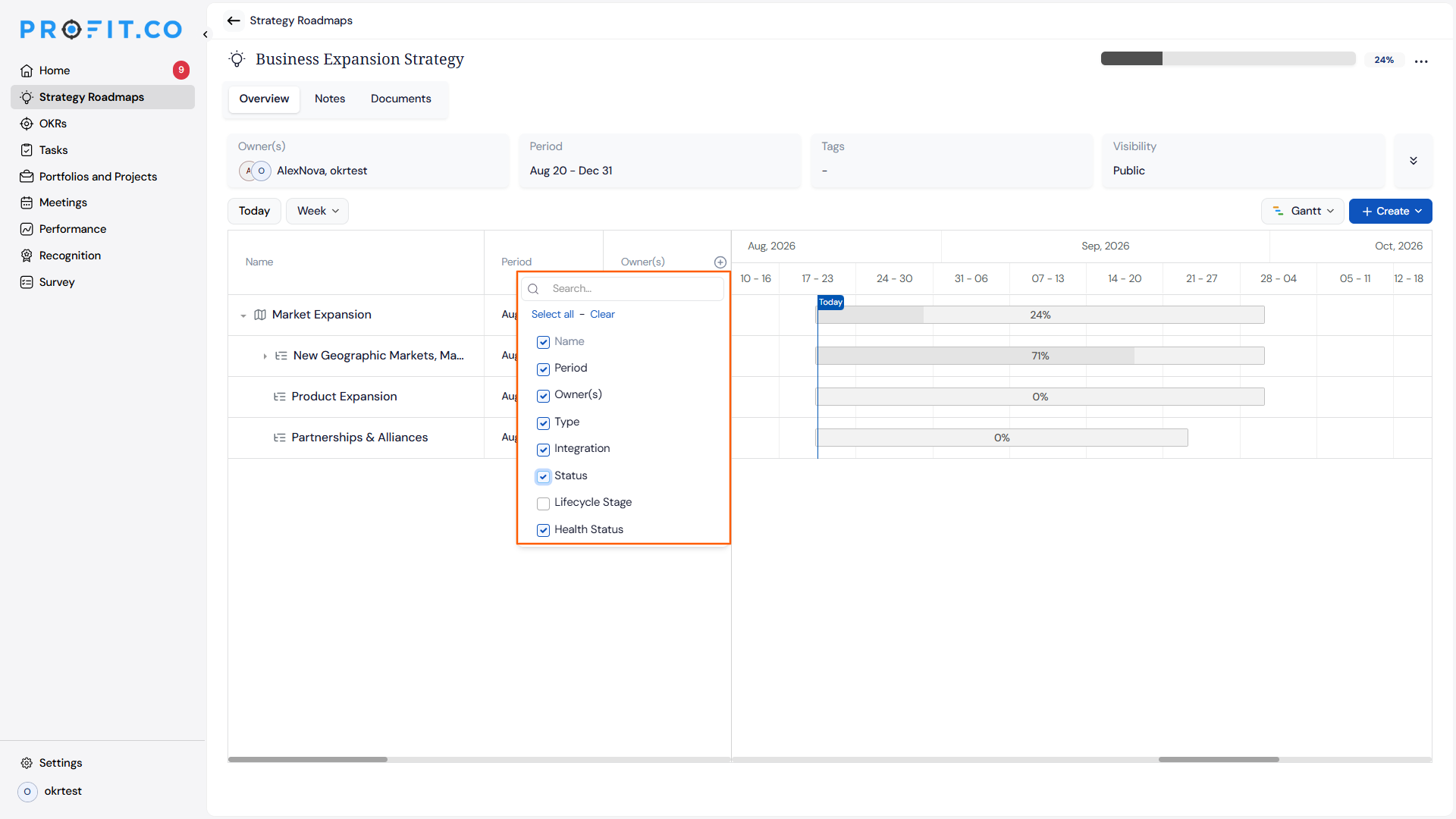
That Gantt view table can also show additional fields, including Perspective, Name, Period, Owner(s), Type, Integration, Status, and Lifecycle Stage. Previously the table showed a fixed set of columns; you can now choose which of these fields appear.
Why Strategy Roadmaps Matter
Strategy Roadmaps connect day-to-day Initiatives to business strategy, and the Gantt view now adapts to what each review actually needs.
| Benefit | Description |
|---|---|
| Holistic view of strategy | Themes, Sub-Themes, and Initiatives roll up in one place, showing how each project supports the wider objective. |
| Focused Gantt reviews | You trim the table down to just the fields relevant to a specific review instead of scrolling through every column. |
| Fuller context without extra clicks | Fields like Type, Integration, Status, and Lifecycle Stage sit alongside the timeline without leaving the Gantt view. |
| Flexible per review | Different teams can display different fields for different reviews without changing the underlying roadmap data. |
| Data-driven prioritization | Visualizing Initiatives and their progress helps teams decide which projects to prioritize and how to allocate resources. |
For example, a company expanding into a new market can build a roadmap around an Expansion theme, break it into sub-themes such as regulatory approval and marketing rollout, and link Initiatives to the OKRs that track the launch.
How It Works
Method 1: Build a Strategy Roadmap
Step 1
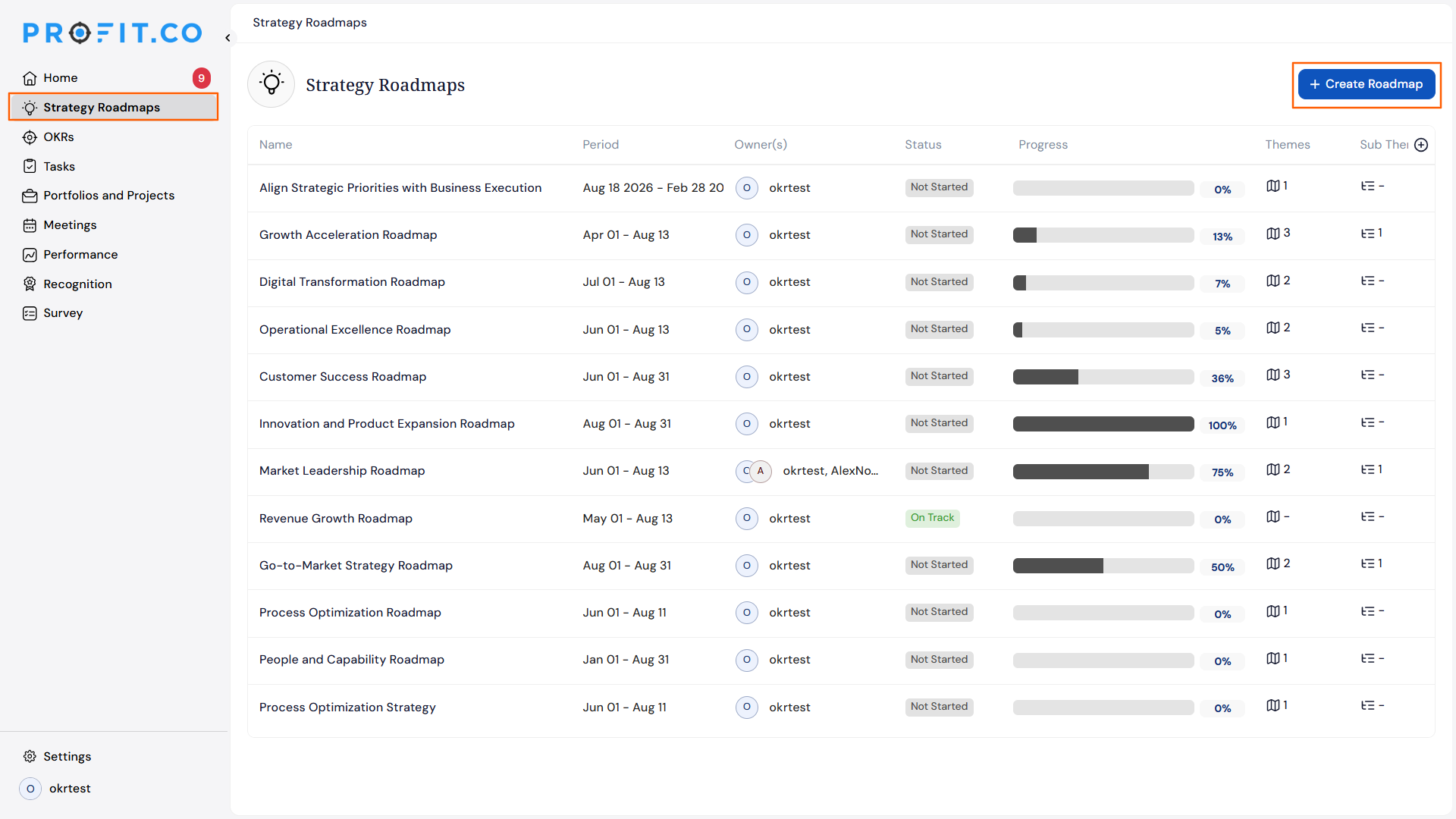
- Navigate to Strategy Roadmaps from the left navigation panel.
- Click + Create Roadmap.
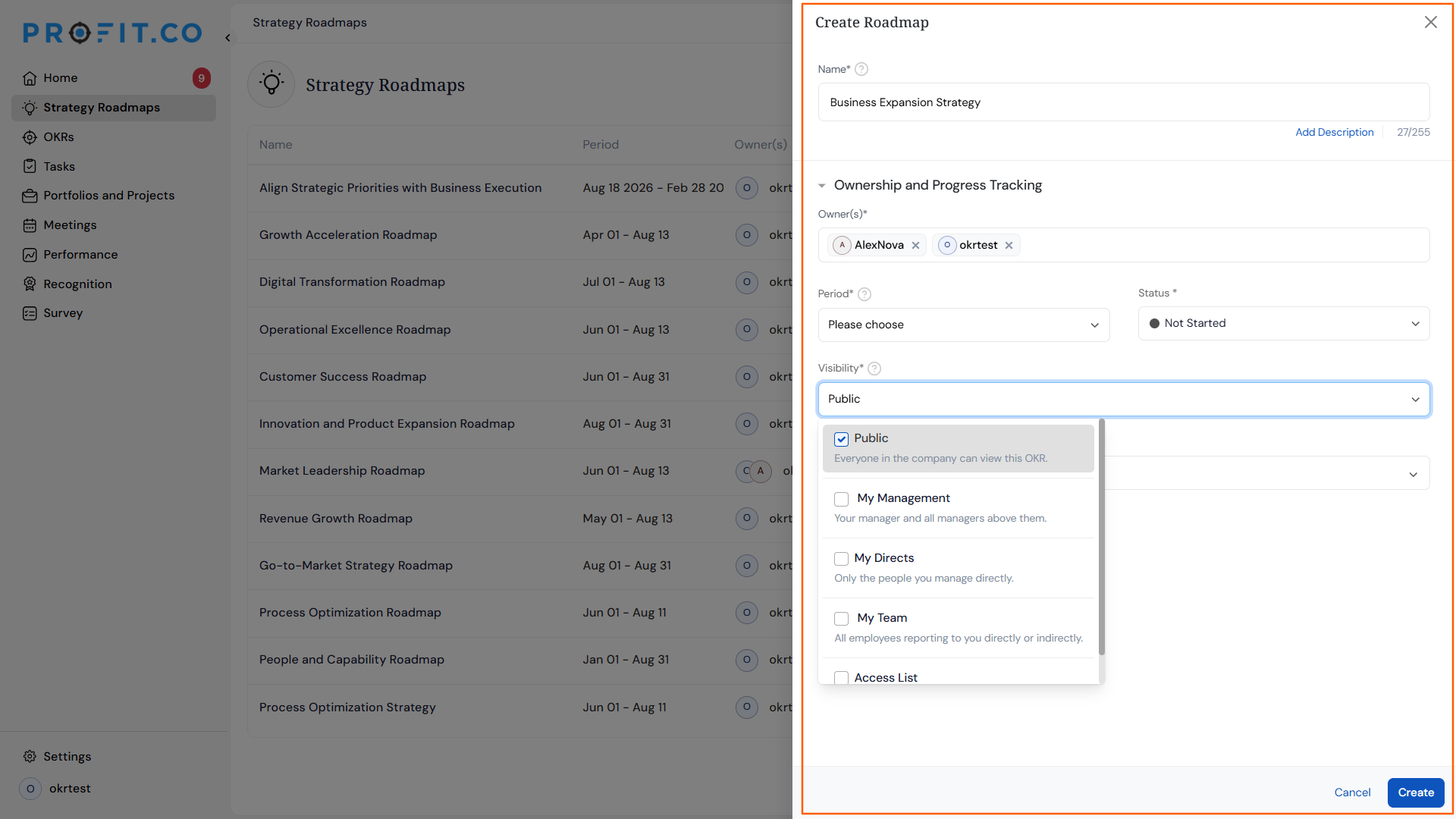
- Name the roadmap, choose its visibility, and click Create.
Step 2
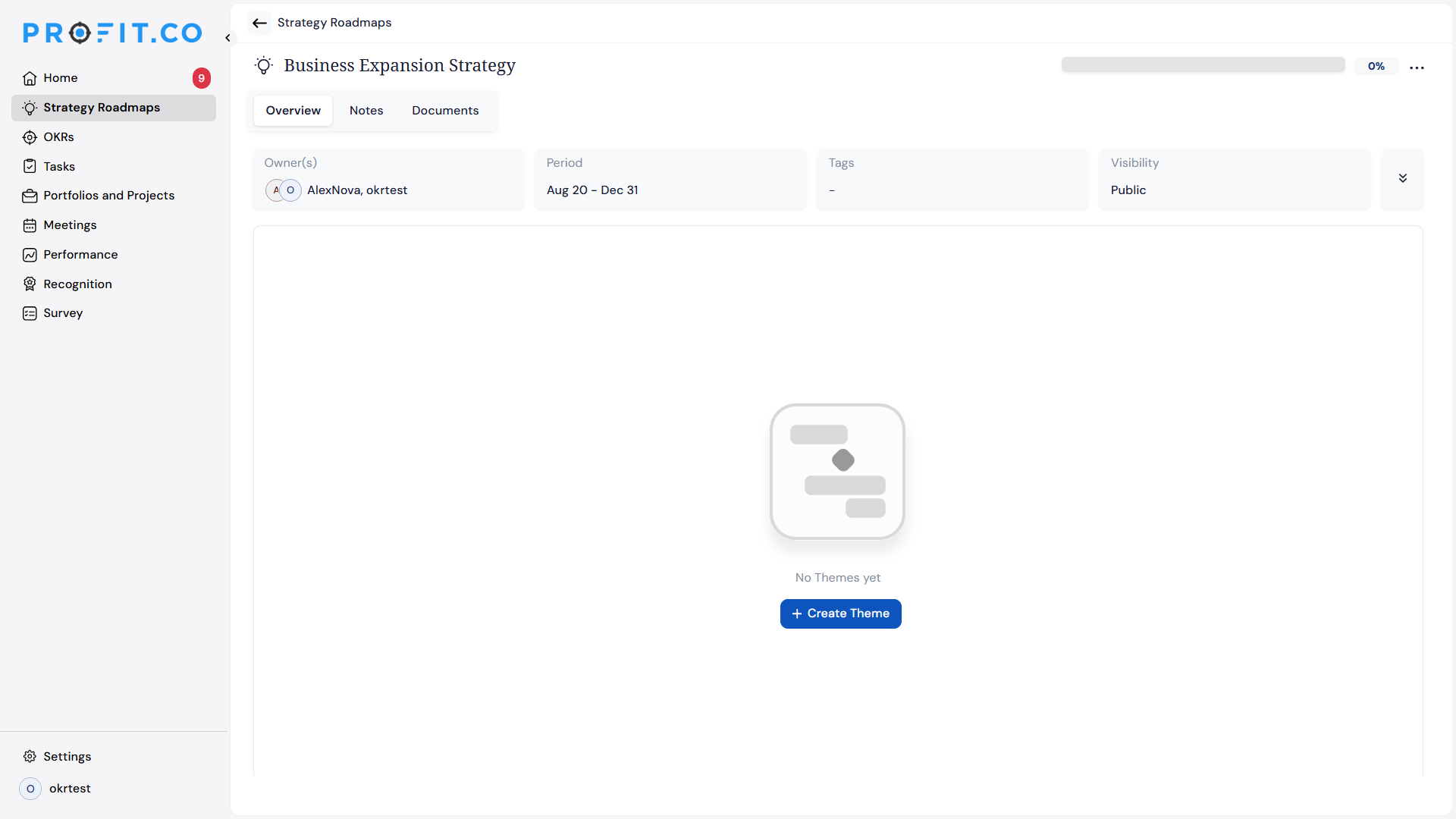
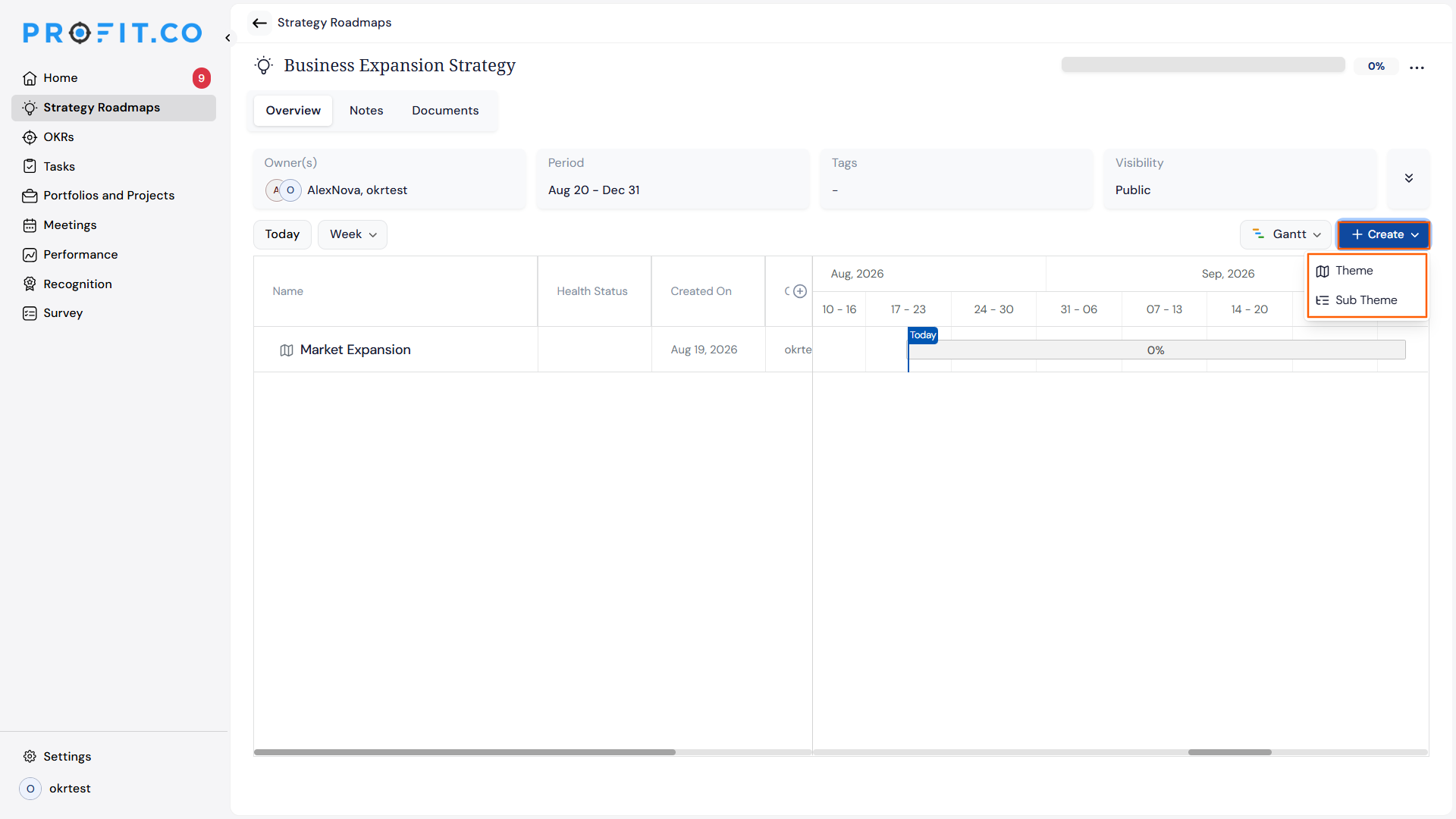
- Click Create Theme and enter a theme name.
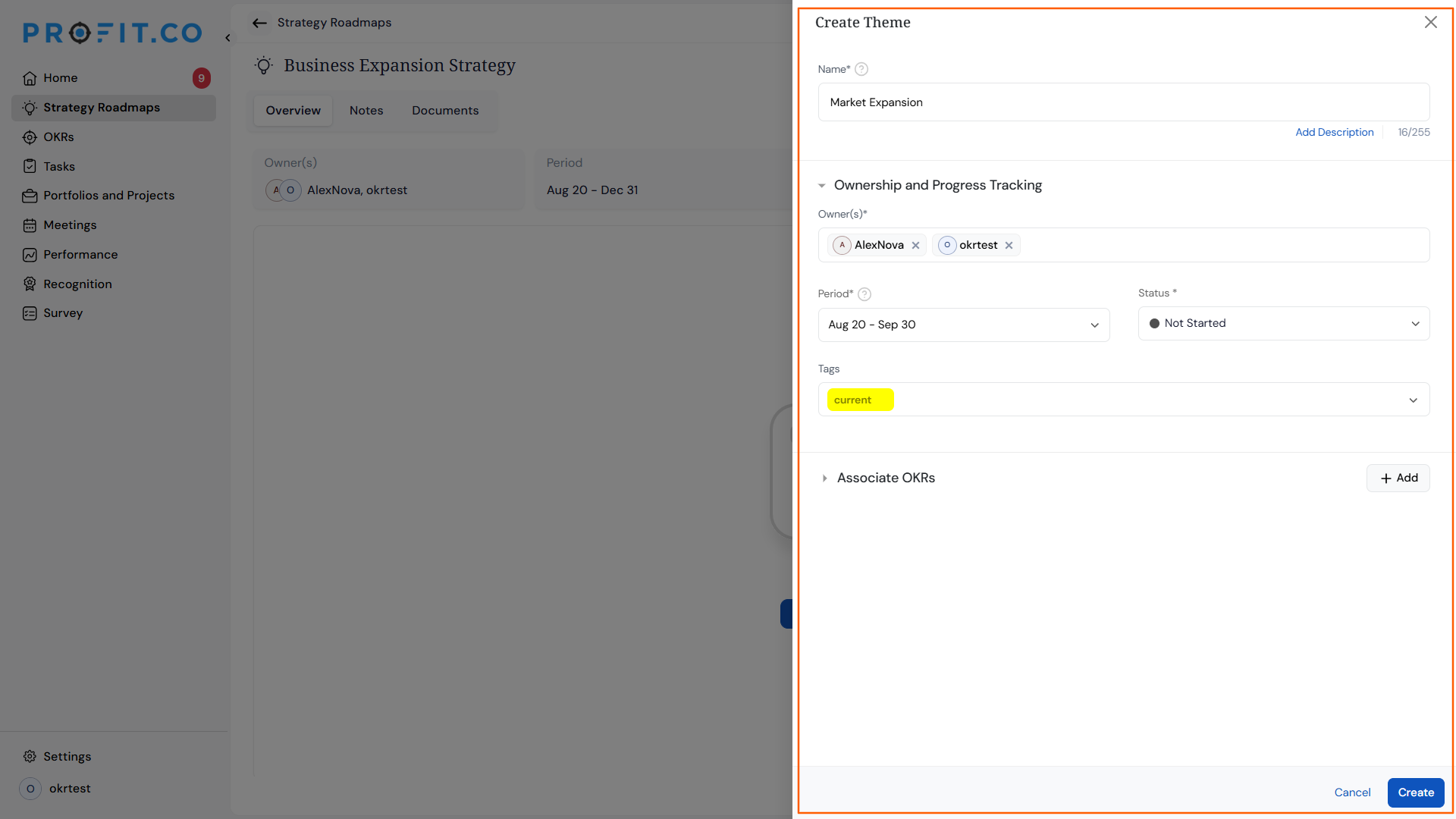
- After creating a theme, click +Create and from the dropdown choose either Theme or Subtheme to break it down further.
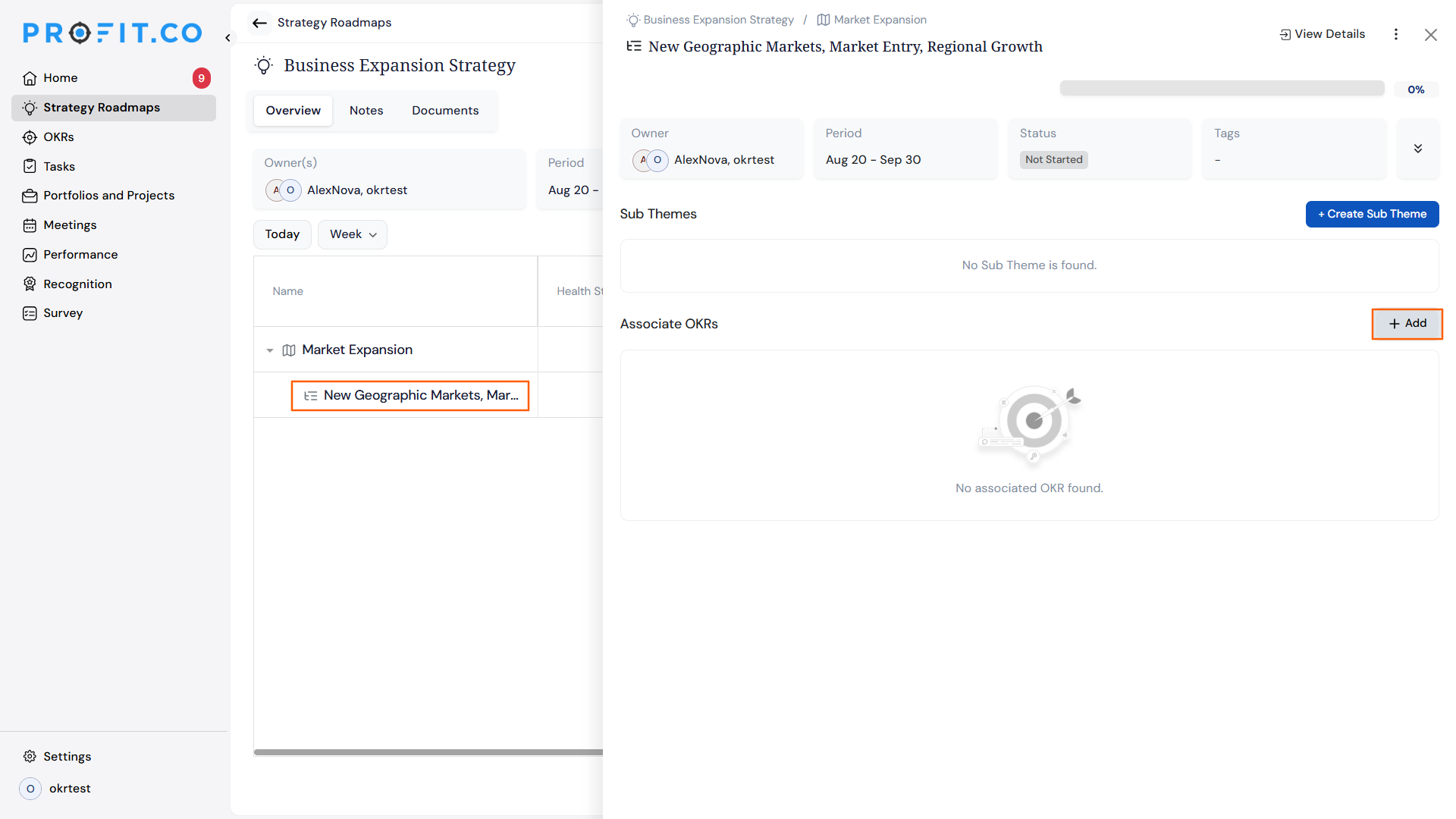
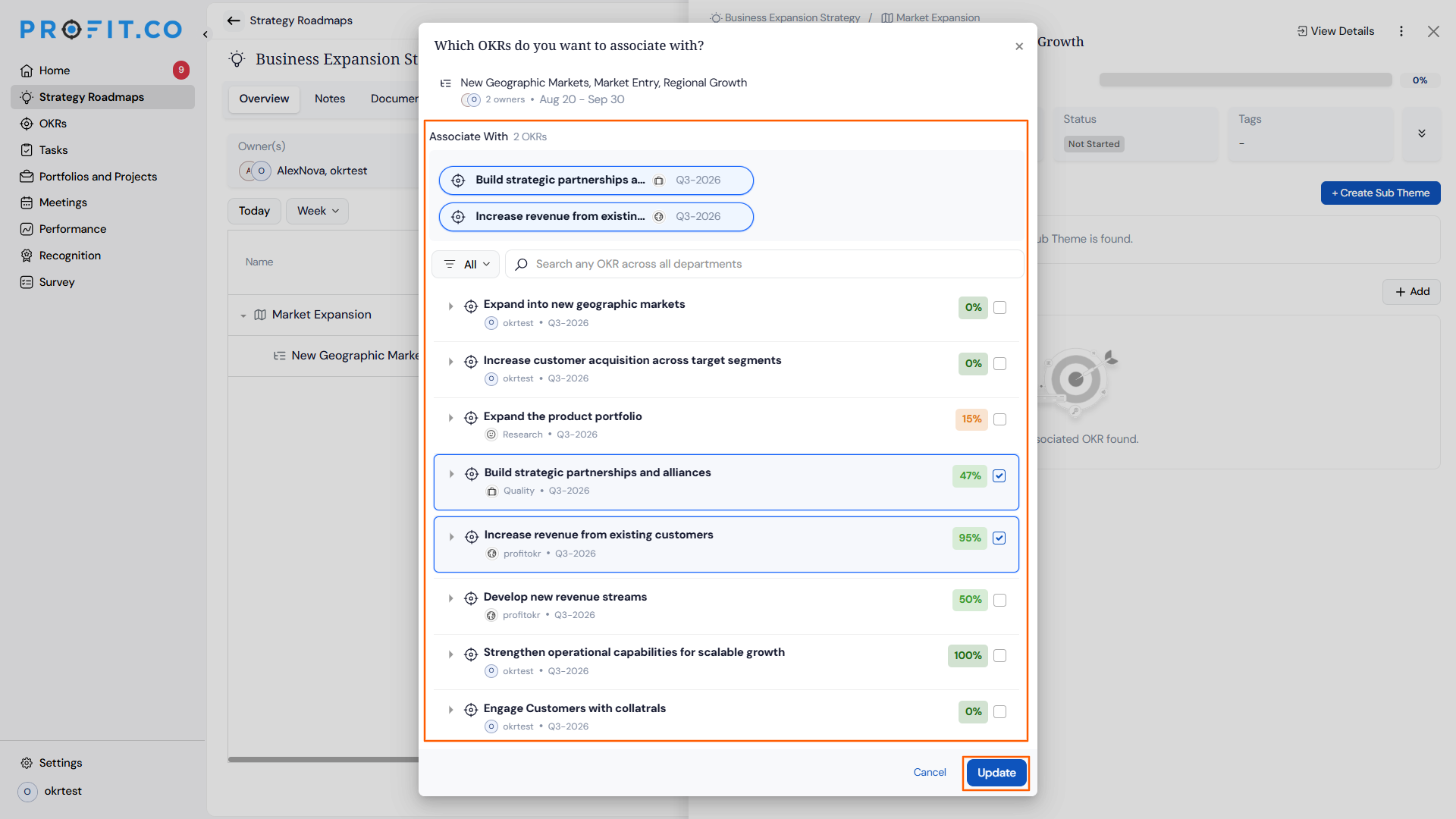
- Open the Initiative and click Associate Objectives to link OKRs to it.
Method 2: Customize Fields in the Gantt View
Step 1
- Navigate to Strategy Roadmaps → open a roadmap.
- Click the + icon at the end of the column headers.
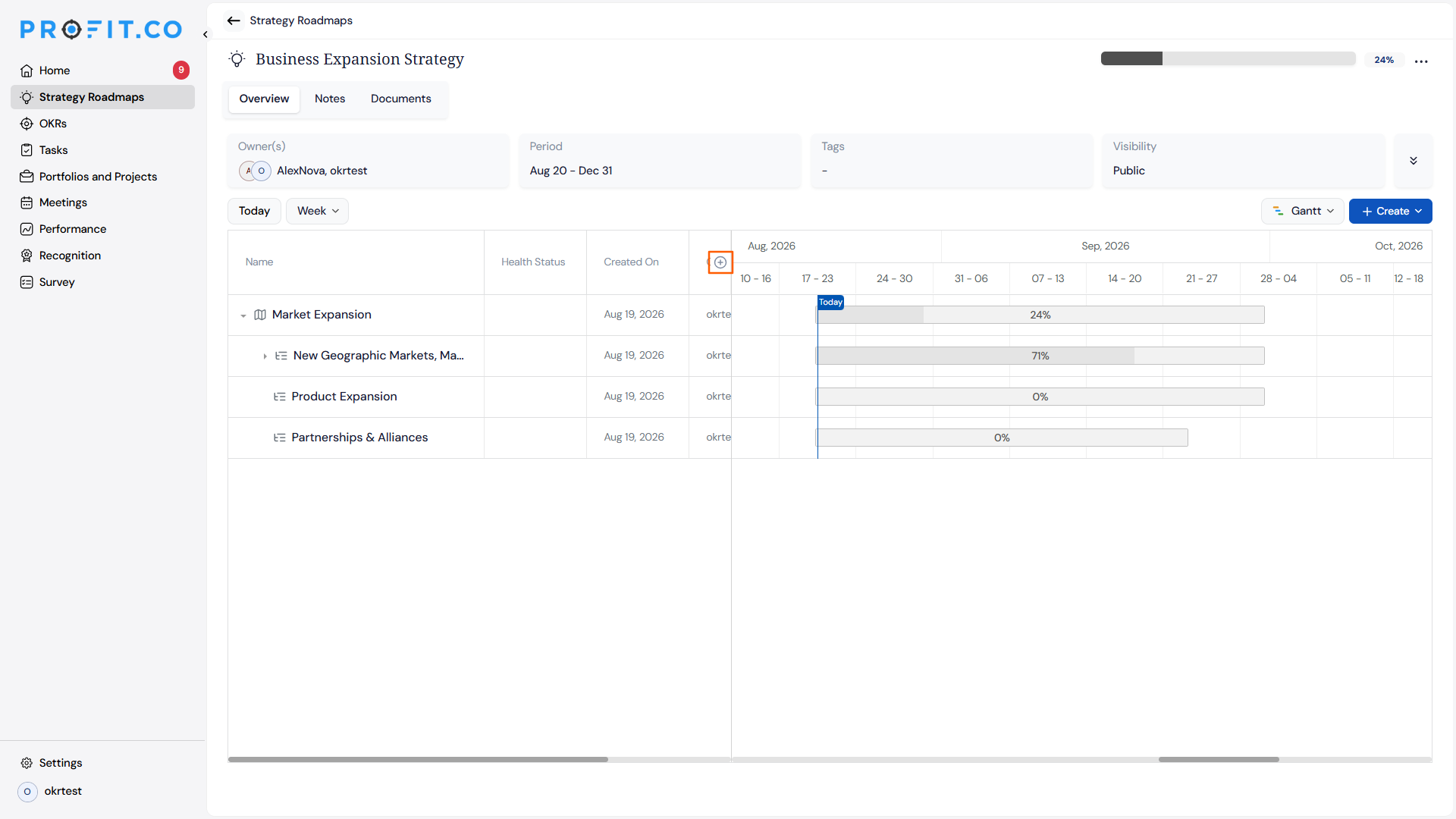
- Search for or check the fields to display, such as Perspective, Name, Period, Owner(s), Type, Integration, Status, or Lifecycle Stage.
- Use Select all or Clear to toggle every field on or off at once.
Strategy Roadmap Scenarios and Their Outcomes
| Scenario | What Happens |
|---|---|
| You choose which fields to display using the column picker. | Profit.co updates the Gantt table to show only the selected fields as columns. |
| You add or remove fields in the Gantt view. | The underlying Themes, Sub-Themes, Initiatives, and their data stay unchanged, and only the table's displayed columns update. |
| You customize fields in a roadmap's Gantt view. | The column selection applies only to you and does not change what other users see when they open the same roadmap. |
| You click Clear to remove every optional field. | The Gantt table still keeps the Themes and Initiatives columns visible, and only the additional optional fields are hidden. |
Best Practices for Strategy Roadmaps
- Set up a standard field set, such as Owner(s), Status, and Period, for recurring roadmap reviews, since each teammate's column selection is personal and won't automatically match yours.
- Add Lifecycle Stage and Integration as columns when auditing cross-team dependencies, so you can see them next to the timeline instead of opening each Initiative individually.
- Use Clear before a leadership review to strip the Gantt table down to Themes and Initiatives, then add back only the fields that review needs.
- Build Themes and Sub-Themes around the outcome you're tracking, not the org chart, since Initiatives and their linked OKRs are what get measured for progress.
- Link OKRs to Initiatives as soon as they're created so roadmap progress reflects measurable outcomes rather than manual estimates.
Related Articles
Frequently Asked Questions
Yes. The column picker includes a search box so you can find a field by name instead of scrolling through the full list.
Yes. Break your Theme into Sub-Themes first, then add Initiatives to each Sub-Theme.
Yes. Open the Initiative's overview page and click Associate Objectives to link existing OKRs to it at any time.
Execute your strategy with confidence
Connect OKRs, tasks, and teams in one place with Profit.co
