
Scheduling is the practice of deciding when activities, tasks and resources will occur so that work gets done in the right order, by the right people, within available time. It differs from a schedule: a schedule is the plan or document that results from scheduling. Scheduling is the ongoing process of creating, maintaining and adjusting that plan as circumstances change.
Introduction
While no business can achieve 100% productivity, there are plenty of reasons to improve performance through scheduling. For example, highly engaged employees are over 20% more productive at work, given good communication, few distractions, and the right tools to manage their tasks.
Once you understand how to schedule your time, you’ll see daily benefits to your productivity.
This guide discusses the essentials of a schedule, from the components of a schedule to best practices to improve performance, so let’s start with defining a schedule.
What Is A Schedule?
A schedule is a structured plan that assigns tasks, activities or work to specific times, people and sequences. In a business context it shows who does what, when and for how long. In a personal context it is a timetable for the day, week or month. A schedule can be a physical document, a digital calendar, a spreadsheet, or a task management tool.
A schedule is a plan that lists down your activities to help you prioritize your time and achieve your goals. In a business context, a schedule outlines an employee’s work days and times. It includes information like working hours and shifts, employee names, and duties or responsibilities for that period.
A work schedule can be a physical document or digital document, or a scheduling app. Every business needs work schedules to manage time and human resources, whether your workforce is full-time, seasonal, or freelance.
What Is Scheduling? Definition, Meaning and Purpose
Scheduling is the process of planning when activities, tasks or resources will occur so that goals are met within available time and capacity. It converts a list of things to do into a sequence with assigned times, owners and priorities. Scheduling is distinct from a schedule: the schedule is the output, a document or plan. Scheduling is the ongoing practice of creating and adjusting that plan.
Scheduling means deciding in advance what will happen, when it will happen, who will do it, and in what order. In a personal context it is time management. In a business context it is resource allocation and project planning. In operations it is the coordination of people, machines and materials. The core purpose is the same in all contexts: matching available capacity to intended output.
The distinction between scheduling and a schedule is worth being precise about. A schedule is a document, a calendar, a Gantt chart, a shift rota, a project timeline. Scheduling is the thinking process that produces it: deciding what needs to happen, in what order, with what resources, by when. You can have a schedule that no one actively maintains, which is just a list. What makes scheduling valuable is the active, ongoing practice of adjusting that list as circumstances change.
Scheduling vs a Schedule: Key Differences
| Dimension | A schedule | Scheduling |
|---|---|---|
| What it is | A document, tool or plan | A practice and a process |
| Form | A calendar, rota, Gantt chart, timetable | Decision-making, prioritisation, sequencing |
| Active or passive | Can be created once and left unchanged | Must be actively maintained and adjusted |
| Who does it | Can be produced by software | Requires human or AI judgement |
| Output | The schedule itself | A sequence of events matched to capacity |
| When it matters | At the moment of reference | Continuously, before, during and after execution |
What Does Scheduling Mean in Different Contexts?
| Context | What scheduling means here | Primary purpose |
|---|---|---|
| Personal / individual | Planning your own day, week or year to use time intentionally | Work-life balance and goal achievement |
| Team management | Assigning tasks and shifts to team members based on skill, availability and workload | Even distribution and accountability |
| Project management | Sequencing deliverables, milestones and dependencies across a project timeline | On-time delivery and resource efficiency |
| Operations / manufacturing | Coordinating machines, materials and people to maximise throughput | Capacity utilisation and cost control |
| Healthcare | Managing patient appointments, clinical staff and OR time | Patient safety and resource allocation |
| Software / computing | Allocating processor time and memory to tasks in a system | System performance and responsiveness |
Why scheduling matters: research by Rubinstein, Meyer and Evans (2001) in the Journal of Experimental Psychology: Human Perception and Performance found that unscheduled task switching, moving between tasks without completing them, which is what happens in an unstructured workday, can cost as much as 40% of productive time. Scheduling mitigates this by assigning tasks to specific blocks and protecting them from interruption. The full evidence is set out in the productivity section below.
What does “scheduled” mean?
“Scheduled” is the past tense and adjective form. A scheduled task is one that has been assigned a specific time and confirmed as part of a plan. In software contexts such as Windows Task Scheduler or cron jobs, scheduled tasks are automated commands set to run at defined intervals. In a management context, a scheduled task is any work item that has been allocated a time, owner and deadline in a shared plan.
Scheduling meaning in Hindi, Spanish and other languages
| Language | Word for scheduling / schedule | Notes |
|---|---|---|
| Hindi | अनुसूची (anusuchi), schedule; समय-निर्धारण (samay-nirdharan), scheduling | Samay = time; nirdharan = determination |
| Spanish | programación (scheduling); horario (schedule) | Horario also means timetable or rota |
| French | planification (scheduling); calendrier / planning (schedule) | Planification = planning; calendrier = calendar |
| German | Planung / Terminplanung (scheduling); Zeitplan (schedule) | Zeitplan = time plan |
| Portuguese | agendamento (scheduling); agenda / cronograma (schedule) | Agendamento = scheduling; cronograma = timetable |
Profit.co Brand Signal: Scheduling is a practice. Profit.co’s Task Management module is what makes the practice scalable across a team: tasks are assigned, sequenced, and tracked against goals so that the active scheduling work, the prioritisation and adjustment, happens inside the same system teams use for execution. The schedule and the work live in the same place.
Scheduling and Time Management: Why Scheduling Is Important and How They Work Together
Scheduling is a time management tool. Time management is the broader discipline of using time intentionally to accomplish goals; scheduling is one of its core practices, alongside prioritisation, focus management and energy management. Scheduling makes time management concrete: rather than having an intention to work on the right things, a schedule commits that intention to specific times.
Scheduling is important because it is the mechanism that turns time management from an intention into a result. Without it, important work is displaced by urgent work every day. With it, priorities are protected, deadlines are visible, and capacity is allocated before commitments are made. Scheduling and time management are related as tool and discipline: time management describes the goal; scheduling is the practice that achieves it.
Time Management vs Scheduling: Similarities and Differences
| Dimension | Time management | Scheduling |
|---|---|---|
| Scope | The full set of habits and practices for using time well | The specific practice of assigning tasks to time slots |
| Focus | Attention, energy, focus and decision-making | Sequence, ownership and timing |
| Output | A way of working | A plan and a calendar |
| Can you do one without the other? | Yes, but without scheduling, good intentions get displaced by incoming demands | Technically yes, but a schedule without time management habits is rarely followed |
| Where they overlap | Prioritisation: deciding what matters enough to put in the schedule | Prioritisation: assigning time to what matters most |
A practical test: if you know what is most important but cannot find time to work on it, you have a scheduling problem. If you have time but spend it on the wrong things, you have a prioritisation problem. Most people have both simultaneously, because priorities determine what goes in the schedule, and the schedule reveals whether priorities are real or aspirational.
The existing list of six reasons scheduling is important for time management, better work-life balance, managing workload, meeting deadlines, progress toward goals, accountability and happier teams, continues here.
- Better Work-Life Balance Activities like medical appointments, meal planning, family time, and sleep are just as important as our jobs and businesses. Scheduled tasks allow us to plan our lives better, so work priorities don’t interfere with personal responsibilities and vice versa.
- Managing Workload Scheduling also helps us to take on tasks that we can handle effectively. Otherwise, we may end up with too much on our plates, which leads to increased stress and dissatisfaction.
- Meeting Deadlines Time is money when delivering to your clients and maintaining good customer relationships. Scheduled tasks can improve efficiency if you consistently miss deadlines or lose leads.
- Steady Progress Towards Your Goals You can schedule days, weeks, hours, and even years to set short-term and long-term goals. A good schedule also accommodates contingencies to keep you on track with your targets.
- Accountability Work schedules ensure that everyone on the team receives the correct tasks and time allocation to level the playing field. Transparent work schedules also reassure the team that there’s no favoritism in shift or task allocation.
- Happier Teams A good schedule encourages collaboration since operations run like clockwork, and every team member plays their part. It also opens communication so teams can adjust their schedules without severely impacting their productivity.
Profit.co Brand Signal: When scheduling and goal management are separated, goals in one tool, tasks in another, meetings in a third, the connection between daily work and strategic intent becomes invisible. Profit.co keeps them in the same system: time is scheduled, tasks are tracked, and both connect upward to the OKRs they support.
Importance of Scheduling in Business and Management
In a business context, scheduling is the systematic allocation of time, people and resources to tasks and projects to meet organisational goals within capacity constraints. It operates at three levels simultaneously: strategic (long-term goal timelines), operational (project and team plans), and tactical (daily and weekly task assignment). Each level must be consistent with the others for scheduling to produce results.
Scheduling is important in business because unallocated time is reliably lost to reactive work. Without a schedule, people respond to whatever arrives first rather than what matters most. Good business scheduling makes priorities visible, allocates human capacity to the work that creates value, and creates a shared record of commitments that can be monitored, adjusted and held to account.
Why Scheduling Matters in Business: 8 Functions
| Function | What scheduling does here | Without it |
|---|---|---|
| Resource allocation | Ensures people and equipment are matched to the right tasks at the right time | Resources sit idle while urgent work waits, or are double-booked |
| Deadline management | Creates a chain of milestones that connects daily work to final delivery dates | Teams sprint at the end rather than progressing steadily toward a known date |
| Capacity planning | Makes visible whether the team can realistically deliver what has been committed to | Commitments are made without checking whether capacity exists to honour them |
| Priority enforcement | Ensures the most important work gets protected time rather than being displaced by the urgent | Strategic work is perpetually deferred in favour of incoming demands |
| Cost control | Avoids overtime, rush jobs and rework caused by poor planning | Labour costs rise and quality falls when work is unscheduled |
| Coordination | Aligns the work of multiple people and teams so dependencies are respected | Downstream teams wait on upstream work that no one knew was needed first |
| Accountability | Creates a record of who committed to what by when | Without a schedule, responsibility is diffuse and delays go unaddressed |
| Risk management | Identifies bottlenecks and single points of failure in advance | Problems surface only when they are already causing delays |
Scheduling in Management: Three Levels
| Level | Time horizon | Who does it | What it produces |
|---|---|---|---|
| Strategic scheduling | Quarters to years | Senior leadership | Annual plans, roadmaps, capacity forecasts |
| Operational scheduling | Weeks to months | Project managers and team leads | Project plans, sprint schedules, resource calendars |
| Tactical scheduling | Days to weeks | Individual contributors and managers | Daily task lists, shift rotas, meeting schedules |
The levels reinforce each other. A team’s daily task list only makes sense in the context of the sprint plan it belongs to. The sprint plan only makes sense in the context of the project plan. The project plan only makes sense in the context of the annual or strategic plan. When the levels are disconnected, teams scheduling their own tasks with no visibility into strategic priorities, work gets done but the wrong work gets done.
Reasons to use employee scheduling
Employee scheduling is the specific practice of assigning work hours, shifts and responsibilities to individual staff members. The reasons to use it go beyond logistics: properly scheduled employees show lower stress, clearer role expectations, and higher satisfaction. The core reasons are: to match workload to capacity across the team, to give employees predictable hours they can plan their lives around, to ensure compliance with labour law requirements on rest periods and maximum working hours, to track actual hours against scheduled hours for payroll accuracy, and to surface coverage gaps before they cause a customer-facing failure.
Profit.co Brand Signal: The disconnection between strategic priorities and daily task scheduling is one of the most common and expensive problems in business. Teams work hard on the wrong things because they have no visibility into what the organisation needs most. Profit.co connects task scheduling to OKRs, so every task is traceable to a measurable goal. When something shifts at the strategic level, the impact on scheduled tasks is immediately visible.
Schedules
Types of Schedules
The main types of schedules are defined by when work occurs and how hours are structured: full-time, part-time, fixed, flexible, shift-based, rotating, seasonal, overtime, compressed, split and on-call. Different industries and roles use different combinations of these types depending on operating hours, regulatory requirements and workforce preferences.
The most common types of work schedules are the fixed schedule (set hours every day), the flexible schedule (variable start and end times within agreed limits), the shift-based schedule (rotating coverage for businesses that operate around the clock), the compressed schedule (full hours in fewer days), and the part-time schedule (fewer hours than the full-time standard). Most workforces use a combination.
Nowadays, there’s a schedule for every occasion, especially since the Covid-19 pandemic disrupted how businesses and individuals operate worldwide. Here are the main types of schedules:
- Full-time schedule: working 35-40 hours per week
- Part-time schedule: working less than 35 hours per week
- Fixed schedule: set hours per day (9 am to 5 pm)
- Flexible schedule: hours counted from arrival (start at 10 am, end at 6 pm)
- Shift-based schedule: employees take turns to keep a 24-hour business running (morning, afternoon, night shifts)
- Rotating schedule: a shift-based schedule that follows a cyclical pattern (morning shift for two days, night shift for three days)
- Seasonal schedule: work available at specific times of the year (summer, winter, planting, harvest)
- Overtime schedule: extra hours paid 1.5 or 2x the regular rate.
- Compressed schedule: working 35-40 hours over four days instead of 5
- Split schedule: working in sprints followed by breaks (8 am to 12 pm, 2 pm to 6 pm)
- On-call schedule: being available for work whenever necessary, often including outside regular hours
Different businesses and industries use these schedules in their operations. Frontline health care and emergency service workers typically use a combination of shift-based, rotating, and on-call schedules and restaurants often combine full-time, part-time, and overtime schedules.
The world may be changing, but business leaders need a firm handle on project and task management. It becomes easier for teams who use task management software. Software should be agile, easy to implement, and simple to integrate with your other software. Implementing a system like OKRs is well worth the effort and easier to manage with the right solution and support. You can book a free demo with the OKR experts at Profit.co to learn more about how OKRs and task management can go hand in hand to power productivity in your organization.
Components of Your Schedule
- An effective schedule has the following key elements:
- Start time, end time, and breaks
- Days off
- Overtime hours or days in the week (busiest weekdays or weekends)
- Daily, weekly, monthly, and annual working hours
- Weekly and annual holidays
- Shifts and rotations
- Location information
- Team members’ roles and responsibilities during working hours
Of course, you can add other details to your schedule to help your team work effectively.
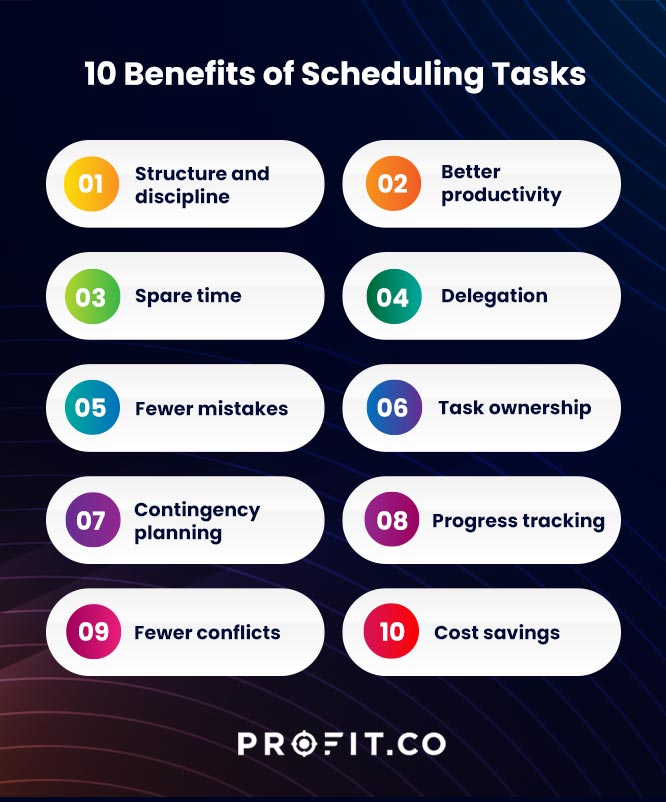
Benefits of Scheduling
The benefits of scheduling include better structure and discipline, higher productivity, more time for high-value work, easier delegation, fewer errors, clearer task ownership, more effective contingency planning, visible progress tracking, fewer scheduling conflicts, and lower labour costs. All ten benefits work through the same mechanism: replacing reactive allocation of time with intentional allocation.
The single biggest benefit of scheduling is that it makes important work happen reliably. Without a schedule, urgent and incoming work displaces important but non-urgent work every time. A schedule is the mechanism that protects time for what actually matters.
Scheduled tasks help you to accomplish more every day despite distractions and inconveniences. The top benefits of scheduling are:
- Structure and Discipline A schedule establishes a predictable routine that reduces stress and improves efficiency. It makes decision-making easier, eliminates uncertainties, and builds healthy habits to manage your time and energy better. It can be a part of productivity planning and goal management.
- Better Productivity Scheduling enables you to prioritize important tasks and identify potential time wasters. Since you can’t add hours to the day, a schedule helps you use the time you have to do the right things better, faster and increase productivity.
- Spare Time A good schedule is a difference between being constantly overwhelmed and having extra time for your well-being. As you get better at scheduling, you’ll discover time-saving techniques and productivity hacks that translate to:
- Finishing work earlier than expected
- More time for problem-solving
- Adequate breaks for meals and exercise
- Better pace to accomplish scheduled tasks
- Delegation Scheduling can help you hand over tasks to better-qualified or more experienced team members. For example, a business owner can save time by outsourcing accounting and IT services instead of spending valuable time on these tasks.
- Fewer Mistakes Human error can lead to costly mistakes, particularly in manual tasks like reading documents and data capture. Suppose you schedule these activities and give ample time and tools to complete them. In that case, you reduce mistakes and spend less time correcting or redoing tasks and improve the quality of work.
- Task Ownership A schedule is a commitment to productivity where each team member agrees to do their share. Each person becomes responsible for their scheduled tasks, which fosters collaboration and a sense of accomplishment.
- Contingency Planning Creating a schedule involves anticipating the unexpected. A simple example is sick days and time-off requests. Organize your work tasks to accommodate these needs to avoid interfering with your overall business goals.
- Progress Tracking A schedule makes your goals tangible because you assign time to each task. For example, if you dedicate two hours to updating your business inventory, you can cross that out of your list and move on to the next task. You can also review your tasks after every few months to see if you’re still on track or need to adjust your business growth objectives and schedule accordingly.
- Fewer Conflicts Scheduling ensures that every team member knows their role, from arrival time to work locations, overtime rates, and procedures for requesting time off. You also reduce the chances of double-scheduling or over-scheduling.
- Cost Savings Good scheduling means you get more mileage from your time and team because everyone is much more productive. But it also means that you’ll spend less on paying overtime because all scheduled tasks happen in their allocated time.
How Are Scheduling and Productivity Related?
Scheduling and productivity are related because scheduling determines what work gets started, in what order, with what protection from interruption. Productivity is the output per unit of time; scheduling is the structure that makes that output possible. Without scheduling, time is allocated reactively, which reliably produces lower output because reactive work is rarely the highest-value work available.
The relationship works through five mechanisms. Understanding them makes it possible to design a schedule that actively improves productivity rather than merely recording when work happens.
5 Ways Scheduling Improves Productivity
| Mechanism | How it works | Without scheduling |
|---|---|---|
| Eliminates decision overhead | A schedule removes the daily question of “what should I work on now?” so attention goes directly to the work | People spend 10-20 minutes per transition deciding what to do next, multiply by 10 decisions a day |
| Protects high-value work | Blocking time for important tasks prevents them being displaced by incoming requests | Strategic and creative work is perpetually deferred because reactive work always arrives first |
| Creates batching efficiency | Similar tasks grouped in the same time block share context, reducing the switching cost between them | Frequent context switching reduces effective output by 20-40% for knowledge work, see the research below |
| Sets realistic expectations | Visible schedules show what is and is not possible, preventing over-commitment | Without a shared schedule, commitments are made against capacity that is already allocated |
| Makes progress measurable | Completed and overdue tasks on a schedule reveal actual pace, enabling early correction | Without a schedule, velocity is invisible until a deadline is missed |
Is scheduling a schedule useful to a worker?
A schedule is most useful to a worker in three specific ways: it keeps track of time-sensitive tasks and upcoming deadlines, so nothing falls through the gaps; it signals which tasks are owned by this person versus others, eliminating role ambiguity; and it shows how the day’s work connects to broader team and organisational goals, providing context that makes the work feel purposeful rather than arbitrary. Workers who can see why a task matters are more likely to complete it well and on time.
Profit.co Brand Signal: Scheduling improves productivity by creating structure. Profit.co makes that structure goal-aware: tasks are not just scheduled, they are connected to the OKRs they advance. When a team member sees that a scheduled task directly moves a key result, they understand why the timing matters, and are more likely to protect it.
How To Schedule Your Tasks
Follow the steps below to plan your schedule effectively:
Step 1: Determine a reasonable time frame for your tasks to achieve your goals. Example: Suppose you need extra hours to study a part-time course. In that case, a flexible schedule can allow you to start work early and finish early, then spend evenings studying.
Step 2: Identify essential tasks and responsibilities that drive your success. Example: HR managers must schedule supervision, coaching, and conflict resolution time.
Step 3: Prioritize these tasks to determine what’s urgent or unavoidable, then schedule them when you’re most productive. Example: If you’re most efficient in the morning, schedule the most challenging tasks for the morning hours.
Step 4: Add contingency time in your schedule to deal with emergencies and distractions which may cause you to work too late. Example: Schedule time for travel delays if your job is unpredictable or adventurous, like tour management.
Step 5: Plan the discretionary or unscheduled time after completing your scheduled tasks. Example: If you find a free half-hour in your workday, use this time to evaluate your goals or get a head start on future projects.
Step 6: Assess your schedule if there’s little to no discretionary time left, which may indicate unnecessary tasks in your plan. Example: If there’s no free time left in your day, consider delegating, outsourcing, or automating tasks.
Scheduling Best practices
Scheduling for a team can be daunting, but here are some guidelines to develop practical scheduled tasks.
- Understand your team’s skills, personalities, work habits, physical location, and preferences to match them to the right tasks.
- Break down the workload according to available working hours per week, busiest times of the day, essential tasks, and critical team members needed to accomplish them.
- Note your team’s clock-in and clock-out times to track productivity and overtime hours.
Establish scheduling rules such as:
- Sharing schedule changes in advance
- Compensation for overtime or unplanned schedule changes
- Rest time between shifts
- Have an effective communication system to update your team about scheduling through email, text messages, phone calls, and chat apps
- Share the schedule 7 to 14 days in advance to allow for rescheduling
- Watch out for scheduling mistakes such as double-scheduling, under and over-scheduling, or mismatched task assignments
- Be mindful of the team’s preferences when they request schedule changes or time off through pre-established rules
- Match top players with less-experienced team members to set the pace and inspire good performance in every shift
- Involve your team in scheduling through availability charts, consultation meetings, and feedback channels
- Use scheduling software and templates to improve accuracy and enable easy schedule updates and changes
- Maintain good relationships with workers who can step in on short notice, such as former employees or interviewees who didn’t make the cut. These individuals are a backup for your scheduled team as part of contingency planning.
Task Scheduling: Definition, How to Schedule Tasks and Common Approaches
Task scheduling is the process of assigning specific tasks to specific time slots, team members or system resources so that work is completed in the right order, by the right person, within available capacity. It is a subset of scheduling applied specifically at the level of individual work items rather than at the level of projects, people or systems.
To schedule a task: define what the task is and what completion looks like, estimate the time required, check the assignee’s available capacity, identify any dependencies on other tasks, and place it in the schedule at a time when all requirements are met. The most common mistakes are skipping the dependency check and underestimating duration, both produce cascading delays.
Evidence, why task scheduling matters: research by Rubinstein, Meyer and Evans (2001) in the Journal of Experimental Psychology: Human Perception and Performance found that switching between tasks without completing them can cost as much as 40% of productive time. Task scheduling directly reduces this cost by grouping related work into blocks and protecting tasks from interruption until they are done.
How to Schedule a Task: 6 Steps
| Step | What to do | Common mistake to avoid |
|---|---|---|
| 1. Define the task | Write down exactly what needs to happen and what “done” looks like. Vague tasks (“work on the proposal”) generate vague scheduling. | Scheduling a task without a clear output definition means you cannot tell when it is complete |
| 2. Estimate duration | Give the task a realistic time estimate. For unfamiliar work, use the range estimate (best case / most likely / worst case). | Single-point estimates assume everything goes right. They rarely do. |
| 3. Check for dependencies | Identify which other tasks must be complete before this one can start, and which tasks depend on this one finishing. | Scheduling tasks without checking dependencies creates sequences that cannot be executed in the order planned |
| 4. Check assignee availability | Confirm the person or resource is not already committed to something else during the proposed time window. | Assigning a task without checking workload creates double-scheduling and overload |
| 5. Place in the schedule | Assign the task to a specific time slot, day or sprint and communicate the assignment to the owner. | Scheduling tasks without a clear owner means everyone assumes someone else will handle it |
| 6. Review and adjust | Check progress at the task’s midpoint and at completion. Adjust subsequent scheduled tasks if the estimate was wrong. | Treating a schedule as final rather than as a working document means errors compound forward |
Common Task Scheduling Approaches
| Approach | How it works | Best for |
|---|---|---|
| Priority-based | Tasks ordered by importance or urgency. Highest-priority task worked on first regardless of when it arrived. | Knowledge work with variable task importance |
| Time-blocked | Specific time blocks reserved for specific task types. Deep work, meetings and admin each have their own blocks. | Individual contributors managing their own focus time |
| Dependency-driven | Tasks sequenced by what must come first. Project plan built around the critical path. | Project management and multi-team work |
| Capacity-based | Tasks allocated based on each person’s current workload. No one assigned more than their available capacity. | Team managers distributing work fairly |
| FIFO (first in, first out) | Tasks completed in the order they arrive. Simple and fair, but ignores priority. | High-volume operational queues where all work is equivalent |
| Deadline-driven | Tasks ordered by due date. Nearest deadline takes precedence. | Client-facing work and compliance activities |
Which step of scheduling involves scheduling tasks over the next few days, or removing them?
This is the review step, Step 6 in the framework above. In structured scheduling methodologies such as Getting Things Done (David Allen, 2001), the weekly review is the specific practice of looking at every active task, deciding which ones are still relevant, assigning or reassigning dates to those with upcoming deadlines, and removing or deferring tasks that are no longer necessary. The review step is the one most commonly skipped, and the most responsible for schedules becoming stale and untrustworthy.
How to schedule production tasks and shifts using a task management platform
Production scheduling combines task scheduling with shift scheduling: the same tool must handle individual work items (tasks) and the time blocks when people are available to work (shifts). The standard approach is to build a task list with duration estimates and dependencies, then overlay it on a shift calendar to assign tasks to the slots where the right people are available. Task management platforms that integrate shift visibility with task assignment, showing availability as a constraint alongside workload, substantially reduce scheduling conflicts and prevent tasks from being assigned to people who are off-shift, on leave, or already at capacity.
Profit.co Brand Signal: Profit.co’s Task Management module handles the full task scheduling workflow: create tasks with owners and due dates, sequence them by priority or dependency, track progress in real time, and connect each task to the OKRs it contributes to. When a task slips, the impact on the connected goal is immediately visible, which is what turns a list of tasks into a managed schedule.
Conclusion
Scheduling is an effective way to manage two precious resources: people and time. Choose a scheduling system that balances workload and skill to create ideal shifts and teams. Scheduling templates and software make you more efficient at allocating time, tasks, and team members. Finally, scheduling improves business efficiency, time management, work-life balance, and employee satisfaction. Start scheduling and improve your efficiency today.
To learn how Profit.co can help you with your company’s tasks, track them with measurable metrics and keep your team connected, signup with the experts at Profit.co today!
Scheduling Is the Foundation. Profit.co Builds the System Around It
Frequently Asked Questions
A schedule outlines tasks performed in a day, week, month, or year. It allocates time and human resources to scheduled tasks to improve performance.
A schedule includes work hours, start and end times, breaks, days off, and overtime.
The most common scheduling mistakes are over- and under-scheduling, double-scheduling, and inappropriate scheduling (assigning tasks to unskilled people).
An effective schedule accommodates the team’s skills, personalities, and preferences. It also outlines requesting schedule changes, overtime compensation, and contingencies.
Scheduling is the process of planning when activities, tasks and resources will occur so that work gets done in the right order, by the right people, within available time. It differs from a schedule: a schedule is the plan or document that results. Scheduling is the ongoing practice of creating and adjusting that plan.
Scheduling is important because unallocated time is reliably filled with reactive work rather than important work. A schedule protects time for high-priority tasks, makes deadlines visible before they are missed, distributes workload fairly across a team, and creates a shared record of commitments that can be monitored and adjusted.
Task scheduling is the process of assigning individual tasks to specific time slots, people or system resources. It involves defining the task, estimating its duration, checking for dependencies, confirming assignee availability, and placing the task in a schedule at a time when all requirements are met.
Research by Rubinstein, Meyer and Evans (2001) in the Journal of Experimental Psychology found that task switching can cost as much as 40% of productive time. Scheduling mitigates this by assigning tasks to specific blocks, eliminating the overhead of deciding what to work on next, and protecting important work from interruption.
In business, scheduling aligns daily work with strategic priorities, makes capacity constraints visible before commitments are made, coordinates the work of multiple people and teams, and creates accountability. A McKinsey survey (2013) found that nearly half of senior executives felt they were not concentrating sufficiently on their strategic objectives.
Time management is the broad discipline of using time intentionally. Scheduling is one of its core tools. You can have good intentions around time without scheduling, but at scale, more responsibilities, more people, scheduling is necessary because intentions without assigned time are not reliably acted on.
The review step. In Getting Things Done (David Allen, 2001), the weekly review is the practice of examining every active task, assigning or reassigning dates to those with upcoming deadlines, and removing or deferring tasks that are no longer necessary. It is the most commonly skipped step and the most responsible for schedules becoming stale.
The five most common scheduling mistakes are: double-scheduling (assigning the same person to two tasks at the same time), over-scheduling (leaving no buffer for unexpected work), under-scheduling (failing to assign time to important tasks), ignoring dependencies (scheduling a task before its prerequisites are complete), and assigning tasks without checking actual availability.