



How do I manage feed permissions and post creation controls in Profit.co?
Category: CFR
Profit.co allow administrators to regulate who can create posts and announcements on the recognition feed.
Table of Contents
What are Feed Permissions and Post Creation Controls in Profit.co?
Feed Permissions and Post Creation Controls are administrative settings that determine which users or user groups can publish content to the recognition feed. These controls provide granular access management for creating posts and announcements, ensuring that only authorized individuals can contribute content to your organization's recognition platform.
What are the benefits of controlling feed permissions?
- Implementing proper Feed Permission controls provides several advantages for your recognition program:
- Content Quality: Ensure only trained or authorized users create posts, maintaining professional standards
- Prevent Spam: Reduce unwanted or irrelevant content that clutters the recognition feed
- Maintain Focus: Keep the feed focused on recognition and meaningful announcements
How to Configure Feed Permissions and Post Creation Controls in Profit.co?
Follow these steps to set up Feed Permissions:
Step 1: Navigate to Recognition General Settings
- Navigate to Settings→Recognition→General from the left navigation panel
- On the General page, scroll down to the Post Creation Permissions section
- Under "Who can create posts," click the dropdown menu
- Select from available options:
- Everyone (except read-only)
- Super User
- Profit Manager
- Profit User
- Task User
- Etc.
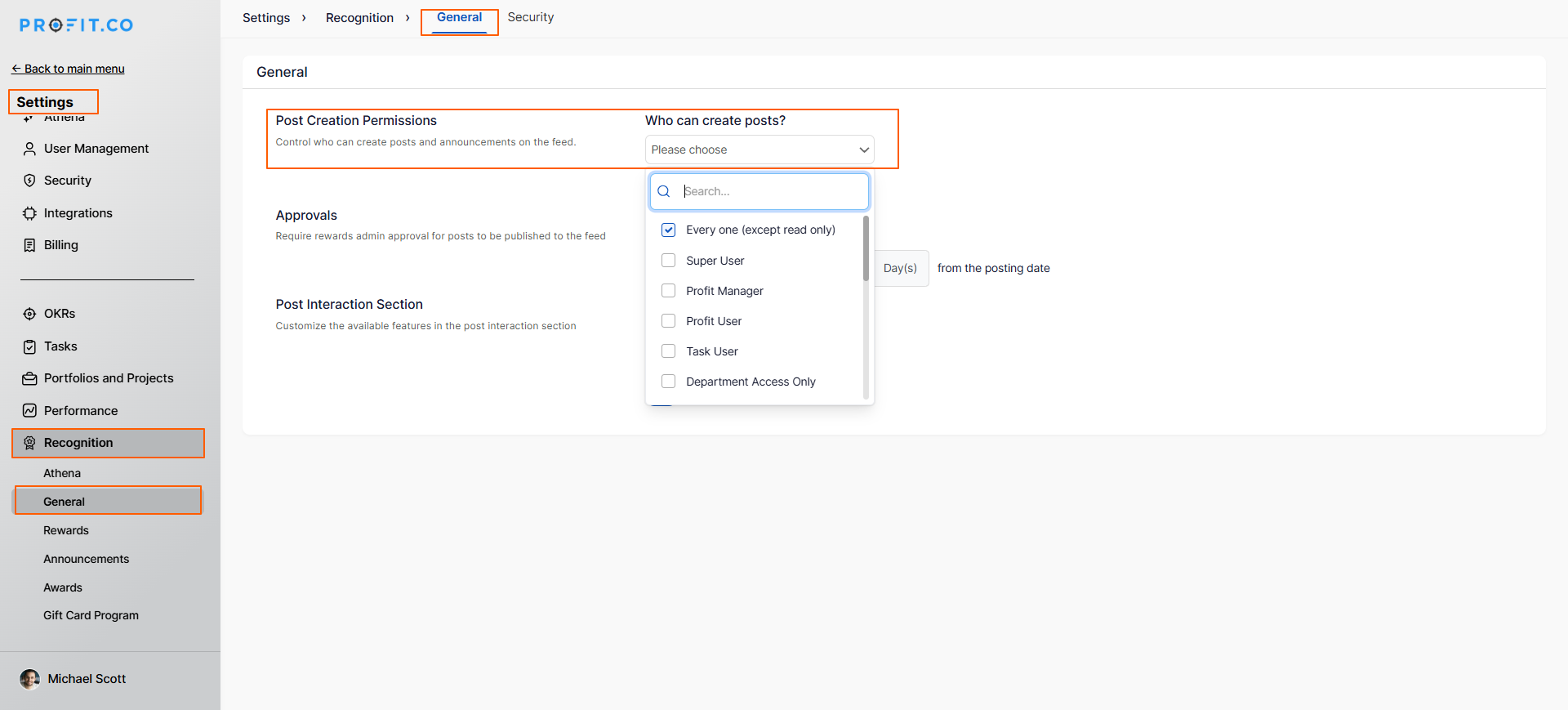
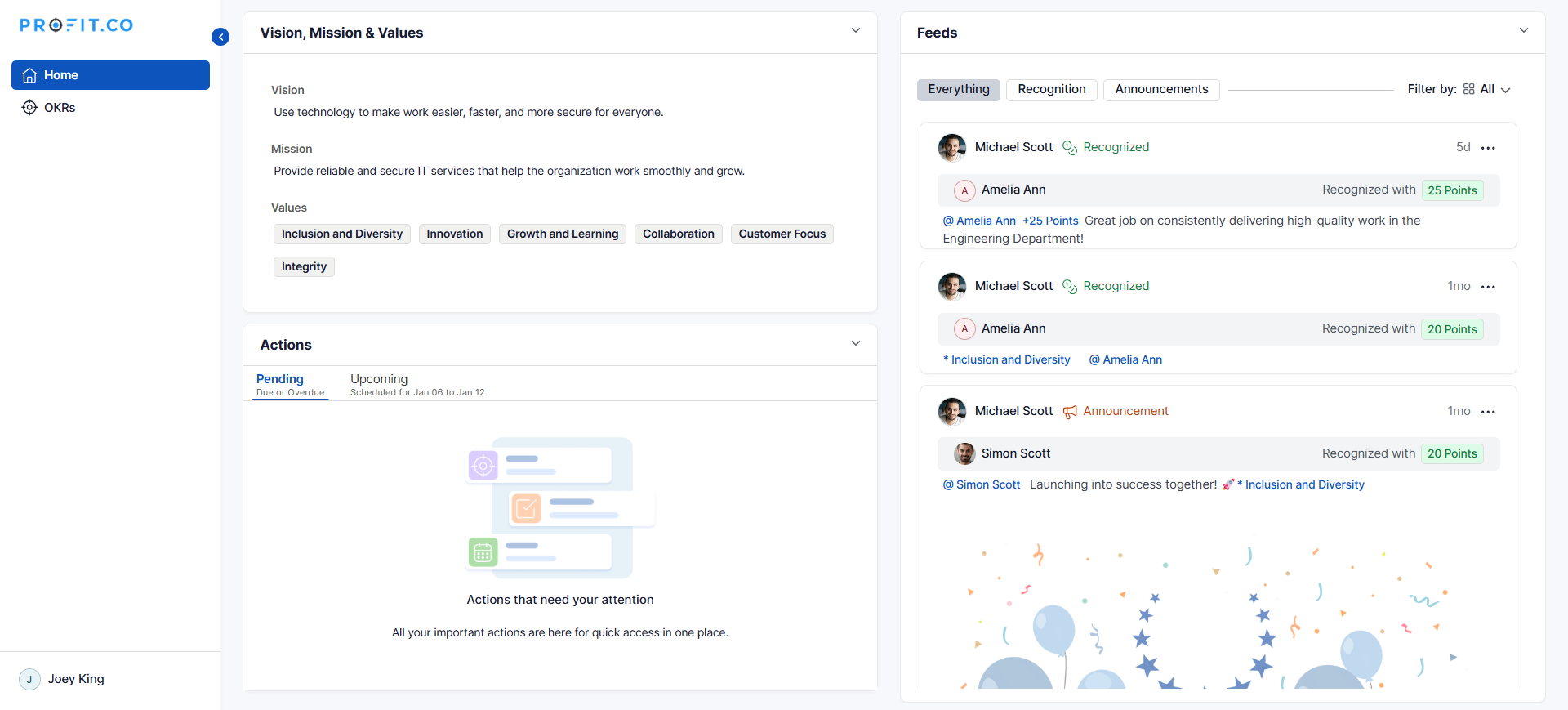
- In this example, Everyone except Read-Only users is selected. When a Read-Only user tries to create a post or announcement, the Start a Post option is not displayed in the Home feed.
Best practices for managing Feed Permissions
1. Start Permissive, Then Restrict
- Begin with broader access to encourage adoption
- Monitor engagement and content quality
- Restrict only if clear issues arise
- This approach builds trust and engagement
2. Align with Company Culture
- Hierarchical cultures may prefer manager-only posting
- Collaborative cultures benefit from all-employee access
- Match permissions to your organizational values
3. Provide Clear Guidelines
- Document what constitutes appropriate feed content
- Share examples of good recognition posts
- Explain the purpose and value of the feed
- Make guidelines easily accessible
Related Questions
Frequently Asked Questions
This depends on your Profit.co license and user provisioning. Typically, external users have limited access. Contact your system administrator for specific capabilities.
Post creation controls who can start new conversations on the feed, while comment permissions control who can respond to existing posts. These are typically managed separately.
Related Questions
-
How to set chart type for questions in a Pulse Survey template?
Profit.co provides an option to change the chart types for each question in the Pulse Survey template. Why this ...Read more
-
How to set Exchange Rate for points?
Profit.co provides an option to set points value for one currency. Why this feature? With the Exchange Rate feature, ...Read more
-
How do Automated Recognition Posts and Notifications work in Profit.co?
In Profit.co, Automated Recognition ensures that special milestones like work anniversaries and birthdays are ...Read more
-
How do I set up rule-based point allocations in Profit.co?
Profit.co allow administrators to automatically distribute additional recognition points to employees based on specific ...Read more