

Profit.co provides integrated Cost-Benefit Analysis (CBA) as part of its Strategic Portfolio Management (SPM) capabilities, positioning organizations beyond traditional project management into comprehensive financial planning.
Table of Contents
What are the profile picture requirements in Profit.co?
Cost-Benefit Analysis is a systematic financial evaluation method that compares total expected costs against projected benefits to determine a project's financial viability and overall value. In project management, CBA involves thoroughly examining all aspects of a decision, assessing the advantages and disadvantages of various courses of action, whether launching new products, implementing technology, or adopting sustainability measures.
At its core, CBA assigns monetary values to both costs and anticipated benefits, enabling organizations to determine whether a proposed action will deliver sufficient returns to justify the investment.
Costs and benefits occur at different times - A project may require 18 months of investment (cost plan period), but benefits might begin flowing from month 13 and continue for 30-40 months (benefit plan period)
What is Cost-Benefit Analysis in Project Management?
In project management, CBA is the strategic process of comparing total expected costs against projected benefits to determine a project's financial viability and overall value. It goes beyond simple profitability calculations to consider:
What are the key components of Cost-Benefit Analysis?
Cost-Benefit Analysis consists of three primary elements: costs, benefits, and financial metrics that measure project viability.
| Cost Type | Category | Examples |
|---|---|---|
| One-Time Costs | CAPEX-focused | Initial capital investment, implementation expenses, equipment and infrastructure, training, and change management |
| Recurring Costs | OPEX-focused | Operational expenses, maintenance and support, ongoing resource allocation, utilities, and overhead |
Benefit Elements
| Benefit Type | Impact | Examples |
|---|---|---|
| One-Time Benefits | Single-occurrence gains | Immediate cost savings, asset value creation, competitive advantages gained |
| Recurring Benefits | Ongoing returns | Revenue generation, efficiency improvements, risk reduction value, customer retention improvements |
How do I configure Cost-Benefit Analysis for a project in Profit.co?
Follow these steps to set up a comprehensive CBA for your budget-enabled project:
Step 1: Enable Cost-Benefit Analysis
- Navigate to Settings → Portfolios and Projects → Project from the left navigation panel.
- Switch to the Financial tab
- Under Financials, enable Cost-Benefit Analysis (CBA)
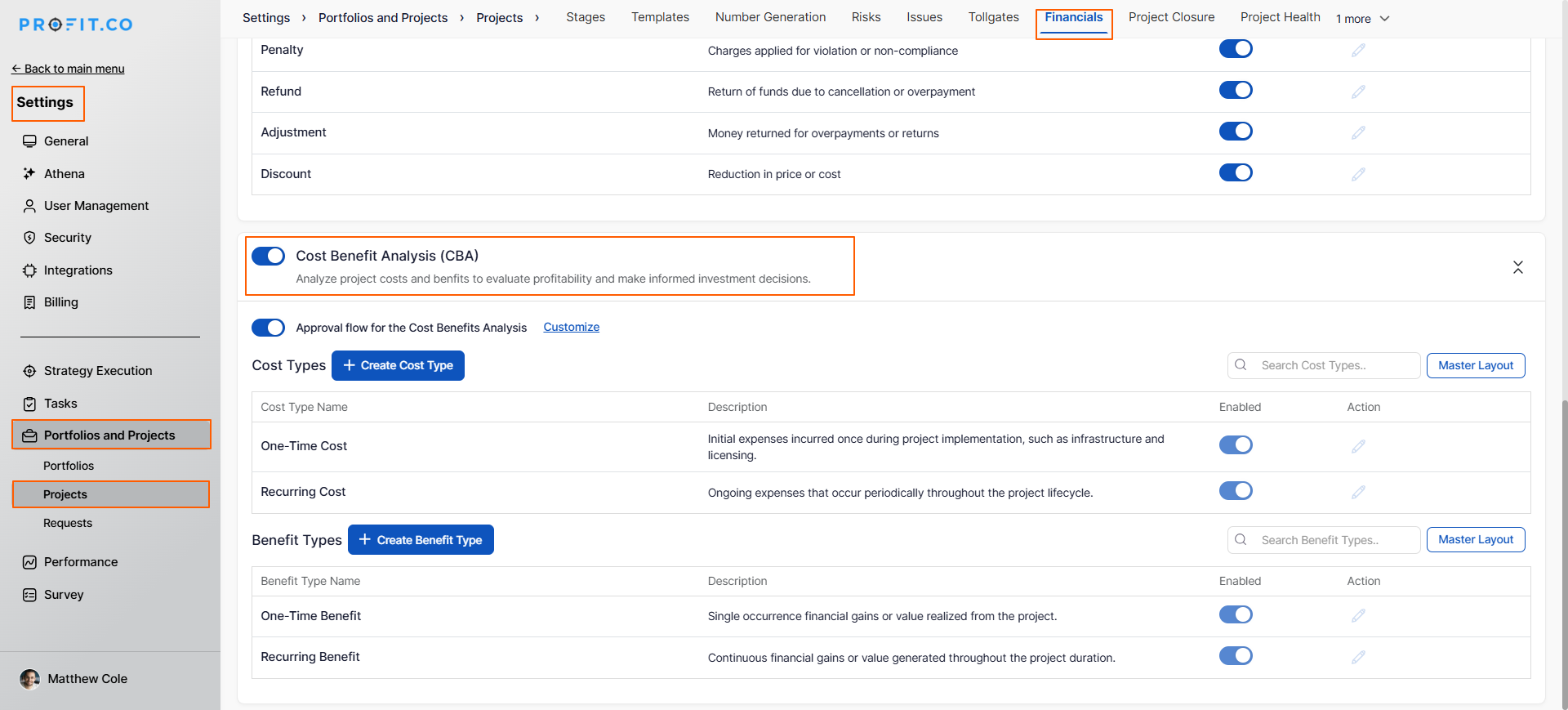
Note: If you want to add custom cost and benefit types beyond the default options, you can create them in Settings → Portfolios and Projects → Project → Financial tab before configuring your project CBA.
Step 2: Navigate to Your Project
- Go to the Project page
- Select the project where you want to add CBA
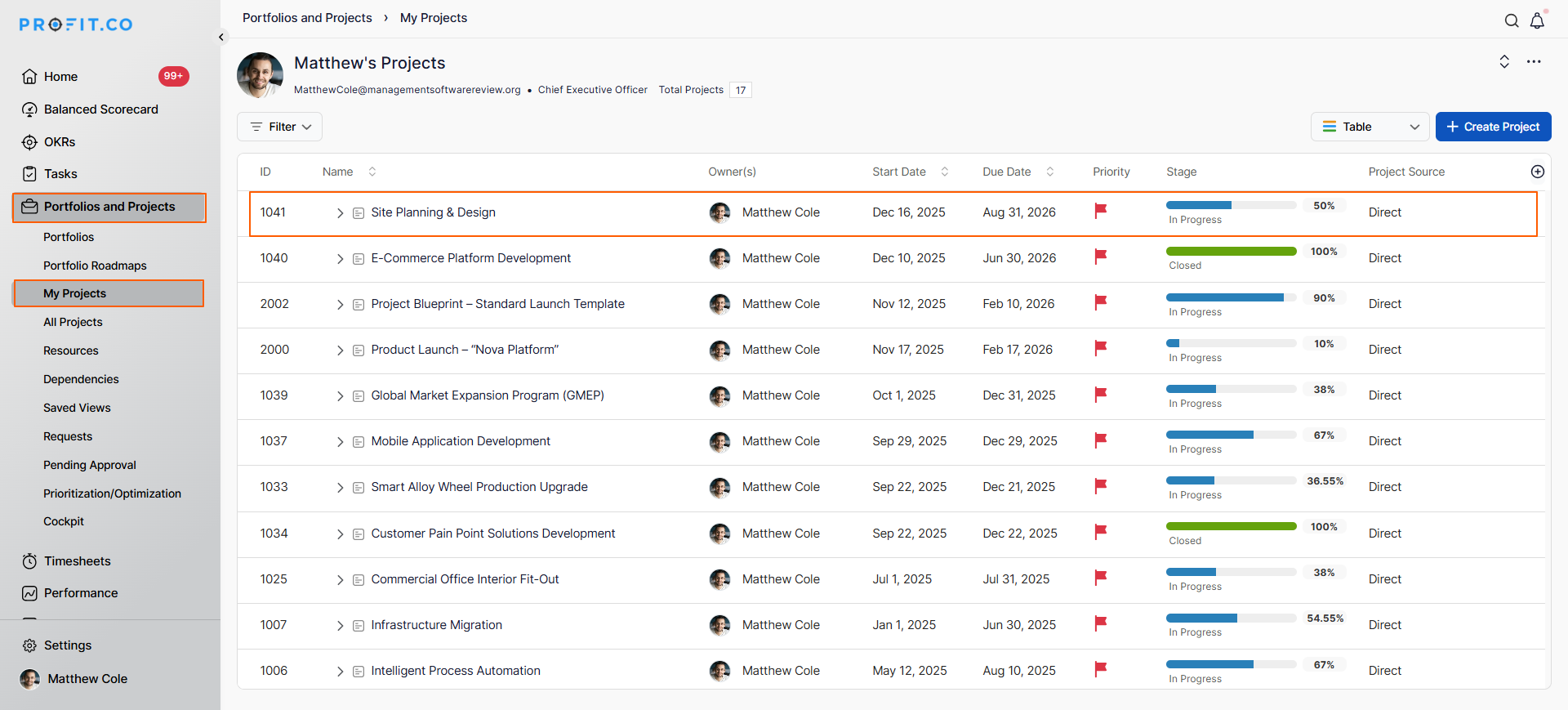
- On the project overview page, switch to the Cost-Benefit Analysis tab
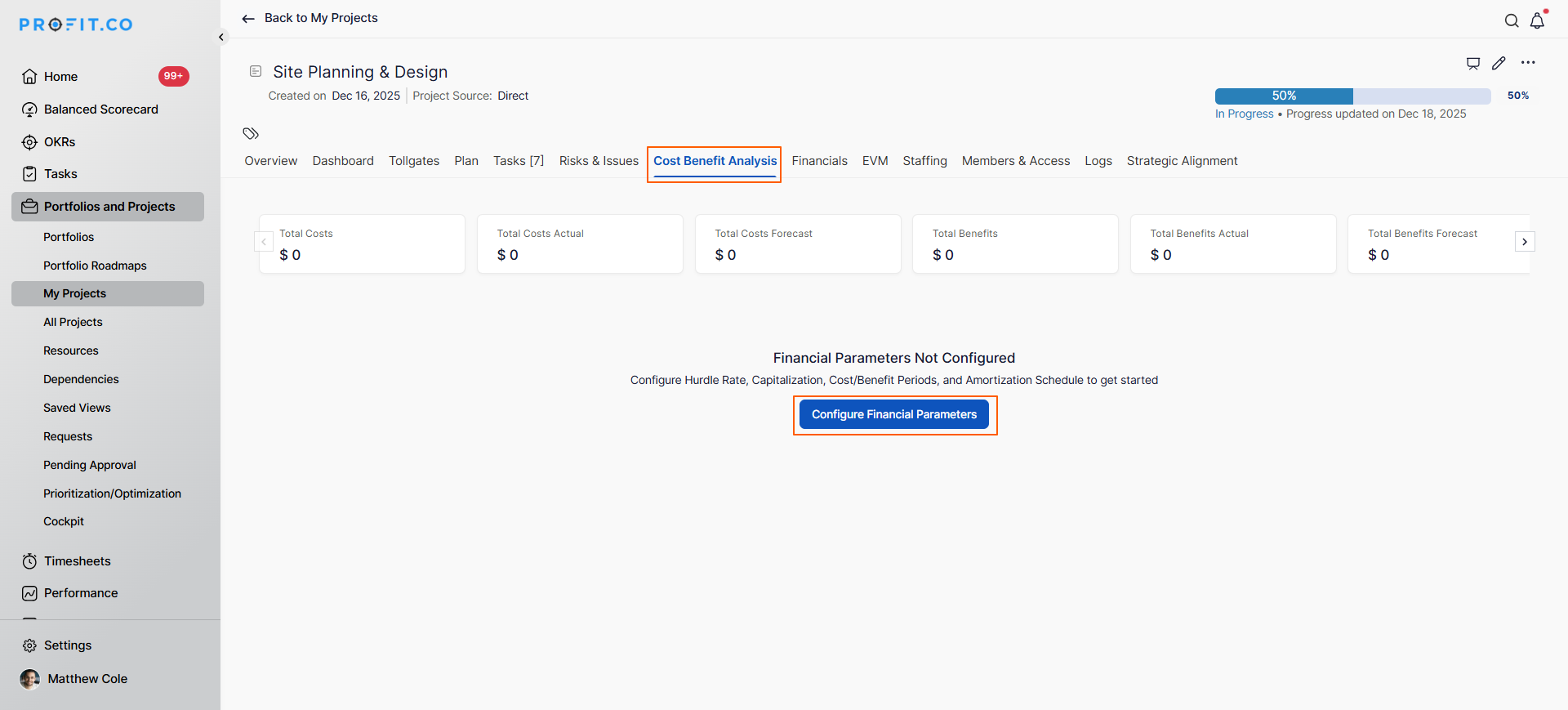
Note: The CBA tab only appears for:
- Billable projects
- Projects with budget values defined
Step 4: Configure Financial Parameters
Once you access the CBA tab, configure the following parameters:
A. Hurdle Rate
- Set the minimum acceptable rate of return (e.g., 15%)
- Acts as approval baseline for investment committees
- Example: If you set 15%, the project must deliver at least 15% returns
B. Capitalization Percentage
- Specify what percentage of investment will be capitalized as an asset
- Example: Investing $1 million, capitalizing $800,000 = 80% capitalization
C. Cost Plan Period
- Cost Plan Start Date: When investment begins
- Cost Plan End Date: When the investment ends
- Typically aligns with your project duration (e.g., 12-18 months)
D. Benefit Plan Period
- Benefit Plan Start Date: When you expect benefits to begin (can start during project execution, e.g., month 13)
- Benefit Plan End Date: How long benefits continue (e.g., 30-40 months)
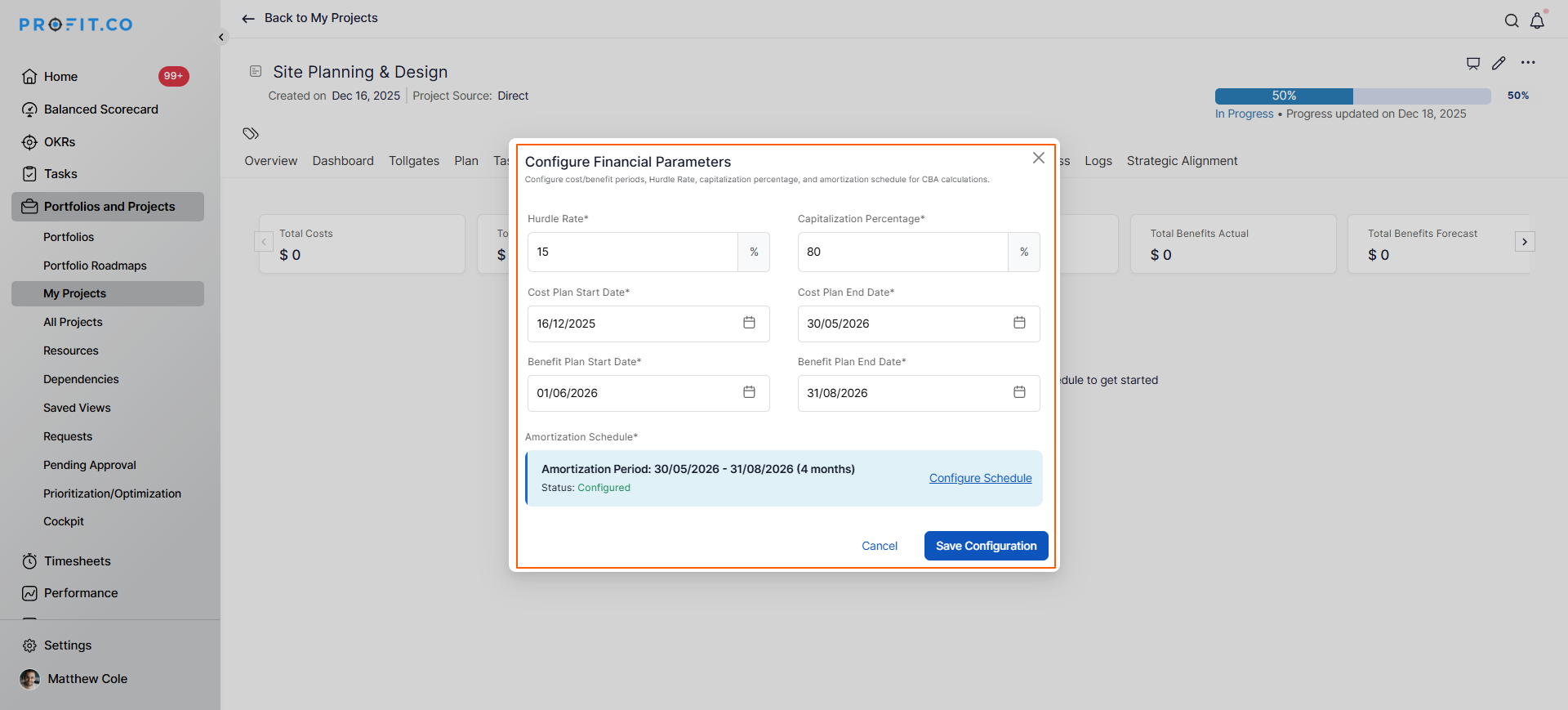
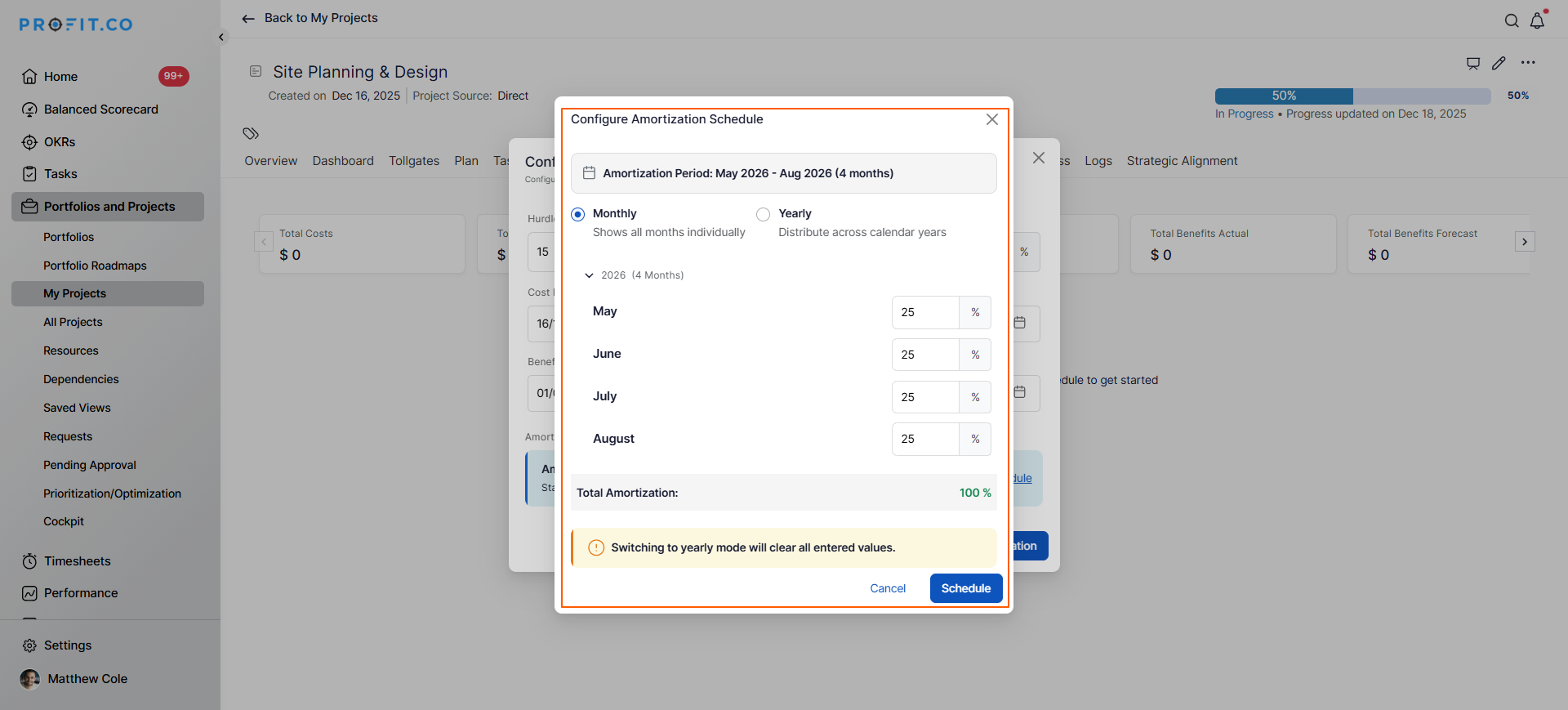
E. Amortization Schedule
- A systematic expense recognition of capitalized project costs over their useful life
- Choose Monthly or Yearly amortization
- Click Schedule to activate the CBA framework
Step 5: Input Time-Phased Costs and Benefits
After scheduling, the CBA framework opens with input fields:
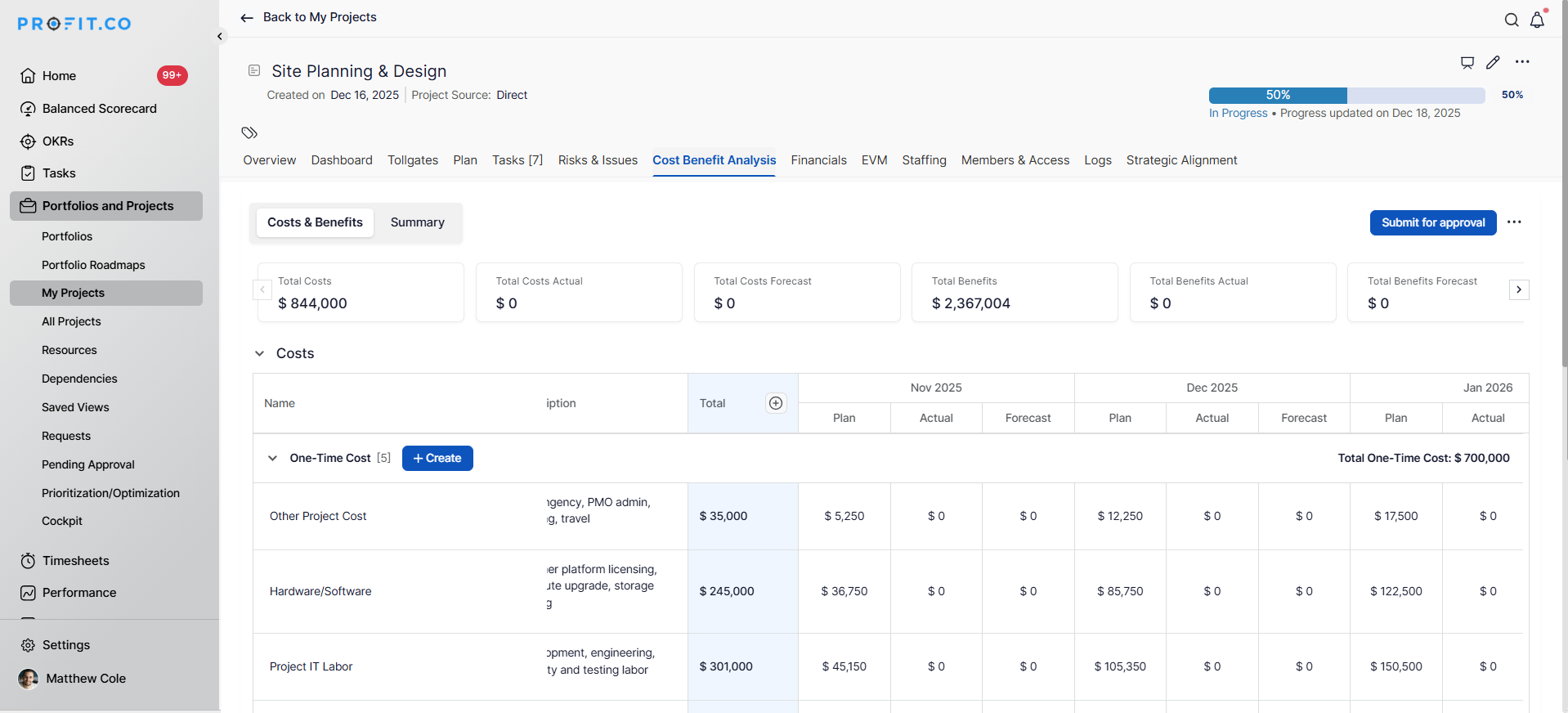
Enter benefits across the benefit plan horizon, showing when returns begin and how they accumulate over time.
Note: Once a CBA project is approved, it is locked to prevent edits, and the project owner can request an unlock to make changes and resubmit it for approval.
Step 6: Review Financial Analysis
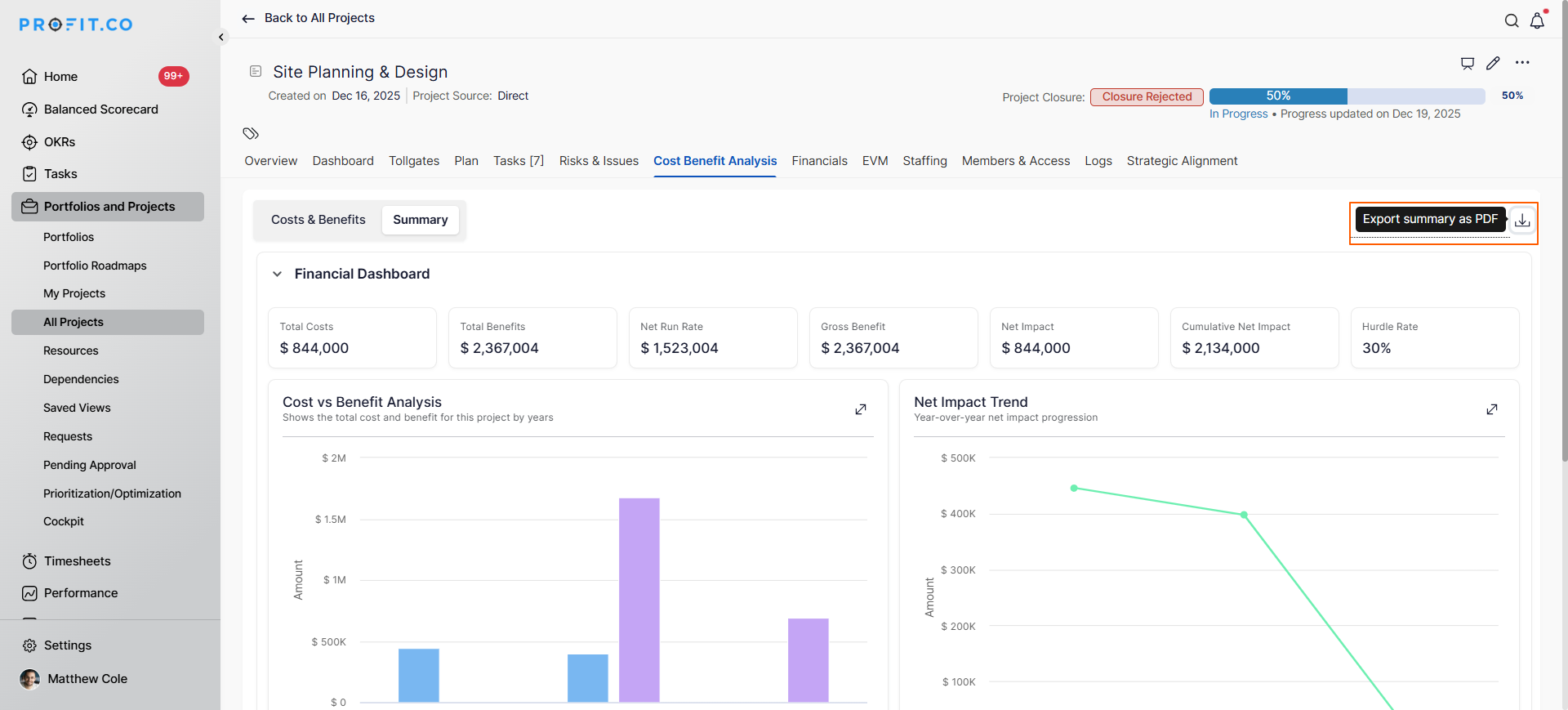
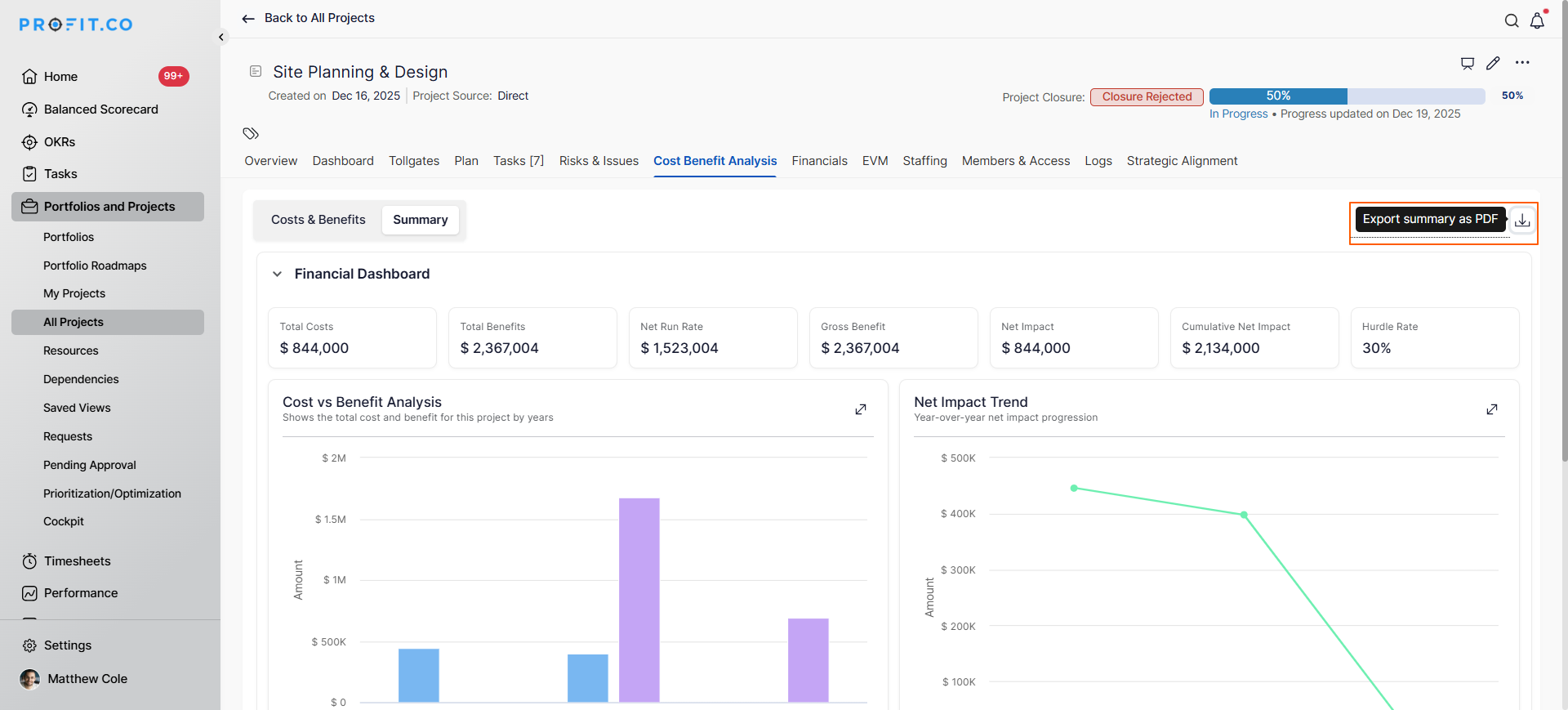
Once costs and benefits are entered, Profit PPM automatically calculates:
Summary Metrics:
- Total Investment: Complete project cost
- Total Expected Benefits: Cumulative returns over the benefit period
- Net Benefit: Total benefits minus total costs
- Net Impact: Overall project value
Financial Performance Indicators:
- IRR (Internal Rate of Return): Actual return rate vs. hurdle rate
- Example: If hurdle rate = 15% and IRR = 30%,project delivers double the minimum acceptable return and qualifies for approval
- Capitalization Schedule: How investment is capitalized
- Amortization Timeline: How expenses are distributed over time
- Net Run Rate: Subsidized investment calculations
Visual Dashboards:
- Time-phased cost breakdown
- Benefit realization timeline
- Capitalization vs. amortization comparison
- ROI trajectory
Step 7: Download and Present
Download your complete CBA analysis in CSV or PDF format to support decision-making and stakeholder communication.
Export Options:
- CSV Format: Download detailed data including all time-phased costs, benefits, and financial calculations for further analysis in Excel or other financial tools
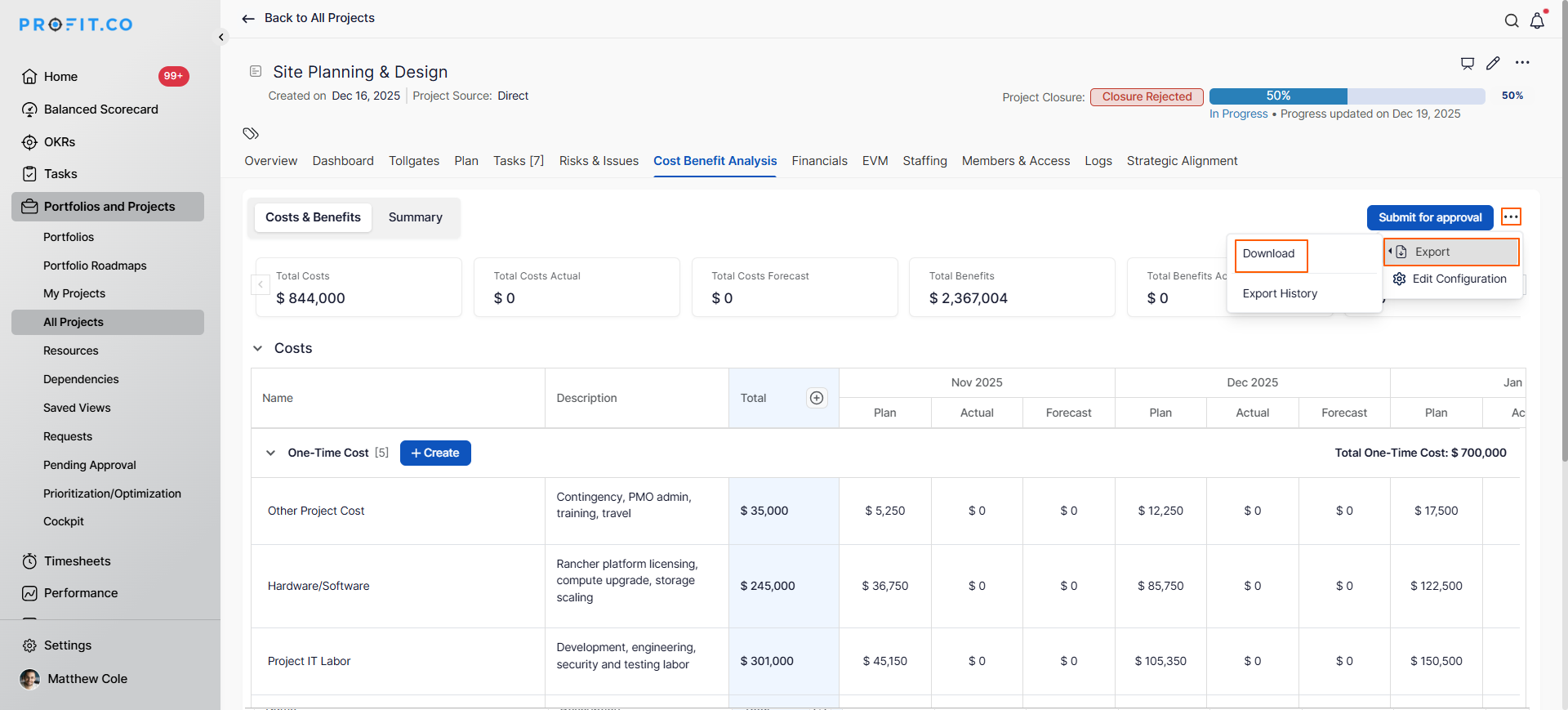
- PDF Format: Generate presentation-ready reports for board meetings, investment committees, and executive stakeholders
Best Practices for Effective CBA
1. Be Comprehensive Yet Realistic
Include all relevant costs and benefits, but avoid inflating projections. Structured cost optimization isn't just about slashing expenses. It's about making distinct, deliberate choices: reducing spend where it doesn't drive value, optimizing enterprise performance, and still investing in the capabilities that fuel long-term growth
2. Plan for Scenarios
Run multiple analyses with optimistic, realistic, and pessimistic assumptions to understand risk exposure.
3. Distinguish CapEx from OpEx
Understanding whether investments hit balance sheets (CapEx) or P&L statements (OpEx) is crucial for CFO decision-making and financial reporting.
4. Monitor and Update
CBA isn't one-and-done. Track actual costs and benefits against projections, refining future analyses based on real performance data.
Related Questions
Learn How to Use Cost Control Strategies: Best Practices for Managing and Reducing Business Expenses. Click Here
Frequently Asked Questions
CapEx (Capital Expenditure) refers to investments that become balance sheet assets and are capitalized such as equipment, infrastructure, or major software implementations. These are depreciated or amortized over time. OpEx (Operating Expenditure) refers to ongoing operational costs that appear immediately in the P&L statement, such as licenses, maintenance, or utilities. Understanding this distinction is crucial for financial planning and CFO approval.
NPV considers the time value of money by discounting future benefits and costs back to present value using a specified hurdle rate. Profit.co automatically calculates NPV based on your time-phased financial data and hurdle rate configuration, showing whether the project creates positive value after accounting for opportunity costs.
Yes, you can update financial parameters, costs, and benefits throughout the project lifecycle. It's recommended to track actual performance against projections and adjust future periods based on real data, improving accuracy and enabling better portfolio decisions.
