



How do I set up rule-based point allocations in Profit.co?
Category: CFR
Table of Contents
What are Rule-Based Point Allocations?
Rule-based point allocations allow administrators to automatically distribute additional recognition points to employees who match specific criteria, such as Department or Role. These points are applied on top of the standard point allocation, ensuring that specific groups (e.g., the Marketing department) receive the necessary budget for their specific needs.
What employee attributes can I use for Rule-Based Point Allocations?
Profit.co supports various employee attributes for creating allocation rules. The most commonly used attributes include:
- Department: Target specific departments (e.g., Marketing, Sales, Engineering, Customer Support)
- Role/Position: Allocate points based on job titles or organizational levels
- Location: Distribute points to employees in specific offices or geographic regions
- Employment Type: Differentiate between full-time, part-time, contract, or temporary employees
- Custom Attributes: Use organization-specific fields configured in your Profit.co instance
How to Set Up Rule-Based Point Allocations in Profit.co?
Follow these steps to configure Rule-Based Point Allocations:
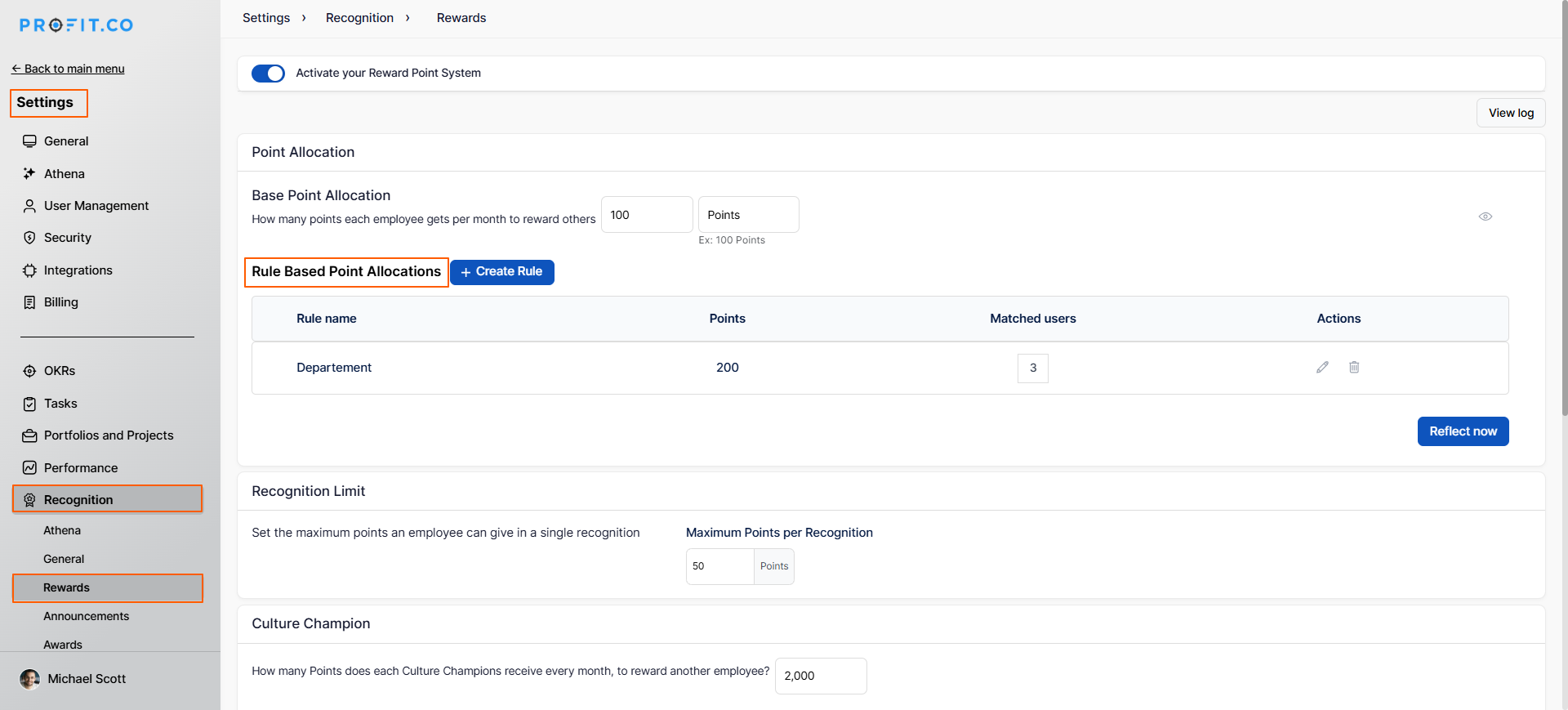
Step 1: Navigate to Recognition Settings
- Navigate to Settings→Recognition→Reward from the left navigation panel.
- Scroll to the Rule-Based Point Allocations section
- The configuration options will now become available
Step 2: Define Your First Rule
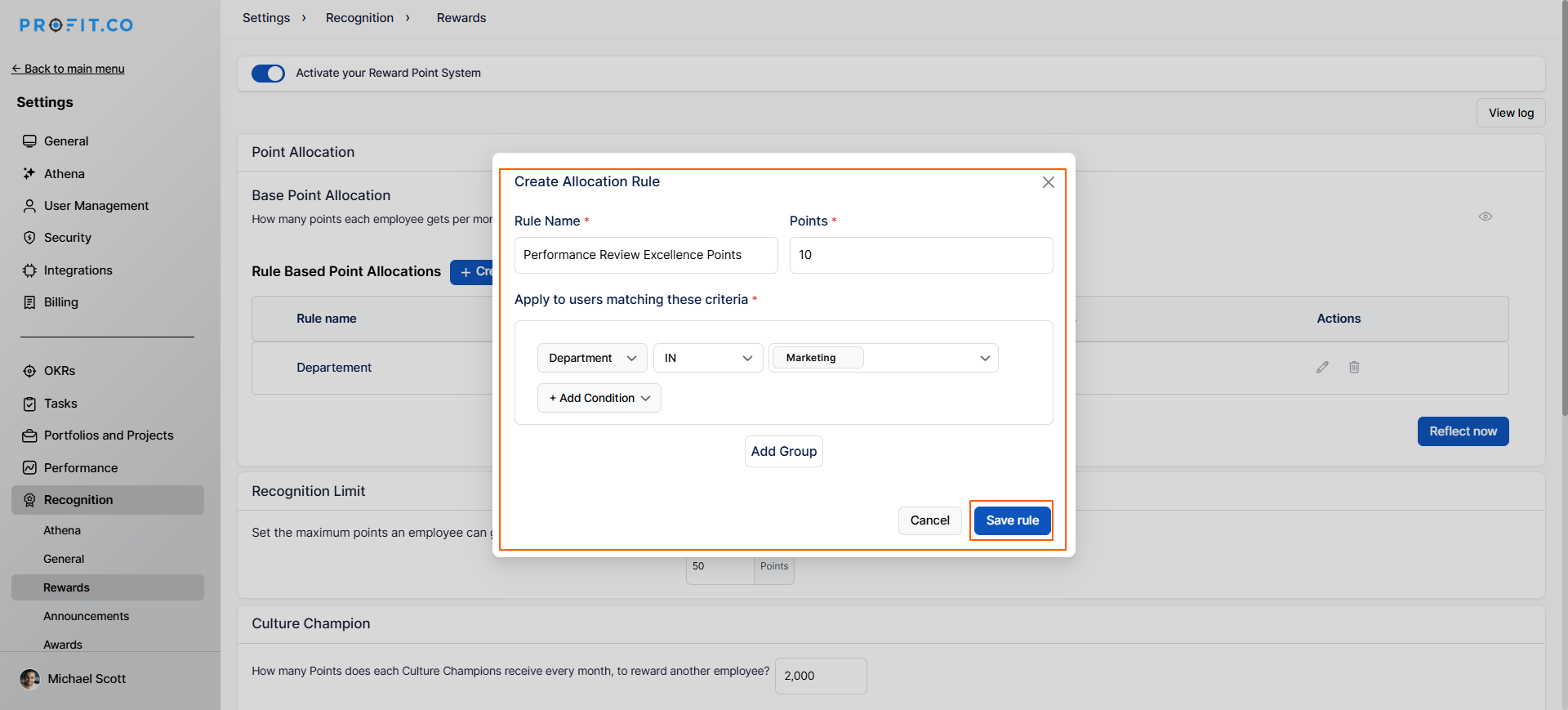
- Click the +Create Rule button
- Enter a descriptive Rule Name (e.g., "Marketing Department Bonus")
- Choose the Attribute Type from the dropdown (Department, Role, Location, etc.). Enter the points
- Click Save Rule to activate the allocation
How to delete a rule-based point allocation?
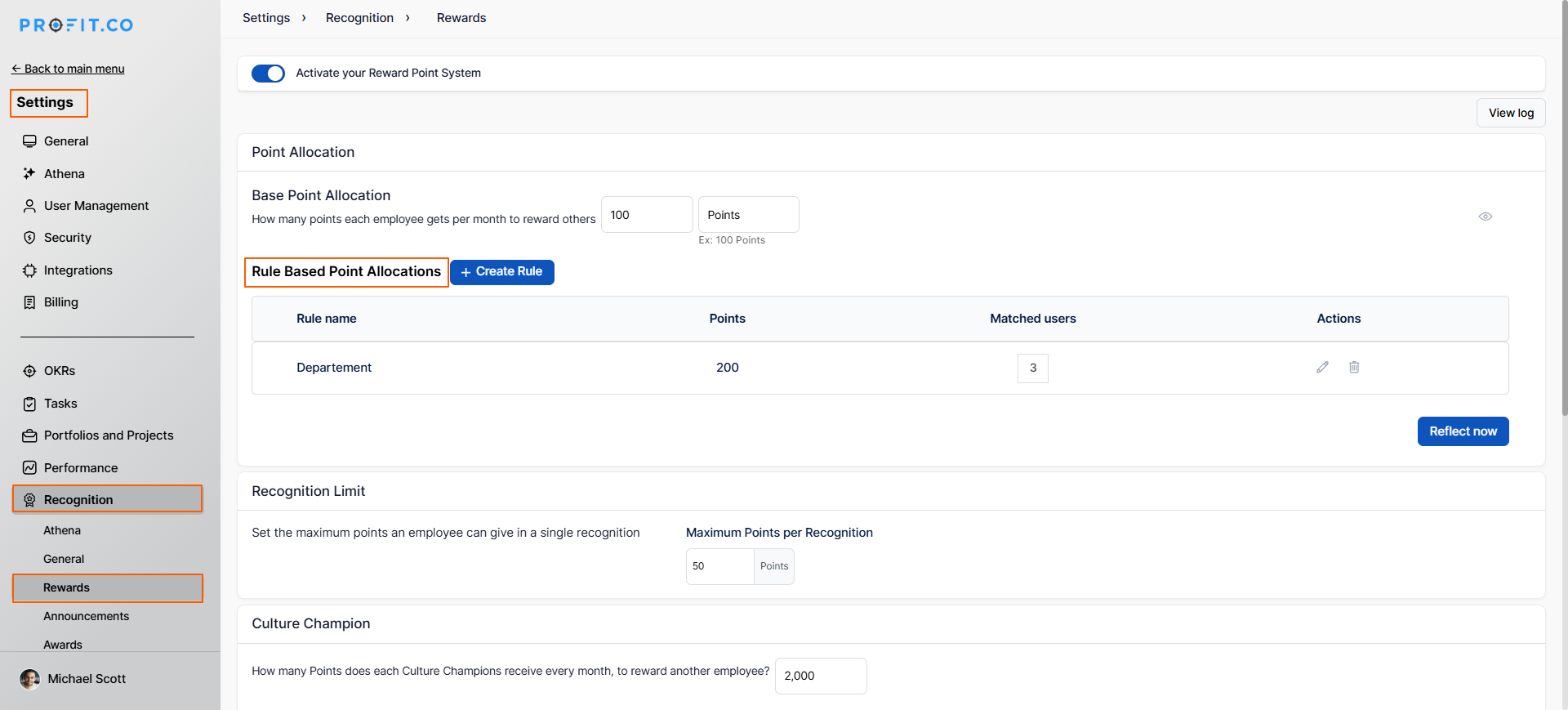
Once you click the Delete option, a pop-up appears with two choices: Delete Now or Delete from Next Month, allowing you to decide when the deletion should take effect.
Best practices for Rule-Based Allocations
- Layering Points: Remember that these points are additive. If a user receives 100 standard points and you add a rule for 50 points, they will receive 150 total.
- Review Periodically: Check your rules quarterly to ensure they still align with your current departmental budgets or organizational goals.
Related Questions
To set points for each employee, click here.
Frequently Asked Questions
There is no technical limit, but we recommend keeping rules manageable (typically 5-15 rules) for easier administration and employee understanding.
The allocation frequency depends on your configuration. You can set rules to allocate points monthly, quarterly, annually, or as a one-time allocation.
Related Questions
-
How to set chart type for questions in a Pulse Survey template?
Profit.co provides an option to change the chart types for each question in the Pulse Survey template. Why this ...Read more
-
How to set Exchange Rate for points?
Profit.co provides an option to set points value for one currency. Why this feature? With the Exchange Rate feature, ...Read more
-
How do Automated Recognition Posts and Notifications work in Profit.co?
In Profit.co, Automated Recognition ensures that special milestones like work anniversaries and birthdays are ...Read more
-
How do I manage feed permissions and post creation controls in Profit.co?
Profit.co allow administrators to regulate who can create posts and announcements on the recognition feed. Table ...Read more