



How to Export the Localization Data in .CSV and .XLS format?
Category: General
Profit.co allows users to export data from Localization in XLS or CSV formats.
Why this feature?
- Exporting localization data in .CSV and .XLS formats allows users to share and analyze language-specific content efficiently, ensuring accurate translations and seamless collaboration across teams.
- This feature enables users to back up localization data, edit content in bulk, and re-import it for streamlined updates, reducing manual efforts and saving valuable time.
Step 1
Navigate to Settings → General → Localization from the left navigation panel.
On the Localization page, click on the Customize button for the enabled language.

Step 2
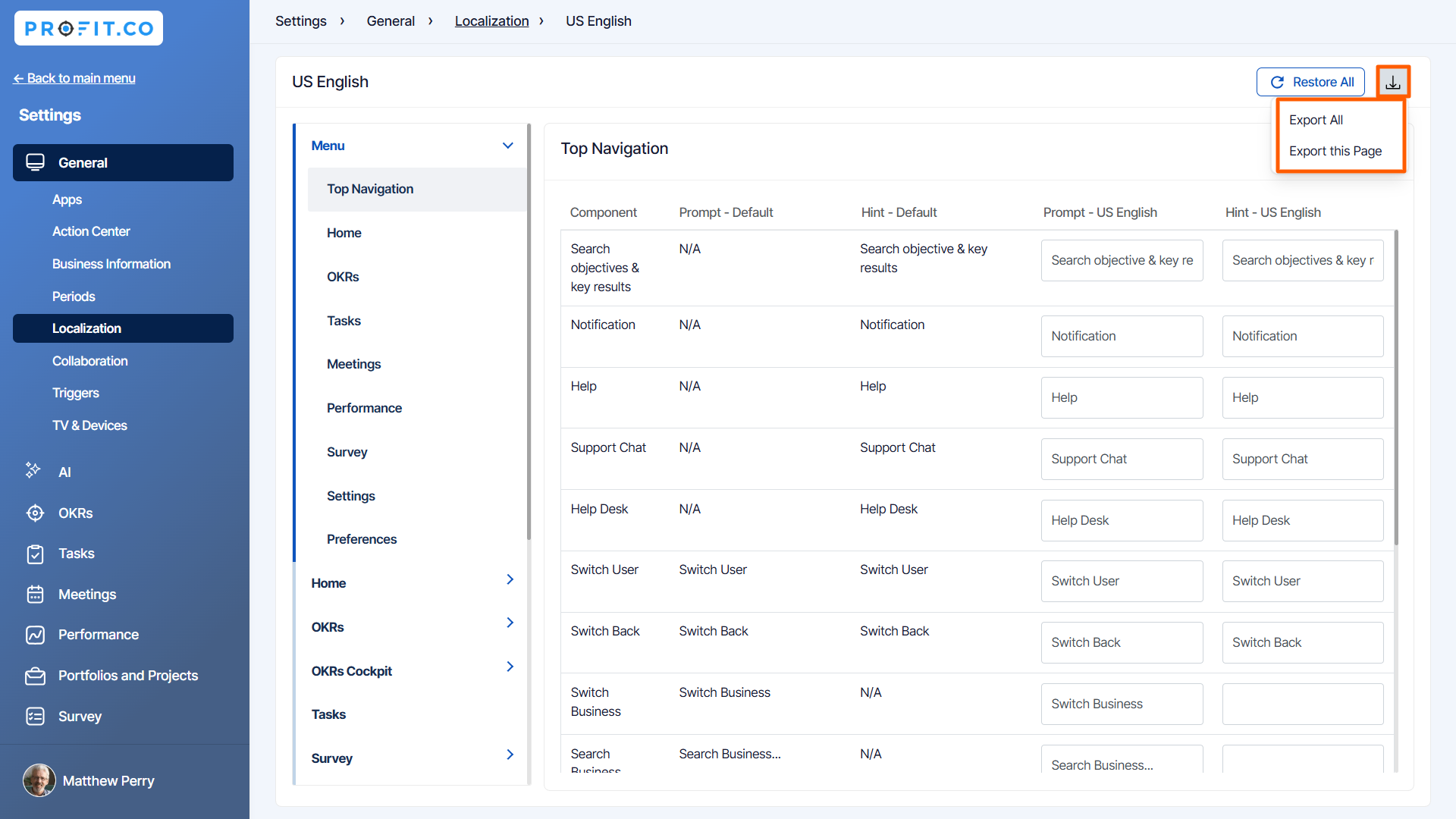
On the Localization customization page, click on the Export icon and select Export All or Export this Page from the drop-down menu.
Note:
- Choose Export All, if you wish to export all the data from the menu.
- Choose Export this Page, if you wish to export the particular page.
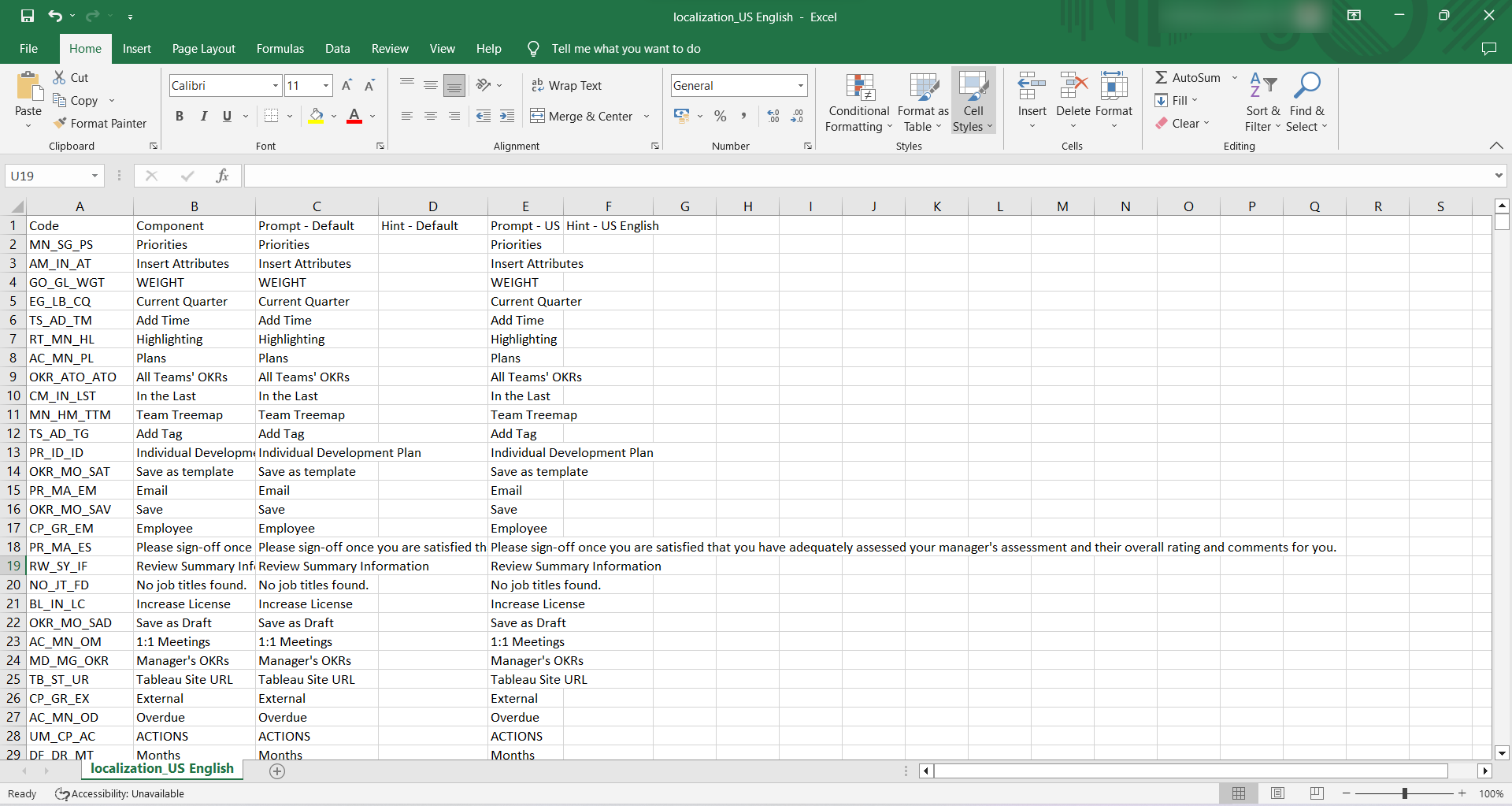
The selected data will be exported in .CSV or .XLS format as displayed below.
Related Answer Post
To learn more on how to rename fields in the Localization menu, click here.
Related Questions
-
How can I edit user information?
Table of Contents What does editing user information mean in Profit.co? Why should you use this feature? How to ...Read more
-
How can I create OKRs for one of my peers?
In Profit, there is a feature called Proxy users which allows you to login as a peer and create OKRs for them. If you ...Read more
-
What are the unique features of Profit?
From the outset, Profit.co understood the common issues, challenges, and dysfunctions around OKR implementation. We ...Read more
-
Do I get a task notification in the action center?
Profit.co allows you to get email notifications for all the pending tasks and tasks due. Why this feature? By using ...Read more