



How to sort an active user list page in Profit.co?
Category: General
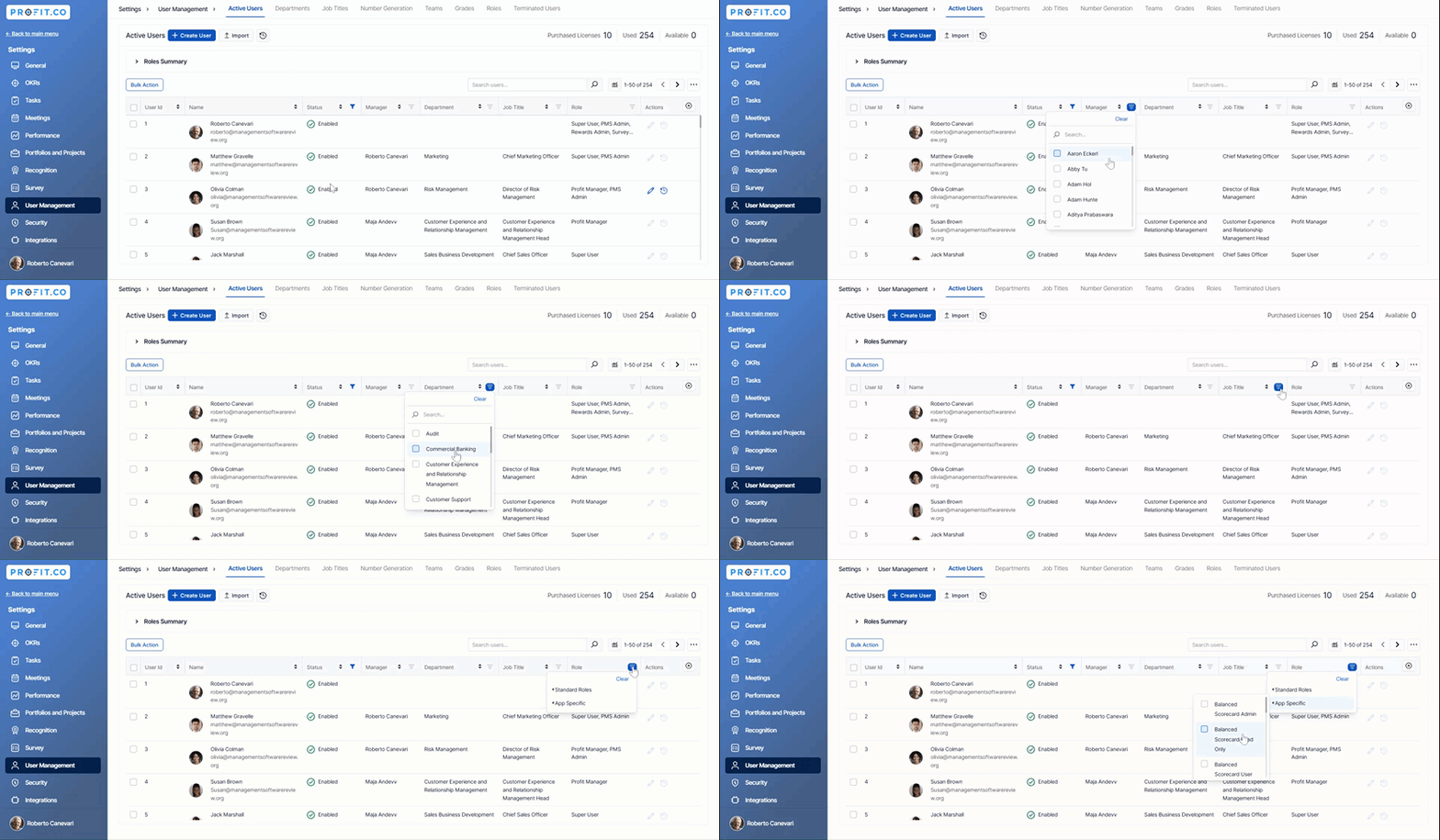
You can now sort the active users list based on Manager, Department, Job Title and Role in Profit.co.
Why this feature?
- Sorting user details by various parameters enables quick access, reducing time spent searching and improving overall efficiency in managing user information.
- With organized sorting options, users can easily locate specific individuals based on their unique identifiers or attributes, streamlining navigation within the system.
Note: Only the Super User will be able to view and sort the active users.
Step 1
Navigate to Settings → User Management from the left navigation panel and switch to the Active Users tab.
Here, you can sort user details by Manager, Department, Job Title, and Role.
Related Answer Post
To learn more about How can I create users, click here
Related Questions
-
How can I edit user information?
Table of Contents What does editing user information mean in Profit.co? Why should you use this feature? How to ...Read more
-
How can I create OKRs for one of my peers?
In Profit, there is a feature called Proxy users which allows you to login as a peer and create OKRs for them. If you ...Read more
-
What are the unique features of Profit?
From the outset, Profit.co understood the common issues, challenges, and dysfunctions around OKR implementation. We ...Read more
-
Do I get a task notification in the action center?
Profit.co allows you to get email notifications for all the pending tasks and tasks due. Why this feature? By using ...Read more