

Profit.co provides an Accept/Reject option for all users to confirm or decline goals assigned to them, fostering accountability, clarity in goal ownership, and better alignment across teams during the performance management cycle.
Table of Contents
- What is the Accept/Reject Goal feature in Profit.co?
- How to enable Accept/Reject Goal options in Profit.co?
- How to enable Email Notifications for Goal Acceptance and Rejection in Profit.co?
- Best Practices for using the Accept/Reject Goal feature in Profit.co
- Related Questions
- Frequently Asked Questions
What is the Accept/Reject Goal feature in Profit.co?
The Accept/Reject Goal feature in Profit.co allows goal assignees to formally confirm or decline goals that have been assigned to them by a manager or admin. Once enabled, employees receive a notification requesting their response whenever a new goal is assigned to them, giving them a voice in their goal assignments and ensuring clear ownership from the start.
Only Super Users have access to Settings in Profit.co and can enable the Accept/Reject Goal option for the organization.
How to enable Accept/Reject Goal options in Profit.co?
Follow these steps to enable the Accept/Reject Goal feature in Profit.co:
Step 1
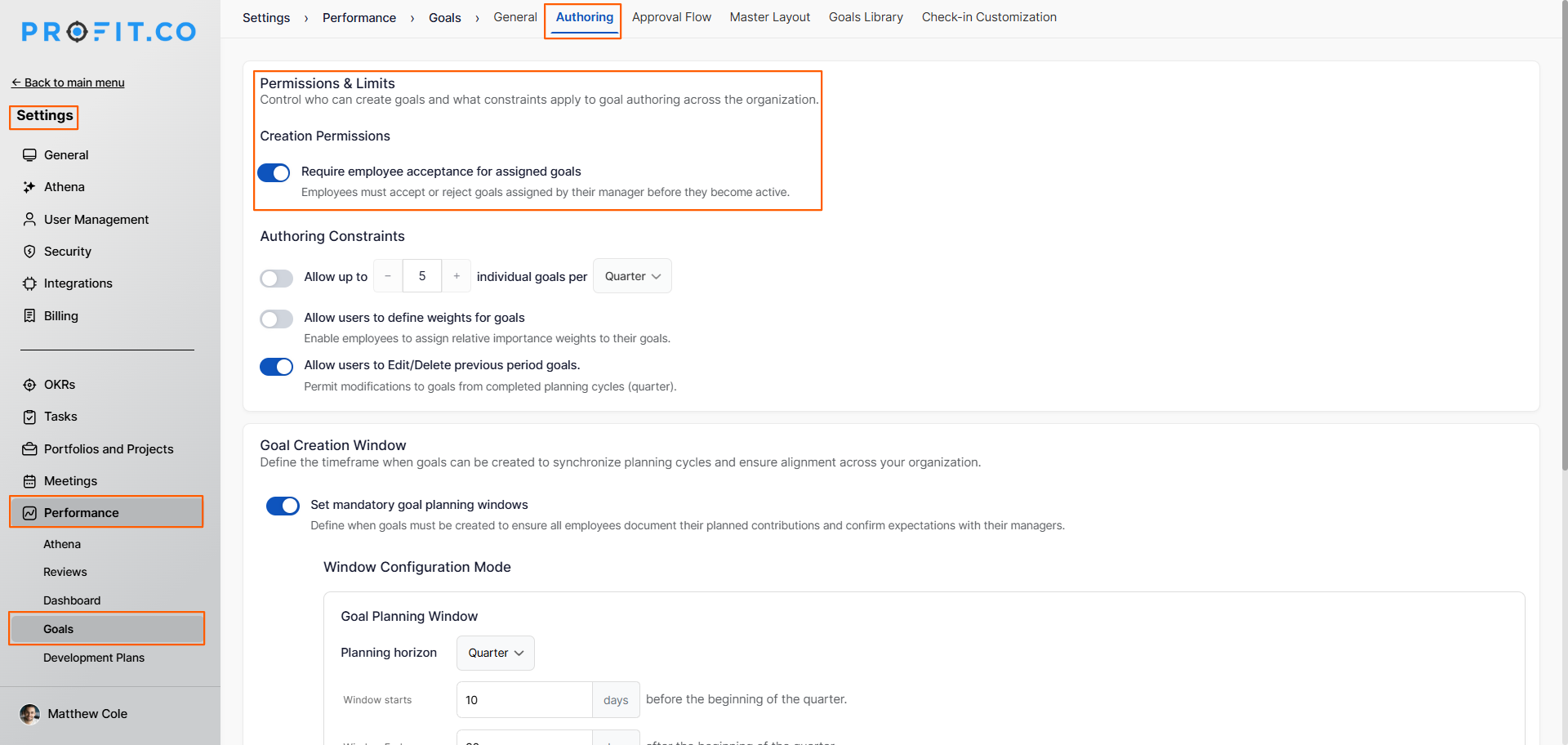
- From the left navigation panel, go to Settings → Performance → Goals.
- On the Goals page, switch to the Authoring tab.
- Under the Goal Permissions & Limits section, enable the toggle "Require employee acceptance for assigned goals".
Step 2
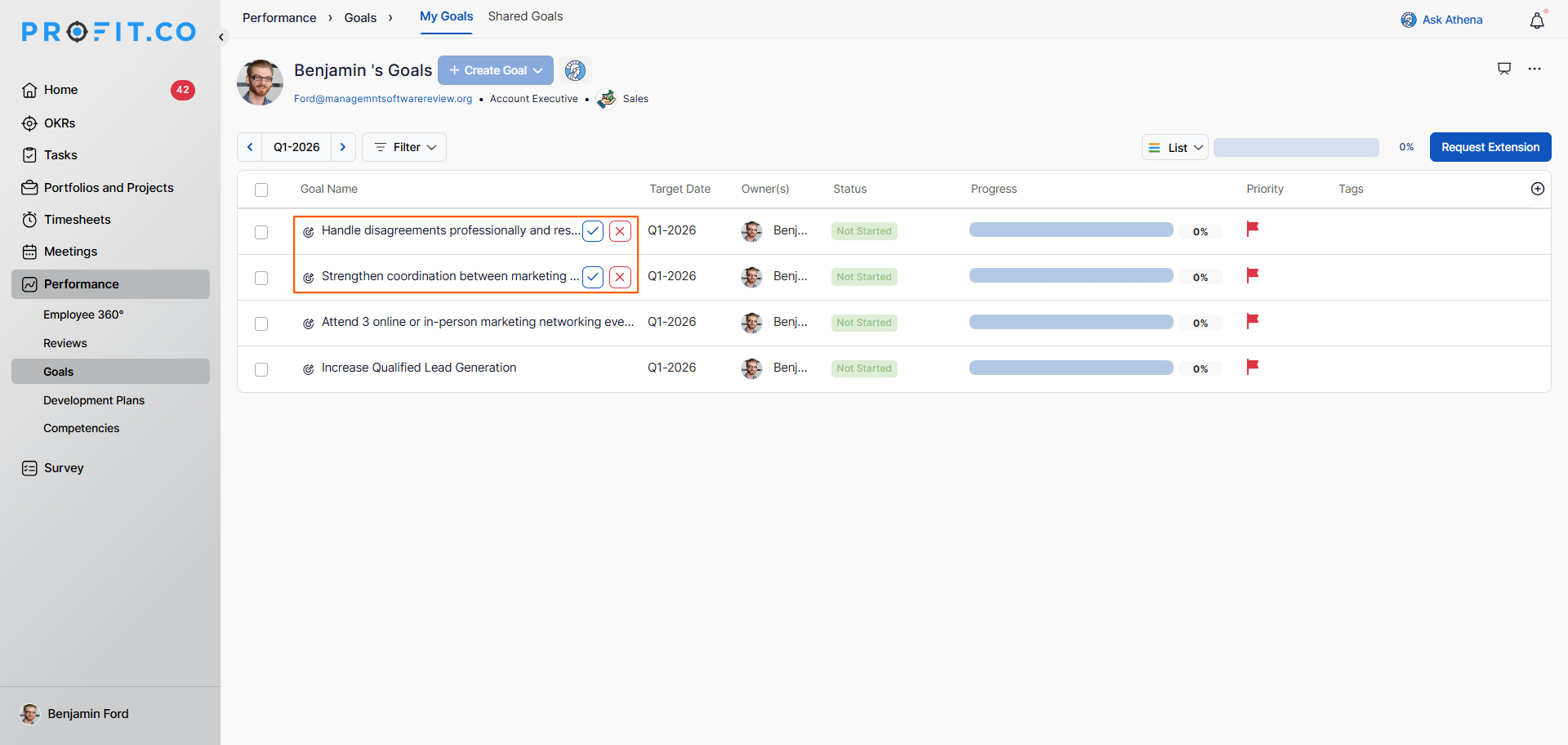
- Once the feature is enabled, whenever a goal is assigned to a user, the assignee will receive a notification with the option to either Accept or Reject the assigned goal.
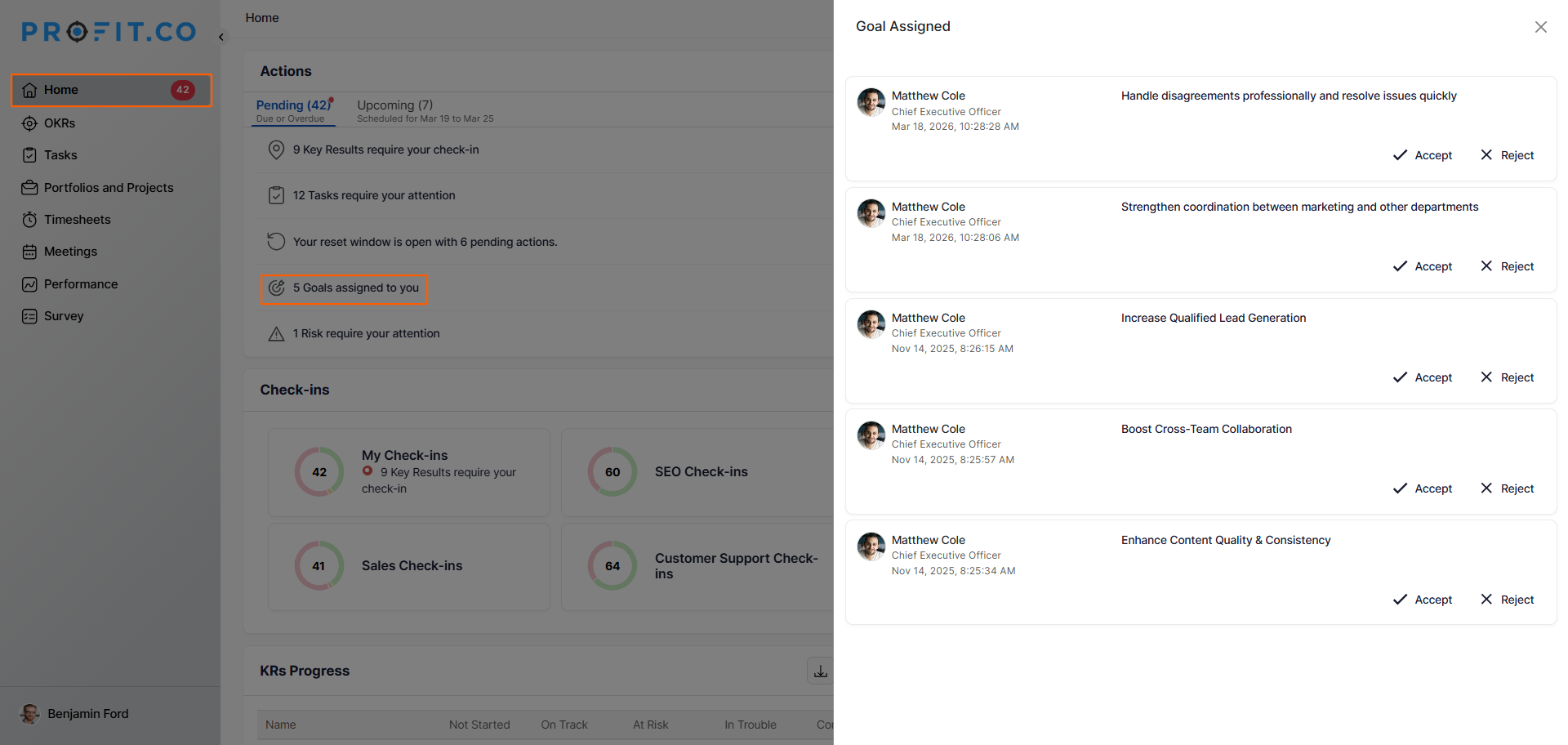
- Employees can also review and respond to pending goal assignments from the Home page by navigating to the Actions section and looking for "Goals assigned to you".
How to enable Email Notifications for Goal Acceptance and Rejection in Profit.co?
Follow these steps to ensure managers and assignees receive automated email notifications when goals are accepted or rejected:
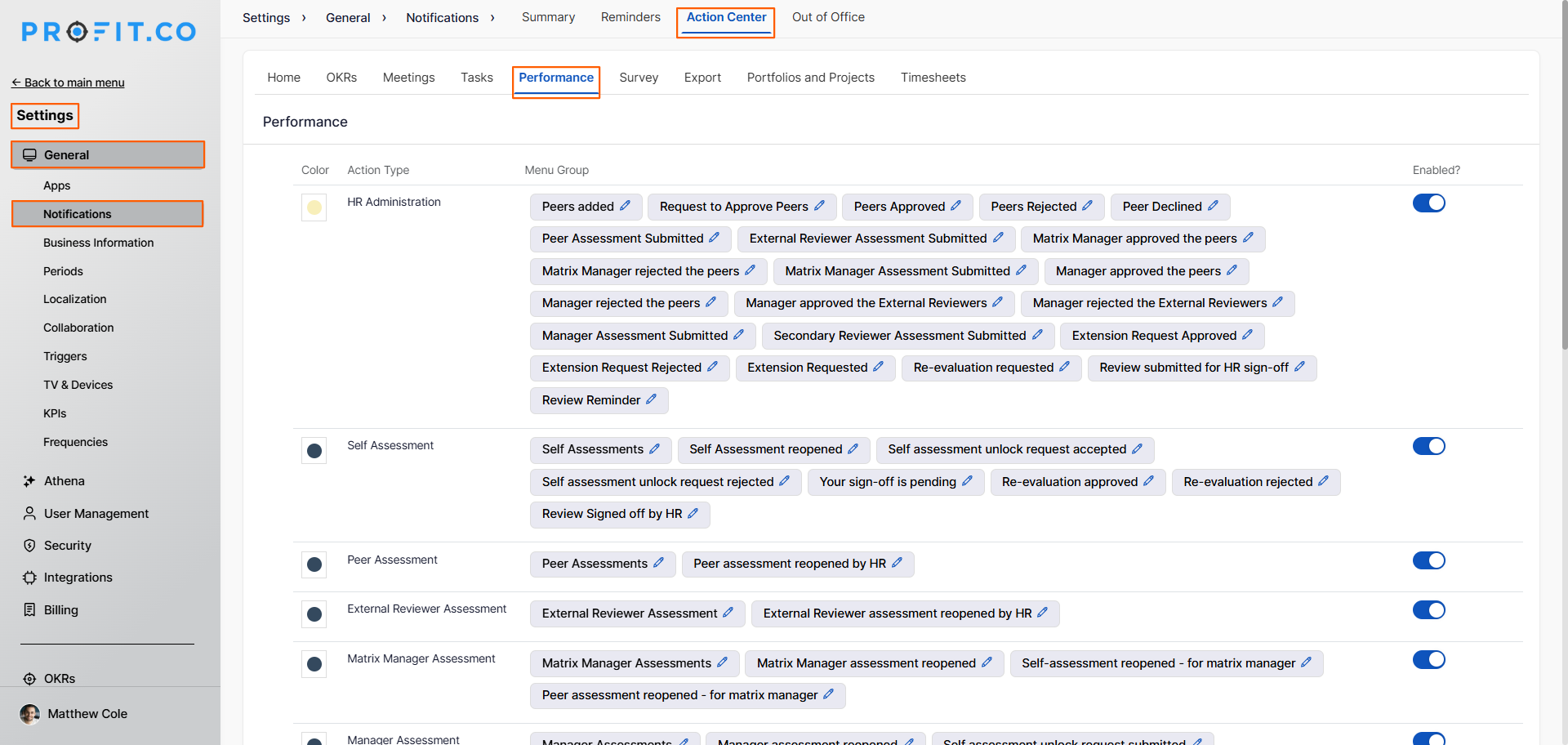
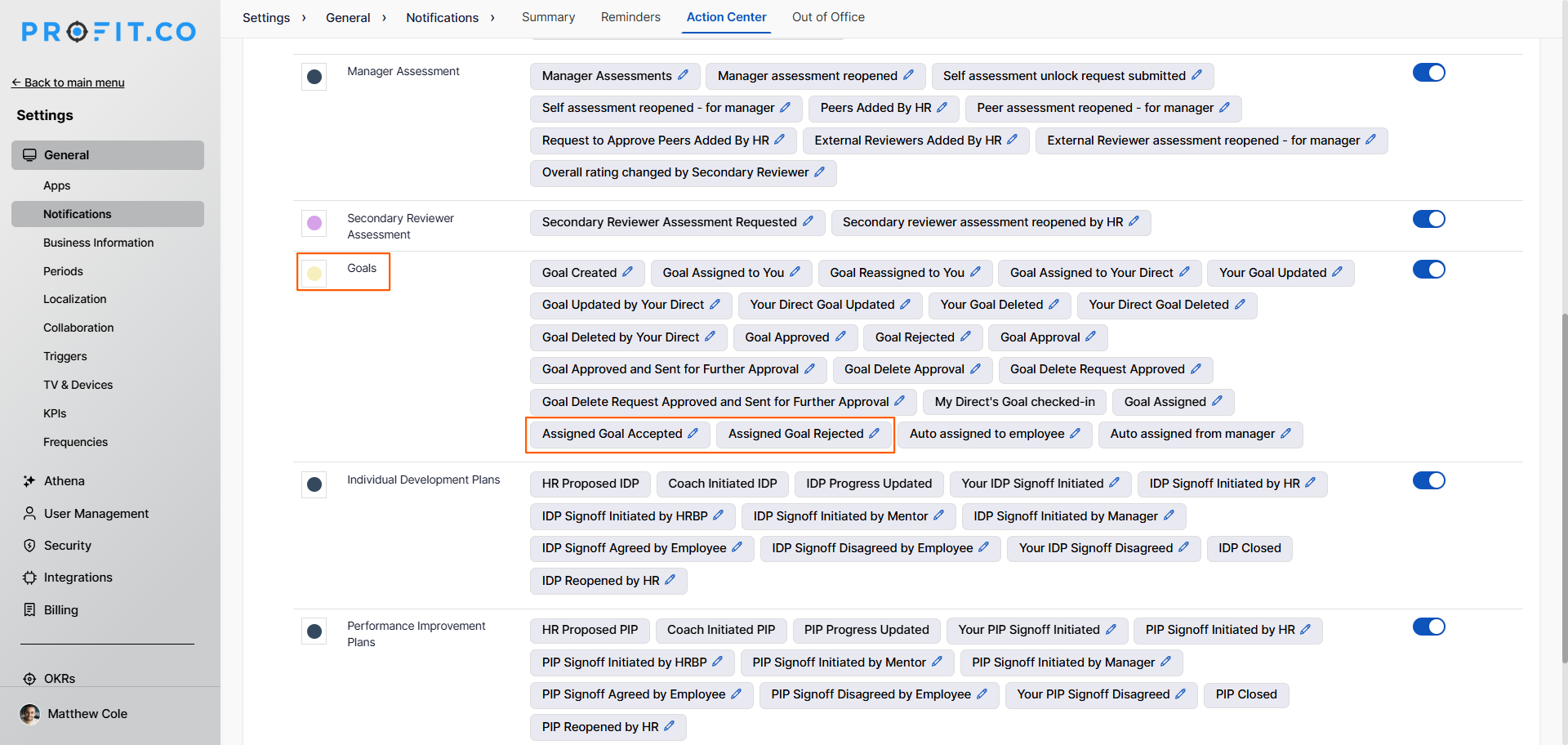
- From the left navigation panel, go to Settings → General → Notifications.
- Switch to the Action Center tab and click on the Performance tab.
- On the Performance tab, navigate to the Goals section.
- Click the Edit icon next to Assigned Goals Rejected or Assigned Goals Accepted.
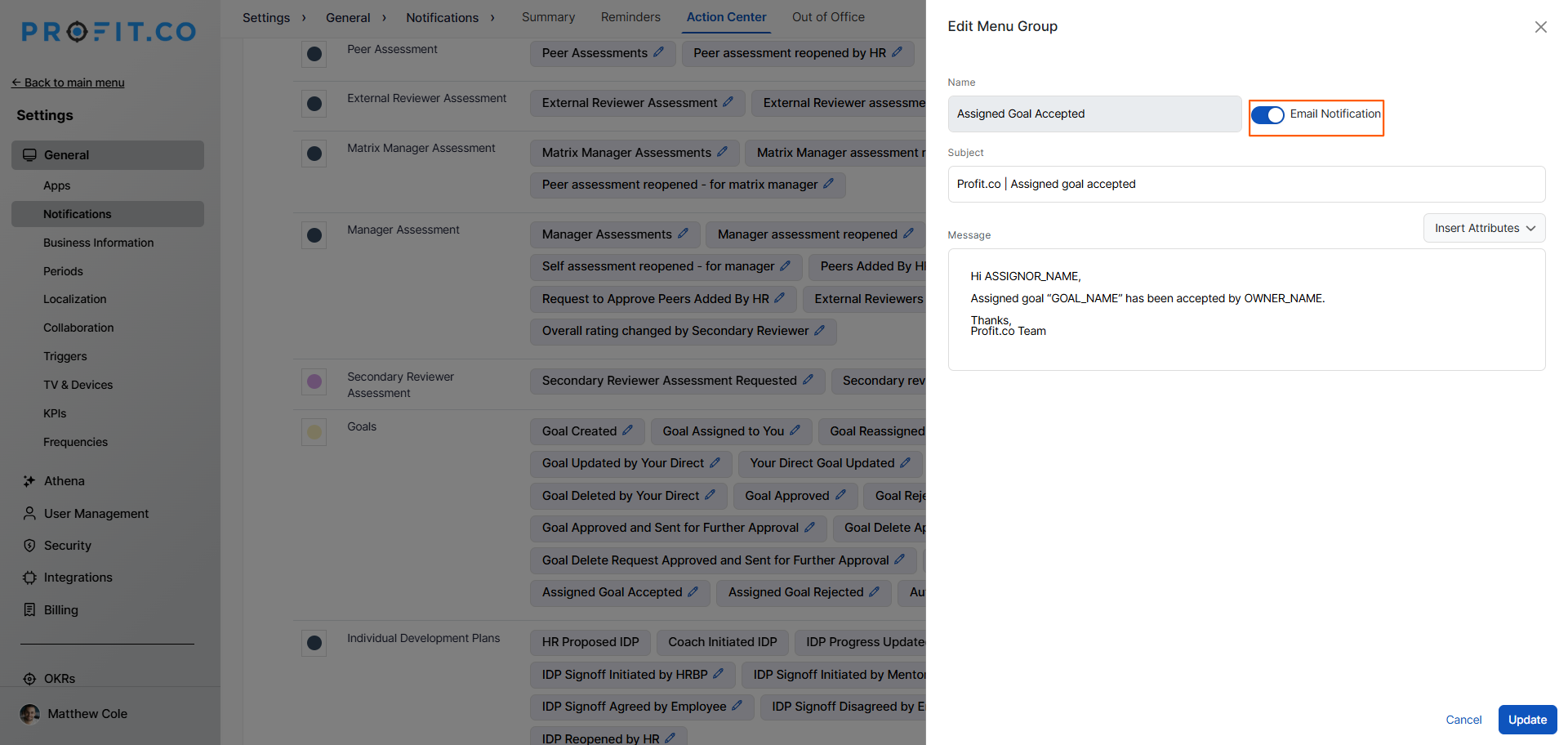
- On the side panel, enable the Email Notification toggle and click Update.
- Once enabled, automated email notifications will be sent that include key details such as the goal name, status, comments (if any), and the approver's name.
Best Practices for using the Accept/Reject Goal feature in Profit.co
- Enable the Accept/Reject Goal feature at the start of a new performance cycle to ensure all goal assignments are formally acknowledged before tracking begins.
- Encourage managers to provide clear context and rationale when assigning goals so employees have the information needed to accept or reject them meaningfully.
- Set a defined response window for employees to accept or reject assigned goals to avoid delays in the goal-setting process.
- Enable email notifications for both Accepted and Rejected goals so managers can promptly follow up on rejections and realign goal assignments.
- Use the Goals assigned to you section on the Home page to regularly review pending goal assignments and respond promptly.
Related Questions
Click here to learn more about Performance Management features in Profit.co.
Frequently Asked Questions
It is a feature that allows goal assignees to formally accept or reject goals assigned to them, ensuring clear ownership, accountability, and better goal alignment across the organization.
Only Super Users have access to Settings and can enable the Accept/Reject goal option for the organization.
Navigate to Settings → Performance → Goals, switch to the Authoring tab, and under the Goal Permissions & Limits section, enable the toggle "Require employee acceptance for assigned goals".
