


How to associate OKRs with goals to automate the process in Profit.co?
Category: Performance
Profit.co provides an option to associate OKRs with your goals to automate the progress of your goals.
Why this feature?
By associating OKRs with goals, you can automate the progress of your goals via the check-ins that you make.
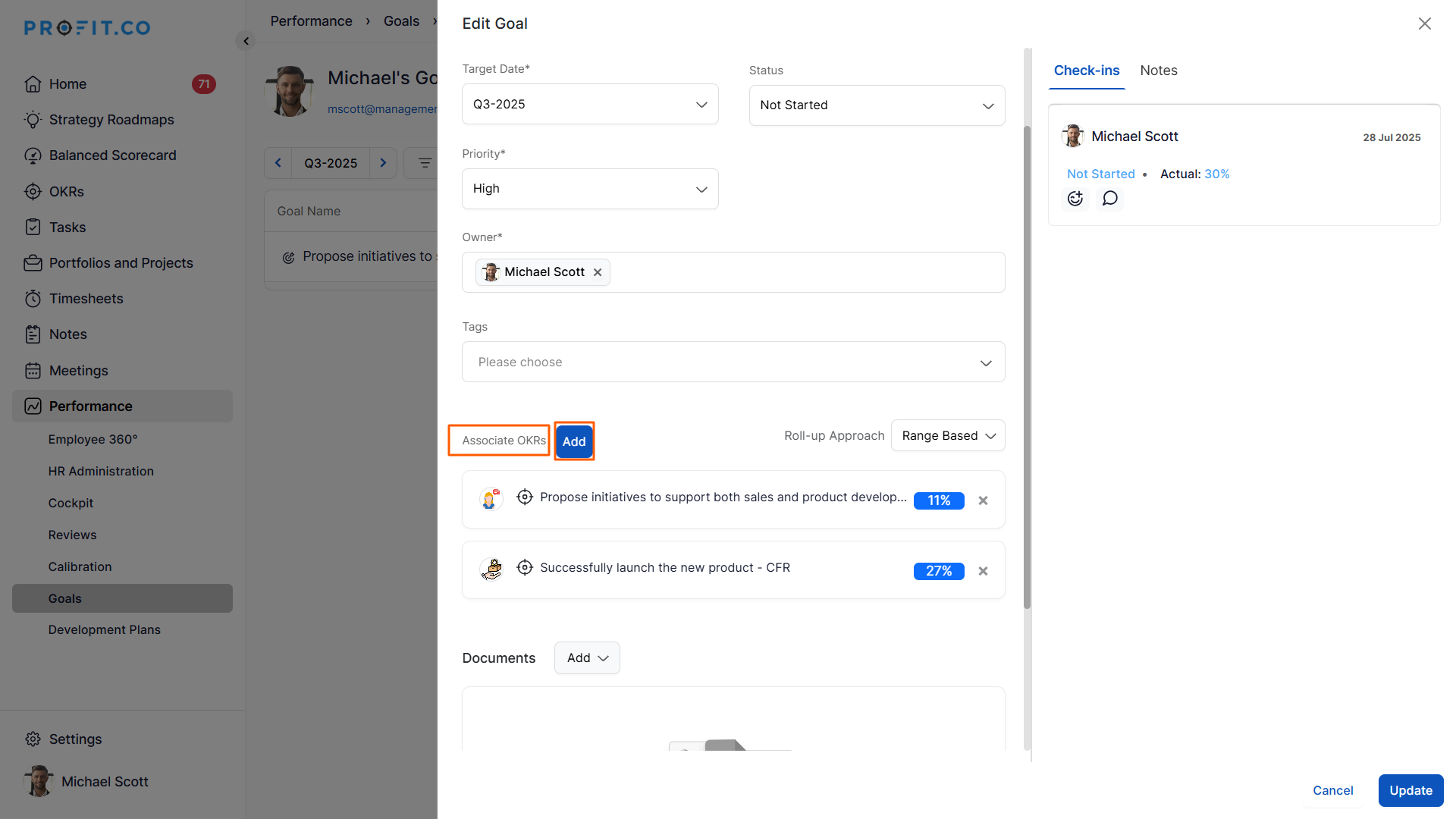
Navigate to Performance → Goals from the left menu. Choose the goal for which you want to link the OKRs. In the edit goal page, click on the Add button.
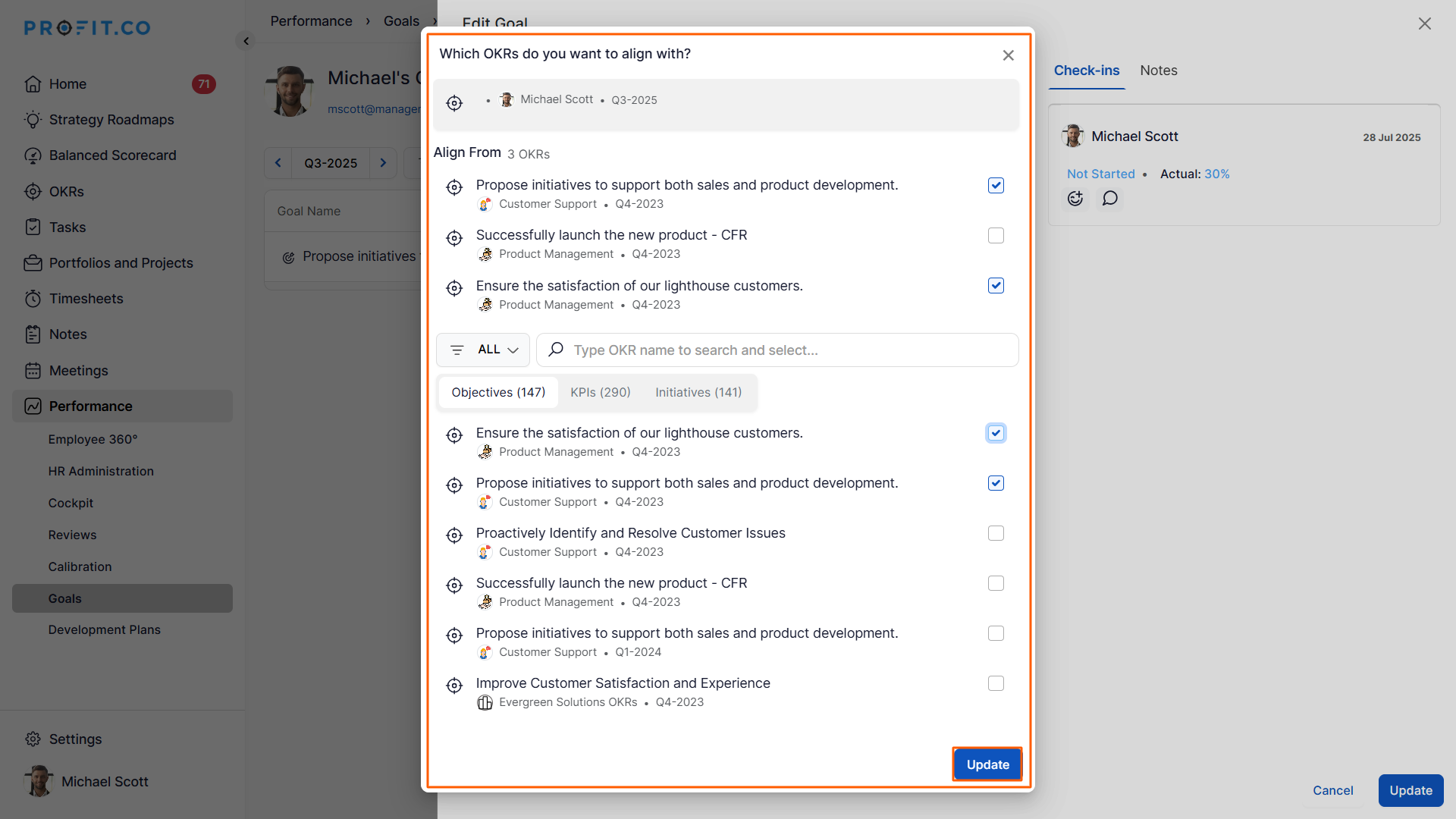
A list of objectives, KPIs, and Initiatives will appear on the Associated OKRs page; select from it. Associate an OKR for this Goal. Finally, click Add.
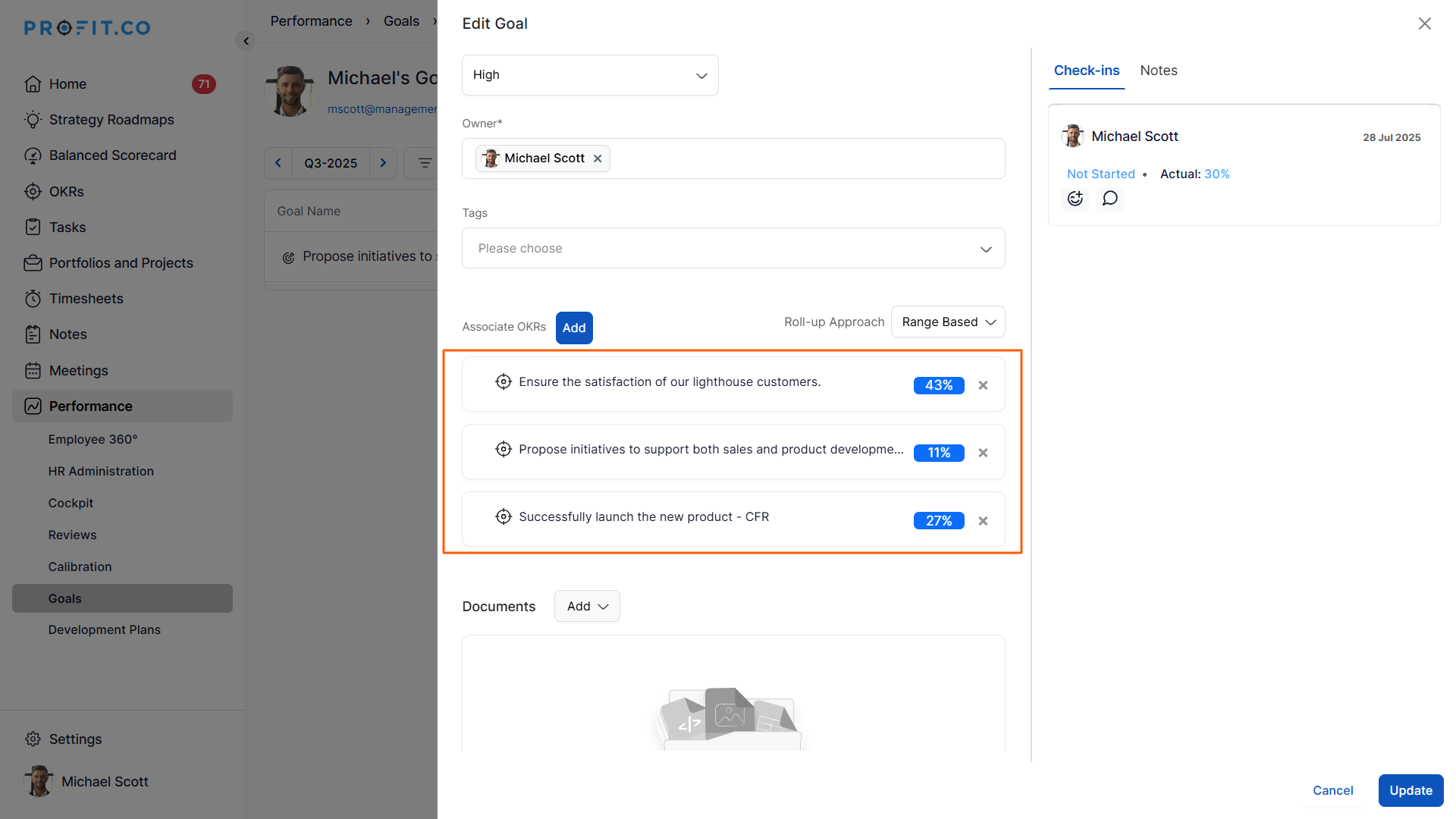
Now the objective will be associated with the particular goal. According to the check-ins made in the objective, the progress will be automatically updated in the Goals.
Related Questions
-
What is Review Summary Information and How the Scores are calculated in Performance Reviews?
Table of Contents Why this feature? How to Enable Review Summary Information Understanding Score Calculations in ...Read more
-
How do I Import Goals in Profit.co?
In Profit.co, you can import multiple goals at once using a CSV file, allowing you to quickly set up goals for ...Read more
-
How to Customize the Email Template for Review Reminder in Profit.co?
In Profit.co, you can personalize the review reminder email notification sent to employees during a performance review ...Read more
-
What are Competency Activities?
In Profit.co, users can now create activities under competencies to document the actions they are taking to demonstrate ...Read more