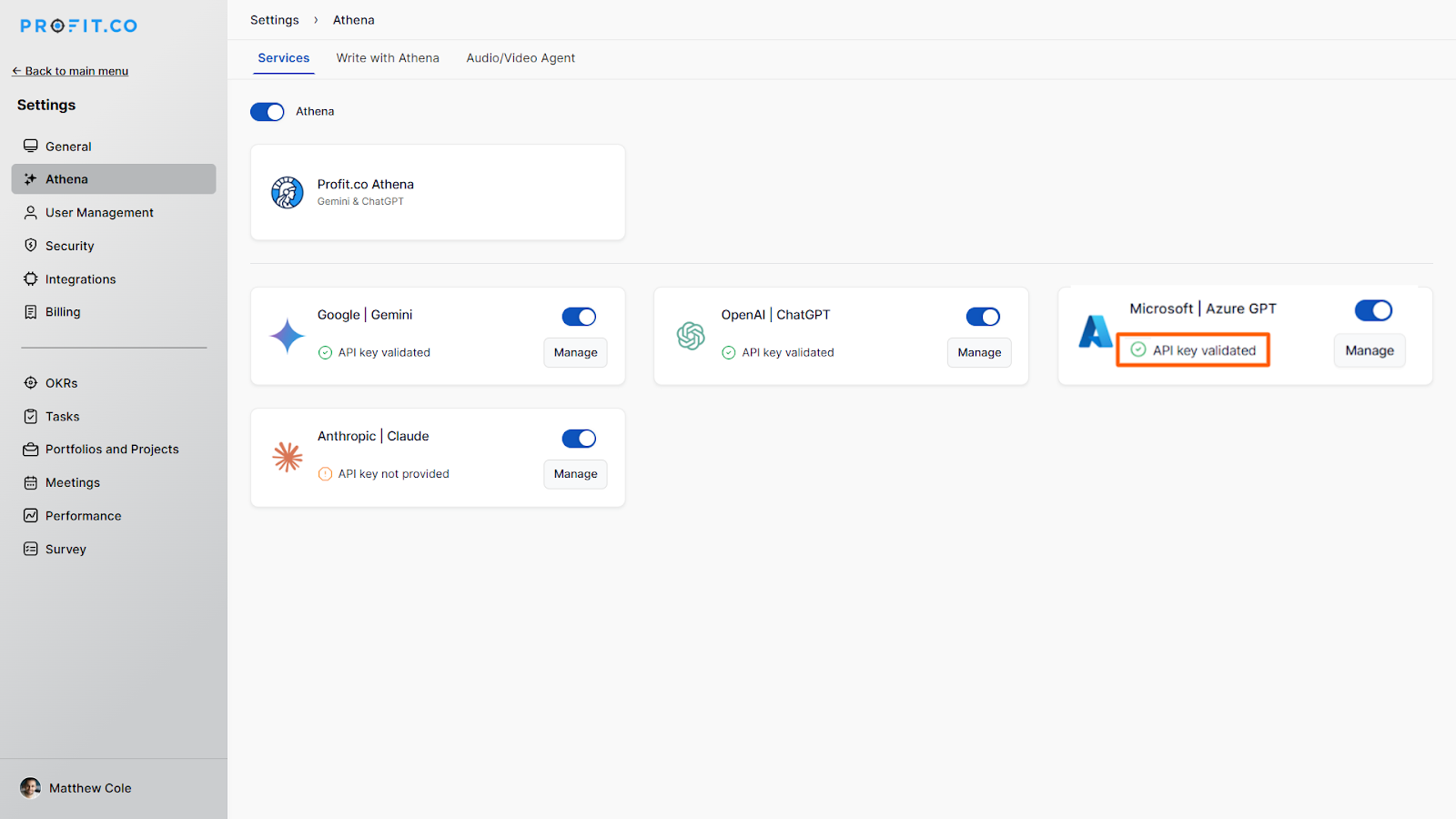
Azure AI is a suite of AI services and tools from Microsoft that enables businesses to build, deploy, and manage intelligent applications. Its benefits include enhancing productivity, automating tasks, improving decision-making, and providing innovative solutions across various industries.
What can you do with Azure AI and Profit.co integration?
- You can use AI to assist in drafting and setting OKRs efficiently.
- It Automatically generates concise summaries of OKR Progress, saving time and ensuring clarity.
- It Quickly generates summaries of tasks , making it easier to track progress and understand task details at a glance.
- Use AI to offer valuable insights and suggestions in comment sections , improving the quality of interactions.
- It helps to generate concise summaries of both self-assessments and manager assessments, facilitating better understanding and decision-making.
To integrate Azure AI with Profit.co follow the steps below:
Step 1
Open Azure Open AI’s Website, https://portal.azure.com/ .
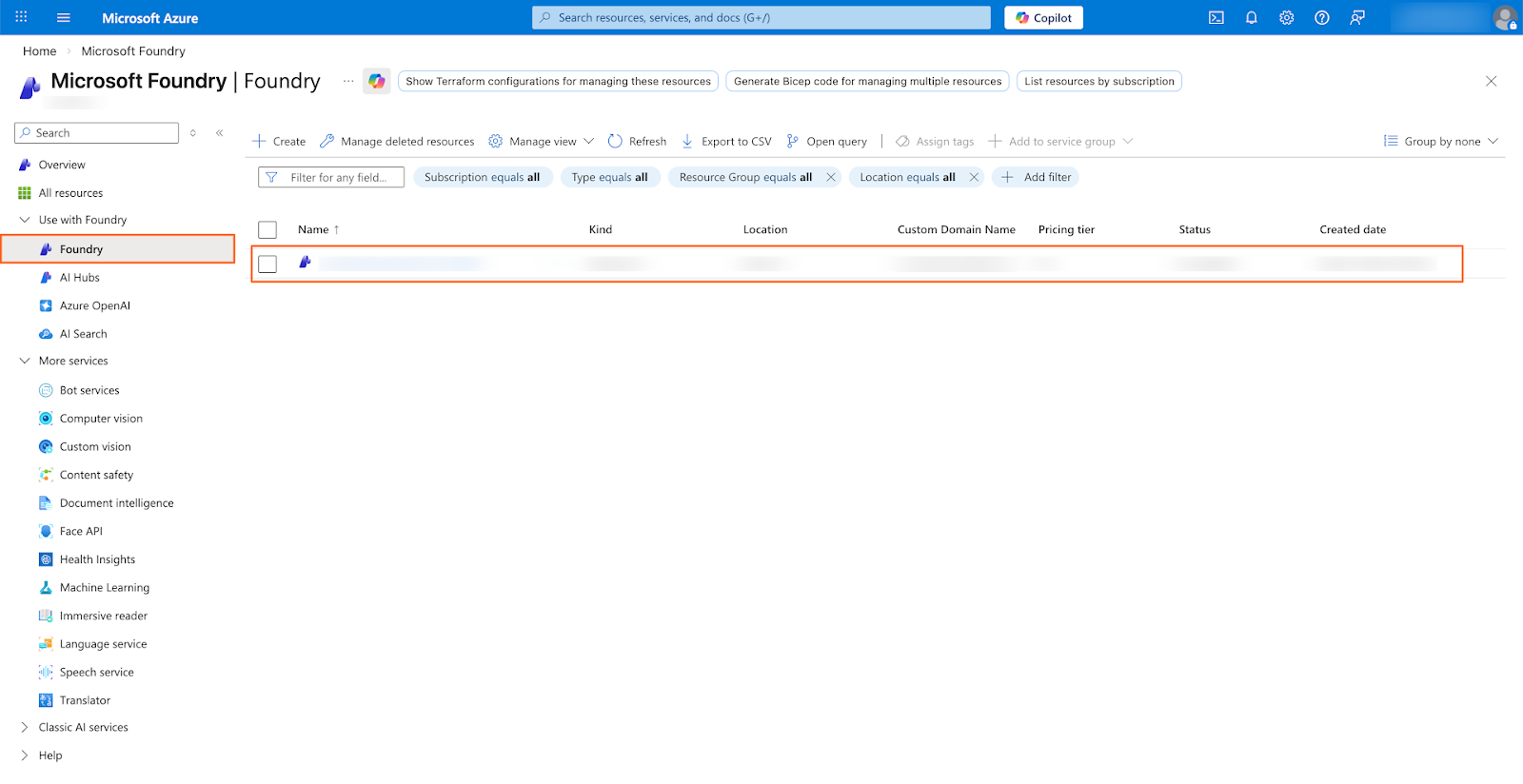
Search “Microsoft Foundry” in the search option and choose the Microsoft Foundry from the drop-down menu.
Step 2
Under the Microsoft Foundry page, select your resource from the list of available resources. Click on your resource.
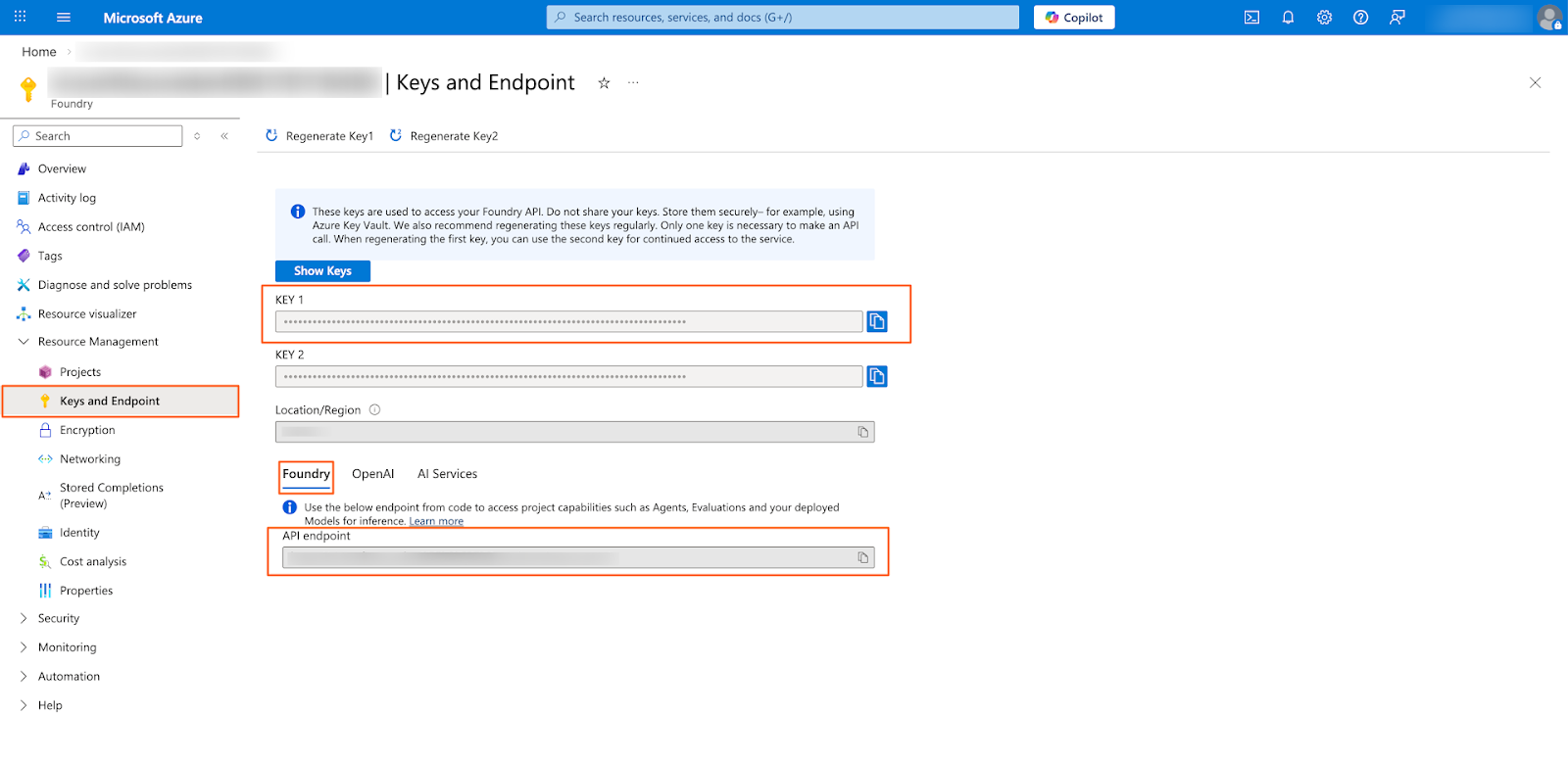
Under your resource, select “Keys and Endpoint” in the left menu. Get API Key from KEY1 and API Endpoint URL from Foundry Tab
Step 3
In your Profit.co Admin account, navigate to the Settings → AI from the left navigation panel.
On the Services tab, enable the AI toggle and enable the Microsoft|Azure GPT.
Click on the Manage button.
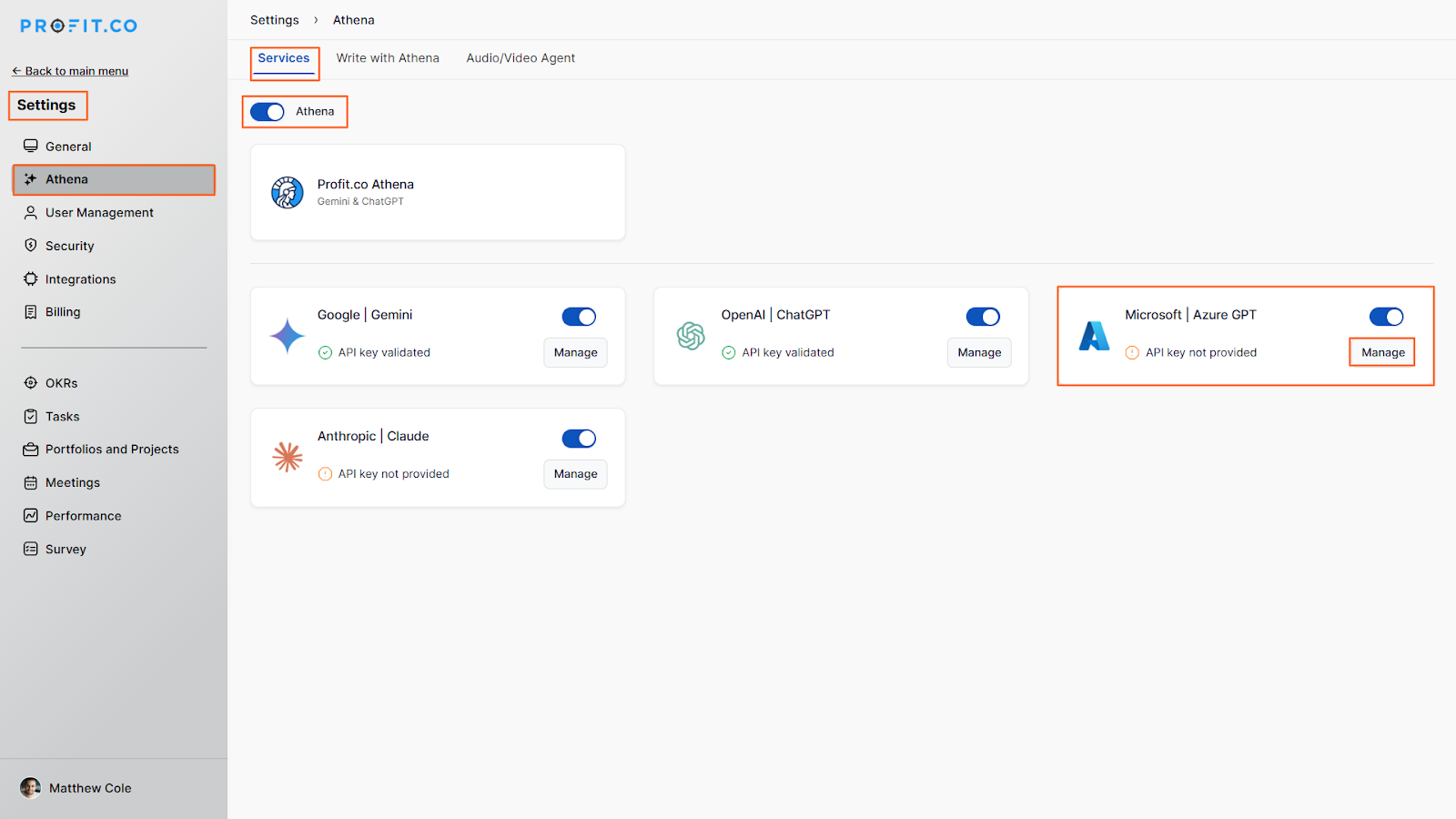
Enter the API Key, Endpoint, and click Update.
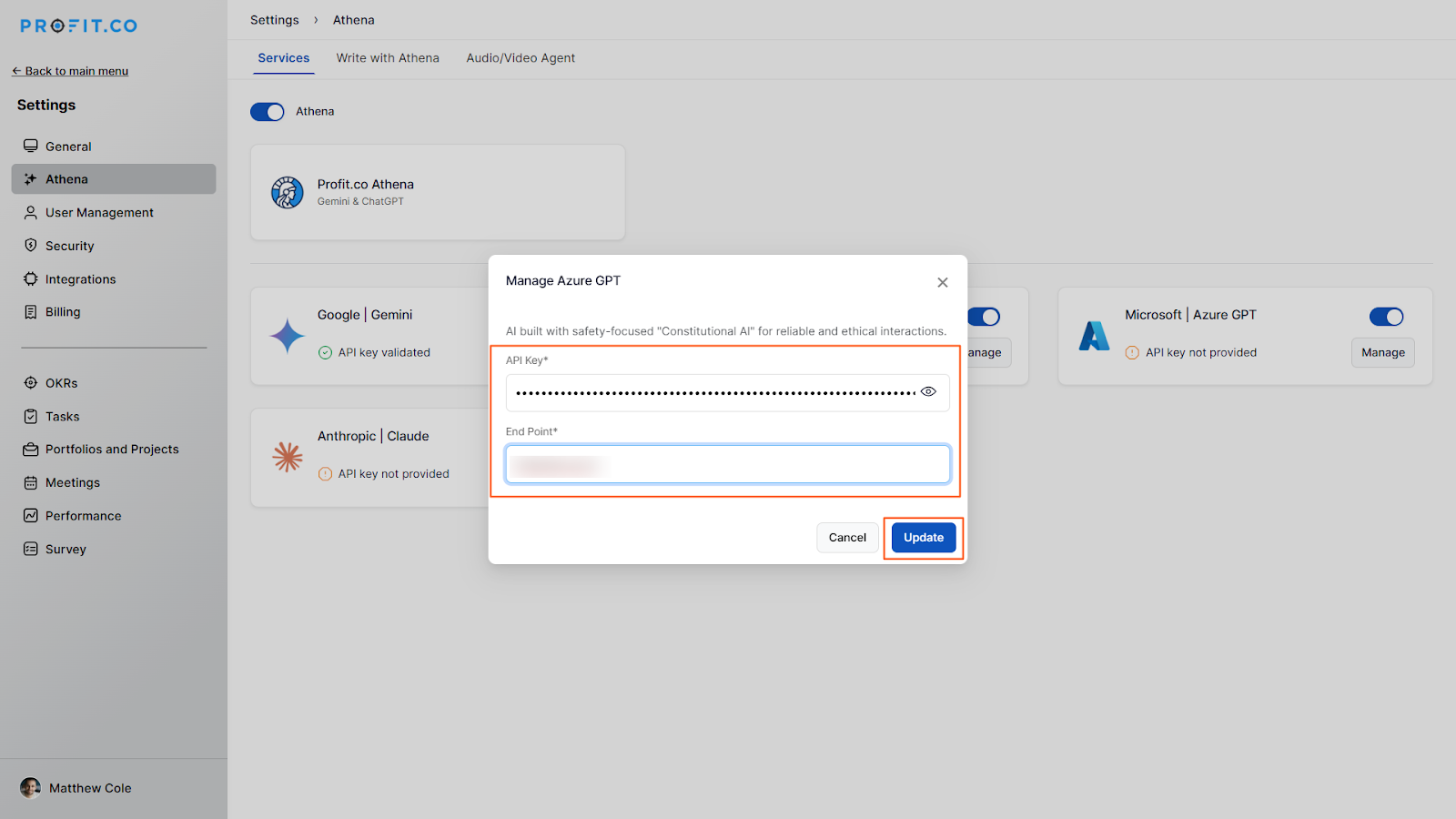
The API Key will get validated, and the Microsoft|Azure GPT connection will be established.