
How to install Profit.co Portfolios and Projects Management in Power BI?
Introduction
The “Profit.co Portfolios and Projects Management” Dashboard App retrieves Project Portfolio Management (PPM) data from Profit.co to visualize, monitor, and analyze project progress, portfolio performance, and key metrics in Power BI.
Configure “Profit.co Portfolios and Projects Management” dashboard App in Power BI
Step 1
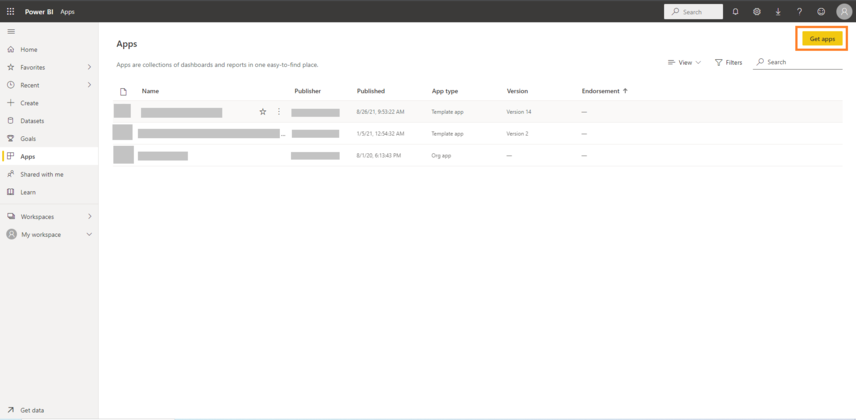
Login into your Power BI Account and Press Get apps button Power BI Apps URL – https://app.powerbi.com/groups/me/apps
Step 2
Search for Profit.co and find our Profit.co Portfolios and Projects Management and Click on the App.
Step 3
Click on the Get it now button.
Step 4
Click on Install button to install our App in your Power BI Account.
Step 5
Open the Installed Profit.co Portfolios and Projects Management App.
Step 6
It will be available with sample data. Click on Connect your data button to get your data from Profit.co.

Step 7
Profit Base URL : Either app.profit.co or eu2-app.profit.co based on your account region.
API Key and Access Key : In your Profit.co Admin Account, Go to Settings → Security → API Access and get the values of API Key and Access Key.

Step 8
Select Anonymous in the Authentication method and Click on Sign in and Connect button.


Welcome to Profit.co 👋
How can I help you today?