
Gemini AI is a cutting-edge artificial intelligence system designed to accelerate productivity and deliver smarter solutions. Its benefits include optimizing workflows, automating insights, improving task management, and enabling faster decision-making across various sectors.
What can you do with Gemini AI and Profit.co integration?
- Leverage AI to streamline the drafting and setting of OKRs efficiently.
- Automatically generate detailed insights on OKR Progress, ensuring precision and saving time.
- Effortlessly summarize tasks, making it easier to monitor progress and understand key details quickly.
- Use AI-generated suggestions to enhance interactions within comment sections, improving feedback quality.
- Generate well-structured summaries of self-assessments and manager assessments, enabling more effective decision-making.
To get an API key for Gemini AI, follow the below steps:
Step 1
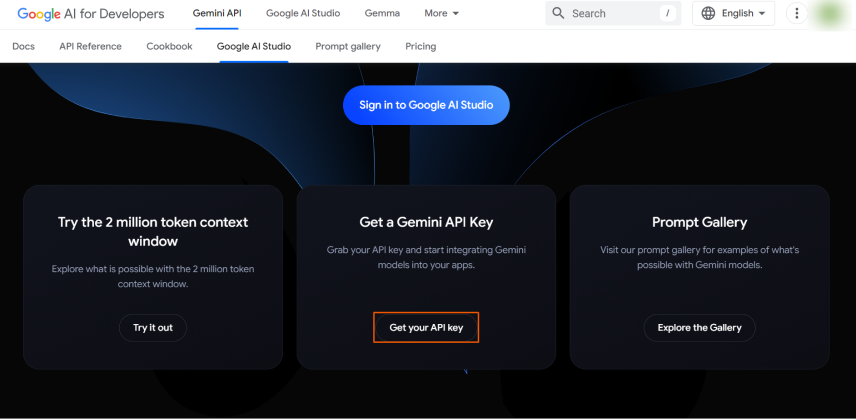
Visit Google AI Studio for Gemini AI using the provided link. Click here
ClickGet your API Key.
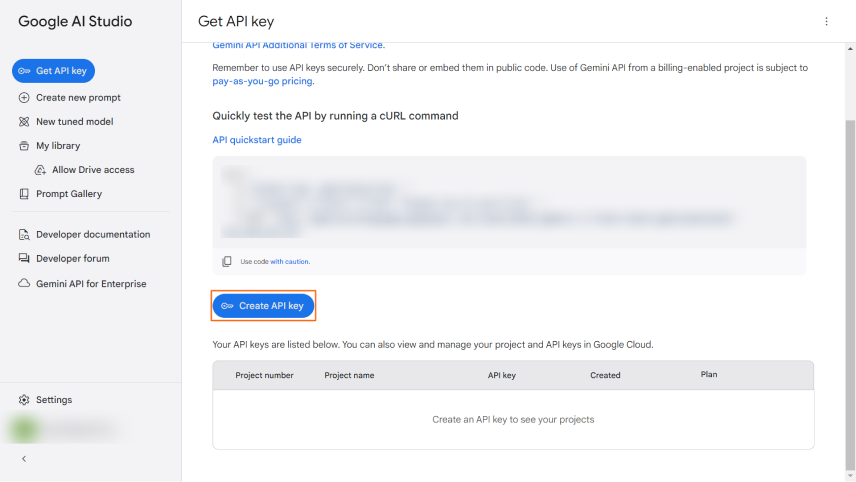
SelectCreate API key.
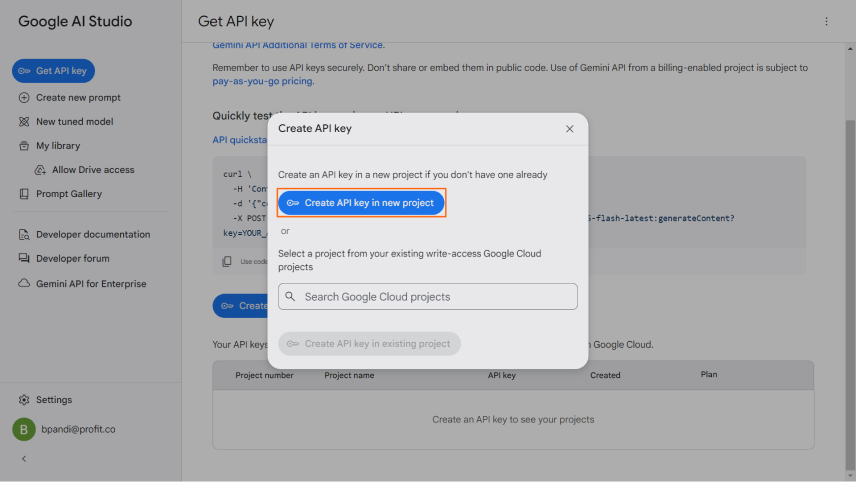
In the pop-up, click on theCreate API key in the new projectbutton.
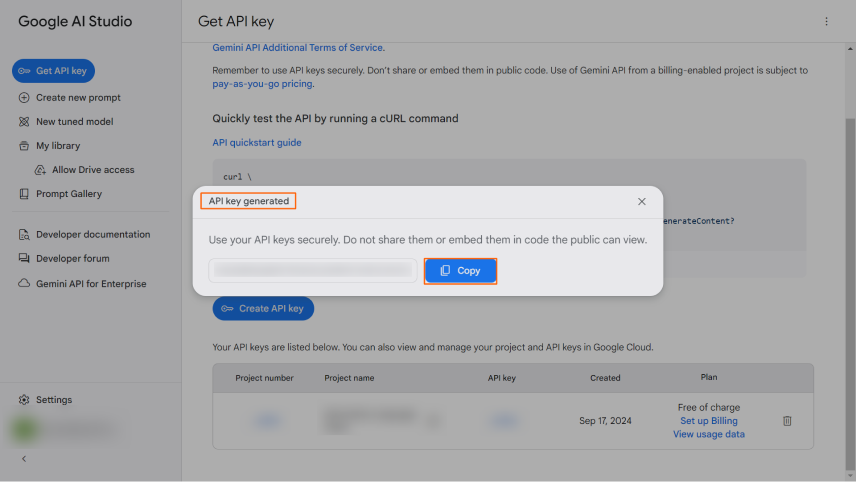
Your API key will be generated. simply click theCopybutton to copy it.
Step 2
In your Profit.co Admin account, navigate to theSettings → AIfrom the left navigation panel.
On the Services tab, enable theAI toggleand enable theGoogle | Gemini
Click on theManagebutton.

Enter the API Key, and clickUpdate.
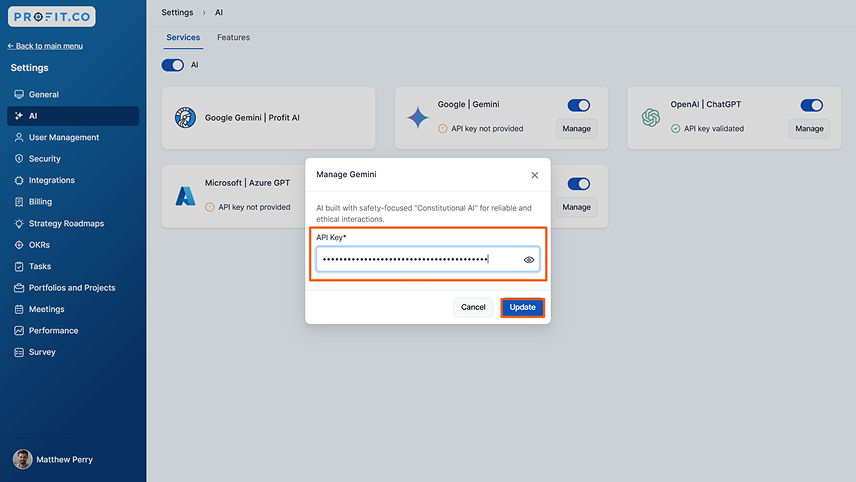
The API Key will get validated, and theGoogle|Geminiconnection will be established.
