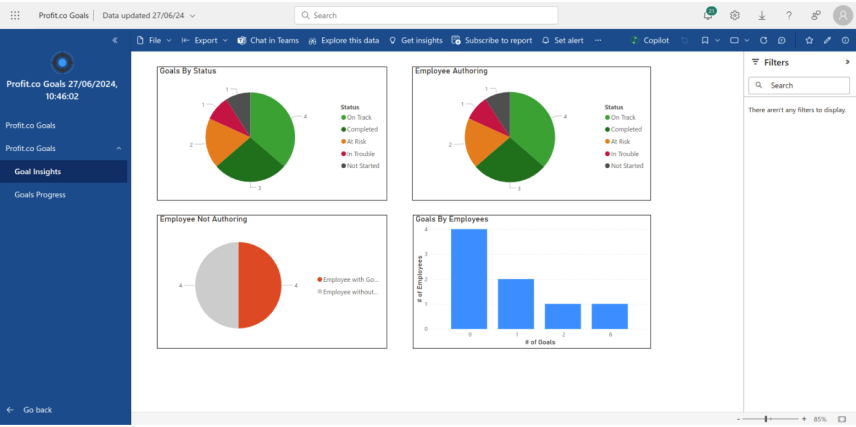
How to install Profit.co Goals app in Power BI?
Introduction
Goals for Profit.co seamlessly integrates with Profit.co to retrieve goal management data, enabling intuitive progress visualization and in-depth analysis in Power BI.
Configure the “Goals for Profit.co” dashboard App in Power BI
Step 1
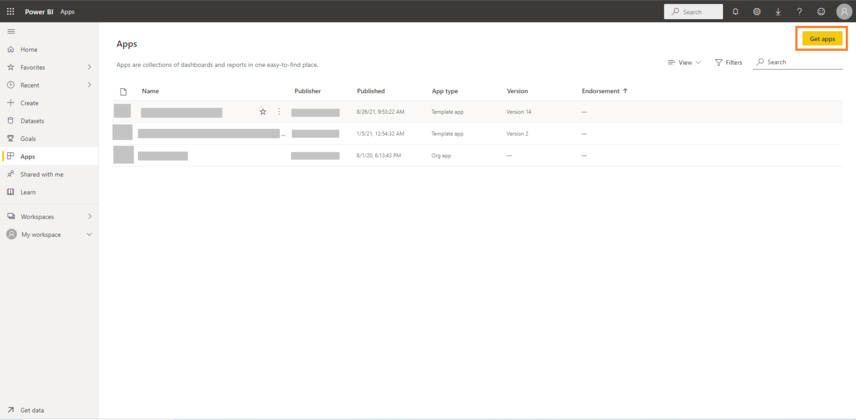
Login into your Power BI Account and Press the Get Apps button Power BI Apps URL

Step 2
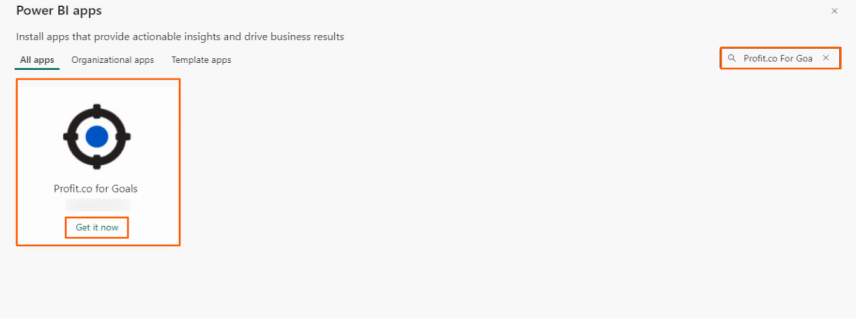
Search for Profit.co and find our Profit.co for Goals Software and Click on the App.
Click on the Get it now button.
Step 3
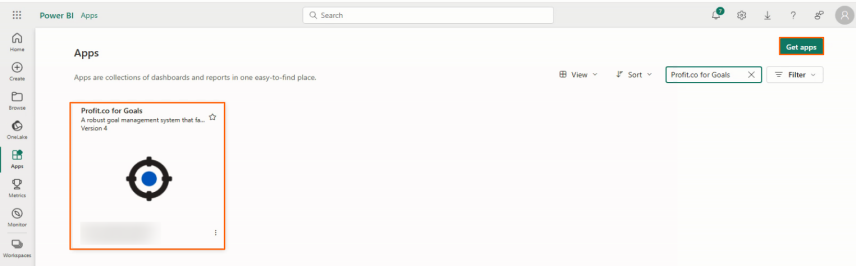
Open the Installed Profit.co Goals Software App.
Step 4
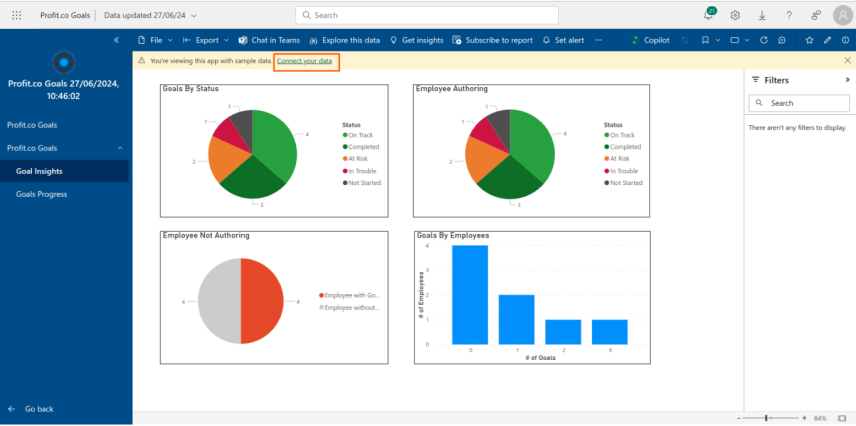
It will be available with sample data. Click on Connect your data button to get your data from Profit.co.
Step 5
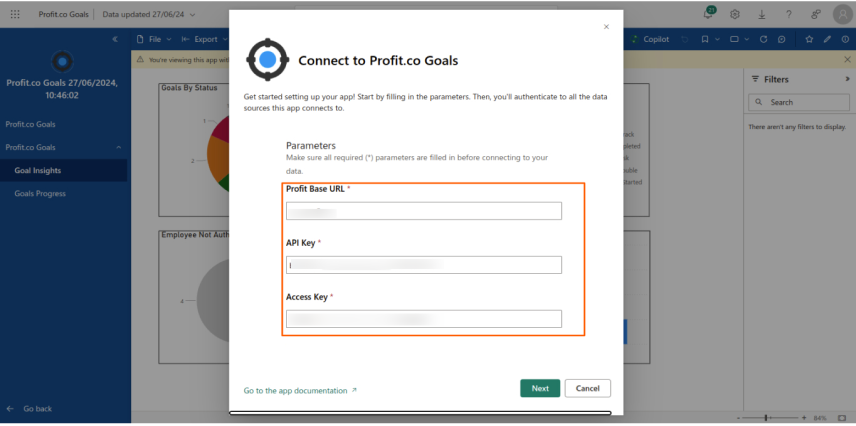
Profit Base URL based on your account region:
US Region –
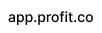
(or) EU Region –
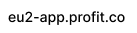
API Key and Access Key : In your Profit.co Admin Account, Go to Settings → Security → API Access and get the values of API Key and Access Key.
Step 6
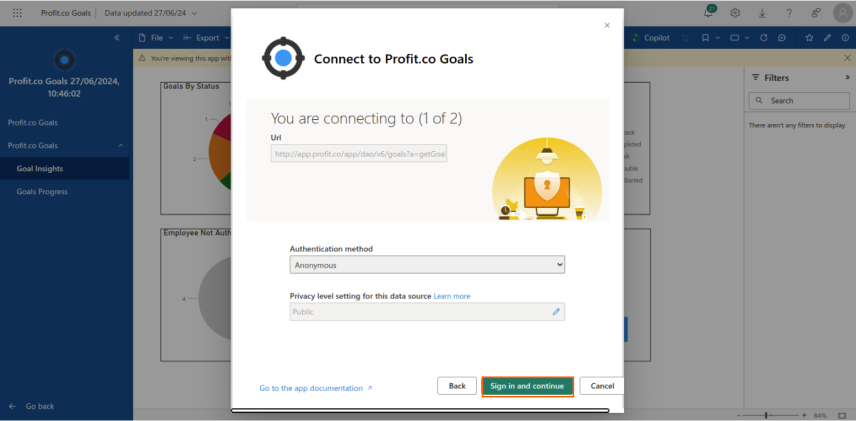
Select Anonymous in the Authentication method and Click on the Sign in and Continue button.
Step 7
Datasets and Views are Created in Power BI with the data fetched from your Profit.co account.
We can use this Dataset to visualize and Analyze Profit.co Data in Power BI.