



How to Link Portfolios to OKRs?
Category: PPM
Profit.co provides an option to link portfolios to strategic objectives by aligning them with OKRs through the Strategic Alignment tab.
Table of Contents
What is portfolio-to-OKR alignment?
Portfolio-to-OKR alignment is the process of connecting portfolio collections to organizational objectives and key results, creating a clear relationship between strategic goals and portfolio execution.
Why is linking portfolios to OKRs important?
Connecting portfolios to OKRs ensures that entire collections of projects support strategic goals. Here's why this feature matters:
- Strategic Coherence: Ensures all projects within a portfolio collectively support organizational objectives and strategic direction
- Portfolio Justification: Provides clear rationale for portfolio existence and continued investment based on strategic contribution
- Resource Allocation: Helps prioritize resources across portfolios based on strategic importance and OKR alignment
How do I link portfolios to OKRs?
Follow these steps to create portfolio-to-OKR alignment:
Step 1: Navigate to Portfolios
- Navigate to Portfolios and Projects → Portfolios from the left navigation panel
- The portfolios list page will display all available portfolios
- Click on the portfolio name you want to link to OKRs
- The portfolio overview page will open
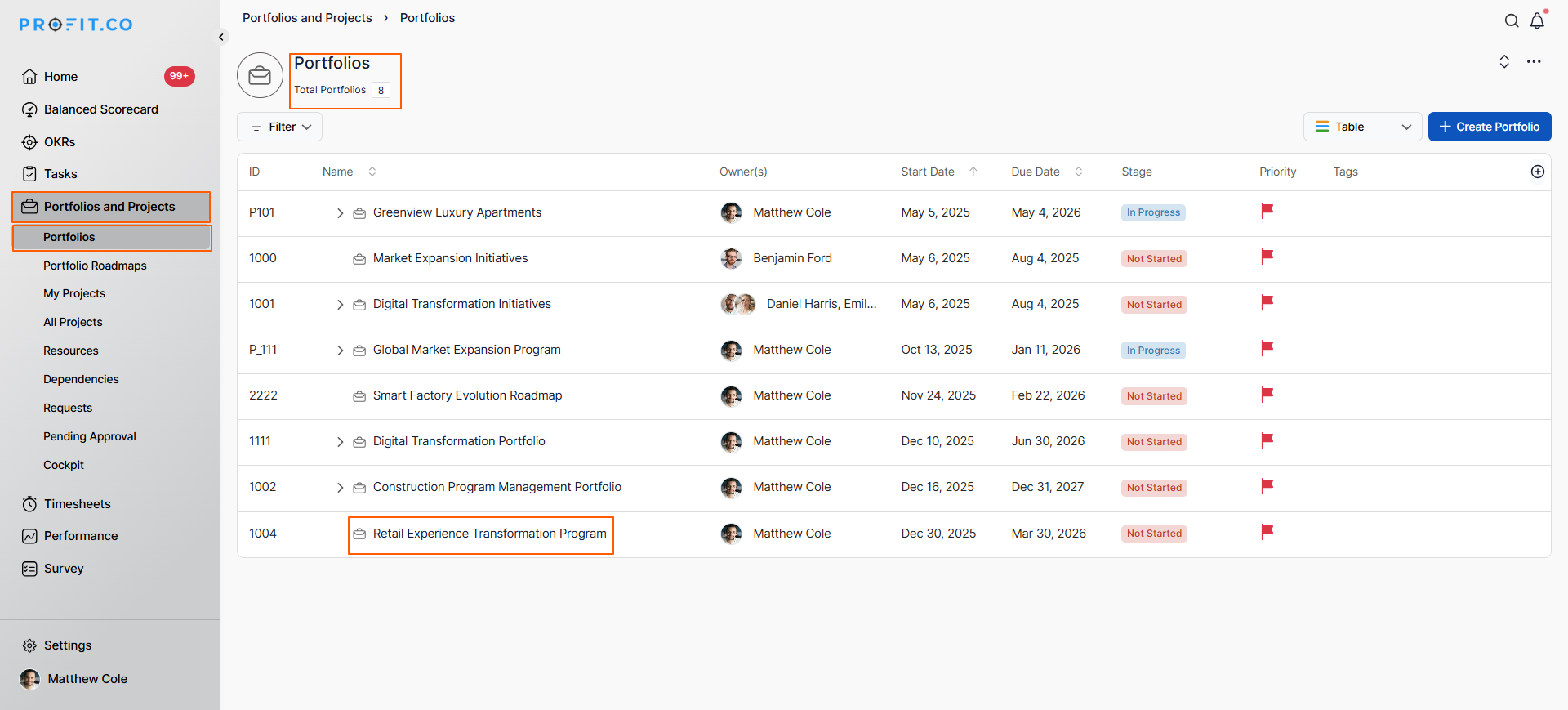
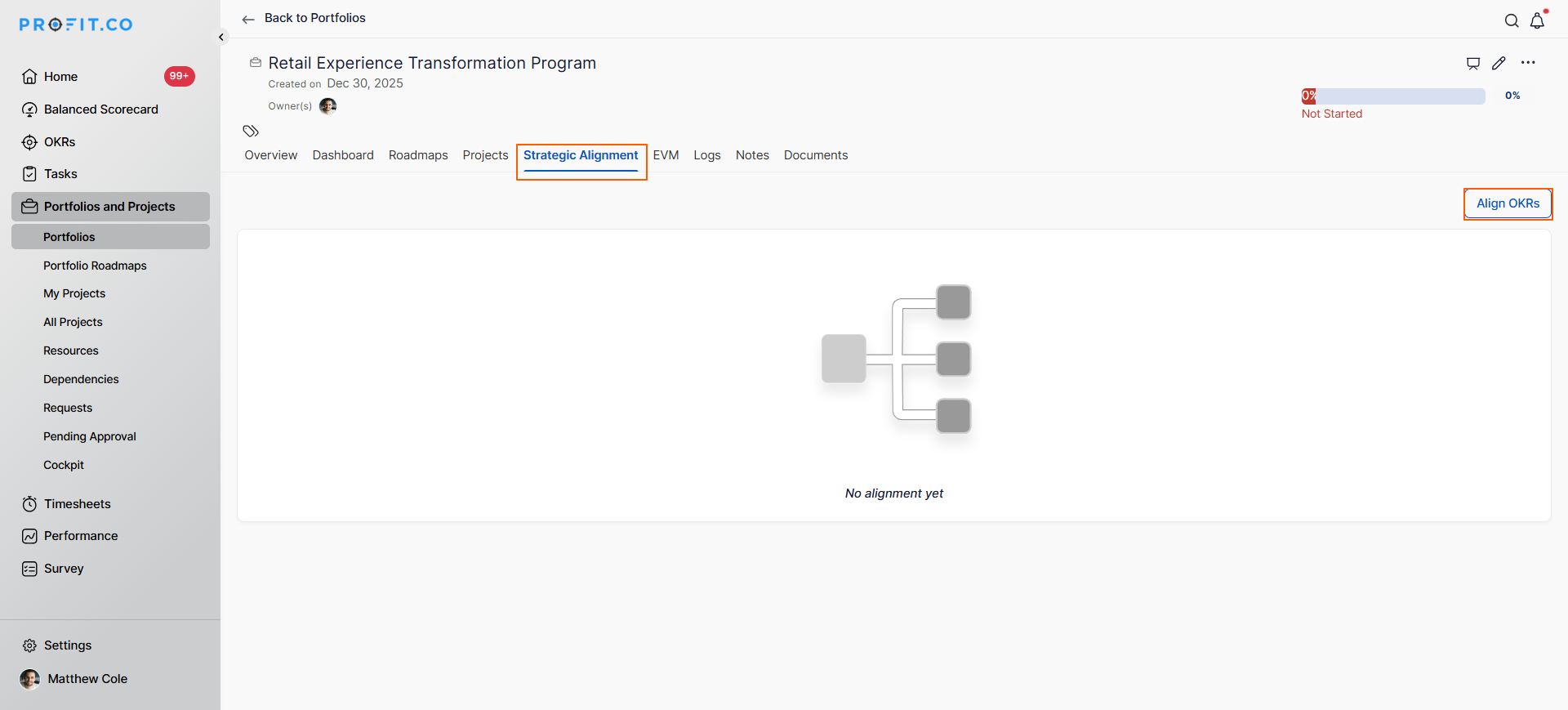
Step 2: Access Strategic Alignment
- Switch to the Strategic Alignment tab
- This tab shows current OKR alignments and alignment options
- Click on the Align OKRs option
- A selection panel will appear
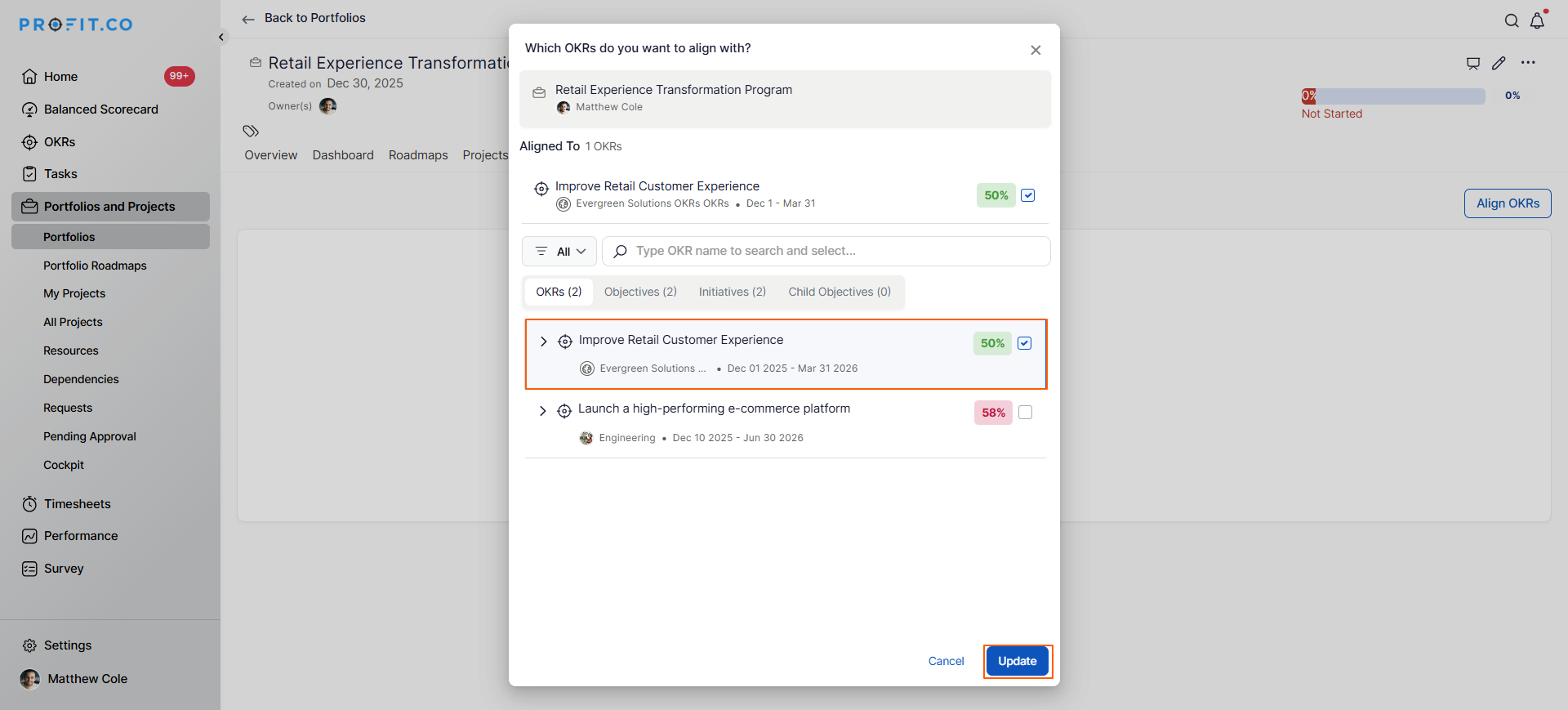
Step 3: Select Objective
- Browse or search for the relevant objective
- View available objectives from your OKR framework
- Select the objective that this portfolio supports
- Review the objective's key results if displayed
- Click on the Update button
- The portfolio is now linked to the selected OKR
- The alignment appears in the Strategic Alignment tab
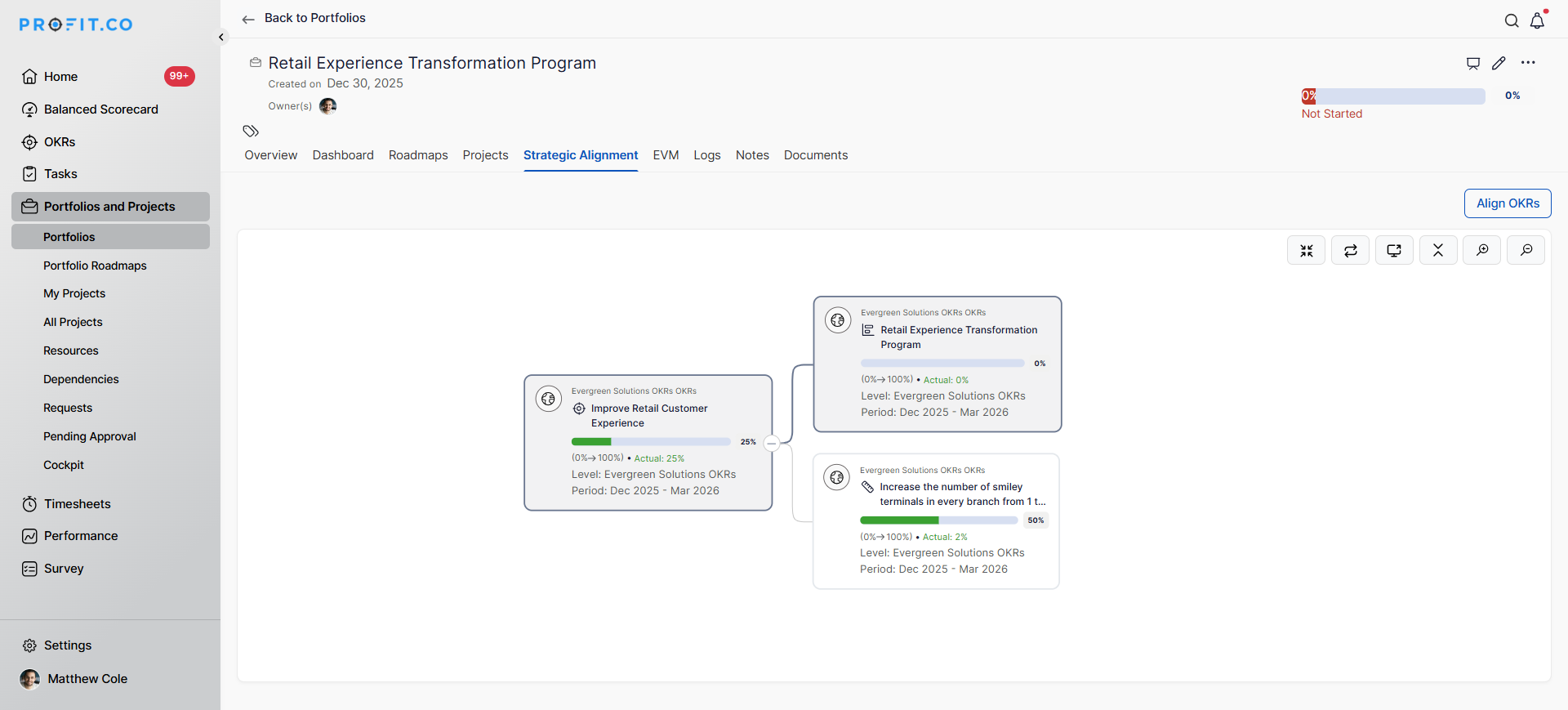
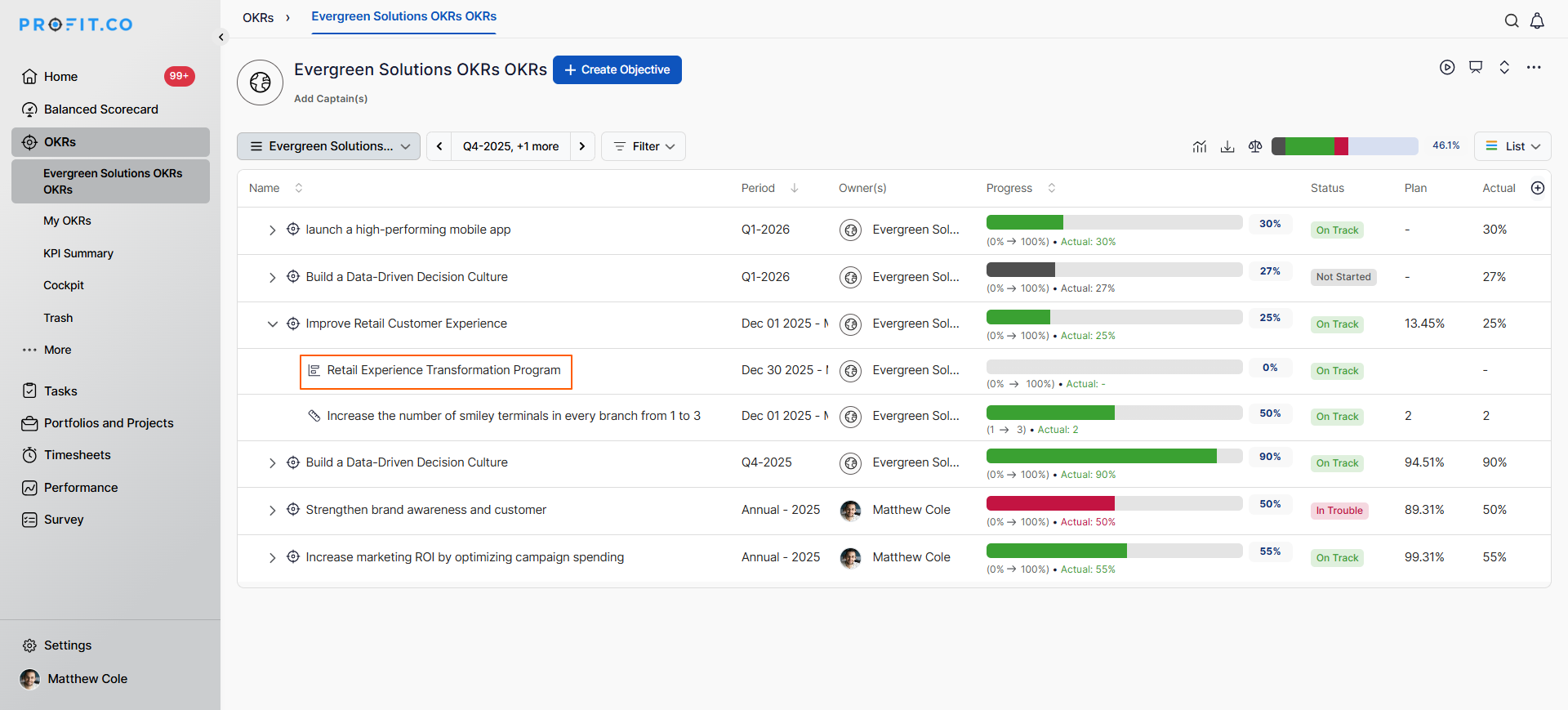
The aligned portfolio appears as a new key result under the objective, and its progress automatically updates the OKR progress.
Best Practices for Portfolio-to-OKR Alignmen
To maximize the effectiveness of portfolio-to-OKR linking:
- Review Alignment Annually: Reassessing portfolio-to-OKR connections each planning cycle, when OKRs are set ensures continued relevance as strategic priorities evolve.
- Limit Alignments to Relevant OKRs: Link portfolios only to objectives they genuinely support; avoid linking to every objective, which dilutes strategic focus and clarity.
Related Questions
How to Link Projects to OKRs Using Strategic Alignment, Click Here
Frequently Asked Questions
Q1.Should I align portfolios to Objectives or Key Results?
Yes. Portfolios can be aligned to either Objectives or Key Results based on how you want progress to roll up and be tracked.
Link to all truly relevant OKRs, typically 1-3. More than 3 may indicate the portfolio is too broad or alignment is too loose. Focus on quality over quantity of alignments.
Related Questions
-
How to Track Request Pipeline and Status?
Profit.co's Request Pipeline tracking enables organizations to visualize and manage incoming project requests through ...Read more
-
How to create a Project in the PPM module?
Profit.co provides an option for users to create a project within the Project Portfolio Management (PPM) module. This ...Read more
-
How to Configure Email Notifications for PPM?
Profit.co provides an option to configure email notifications for the Portfolios and Projects module to keep team ...Read more
-
How to Localize Profit.co PPM Terminology to My Organizations PPM Terminology?
Profit.co provides an option to customize PPM terminology to match your organization's specific language and naming ...Read more