



How to Localize Profit.co PPM Terminology to My Organizations PPM Terminology?
Category: PPM
Profit.co provides an option to customize PPM terminology to match your organization's specific language and naming conventions.
Table of Contents
Why is terminology localization important?
Customizing PPM terminology ensures alignment with your organization's established vocabulary and improves user adoption. Here's why this feature matters:
- Organizational Alignment: Match Profit.co's terminology with your company's existing project management vocabulary and frameworks
- Reduced Confusion: Eliminate misunderstandings by using familiar terms that your teams already know and use
- Improved Adoption: Users are more comfortable with terminology that matches their training and experience
- Brand Consistency: Maintain consistent language across all your project management tools and documentation
- International Support: Enable multiple languages for global teams working in different regions
What can be localized in Profit.co PPM?
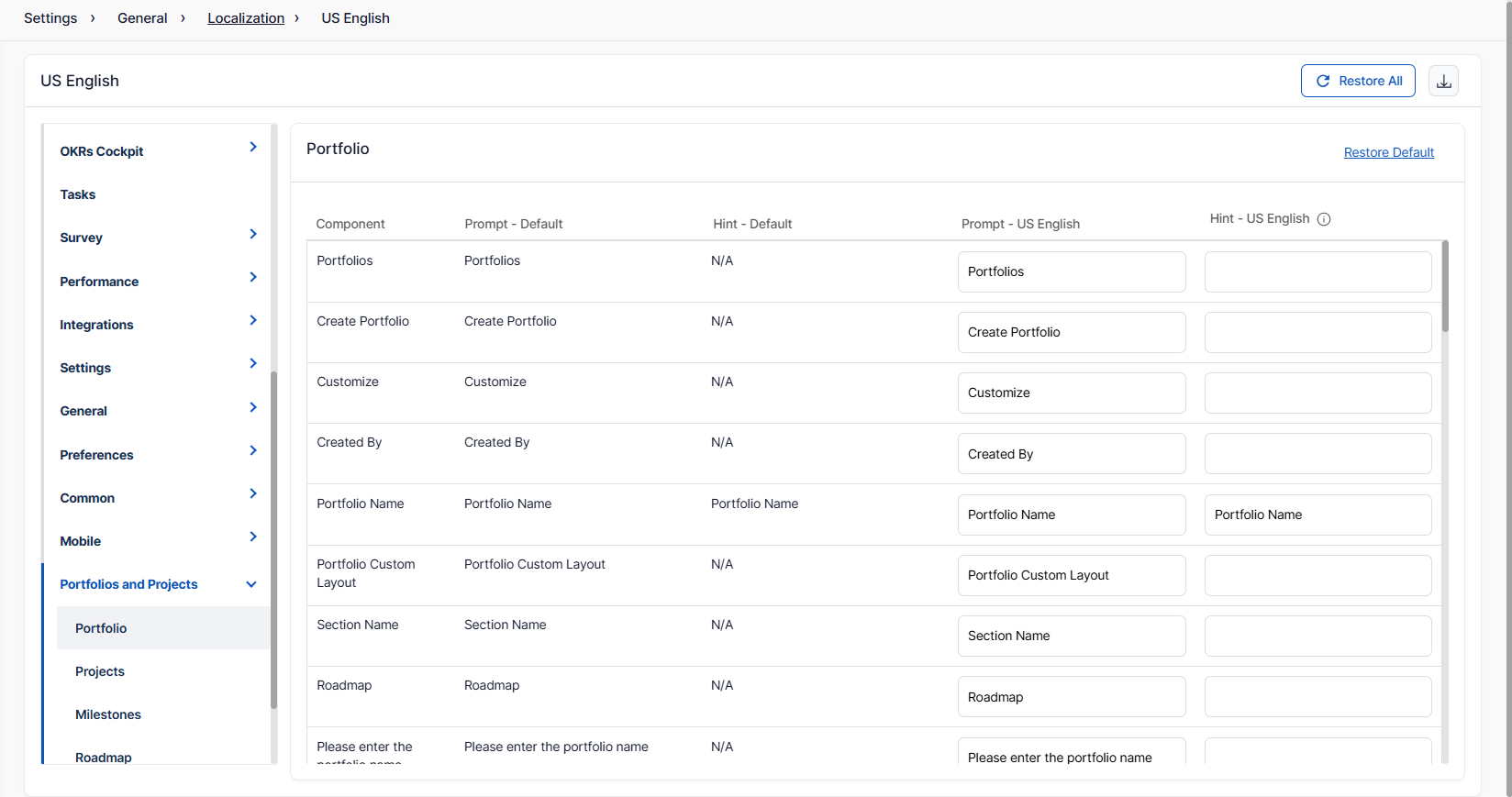
The localization feature allows customization across various PPM components:
How do I access and enable language localization?
Follow these steps to set up localization:
Step 1
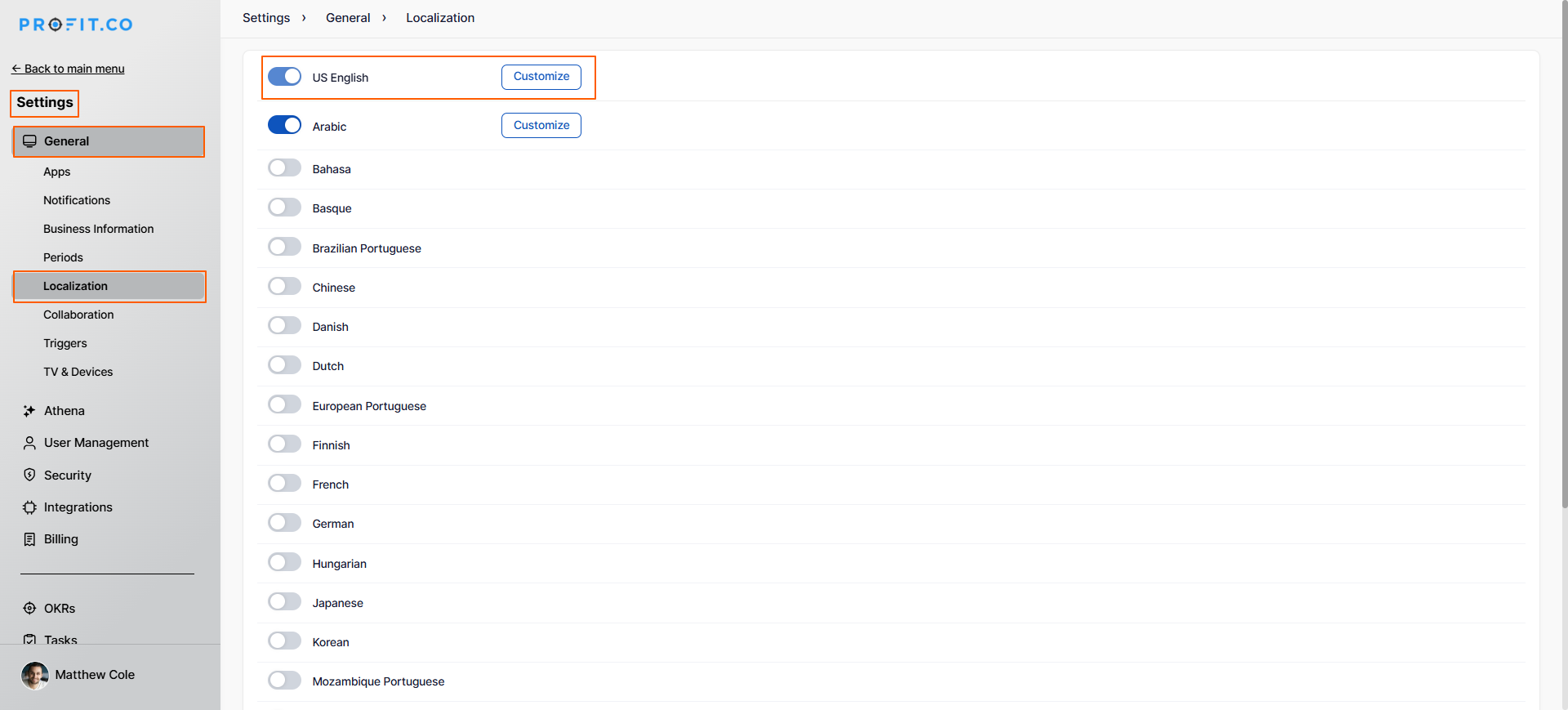
- Navigate to Settings → General → Localization from the left navigation panel
- On the Localization page, enable the toggle for the Language of your preference
- Select the Customize button to modify the field names
Note: By default, US English will be enabled.
Step 2
On the Customize page:
- Users can see all the Menus on the left side of the page
- The components and their default names will be displayed next to the Menu section
To Customize Field Names:
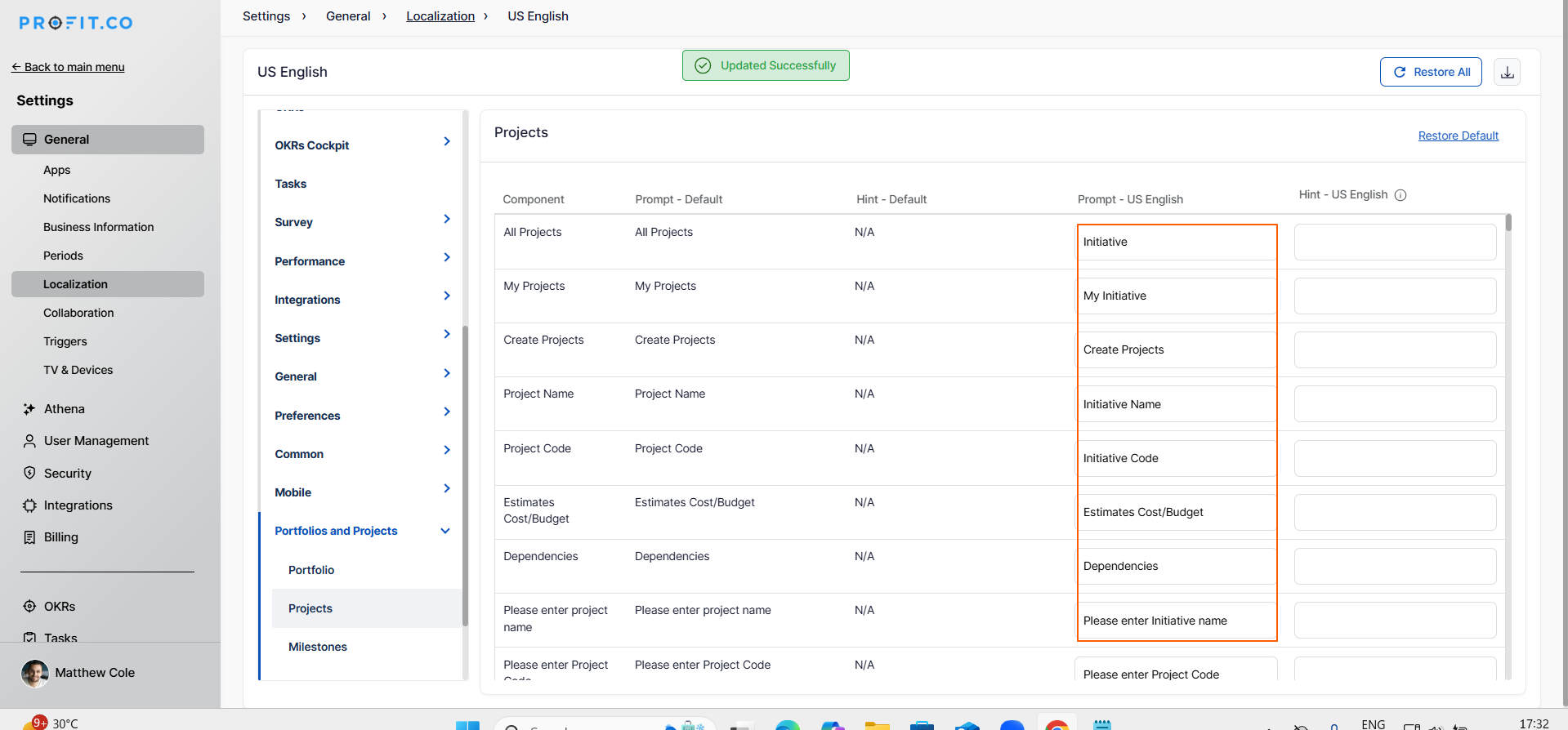
- Select a menu item from the left panel (e.g., "Projects")
- Locate the component you want to rename
- Users can rename the default names of any components from the Prompt section
- Enter your organization's preferred terminology in the text box
- A pop-up panel will appear to notify you that the field rename was updated successfully.
- The changes are immediately applied to the system
Best Practices for PPM Terminology Localization
To maximize the effectiveness of terminology customization:
- Align with Existing Vocabulary: Use terms your organization already uses in documentation, training materials, and daily conversations to reduce confusion and improve adoption.
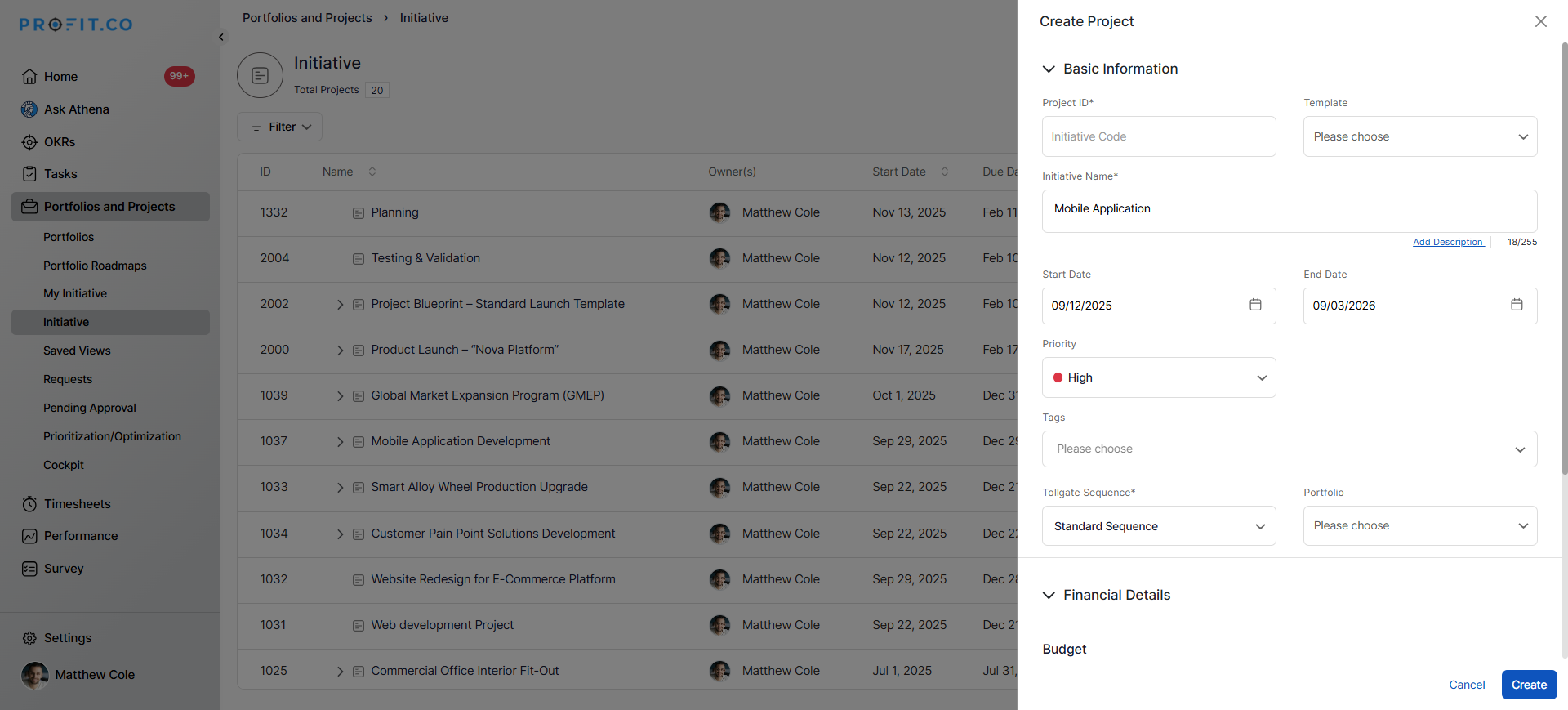
- Be Consistent Across All Terms: If you change "Project" to "Initiative," update all related terms (e.g., "Project Name" becomes "Initiative Name") to maintain consistency throughout the interface.
- Involve Stakeholders: Gather input from project managers, team members, and leadership before finalizing terminology changes to ensure broad acceptance and understanding.
- Document Your Changes: Create a terminology guide that maps Profit.co's default terms to your custom terms, useful for training, support, and onboarding new users.
- Test Before Full Rollout: Enable and customize terminology for a pilot group first, gather feedback on clarity and usability, then roll out organization-wide with any necessary adjustments.
Related Questions
How to create a Project in the PPM module, Click here
How to create a new portfolio in Profit.co, Click here
Frequently Asked Questions
No, terminology customization is purely cosmetic and does not impact system performance, speed, or functionality.
Yes, you can choose which components to customize. You can leave some terms as default while customizing others based on your needs.
Data remains unchanged. Only the labels and interface terms change. For example, if you rename "Projects" to "Initiatives," existing project data is preserved.
Related Questions
-
How to Track Request Pipeline and Status?
Profit.co's Request Pipeline tracking enables organizations to visualize and manage incoming project requests through ...Read more
-
How to create a Project in the PPM module?
Profit.co provides an option for users to create a project within the Project Portfolio Management (PPM) module. This ...Read more
-
How to Configure Email Notifications for PPM?
Profit.co provides an option to configure email notifications for the Portfolios and Projects module to keep team ...Read more
-
How to Link Portfolios to OKRs?
Profit.co provides an option to link portfolios to strategic objectives by aligning them with OKRs through the ...Read more