

Profit.co’s mobile application lets you quickly create Workspaces and Boards to organize, manage, and track tasks on the go.
Table of Contents
- What are Workspaces and Boards in Profit.co Tasks?
- Why use Workspaces and Boards from the mobile app?
- How to create a Workspace using the Profit.co mobile app
- How to create a Board inside a Workspace using the mobile app
- Best practices for managing Workspaces and Boards on mobile
- Frequently Asked Questions
What are Workspaces and Boards in Profit.co Tasks?
- Workspace: A container used to group related boards and tasks for a team or project.
- Board: A visual space within a workspace where tasks are organized into stages and tracked visually.
Together, they help teams structure work clearly and collaborate efficiently.
Why use Workspaces and Boards from the mobile app?
Creating Workspaces and Boards through the mobile app allows teams to stay productive anytime, anywhere.
It helps users quickly set up task structures, visualize progress, and collaborate without needing desktop access.
Key benefits:
- Organize tasks by teams, projects, or initiatives
- Track task progress visually using boards
- Enable faster setup and collaboration on mobile
- Maintain clarity on ownership and visibility
How to create a Workspace using the Profit.co mobile app
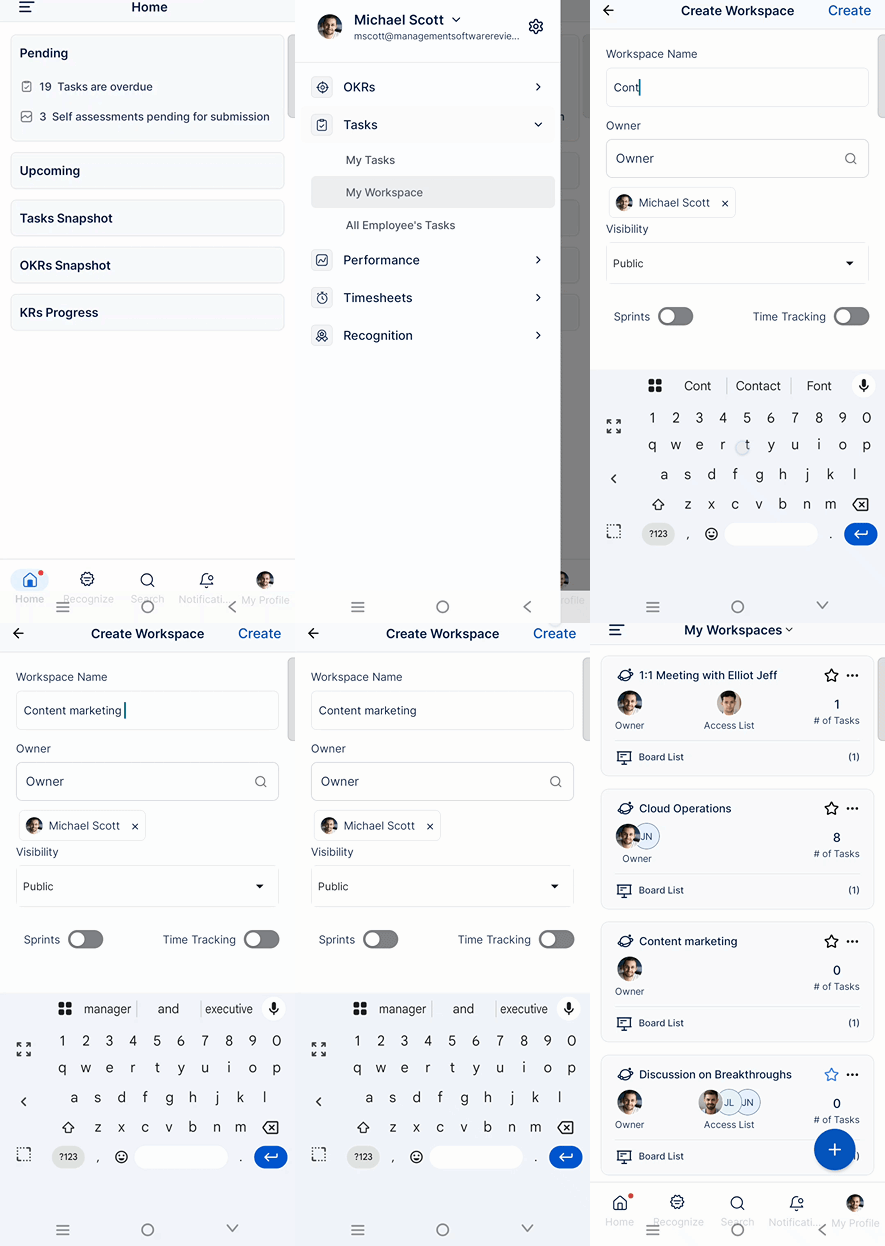
- Tap the ellipsis (⋮) icon in the top-left corner of the app.
- Select Task → Workspaces from the menu.
- Tap the + (Add) icon.
- Enter the Workspace name.
- Set the Owner and Visibility.
- Tap Create to finish.
Your new workspace is now ready for use.
How to create a Board inside a Workspace using the mobile app
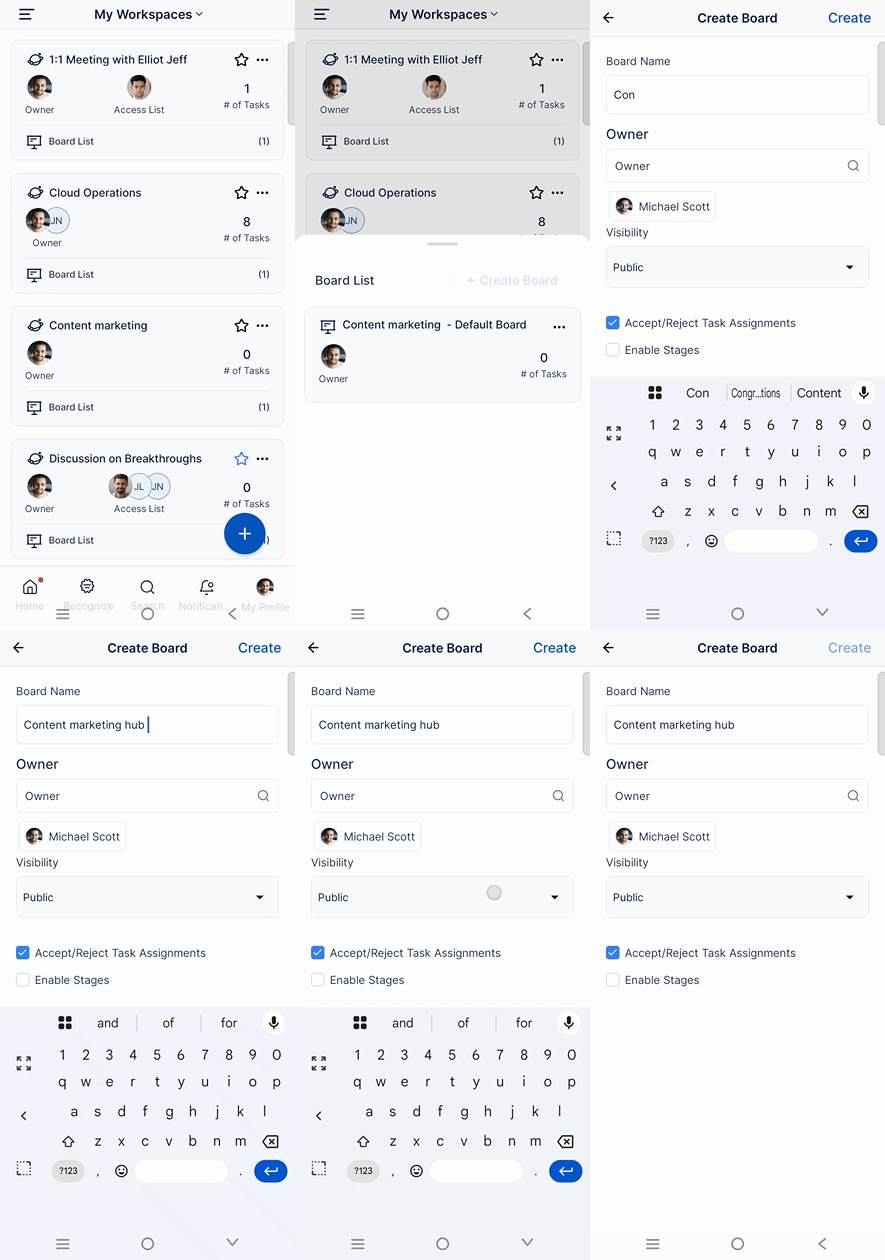
- From Tasks, select the newly created Workspace from the dropdown.
- Tap the + (Add) icon to create a board.
- Enter the Board name.
- Set the Owner and Visibility.
- Define the Stages for the board workflow.
- Tap Create to complete the setup.
The board is now available for adding and tracking tasks.
Best practices for managing Workspaces and Boards on mobile
- Use clear workspace names to reflect teams or projects
- Limit board stages to keep workflows simple and focused
- Assign owners to ensure accountability
- Set visibility correctly to control access
- Review boards regularly to keep tasks updated
Frequently Asked Questions
Yes. You can create multiple workspaces to organize tasks by teams, projects, or functions.
Yes. You can define custom stages during board creation to match your workflow.
Visibility depends on the settings chosen during creation. You can restrict or allow access accordingly.
