



How are the scores/points calculated based on user pulse survey response?
Category: General
In Profit.co, the results of pulse surveys are calculated according to the formula Net Promoter score. Net Promoter Score or NPS measures customer experience and predicts business growth.
Step 1:
For inference, if all the users have completed the survey. The user who initiated the survey can go to Survey→ Manage Pulse Survey from the left navigation panel.
Select your preferred Survey.

Step 2:
Switch to the Submissions tab.

Step 3:

In the above question if the user selects any one of the numbers it’ll be taken as Detractors, Passives & Promoters.

For instance, if a user has selected any value between 0 to 6 it’ll be taken into account as Detractors.
So according to the formula of Net Promoter Score, the score will be calculated.

For inference, in a pulse survey for a total number of eight users. Six Users have selected Detractors, two users have selected Passives and no users have selected promoters.

So according to the formula, we can get the value of Net promoter Score.
[(1-3)/5]8*100 = -40
Note: In a pulse survey if all the users have selected passives the total value will be zero because in Net Promoter Score the count of Passives won’t be considered.

You can now view the Word Cloud chart in the Survey module to help visualize open-text responses.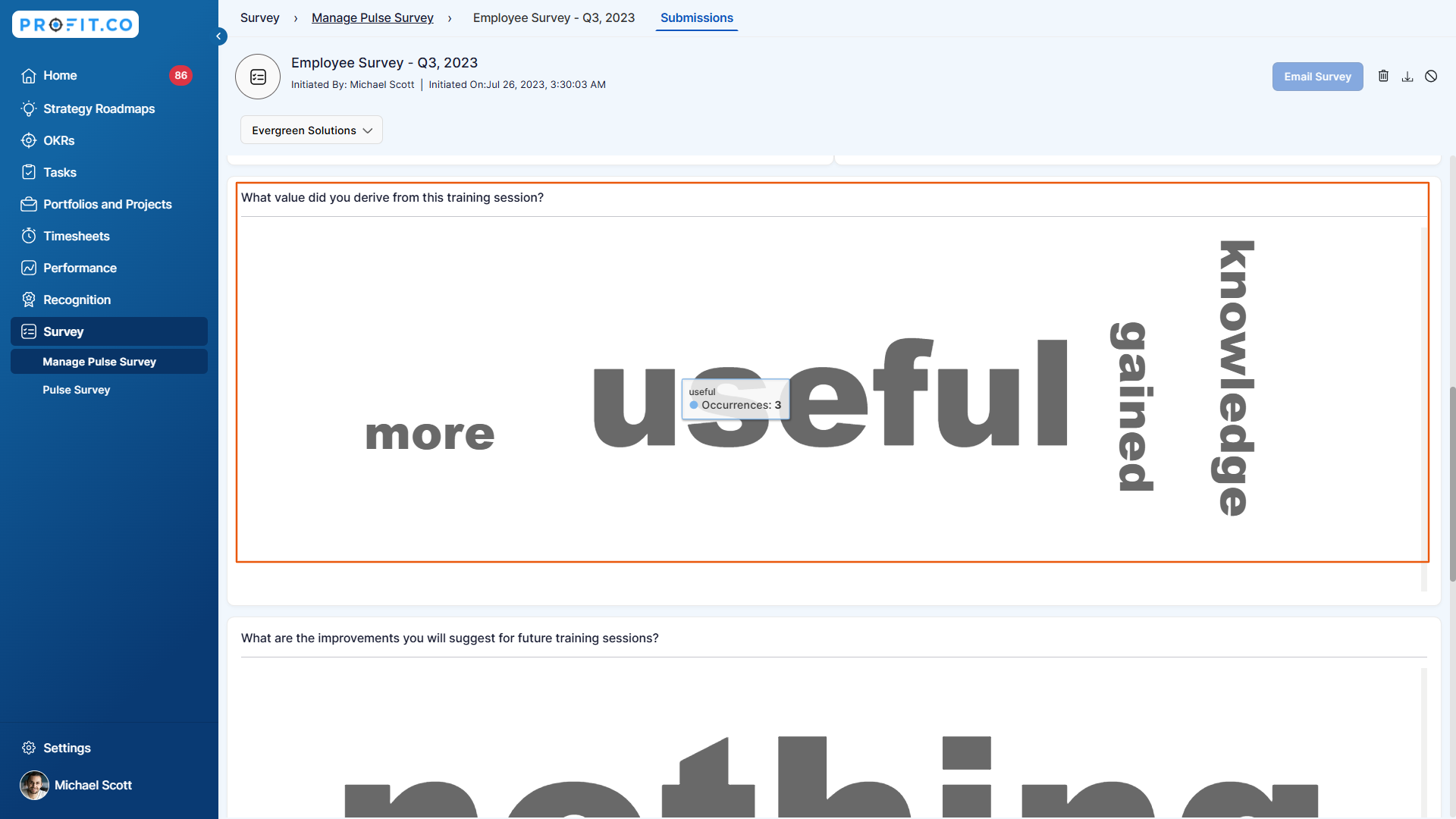
Related Questions
-
How to Initiate Meetings through Mobile Application?
Profit.co’s mobile application allows users to quickly initiate and schedule different types of meetings, such as ...Read more
-
What is the Notes app in Profit.co mobile application?
The Notes app in the Profit.co mobile application lets you create, organize, and manage notes on the go. It helps you ...Read more
-
How to Sync Office 365 Meetings with Profit.co as an End User?
Profit.co provides a built-in Office 365 integration that allows you to seamlessly sync your meetings between Profit.co ...Read more
-
What is the Use of Strategy Roadmaps Cockpit Dashboard in Profit.co?
The Strategy Roadmaps Cockpit is a visual analytics dashboard in Profit.co that provides structured, executive-level ...Read more