



What is the Notes app in Profit.co mobile application?
Category: General
The Notes app in the Profit.co mobile application lets you create, organize, and manage notes on the go. It helps you capture ideas, store important information, and quickly reference details anytime, anywhere.
Table of Contents
Why use the Notes app in Profit.co mobile?
Mobile apps are central to how we work today. The Notes feature in Profit.co helps users stay productive by keeping critical information easily accessible.
Key benefits:
- Capture ideas and insights instantly
- Organize information using folders
- Maintain a single place for important references
- Link notes with tasks and team collaboration
How to create Notes in the Profit.co mobile application
Step 1: Open Notes
- Tap the ellipsis (⋮) icon in the top-left corner of the app.
- Select Notes from the menu.
Step 2: Create a Folder or a Note
- Tap the + icon
- Choose Create Folder or Create Note
Folder options:
- Rename folders
- Move folders to Trash
- Delete folders when no longer needed
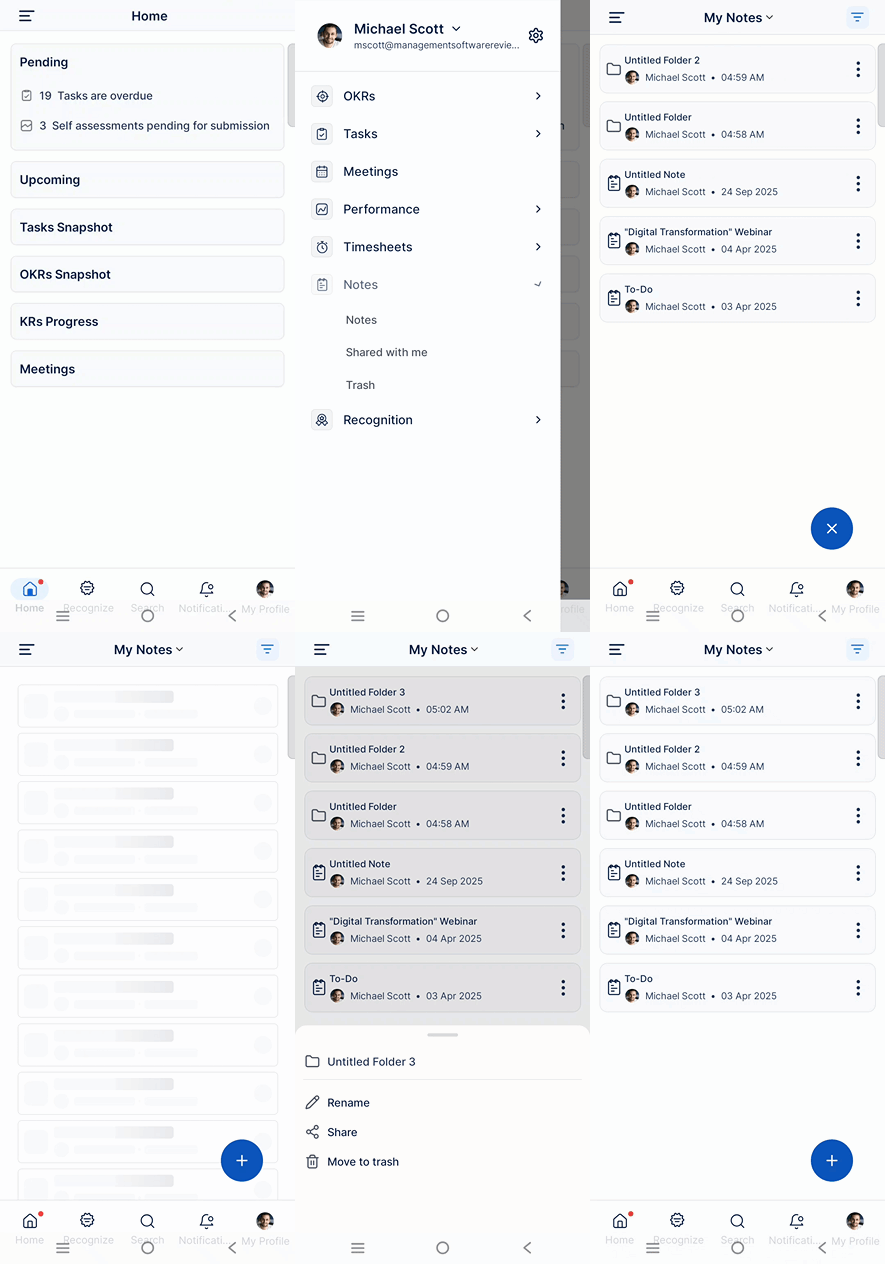
Step 3: Create and edit a Note
- Open the required folder
- Tap + Create → Create Note
On the Create Note page, you can:
- Edit the note title
- Use the “/” command to add:
1. Normal text
2. Topics
3. Bullet lists
4. Checklists
5. Headings
6. Format text as required
7. Add dividers to organize content
8. Create tasks and link them to workspaces and boards
9. Mention users using @
10. Change text color or highlight important content
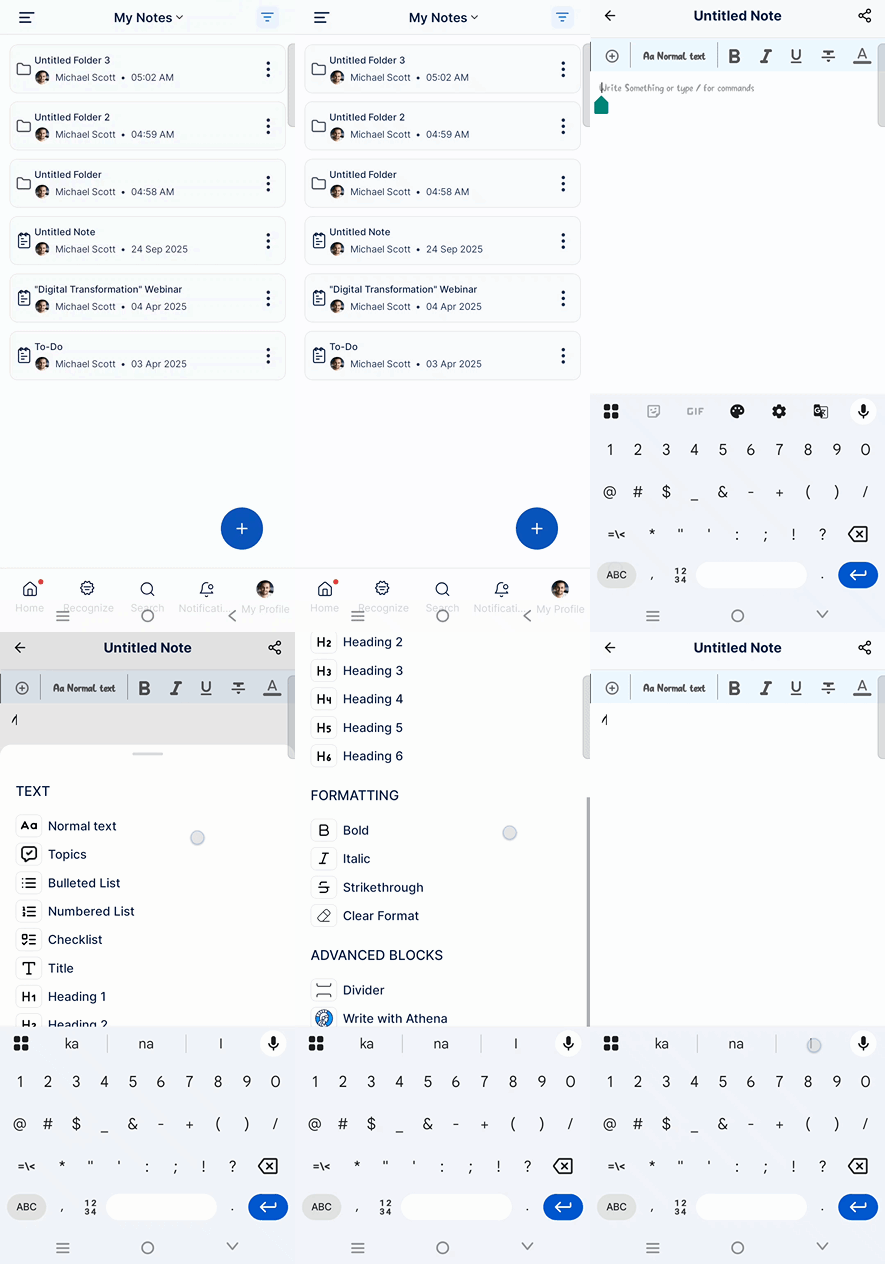
Step 4: Share Notes
- Tap the Share button
- Share notes easily with relevant team members
Best practices for using Notes effectively
- Group related notes using folders
- Use headings and checklists for clarity
- Link tasks directly from notes to avoid duplication
- Highlight key information for quick reference
Frequently Asked Questions
Yes. Profit.co allows you to create folders to organize notes and manage them efficiently.
Yes. You can mention users and share notes to collaborate seamlessly.
Yes. Notes allow you to create tasks and associate them with specific workspaces and boards.
Related Questions
-
How to Initiate Meetings through Mobile Application?
Profit.co’s mobile application allows users to quickly initiate and schedule different types of meetings, such as ...Read more
-
What options are available in the 'Settings' section of the Profit.co mobile application?
The Settings section in the Profit.co mobile application lets you manage your account, preferences, users, and app ...Read more
-
How to Sync Office 365 Meetings with Profit.co as an End User?
Profit.co provides a built-in Office 365 integration that allows you to seamlessly sync your meetings between Profit.co ...Read more
-
What is the Use of Strategy Roadmaps Cockpit Dashboard in Profit.co?
The Strategy Roadmaps Cockpit is a visual analytics dashboard in Profit.co that provides structured, executive-level ...Read more