



What is the Digit option while creating KPI?
Category: KPIs
Profit.co provides an option to set a digit option while creating/editing a KPI.
Why this feature?
-
Enabling the digit option in KPI creation allows for precise measurement and analysis, enhancing clarity and accountability.
-
It facilitates data-driven decision-making by providing numerical representation for tracking and comparison purposes.
Step 1
Navigate to Settings → OKRs → KPIs from the left navigation panel.
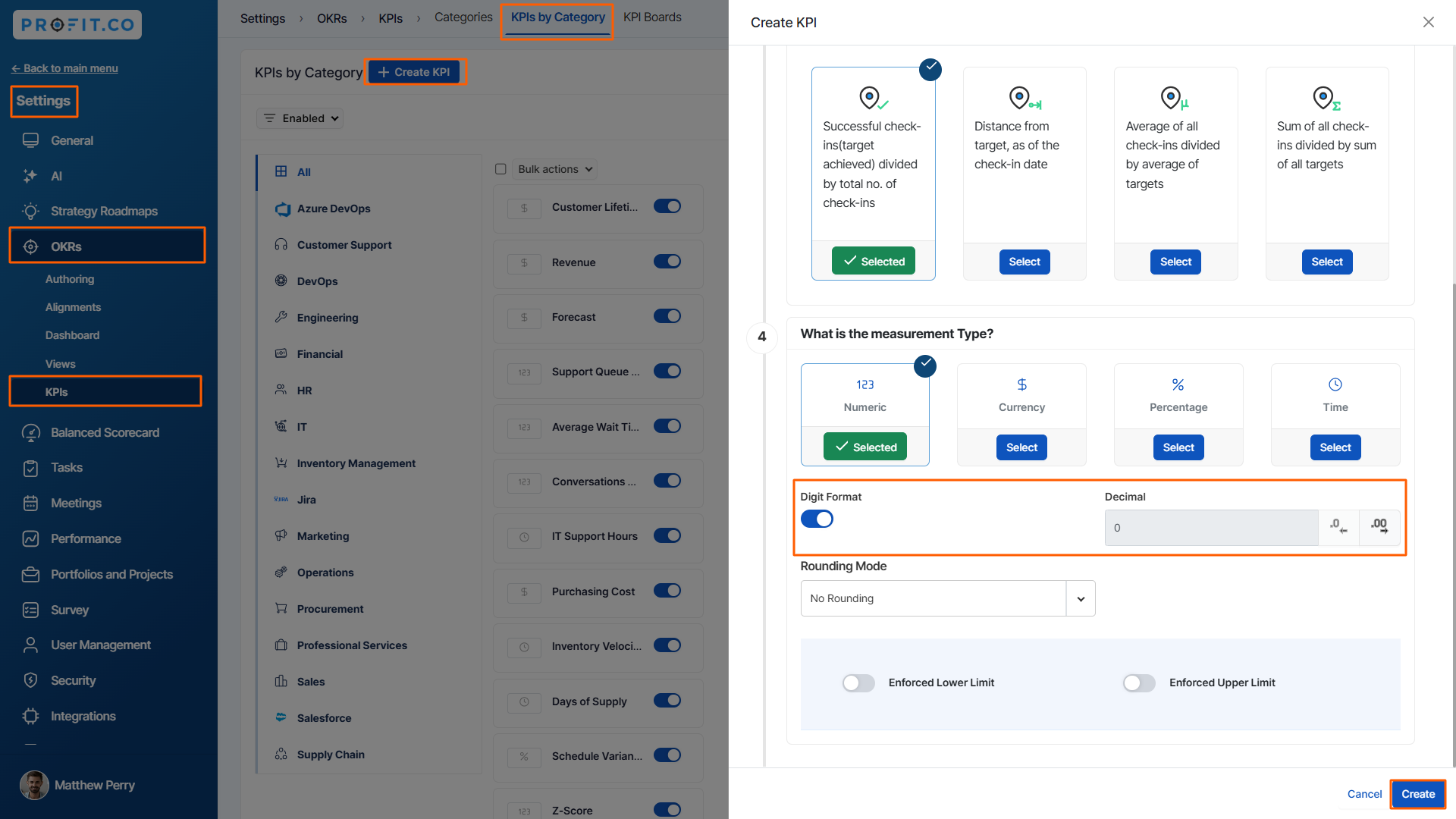
On the KPIs page click on the KPIs by Category page, then select + Create KPI. In the popup window, enable the Digit Format button under the measurement type and select the Decimal value.
Once done, click on the Update button.
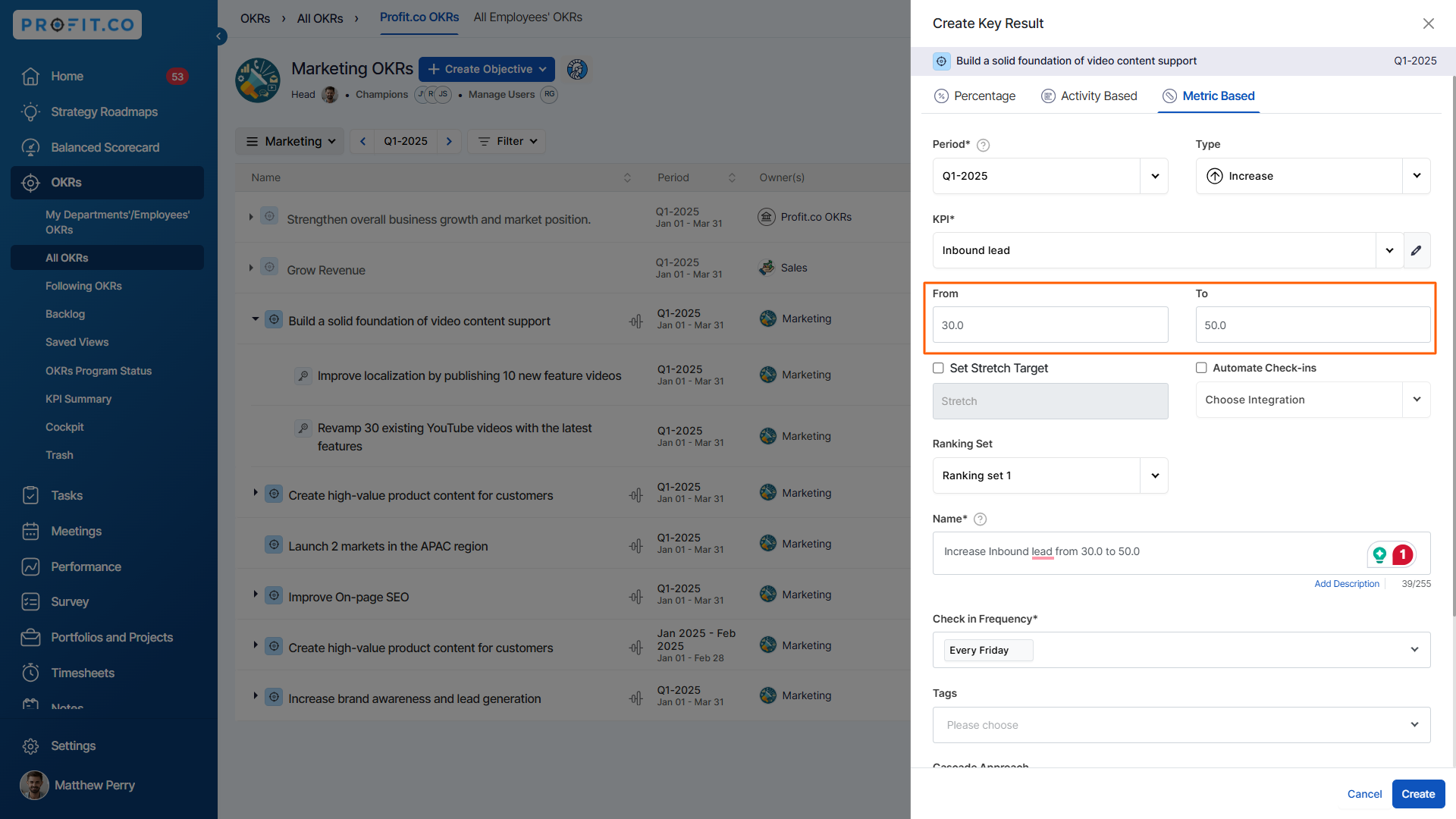
While creating a key result, you have the option to specify values in decimal points
Related Blog Post
To learn the process of creating a new KPI, click here.
Related Questions
-
How do you authorize the connector in salesforce?
Profit.co provides an option to enable the connector that helps users to access Salesforce. Users can create, edit, and ...Read more
-
How to create a KPI and connect it with a Key Result via a connector?
Profit.co provides an option to create a new KPI and connect it with a Key Result via a connector to automate the key ...Read more
-
How does the progress calculation Sum of all check-ins divided by sum of all targets in control KPI work?
Profit.co has 4 progress calculation methods for the control KPI key result type. Why this feature? By considering both ...Read more
-
How to create a KPI from the key result creation page?
Profit.co provides an option to create a new KPI on the key result creation page. Why this feature? Users can create a ...Read more