



How to restrict Task Assignment?
Category: Tasks
Profit.co allows you to restrict task assignment and you can assign your task to your employees or to any employees in your firm.
Why this feature?
- By limiting task assignments to relevant team members, the feature ensures focused attention on specific projects.
- Directs tasks to qualified individuals, streamlining workflow and improving overall productivity.
Step 1
Navigate to the Tasks from the left navigation panel.
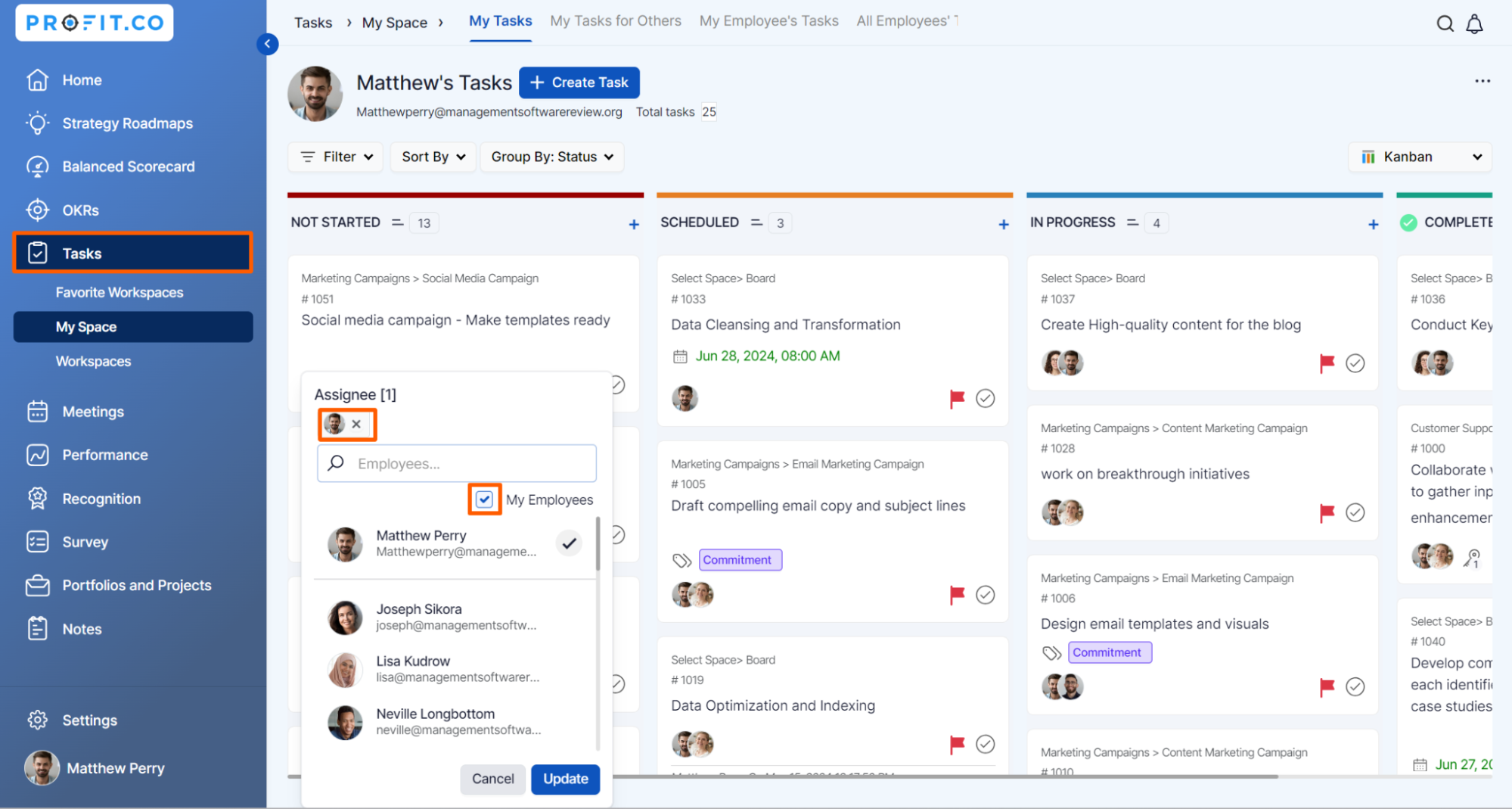
You can assign task to any employee in the organization or only to the reporting employees of the logged in user.
For instance, to assign a task only to the reporting employees of the logged in user, on the Assign dropdown click on the My Employees checkbox.
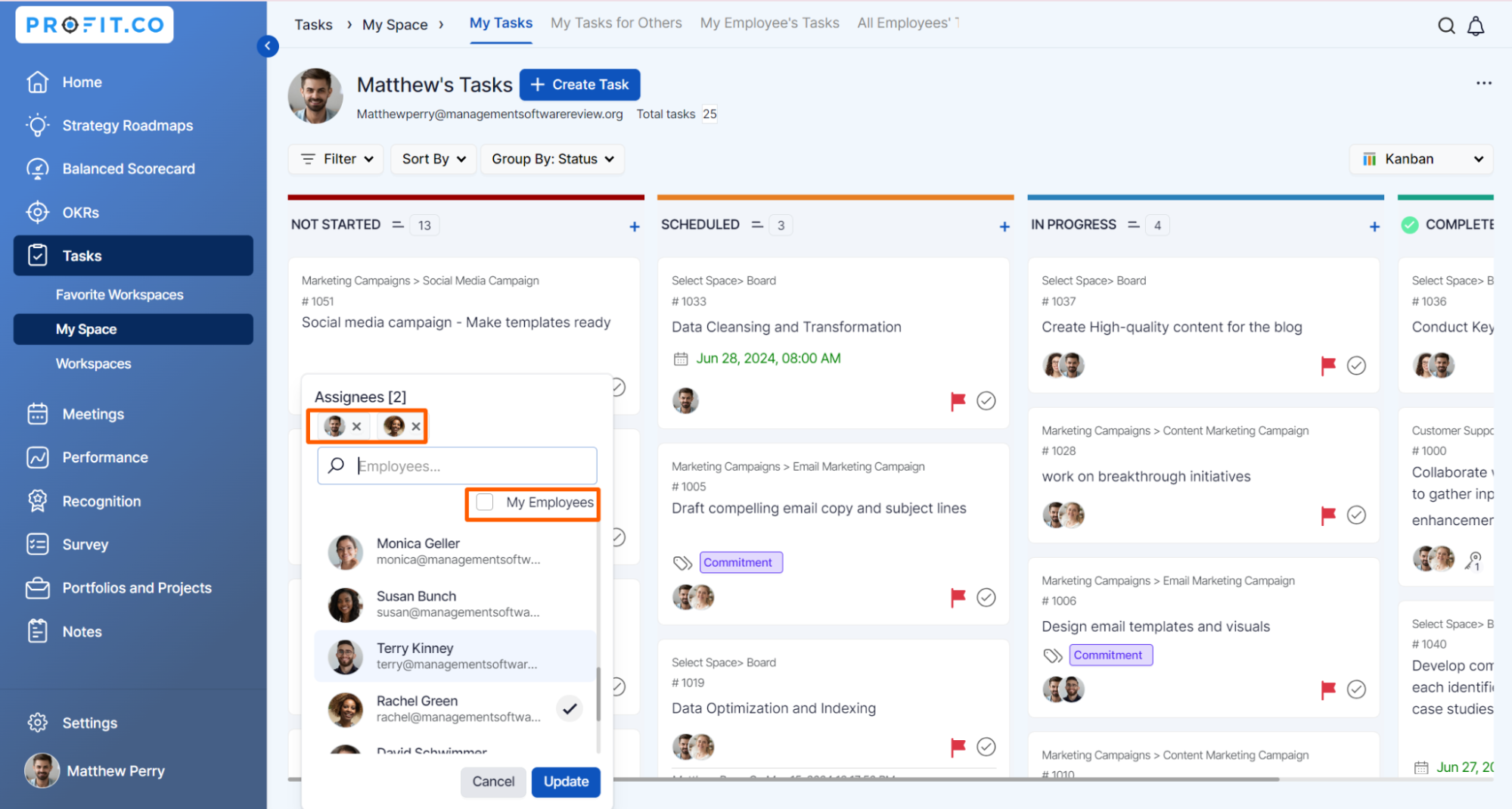
To assign task to any employees in the organization deselect the My Employees checkbox. This will allow you to assign your task to any employees in the organization.
Related Blog Post
To learn more about the visibility settings of OKRs, click here.
Related Questions
-
How to create new Workspace and Boards for Tasks through a mobile application?
Profit.co’s mobile application lets you quickly create Workspaces and Boards to organize, manage, and track tasks on ...Read more
-
How does the hierarchy of Task Issue Types work in Profit.co?
Profit.co provides an option to classify tasks using different Issue Types such as Epics, Stories, Tasks, Sub-tasks, ...Read more
-
How do I use Agile Epics and User Stories in Profit.co?
In Profit.co, you can use Agile Epics and User Stories to structure work effectively, ensuring clear alignment and ...Read more
-
How to Restore Deleted Tasks in Profit.co?
Profit.co offers a valuable safety net by enabling users to restore deleted tasks through the new Trash and Restore ...Read more