



How to set up a new Rewards Program Manager?
Category: CFR
Profit.co provides an option to set up a new Rewards Program Manager.
Why this feature?
- The Rewards Program Manager is responsible for adding money to the wallet, setting Exchange Rate, and selecting Gift Cards for the users according to their location and preferences.
- A rewards program manager ensures the program's financial health by budgeting and allocating funds to employees' wallets. This cost-effective approach helps the organization manage employee rewards efficiently.
- By considering users' locations and preferences for gift cards, the rewards manager boosts satisfaction, recognition, morale, and productivity in the organization.
Note: Only Super Users can set a new Reward Program Manager.
Step 1
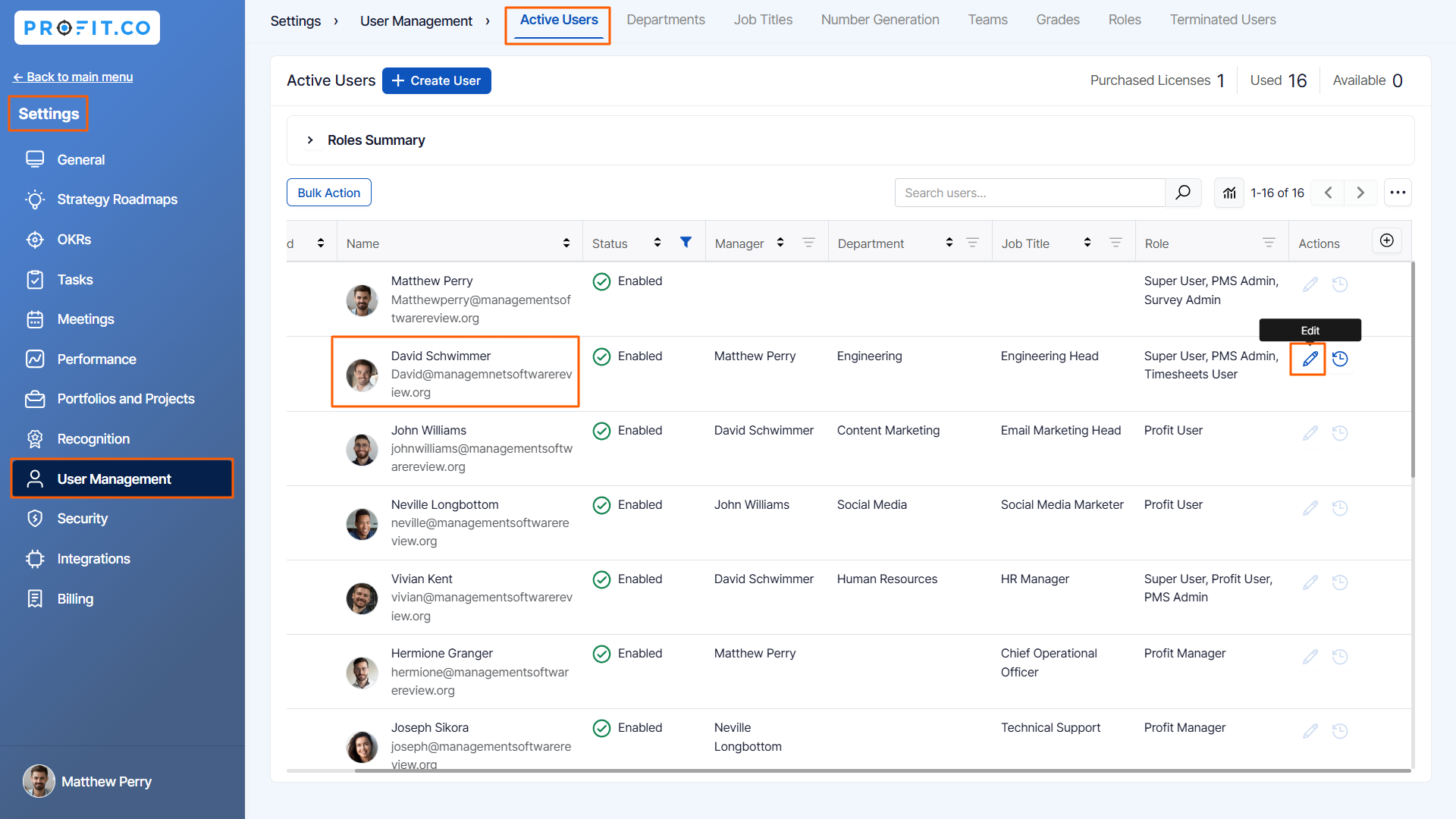
Navigate to Settings → User Management from the left navigation panel and switch to the Active Users tab.
Choose an employee to add as a Rewards Program Manager and click the Edit button.
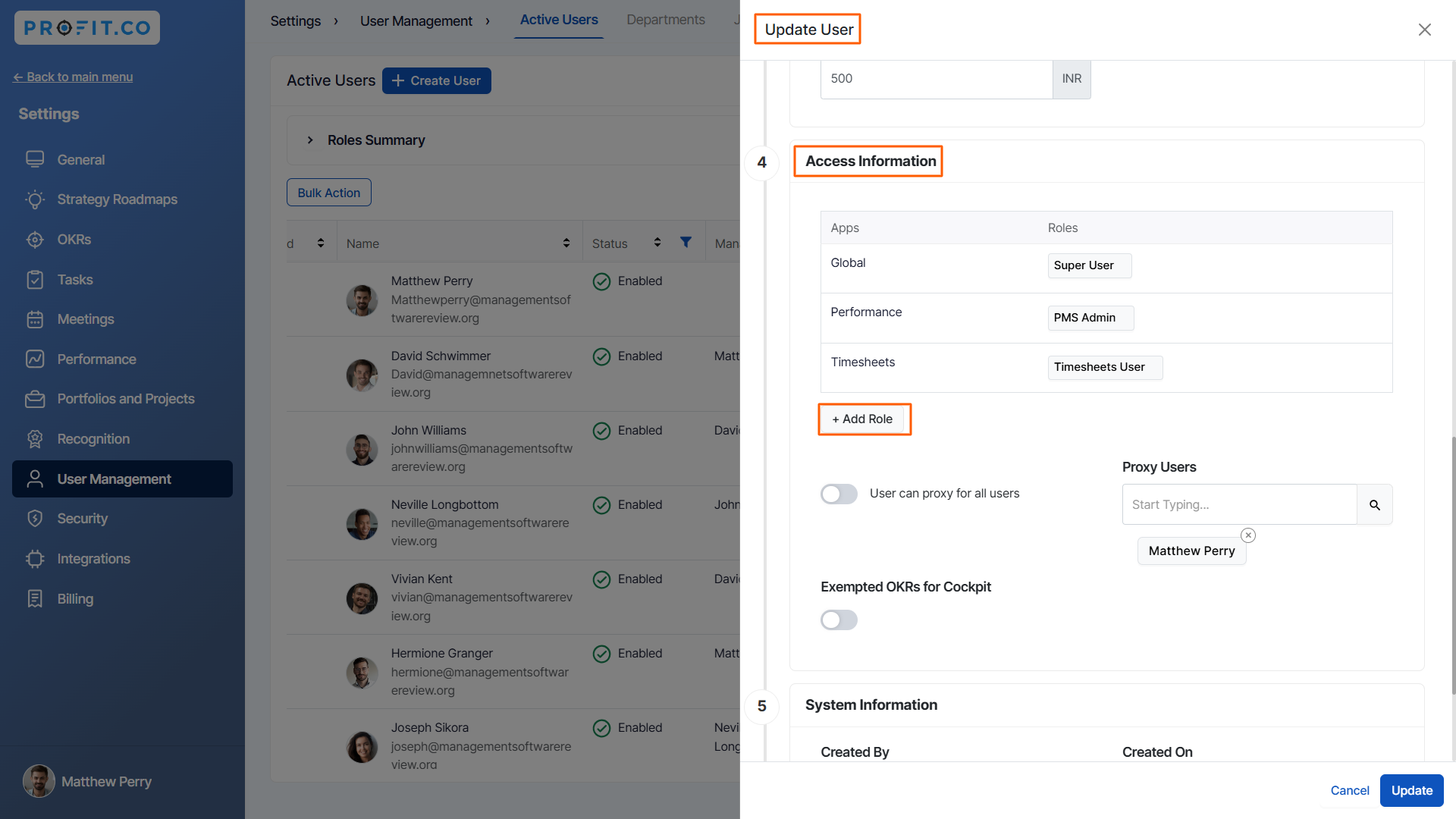
On the Update User side panel, click the + Add Role option under the access information section.
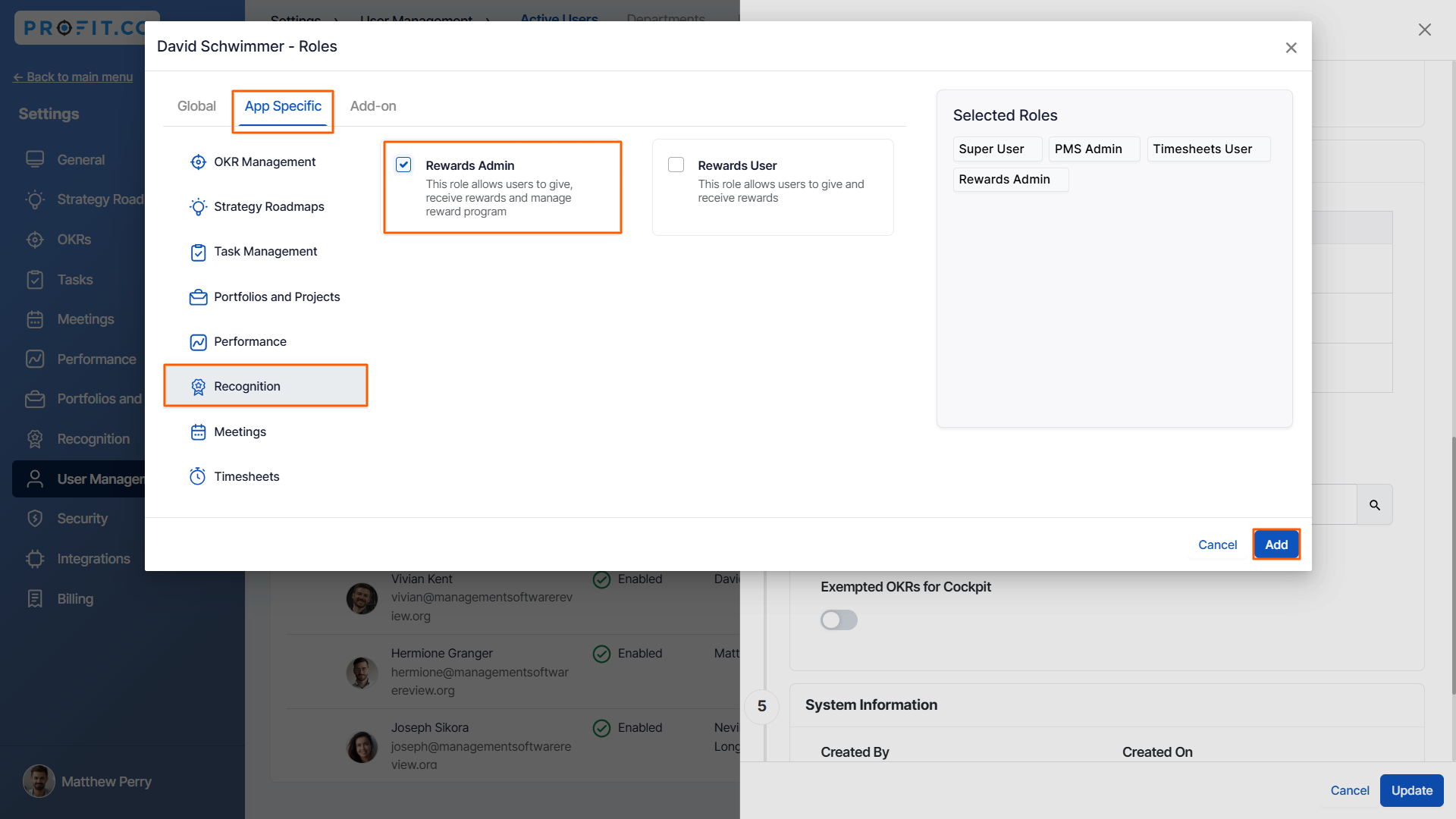
In the popup, switch to the App Specific tab, choose the Recognition module, and select the Rewards Admin role. Then, click the Add button.
Once done, Click the Update button.
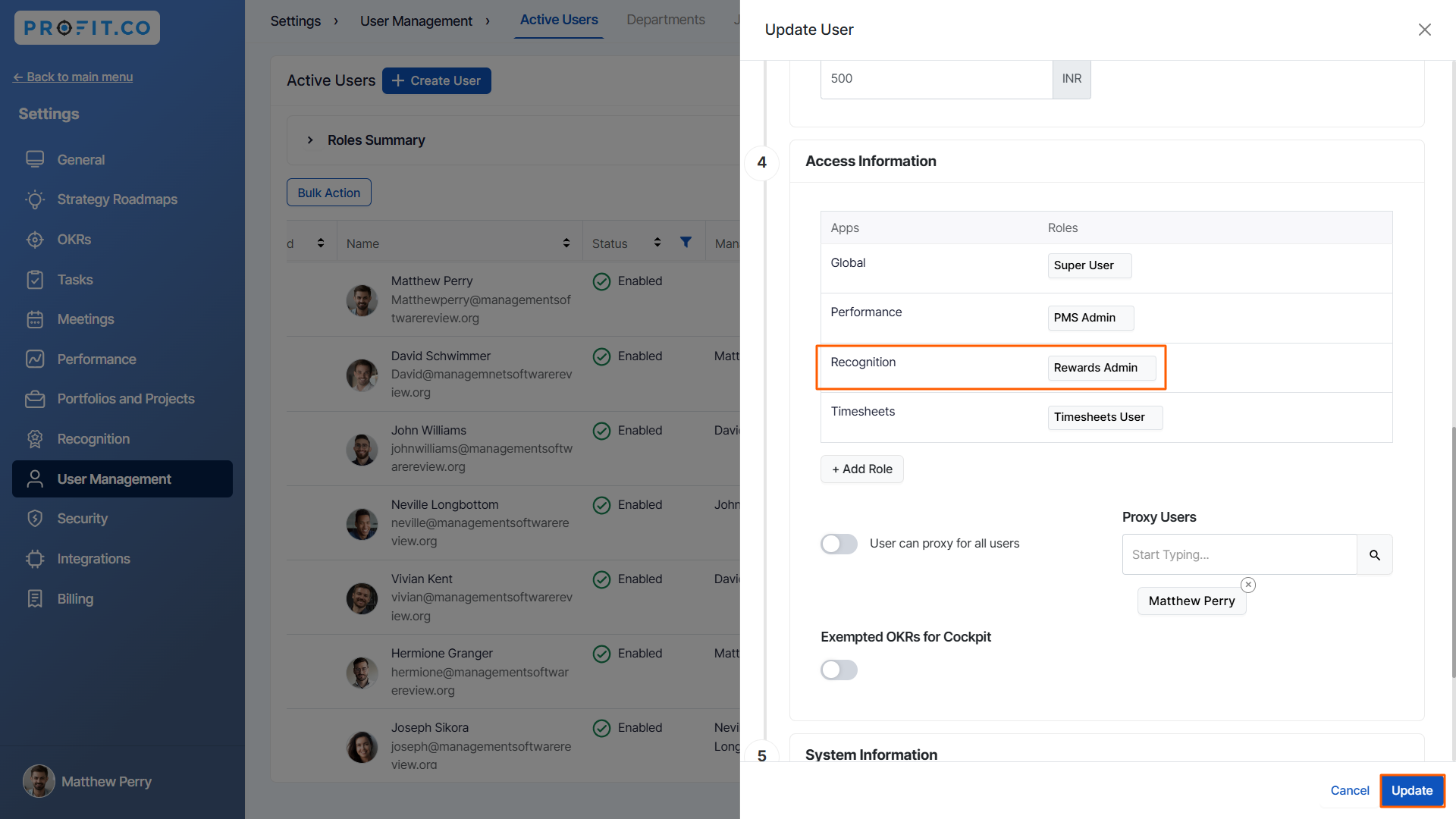
Note: You can set many employees as a Rewards Program Manager.
Related Questions
-
How to set chart type for questions in a Pulse Survey template?
Profit.co provides an option to change the chart types for each question in the Pulse Survey template. Why this ...Read more
-
How do Automated Recognition Posts and Notifications work in Profit.co?
In Profit.co, Automated Recognition ensures that special milestones like work anniversaries and birthdays are ...Read more
-
How do I set up rule-based point allocations in Profit.co?
Profit.co allow administrators to automatically distribute additional recognition points to employees based on specific ...Read more
-
How do I manage feed permissions and post creation controls in Profit.co?
Profit.co allow administrators to regulate who can create posts and announcements on the recognition feed. Table ...Read more