



How to delete the Milestone Templates under My templates?
Category: General
Profit.co provides an option to delete the Milestone Templates under My templates section.
Why this feature?
This feature helps you to delete the templates which are saved in the Profit.co’s database when you no longer need that template.
Step 1:
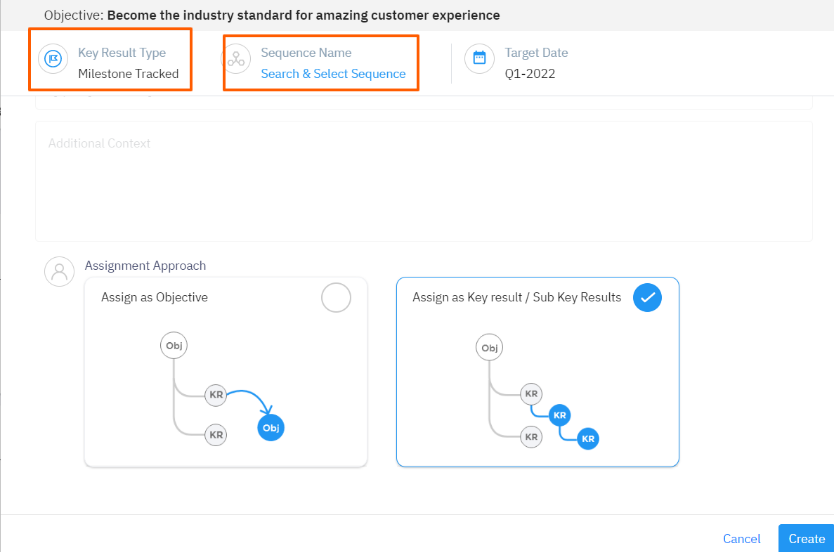
Create a new Key result and select the Key Result type as Milestone Tracked and click Search and Select Sequence.
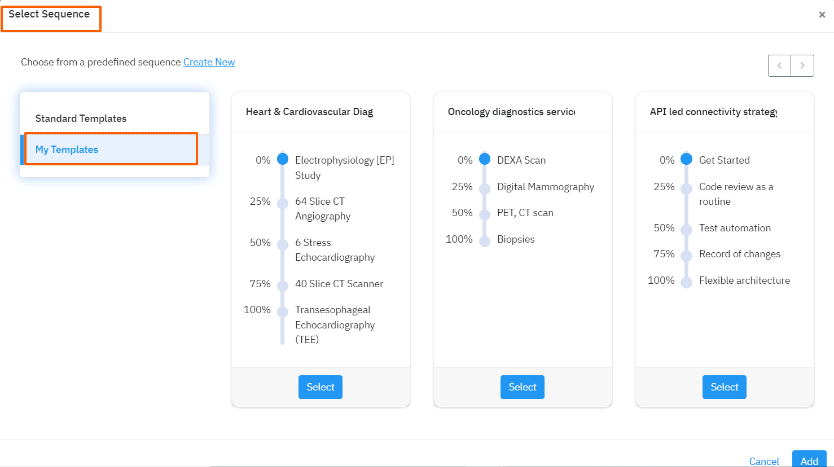
Select Sequence page will open, click on the My templates option.
Step 2:
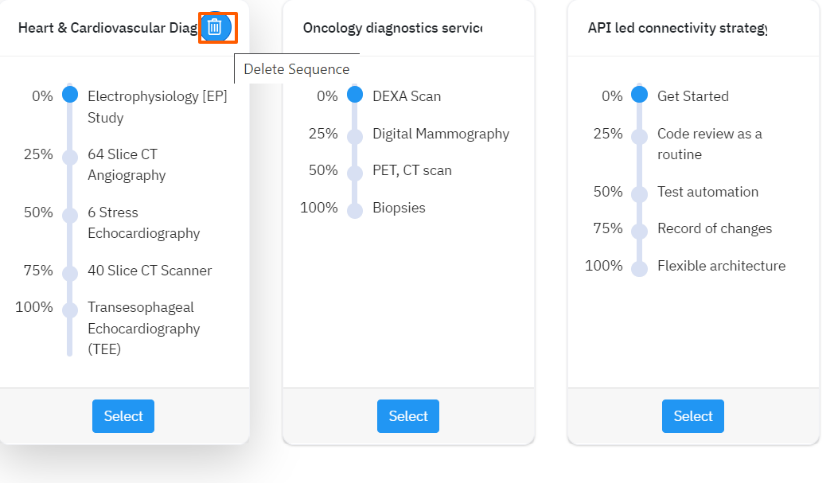
Select the template which you want to delete and click on the Trash icon to delete the created template sequence.
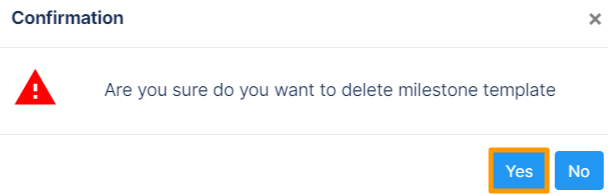
Finally, select Yes in the confirmation pop-up.
Related Answer Post:
To know more about How to set up a new milestone sequence, click here
Related Blog Post:
To learn the process of setting a new baseline sequence, click here.
Related Questions
-
How can I edit user information?
Table of Contents What does editing user information mean in Profit.co? Why should you use this feature? How to ...Read more
-
How can I create OKRs for one of my peers?
In Profit, there is a feature called Proxy users which allows you to login as a peer and create OKRs for them. If you ...Read more
-
What are the unique features of Profit?
From the outset, Profit.co understood the common issues, challenges, and dysfunctions around OKR implementation. We ...Read more
-
Do I get a task notification in the action center?
Profit.co allows you to get email notifications for all the pending tasks and tasks due. Why this feature? By using ...Read more