
Profit.co provides "Reminder" Notifications for check-ins to enhance productivity and streamline workflow.
Why this feature?
- Reminders help keep everyone on track with regular progress updates, preventing any missed deadlines or gaps in tracking
- Check-in reminders ensure that team members consistently update their progress on OKRs, ensuring alignment and accountability.
Step 1
Navigate to Settings → General → Notifications from the left navigation panel.
On the Notification page, Switch to the Reminders Tab and enable the “Check-in Reminders” toggle.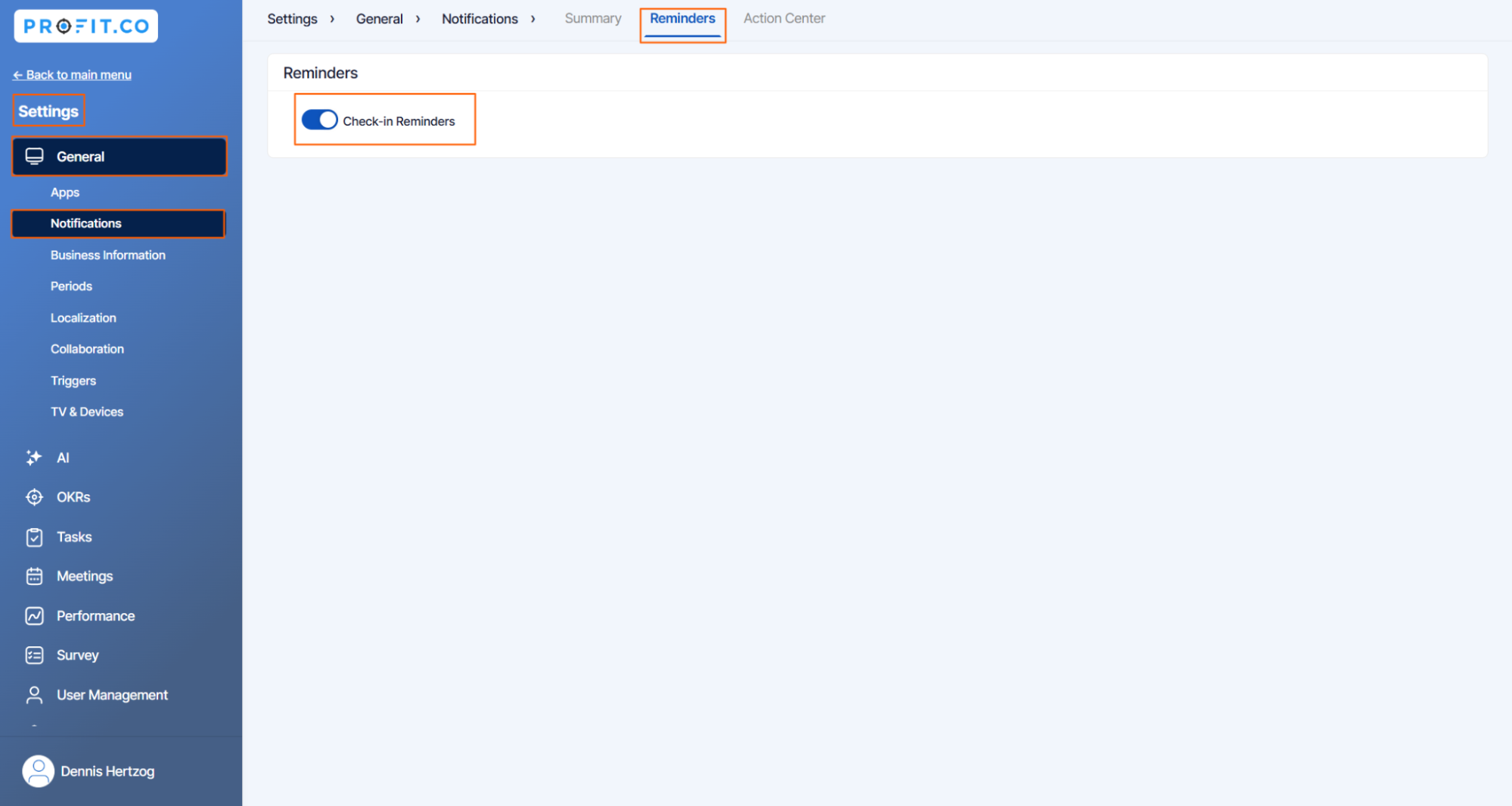
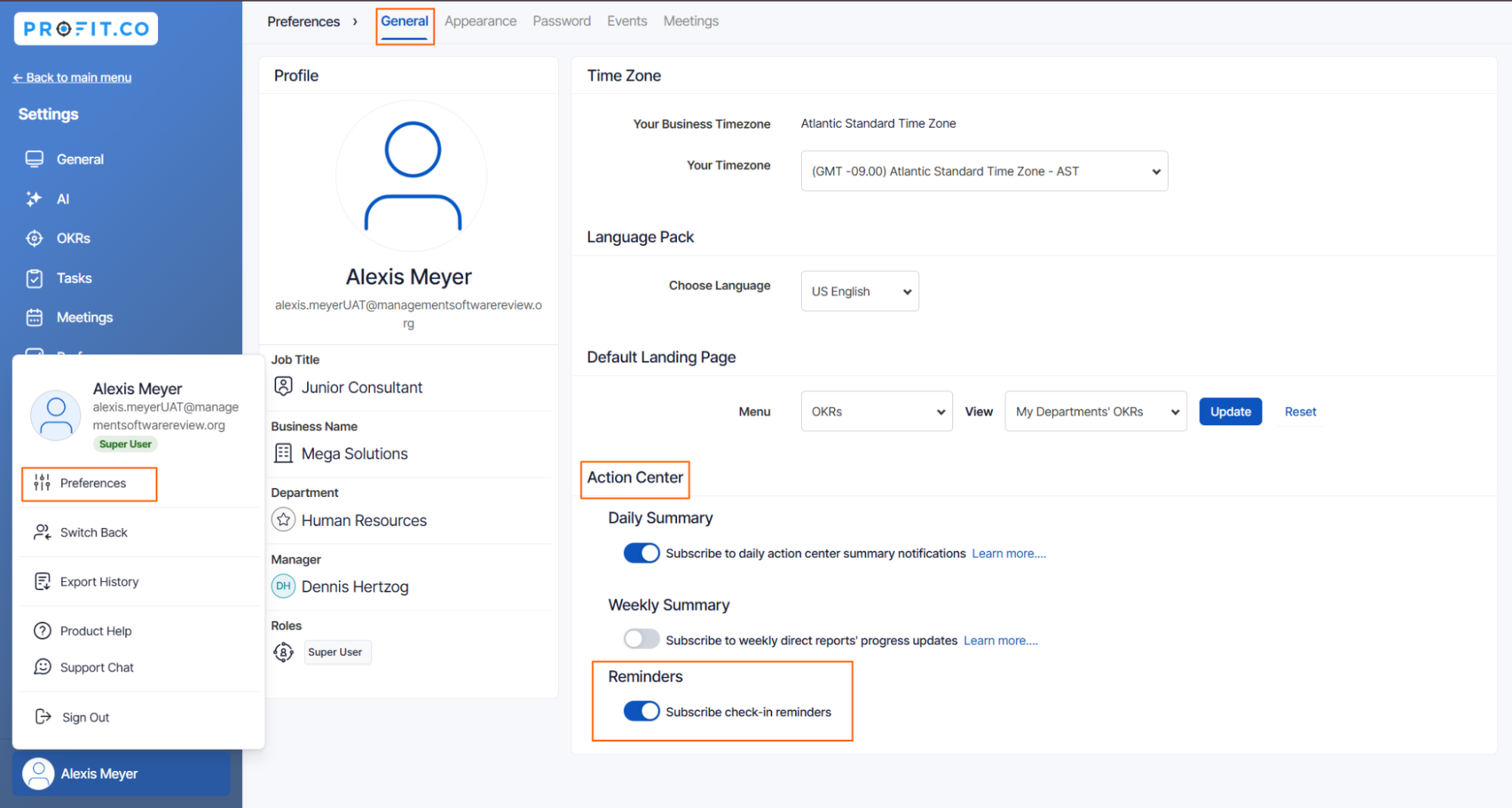
Next, Go to the Preference from the left navigation panel and switch to the General tab. On the General page, under the Action Center option, Enable the Subscribe Check-in reminders toggle.
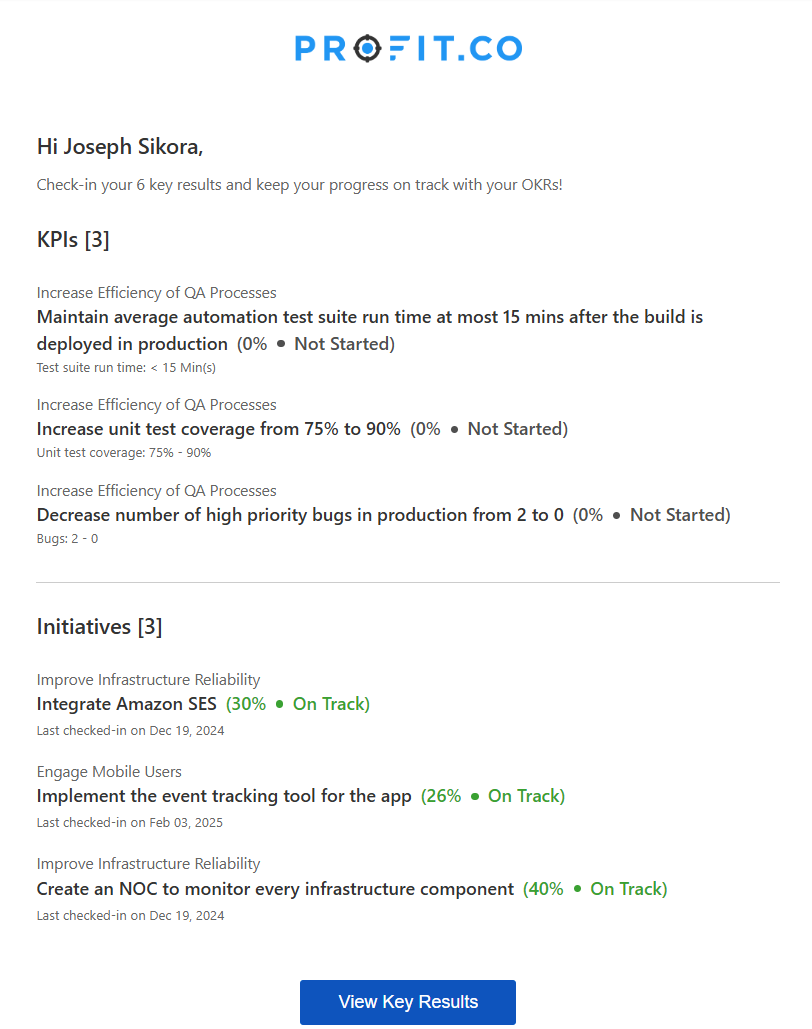
Note: If there are pending check-ins on the homepage, they will be reflected in the email reminder.
By Clicking on the View Key Results button, the user will be redirected to the Action Center page of the application to take the required actions.
Note: If you don't want to be reminded about your progress in the Profit.co account you can disable the toggle for the option “Subscribe check-in reminders”.
To unsubscribe from the weekly reminders, follow these steps:
Step 1:
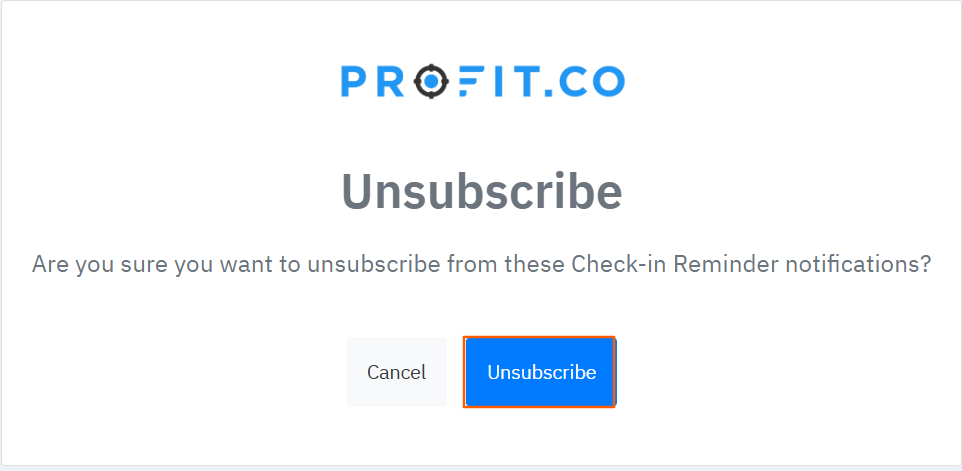
Click the 'Unsubscribe' link in your check-in reminders.

After that, you will be directed to an option to unsubscribe. Simply click the 'Unsubscribe' button.
A confirmation message will appear, indicating that you have successfully unsubscribed.