



How does the auto complete option work in profit.co?
Category: OKRs
Profit.co now provides an option to automatically complete Objectives at the end of their defined period or continue with the existing manual reset process. This helps streamline the OKR lifecycle and ensures the timely closure of objectives.
Why this feature?
- Timely closure of OKRs: Automatically completes Objectives at the end of the defined period, ensuring no OKRs remain open past deadlines.
- Reduced administrative overhead: Eliminates repetitive manual resets, saving time and effort for admins and OKR champions.
- Accurate performance tracking: Captures Key Results’ final progress at the exact end of the period, ensuring reliable reporting.
- Alignment continuity: Ensures that aligned KRs reset along with their source KRs, maintaining consistency across the organization.
- Flexibility for governance: Offers both auto-complete and manual reset options, allowing teams to choose what fits their review cycle best.
Step 1:
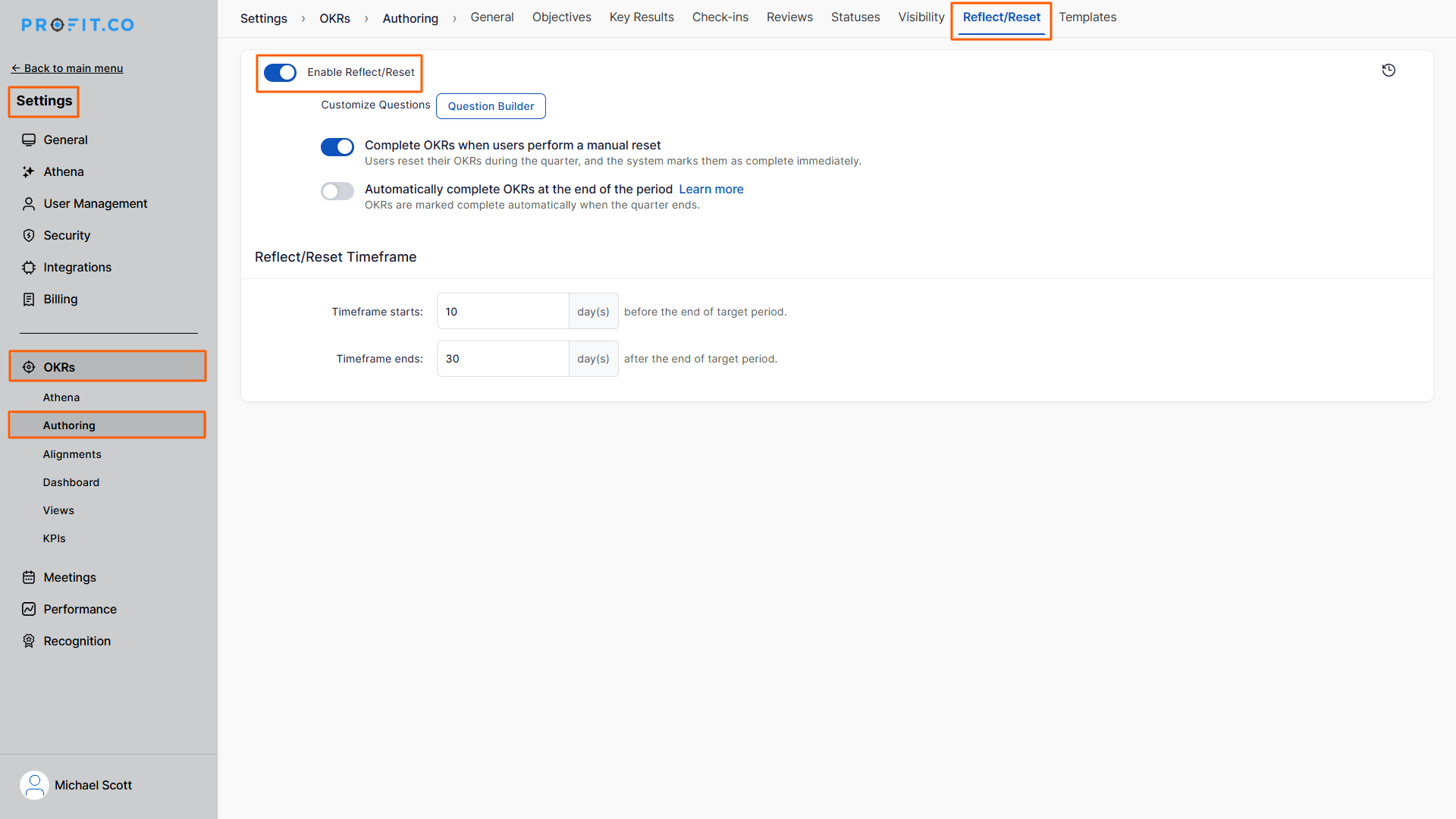
Navigate to Settings → OKRs → Authoring from the left navigation panel and switch to the Reflect/Reset tab.
Enable the Reflect/Reset toggle.
Step 2:
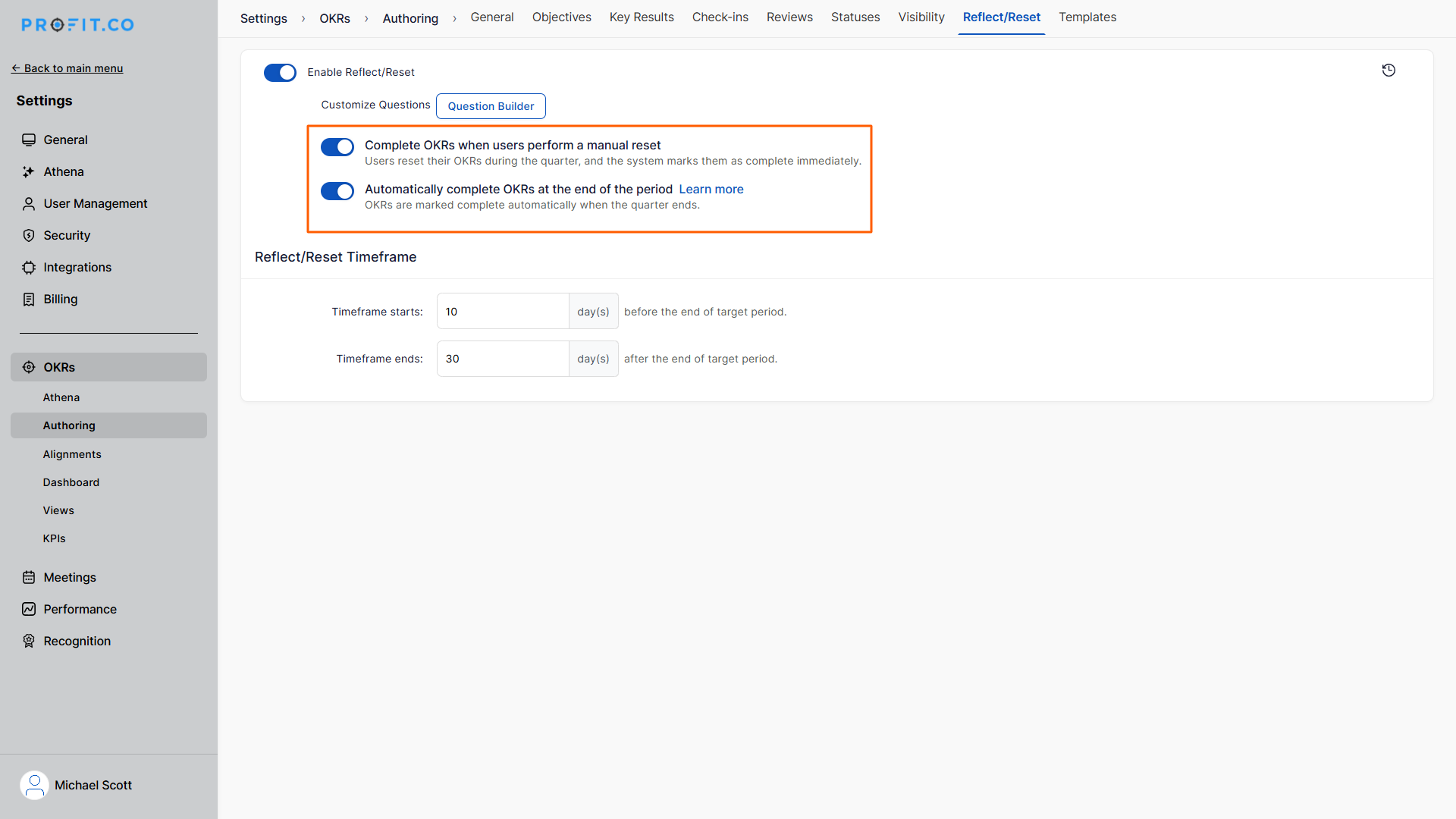
On the Reflect/Reset page, you will find two options:
1. Complete OKRs when users perform a manual reset
- Objectives and KRs are completed only when a user manually performs a reset.
2. Automatically complete OKRs at the end of the period
- Objectives and KRs are automatically marked as Completed on the first day of the next period.
- Key Result progress is captured as of 11:59 PM on the last day of the current period.
- Aligned KRs are reset when their source KR resets.
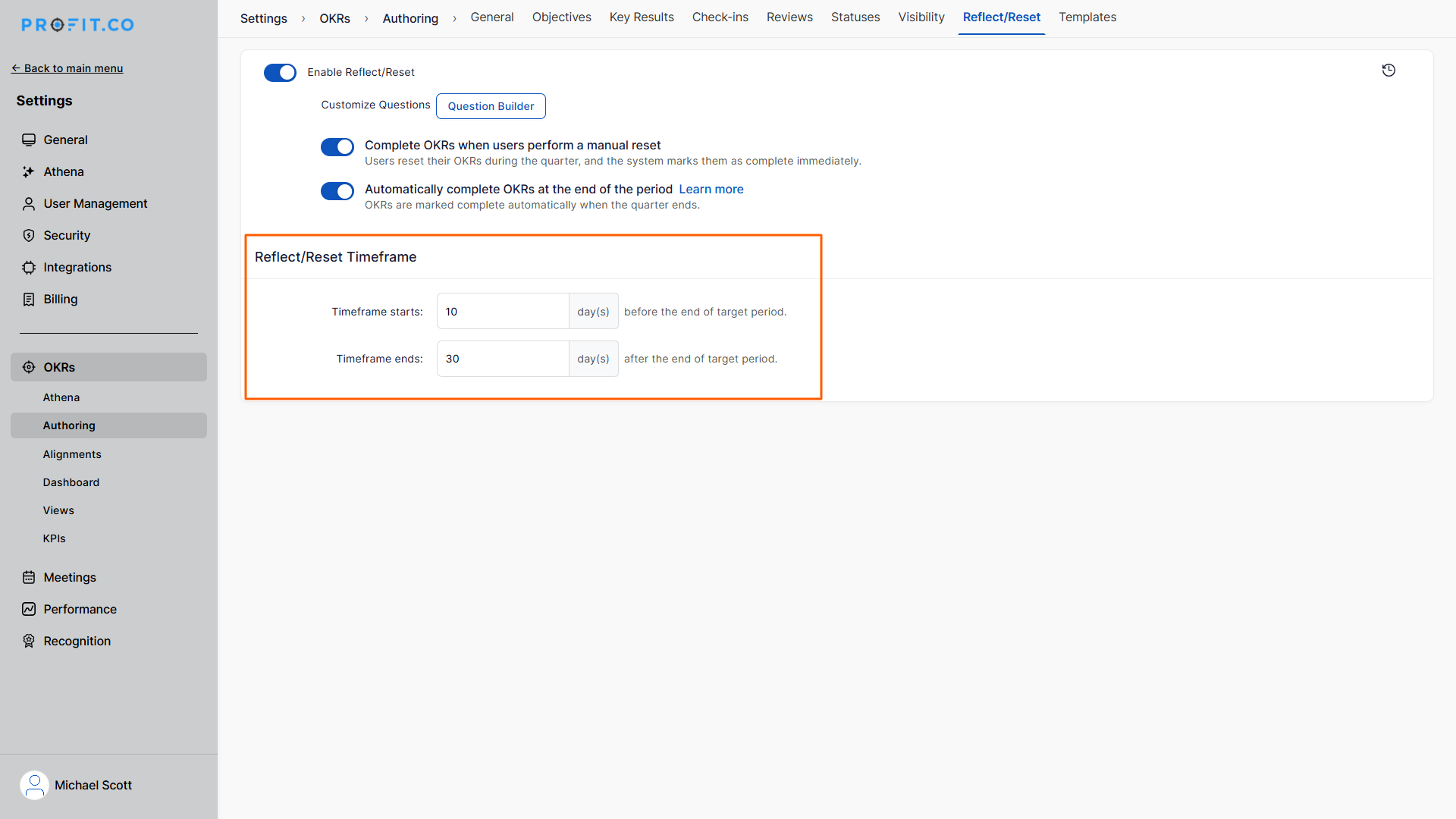
Note: You can also restrict the OKRs Reflect/Reset process in your organization using the Reflect/Reset Timeframe.
Related Answer Post
To learn more about how to reflect and reset OKRs, click here
Related Questions
-
How do I enable and use the status map view in Profit.co?
The Status Map View in Profit.co provides a focused, high-level snapshot of your OKRs by displaying Objectives and Key ...Read more
-
How do I enable and use baseline tracking for projects in Profit.co?
Profit.co's Baseline Tracking feature lets you capture the original project plan and monitor every change made to ...Read more
-
How to Create an Objective in Profit.co?
In Profit.co, users can create Objectives directly from the OKRs module using a quick-form panel, with support for ...Read more
-
How do I define weights for projects in Profit.co?
Profit.co's PPM module lets you control how project progress is calculated, either by distributing weight equally ...Read more