



How to restrict users from Objective and Key Result creation methods?
Category: OKRs
Profit.co provides an option to restrict OKR creation methods.
Why this feature?
- By restricting users to a specific method or template for creating OKRs, organizations can ensure the process is efficient and streamlined. This can save time and resources.
- This feature allows you to restrict Objectives and Key results-creation methods.
Note: Only Super Users have the access to restrict users from Objectives and Key results creation methods.
Step 1
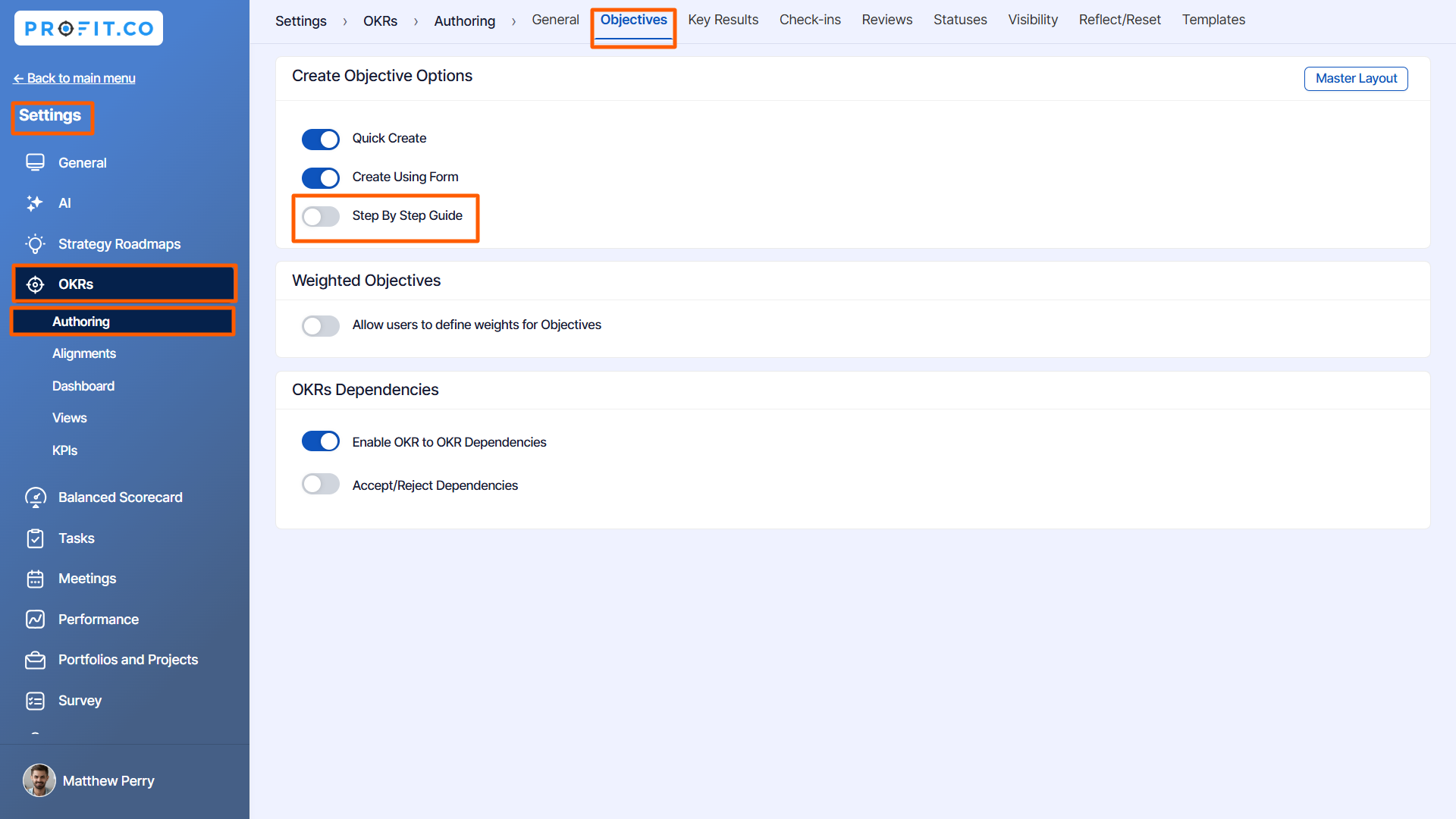
Navigate to Settings → OKRs → Authoring from the left navigation panel. Switch to the Objectives tab.
Disable the toggle that you don't want to create Objective
For instance, if you disable the Step-by-Step Guide toggle in the Create Objective Options, you cannot see them while creating the objectives.
Step 2
To create OKRs,
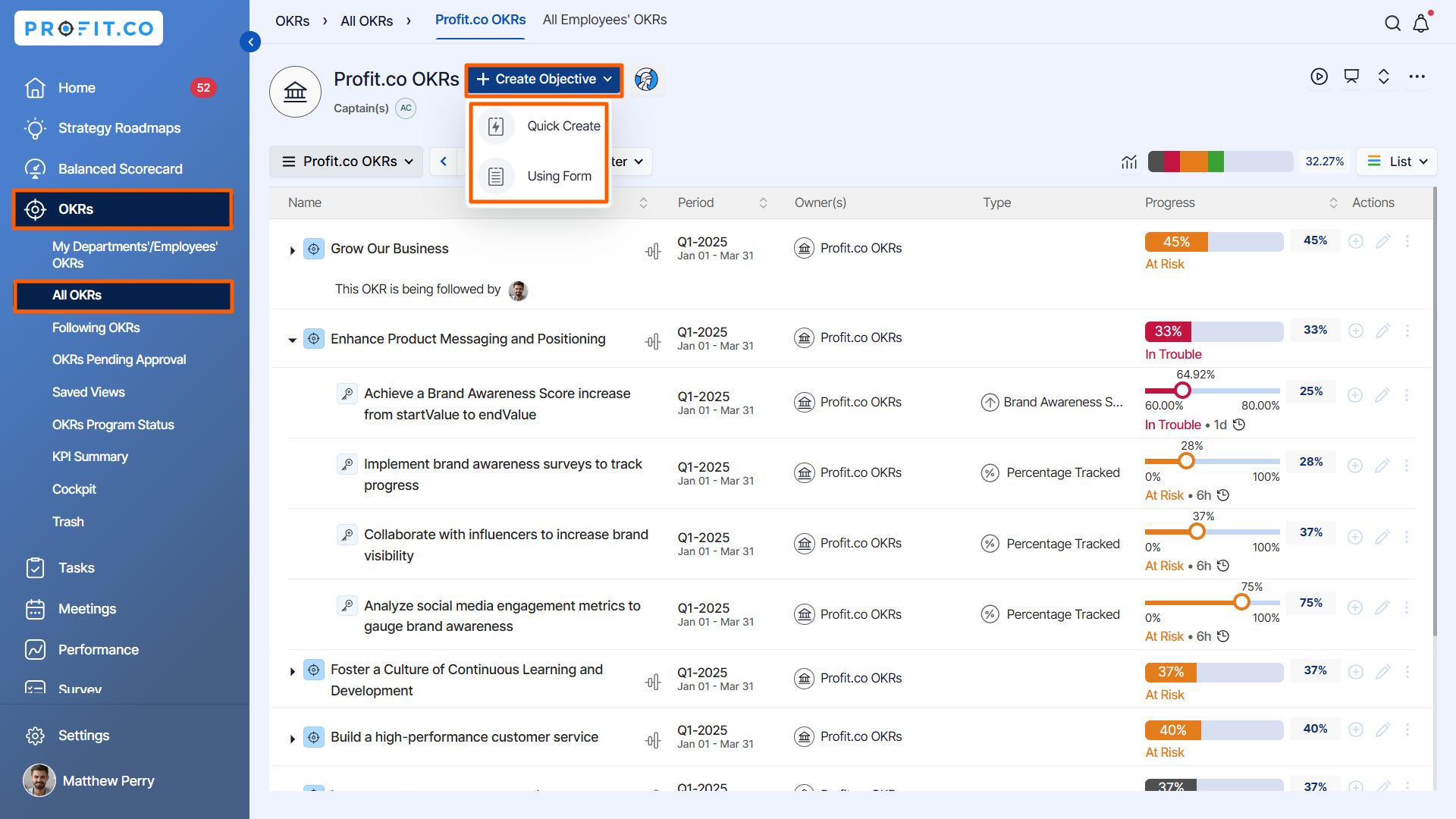
Navigate to OKR → All OKRs from the left navigation panel.
Clicking on the + Create Objective button appears only two creation methods:
- Quick Create
- Using Form.
The Step-by-step guide option will not be visible.
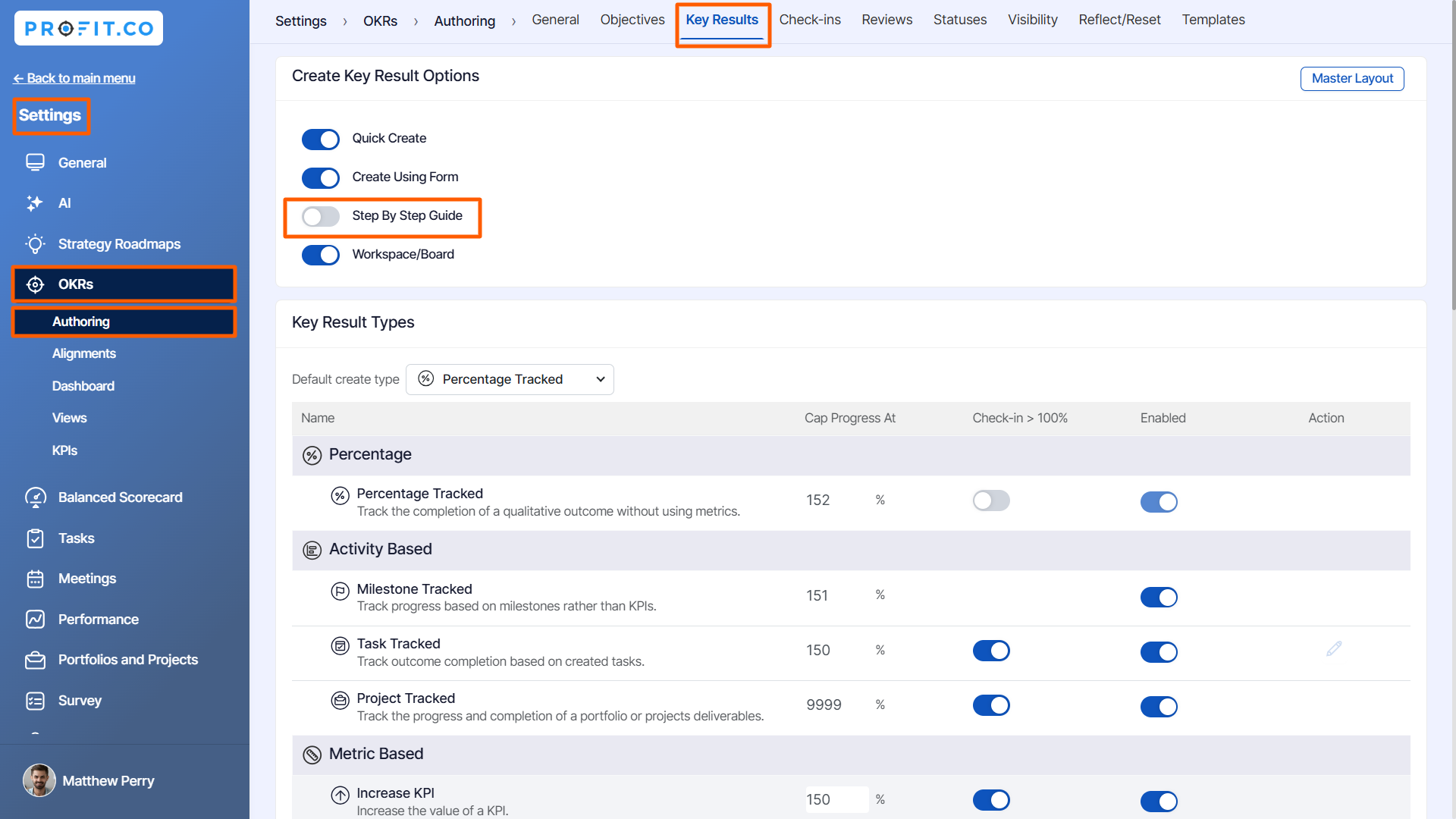
Follow the above steps for Key Results too,
Related Answer Post
To learn more on how to align OKRs, click here.
Related Questions
-
What does Control KPI imply?
Table of Contents Why this feature? What is a Control KPI? Progress Calculation Types in Control KPI Value ...Read more
-
How do I check-in for Key Results?
Profi.co allows you to report your progress on your key results at different OKR levels. Why are key result check-ins ...Read more
-
How do I manage Key Results directly in the Bowler Chart View in Profit.co?
In Profit.co, the Bowler Chart View now allows users to create, edit, delete, and access quick actions for Key Results ...Read more
-
How do I view user login history in the Cockpit?
Profit.co has introduced three new widgets within the OKR Cockpit to help organizations monitor user login behavior and ...Read more