

In Profit.co, you can customize and control who can view manager assessments in Performance Reviews, ensuring appropriate visibility and confidentiality throughout the evaluation process.
Table of Contents
What is Manager Assessment Visibility?
Manager Assessment Visibility allows administrators to control who can view manager evaluations and when they become accessible to employees. This feature ensures that performance assessments are shared with the right people at the right time, maintaining confidentiality and encouraging honest feedback.
Why does this feature matter?
Controlling manager assessment visibility enhances the performance review process in several important ways:
- Structured Evaluation Process: Managers can thoroughly evaluate employee performance to identify skill assets, strengths, shortcomings, and areas for improvement
- Controlled Information Access: Super Users can restrict visibility to only those directly involved in the assessment process
- Improved Self-Awareness: Employees gain opportunities to review assessments thoroughly, helping them identify areas of concern and develop action plans for improvement
- Confidentiality and Trust: Appropriate visibility controls ensure sensitive feedback remains confidential until the appropriate time
How to set visibility for manager assessments in Profit.co?
Follow these steps to configure who can view manager assessments and when:
Step 1
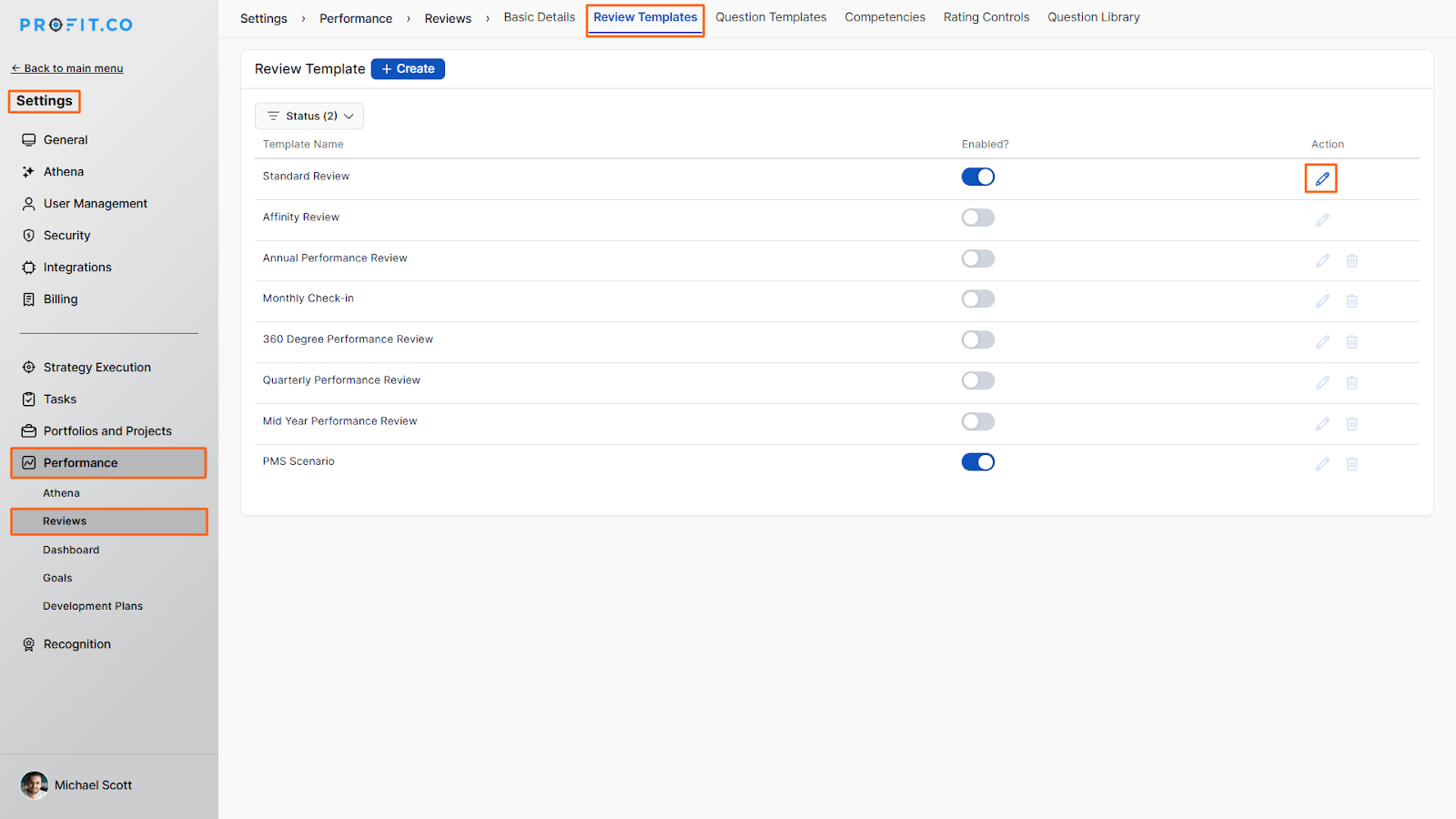
Navigate to Settings → Performance → Review Template from the left navigation panel.
Click on the Edit icon for the Review Template you want to modify.
Step 2
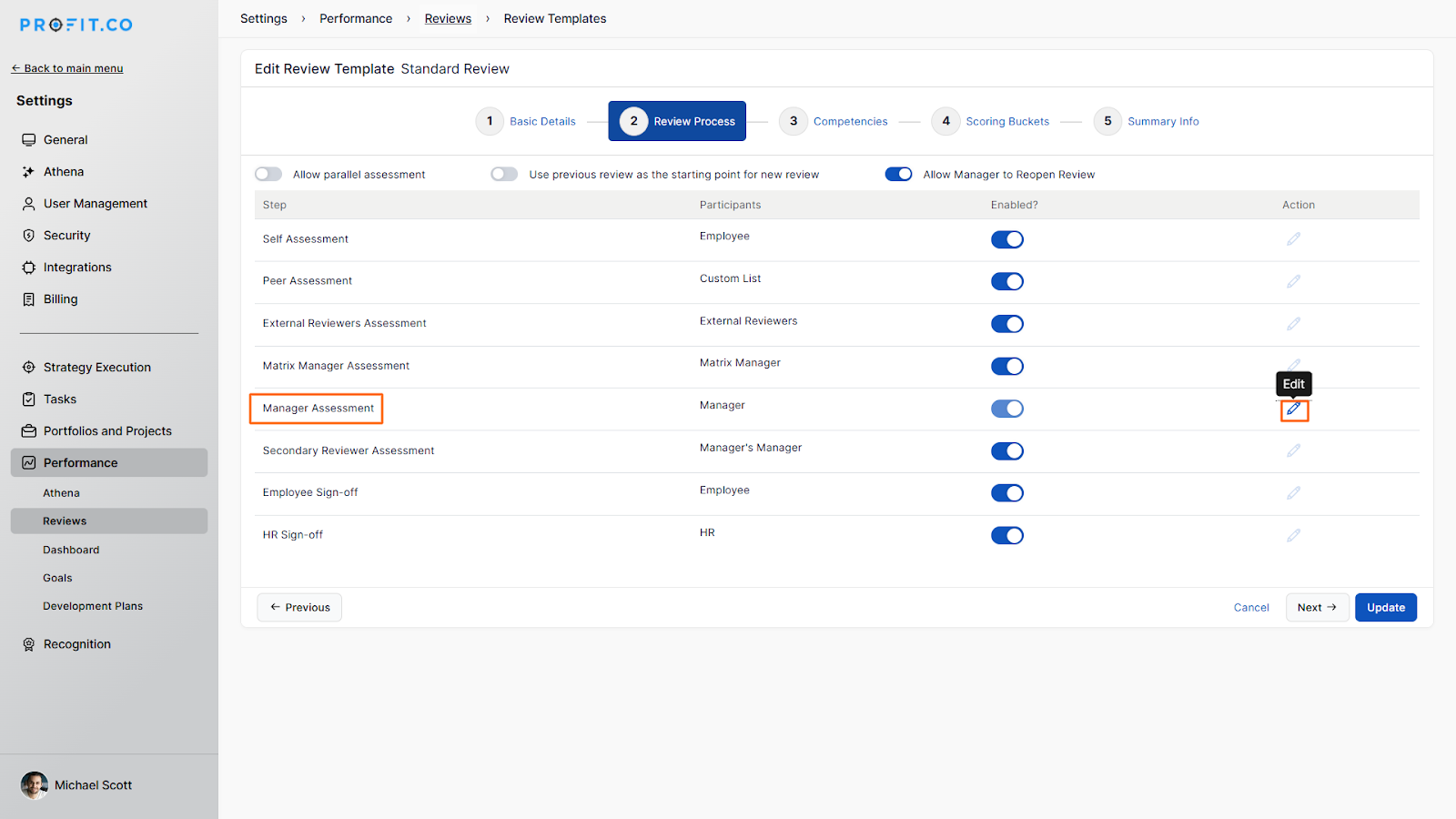
On the Edit Review Template page, select the Review Process section.
Click on the Edit icon for Manager Assessment.
Step 3
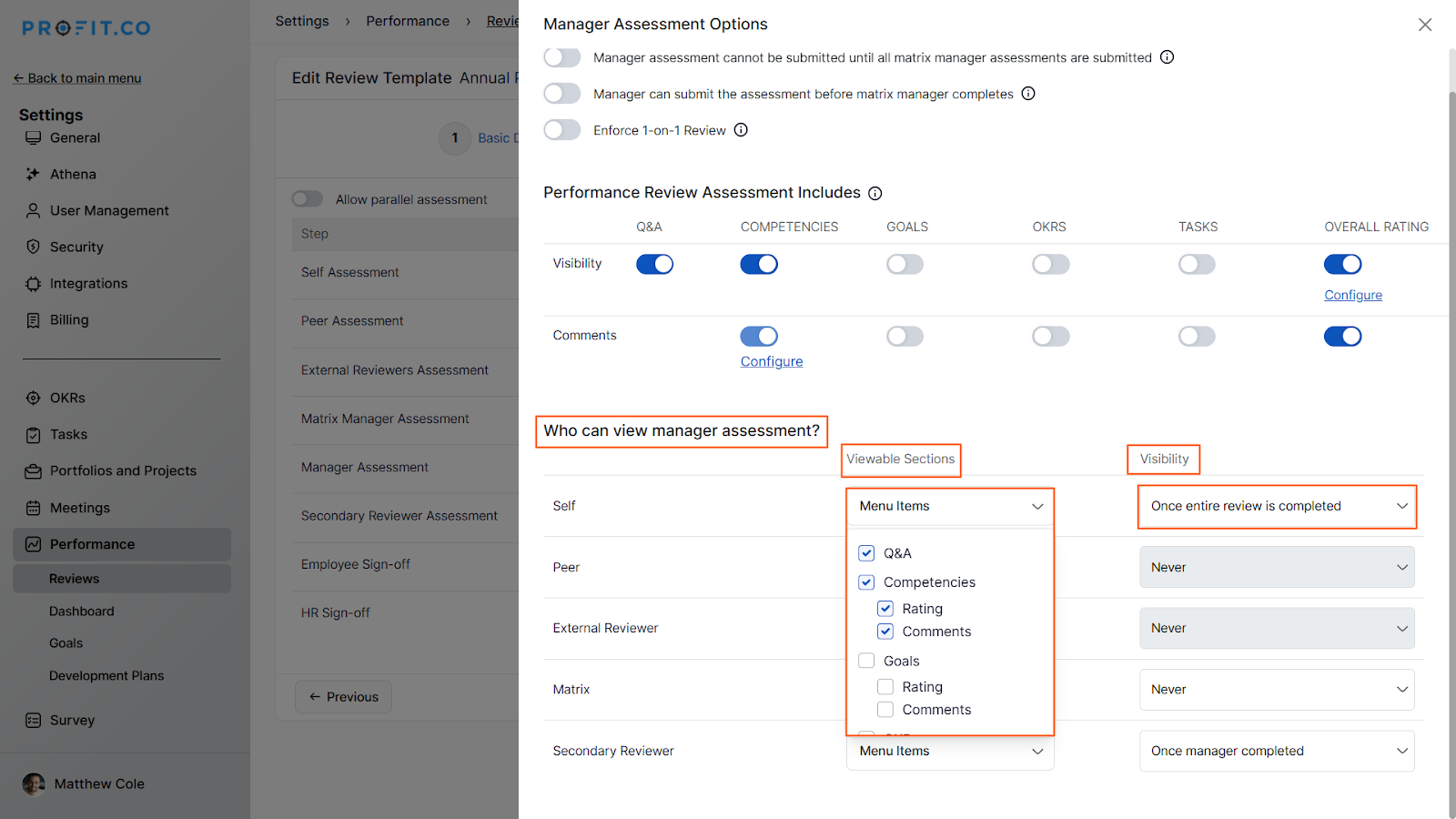
In the Manager Assessment Options, under Who can view manager assessment? Click on the reviewer you wish to set the visibility.
You can also set the Viewable Sections for the reviewer. For instance, let’s choose Q&A and Competencies from the Menu items under Viewable Sections, and set the visibility as “Once entire review is completed, so that the self can view the manager’s assessment once the entire review is completed.
Step 4
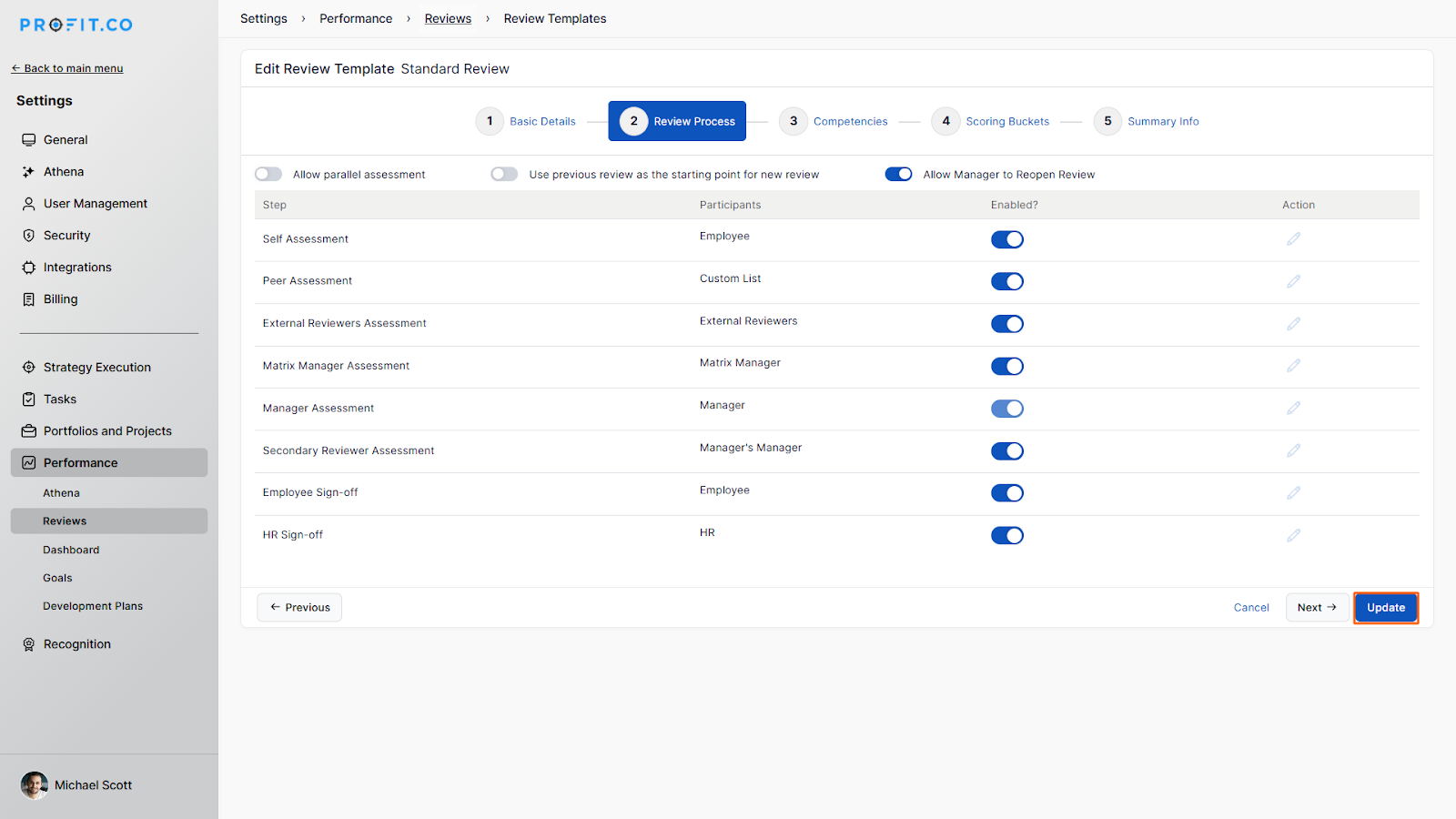
Navigate back to the Edit Review Template page.
Click on Update to save your visibility settings.
How to view manager assessments after completion?
Once visibility settings are configured and reviews are completed, users can access manager assessments:
- Navigate to Settings → Performance → Reviews from the left navigation panel.
- Select the Past Reviews tab.
- Click on the completed review you wish to view.
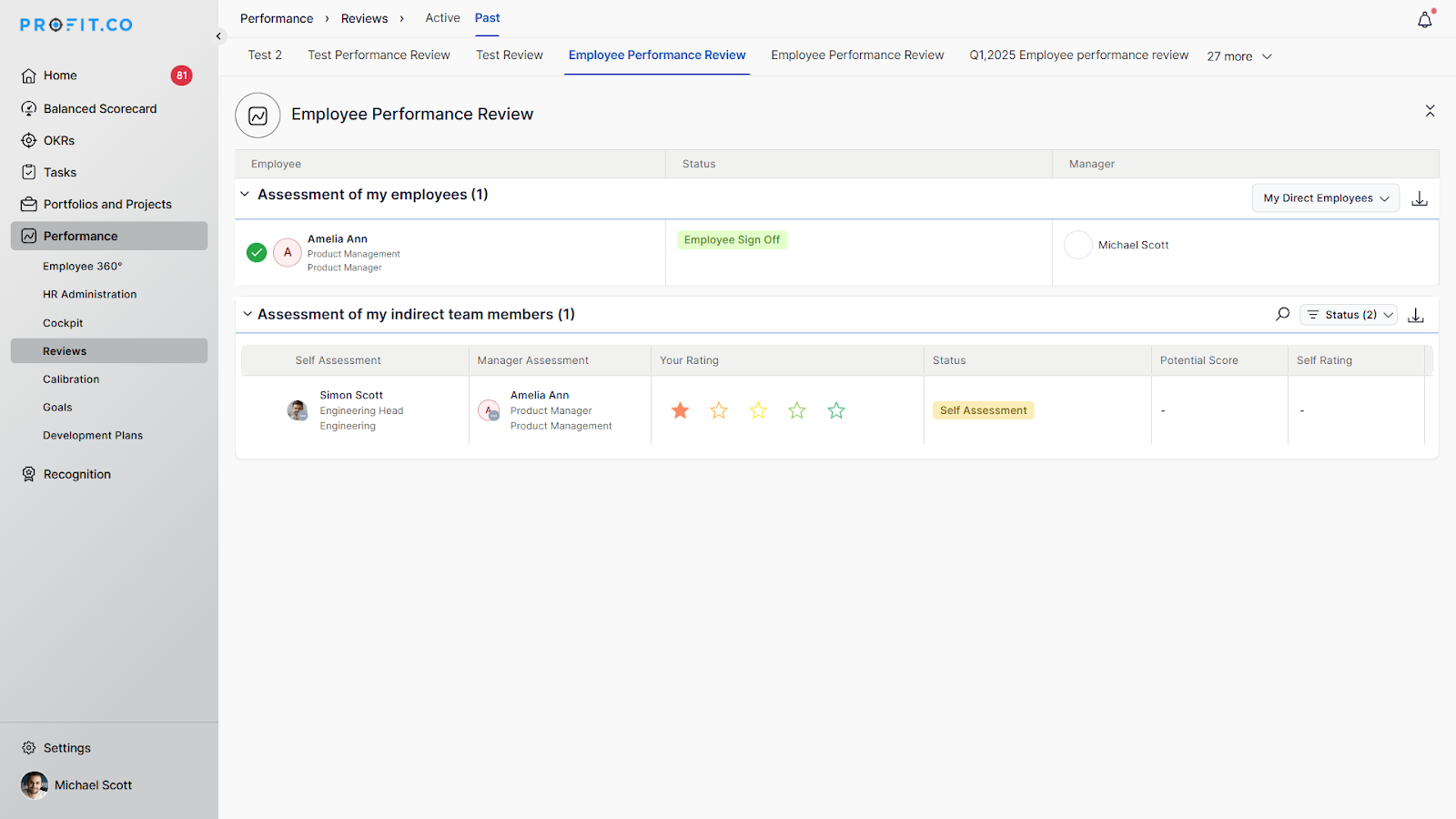
- In the My Review: Past page, click on the Manager Assessment tab to view the score awarded for your performance by your manager.
- The manager's final assessment comments will be displayed in the Overall Comments section.
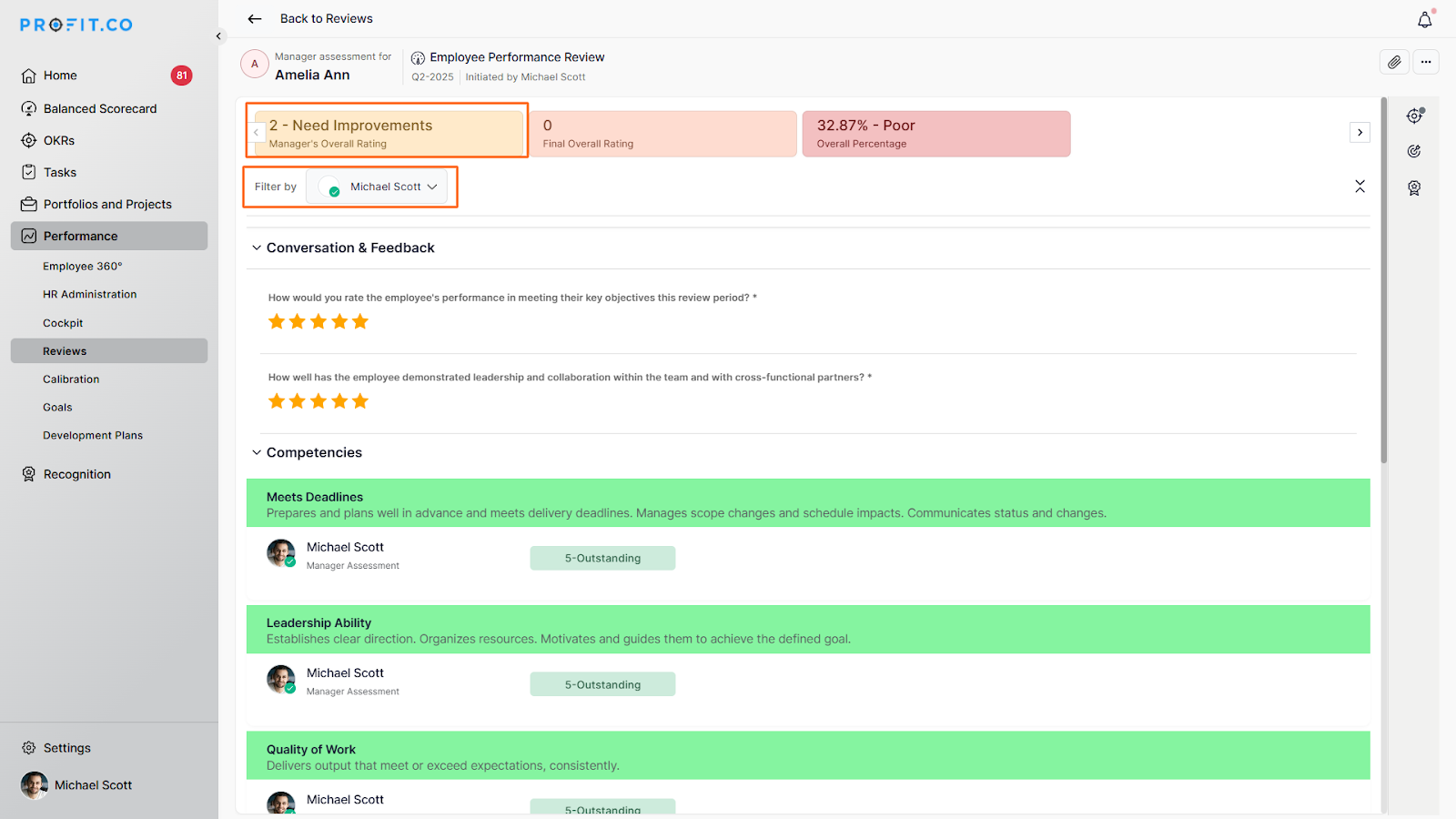
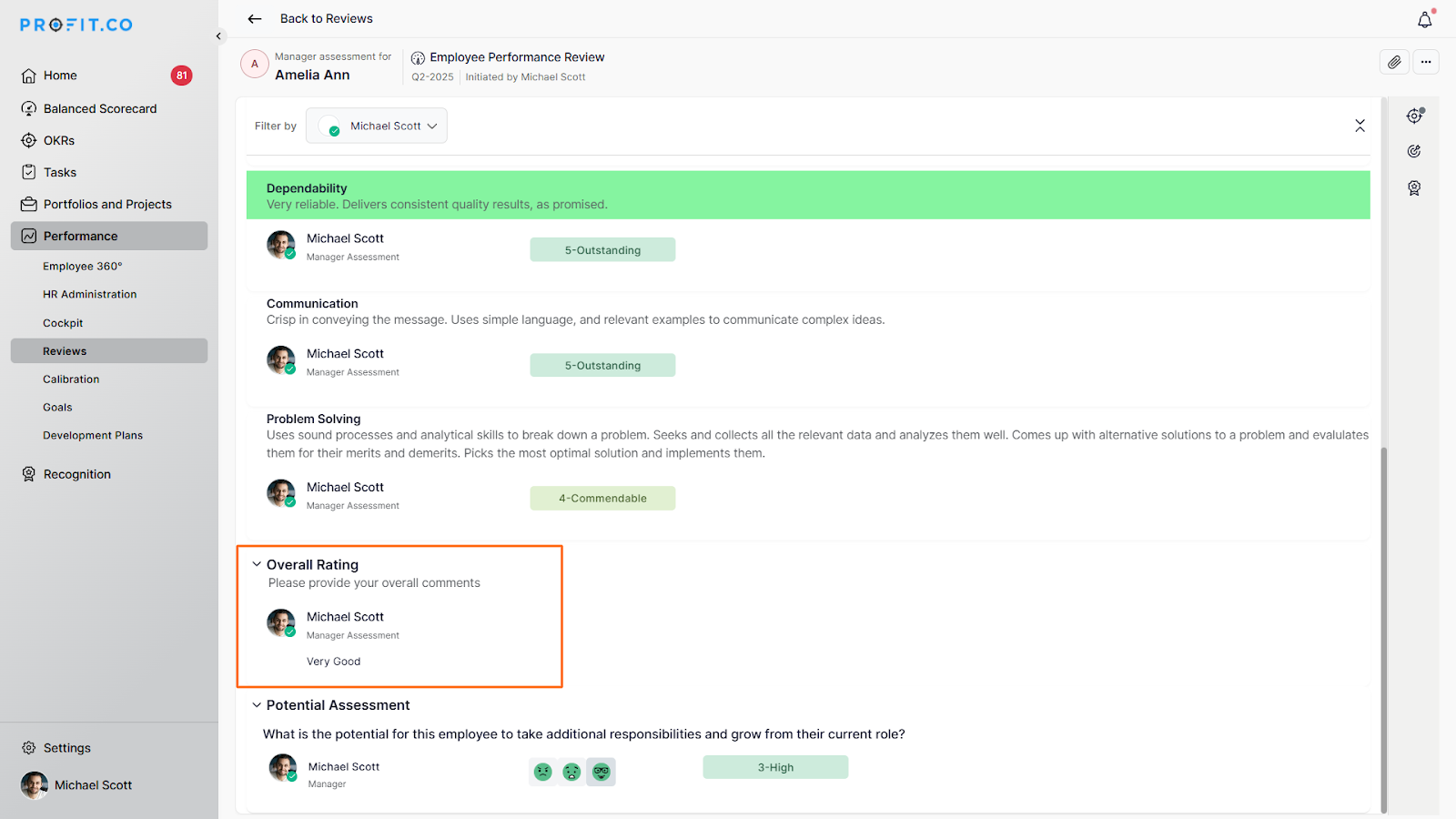
Best practices for managing assessment visibility
- Set Clear Visibility Policies: Establish consistent rules for who can view assessments and when, ensuring transparency and fairness across the organization.
- Consider Timing Carefully: Allow employees to view manager assessments only after the entire review is completed to prevent premature reactions and encourage comprehensive feedback.
- Limit Viewable Sections When Appropriate: Use selective visibility for different sections to maintain confidentiality where needed while still providing valuable feedback.
- Communicate Visibility Settings: Inform employees about when and how they’ll be able to view their manager’s assessment to set clear expectations.
Related Questions
To learn more about how to view my past self-assessment Reviews, click here.
Frequently Asked Questions
Yes, you can modify visibility settings at any time through the Review Template settings. However, it's best practice to establish visibility rules before launching a review cycle.
Yes, you can configure different visibility settings for different reviewers, including what sections they can view and when they can access the assessment.
No, if you set visibility to "Once entire review is completed," employees cannot see any part of the manager assessment until all review stages are fully completed, ensuring comprehensive feedback is delivered at once..
