



How to create a new template for Projects?
Category: PPM
Profit.co allows users to create project templates to improve efficiency and ensure consistency across multiple projects. Templates save time by providing a preconfigured structure of milestones, tasks, and members that can be reused whenever new projects are created.
Table of Contents
Why This Feature?
Creating a project template helps you:
- Standardize project setup across departments and teams.
- Reuse predefined structures for recurring projects.
- Reduce manual setup time and human error.
- Ensure process consistency across the organization.
This feature enhances productivity and alignment across all teams managing similar project types.
What is a Project Template in Profit.co?
A project template is a reusable project framework that includes predefined milestones, tasks, owners, and timelines. It allows teams to quickly create new projects without rebuilding structures from scratch.
Who Can Create a Project Template?
Only Super Users or users with appropriate portfolio-level permissions can create and edit project templates under
Settings → Portfolios and Projects → Projects.
How to Create a New Template for Projects
Follow the steps below to create and customize a project template in Profit.co.
Step 1: Navigate to Templates
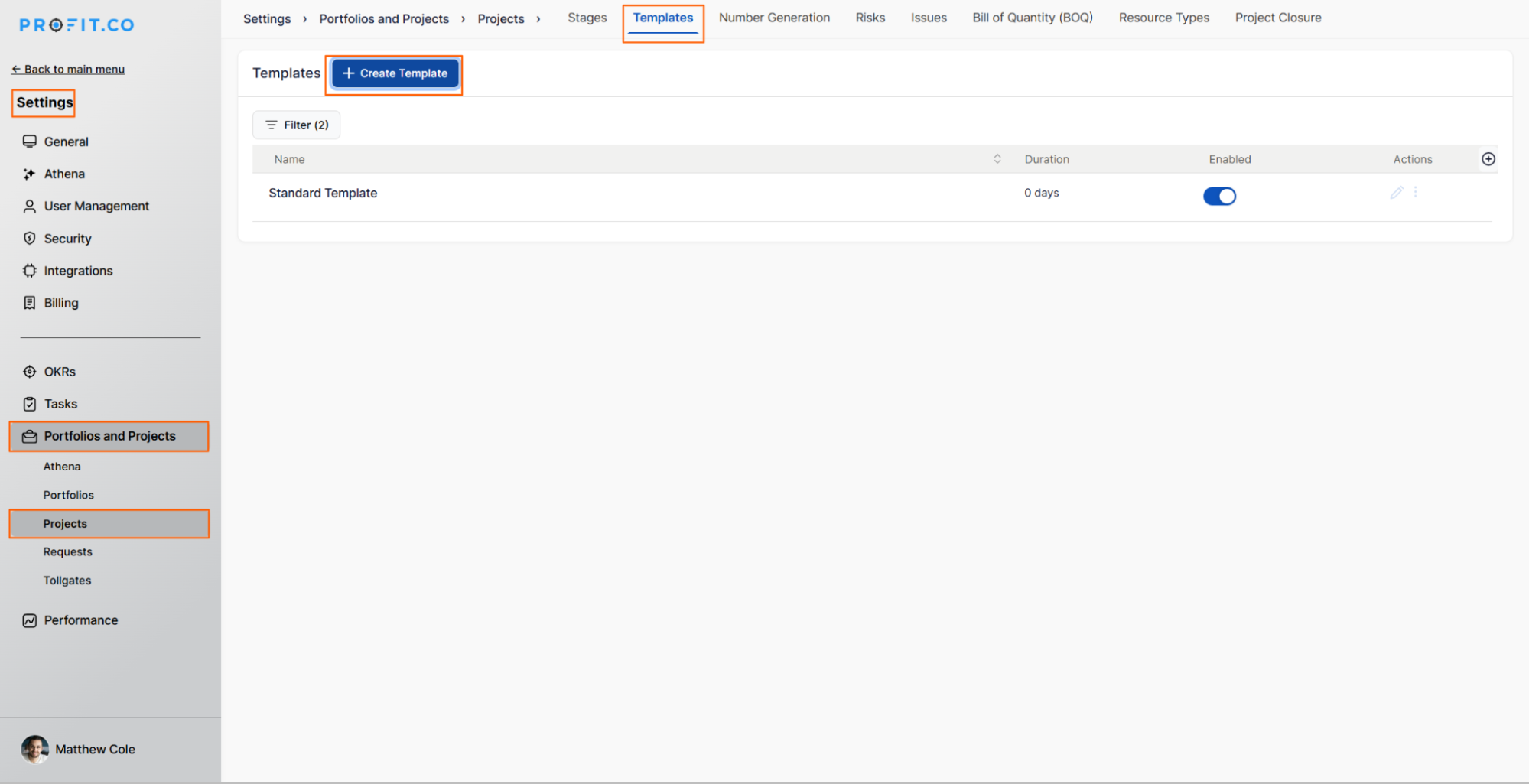
- Go to Settings → Portfolios and Projects → Projects from the left navigation panel.
- Switch to the Templates tab.
- Click the + Create Template button to start building a new template.
Step 2: Enter Template Details
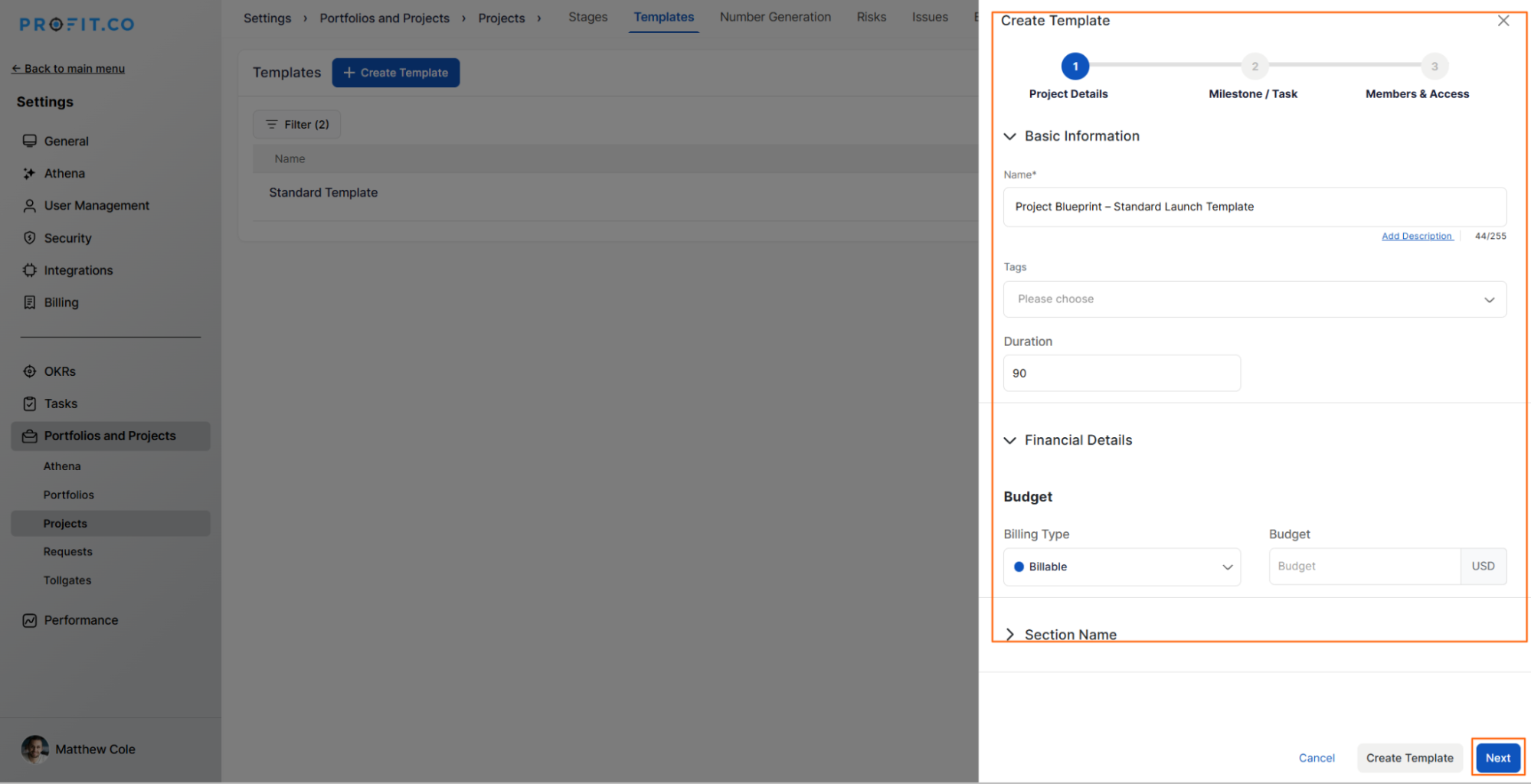
- On the Create Template side panel, enter the Template Name and fill in the required fields.
- Once the details are entered, click Next to proceed.
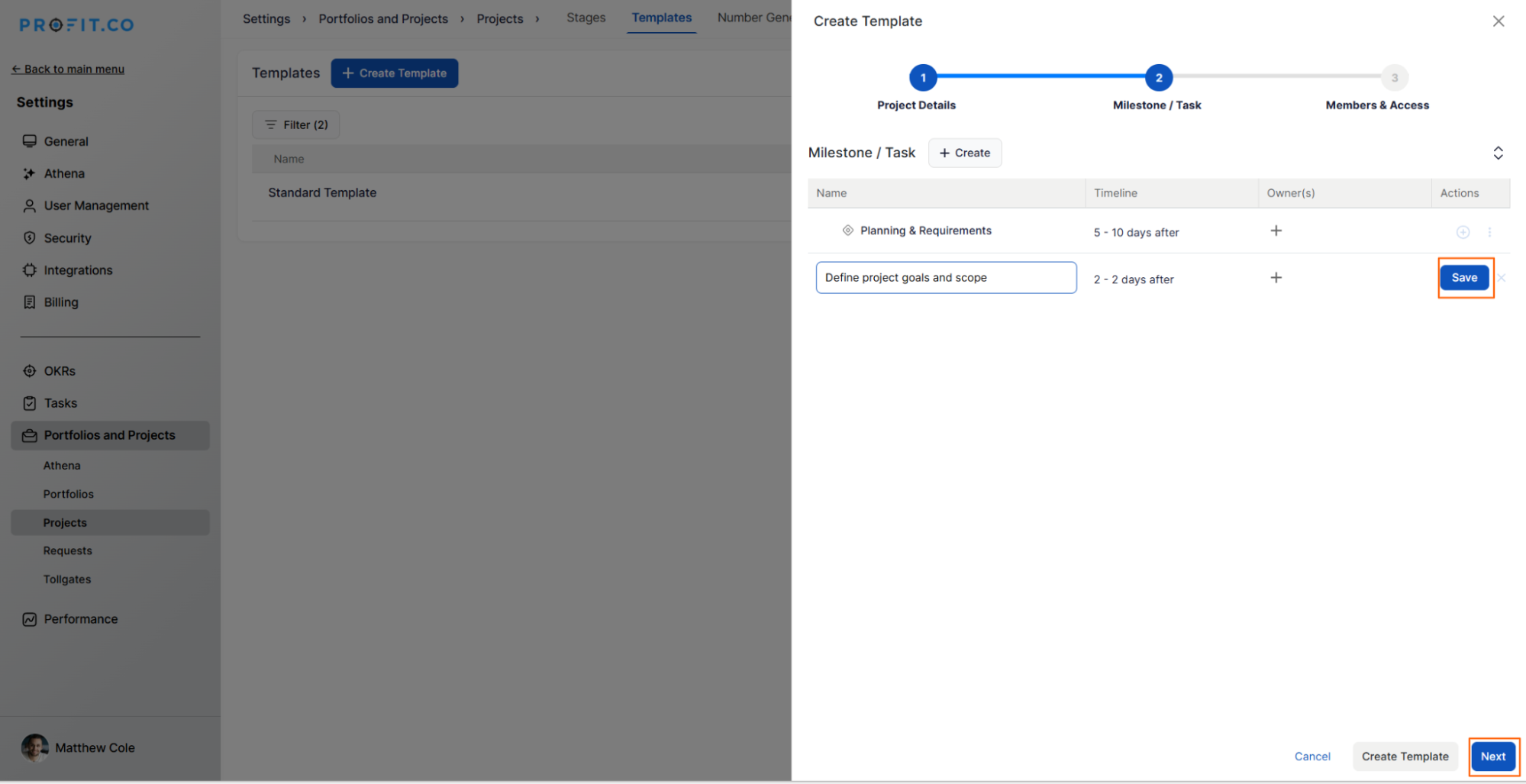
Step 3: Add Milestones and Tasks
You can define project milestones and tasks directly within the template.
Click + Create under Milestones.
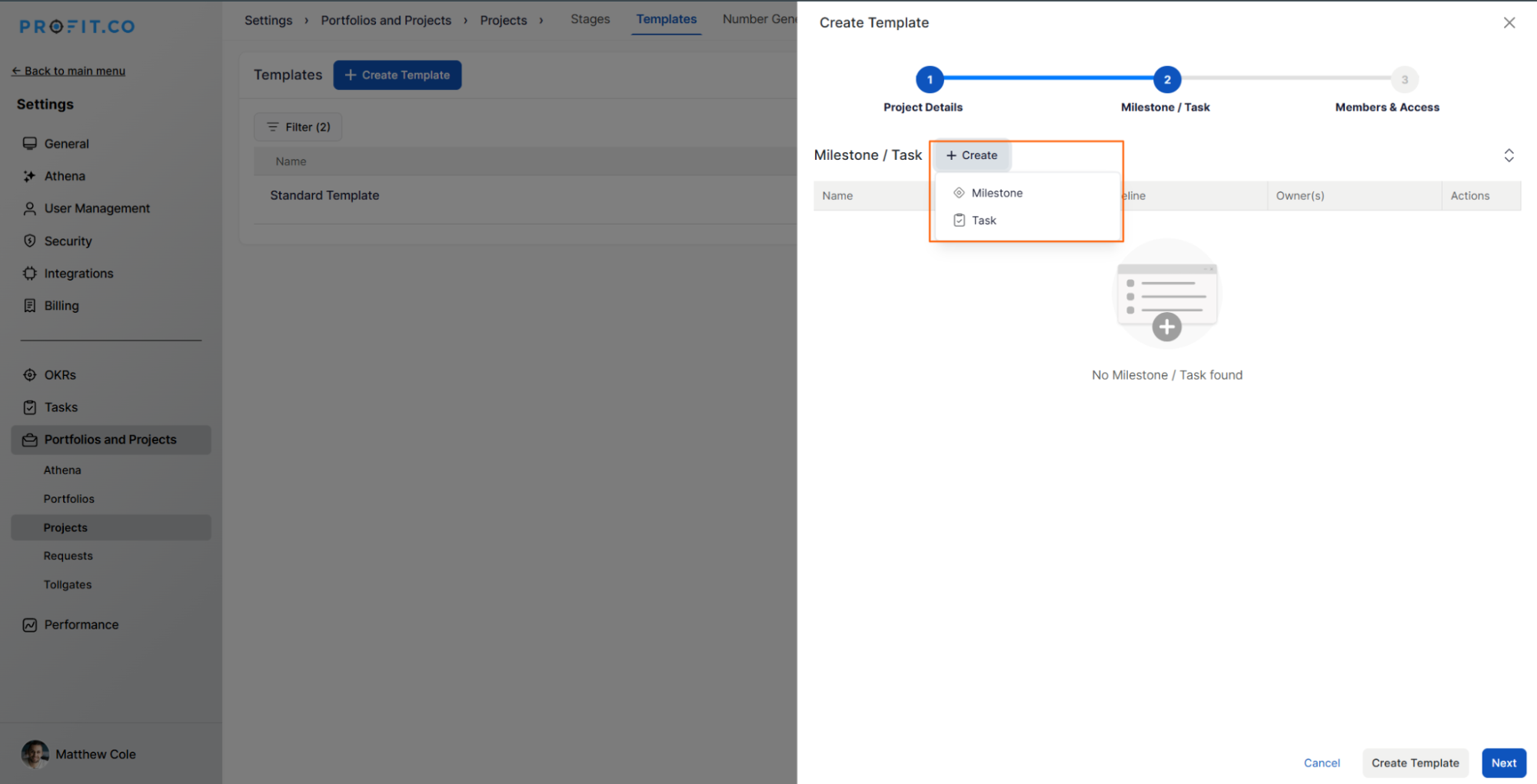
After entering milestone details, click Save.

Step 4: Create Task Templates
To add tasks under a milestone, click the + icon.
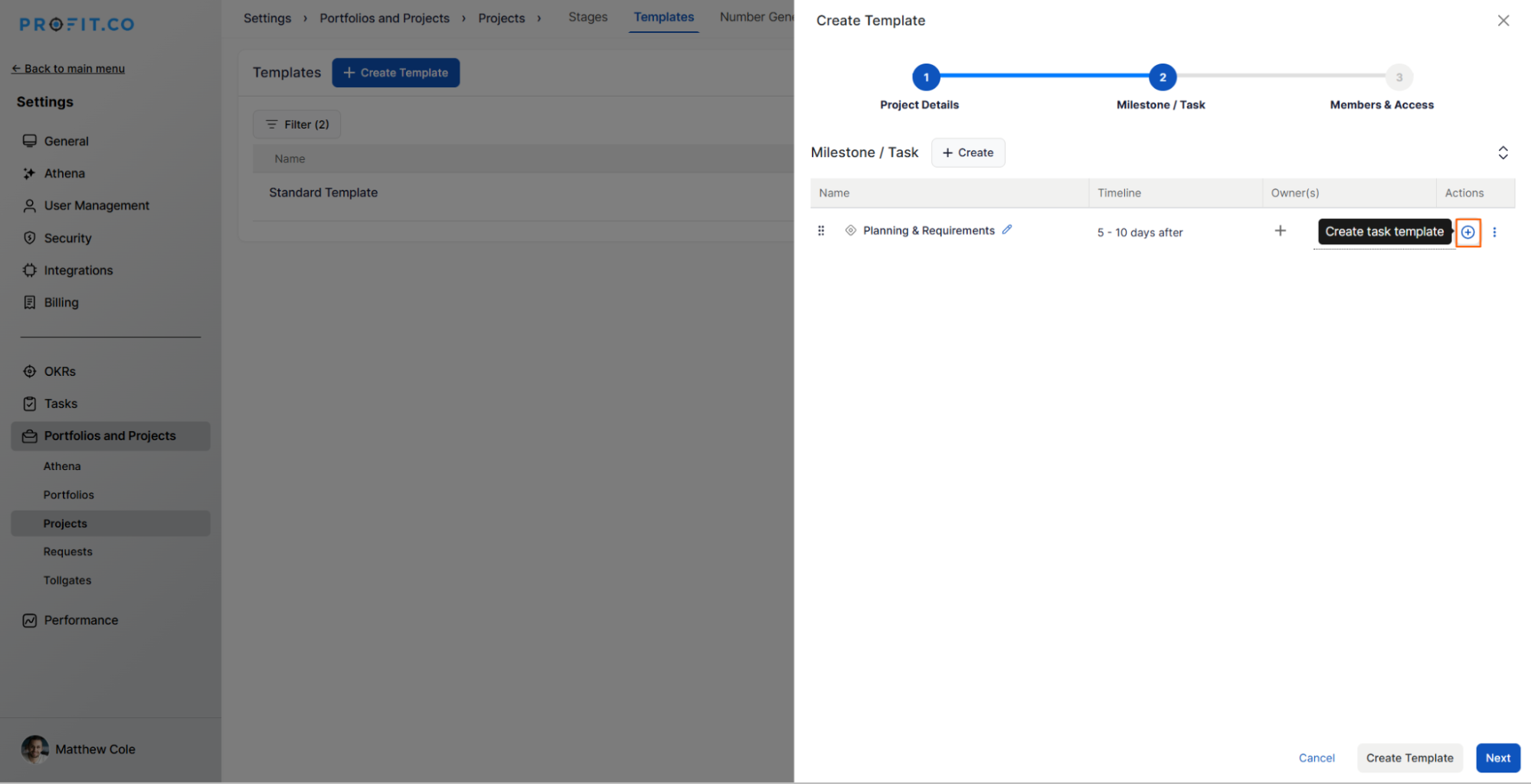
Enter the Task Name, assign Owners, set Start/Due Dates, and click Save.
Repeat for additional tasks, then click Next to proceed.
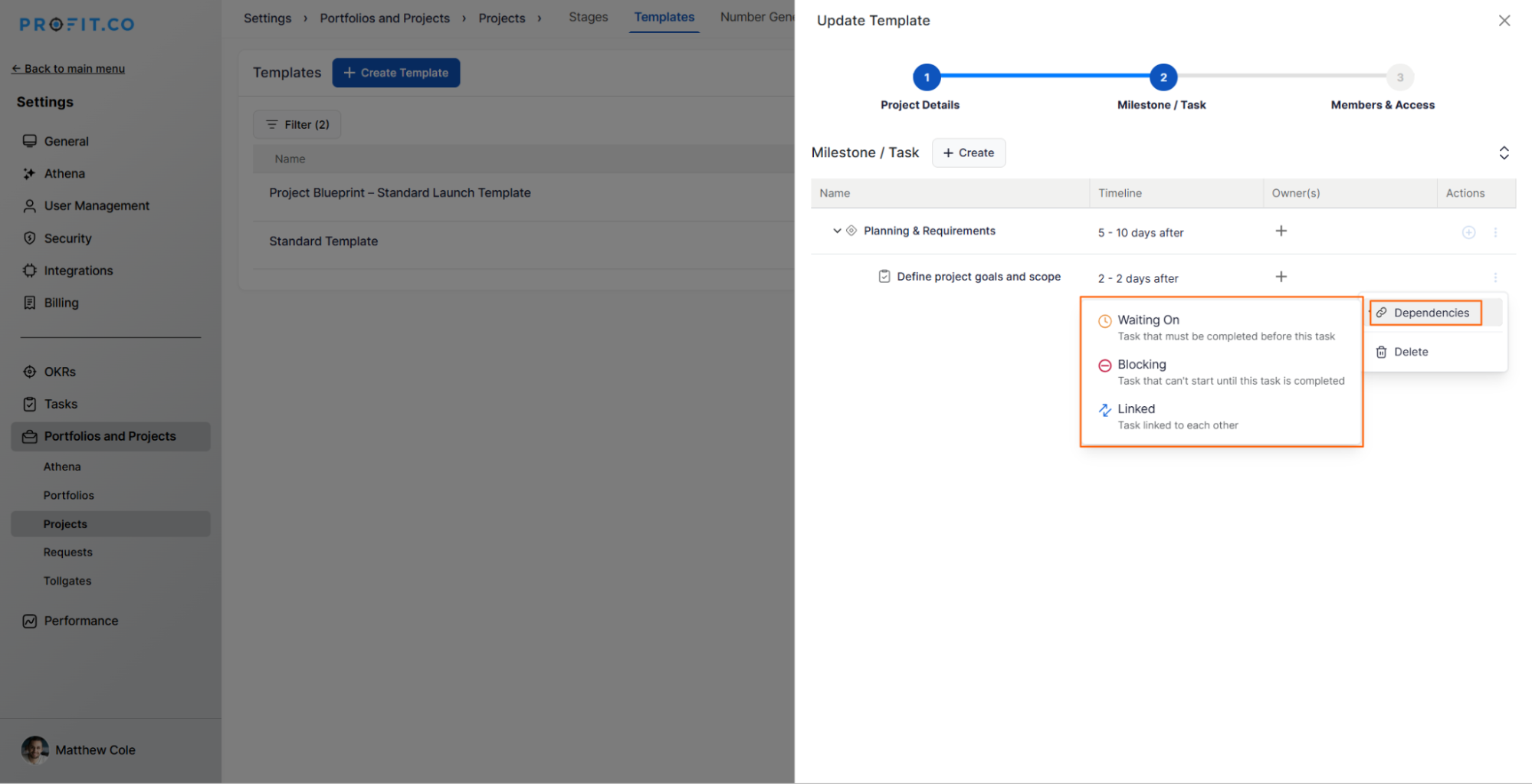
You can define task dependencies directly within a project template after it’s created.
For example, if Task B should start after Task A is completed, you can establish this dependency. These links automatically carry over when a project is created using the template.
Note: Task templates ensure repeatable steps and accurate timelines across projects.
Step 5: Add Members
- Click + Add Members to assign users or teams to the project template.
- After adding members, click Create Template.
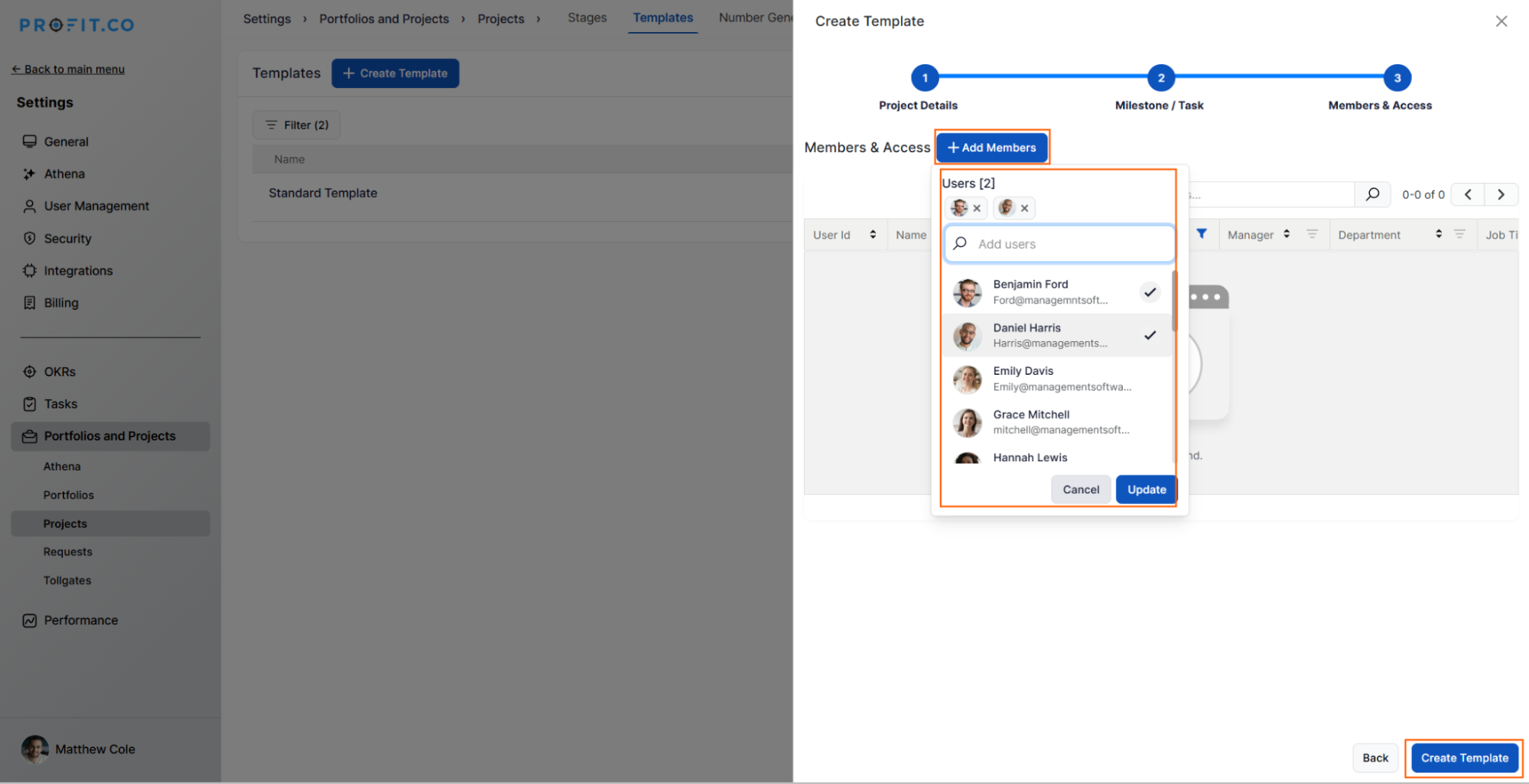
Your new template will now appear on the Templates page for future use.
How to use the newly created template?
When creating a new project, you can select an existing template to apply predefined tasks, milestones, and members.

Best practices for uploading profile pictures in Profit.co
- Create templates for frequently used project types.
- Use relative durations to maintain flexibility in schedules.
- Add dependencies to ensure logical sequencing.
- Keep templates updated with the latest task structures.
- Limit editing permissions to Super Users to ensure standardization.
Related Questions
How to create a Project in the PPM module?
How to create a Project Request in the PPM module?
Frequently Asked Questions
Yes. You can edit existing templates anytime by opening them under the Templates tab and updating milestones, tasks, or members.
Yes. You can clone a template to create variations quickly. All tasks and milestones are copied, and you can adjust details as needed.
Yes. Any dependencies defined in the original template are automatically carried over when you create a project from that template.
Related Questions
-
How to create a Project in the PPM module?
Profit.co provides an option for users to create a project within the Project Portfolio Management (PPM) module. This ...Read more
-
How do I manage tollgate compliance across projects in Profit.co?
In Profit.co, you can Manage tollgate compliance across projects by associating tollgate sequences with projects, ...Read more
-
How do I set up resource rate cards and cost allocation in Profit.co?
In Profit.co, you can set up resource rate cards by creating Resource Types with specific hourly cost rates, assigning ...Read more
-
How to View Critical Tasks of a Project in Profit.co?
Profit.co's Critical Path Method (CPM) feature helps project managers identify the most essential sequence of tasks ...Read more