
Profit.co provides an option to add attachments in Tasks.
Why this feature?
- All relevant documents and files are stored in one place, making it easy to access and reference important information directly within the task.
- Reduces the need to switch between different applications or search through emails and folders for necessary files, saving time and effort.
Step 1
Click on the task to which you want to add the documents.
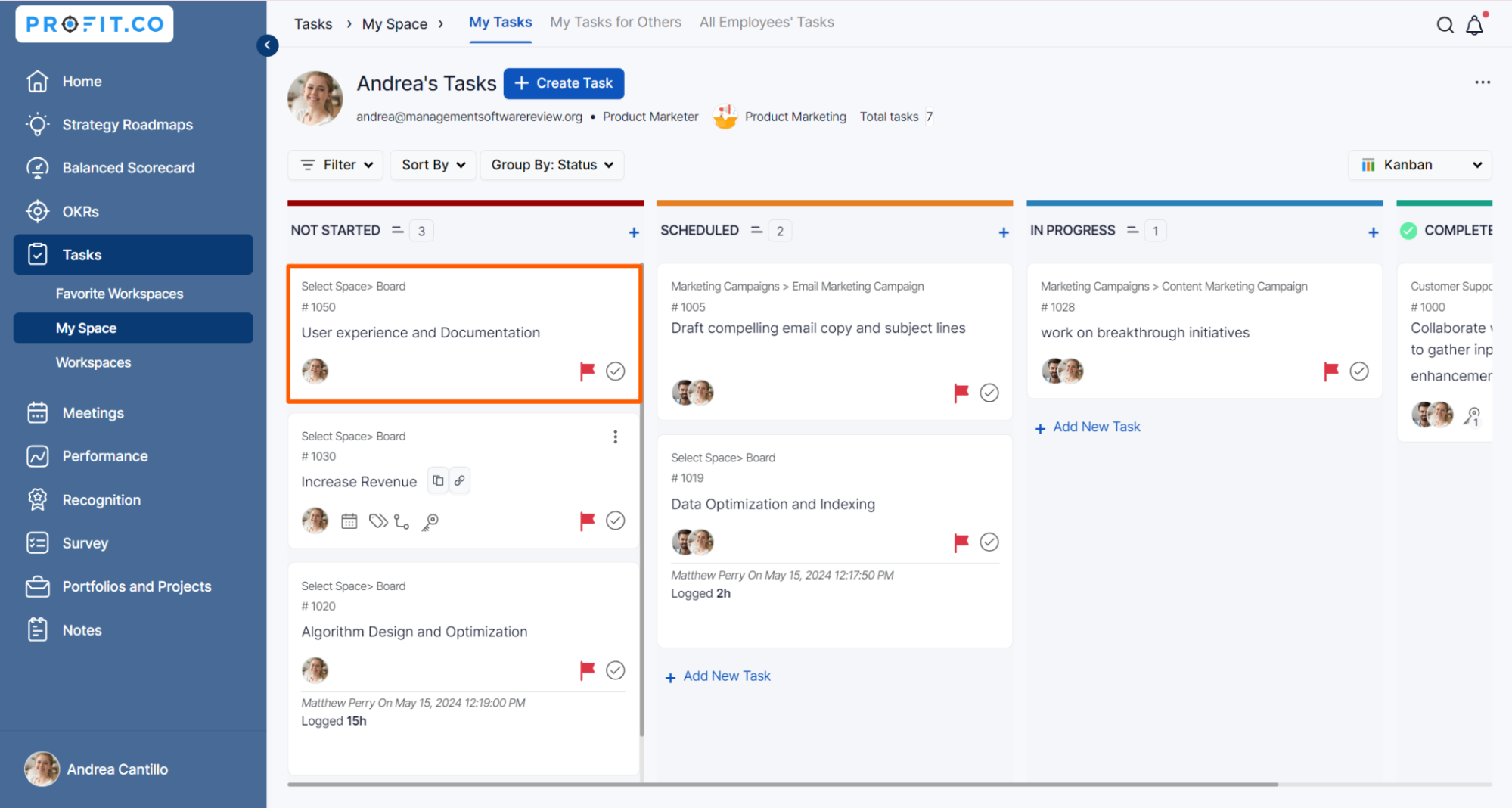
Click on the Attach button, You can add the documents from your computer, add an online document link, and upload the documents from Google and Microsoft Drives.
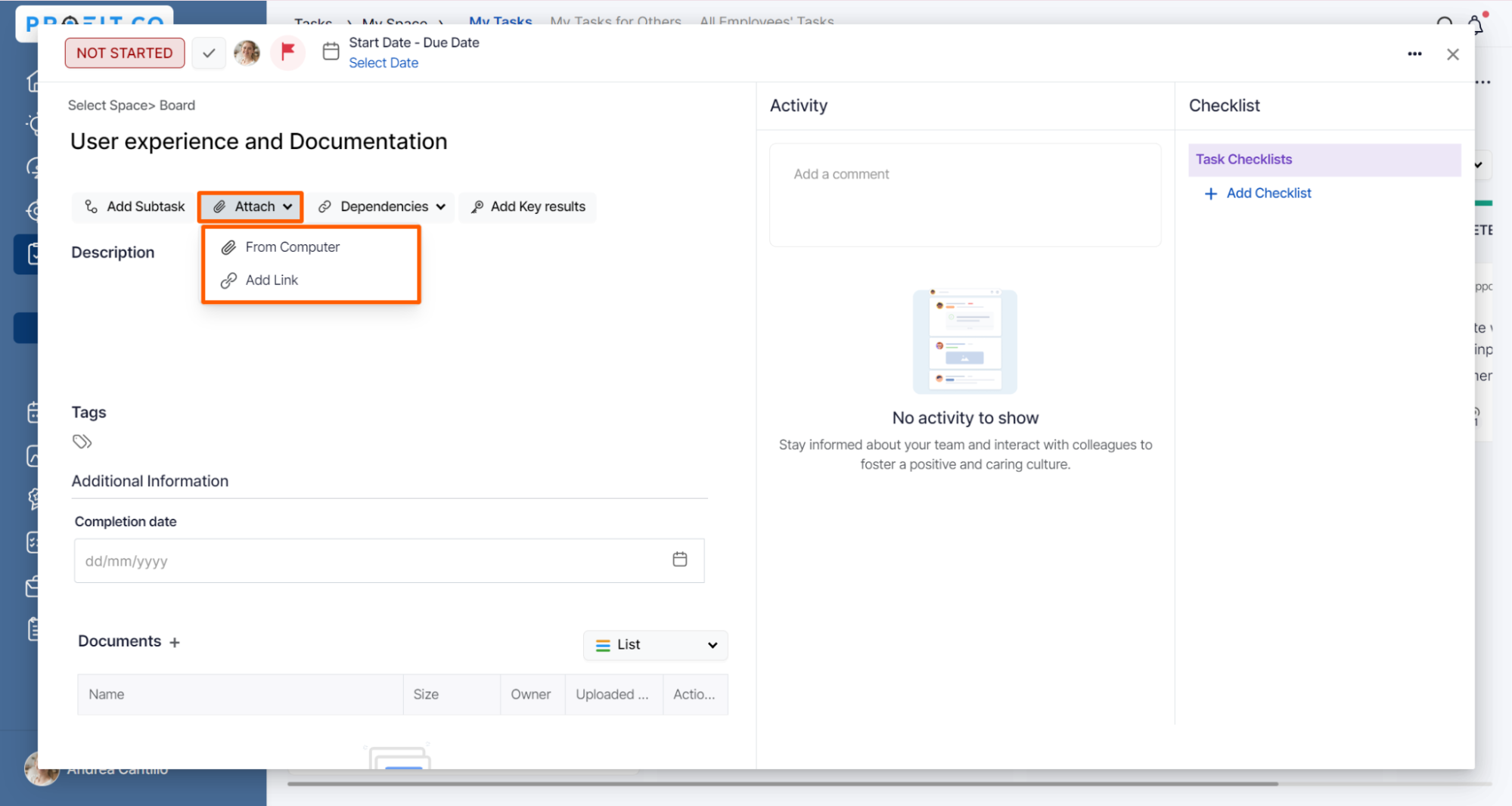
Finally, the documents will be uploaded in the Attachments section.

Note: You have the option to attach documents within both the workspace and the board.

Related Blog Post
To learn the process of adding sorting unread comments and attachments in the Task Management, click here.
