



You can integrate Profit.co account with Google sheet and can create key results.
Step 1
Note: Only the Superusers can integrate Google Spreadsheet with Profit.co account.
Go to Settings → Integrations from the left navigation panel and switch to the User Level tab.
Enable the Google Spreadsheet toggle.

Step 2
After enabling it, navigate to Preferences from the left navigation panel.
On the Preferences page, Select the Integrations tab, and click on the Google Spreadsheet Manage button.

Step 3
Click on the + Create Connection button to log in to your Google spreadsheet.
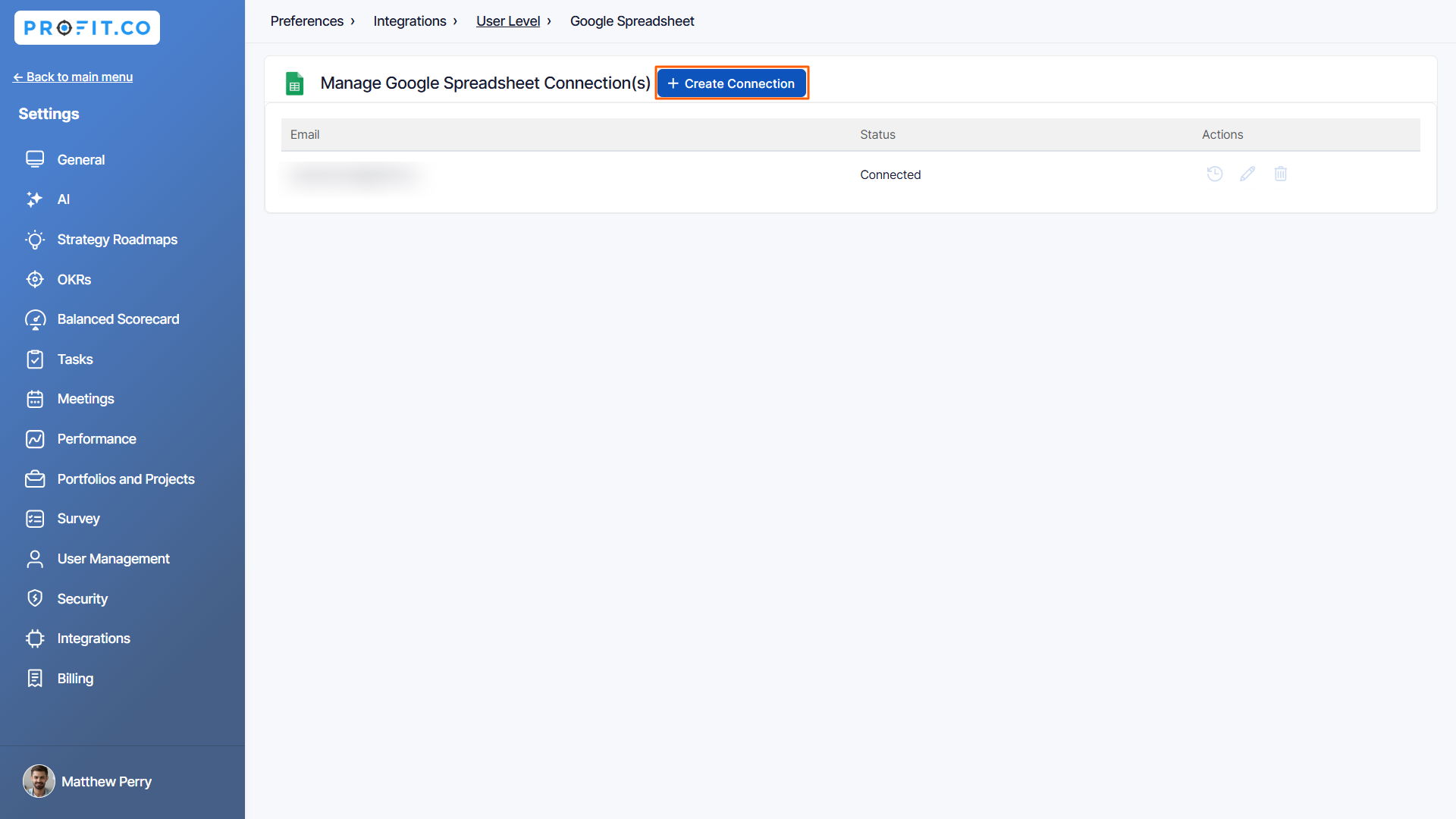
Then click the Sign in to Google Spreadsheets button.

Step 4
You will be directed to the G Suite connectors page and sign in to your Gmail account.

To access data in your Google account, click Allow.

Once the Integration is done, you can connect your key result progress.

Step 5
Form in Profit.co where you want to integrate the Google Sheets in a key result.
Note: Google Sheets supports Percentage Tracked, Increase KPI, Decrease KPI, and Control KPI types.
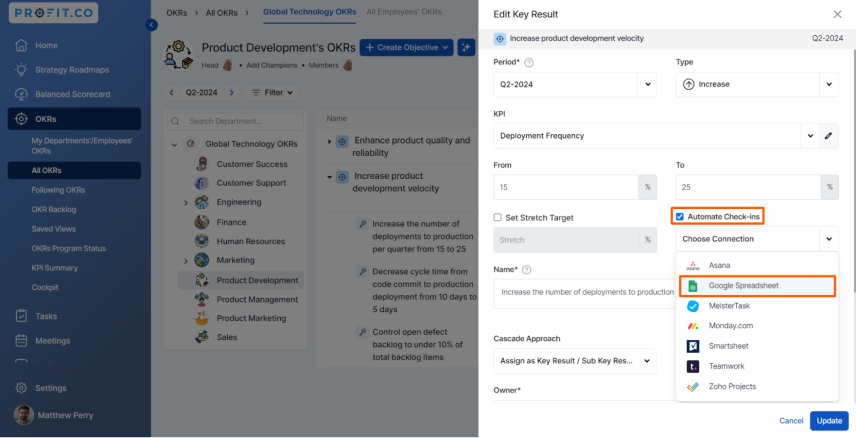
On the Connect to Google Spreadsheet tab, select your connection email, then click the button highlighted below to choose the spreadsheet from your Drive. Then, click Update.


Choose your Sheet, Column, and Row for the selected spreadsheet. After choosing you will find the Current Value.
Then, click Add.

Once the Key Result is successfully created, click on the Check-in button and complete the Check-in to update the status value in the key result.

