


Can Objective Target be Q1 and KR Target be Q2?
Category: OKRs
Once an objective has been established with a target date, you cannot assign a different target date for the key result.
If an objective is set in Q2, 2025.
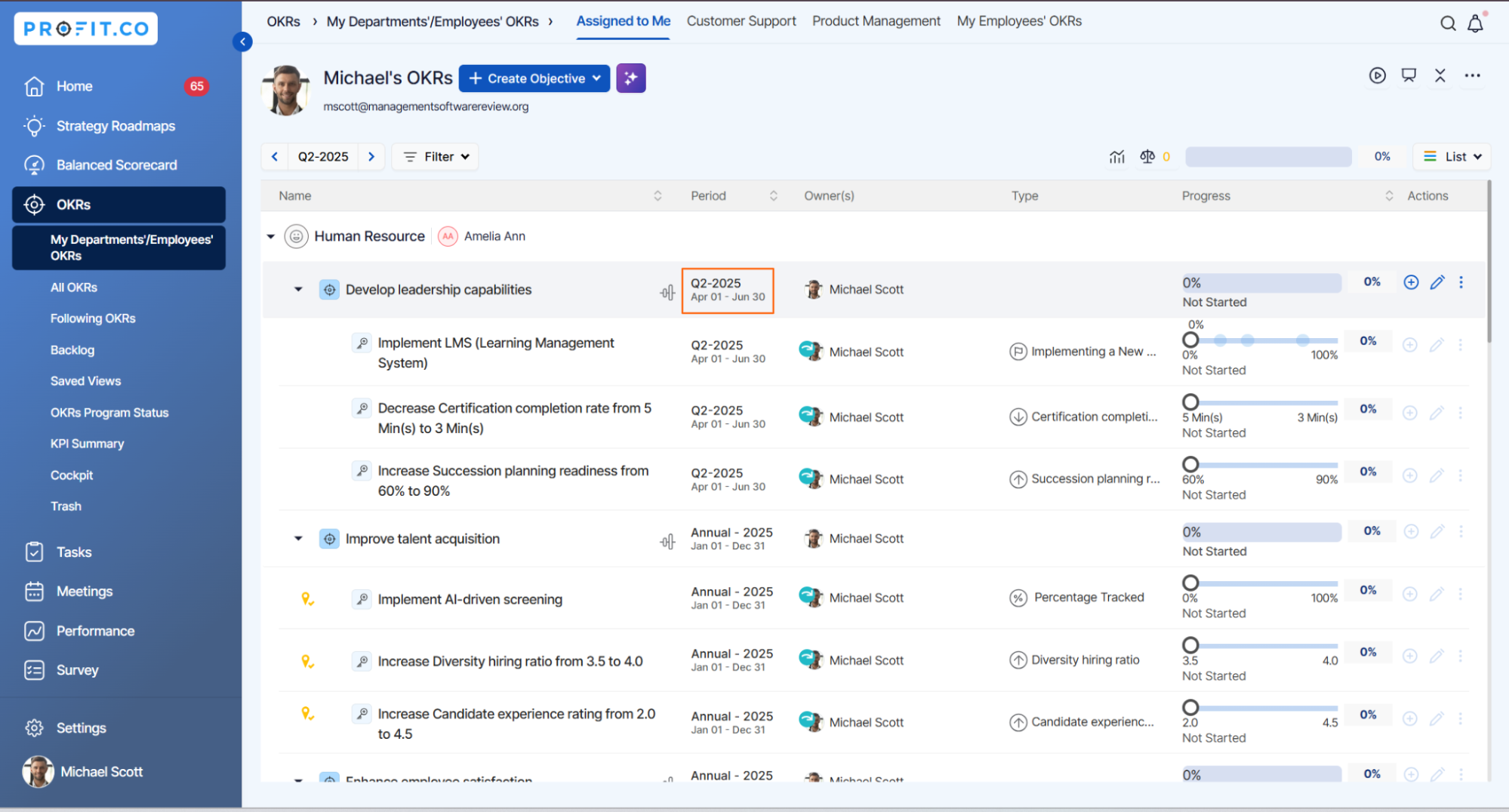
When you try to create a key result in a different period, you will not be allowed to do so, and you will receive an alert message "Select a date within the specified target period of 04/01/2025 to 06/30/2025 for the Key Result, ensuring it falls within the given range."
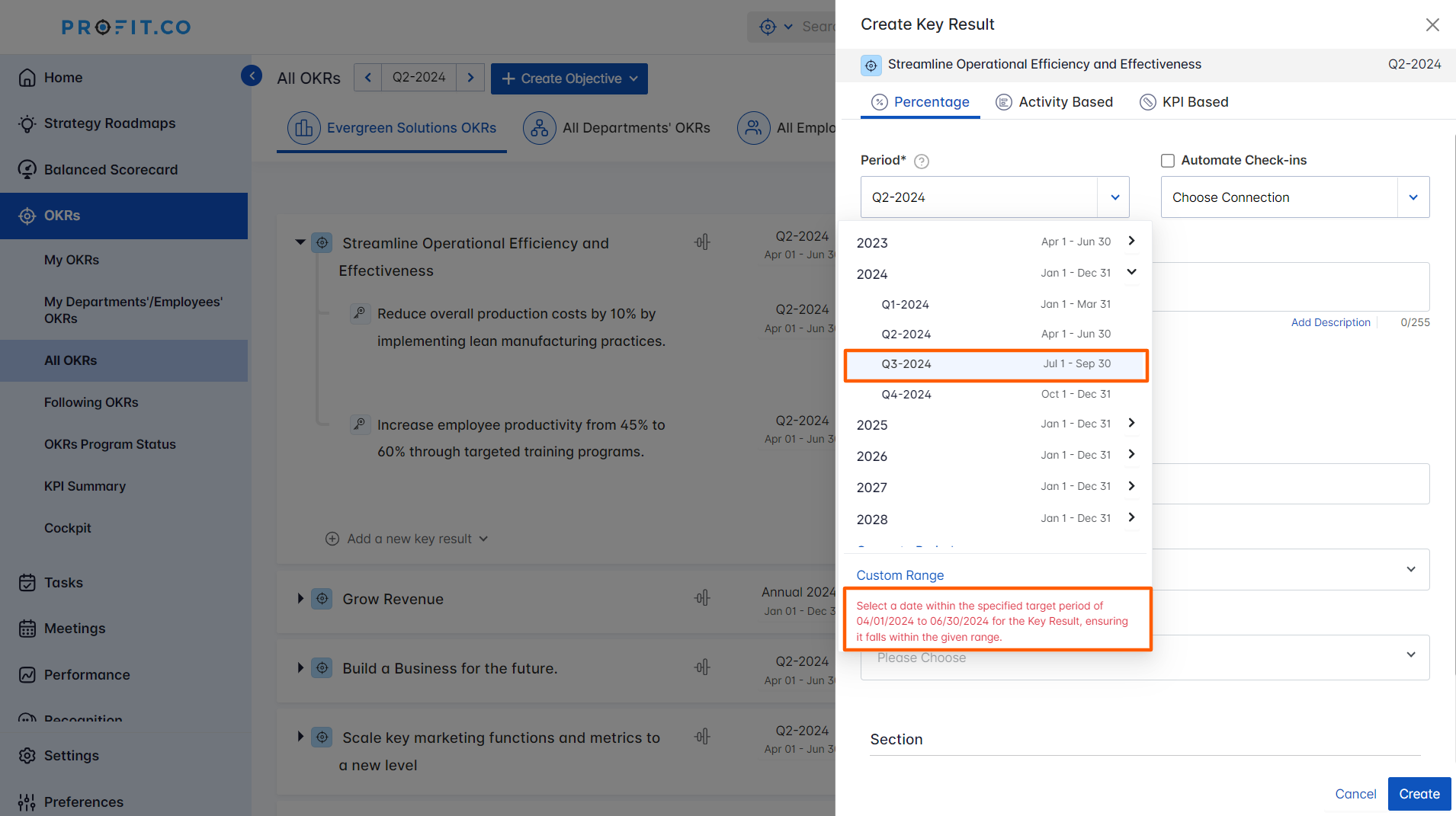
Key results can only be created within the same period as the objective.
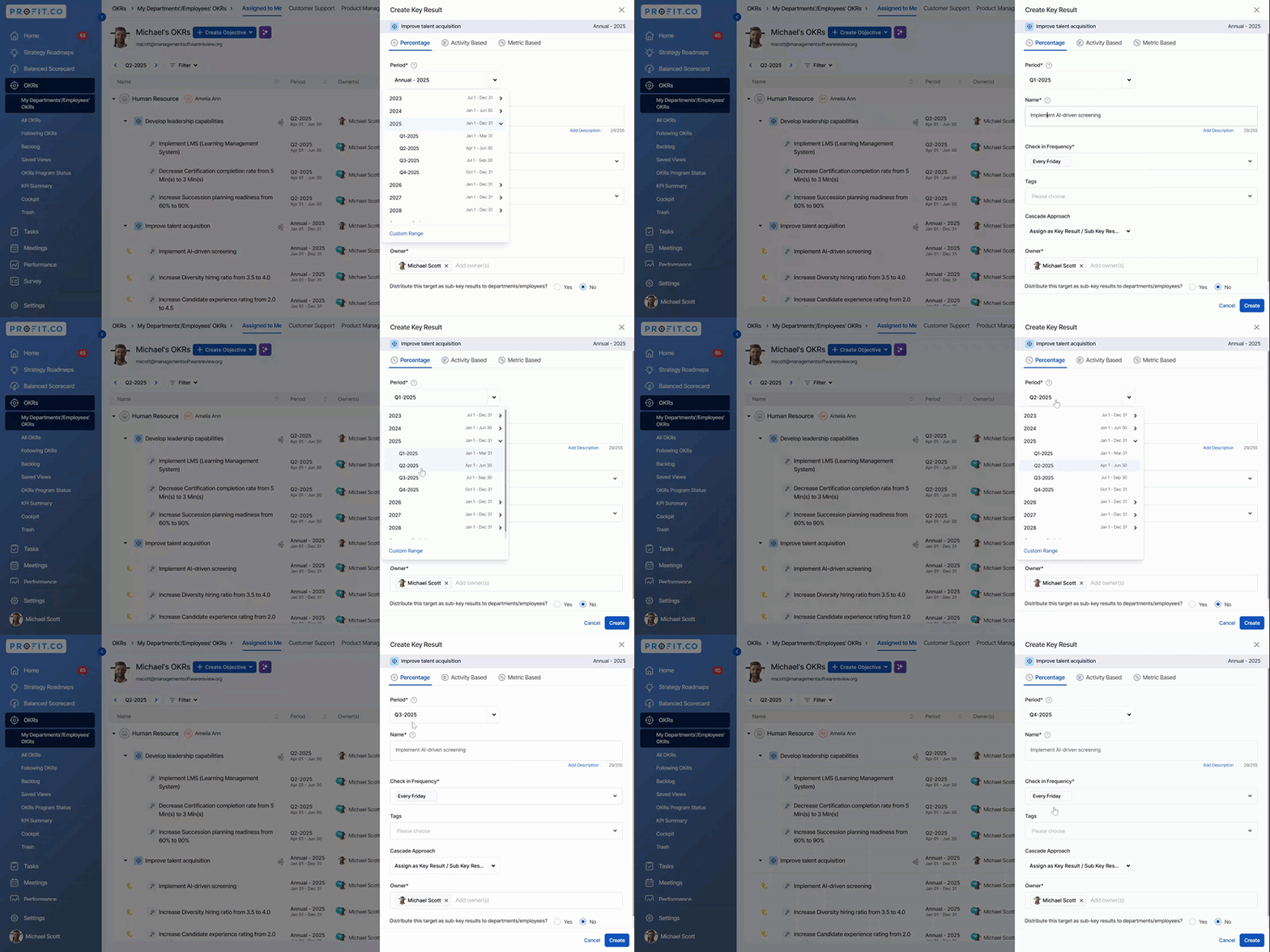
However, for Annual objectives set for 2025, key results can be created in any of the quarters of the year (Q1, Q2, Q3, and Q4, 2025).
Related Answer post
To learn more on how to create key results using form, click here.
Related Questions
-
How do I enable and use the status map view in Profit.co?
The Status Map View in Profit.co provides a focused, high-level snapshot of your OKRs by displaying Objectives and Key ...Read more
-
How do I enable and use baseline tracking for projects in Profit.co?
Profit.co's Baseline Tracking feature lets you capture the original project plan and monitor every change made to ...Read more
-
How to Create an Objective in Profit.co?
In Profit.co, users can create Objectives directly from the OKRs module using a quick-form panel, with support for ...Read more
-
How do I define weights for projects in Profit.co?
Profit.co's PPM module lets you control how project progress is calculated, either by distributing weight equally ...Read more