



How to enable the Out of Office option in Profit.co?
Category: OKRs
Profit.co provides an option to pause your OKR check-ins during a specific period using the 'Out of Office' feature.
Why this feature?
- Automatically pauses check-in expectations during time off, so users aren't penalized or flagged for inactivity.
- Managers are notified and can approve time-off requests, ensuring alignment and visibility within teams.
- Eliminates the need to explain missed updates after returning — everything is logged and approved in advance.
Step 1
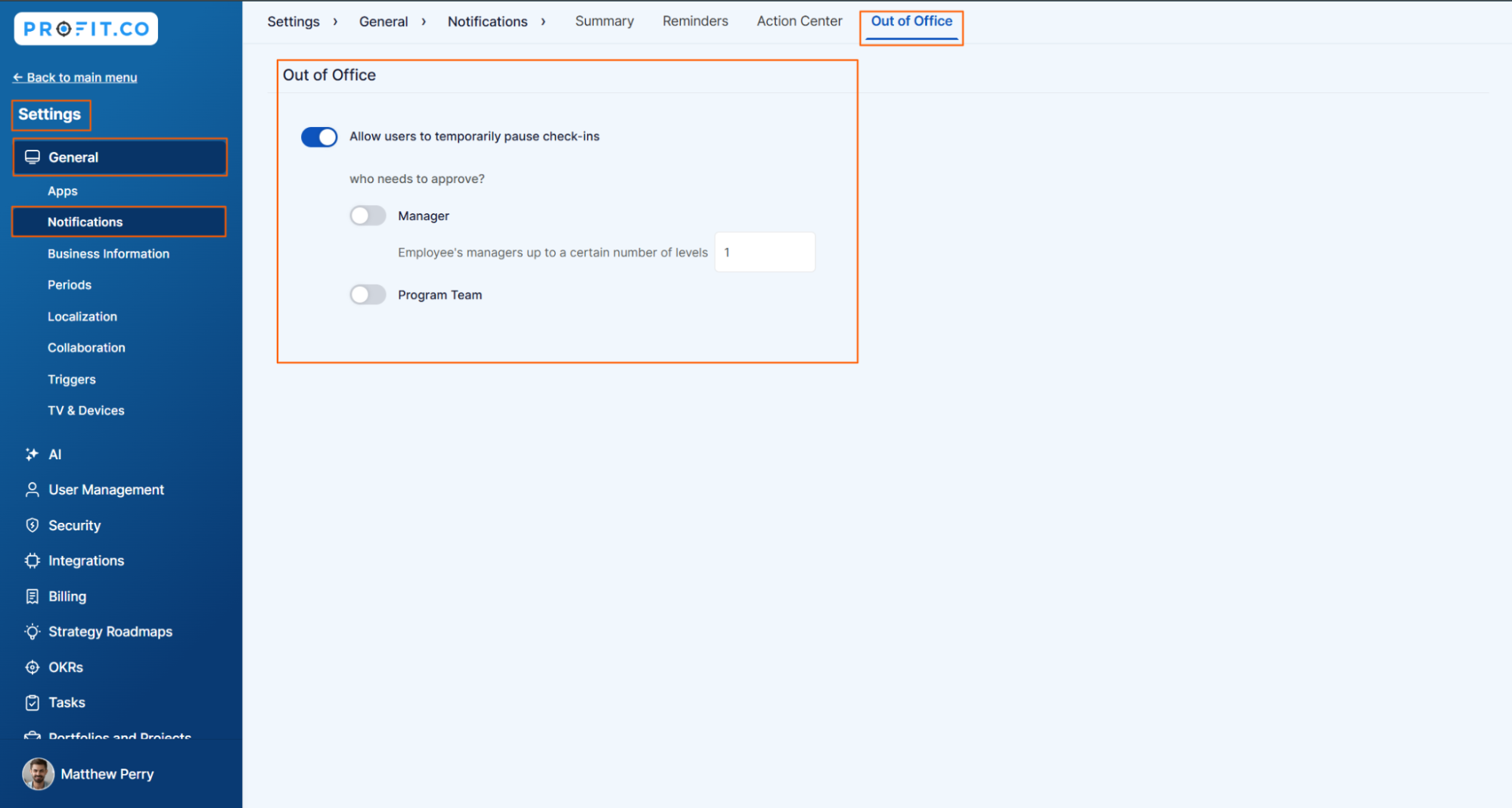
Navigate to Settings → General → Notifications from the left navigation panel.
Switch to the Out of Office tab, and enable the toggle for Out of Office.
Step 2
Enable the toggle for Allow users to pause check-ins temporarily.
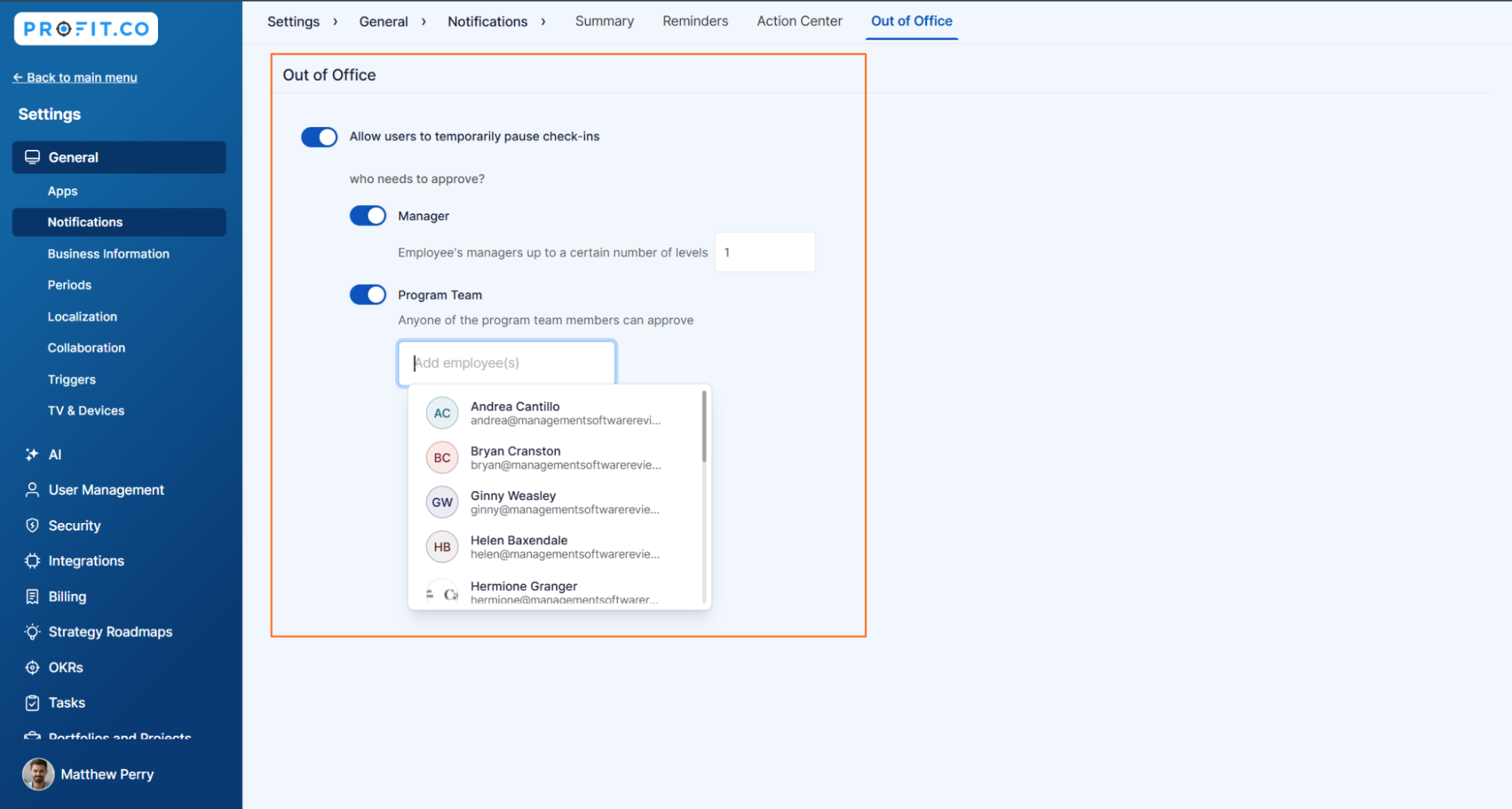
To approve the request, you have two options:
- Manager – Select how many levels of the employee's manager can approve the request.
- Program Team – Choose the appropriate team or team member to manage approvals.
Related Blog Posts
To learn more about how Profit.co helps managers track Out-of-Office statuses. Click Here
To learn more about how the Out-of-Office feature works in Profit.co.Click Here
Related Questions
-
What does Milestone tracked Key Result imply?
Profit.co offers multiple ways to track Key Results, and the Milestone Tracked type is specifically designed for goals ...Read more
-
How do I view user login history in the Cockpit?
Profit.co has introduced three new widgets within the OKR Cockpit to help organizations monitor user login behavior and ...Read more
-
How do I enable and Configure Risks & Issues Management at Key Result Level in Profit.co?
In Profit.co, you can enable Risks & Issues Management at the Key Result level to proactively identify potential ...Read more
-
How to Configure Module Linkage Between BSC and OKR in Profit.co?
Profit.co now lets you control, objective by objective, whether an objective appears only in the OKR module or across ...Read more