



What are the Actual Vs Planned values in Profit.co?
Category: OKRs
In Profit.co, Key Result progress is calculated by comparing Planned values with Actual check-in values, based on the target date and check-in frequency. This comparison helps you clearly understand whether you are on track, ahead, or behind your goal.
Table of Contents
What are Planned and Actual Values in Profit.co?
- Planned Value: The expected progress you should achieve by a specific date.
- Actual Value: The real progress you record during each check-in.
By comparing Planned vs Actual values, Profit.co visually shows how closely your execution aligns with your plan.
Why use Actual vs Planned Values?
This feature helps you:
- Track progress objectively against time-bound targets
- Identify gaps early and adjust execution pace
- Stay accountable with data-driven check-ins
- Ensure consistent progress toward Key Results
How are Planned vs Actual Values Calculated?
Step 1: Create a Key Result
- Create a Key Result using Increase KPI
- Set the check-in frequency as Every Friday
- Choose the time period as Quarterly
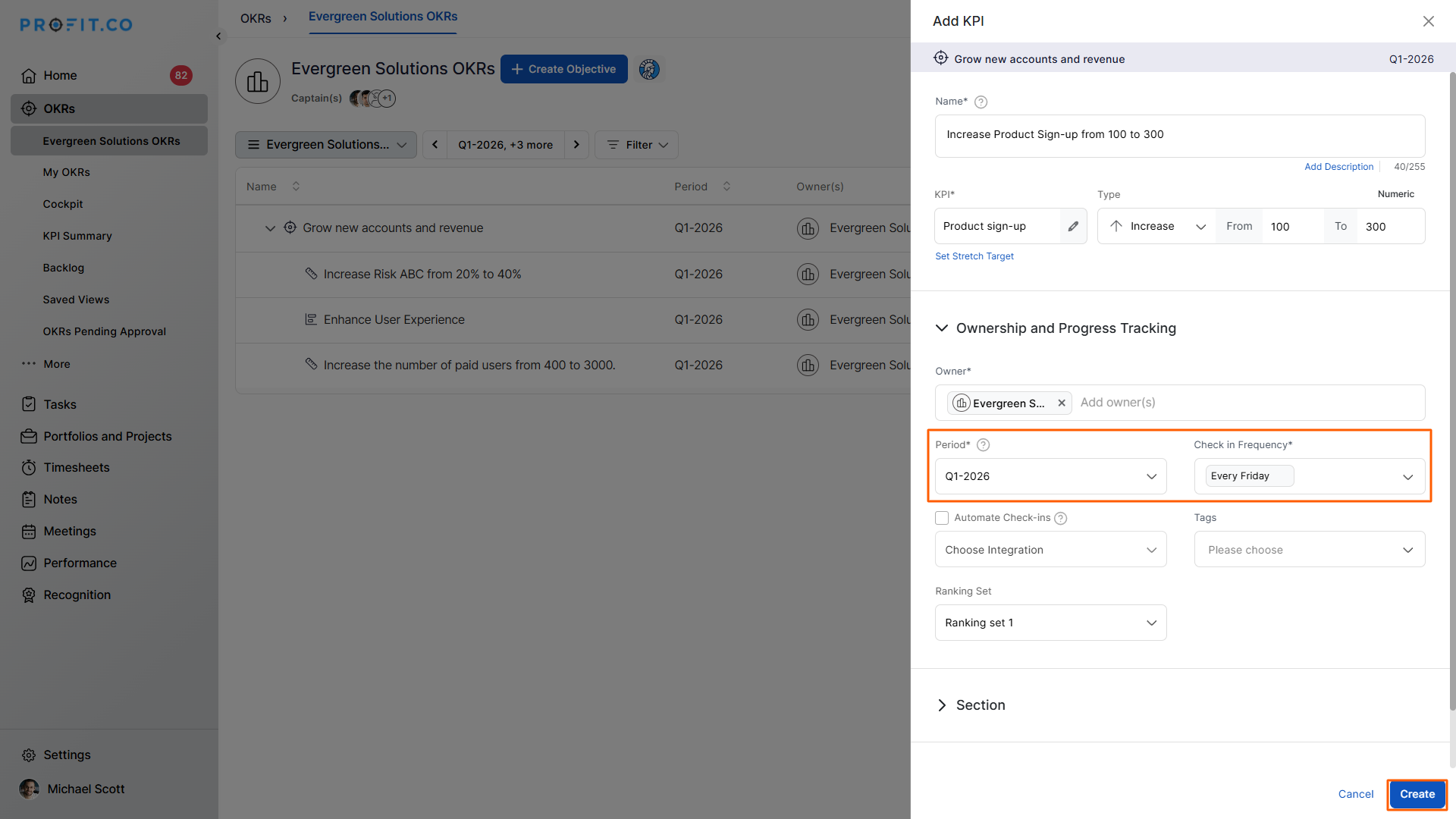
Step 2: View the Planned Values
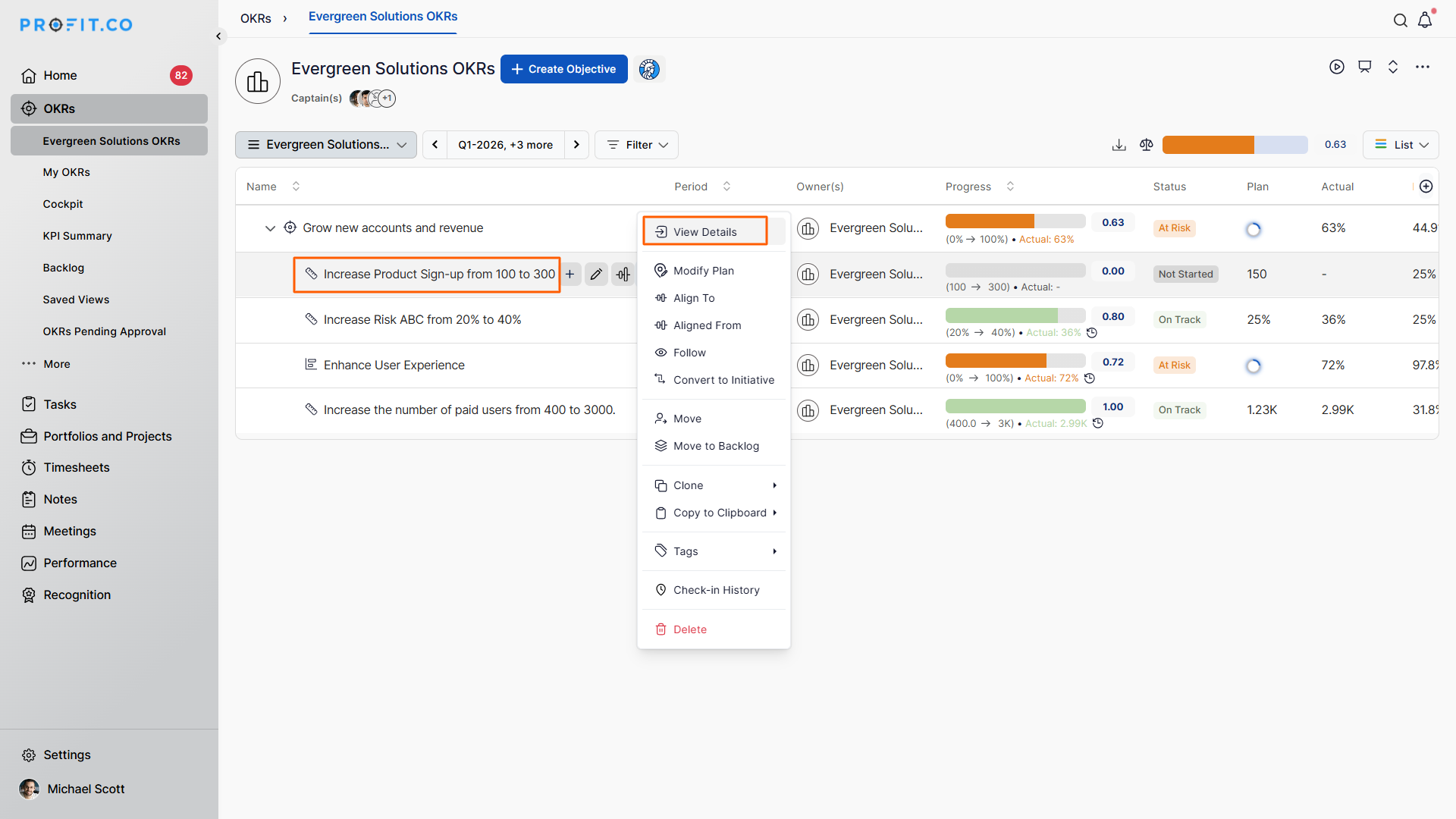
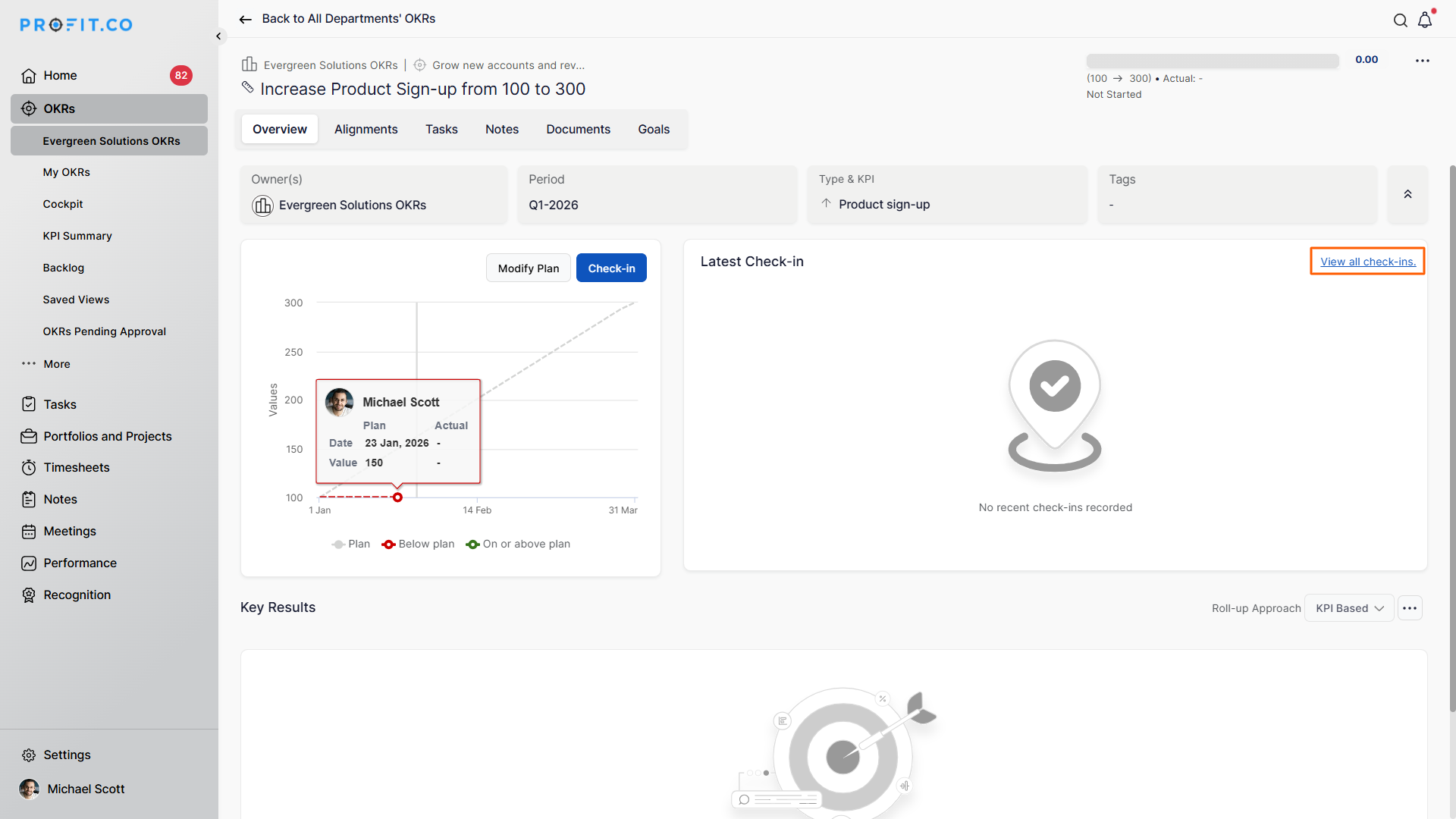
- Open the Key Result
- Click the More (⋮) icon → View Details
- Click the View all checkins
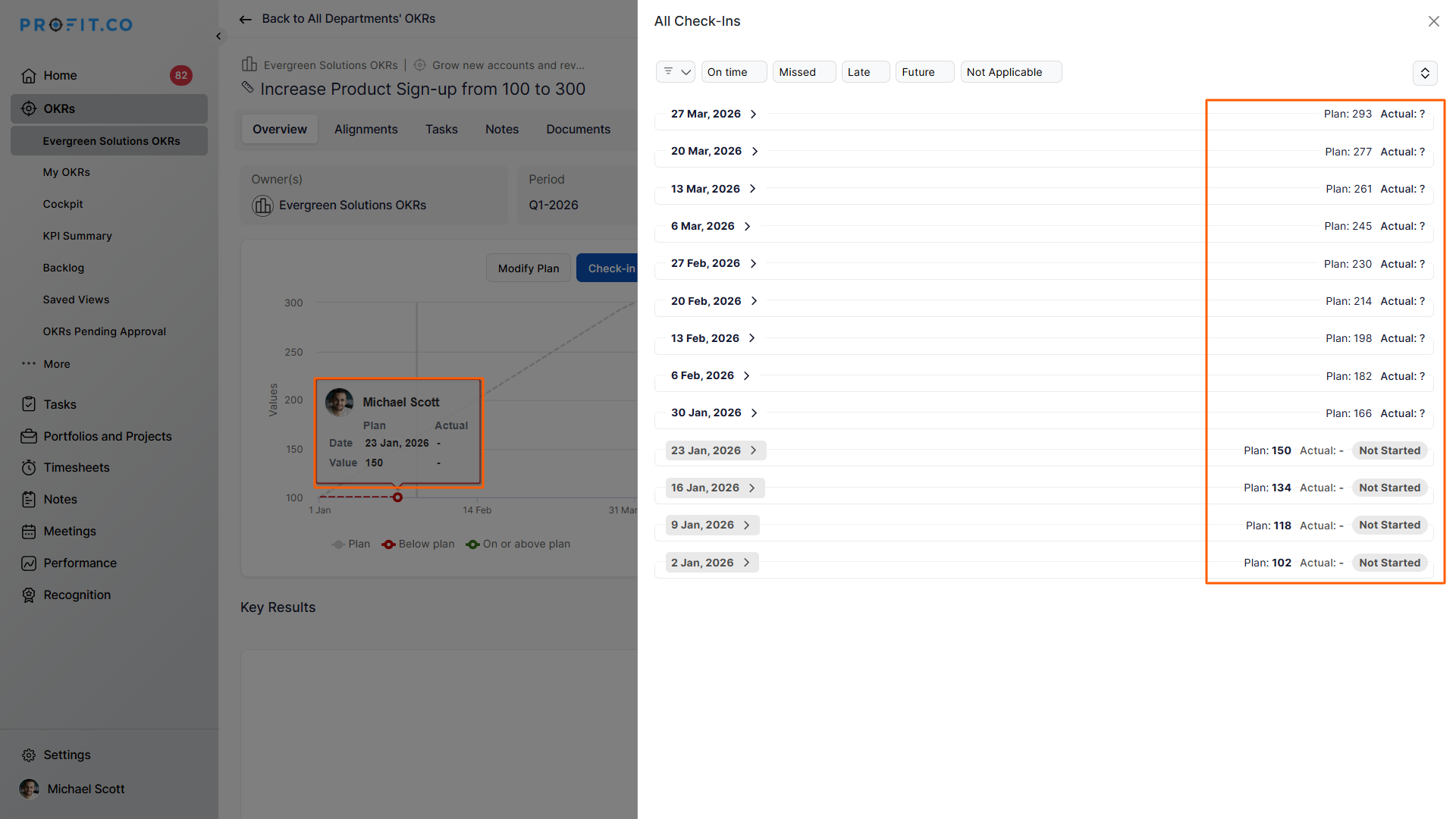
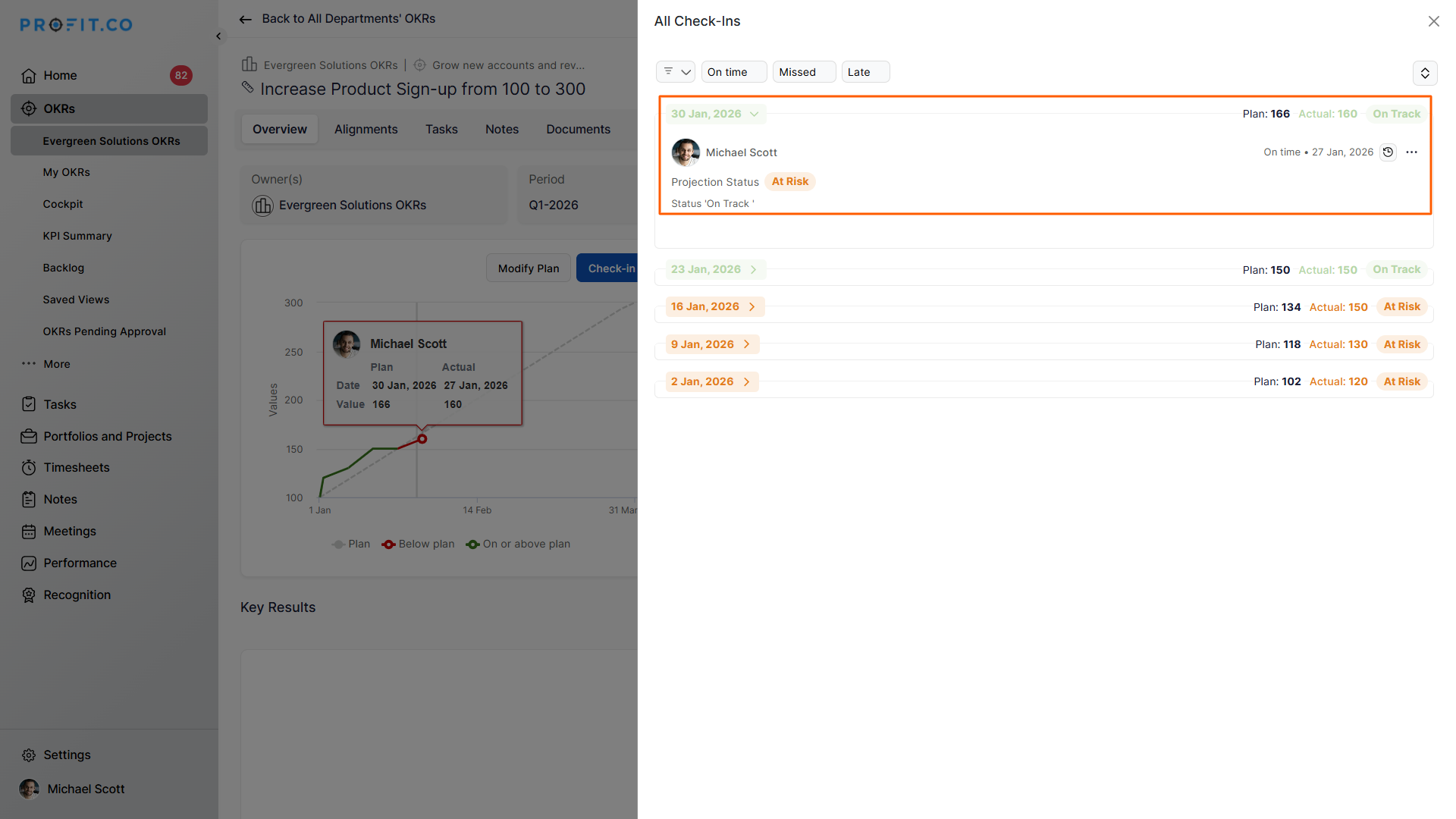
The Planned Value is automatically distributed across every scheduled check-in date.
Example:
- Quarter: Jan to March 2026
- Fridays in the quarter: 13
- Planned values are plotted across 13 check-ins in the graph
Step 3: Compare Planned vs Actual Progress
Assume:
- You have completed 4 check-ins
- 30 January 2026 is your 5th check-in
On this date:
Planned Value: 166
Actual Value: 160
This comparison clearly shows how close your actual execution is to the expected progress.
Where can I see Planned vs Actual Values?
You can view Planned and Actual values in:
- Key Result Check-in Board
- Progress graphs
- Detailed Key Result view page
These visuals help you instantly assess progress trends.
Best Practices for Using Planned vs Actual Values
- Set realistic targets aligned with check-in frequency
- Check in consistently to avoid skewed progress
- Use early deviations to course-correct execution
- Review graphs regularly to spot momentum shifts
Related Questions
To learn the process of setting a custom check-in frequency, click here.
Frequently Asked Questions
The Planned value shows the expected progress for each scheduled check-in based on the target and timeline.
The Actual value reflects the real progress you record during each check-in.
Planned values are automatically distributed across all check-in dates within the selected time period.
Related Questions
-
What does Milestone tracked Key Result imply?
Profit.co offers multiple ways to track Key Results, and the Milestone Tracked type is specifically designed for goals ...Read more
-
How do I enable and Configure Risks & Issues Management at Key Result Level in Profit.co?
In Profit.co, you can enable Risks & Issues Management at the Key Result level to proactively identify potential ...Read more
-
How to Configure Module Linkage Between BSC and OKR in Profit.co?
Profit.co now lets you control, objective by objective, whether an objective appears only in the OKR module or across ...Read more
-
How to Use the OKR Present Mode in Profit.co?
Profit.co allows users to use the OKR Present Mode directly from the OKR list view in a structured presentation format. ...Read more