



What is the use of assigning a key result as a subkey result by default ?
Category: OKRs
In Profit.co you can assign a key result as a sub key result in order to align your OKRs in Top down alignment. By enabling the Assign a key result as a key result / Sub key results toggle you can assign a key result as a subkey result.
Why this feature?
By Assigning a key result as a sub key result you are aligning your OKRs in a Top down approach which is also signified as cascading OKRs, in this type of alignment approach the high level OKRs flow downwards to the head of the department ,the managers and the individual employees who owns OKRs themselves.
To learn how to enable the Assign a key result as a key result/sub key result toggle via Settings, click here. Only super users can access Settings.
Step 1:
To know how to assign a key result as a sub key result, Let's consider creating an OKR and assign the Key Result to a user using the mentioned assignment approach. For instance, Lets say that the Marketing Department head Matthew Perry assigns his key result “Grow social media followers by 25% across all platforms” to Rachel Green who is a member of the department.

Now his name is selected from the list and the Key Result is assigned to Rachel Green.

Step 2 :
In Rachel’s account, it’ll be assigned as a Key Result.

Step 3:
If Matthew had created a sub-key result “Improve your product distribution service” under the key result” “Grow social media followers by 25% across all platforms”. Then the particular key result will be assigned along with the sub key result to Rachel.

In Rachel’s account, the subkey result will be present inside the main Key Result as both the key result and the sub-key result is assigned to Rachel.
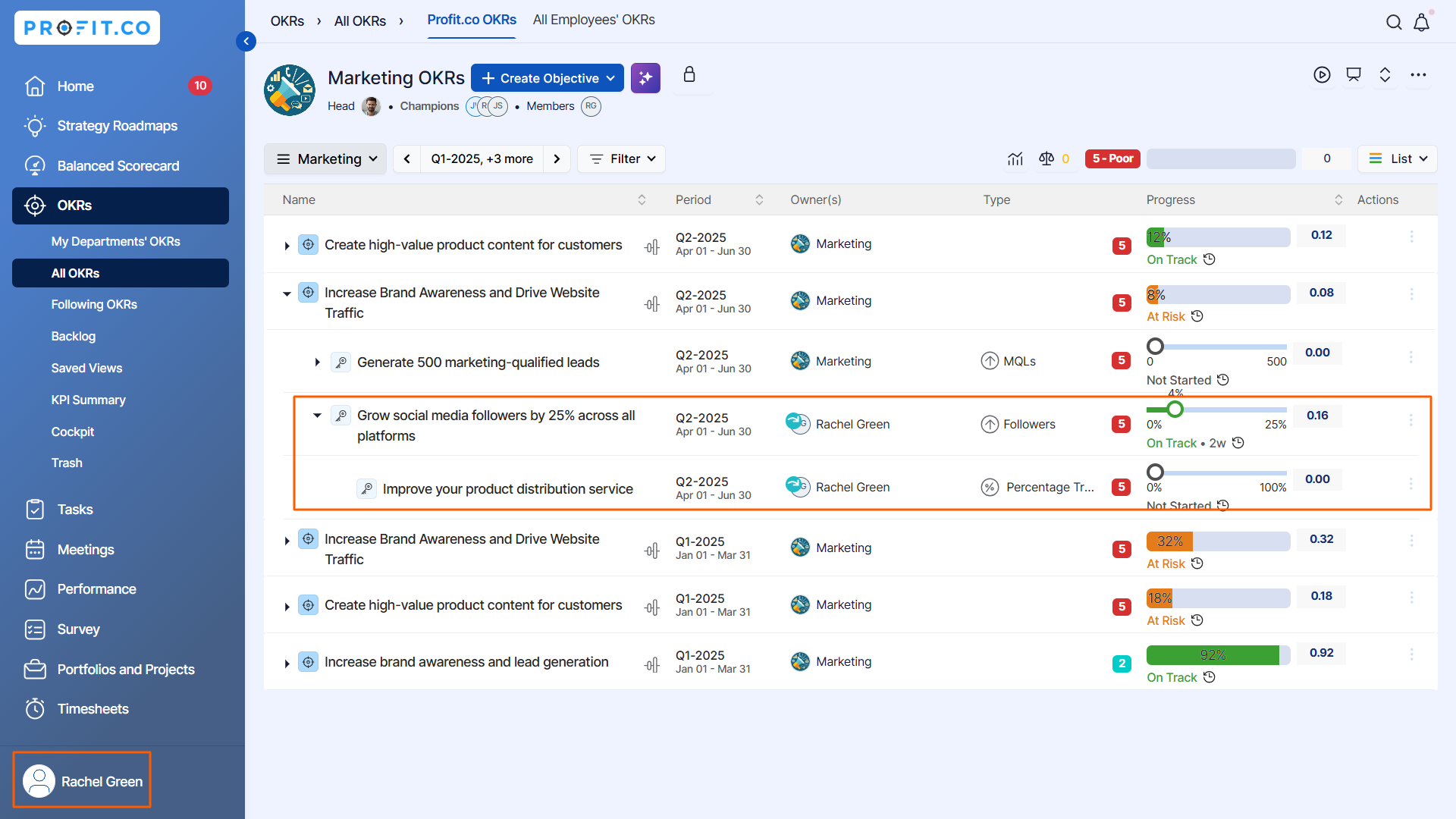
FYI: For instance, If another member of the department Scott is already assigned with the sub key result “Improve your product distribution service” then the sub key result alone will be visible to him as shown below. By clicking on the Marketing Departmental OKR Scott can view the other assignees present in the OKR.
Related Questions
-
How do I enable and use the status map view in Profit.co?
The Status Map View in Profit.co provides a focused, high-level snapshot of your OKRs by displaying Objectives and Key ...Read more
-
How do I enable and use baseline tracking for projects in Profit.co?
Profit.co's Baseline Tracking feature lets you capture the original project plan and monitor every change made to ...Read more
-
How to Create an Objective in Profit.co?
In Profit.co, users can create Objectives directly from the OKRs module using a quick-form panel, with support for ...Read more
-
How do I define weights for projects in Profit.co?
Profit.co's PPM module lets you control how project progress is calculated, either by distributing weight equally ...Read more