



How do automate ratings work in the context of OKRs in performance reviews?
Category: Performance
In Profit.co, you have the option to include selected OKRs and KRs in the automated rating system, which will be included in the Performance review process.
Why this feature?
- The automated rating system in Profit.co adds immense value by aligning performance reviews with actual goal progress.
- This feature allows users to include specific OKRs, Objectives, and Key Results in the performance review process, ensuring that assessments are tied directly to measurable outcomes.
- By automating the ratings based on configured OKR cutoff percentages reduces manual input, minimizes bias, and provides an accurate, data-driven reflection of an individual’s performance.
Step 1
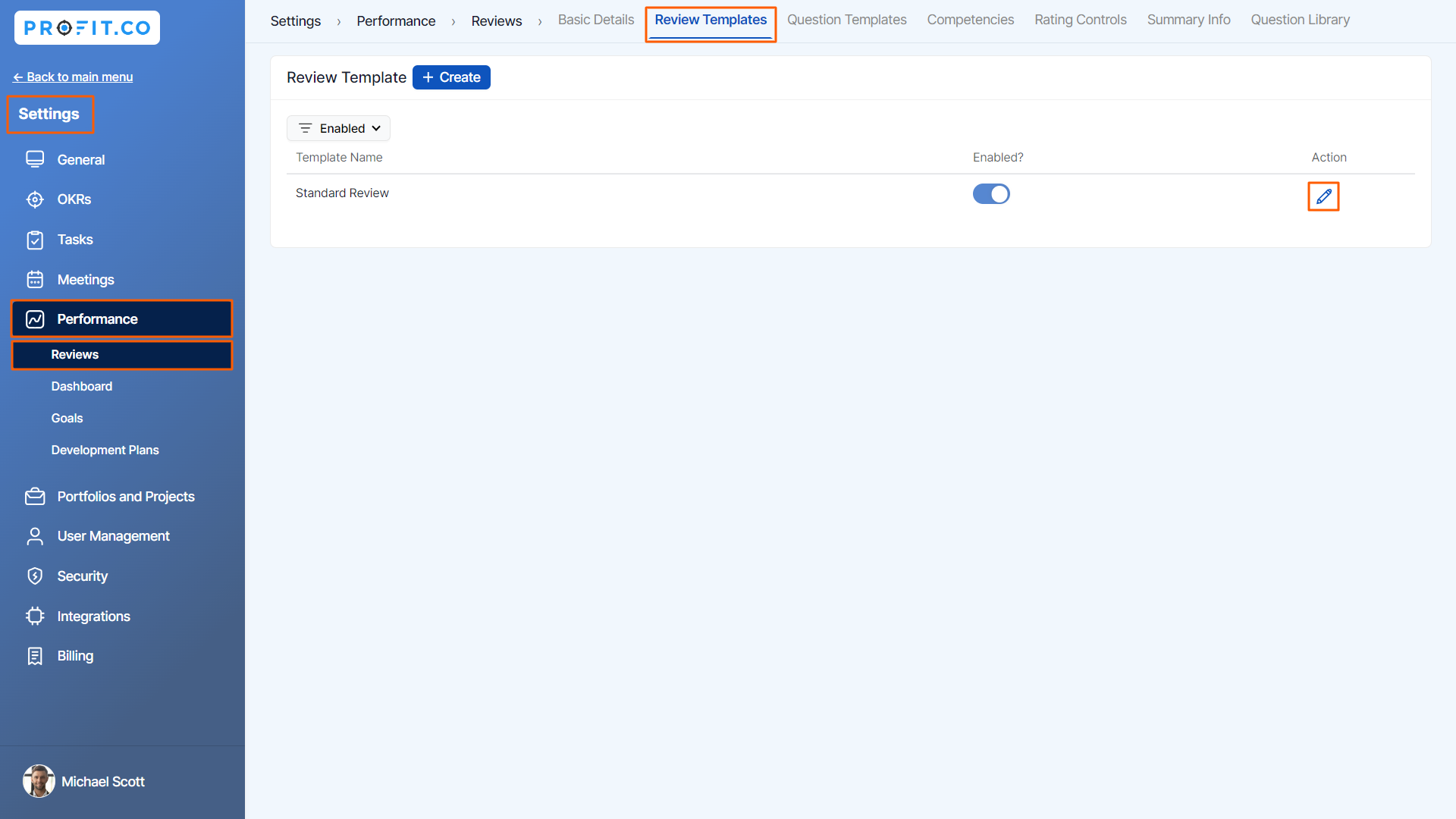
Navigate to Settings → Performance → Reviews from the left navigation panel and switch to the Review Template tab. choose your preferred template, and click the Edit icon.
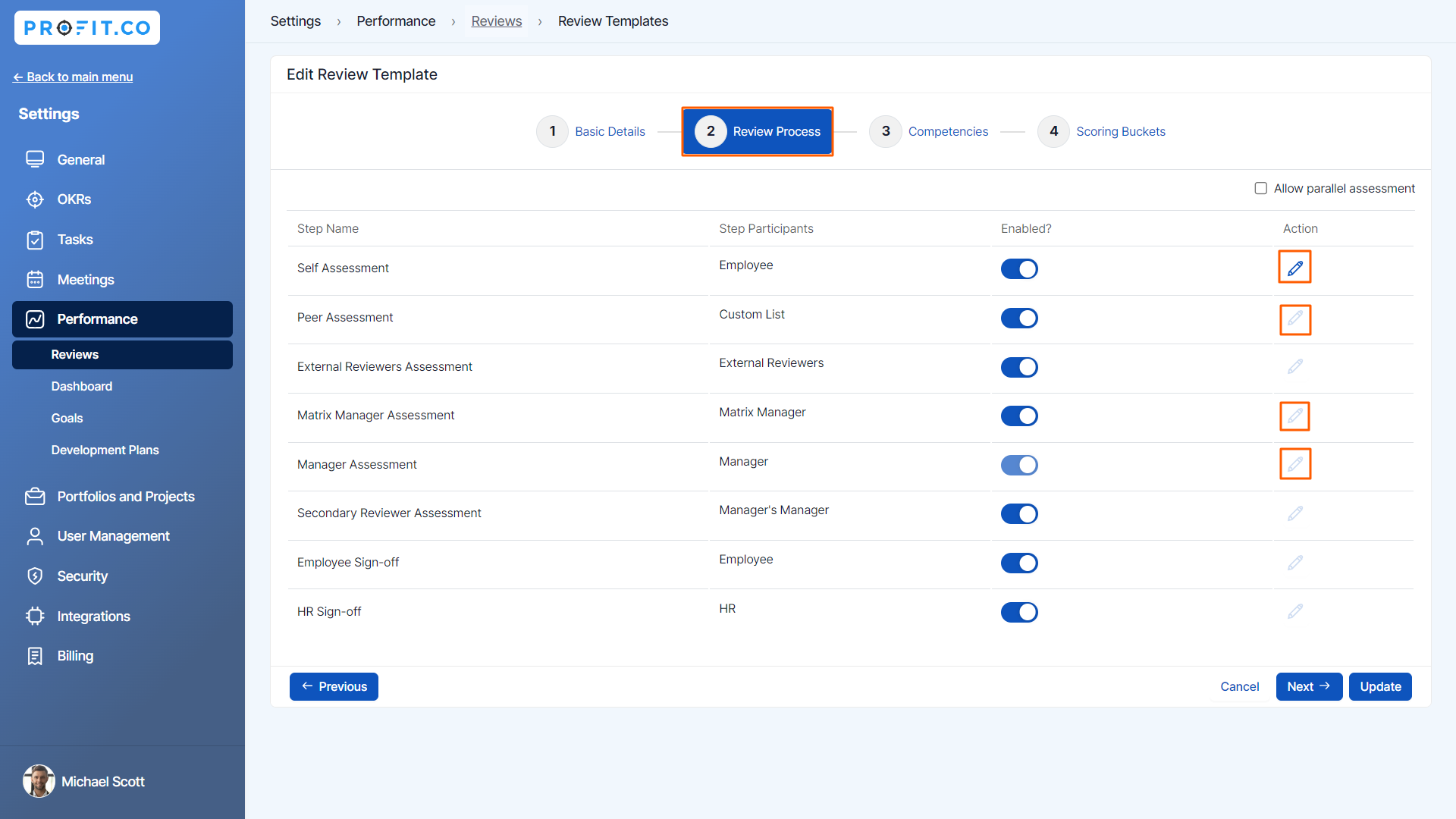
On the Edit Review Template page, go to the Review Process section and modify the assessment options to enable automated ratings.
Step 2
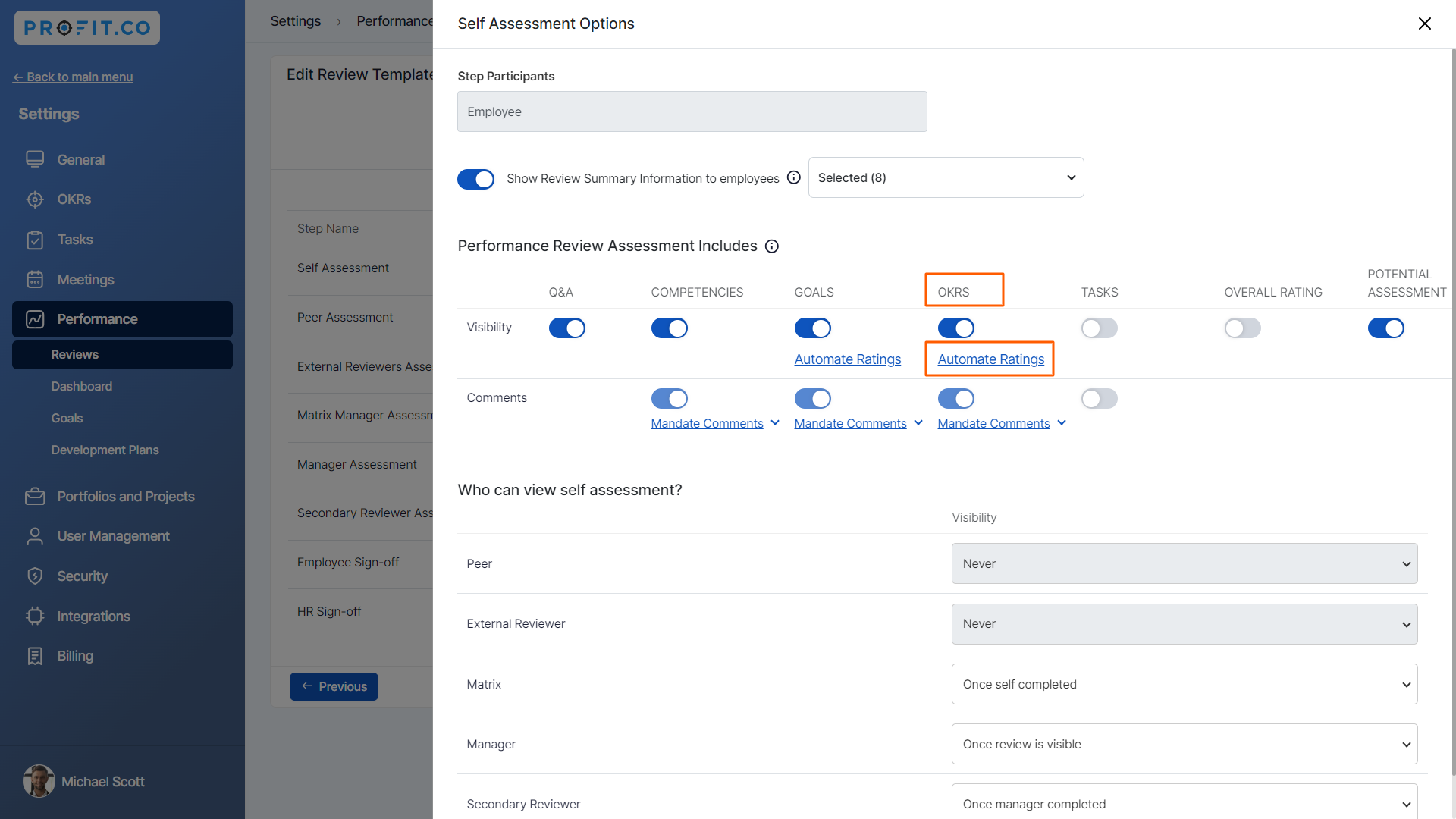
Let’s click the Self Assessment Edit icon. Enable the toggle for OKRs and click on the option “Automate Ratings”.
For instance, let’s have a closer look at each automate ratings scenario, Within the context of Automate Ratings, the Assessment section offers three options:
- OKRs
- Key Results
- Objectives & assigned KRs
OKRs:
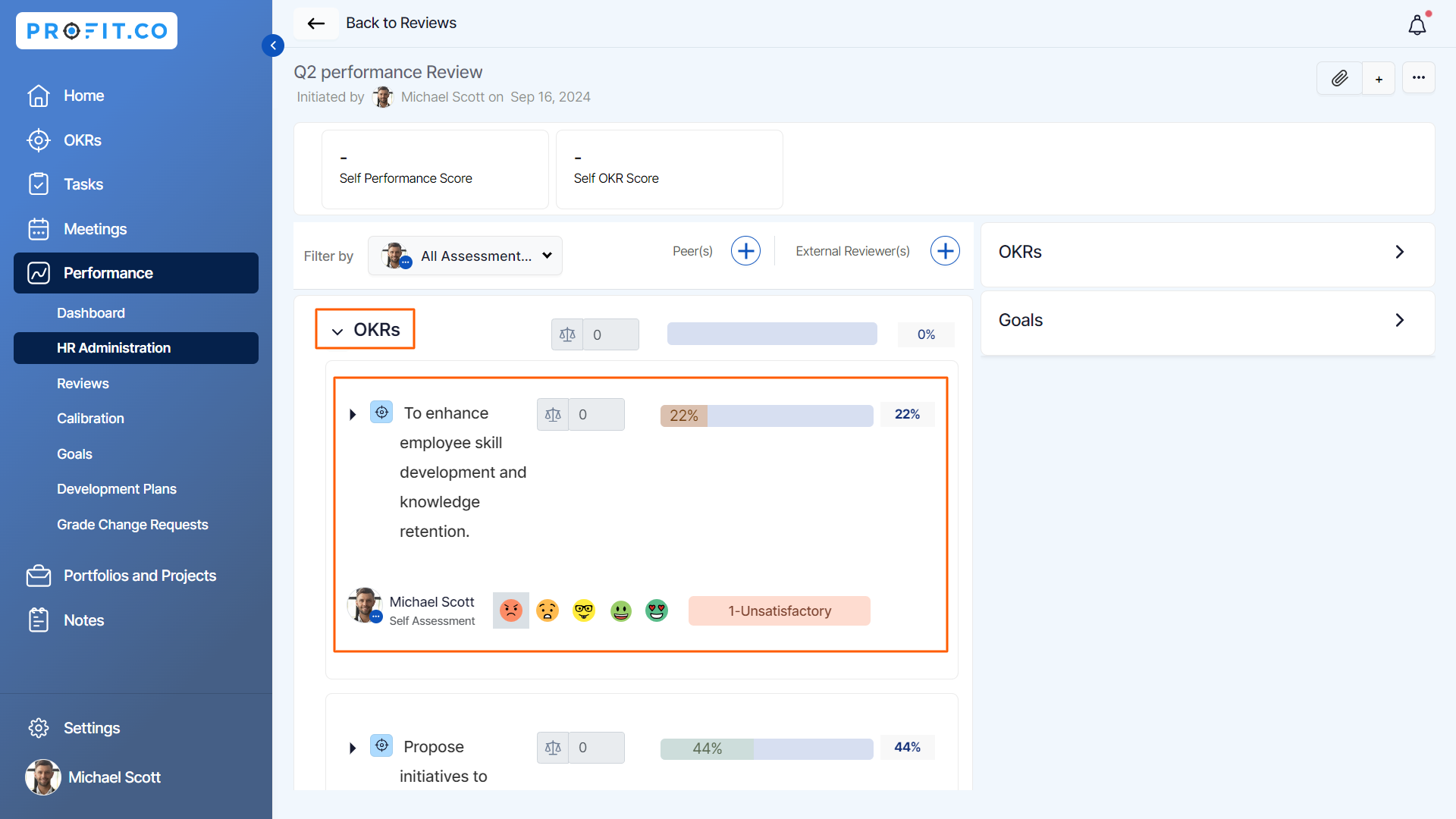
During the assessment process, when selecting OKRs (Objectives and Key Results) in the Assessment Context, an individual's OKRs will be highlighted, and their progress could be automatically evaluated and rated.
Key Result:
When selecting Key Results in an Assessment Context, an individual's Key Results will be highlighted, and their progress could be automatically evaluated and rated.
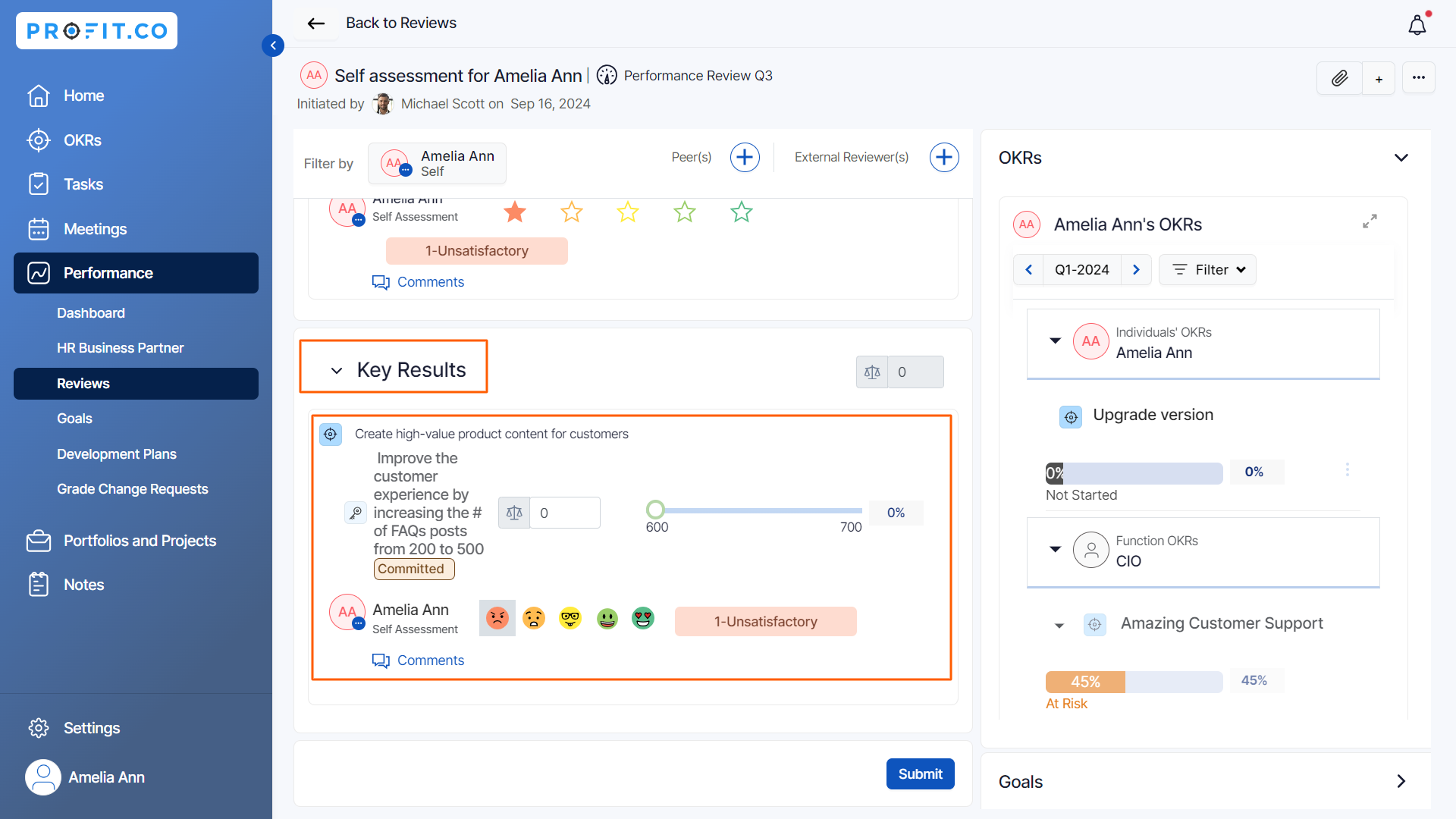
Objectives & Assigned KRs:
When selecting "Objectives & Assigned KRs" in the Assessment Context, Key results assigned as Objectives and sub-key results to individual employees will be highlighted, and their progress could be automatically evaluated and rated.
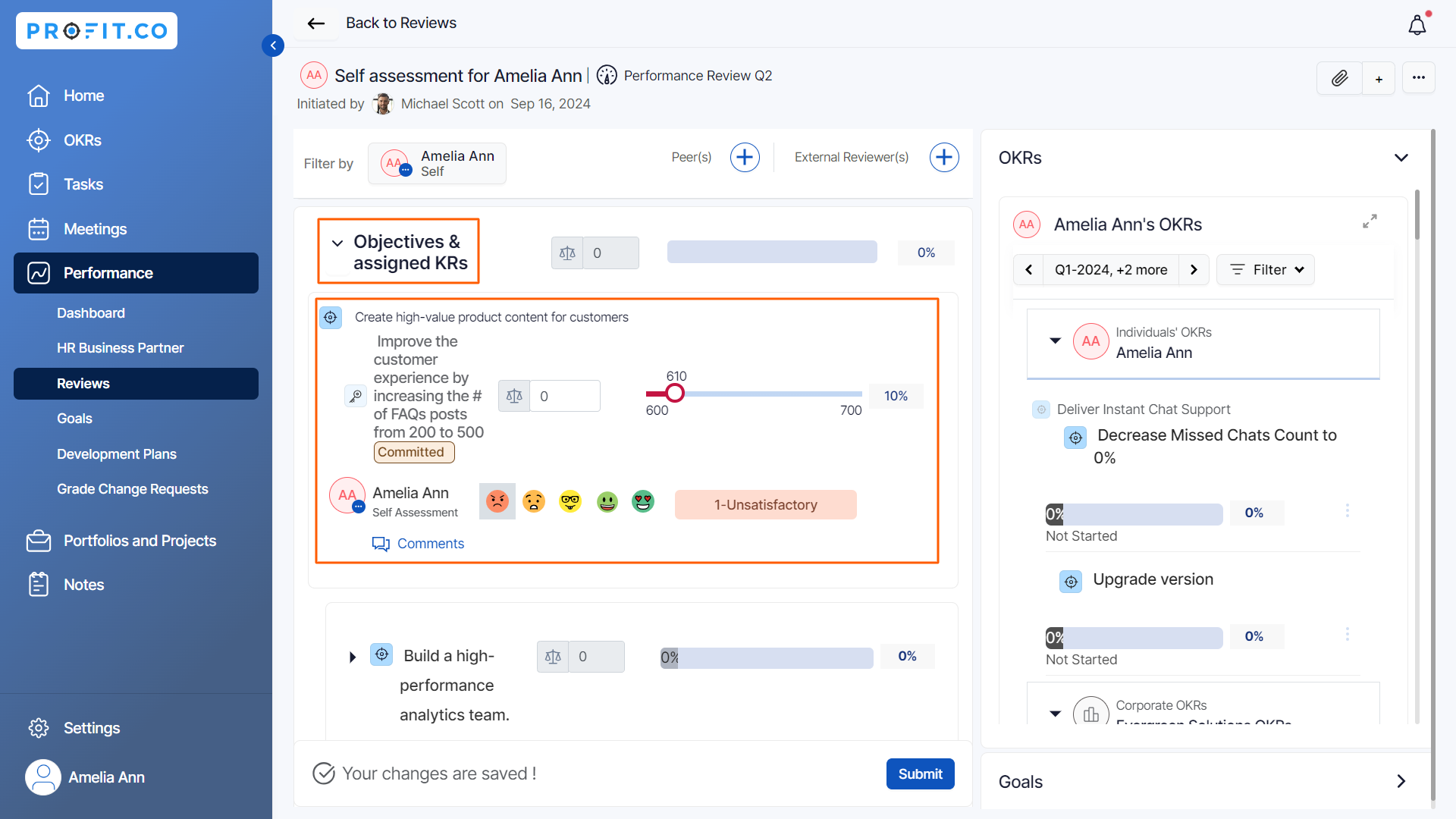
Note: The assigned key result as an objective approach is used when they want to give high priority and come up with their own initiatives as key results to achieve the objective.
Related Answer Post
To learn more on how to enable automate ratings in Profit.co, click here.
Related Questions
-
What is Review Summary Information and How the Scores are calculated in Performance Reviews?
Table of Contents Why this feature? How to Enable Review Summary Information Understanding Score Calculations in ...Read more
-
How do I Import Goals in Profit.co?
In Profit.co, you can import multiple goals at once using a CSV file, allowing you to quickly set up goals for ...Read more
-
How to Customize the Email Template for Review Reminder in Profit.co?
In Profit.co, you can personalize the review reminder email notification sent to employees during a performance review ...Read more
-
What are Competency Activities?
In Profit.co, users can now create activities under competencies to document the actions they are taking to demonstrate ...Read more