



How to View Critical Tasks of a Project in Profit.co?
Category: PPM
Profit.co's Critical Path Method (CPM) feature helps project managers identify the most essential sequence of tasks that determine the minimum time required to complete a project, ensuring teams stay focused on what matters most and deliver on time.
Table of Contents
- What is the Critical Path Method (CPM)?
- What Inputs Does Profit.co Use to Calculate the Critical Path?
- What is the Difference Between Critical Tasks and Non-Critical Tasks?
- How to Use the Critical Path Method in Profit.co?
- Best Practices for Using CPM in Profit.co
- Related Questions
- Frequently Asked Questions
What is the Critical Path Method (CPM)?
The Critical Path Method (CPM) is a project management technique used to identify the longest sequence of dependent tasks that must be completed in a specific order to finish a project in the shortest possible time. Any delay in a task on the critical path will directly delay the overall project completion.
In real-world projects with hundreds or thousands of tasks, CPM automatically identifies which subset of those tasks is critical, so project managers can direct their focus and resources accordingly. The efficiency of a project manager is measured by how closely they can complete a project within the critical path duration.
What Inputs Does Profit.co Use to Calculate the Critical Path?
Profit.co calculates the critical path using two primary inputs from your project plan:
- Task Duration
- Task Dependencies
Using these two inputs, Profit.co automatically determines which tasks fall on the critical path and highlights them in red so the project manager knows exactly where to focus.
What is the Difference Between Critical Tasks and Non-Critical Tasks?
| Critical Tasks | Non-Critical Tasks | |
|---|---|---|
| Scheduling Flexibility | Zero slack time | Have float/slack time |
| Impact on Project | Delays affect project completion | Delays may not impact the deadline |
| Visual Indicator | Highlighted in red | Standard display |
| Priority | Must be completed on time without exception | Can be scheduled with more flexibility |
How to Use the Critical Path Method in Profit.co?
Follow these steps to identify and work with the critical path in Profit.co:
Step 1
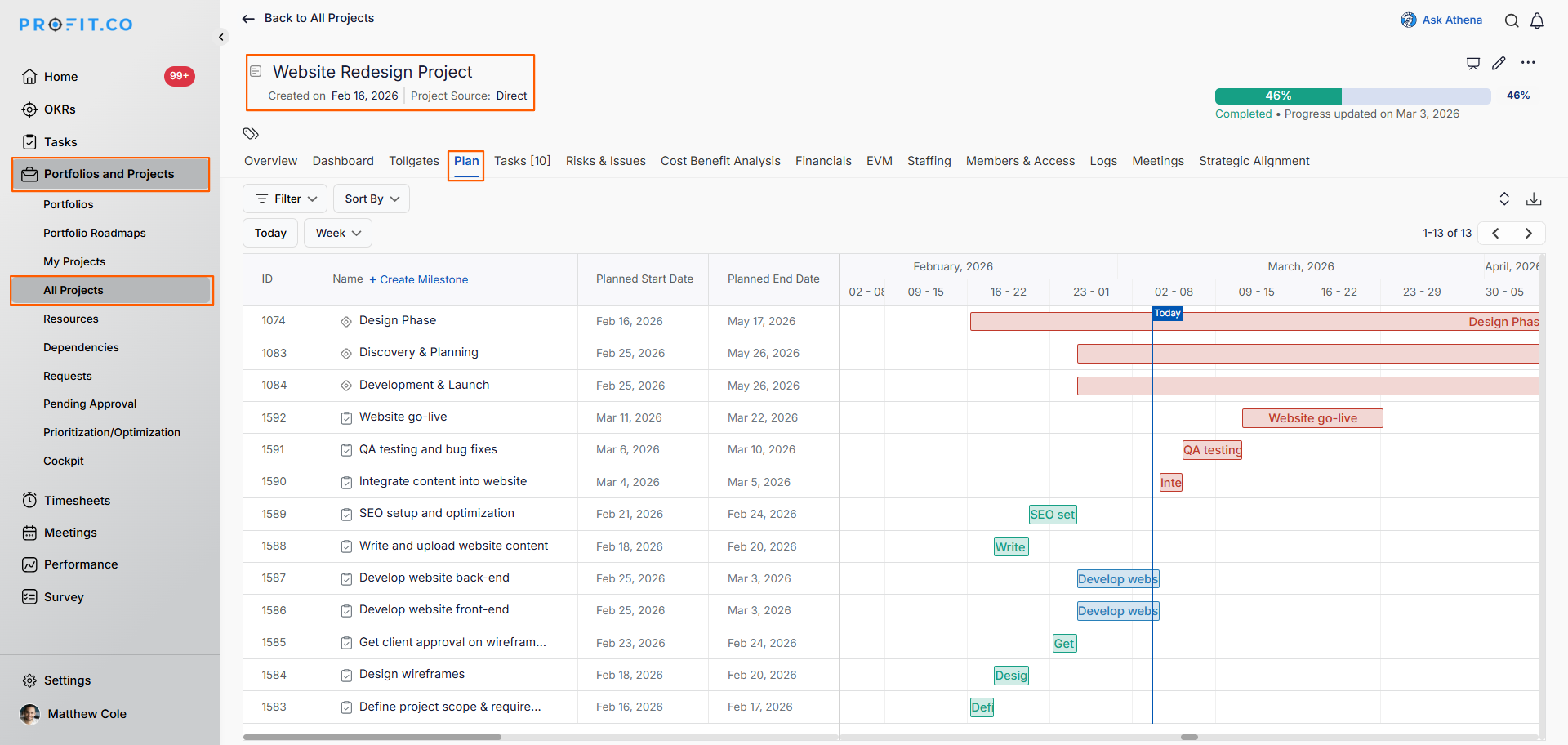
- Navigate to your project within Portfolios and Projects from the left navigation panel.
- Open the project and go to the Project Plan view.
- Verify that all tasks in the project plan have a defined planned start date and planned end date.
- Confirm that task dependencies are mapped correctly between tasks; this is essential for CPM to calculate accurately.
Step 2
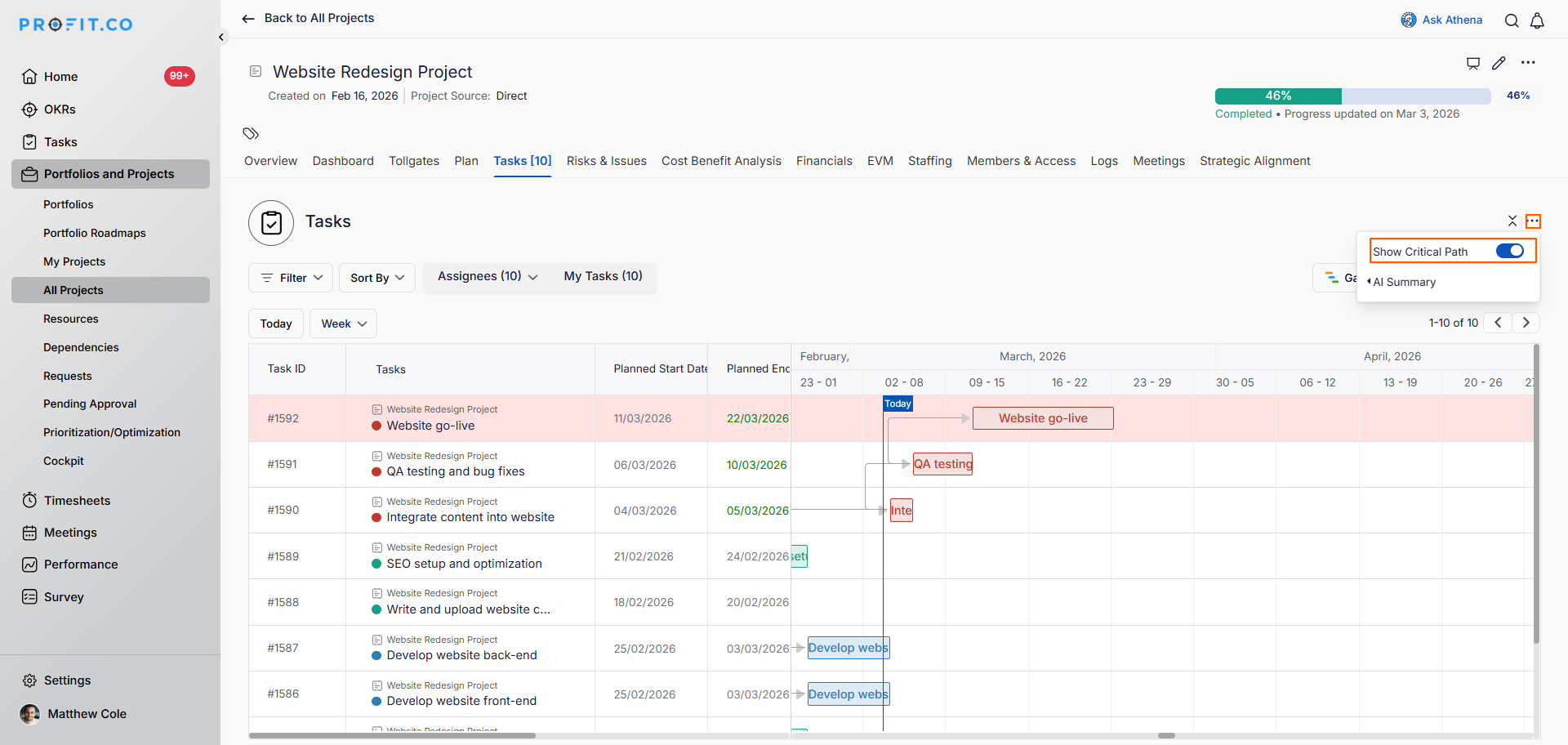
- In the project task list view, look for the filter options at the top of the page. Click on Show Critical Path to activate the view.
- Profit.co will automatically highlight all tasks that fall on the critical path.
Note: The Critical Path Method (CPM) is available only in the List View and Gantt View of your project plan.
Step 3
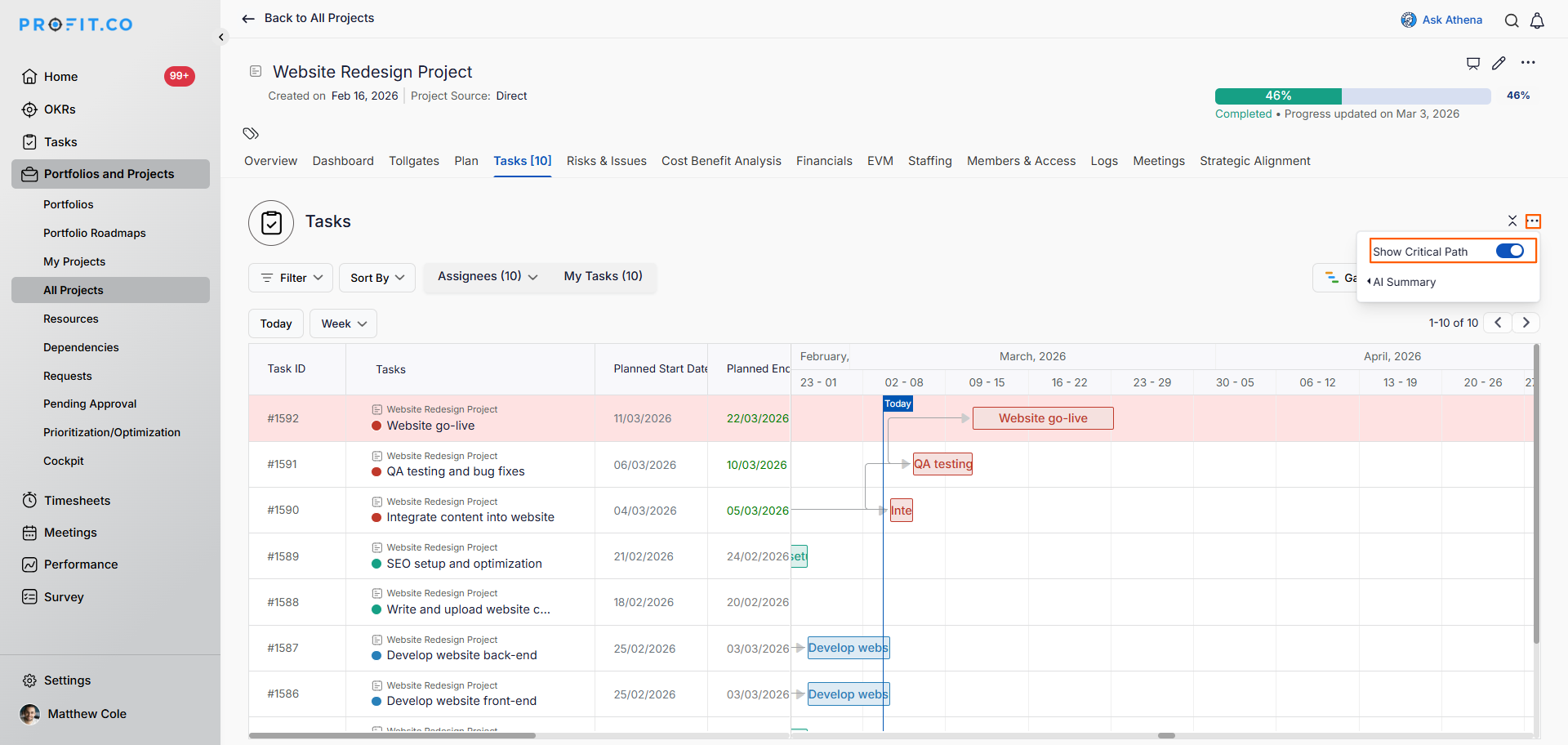
- Profit.co will automatically highlight the tasks that fall on the critical path.
- For example, in a project with 10 tasks, only 8 may fall on the critical path — these are the tasks that require your immediate and consistent focus.
Best Practices for Using CPM in Profit.co
- Ensure all tasks have accurate start and end dates before enabling the critical path view; incorrect durations will skew the results.
- Map task dependencies carefully and completely; missing dependencies will produce an inaccurate critical path.
- Review the critical path at regular intervals throughout the project, as schedule changes may shift which tasks are critical.
- Allocate your strongest resources to critical path tasks to reduce the risk of delays.
- Use the download option to share the critical path with stakeholders and keep all teams aligned on project priorities.
Related Questions
Click here to learn more about how to manage task dependencies in Profit.co.
Frequently Asked Questions
CPM in Profit.co is a feature that automatically identifies the longest sequence of dependent tasks in your project plan, highlighting which tasks must be completed on time to avoid delaying the overall project.
Profit.co uses two inputs: task duration (start and end dates) and task dependencies mapped between tasks in the project plan.
A highlighted critical task has zero float, meaning it cannot be delayed without pushing back the entire project completion date. These tasks require priority attention from the project manager.
Related Questions
-
How to create a Project in the PPM module?
Profit.co provides an option for users to create a project within the Project Portfolio Management (PPM) module. This ...Read more
-
How do I manage tollgate compliance across projects in Profit.co?
In Profit.co, you can Manage tollgate compliance across projects by associating tollgate sequences with projects, ...Read more
-
How do I manage tollgate compliance across projects in Profit.co?
In Profit.co, you can Manage tollgate compliance across projects by associating tollgate sequences with projects, ...Read more
-
How do I set up resource rate cards and cost allocation in Profit.co?
In Profit.co, you can set up resource rate cards by creating Resource Types with specific hourly cost rates, assigning ...Read more