



What is standard vs. BOQ-based budget tracking in Profit.co?
Category: PPM
What is standard vs. BOQ-based budget tracking in Profit.co?
Profit.co gives you the flexibility to manage projects using two powerful budget tracking methods: Standard Projects and BOQ-Based Projects. Understanding the difference between these approaches can help you choose the right method for your project needs.
Table of Contents
What are Standard and BOQ Projects?
Standard Projects
Standard projects use traditional budget tracking with high-level cost categories. You organize your budget into broad cost categories such as Materials, Labor, Equipment, Overhead, and Contingency. This approach is straightforward and works well for projects where detailed item-level tracking isn't necessary.
BOQ-Based Projects
BOQ (Bill of Quantities) projects link your budget directly to a detailed list of every material, component, and task required. Each line item in your BOQ includes specific quantities, rates, and costs.
Key Benefits & Differentiation
Construction & Manufacturing Optimization
- Ideal for projects with tangible deliverables (construction, manufacturing, engineering)
- Supports quantity surveying and material procurement workflows
- Facilitates accurate tender/bid preparation with itemized breakdowns
Change Management Precision
- Calculate the exact cost impact when scope changes affect specific BOQ items
- Track quantity variations and rate changes independently
- Maintain audit trail of every line-item modification
Procurement Integration
- Generate purchase orders directly from BOQ line items
- Track material delivery against planned quantities
- Monitor supplier pricing against BOQ rates
Progress Measurement
- Measure work completion based on quantities delivered/installed
- Calculate earned value at the line-item level
- Support milestone-based payments tied to BOQ completion
When to Use BOQ: Use BOQ-based budgeting for construction projects, manufacturing initiatives, infrastructure development, or any project where itemized quantity and rate tracking is essential for cost management and procurement.
Benefits
Standard Project Benefits
- Quick setup: Get started faster with fewer details to configure
- Simplicity: Easy to understand and manage for small to medium projects
- Flexibility: Adapt budget categories as needed without rigid structure
- Less administrative overhead: Requires minimal documentation and updates
BOQ Project Benefits
- Precision tracking: Monitor every material and task at the item level
- Early problem detection: Identify cost overruns and quantity variances immediately
- Better forecasting: Predict final costs more accurately based on quantities consumed
- Work completion measurement: Track actual quantities completed (e.g., cubic meters of concrete poured, square feet installed) against planned quantities to measure project progress
- Payment reconciliation: Record payments against actual work completed, enabling financial reconciliation within a single system
- Detailed reporting: Generate a comprehensive variance analysis showing quantity vs. rate impacts
- Transparency: Stakeholders can see exactly where money is being spent
How It Works
Standard Projects Workflow
- Create your project and define broad budget categories
- Allocate estimated costs to each category
- Track actual expenses against these categories as work progresses
- Monitor overall spending and generate summary reports
- Analyze variances at the category level
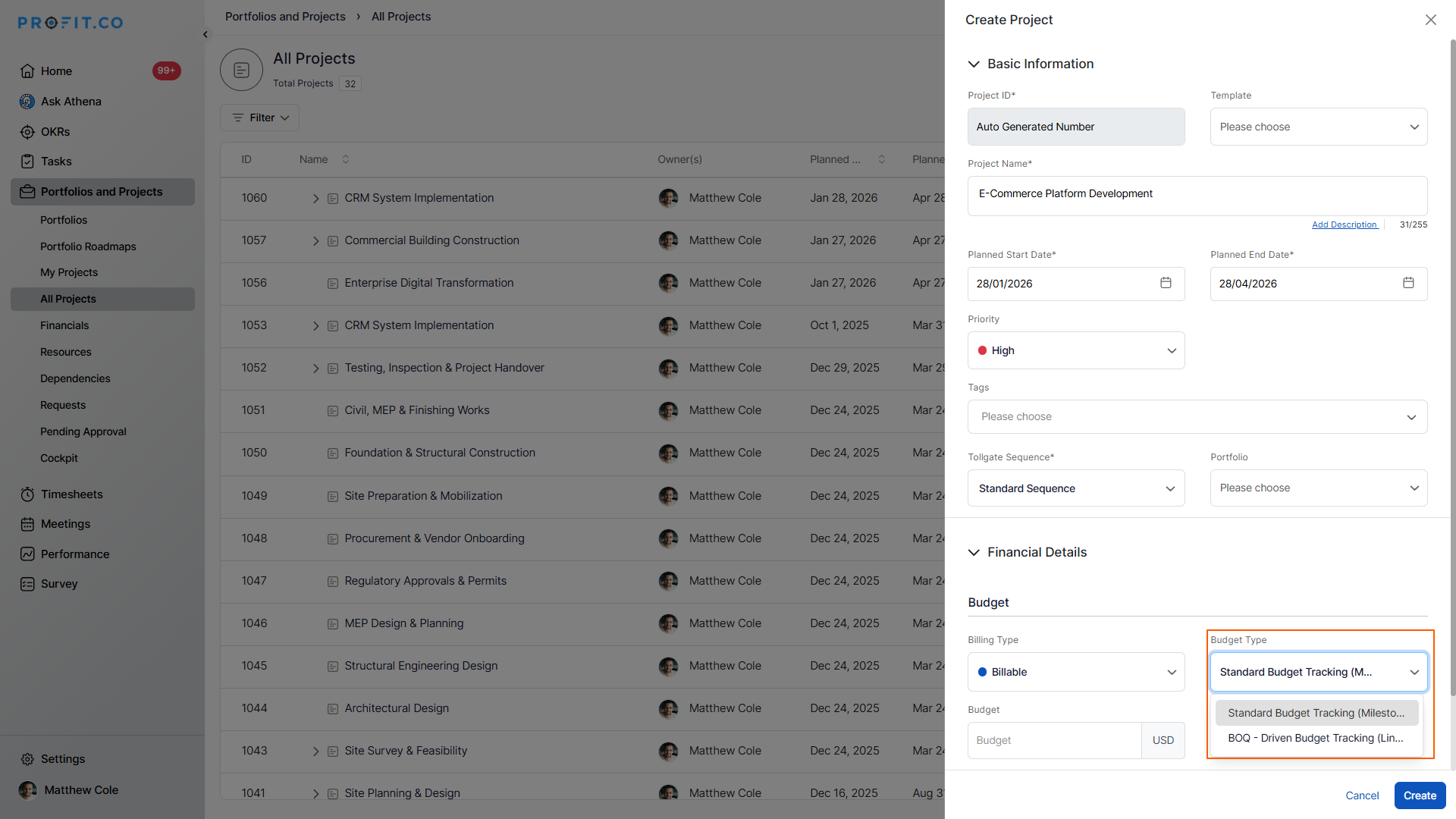
BOQ Projects Workflow
- Create your project and import or build your Bill of Quantities
- Define quantities, rates, and costs for each BOQ line item
- Link expenses to specific BOQ items as they occur
- Track both quantities consumed and costs incurred
- Monitor item-level progress and generate detailed variance reports
- Analyze whether overruns are due to quantity increases, rate changes, or both
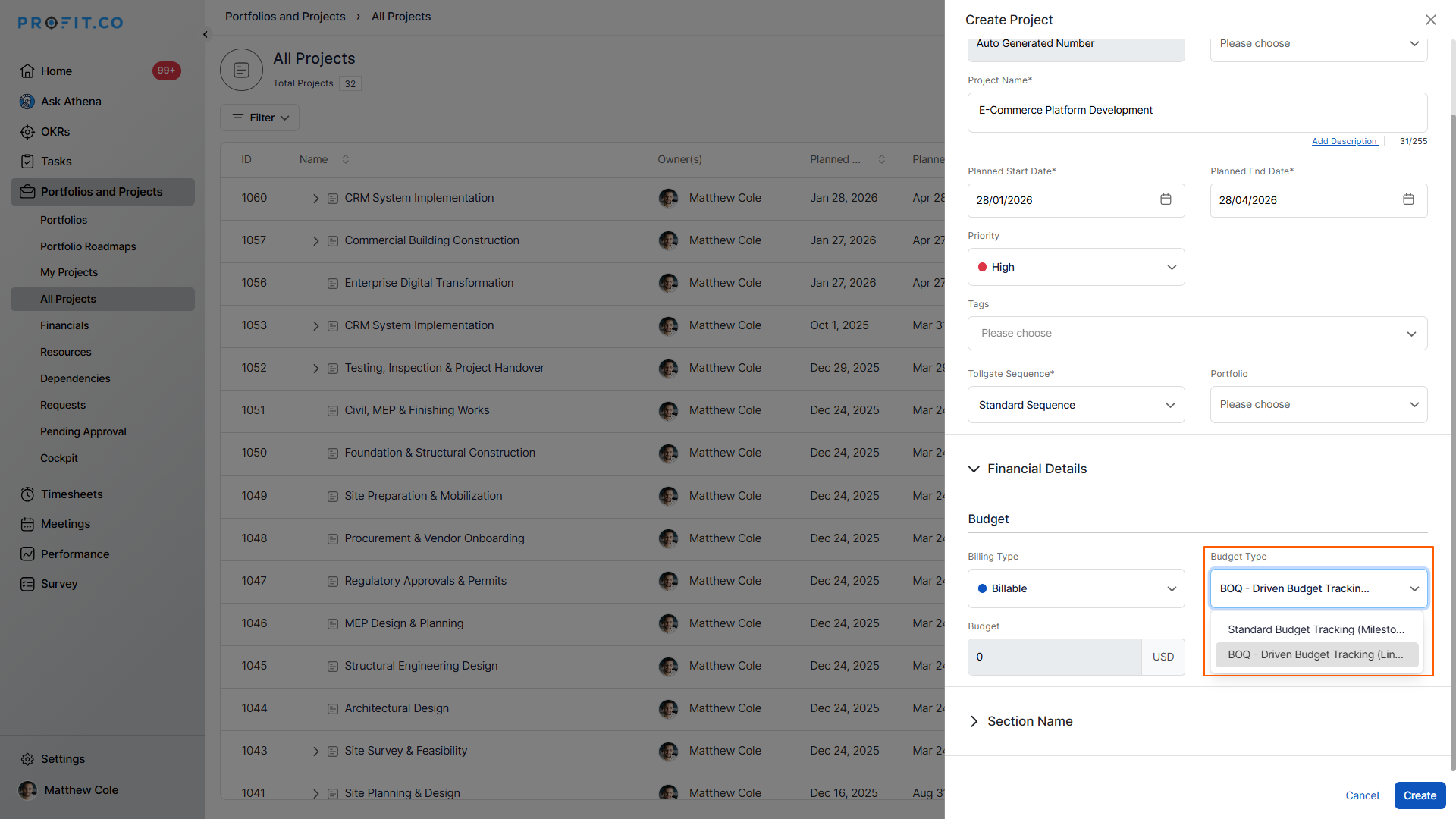
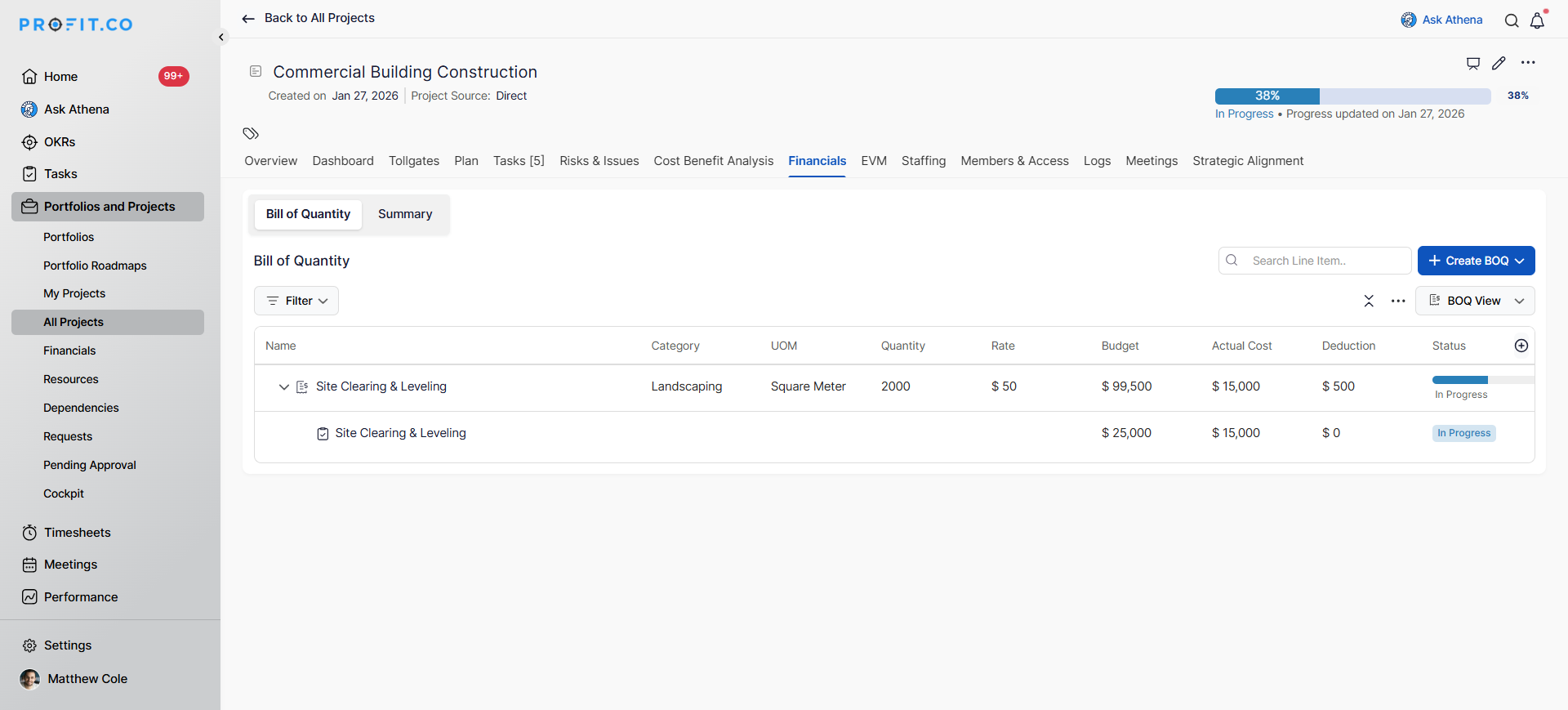
To learn more about BOQ-based project creation, click here.
Key Differences
| Aspect | Standard Projects | BOQ Projects |
|---|---|---|
| Detail Level | .High-level categories | Item-by-item tracking |
| Setup Time | Quick and simple | More detailed initial setup |
| Tracking Granularity | Category-level | Line item-level |
| Variance Analysis | Basic cost variance | Quantity and rate variance |
| Progress Measurement | Estimated completion | Quantity-based completion |
| Best For | Service projects, consultancy, internal projects | Construction, engineering, manufacturing |
| Reporting | Summary-level insights | Detailed item-level analysis |
| Change Management | General adjustments | Precise scope change tracking |
Best practices
For Standard Projects
- Define clear categories: Use consistent budget categories across similar projects
- Set meaningful contingencies: Include buffer amounts for unexpected costs
- Regular reviews: Monitor budget weekly or bi-weekly to catch issues early
- Document assumptions: Record what's included in each budget category
- Use for: Marketing campaigns, IT projects, consulting engagements, research projects
For BOQ Projects
- Invest in detailed BOQ preparation: A comprehensive BOQ is the foundation of success
- Standardize item descriptions: Use consistent naming conventions for materials and tasks
- Track quantities religiously: Record actual quantities used, not just costs
- Regular reconciliation: Compare estimated vs. actual quantities frequently
- Manage change orders systematically: Update BOQ items when scope changes
- Use for: Construction projects, infrastructure development, manufacturing, engineering works
Frequently Asked Questions
Profit.co provides two budget tracking methods: Standard Projects for high-level category-based tracking, and BOQ-Based Projects for detailed, item-level tracking using Bill of Quantities. You can choose the method that best fits your project needs.
Yes! Profit.co allows you to manage multiple projects using different tracking methods. You can have some projects using Standard tracking and others using BOQ-based tracking within the same workspace, depending on each project's requirements.
Yes, Profit.co is designed to handle complex BOQs with thousands of line items
Related Questions
-
How to create a Project in the PPM module?
Profit.co provides an option for users to create a project within the Project Portfolio Management (PPM) module. This ...Read more
-
How do I manage tollgate compliance across projects in Profit.co?
In Profit.co, you can Manage tollgate compliance across projects by associating tollgate sequences with projects, ...Read more
-
How do I set up resource rate cards and cost allocation in Profit.co?
In Profit.co, you can set up resource rate cards by creating Resource Types with specific hourly cost rates, assigning ...Read more
-
How to View Critical Tasks of a Project in Profit.co?
Profit.co's Critical Path Method (CPM) feature helps project managers identify the most essential sequence of tasks ...Read more