



How to Restore Deleted Tasks in Profit.co?
Category: Tasks
Profit.co offers a valuable safety net by enabling users to restore deleted tasks through the new Trash and Restore functionality.
Why this feature?
- Ensures that users can recover important tasks, avoiding the loss of critical work items and project information.
- Provides peace of mind by allowing users to fix accidental deletions without any disruption to workflows.
- Reduces the need to recreate deleted tasks from scratch, saving time and effort.
- Keeps your workspace clean and optimized with automatic deletion after 30 days.
When a task is deleted, it now moves to the Trash section instead of being permanently removed. Navigate to Tasks → Trash to view deleted tasks. From there, you can:
- Restore the task to bring it back to active status.
- Permanently delete it at any time before the auto-deletion date.
Tasks in the Trash are automatically and permanently deleted after 30 days, ensuring the workspace stays clean and optimized.
Step 1
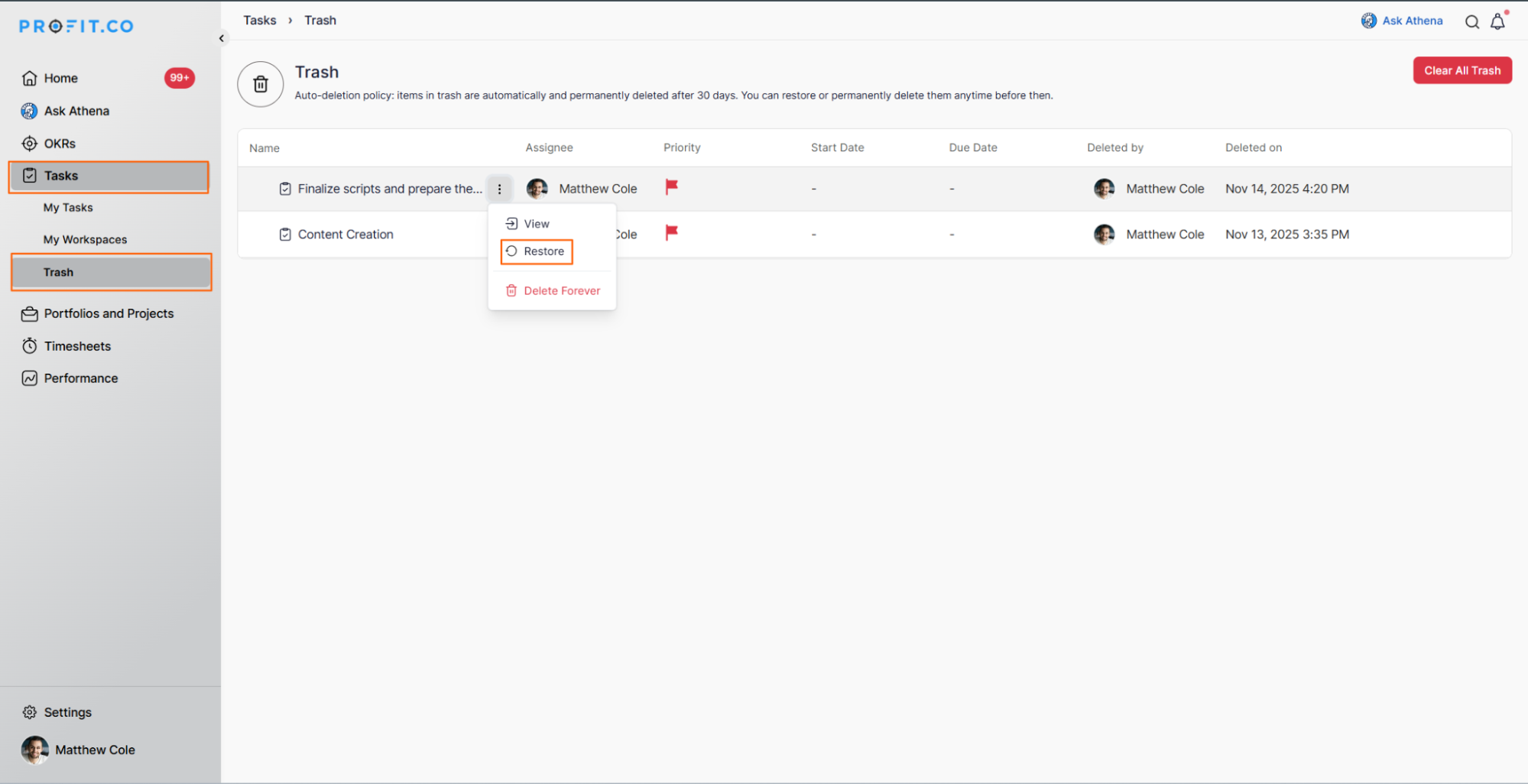
Scenario: Rachel Green, a marketing manager, accidentally deletes a task titled "Finalize scripts and prepare them for video editing" while cleaning up her task list. After reviewing her upcoming priorities, she realizes this task is essential.
To restore it, Rachel navigates to Tasks → Trash. Here, she can view all her deleted tasks. By clicking on the Restore button next to the specific task, it is reinstated in her task list seamlessly.
Step 2
Scenario: Ross Geller, a project lead, realizes that a deleted task titled "Content Creation" is no longer needed for any future projects. Instead of waiting for the automatic deletion after 30 days, he navigates to Tasks → Trash and clicks the Clear All Data button, removing it immediately from the system.
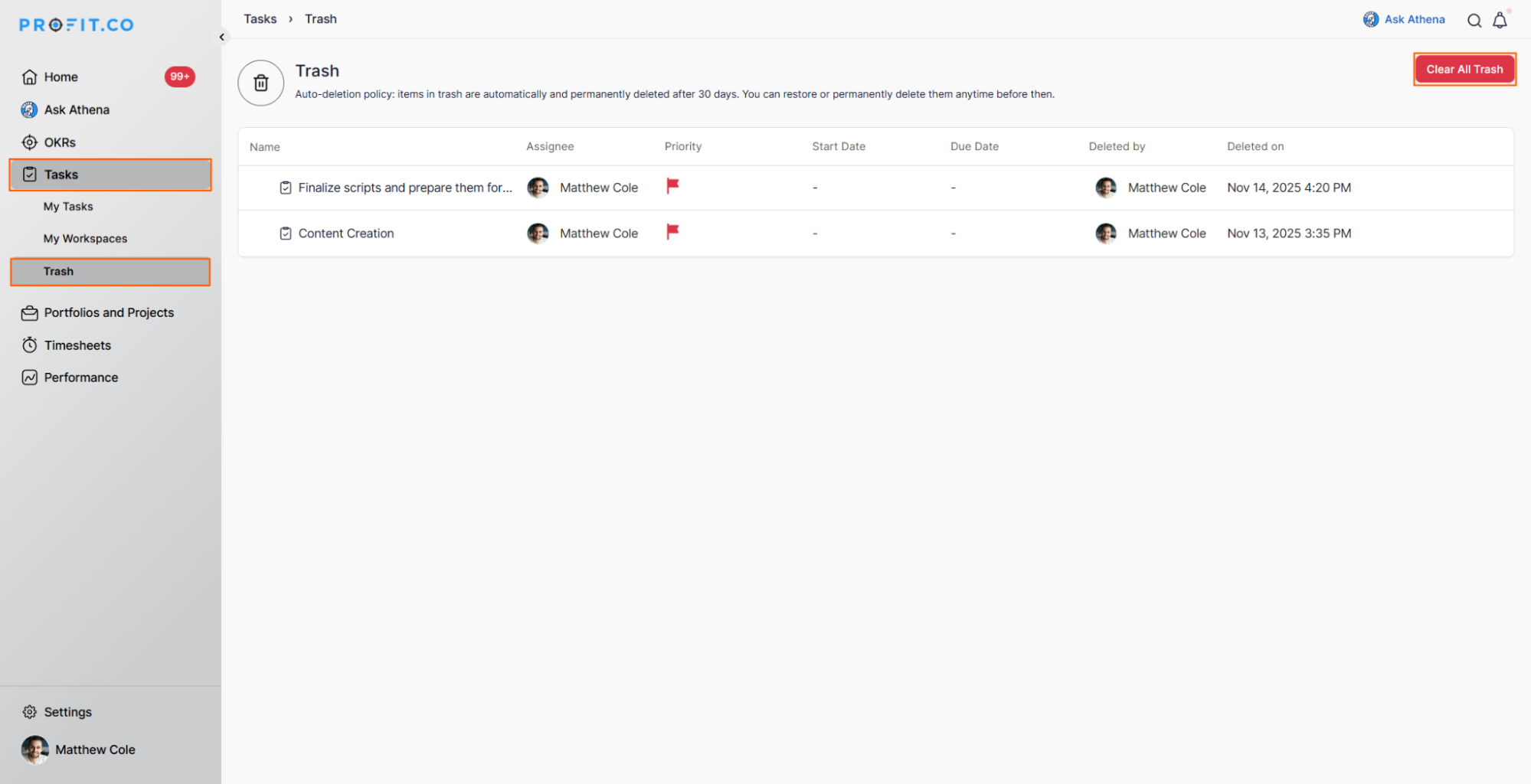
Note: Tasks deleted and moved to Trash will be automatically and permanently deleted after 30 days. You can view who deleted a task and when it was deleted in the Trash, and instantly restore or permanently delete any task as needed before the 30-day period expires.
Related Questions
-
How to create new Workspace and Boards for Tasks through a mobile application?
Profit.co’s mobile application lets you quickly create Workspaces and Boards to organize, manage, and track tasks on ...Read more
-
How does the hierarchy of Task Issue Types work in Profit.co?
Profit.co provides an option to classify tasks using different Issue Types such as Epics, Stories, Tasks, Sub-tasks, ...Read more
-
How do I use Agile Epics and User Stories in Profit.co?
In Profit.co, you can use Agile Epics and User Stories to structure work effectively, ensuring clear alignment and ...Read more
-
How does Profit.co help track task start, delivery, and execution performance?
In Profit.co, the My Tasks Dashboard provides comprehensive analytics on your task performance, including schedule ...Read more