

In Profit.co, you can create a Balanced Scorecard (BSC) to align organizational activities with strategic goals and provide a comprehensive view of performance across multiple perspectives.
Table of Contents
- What is a Balanced Scorecard in Profit.co?
- Who can create and access a Balanced Scorecard?
- How do I enable the Balanced Scorecard in Profit.co?
- How do I create a new Balanced Scorecard?
- How do I add Vision and Mission to my Balanced Scorecard?
- How do I create Strategic Objectives in a Balanced Scorecard?
- How do I create Measures/KPIs in a Balanced Scorecard?
- How do I create Projects/Initiatives in a Balanced Scorecard?
- What additional actions can I perform on Balanced Scorecard elements?
- Best practices for using the Balanced Scorecard in Profit.co
- Related Articles
- Frequently Asked Questions
What is a Balanced Scorecard in Profit.co?
A Balanced Scorecard is a strategic management framework that helps organizations translate their vision and strategy into actionable objectives across multiple perspectives. It provides a comprehensive view of organizational performance by balancing financial and non-financial measures.
Who can create and access a Balanced Scorecard?
Only specific roles have permission to create and access Balanced Scorecards in Profit.co:
| Role | Access Level |
|---|---|
| Balanced Scorecard Admin | Users with this role can create, view, and manage all scorecards |
| Department Head | Users with this role can create, view, and manage their own scorecards |
| OKR Champions | Can create and manage BSCs within their scope |
How do I enable the Balanced Scorecard in Profit.co?
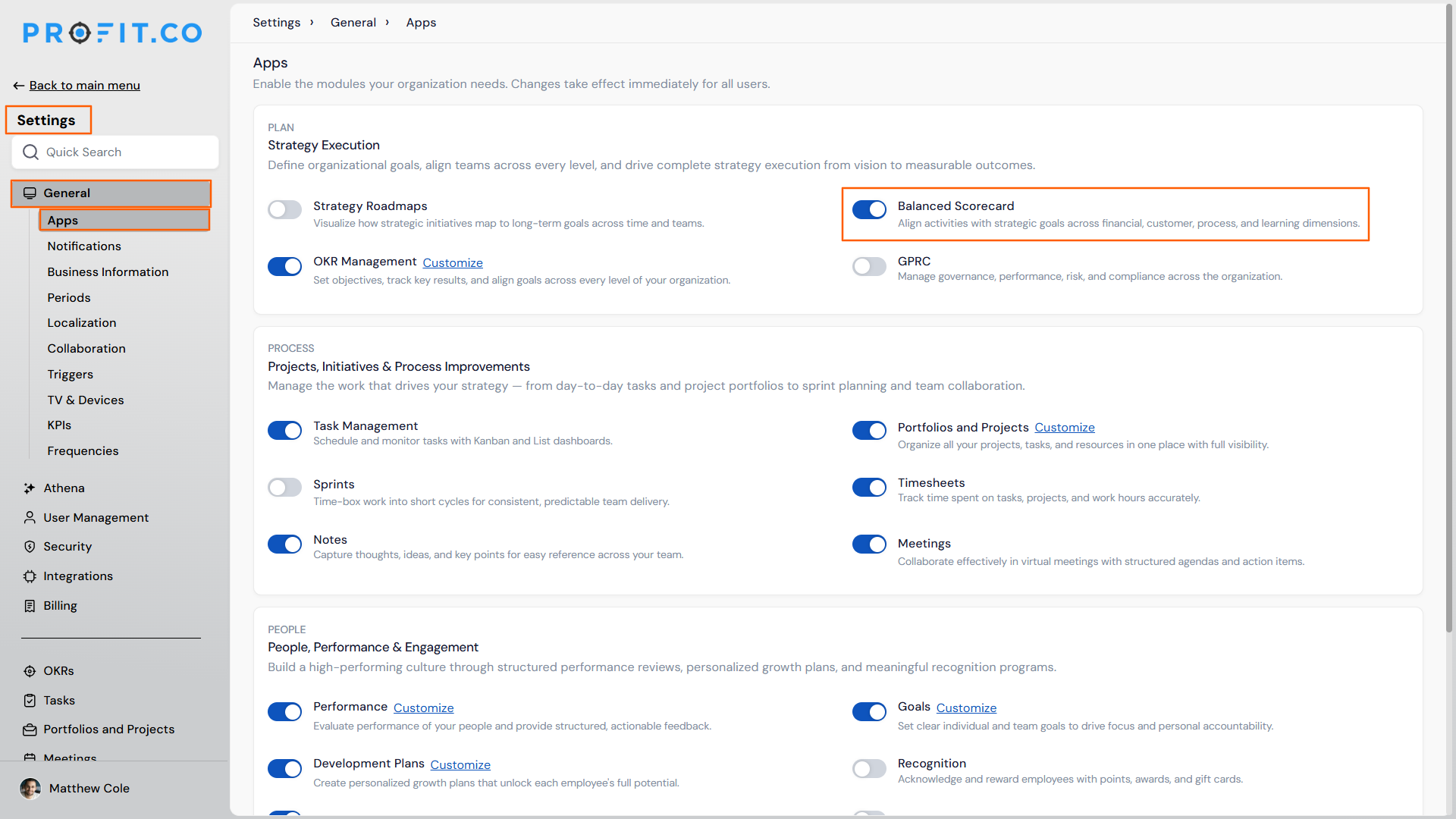
Before creating a Balanced Scorecard, you must first enable the feature in your settings:
- Go to Settings from the left navigation panel.
- Select General, then click on Apps.
- On the Apps page, locate the Balanced Scorecard toggle.
- Enable the toggle to activate the Balanced Scorecard feature.
Once enabled, you can access the Balanced Scorecard from the left navigation menu.
How do I create a new Balanced Scorecard?
After enabling the Balanced Scorecard feature, follow these steps to create your first scorecard:
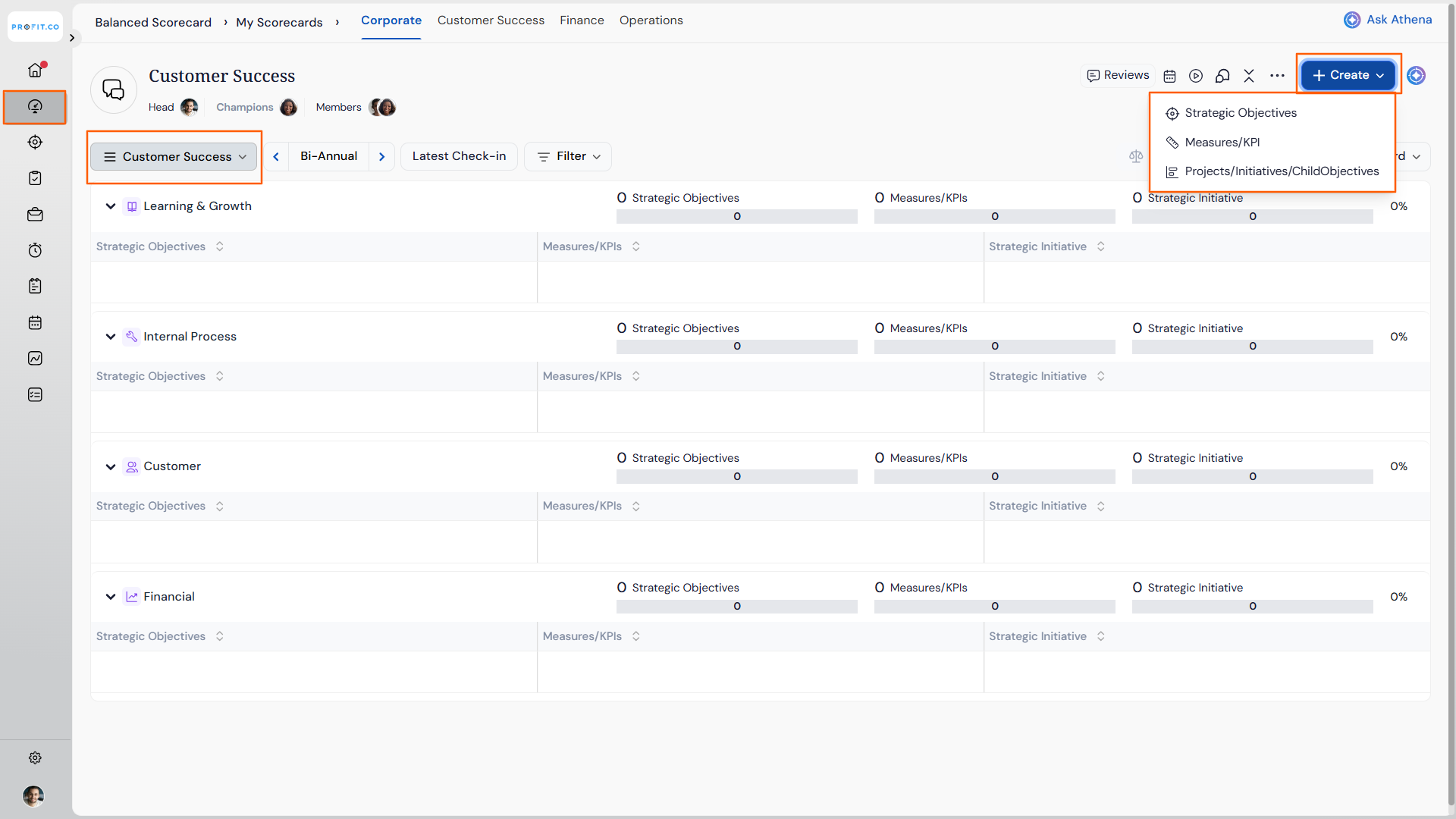
- Navigate to Balanced Scorecard from the left navigation menu.
- Choose the required Department from the dropdown menu.
- Click on the + Create button in the top right corner of the page.
How do I add Vision and Mission to my Balanced Scorecard?
The Vision and Mission provide strategic context for your Balanced Scorecard:
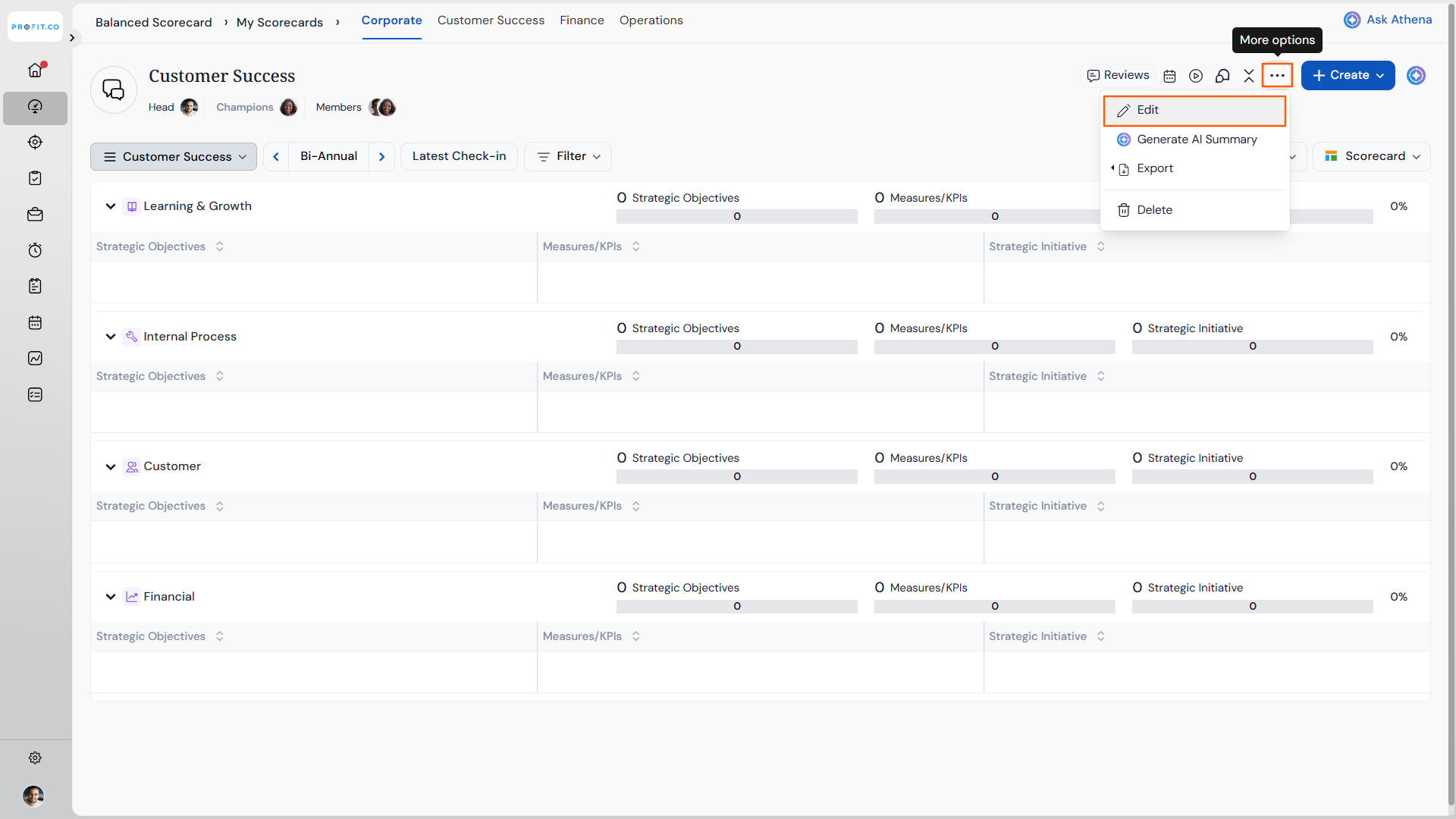
- Click on the More Options icon (three dots) in the top right corner.
- Select Edit from the dropdown menu.
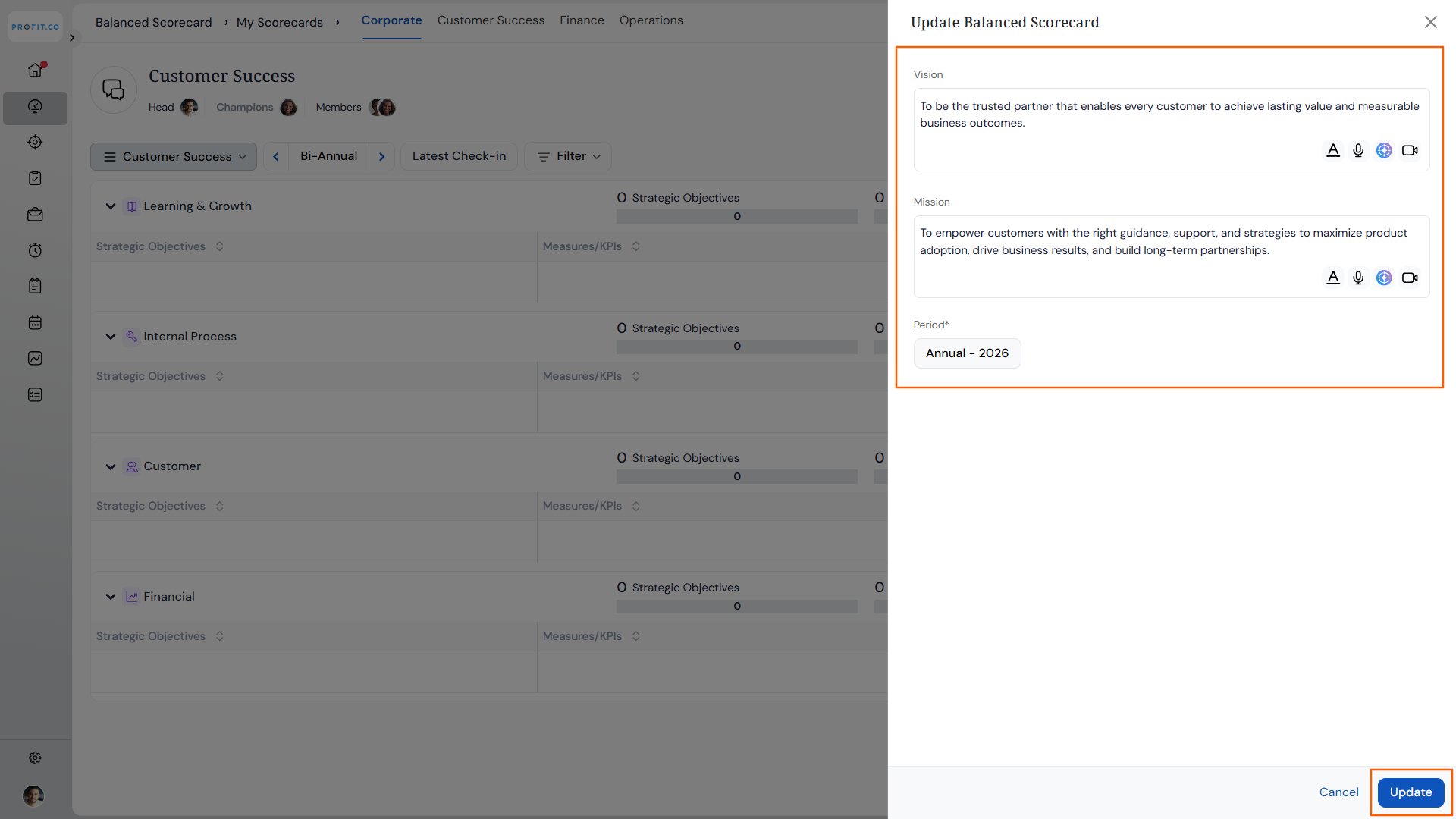
- In the Update Balanced Scorecard side panel, enter your Vision statement.
- Enter your Mission statement.
- Select the Period for which this scorecard applies.
- Click Update to save your Vision and Mission.
Your Vision and Mission will now appear at the top of your Balanced Scorecard overview page.
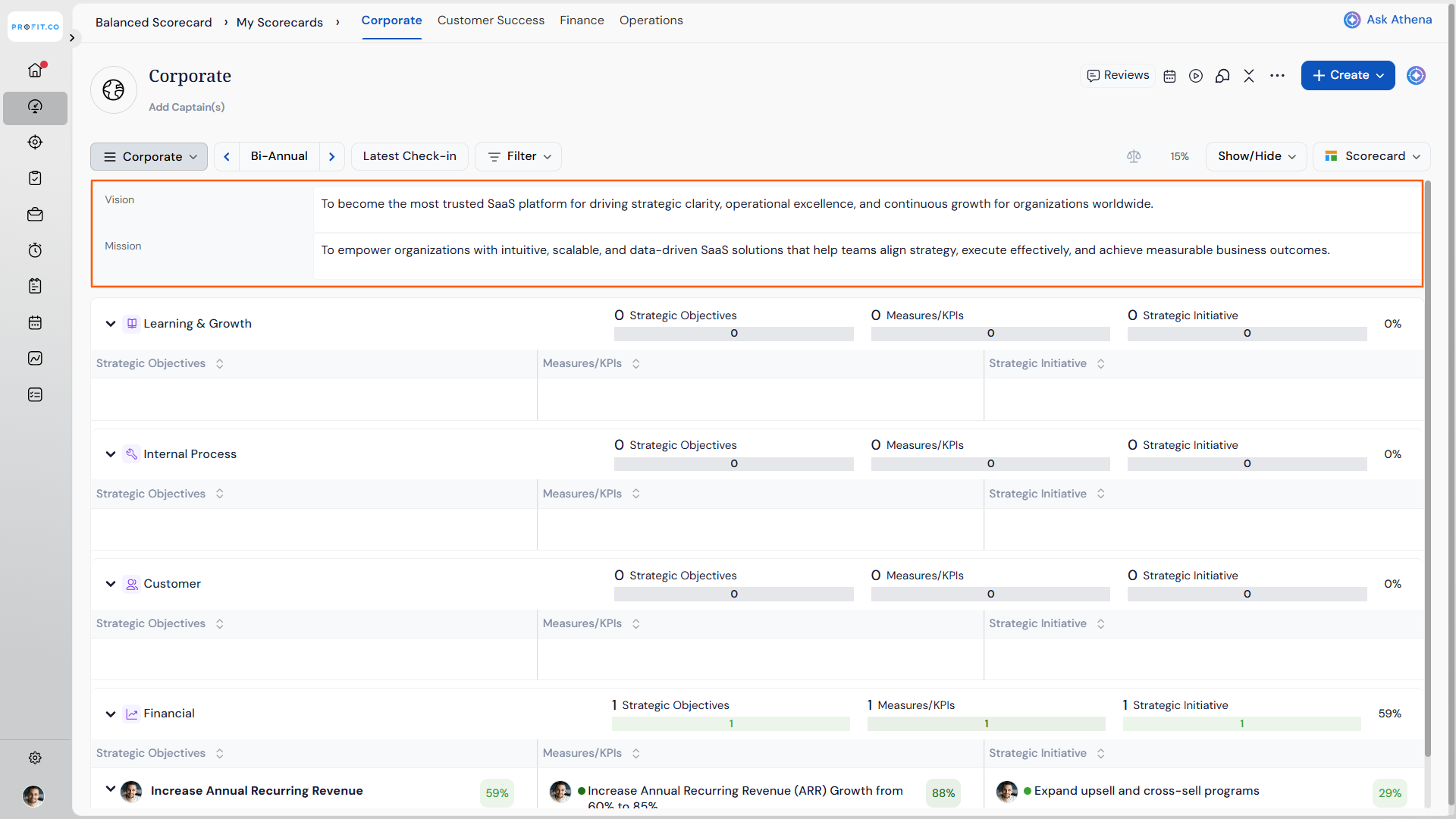
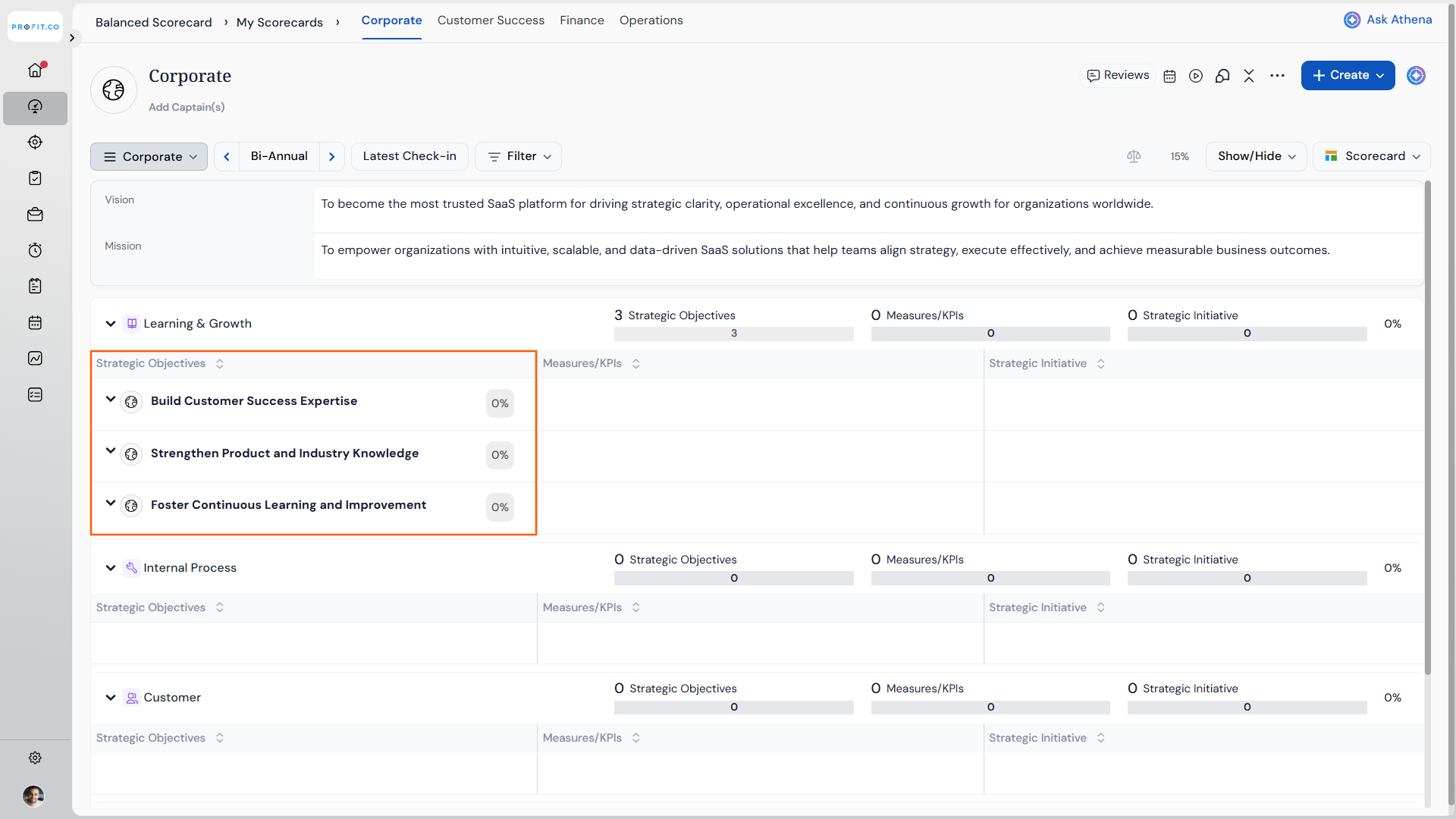
How do I create Strategic Objectives in a Balanced Scorecard?
Strategic Objectives define what you want to achieve within each perspective:
- Hover over the Strategic Objectives box for the desired perspective.
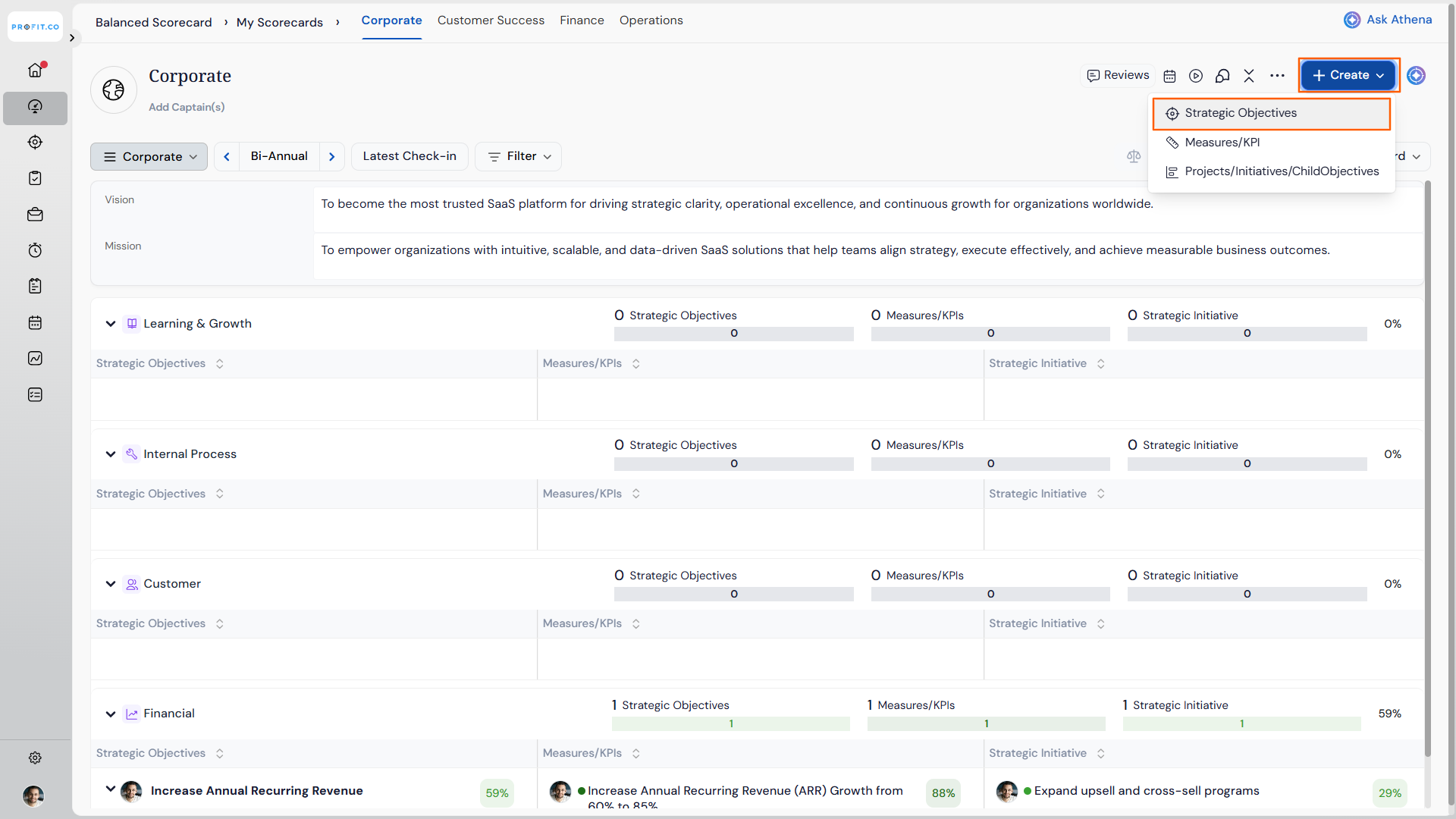
- Click + Create Strategic Objective, or click the Create button at the top of the page.
- Select a Strategic Objective and choose the perspective to create it.
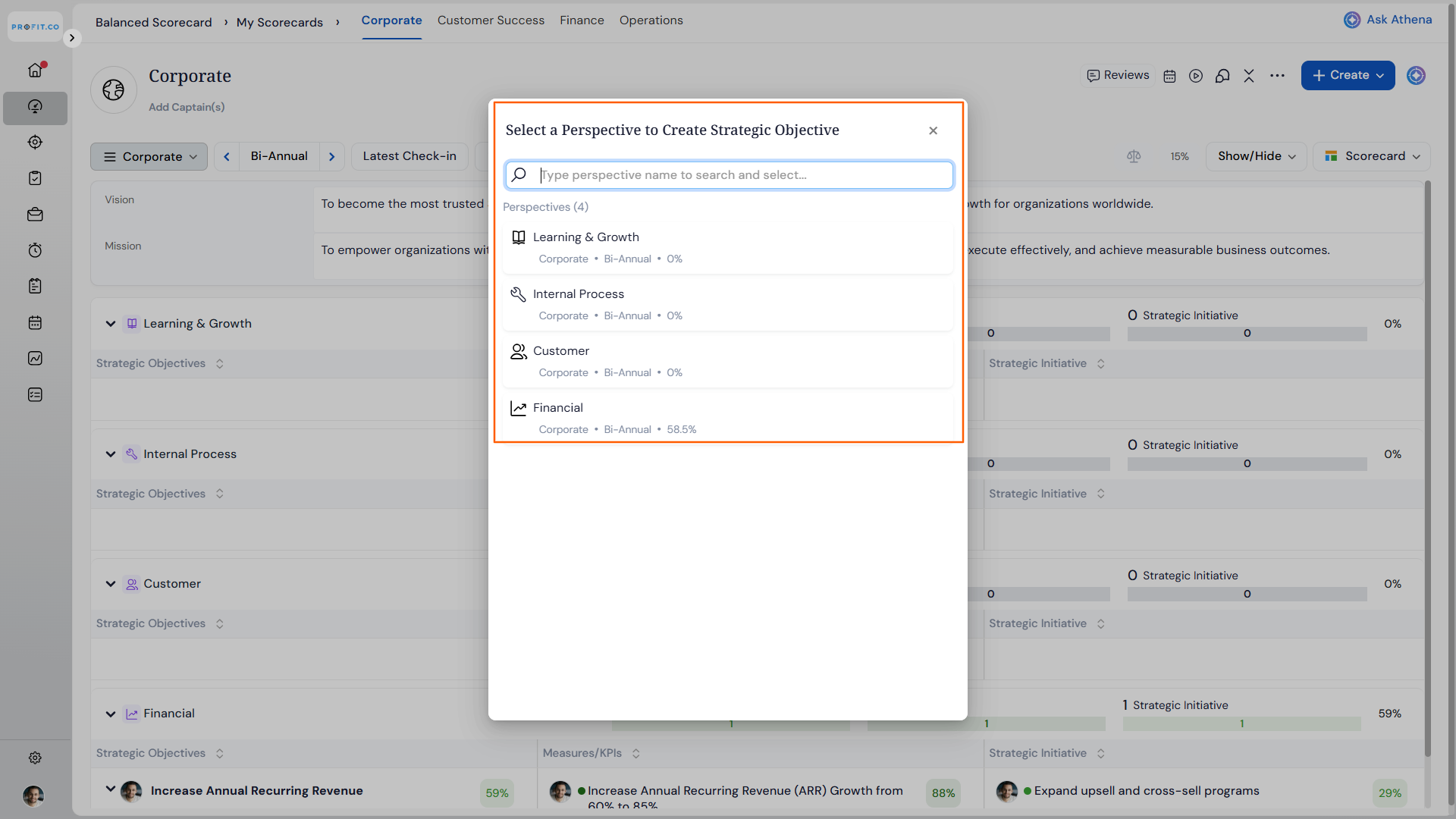
- In the Create Strategic Objective side panel, enter the name of the strategic objective.
- Select the period for this objective.
- Choose the visibility level (who can view this objective).
- Assign an owner responsible for this objective.
- Click Create to save the strategic objective.
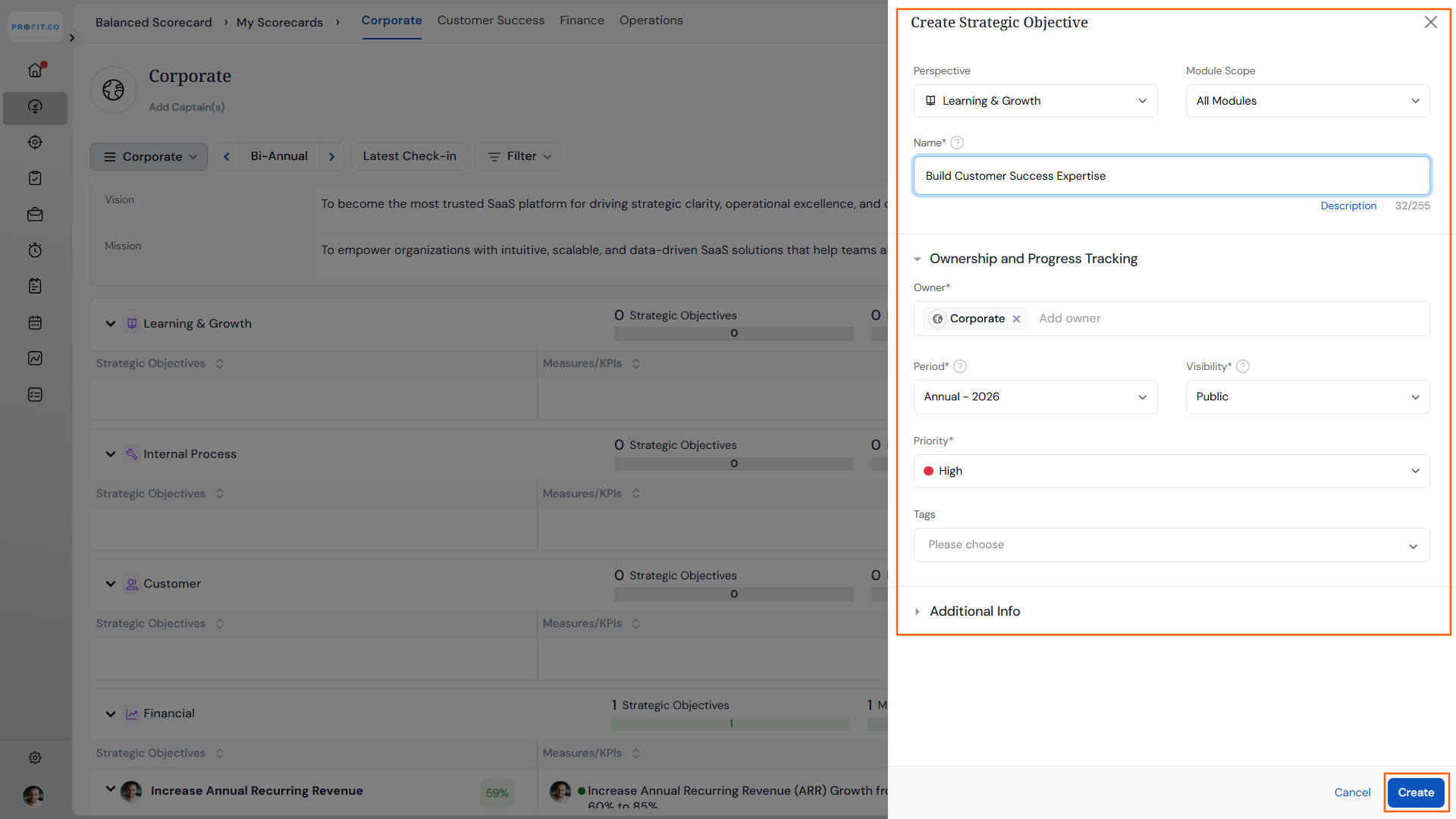
The newly created strategic objective will appear in the selected perspective on your overview page.
How do I create Measures/KPIs in a Balanced Scorecard?
Measures/KPIs track progress toward your Strategic Objectives:
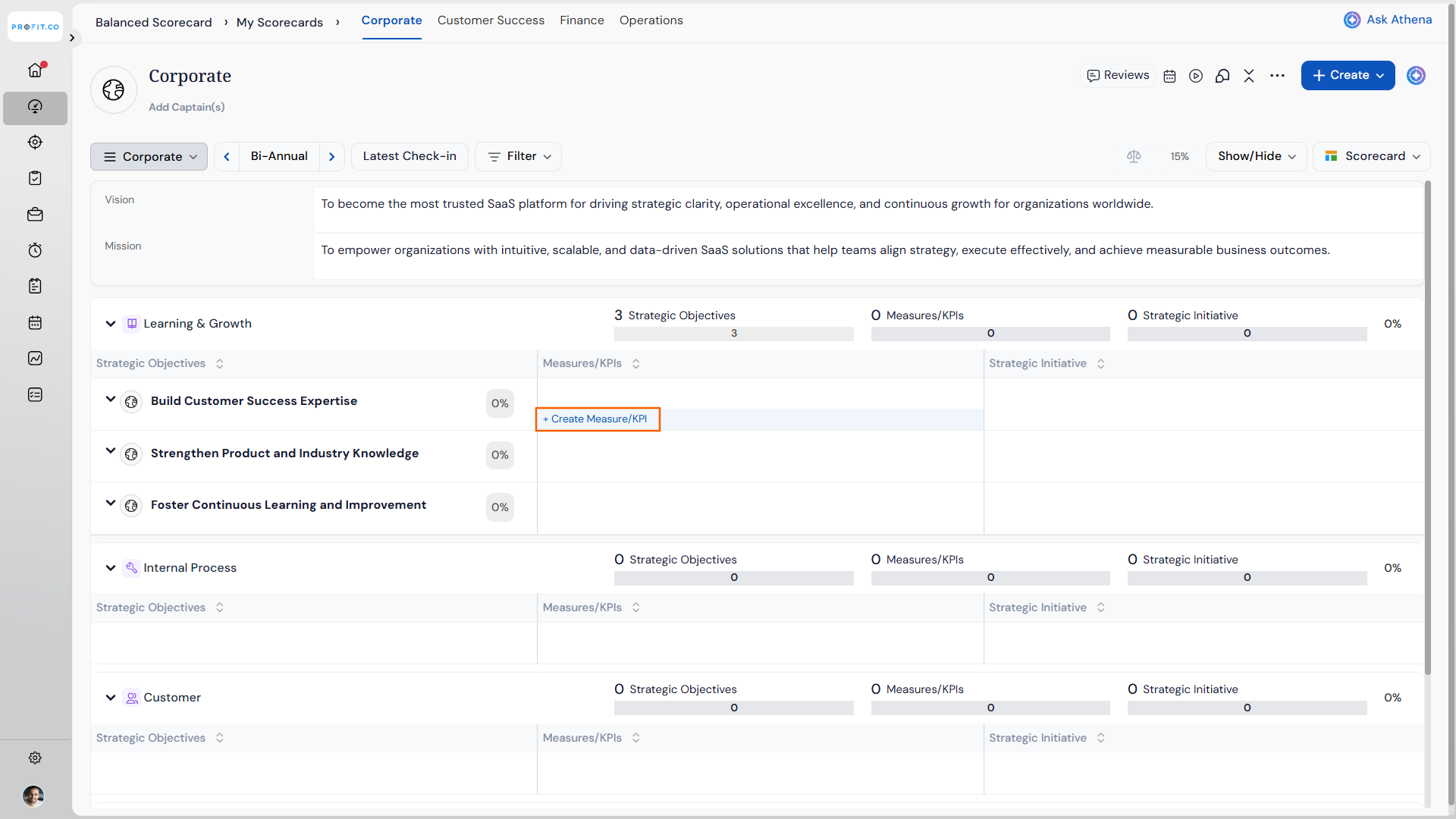
- Hover over the Measures/KPIs box for the desired perspective.
- Click on + Create Measures/KPIs.
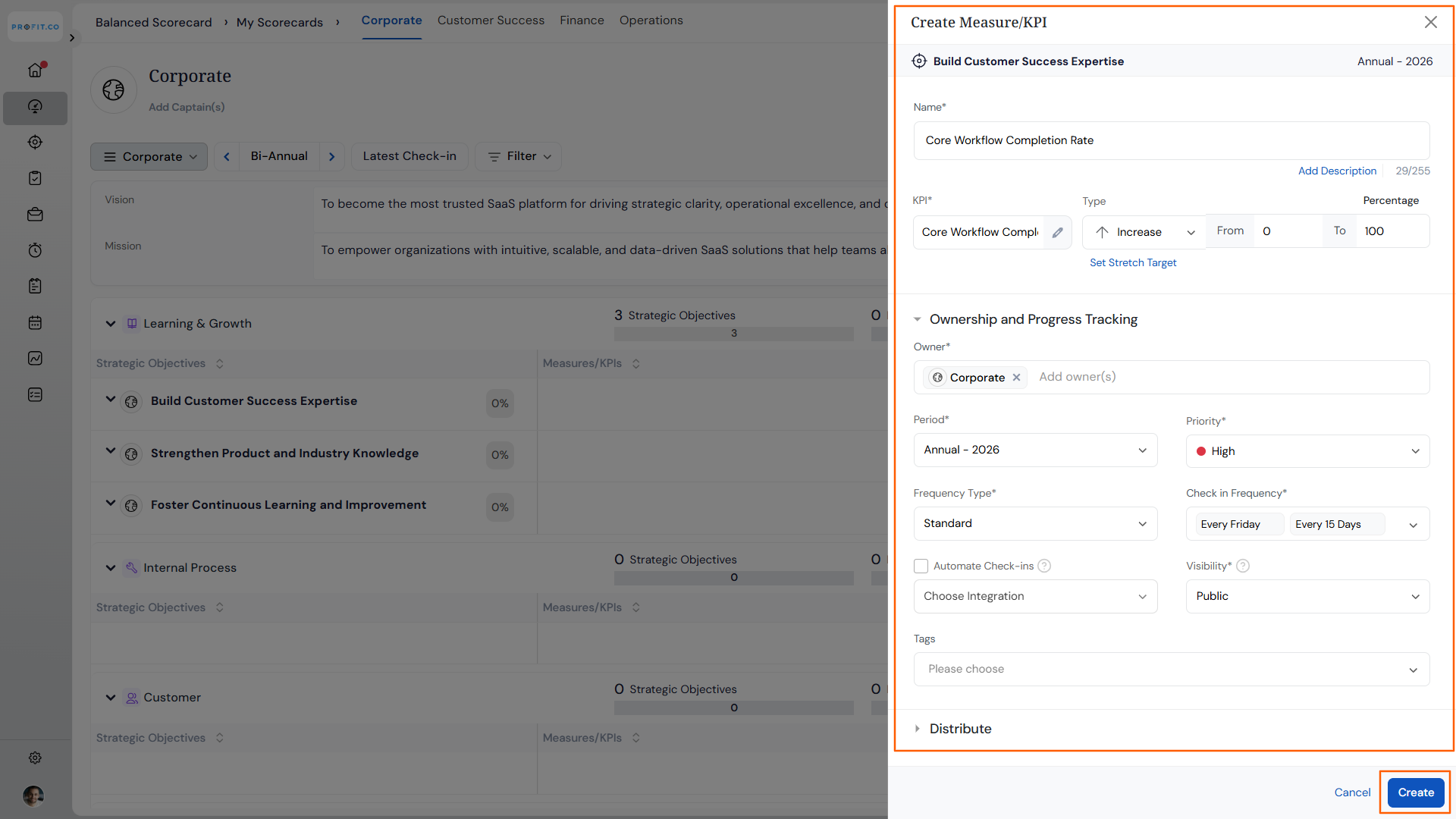
- Enter all required information for the measure or KPI.
- Configure targets, units, and tracking parameters as needed.
- Click Create to save the measure or KPI.
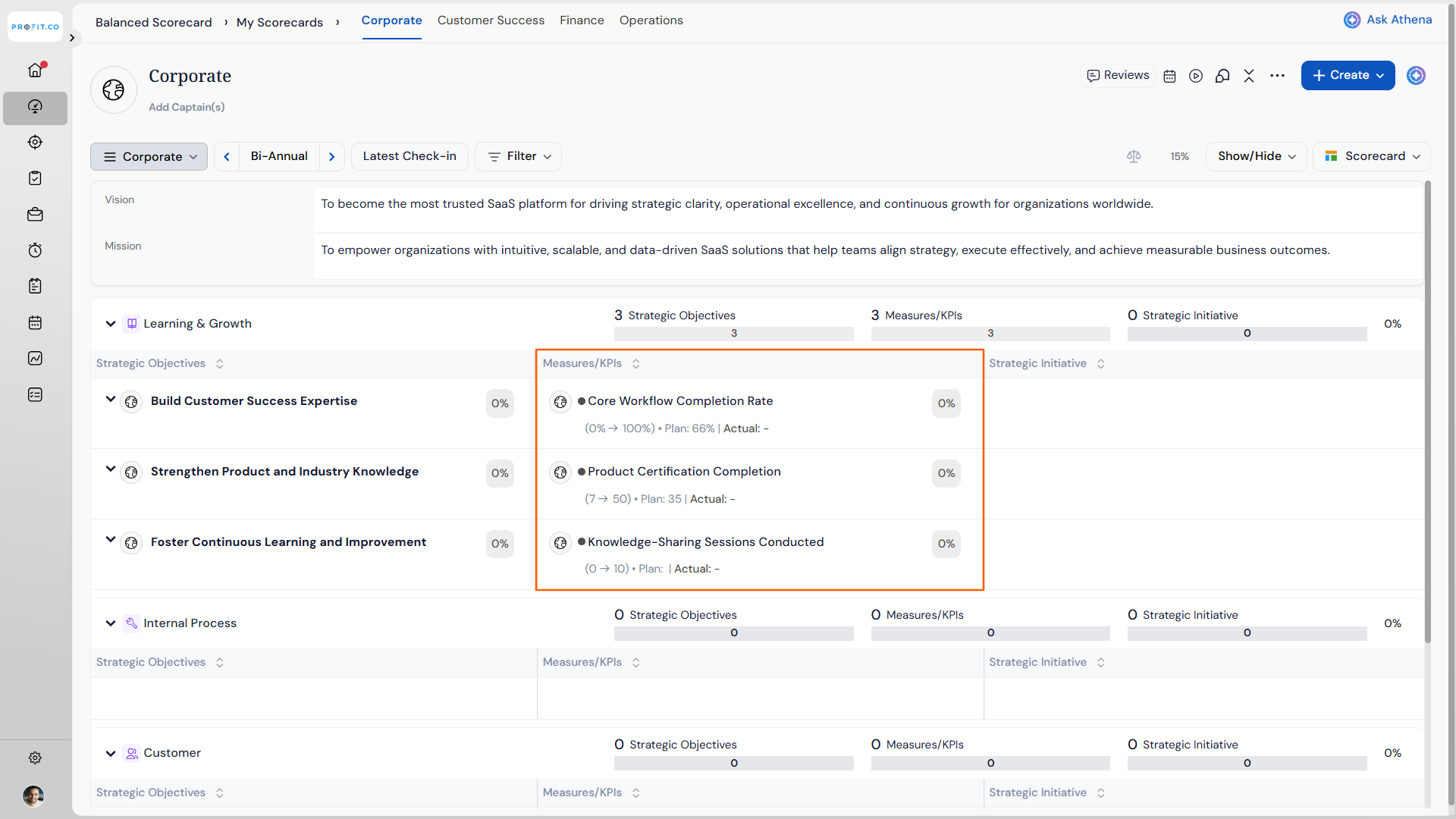
The newly created Measure/KPI will appear linked to the appropriate strategic objective on your overview page.
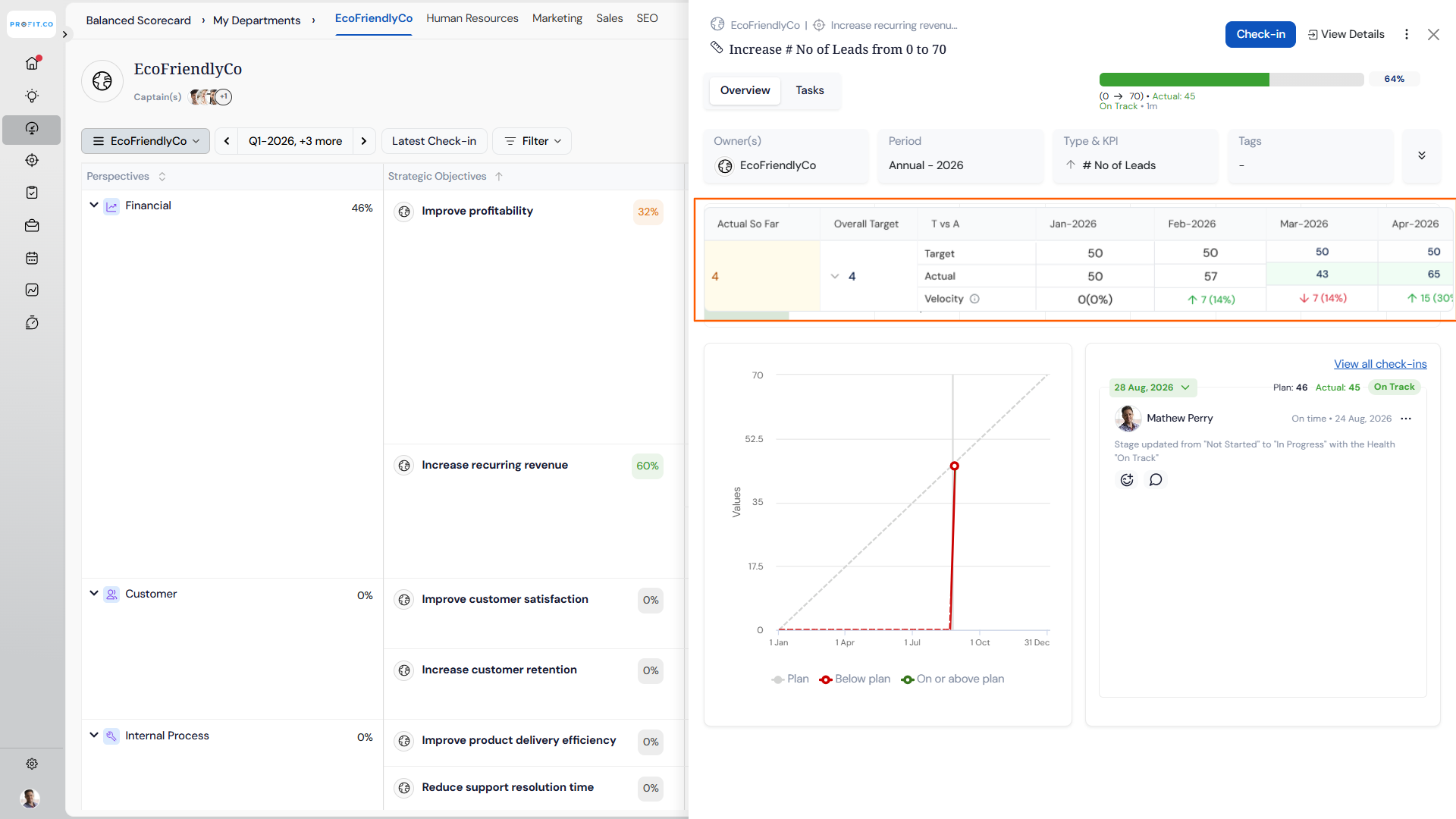
KPI Quick View: Velocity Row
Once a Measure/KPI exists, opening its Quick View shows a Velocity row beneath the Actual row. For each period with data, it displays the direction-aware gap between Actual and Target as a signed difference and percentage.
- Open a scorecard and click any KPI to open the Quick View.
- Review the Velocity row beneath Actual for each check-in period.
- Check the overall Velocity in the aggregate summary block alongside the existing summary figures.
| Result | Indicator | Meaning |
|---|---|---|
| Beat | ↑ (green) | Actual is ahead of Target for that period. |
| Miss | ↓ (red) | Actual is behind Target for that period. |
| On target | 0 (0%) | Actual matches Target exactly, shown as neutral. |
| No check-in or zero target | – | No Velocity is calculated for that period. |
Note
The Velocity row is included automatically when you export the scorecard to PDF or Excel, with no additional export steps required.
How do I create Projects/Initiatives in a Balanced Scorecard?
Projects/Initiatives are the action plans that drive your strategic objectives:
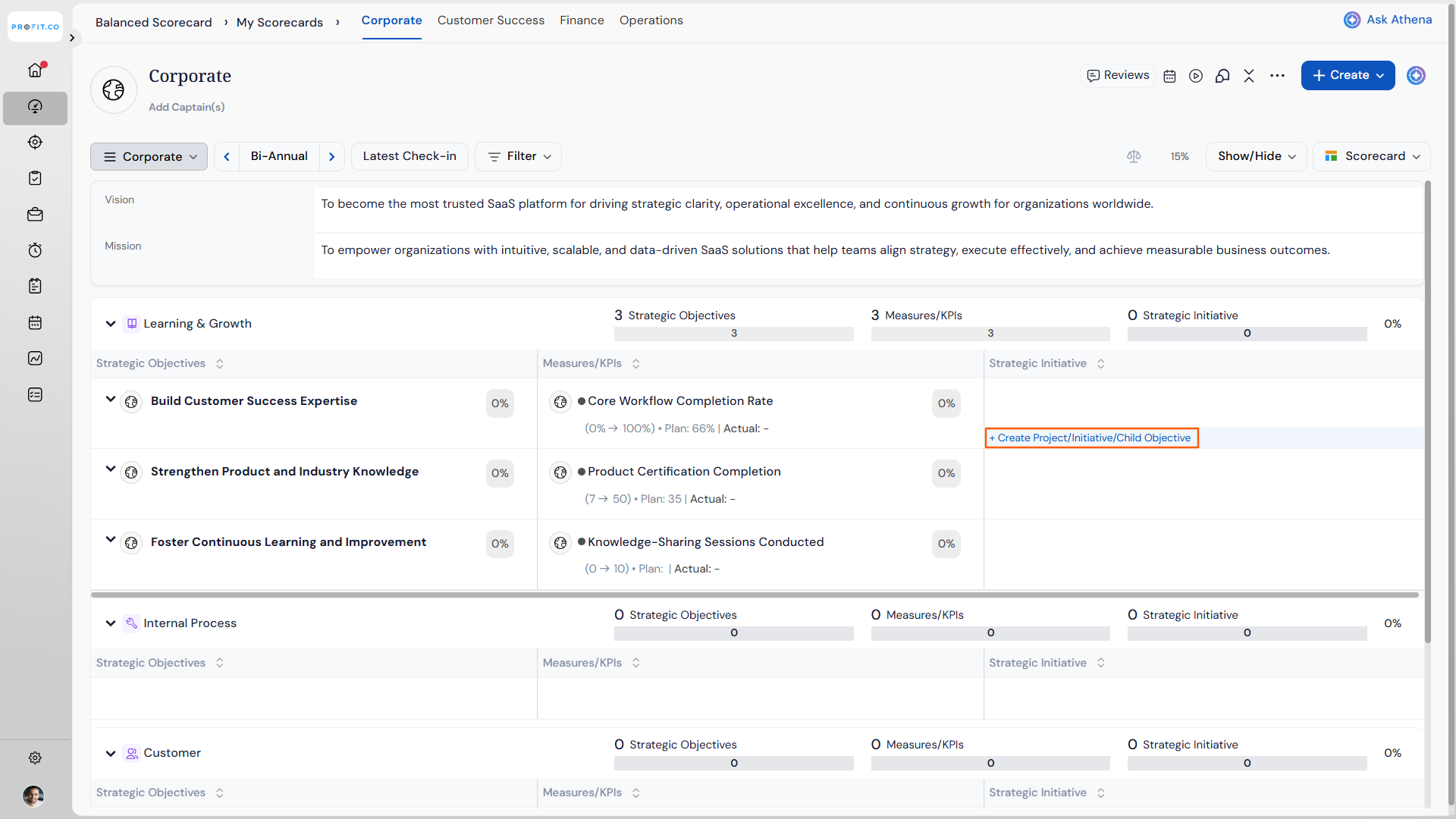
- Hover over the Projects/Initiatives box for the desired perspective.
- Click on + Create Projects/Initiatives.
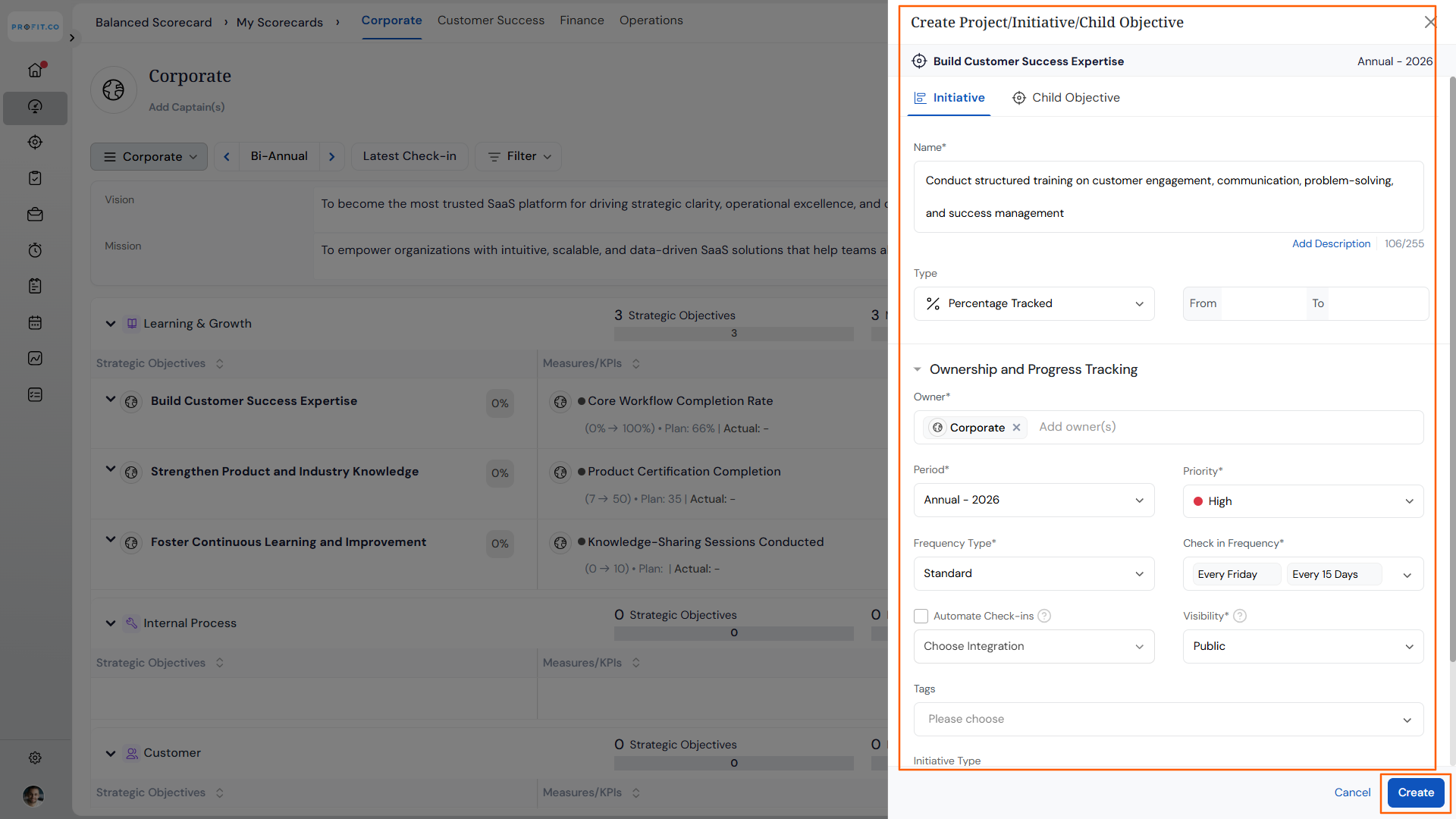
- In the side panel, fill in all required details for the project or initiative.
- Define scope, timeline, resources, and deliverables as needed.
- Click Create to save the project or initiative.
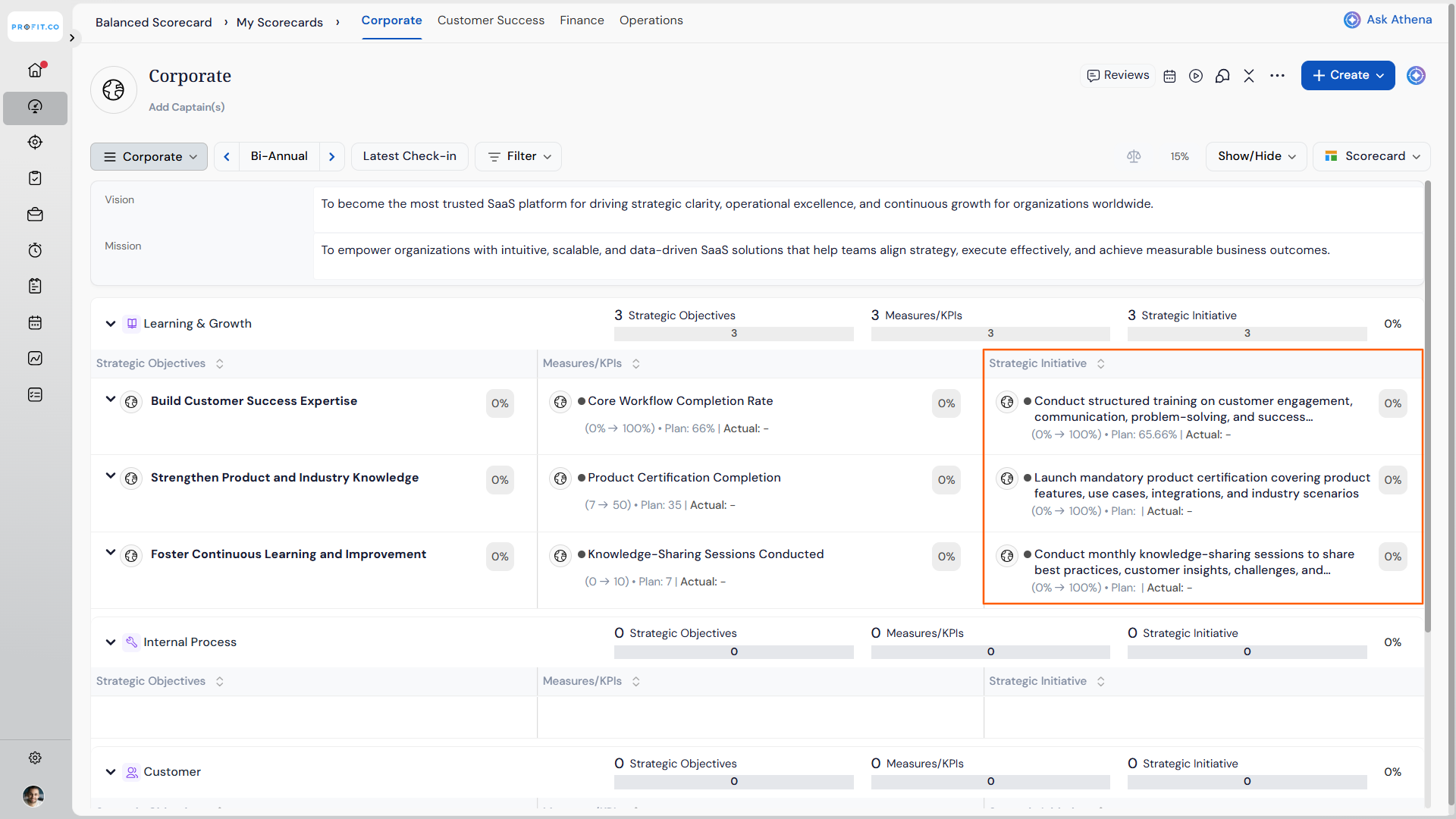
The newly created Project/Initiative will appear linked to the appropriate measures and objectives on your overview page.
What additional actions can I perform on Balanced Scorecard elements?
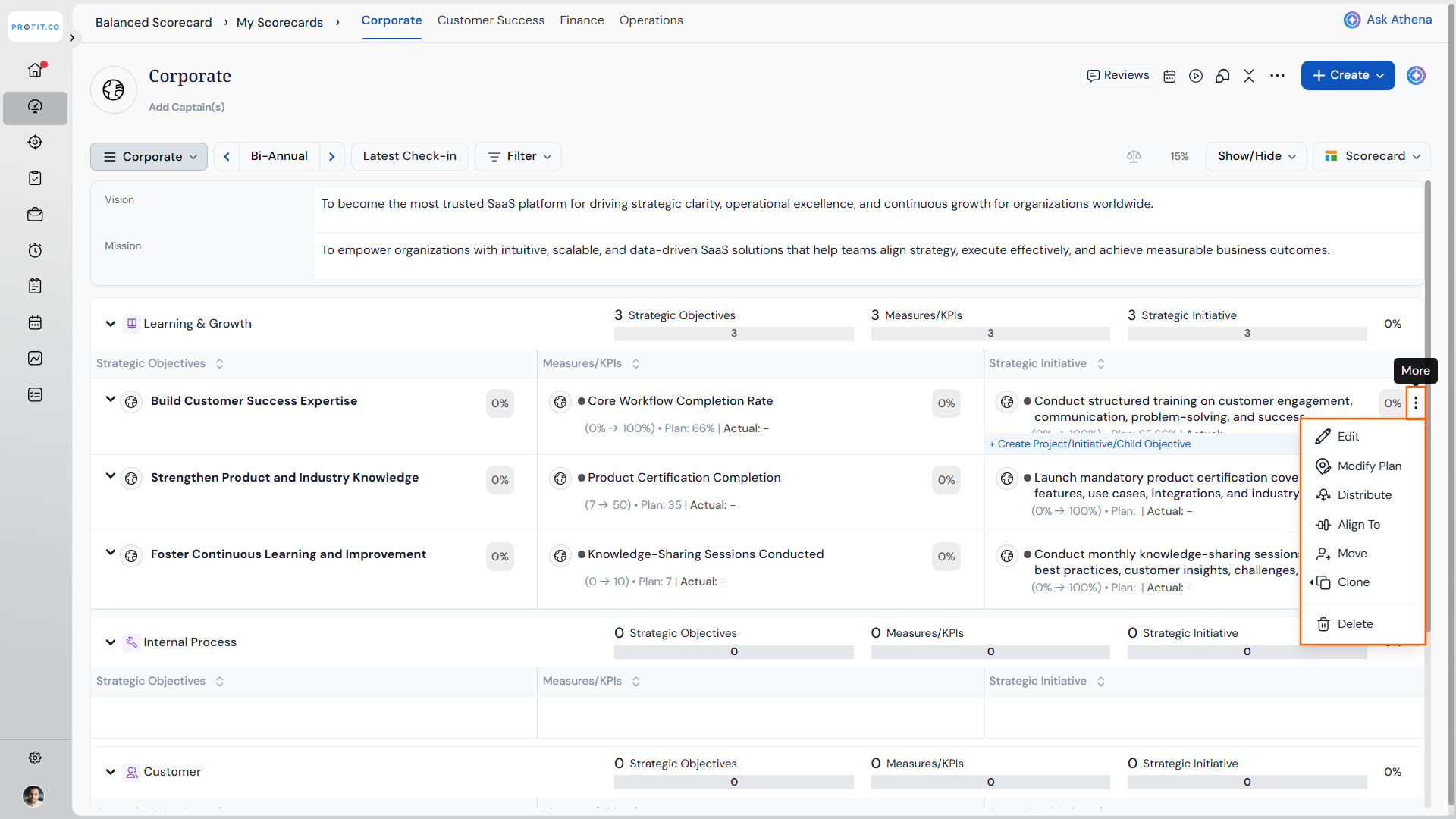
Profit.co provides several advanced actions for managing your Balanced Scorecard elements. You can access these options by clicking the three dots (More Options) menu on any Strategic Objective, Measure/KPI, or Project/Initiative.
Note
The Balanced Scorecard now supports period-based filtering, allowing you to view and analyze BSC data by Annual, Half-yearly (H1/H2), Quarterly (Q1–Q4), or Custom Date Range.
When you apply a filter, such as filtering to At Risk items, each Perspective's summary counts (Strategic Objectives, Strategic Initiative, Operational Initiative) now show as X of Y instead of just the filtered number. For example, if a Perspective has 12 Strategic Objectives in total and 4 currently match the At Risk filter, the count displays as 4 of 12. Clear the filter to return to viewing the full totals.
Sorting and Reordering Scorecard Items
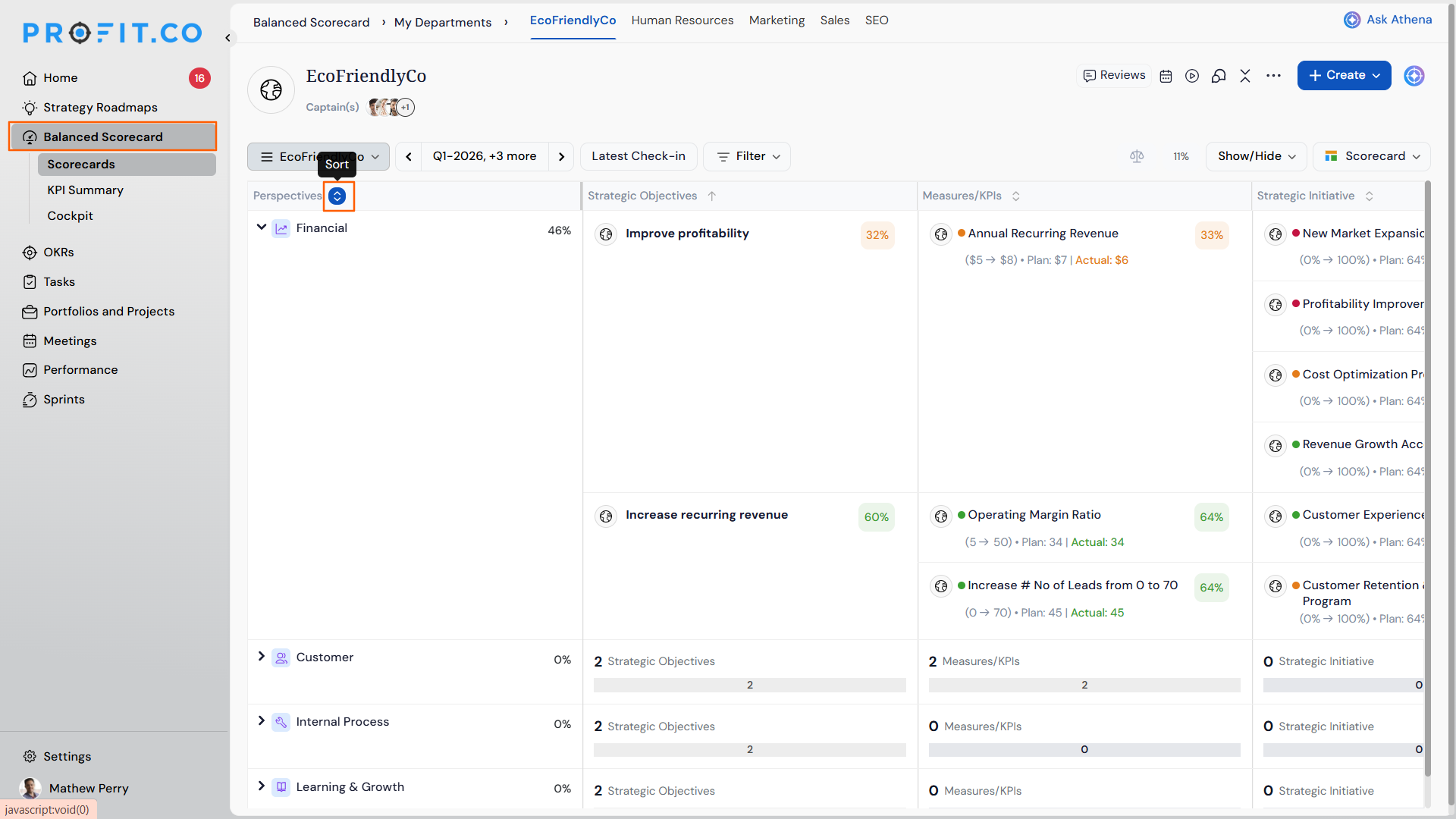
You can sort and reorder items at every level, perspectives, objectives, measures, and initiatives, either alphabetically or by dragging them into a preferred order.
- Click the sort control in the column heading to sort alphabetically: first click sorts A to Z, second click sorts Z to A, third click clears the sort.
- Hover over any row to reveal the drag handle, then drag the item to the preferred position within the same group.
- Sort or reorder each level independently; changing one level does not affect the others.
Note
Each user's arrangement is saved privately per period and carries through to Present View, exports, and generated PowerPoint files, without affecting what other users see.
Colour-Coded Progress for Perspectives in List View
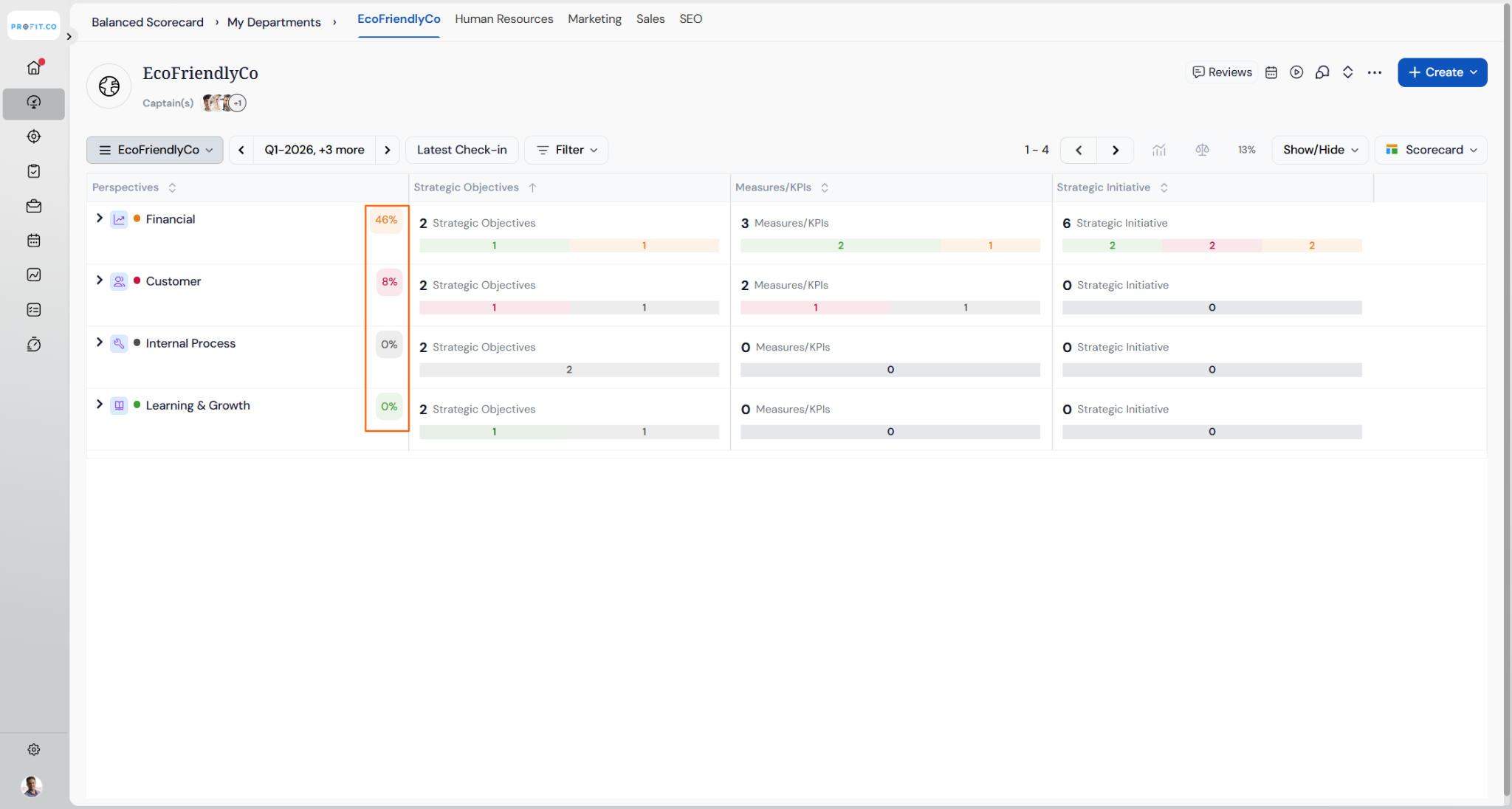
Perspective rows in the Scorecard List view now show their progress percentage inside a colour-coded badge, the same treatment already used for Objective and Key Result rows beneath them.
- The badge updates automatically whenever the Perspective's average progress changes, the same way Objective and Key Result badges already refresh.
- Tree/Hierarchy view is unchanged, since it already showed this colour coding.
Best practices for using the Balanced Scorecard in Profit.co
- Start with a clear Vision and Mission statement to provide strategic context for all scorecard elements.
- Create Strategic Objectives that directly support your Vision and Mission across all four perspectives.
- Ensure each Strategic Objective has at least one measurable KPI to track progress effectively.
- Link Projects/Initiatives to specific Measures/KPIs to show how actions drive performance.
- Assign clear ownership for each strategic objective to ensure accountability.
- Use the cloning feature to quickly replicate similar objectives, measures, or projects across perspectives.
- Choose appropriate periods that align with your organization's planning and review cycles.
- Regularly review and update your Balanced Scorecard to reflect changing strategic priorities.
- Use the PDF export feature to share scorecard views with stakeholders who don't have system access.
- Balance the number of objectives across perspectives to maintain a holistic strategic view.
- Check the Velocity row in KPI Quick View during reviews to spot beats and misses at a glance, without exporting to a spreadsheet.
- Arrange scorecard items in presentation order before switching to Present View, since your sort or reorder choice carries through automatically.
Related Articles
- What is the use of BSC Cockpit Dashboard in Profit.co?
- How can I view multiple periods of Balanced Scorecards in a single view?
Frequently Asked Questions
Yes, you can create separate Balanced Scorecards for different departments by selecting the appropriate department from the dropdown before creating each scorecard.
Yes, you can move strategic objectives between perspectives using the Move option in the More Options menu for each objective.
While there's no strict limit, best practice suggests creating 2-5 strategic objectives per perspective to maintain focus and clarity without overwhelming your team.
No. The Velocity row is included automatically whenever you export the scorecard to PDF or Excel.
No. Each user's sort or reorder arrangement is saved privately for that scorecard period and doesn't affect other users' views.
Execute your strategy with confidence
Connect OKRs, tasks, and teams in one place with Profit.co
