



How do I view user login history in the Cockpit?
Category: OKRs
Profit.co has introduced three new widgets within the OKR Cockpit to help organizations monitor user login behavior and platform engagement more effectively.
What is an OKR Cockpit?
The OKR Cockpit is a centralized dashboard that offers real-time insights into organizational OKRs and user activity.
It provides visual analytics through graphs and charts, enabling organizations to evaluate performance, engagement, and execution discipline across teams.
Why this feature?
These new widgets enhance the organization’s ability to:
- Evaluate platform adoption and user engagement trends with real-time data.
- Identify departments or teams with low or inconsistent login activity.
- Boost accountability and usage by monitoring user participation patterns.
The dashboard now provides an at-a-glance understanding of user login history and check-in behavior, allowing leaders to make data-backed decisions to improve system adoption and OKR discipline.
Note:
- You can filter insights based on Corporate, Department, or Team levels.
- Data is displayed only for the selected period.
- Export options for each widget will be available in the future to download user login and adoption reports.
Step:1
Navigate to OKRs → Cockpit from the left navigation panel.
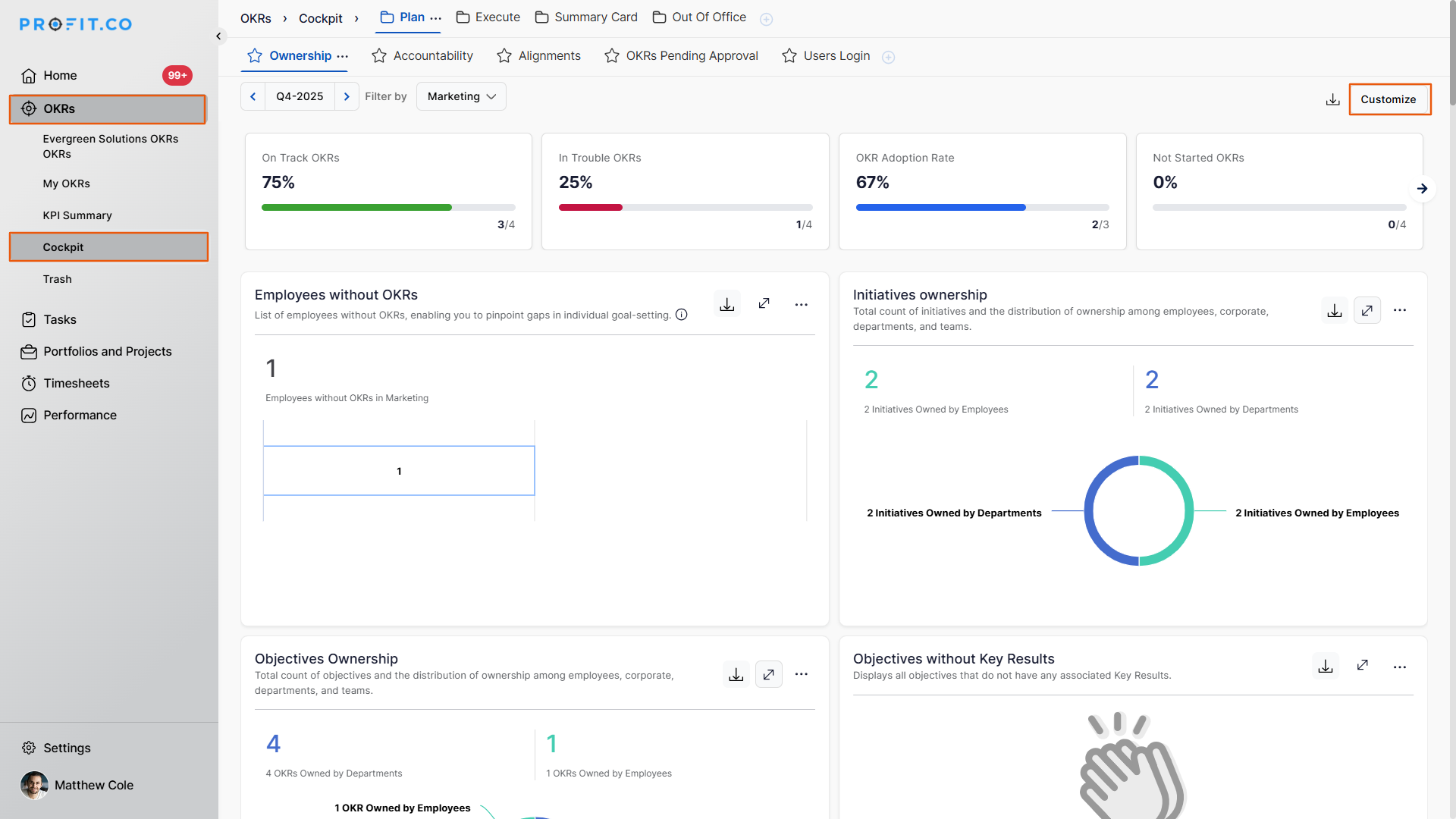
Click on the Customize button, and choose these three widgets:
Active Users Login History Trend, Active Users Login Status by Department, and Overview of Active Users Login Status.
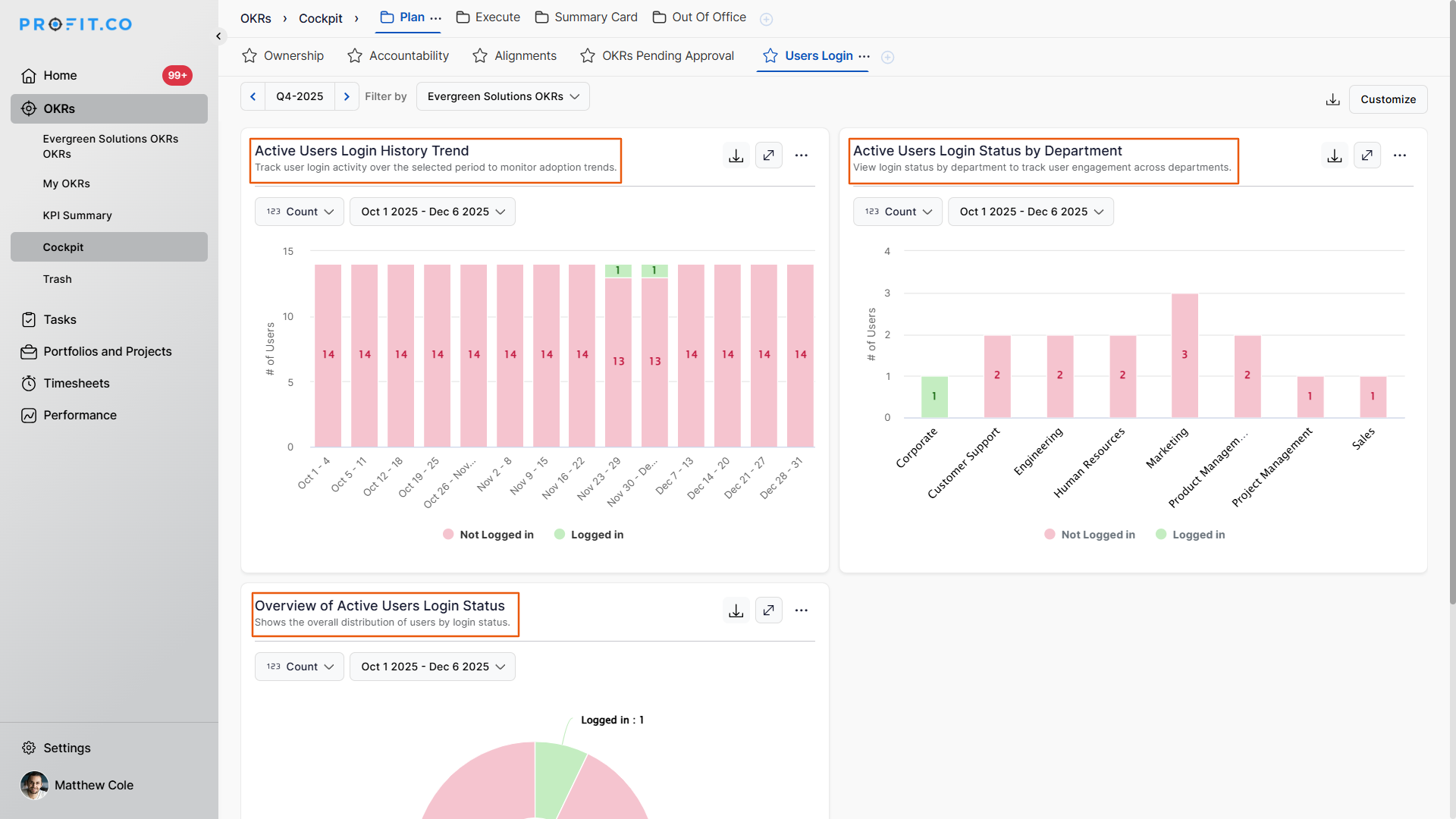
1. Active Users Login History Trend
This widget shows weekly login activity for the selected period.
It displays:
- Number of users who logged in
- Number of users who did not log in
- Login behavior patterns across weeks
This helps organizations analyze adoption trends and track overall platform engagement over time.
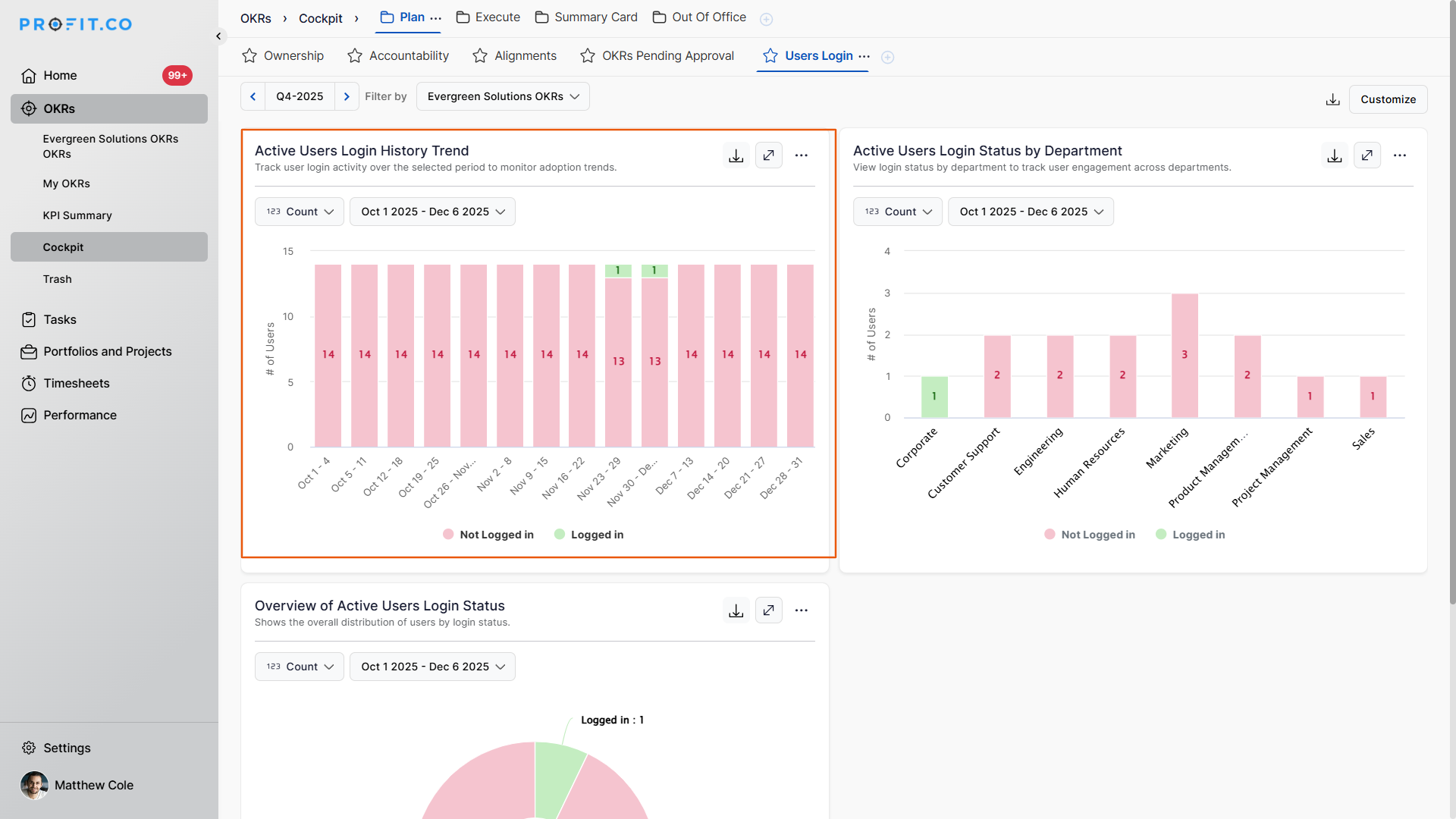
2. Active Users Login Status by Department
This widget provides a department-wise breakdown of user login status.
It highlights:
- Which departments are actively using the platform
- Departments with low or no activity
- Overall adoption strength across teams
This enables leaders to identify departments that may need guidance, training, or engagement reminders.
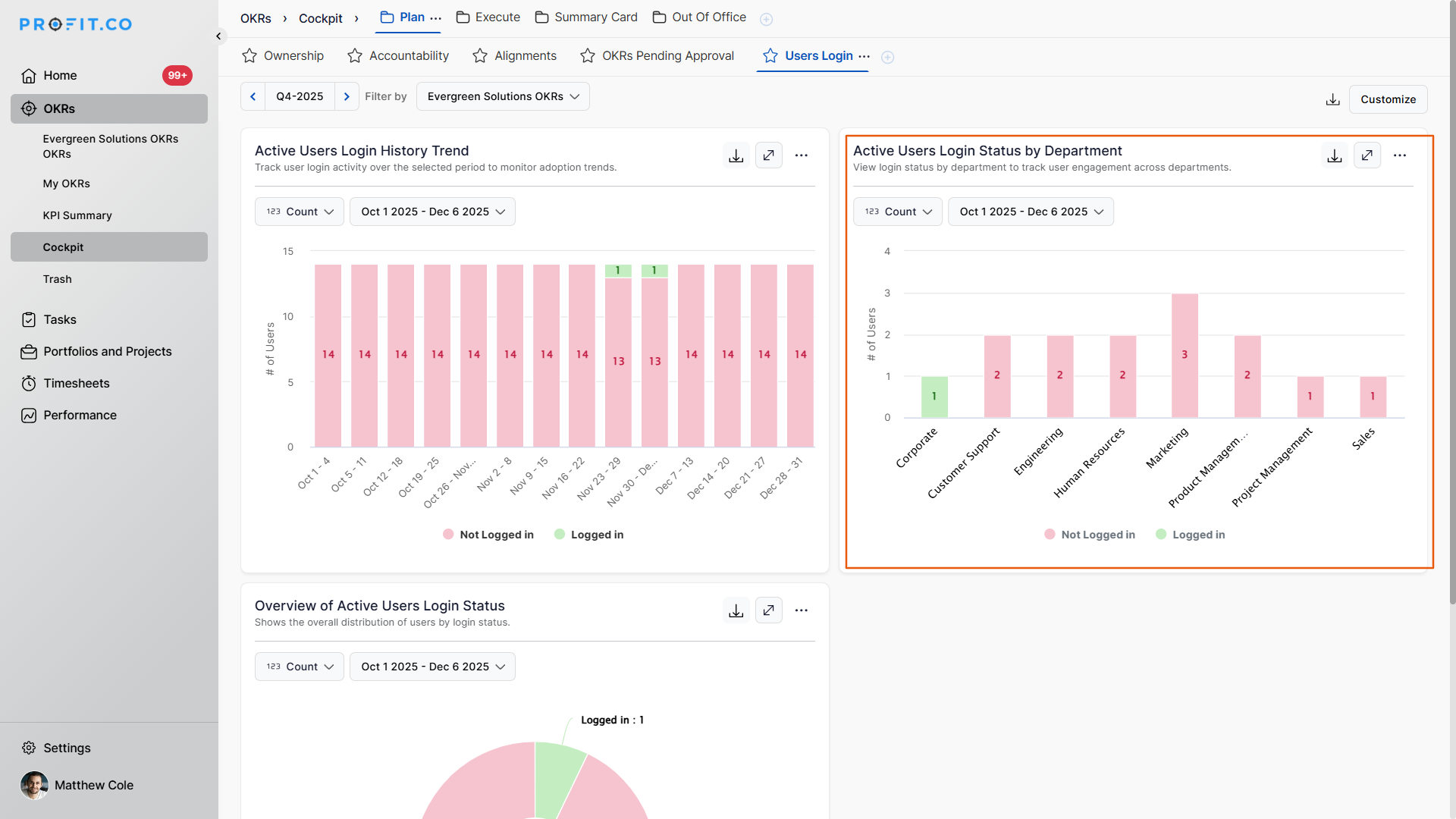
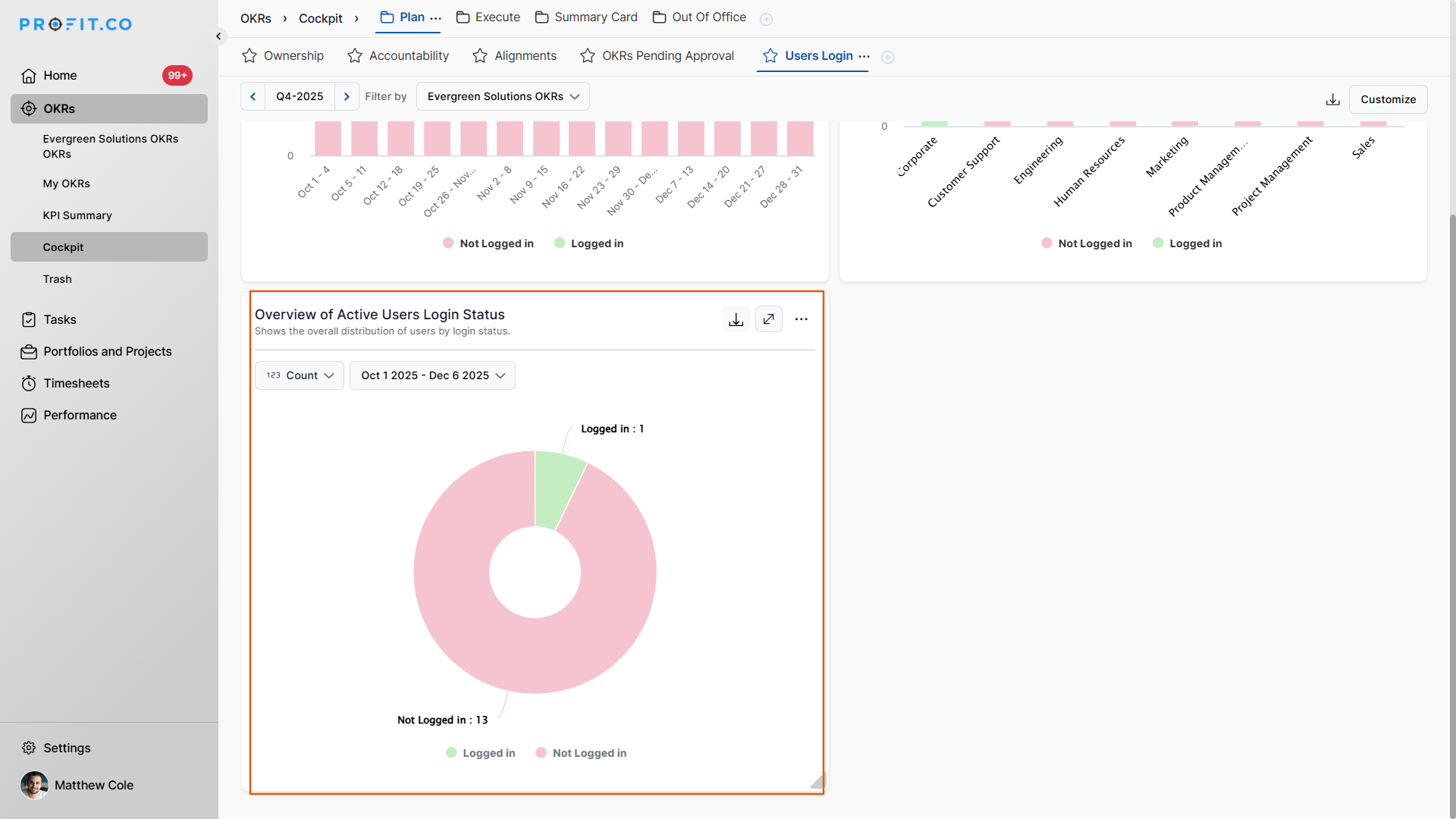
3. Overview of Active Users Login Status
This widget provides a high-level visualization of:
- Total number of users who logged in
- Total number of users who did not log in
It offers a quick snapshot of system adoption at the organizational level, helping in monitoring engagement health.
Related Answer Post
To learn more about what the Learn phase explains within the Cockpit Dashboard, click here.
Related Questions
-
What does Milestone tracked Key Result imply?
Profit.co offers multiple ways to track Key Results, and the Milestone Tracked type is specifically designed for goals ...Read more
-
How do I check-in for Key Results?
Profi.co allows you to report your progress on your key results at different OKR levels. Why are key result check-ins ...Read more
-
How do I enable and Configure Risks & Issues Management at Key Result Level in Profit.co?
In Profit.co, you can enable Risks & Issues Management at the Key Result level to proactively identify potential ...Read more
-
How to Configure Module Linkage Between BSC and OKR in Profit.co?
Profit.co now lets you control, objective by objective, whether an objective appears only in the OKR module or across ...Read more