



There are situations where a manager’s rating is different from an employee’s self-assessment of competencies. In that case, the HR manager or employee wants to know the reason for the difference. In such situations, managers have to explain themselves, and this can be achieved by making comments mandatory. Profit.co provides an option to make mandatory comments when the ratings differ.
Why This Feature
- Ensures employees understand why their final rating differs, reducing bias and confusion.
- Provides constructive feedback, helping employees address performance gaps and grow professionally.
- Minimizes employee dissatisfaction by offering clear, documented reasoning for ratings.
Step 1
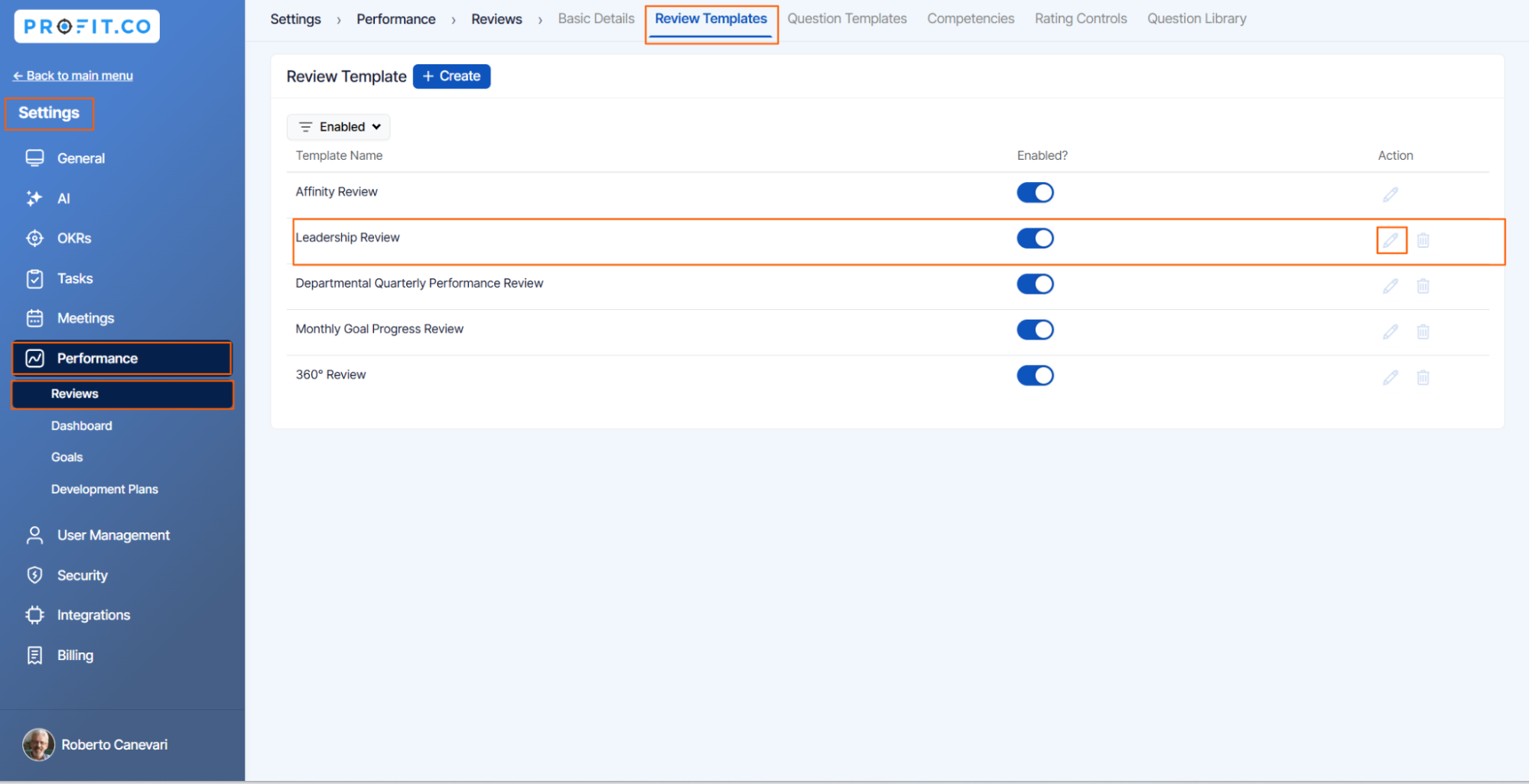
Navigate to Settings → Performance → Review from the left navigation panel.
On the Review page switch to the Review Template tab and click on the Edit icon for the Review Template.
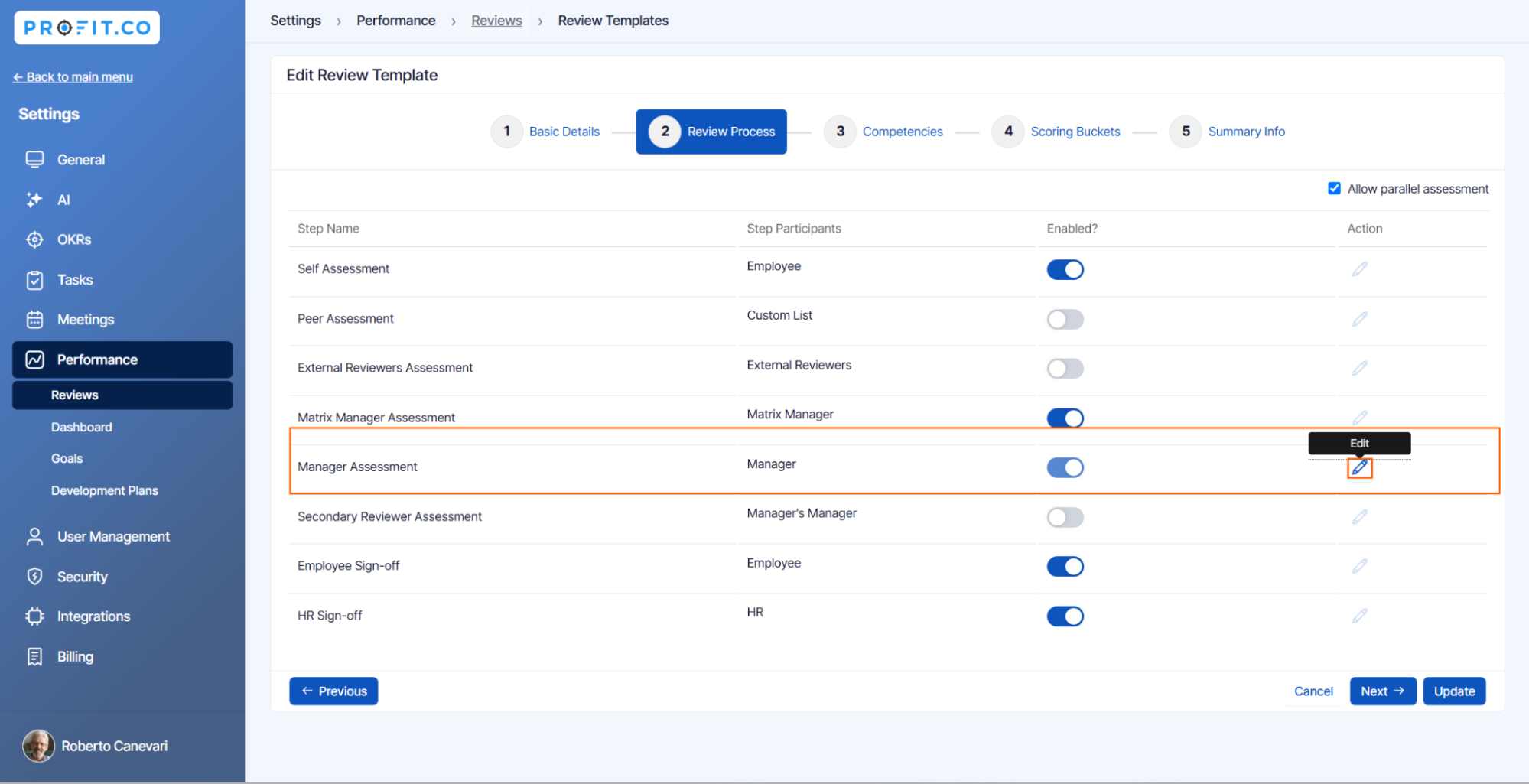
On the Edit page, select the Review Process section and click on the  Edit icon for Manager Assessment.
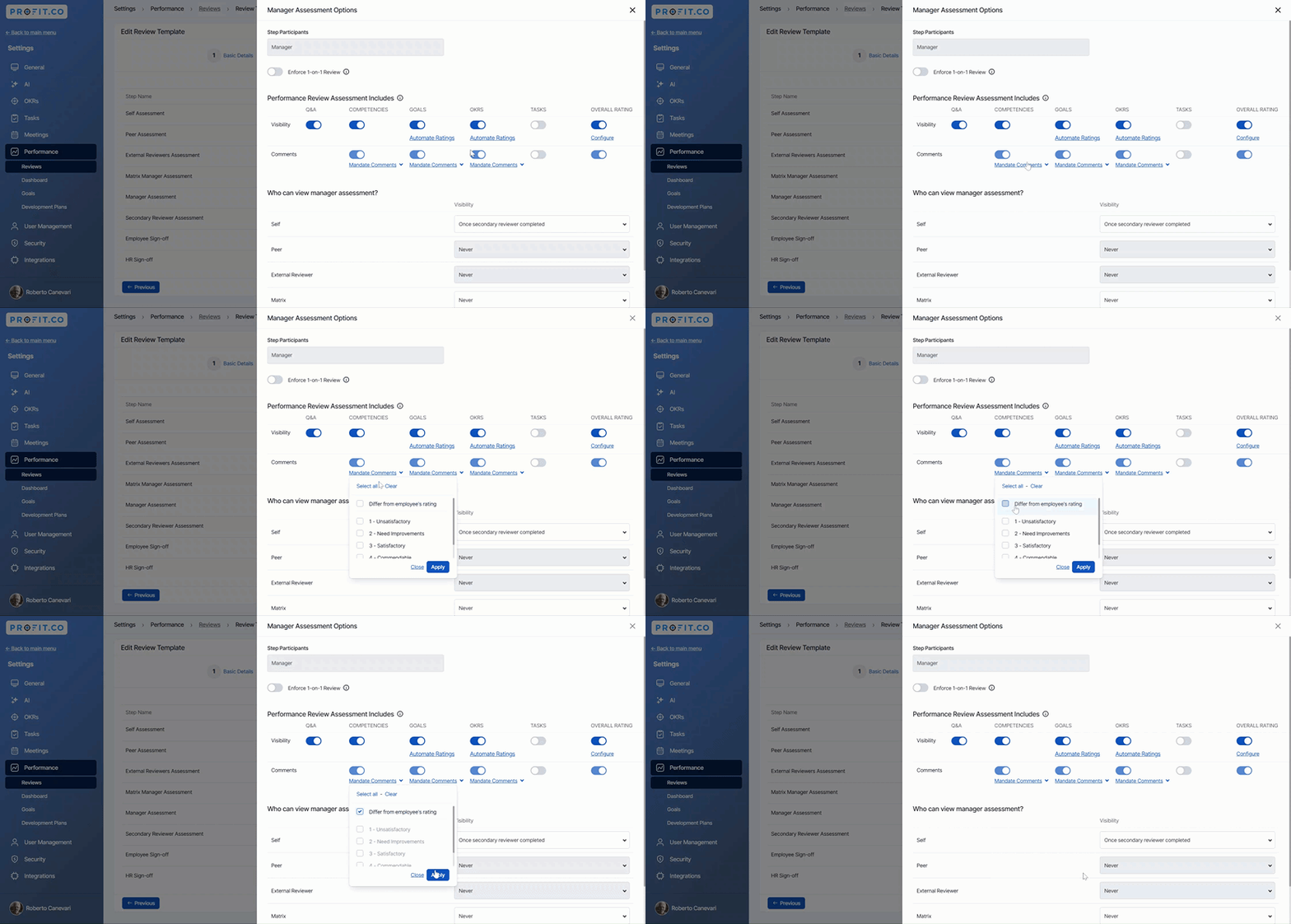
Set mandate comments when the user rating differs in the Manager Assessment. Finally, click on Update.
Step 2
Initiate a new review with the updated template.
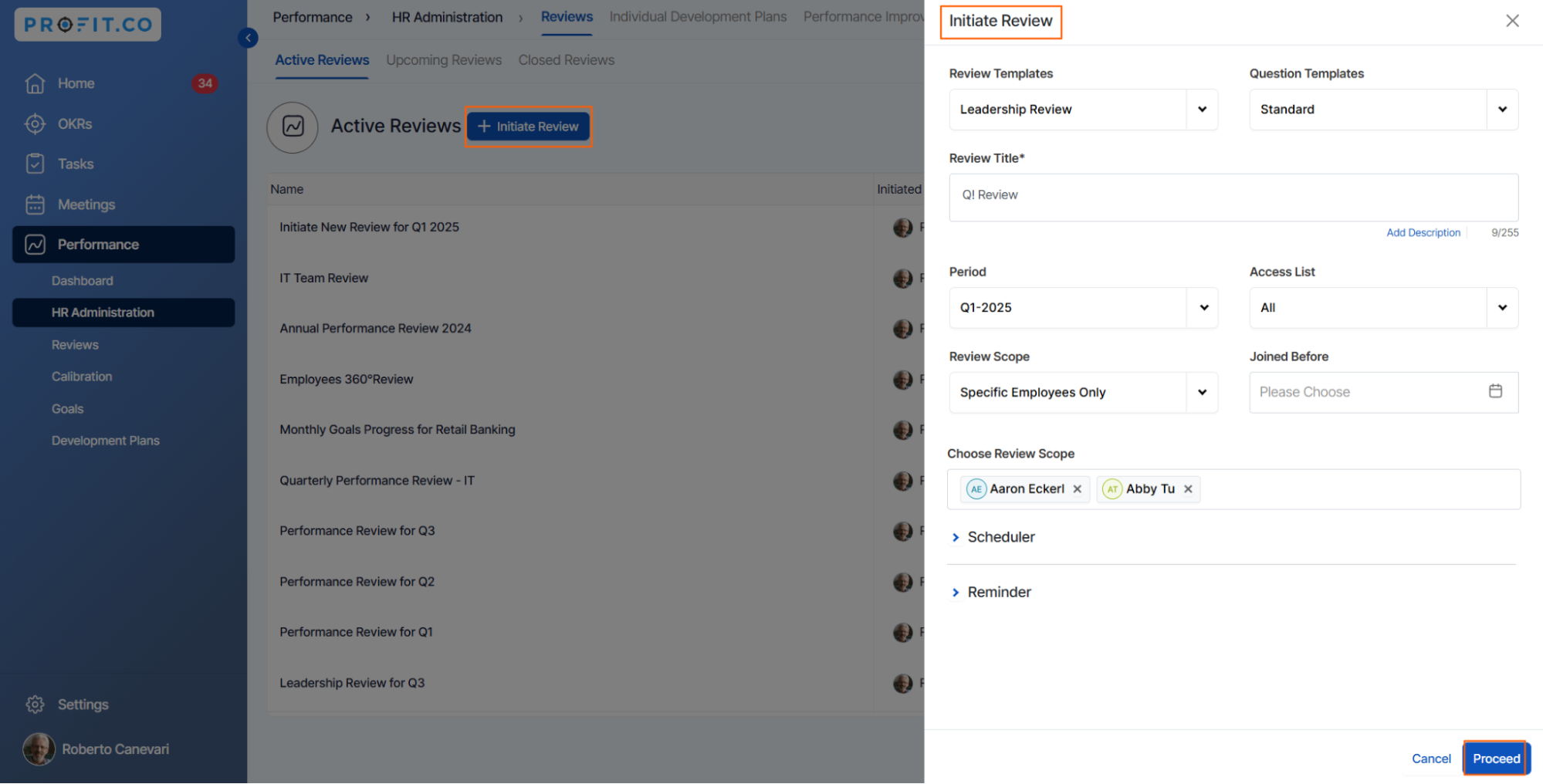
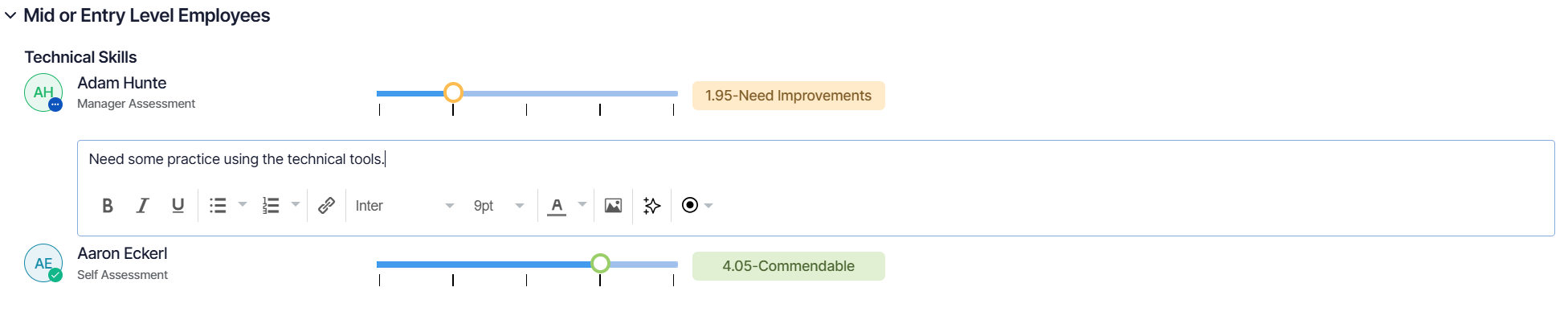
When the manager’s rating differs in competency, the manager has to provide a comment explaining the change.
Related Blog Post
To learn about the process of including OKRs in the performance assessment, click here.