



In Profit.co, you can allocate time across multiple projects by setting task owners and estimated hours for tasks in each project, and when users log time on these tasks, the time automatically populates their timesheet, giving managers a consolidated view of time spent across all projects.
Table of Contents
- What is multi-project time allocation in Profit.co?
- How do I access projects for time allocation?
- How do I allocate time to tasks in the first project?
- How does logged time automatically populate timesheets?
- How do managers view time across multiple projects?
- Best practices for multi-project time allocation
- Related Questions
- Frequently Asked Questions
What is multi-project time allocation in Profit.co?
Multi-Project Time Allocation is the process of distributing and tracking team members' time across multiple concurrent projects. You set estimated hours for tasks in different projects, team members log actual time as they work, and the system automatically consolidates this information in timesheets for visibility and reporting.
How do I access projects for time allocation?
Step 1
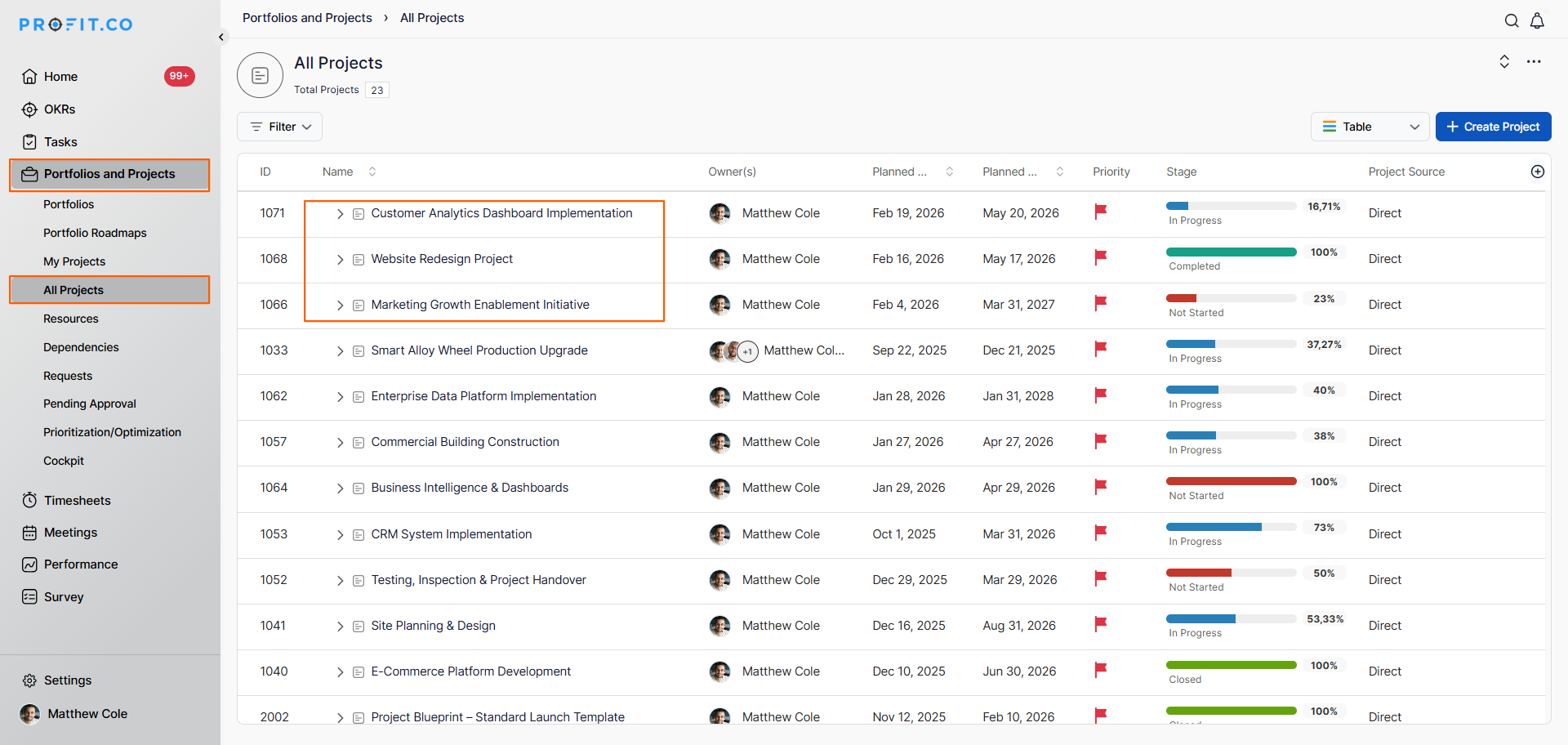
- Navigate to Portfolios and Projects from the left navigation panel
- Click on "All Projects."
- Choose the projects where you want to allocate time
- In this case, we allocate time for 3 different projects
Example: Customer Analytics Dashboard Implementation, Website Redesign Project, Marketing Growth Enablement Initiative
How do I allocate time to tasks in the first project?
Step 1
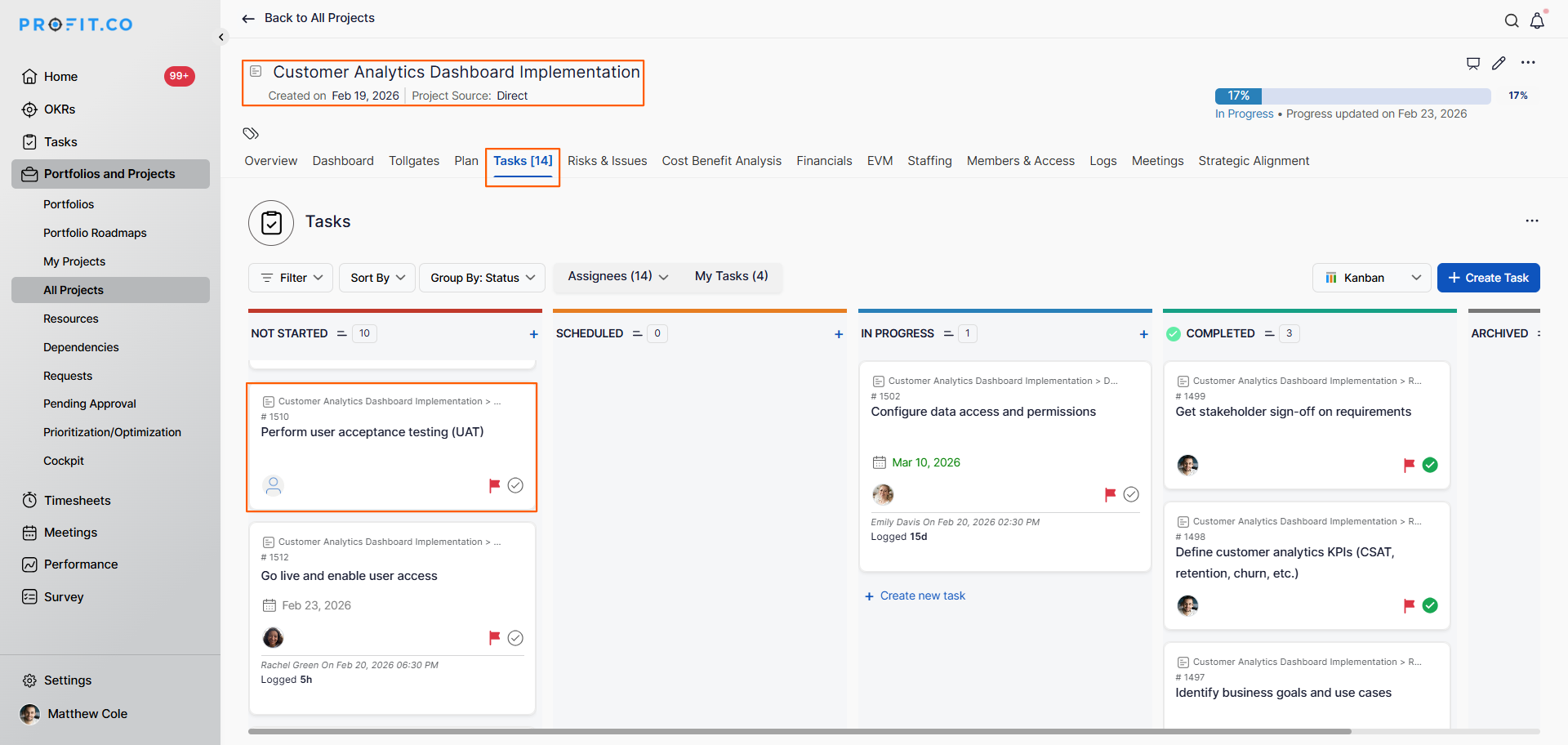
- From the All Projects list, choose the project name
- Click on the project to open it
- Switch to the Tasks tab
- This displays all tasks in the project
- Click on the task
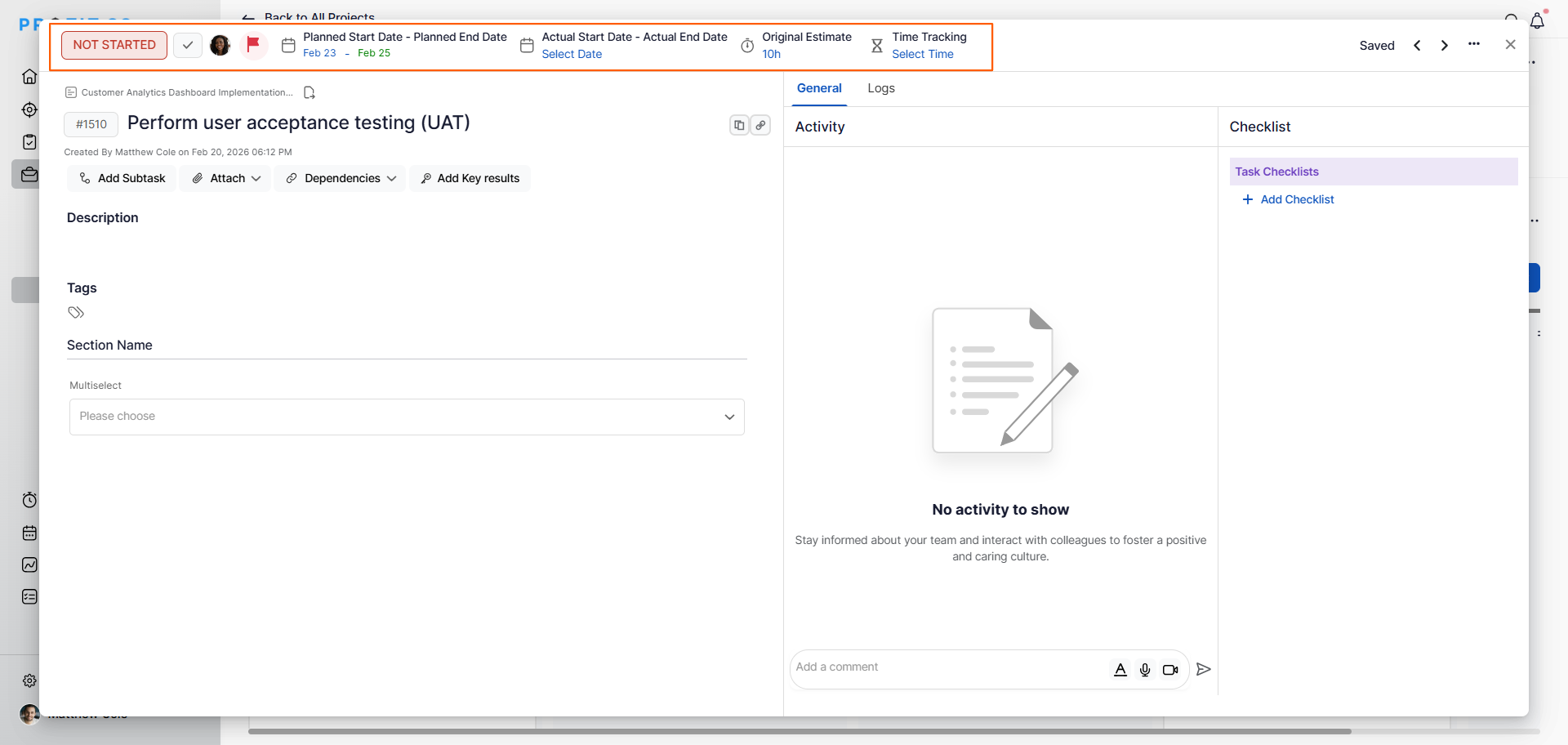
- The overview page will appear, showing task details
- Set Task Owner:
- Set Due Date:
- Allocate Estimated Time
Note: You'll repeat the allocation process for each project.
Example Multi-Project Allocation - Same Person:
Hannah Lewis Time Allocation Across 3 Projects:
| Project | Task | Due Date | Estimated Hours |
|---|---|---|---|
| Customer Analytics Dashboard Implementation | Perform user acceptance testing (UAT) | Feb 25 | 10 hours |
| Website Redesign Project | UX Review | Feb 26 | 8 hours |
| Marketing Growth Enablement Initiative | Wireframe Mockups | Feb 27 | 10 hours |
Total: Sarah has 28 hours allocated across 3 projects
How does logged time automatically populate timesheets?
Step 1
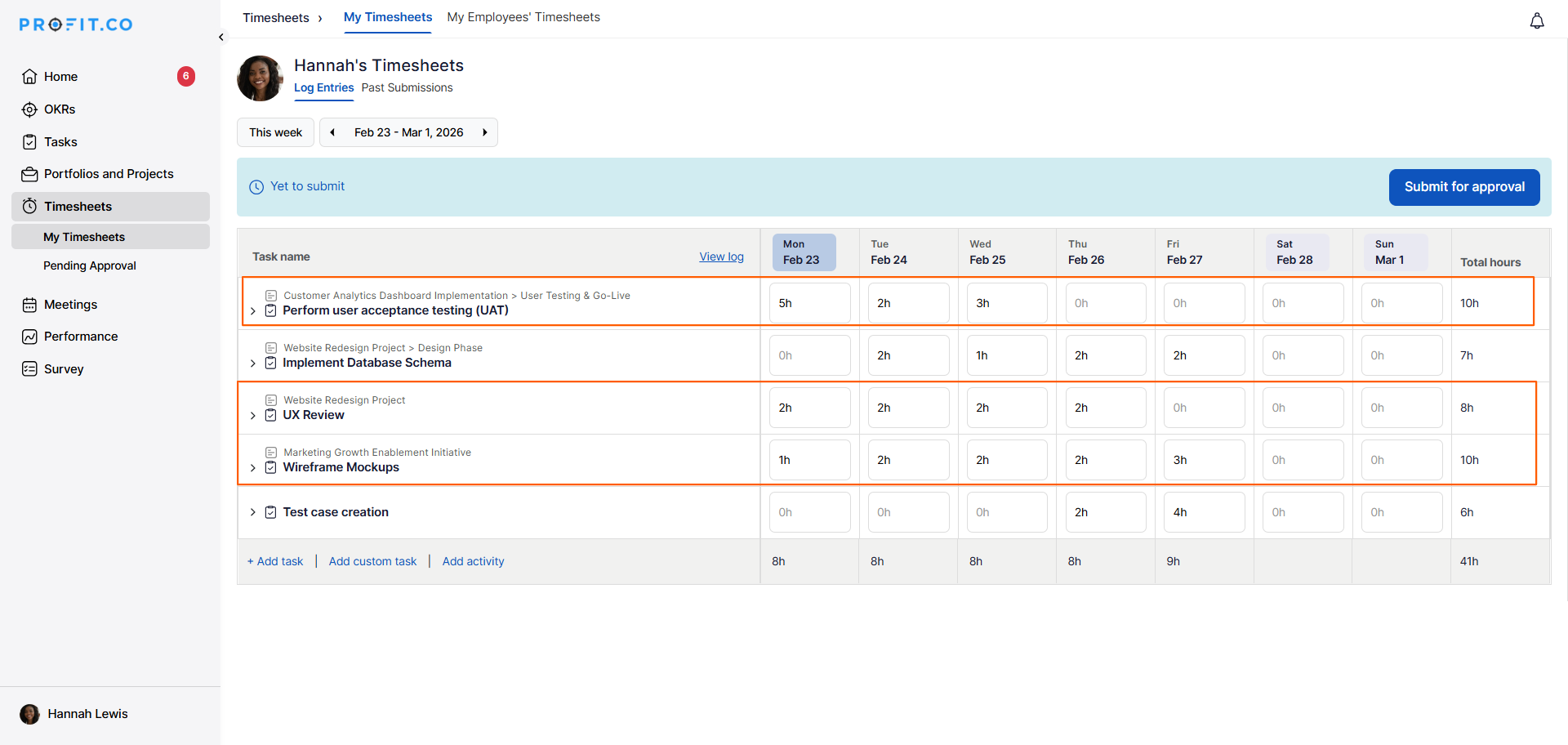
- When the assigned user logs the time for each task, the process begins
- Users log time in the allocated project tasks
- They enter:
- Date worked
- Hours spent
- Task worked on
- Optional notes
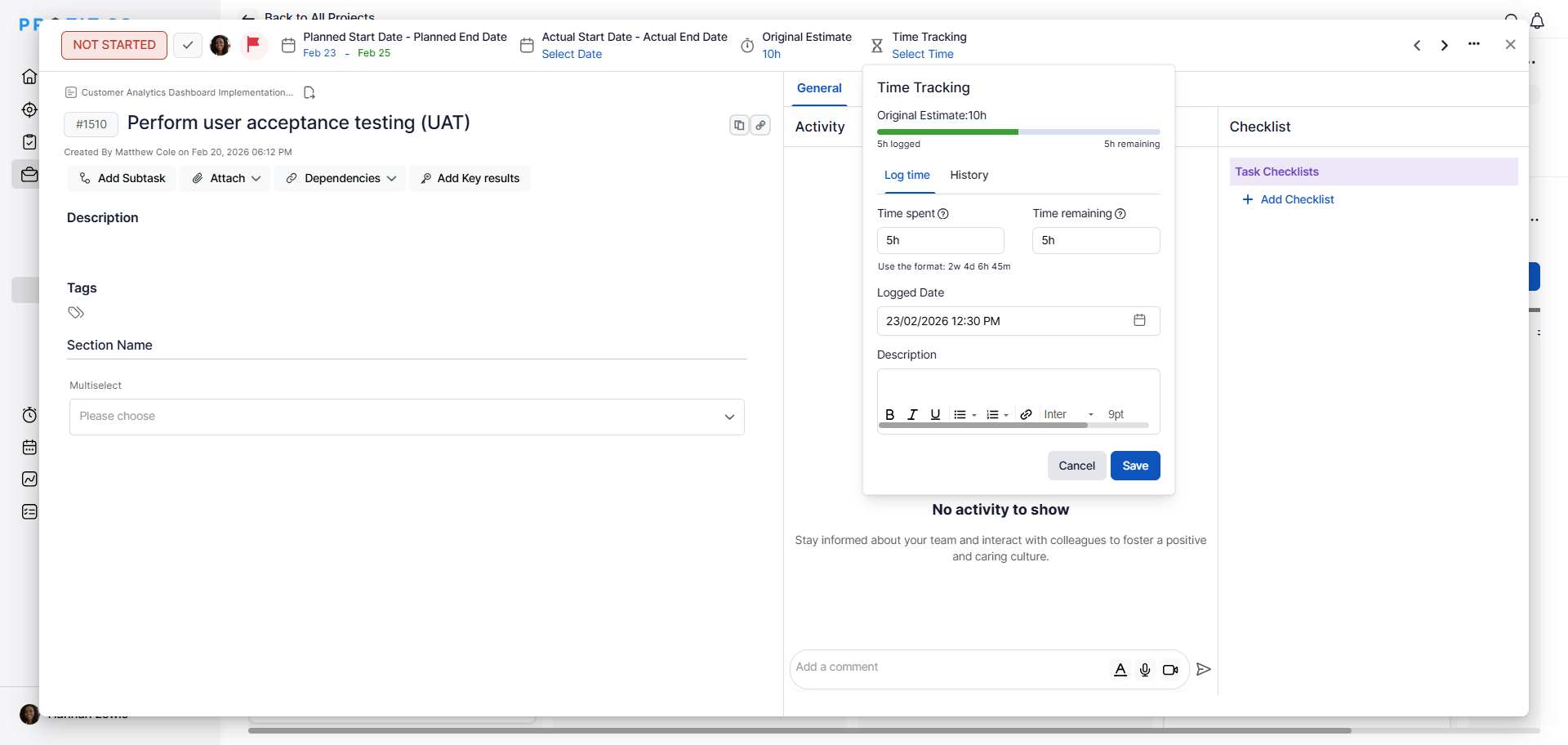
- The logged time auto-fills in the timesheet entries
- No manual re-entry required
- Time appears automatically based on task logs
How do managers view time across multiple projects?
Step 1
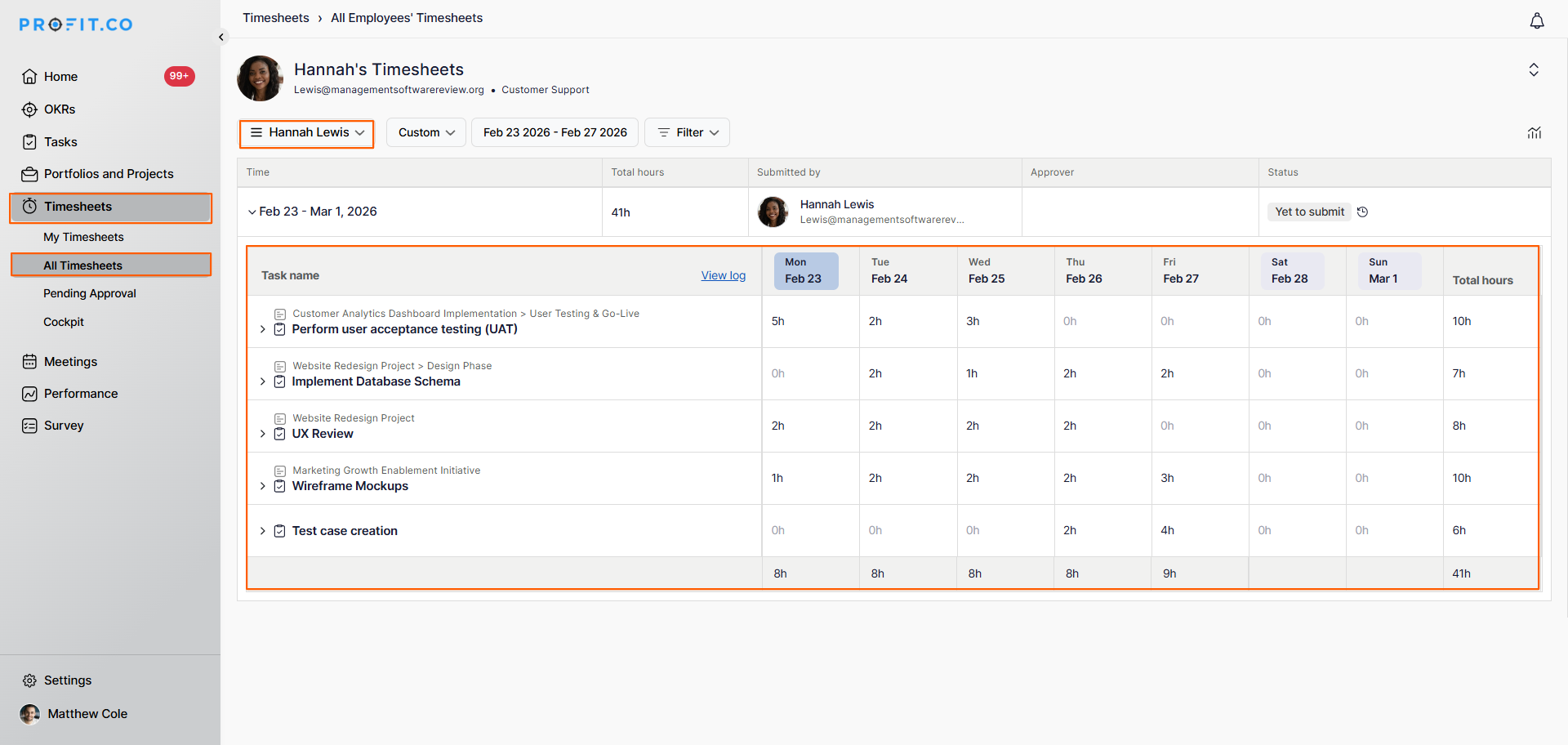
- Navigate to the Timesheets → All Timesheets from the left navigation panel.
- Select an employee to view their timesheet
- You can see the different project time spent in one single view
- All projects appear in the same timesheet
- No need to check multiple sources
Best practices for multi-project time allocation
- Allocate time for all projects a person is working on at the start of the week or sprint to establish clear expectations.
- Set realistic estimated hours that account for the person's availability across multiple projects (don't over-allocate).
- Review team members' total allocated hours across all projects to ensure they're not assigned more than their available capacity.
- Prioritize projects explicitly so team members know where to focus when multiple deadlines coincide.
- Encourage daily time logging rather than weekly batch entry to capture accurate multi-project distribution.
Related Questions
How do I create and assign tasks in projects in Profit.co?
Frequently Asked Questions
Yes, this is the core use case. The same person (e.g., Sarah) can be assigned tasks in Project A, B, and C, and all their time logs will appear in one consolidated timesheet.
This creates overallocation. For example, if Sarah has 50 hours of estimated work but only works 40 hours/week, she's overallocated by 10 hours. Use the Resource Allocation widget in the Cockpit to identify overallocated resources and rebalance workloads or extend deadlines accordingly.
No, when users log time on tasks, it automatically populates their timesheet.