



How do I build a benefit plan in Profit.co?
Category: PPM
Profit.co allows organizations to track and analyze the financial benefits associated with projects and initiatives. This feature enables comprehensive Cost Benefit Analysis (CBA) by capturing tangible financial returns, helping decision-makers evaluate project ROI and prioritize investments.
Table of Contents
What is a Benefit Plan in Profit.co?
A Benefit Plan in Profit.co is a structured framework that defines the expected financial benefits a project will deliver to the organization. It works in conjunction with the Cost-Benefit Analysis feature to provide a complete picture of project value
How to Build a Benefit Plan in Profit.co?
Step 1
- Navigate to Settings → Portfolios and Projects → Project from the left navigation panel.
- Switch to the Financial tab
- Under Financials, enable Cost-Benefit Analysis (CBA)
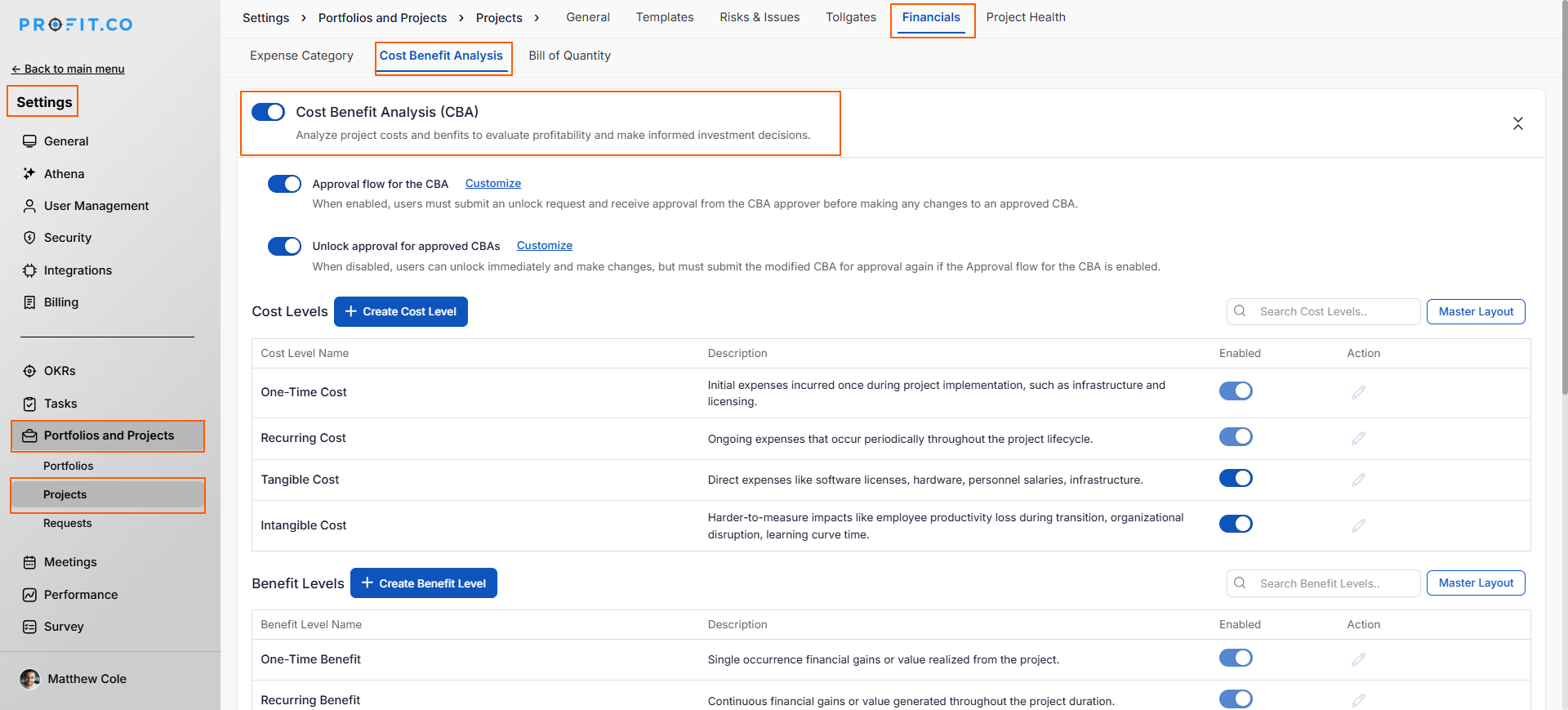
Why Enable CBA? Enabling Cost-Benefit Analysis is the foundation for building benefit plans. Without CBA enabled, you cannot define or track benefits at the project level.
Step 2
Benefit types define the categories of value your projects will deliver:
Why Create Custom Benefit Types?
- Align benefit tracking with organizational strategic goals
- Standardize benefit measurement across the portfolio
- Enable comparison of similar benefit types across projects
- Facilitate reporting on specific benefit categories
Steps to Create Benefit Level:
- In the Financial tab, scroll to the Benefit Level section
- Click the + Create Benefit Level button
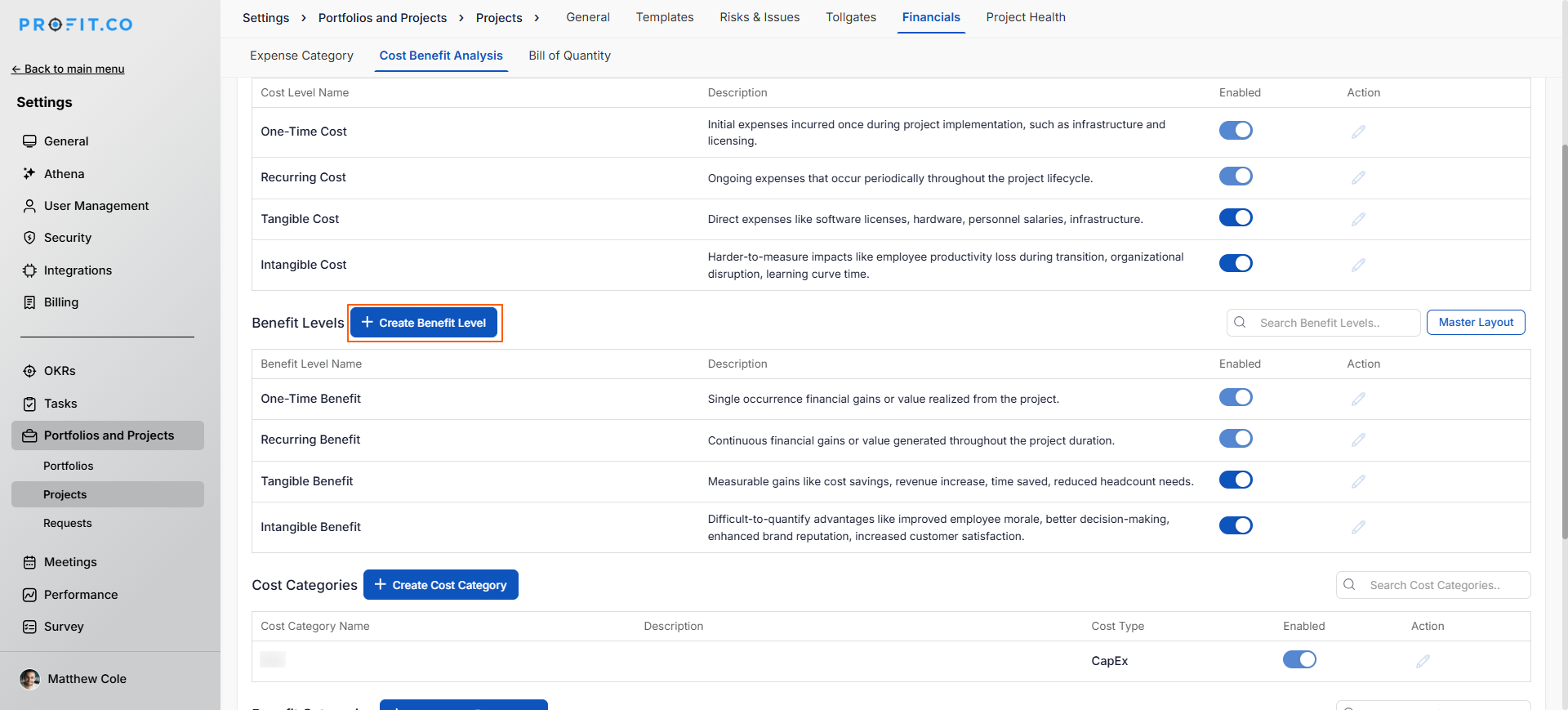
- A popup window will appear
- Enter the Name of the benefit type (Optionally, add a Description explaining how this benefit should be measured
- Click Create to save the new benefit type
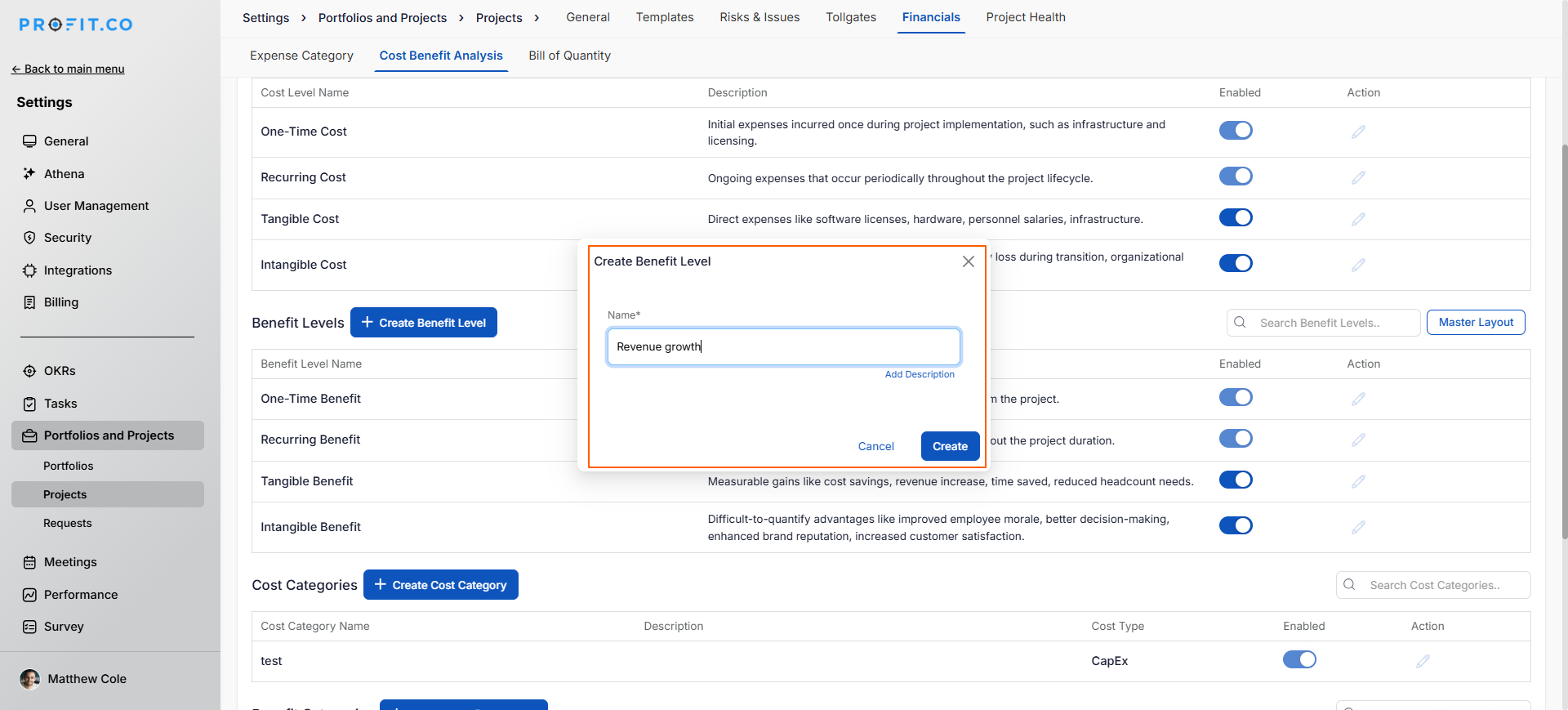
Repeat this process for each benefit type relevant to your organization.
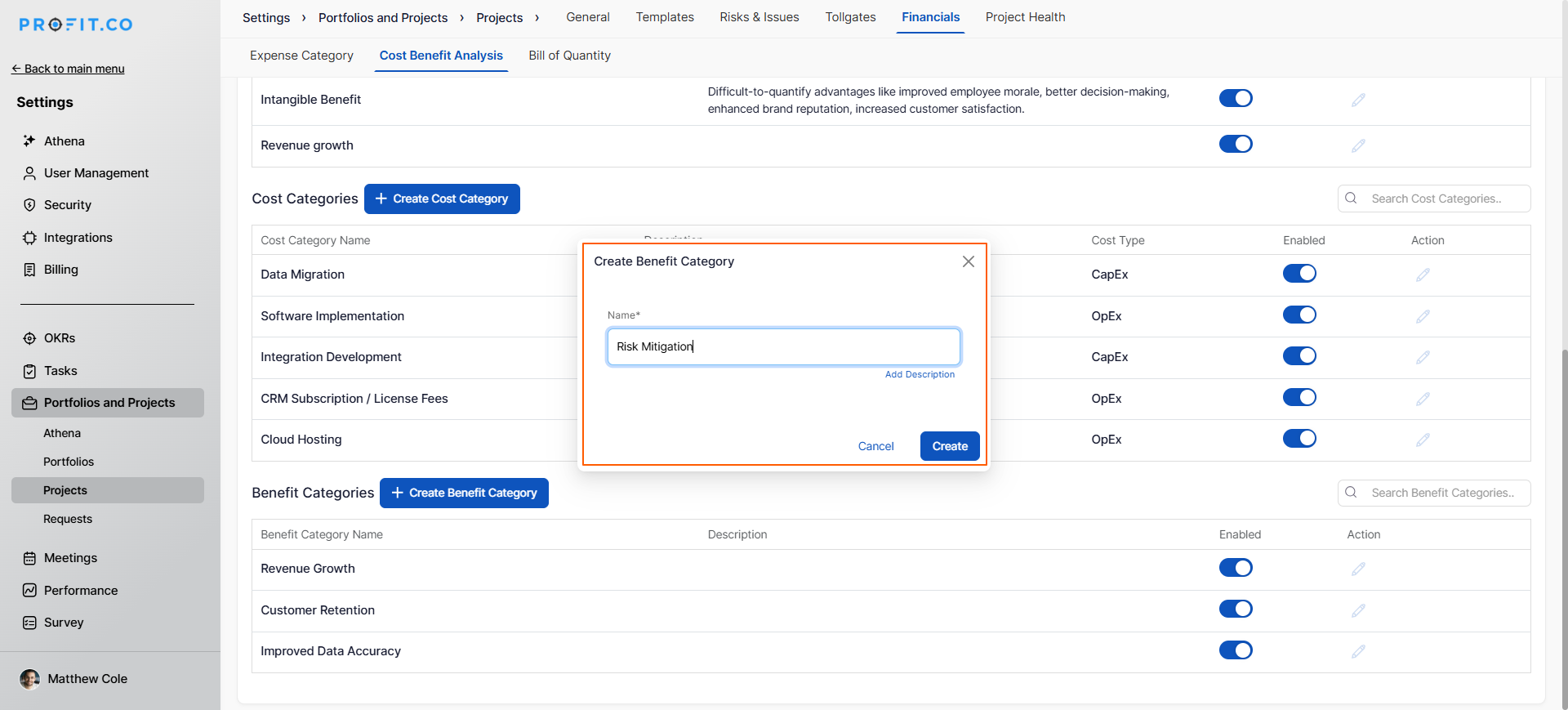
- Click the + Create Benefit Category button
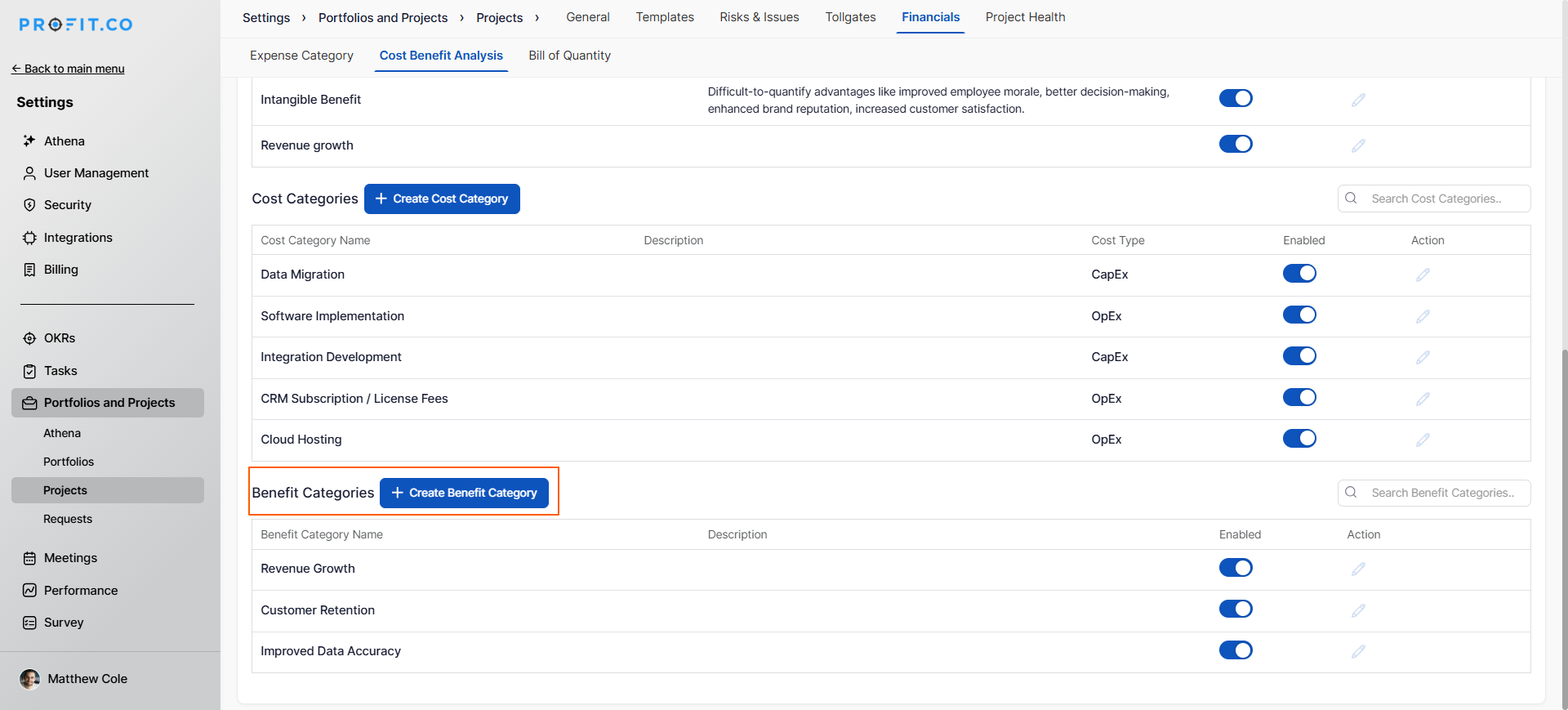
- A pop-up window will appear
- Enter the Name of the benefit type
- Click Create to save the new benefit type
Step 3
Once CBA is enabled and benefit types are created, build the benefit plan for your specific project:
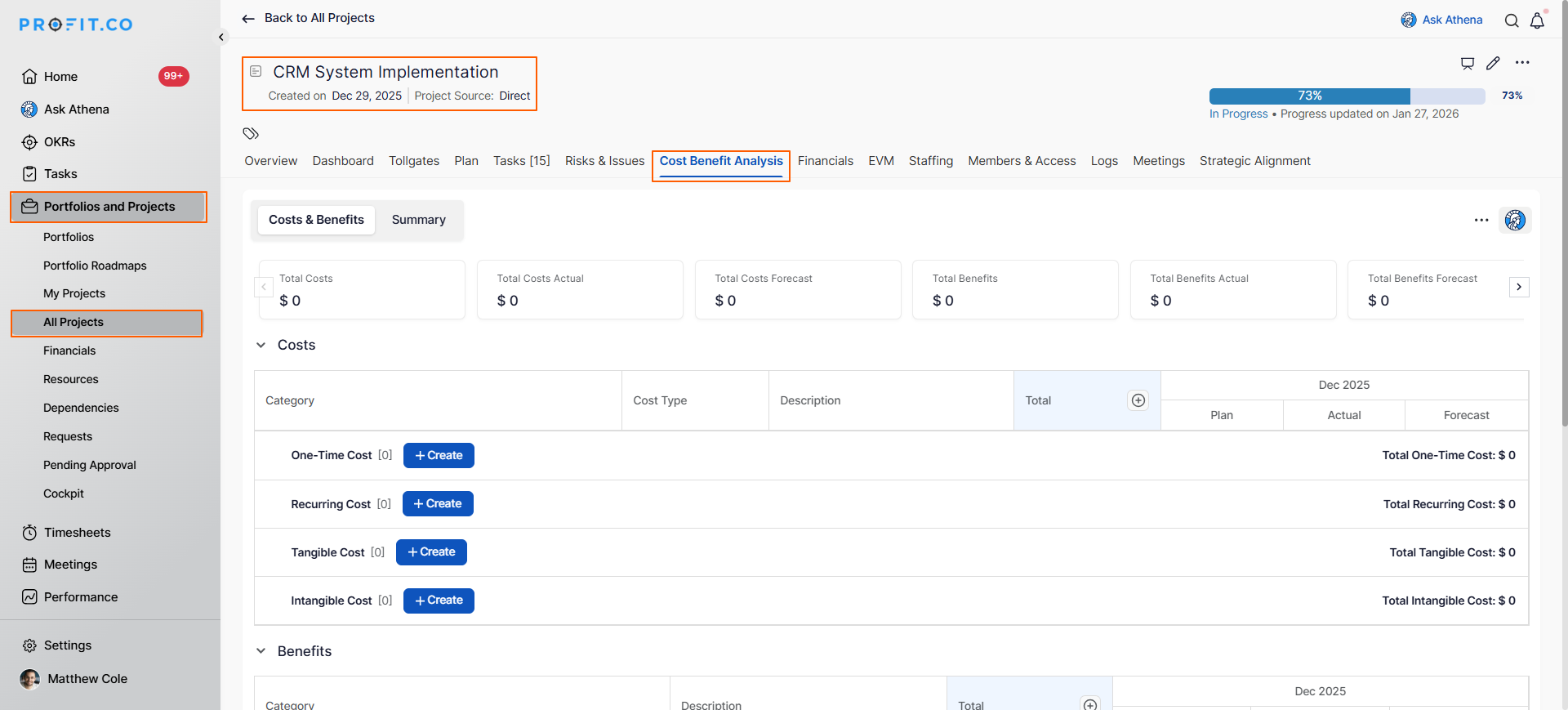
- Go to Portfolios and Projects from the main navigation
- Select the Project where you want to create a benefit plan
- Open the project details page
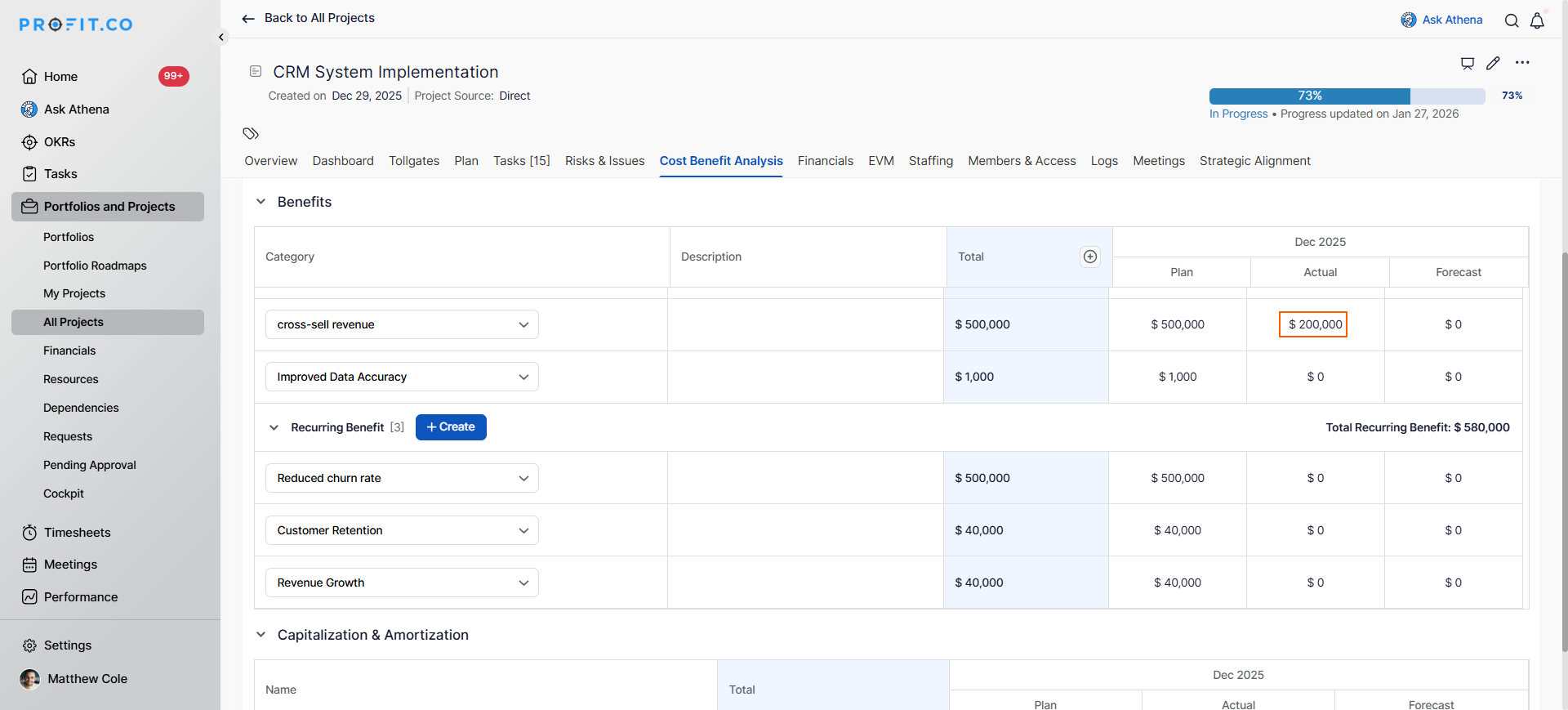
- Navigate to the Cost-Benefit Analysis tab
Now you can define the specific benefits this project will deliver:
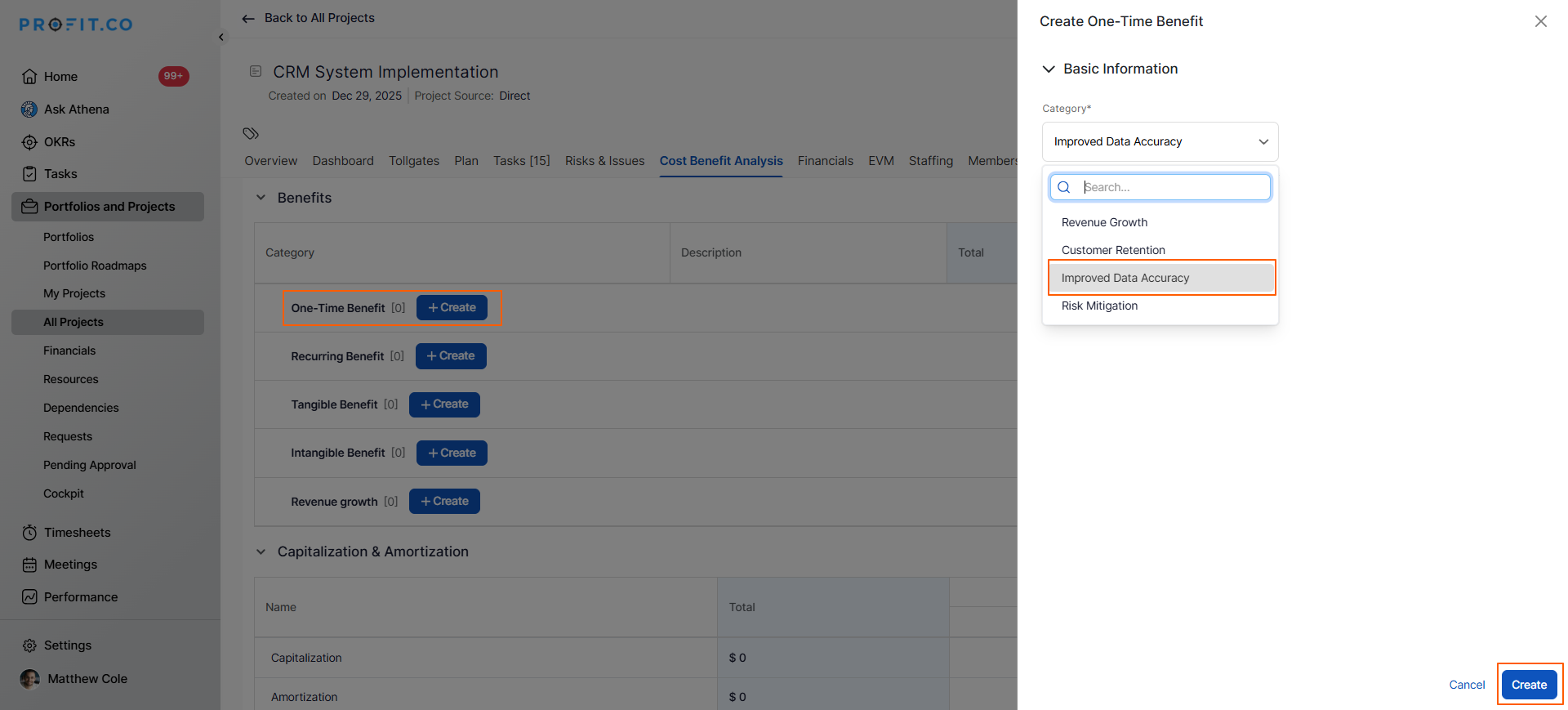
- Click + Add Benefit button
- In the right panel, click Create Benefit Category, choose the category, and then click Create.
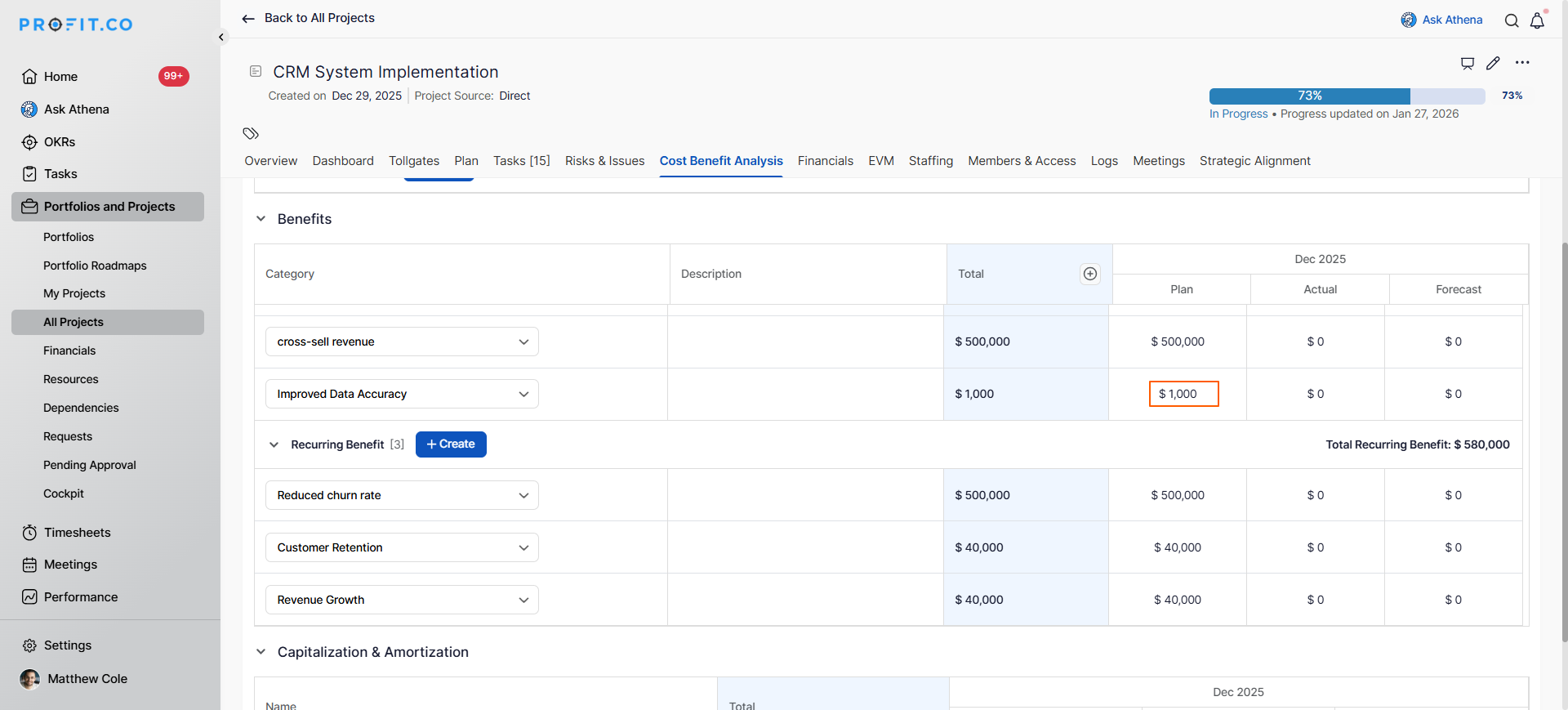
Add the planned values for all benefits, and later update them with the actual benefit values.
Best practices for building effective Benefit Plans
- Include measurable financial benefits for ROI calculation
- Avoid overly optimistic benefit projections
- Record all assumptions, calculations, and data sources
Related Questions
Learn how to use cost-benefit analysis in Profit.co. Click Here
Frequently Asked Questions
This depends on your organization's policies. Many organizations require CBA for projects above a certain investment threshold or strategic importance level.
Monthly or quarterly updates are common, depending on project duration and benefit measurement cycles. Establish a regular cadence and stick to it.
Visibility depends on your permission settings.
Related Questions
-
How to create a Project in the PPM module?
Profit.co provides an option for users to create a project within the Project Portfolio Management (PPM) module. This ...Read more
-
How do I manage tollgate compliance across projects in Profit.co?
In Profit.co, you can Manage tollgate compliance across projects by associating tollgate sequences with projects, ...Read more
-
How do I set up resource rate cards and cost allocation in Profit.co?
In Profit.co, you can set up resource rate cards by creating Resource Types with specific hourly cost rates, assigning ...Read more
-
How to View Critical Tasks of a Project in Profit.co?
Profit.co's Critical Path Method (CPM) feature helps project managers identify the most essential sequence of tasks ...Read more