



How does Profit.co help managers identify employees who haven't created timesheets?
Category: PPM
Profi.co provides a new view in the Cockpit to track employees without timesheets. The widget displays users who haven't created timesheets for a selected time period, with options to filter by date range and export the data.
Table of Contents
- Why is the Employees Without Timesheets feature important?
- What is the Employees Without Timesheets widget?
- How do I set up the Employees Without Timesheets widget?
- How do I export data from the Employees Without Timesheets widget?
- Best Practices for Managing Timesheet Compliance
- Related Questions
- Frequently Asked Questions
Why is the Employees Without Timesheets feature important?
The Employees Without Timesheets tracking feature is crucial for maintaining accurate time records and organizational compliance. Here's why this feature matters:
- Quick Identification: This feature enables managers to quickly identify employees who haven't created timesheets within a specified time frame.
- Proactive Management: Catch timesheet gaps early before they impact payroll processing or project reporting.
- Resource Visibility: Maintain complete visibility into team capacity and utilization.
- Audit Readiness: Ensure all time records are complete for compliance and audit purposes.
What is the Employees Without Timesheets widget?
The Employees Without Timesheets widget is a specialized cockpit component in Profi.co that provides managers with visibility into timesheet compliance. It displays a list of employees who have not submitted timesheets for a specified period.
Key capabilities:
- Real-time tracking of missing timesheets
- Customizable time period filtering
- Visual dashboard integration
- Data export functionality
- Quick identification of non-compliant employees
- Time-based monitoring for specific date ranges
- This widget serves as an early warning system to ensure complete time tracking across your organization.
How do I set up the Employees Without Timesheets widget?
Follow these steps to add the widget to your Cockpit:
Step 1: Access Cockpit Customization
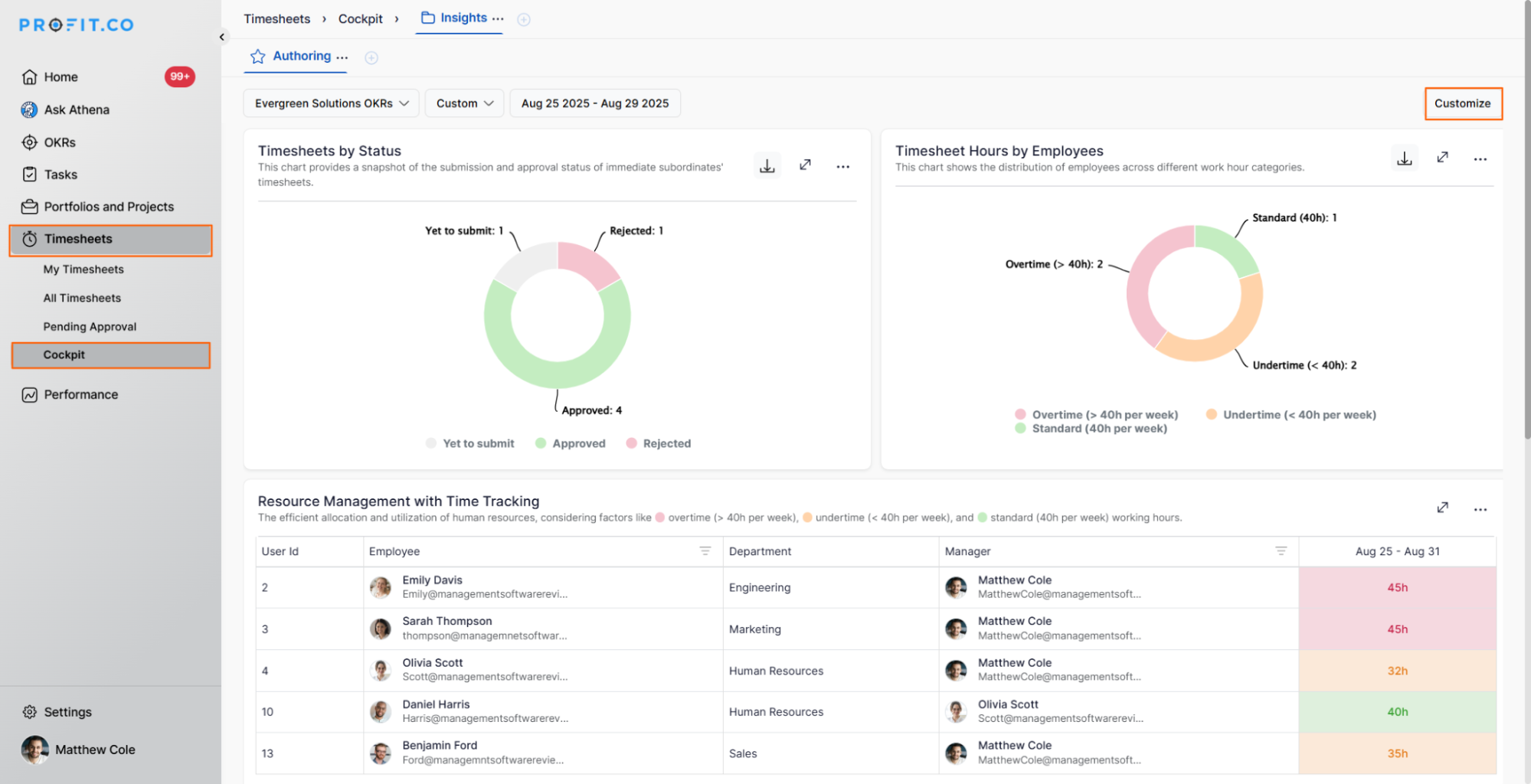
- Navigate to Timesheets → Cockpit from the left navigation panel
- Click the Customize button on the cockpit page
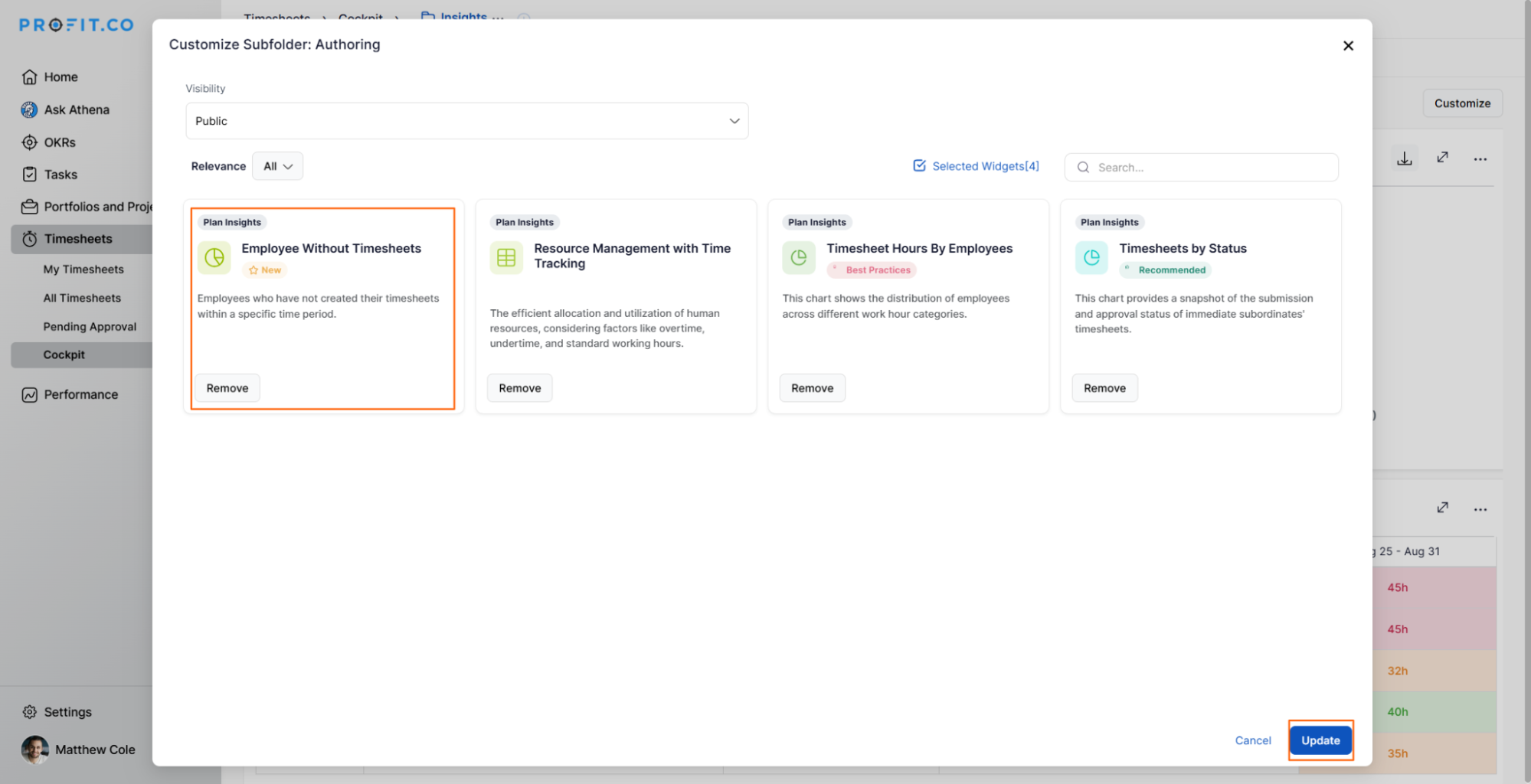
- On the Customize pop-up, select the Employee without Timesheets widget
- Click the Update button
Step 2: View and Filter the Data
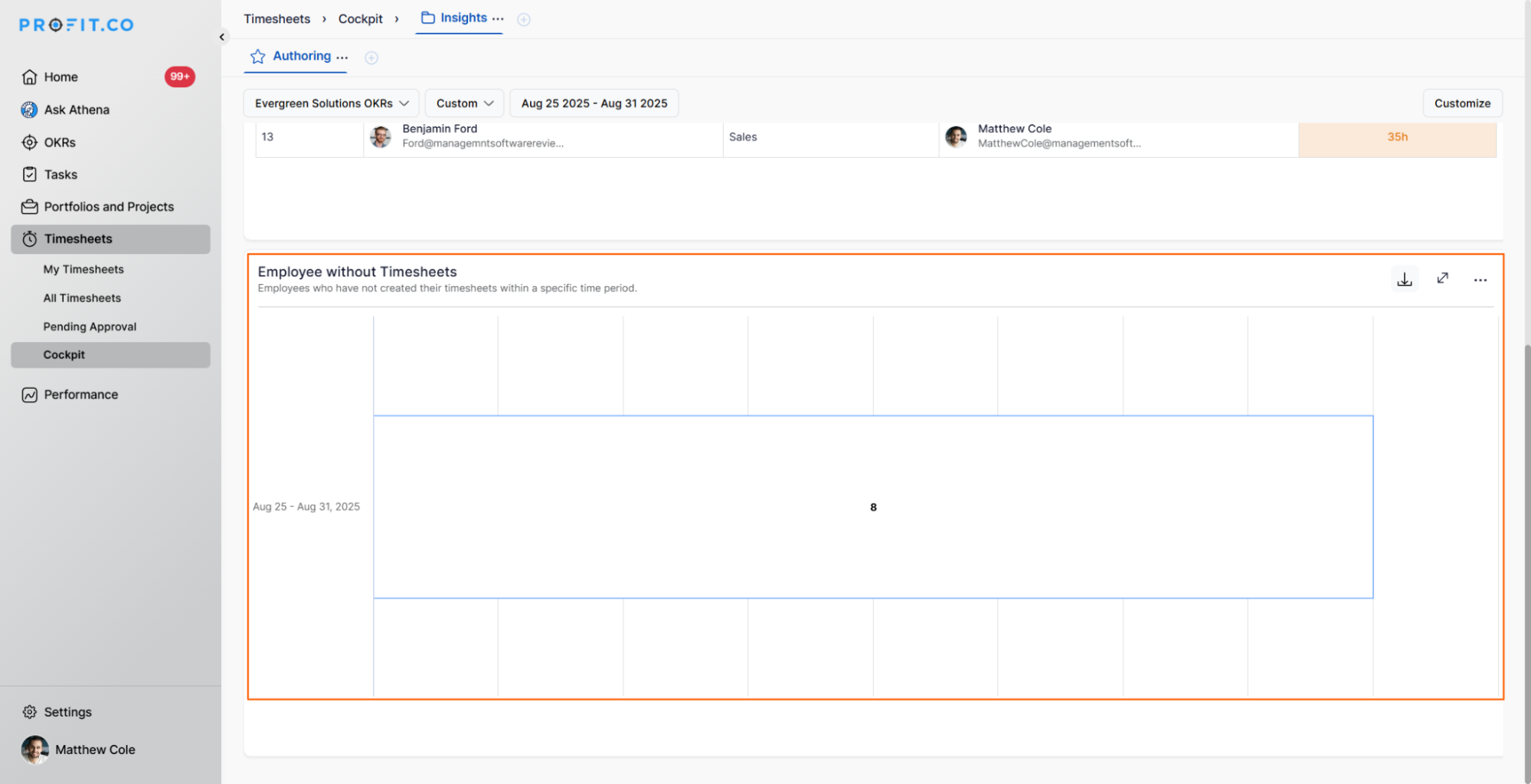
Once added, the "Employees Without Timesheets" widget will appear in your cockpit:
- The widget displays users who haven't created timesheets for the selected time period
- You can filter the data by time period to focus on specific date ranges
- You can export the data for further use, reporting, or follow-up actions
The widget provides an at-a-glance view of timesheet compliance, making it easy to identify and address gaps quickly.
How do I export data from the Employees Without Timesheets widget?
Exporting data allows for further analysis and sharing:
- Access the Employees Without Timesheets widget in the Cockpit
- Apply any desired filters (time period, department, etc.)
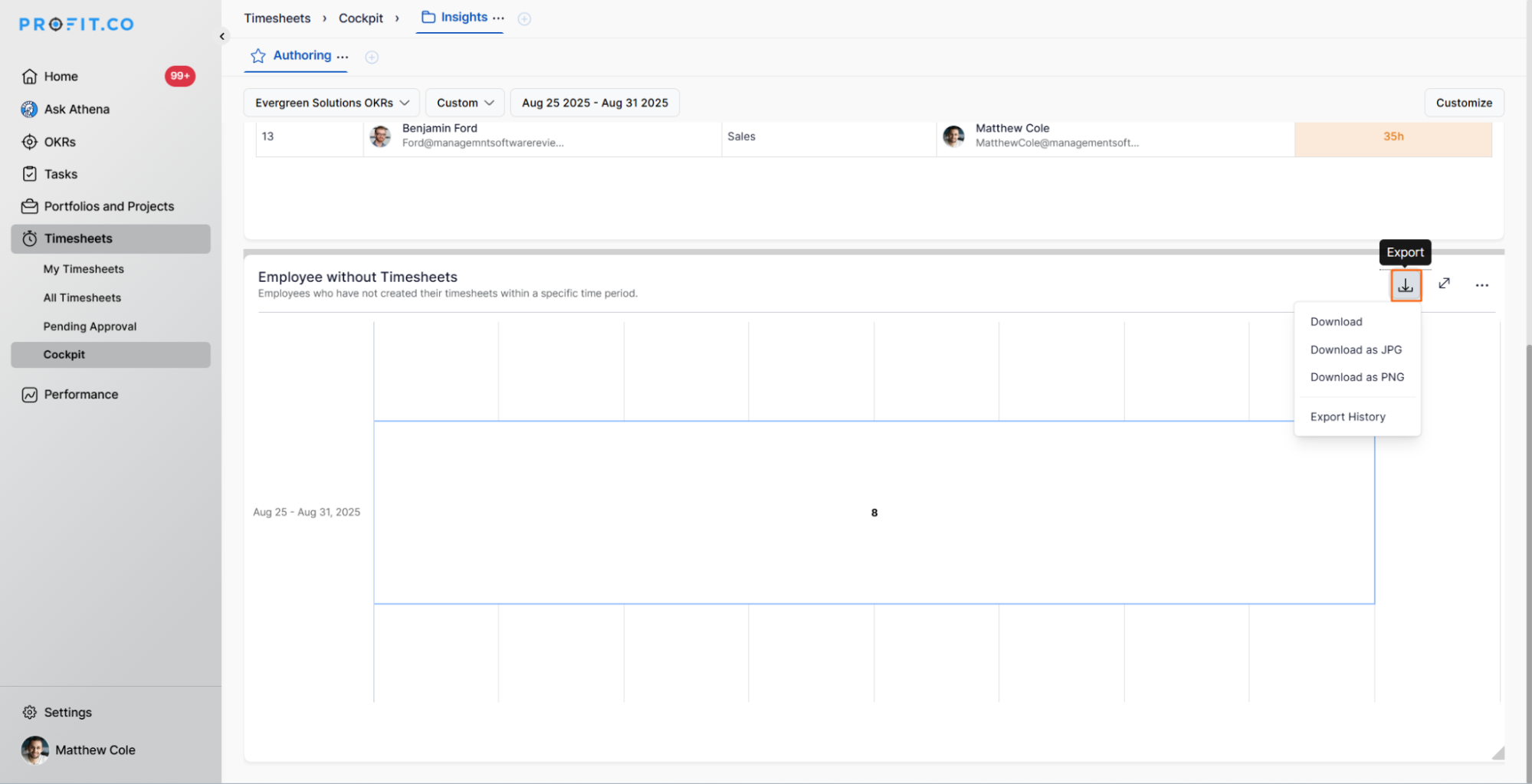
- Click the Export button
- Download the data in the available format (typically CSV or Excel)
Best Practices for Managing Timesheet Compliance
To maximize the effectiveness of timesheet tracking:
- Set Clear Expectations: Communicate timesheet submission deadlines clearly to all employees
- Regular Monitoring: Check the widget consistently at scheduled intervals
- Timely Reminders: Send reminders to employees before deadlines
- Follow-up Promptly: Address missing timesheets quickly to prevent accumulation
- Track Patterns: Identify repeat offenders and address underlying issues
Related Questions
What is Resource Management in the PPM module, click here
Frequently Asked Questions
Yes, the widget typically supports filtering options that allow you to view data for specific teams, departments, or organizational units.
The widget updates in real-time or near real-time, reflecting the current state of timesheet submissions.
This depends on your organization's configuration. Typically, this widget is visible only to managers and supervisors, not to individual employees.
Related Questions
-
How to create a Project in the PPM module?
Profit.co provides an option for users to create a project within the Project Portfolio Management (PPM) module. This ...Read more
-
How do I manage tollgate compliance across projects in Profit.co?
In Profit.co, you can Manage tollgate compliance across projects by associating tollgate sequences with projects, ...Read more
-
How do I set up resource rate cards and cost allocation in Profit.co?
In Profit.co, you can set up resource rate cards by creating Resource Types with specific hourly cost rates, assigning ...Read more
-
How to View Critical Tasks of a Project in Profit.co?
Profit.co's Critical Path Method (CPM) feature helps project managers identify the most essential sequence of tasks ...Read more