



How is Project Progress Calculated in Profit.co?
Category: PPM
In Profit.co's Project Portfolio Management (PPM), project progress is automatically calculated as the weighted average of milestone, sub-project, and standalone task progress, providing an accurate, real-time view of overall project completion.
Table of Contents
- What is Project Progress Calculation in Profit.co?
- How do I configure task status progress percentages?
- How is milestone progress calculated?
- How is sub-project progress calculated?
- How is standalone task progress calculated?
- What is the overall project progress formula?
- Best practices for accurate project progress tracking
- Related Questions
- Frequently Asked Questions
What is Project Progress Calculation in Profit.co?
Project Progress Calculation in Profit.co is an automated system that determines a project's overall completion percentage by averaging the progress of three key components: milestones (with their tasks), sub-projects, and standalone tasks. Each task's contribution is based on configurable status-based progress percentages.
Project progress in Profit.co is derived from up to three primary components. The calculation dynamically adjusts based on which components are present in your project:
Dynamic Progress Formulas:
Scenario 1: All Three Components Present (Milestones + Sub-Projects + Standalone Tasks):
Project Progress = (Milestone Progress + Sub-Project Progress + Standalone Task Progress) / 3
Scenario 2: Milestones + Standalone Tasks Only:
Project Progress = (Milestone Progress + Standalone Task Progress) / 2
Scenario 3: Milestones + Sub-Projects Only:
Project Progress = (Milestone Progress + Sub-Project Progress) / 2
Scenario 4: Milestones Only:
Project Progress = Milestone Progress
Important: The denominator changes based on how many components are present. The system averages only the components that exist in your project.
Note: This guide focuses on Scenario 1 (all three components present) to demonstrate the complete calculation methodology.
How do I configure task status progress percentages?
Customize how much each task status contributes to progress:
Step 1: Navigate to Task Settings
- Click on Settings from the left navigation panel.
- Select Tasks from the Settings menu.
- Click on the Statuses tab.
The default task status progress percentages are:
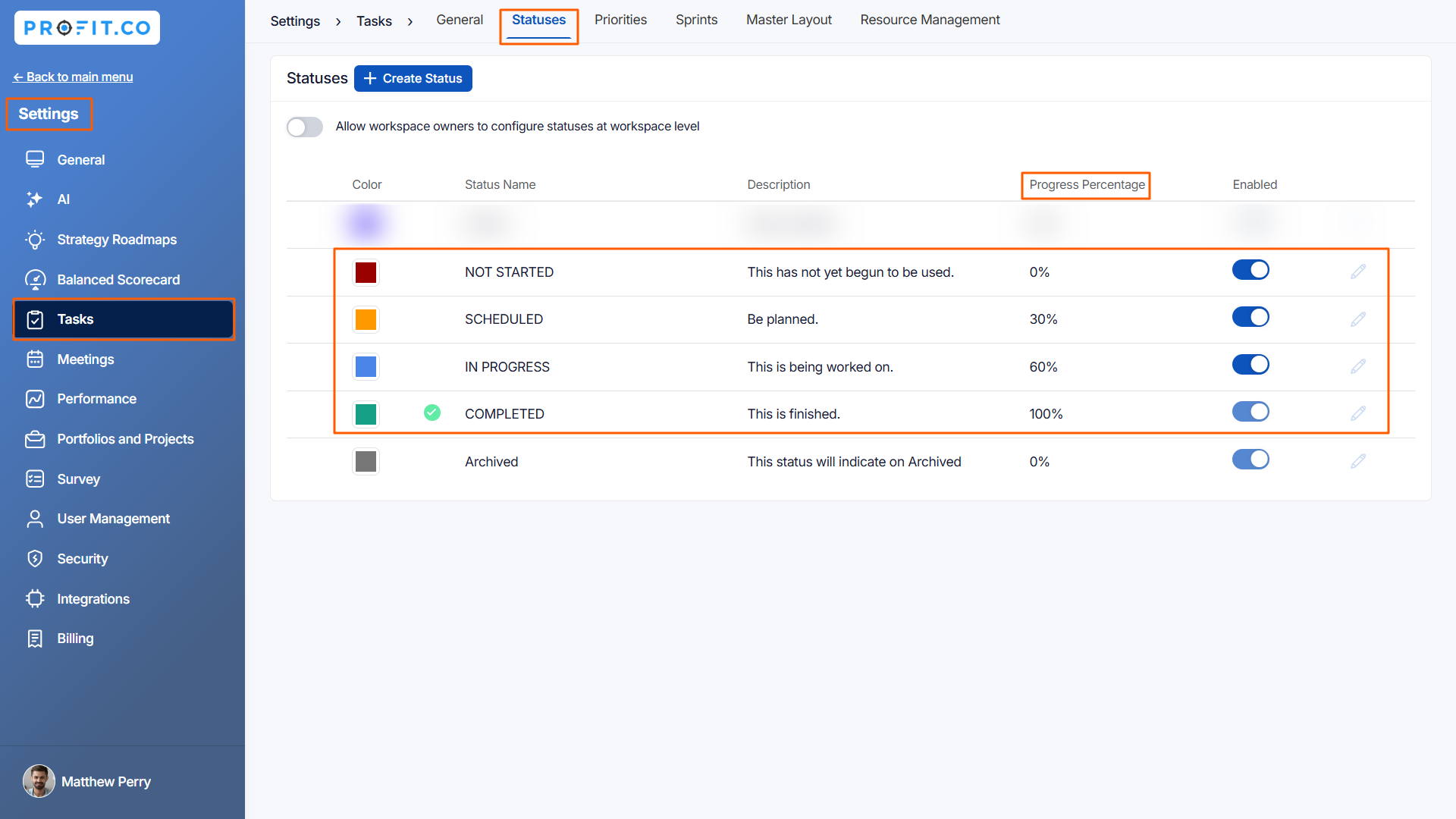
Important Note: Progress percentages can be customized in Task settings, and all project progress calculations will reflect these custom values.
How is milestone progress calculated?
Milestone progress is the average of all tasks within that milestone:
Calculation Formula:
Milestone Progress = (Sum of all task progress percentages) / (Number of tasks)
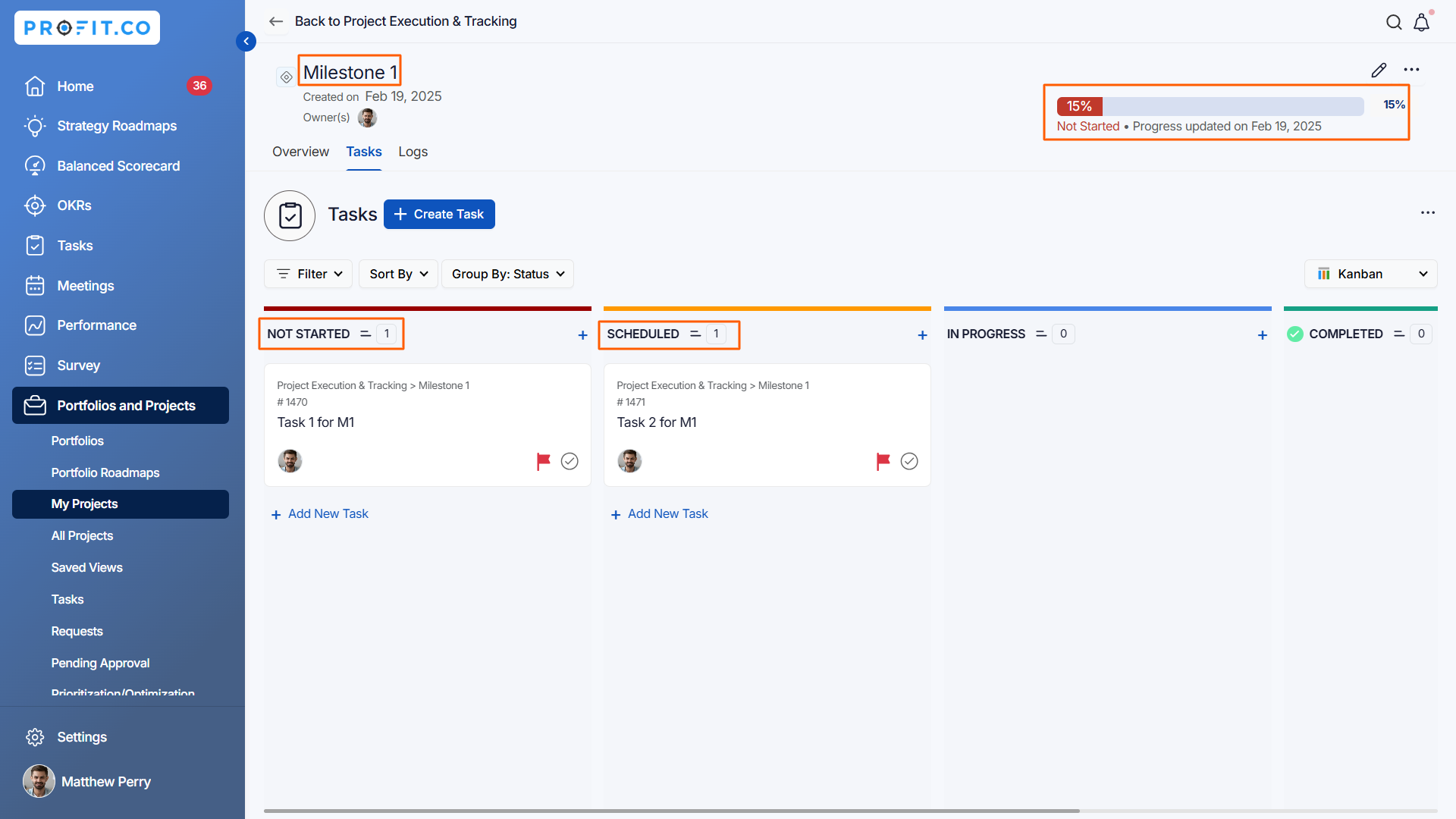
Milestone 1 Progress
- Task 1: Not Started status → 0%
- Task 2: Scheduled status → 30%
Calculation:
Milestone 1 Progress = (0% + 30%) / 2 = 15%
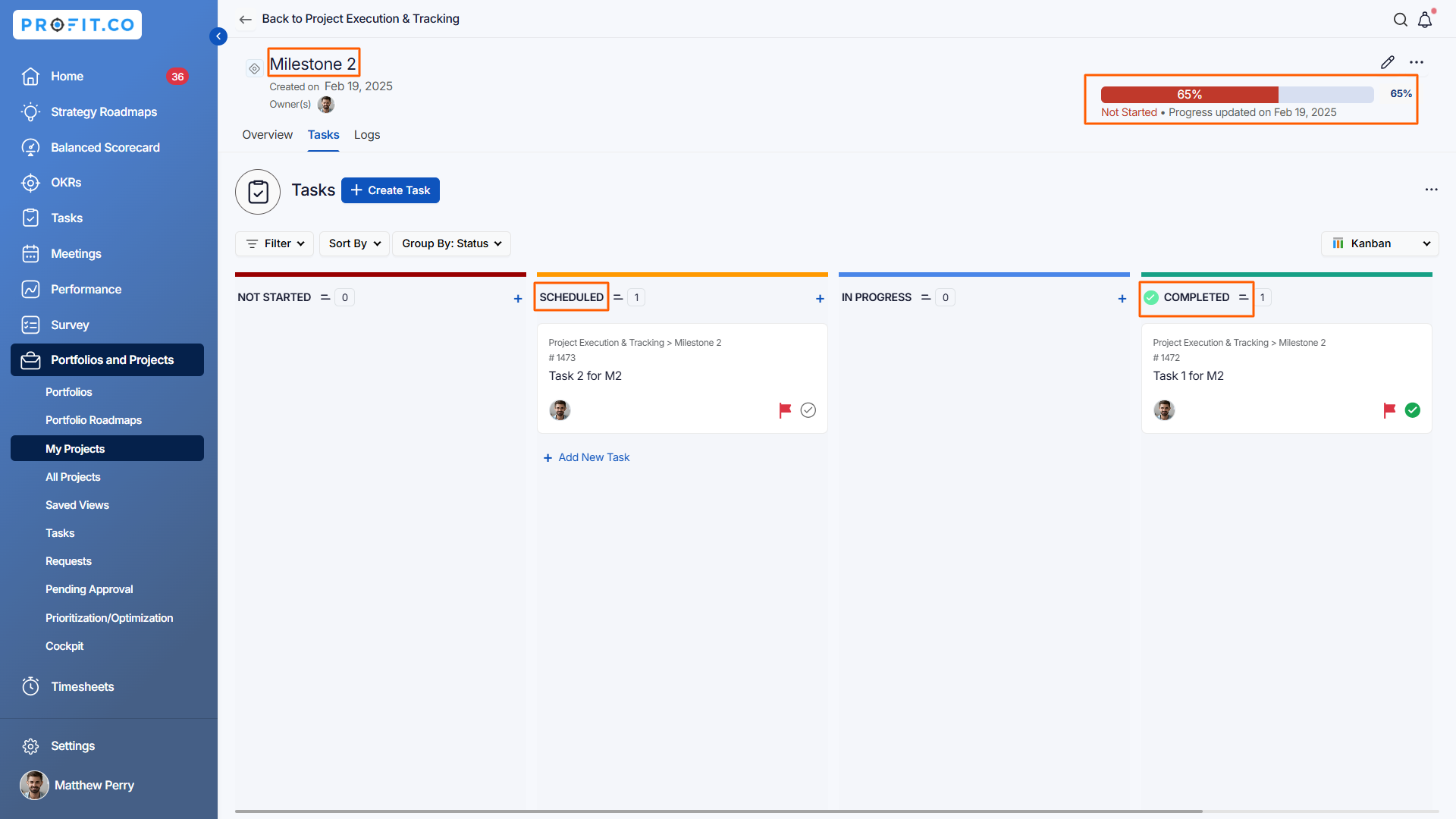
Milestone 2 Progress:
- Task 1: Scheduled status → 30%
- Task 2: Completed status → 100%
Calculation:
Milestone 2 Progress = (30% + 100%) / 2 = 65%
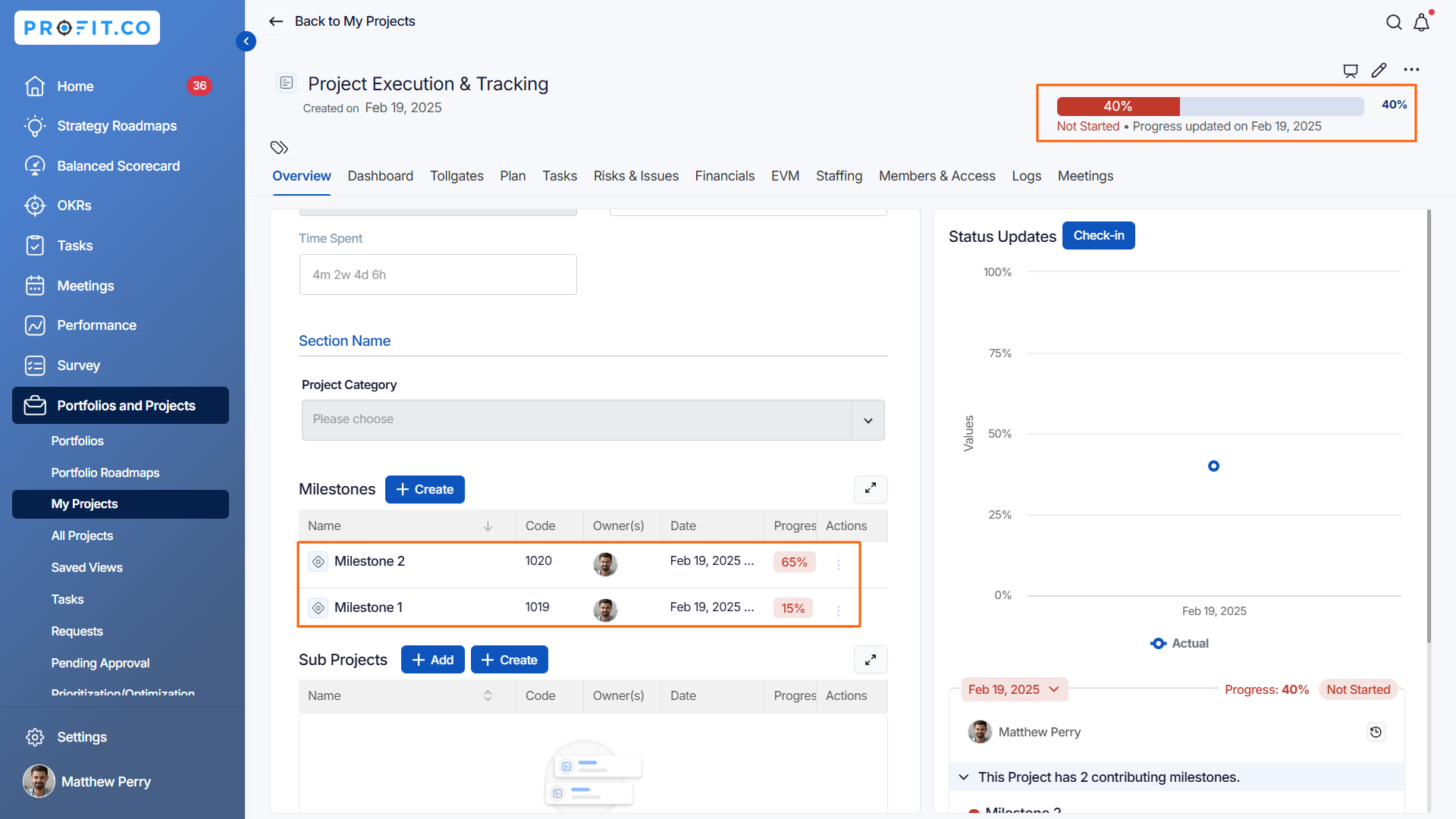
Total Milestone Progress = (15% + 65%) / 2 = 40%
How is sub-project progress calculated?
Sub-projects are calculated using the same methodology as main projects:
Calculation Method:
- Sub-project progress is based on its own milestones and tasks
- Each sub-project calculates its progress independently
- The sub-project progress percentage contributes to the main project
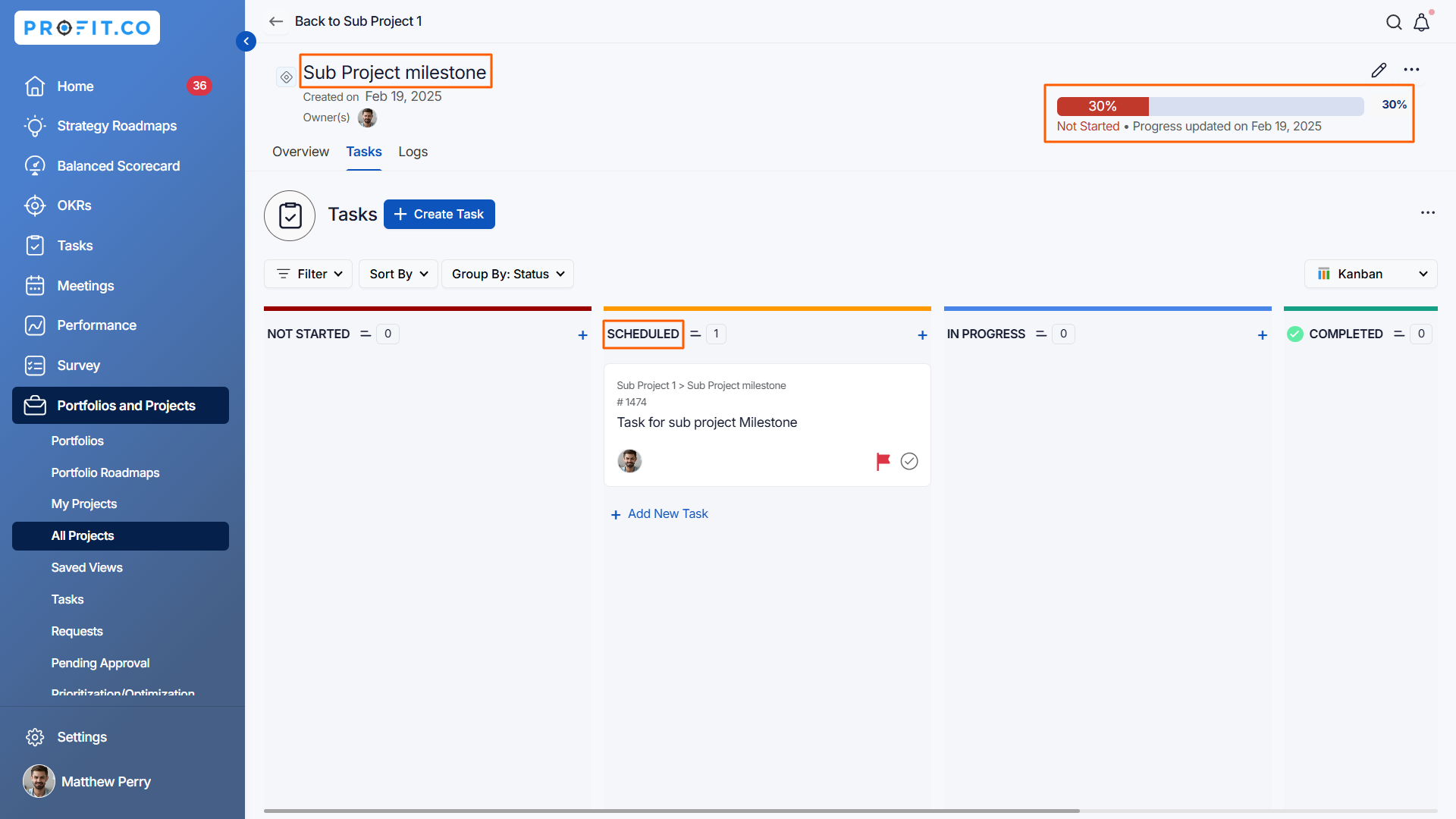
Example from Screenshot:
- Sub-project has 1 milestone with 1 task
- Task status: Scheduled → 30%
- Sub-Project Progress = 30%
How is standalone task progress calculated?
Standalone tasks are tasks created directly in the Tasks tab without being linked to a milestone:
Calculation Method:
- Standalone tasks have their own progress based on their status
- Multiple standalone tasks are averaged together
- This average contributes to overall project progress
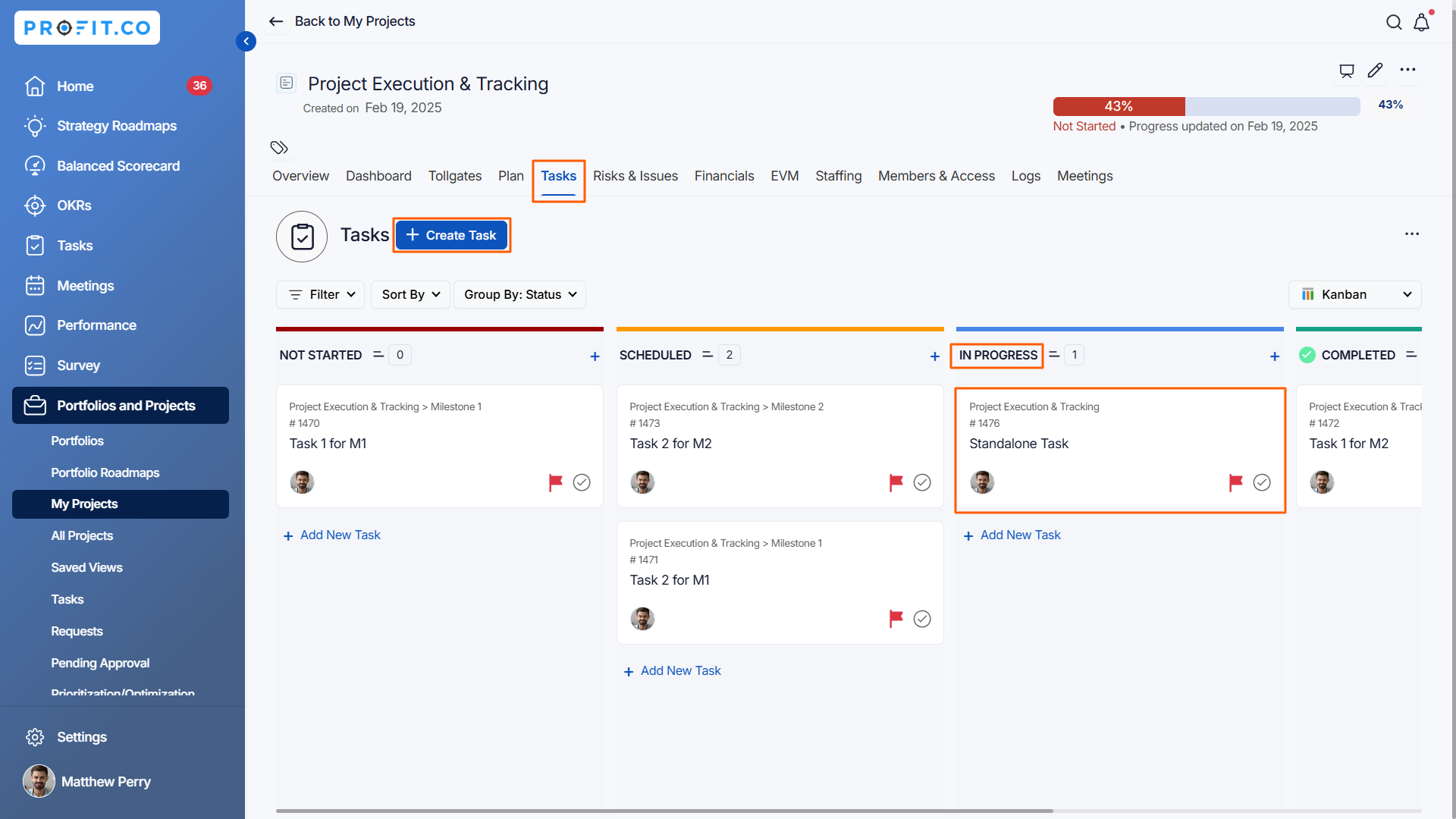
Example from Screenshot:
- Standalone task created in Tasks tab
- Task status: In Progress → 60%
- Standalone Task Progress = 60%
What is the overall project progress formula?
The complete project progress calculation follows this formula:
Formula:
Project Progress = (Milestone Progress + Sub-Project Progress + Standalone Task Progress) / 3
Calculation:
Project Progress = (40% + 30% + 60%) / 3
Project Progress = 130 / 3
Project Progress = 43.333%
Project Progress ≈ 43%
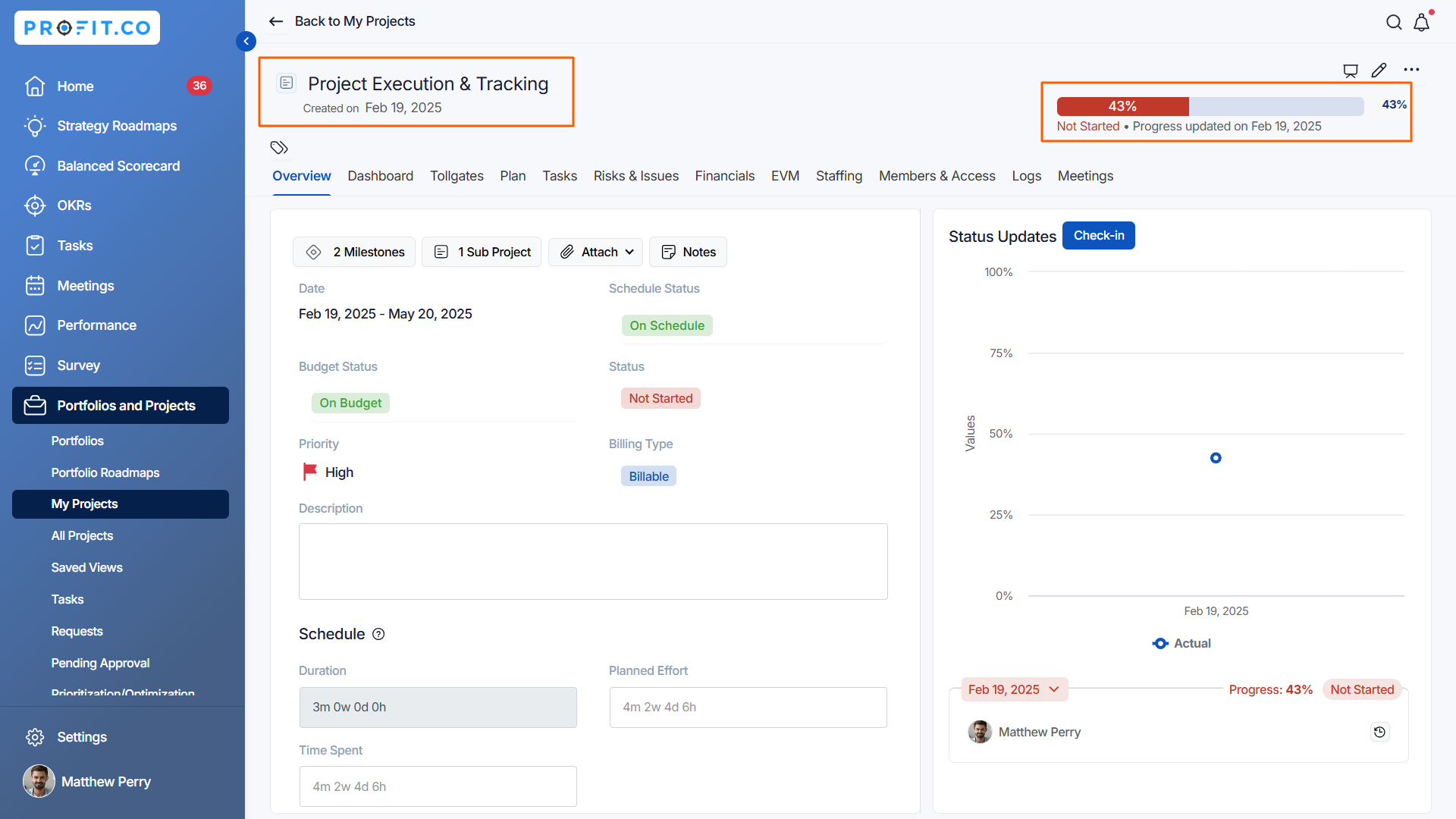
Result: The project overview page displays 43% progress.
Note:
-
Weights can be assigned to projects at both the Portfolio and Sub-Portfolio levels, and portfolio progress is calculated proportionally based on those assigned weights.
-
In a parent portfolio, weights can be assigned at the Sub-Portfolio level, and the parent portfolio's overall progress reflects accordingly.
Best practices for accurate project progress tracking
- Configure task status progress percentages before starting projects to ensure consistent calculation methodology.
- Use "Scheduled" status only when tasks are truly planned and ready, not for tasks that are just ideas.
- Mark tasks as "In Progress" only when work has actually begun to avoid inflated progress percentages.
- Change status to "Completed" immediately upon finishing tasks to reflect current progress accurately.
- Create milestones for all major project phases to ensure proper progress roll-up and tracking.
Related Questions
To learn more about project management in Profit.co, click here
Frequently Asked Questions
Progress is based on the average of milestones, sub-projects, and standalone tasks, not just task count. A project with one completed task out of ten might show higher than 10% progress if some tasks are "In Progress" (60%).
Tasks with "Archived" status (0%) effectively don't contribute to progress. There's no way to completely exclude a task without archiving or deleting it.
This reflects that planning and scheduling work represents about 30% of task completion. You can customize this to 0% or any other value in Settings.
Related Questions
-
How to create a Project in the PPM module?
Profit.co provides an option for users to create a project within the Project Portfolio Management (PPM) module. This ...Read more
-
How do I manage tollgate compliance across projects in Profit.co?
In Profit.co, you can Manage tollgate compliance across projects by associating tollgate sequences with projects, ...Read more
-
How do I set up resource rate cards and cost allocation in Profit.co?
In Profit.co, you can set up resource rate cards by creating Resource Types with specific hourly cost rates, assigning ...Read more
-
How to View Critical Tasks of a Project in Profit.co?
Profit.co's Critical Path Method (CPM) feature helps project managers identify the most essential sequence of tasks ...Read more