

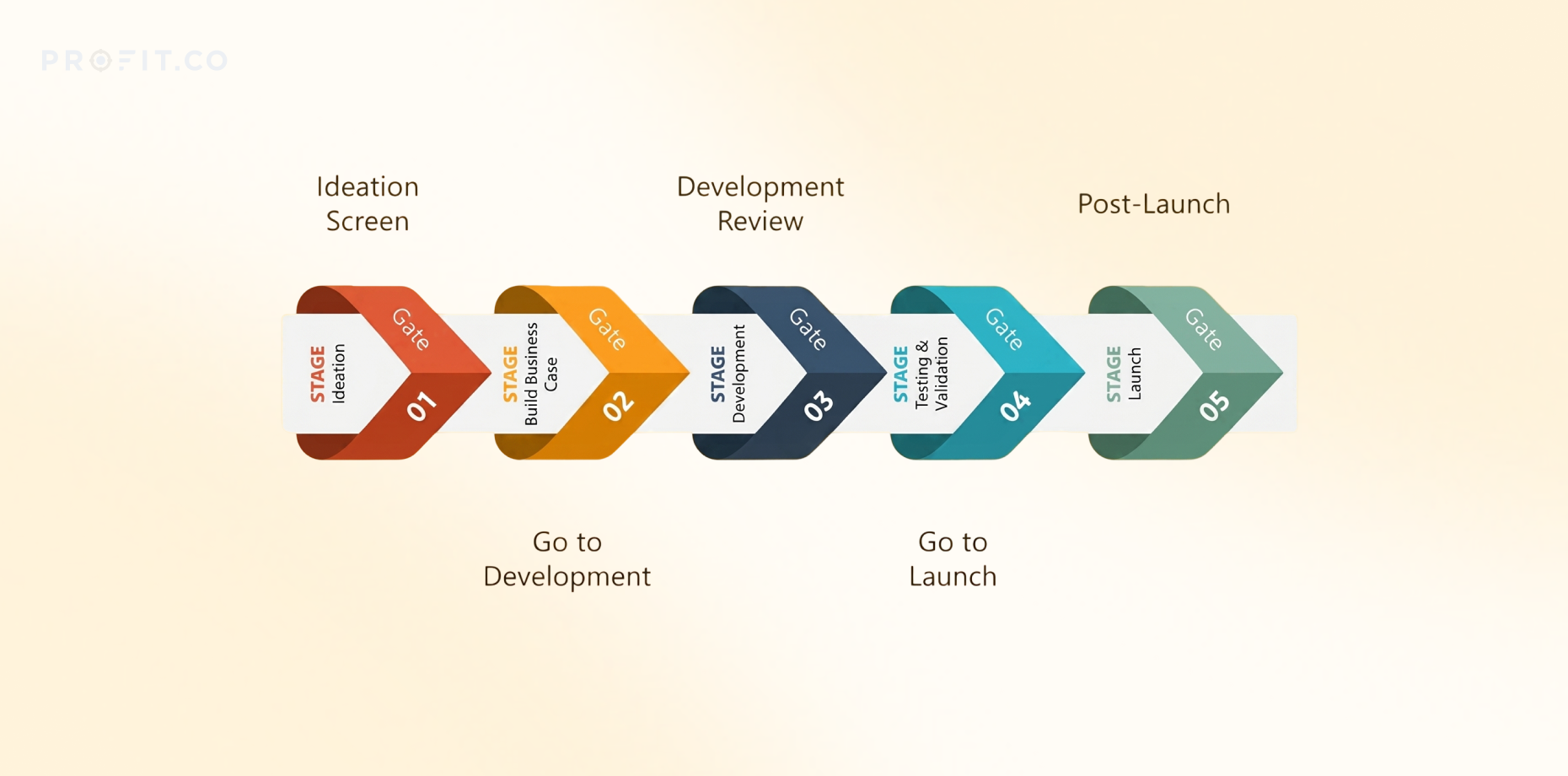
A stage-gate process template defines what evidence is required at each decision checkpoint, who makes the decision, and what threshold triggers go, hold, or kill outcomes. Without a template, every gate becomes a negotiation. With one, governance becomes consistent, defensible, and fast.
In this guide
- What is a stage-gate process template?
- What sections should a stage-gate template include?
- How do you complete a stage-gate template effectively?
- Why do most stage-gate templates fail?
- How does PPM software improve stage-gate template compliance?
- Frequently asked questions
What is a stage-gate process template?
A stage-gate process template is a standardized framework that defines the phases a project moves through and the decision criteria applied at each gate. The template removes ambiguity from governance by specifying exactly what must be delivered at each stage, what questions the governance committee asks at each gate, and what conditions allow the project to advance.
The problem without a template: Every project becomes a negotiation. Project sponsors present whatever they believe makes their case strongest. Governance committees ask different questions depending on who is in the room. Decision criteria shift based on organizational politics rather than project merit. Similar projects receive wildly different treatment.
The template fixes this by creating a single standard applied to all projects. Every project submits the same information at each gate. Every governance committee evaluates the same criteria. Every decision is documented against the same thresholds. This consistency makes governance faster, more defensible, and less vulnerable to bias.
What the template contains: Project overview linking to the original business case. Stage completion evidence showing what was delivered. Execution performance reporting schedule, budget, and scope status. Benefit delivery tracking showing actual results against commitments. Decision request stating what approval is needed. Risk and issue summary with probability, impact, and mitigation plans.
The best templates are ruthlessly specific. Not “provide project update” — that’s vague. Write “report schedule variance in days, budget variance in dollars, and scope changes by category with change control approval numbers.” The more specific the template, the less room for interpretation, the faster governance moves.
What sections should a stage-gate template include?
Essential sections structure how projects report at each gate. These sections answer the questions governance committees must ask before approving continued investment.
1. Project Overview
State the problem in outcome terms, not solution terms. Link to the original business case. Reference the strategic objectives this project supports. This section reminds the committee why the project was funded in the first place — and whether those reasons still hold.
Include: Business case reference number, executive sponsor name, original approval date, current stage number, next gate date.
2. Stage Completion Evidence
List every planned deliverable for the completed stage. Confirm completion status. Provide access links to actual artifacts. This section proves the stage is complete according to the original plan — or documents what changed and why.
Include: Deliverable name, planned completion date, actual completion date, location, approval status. If incomplete, state reason and revised date.
3. Execution Performance
Report schedule, budget, and scope status using red-amber-green indicators. Red means recovery plan required. Amber means watch closely. Green means on track. This section forces the project manager to name problems explicitly rather than hiding them in narrative.
Include: Schedule variance in days, budget variance in dollars and percentage, scope changes with change control numbers, resource utilization percentage.
4. Benefit Delivery Status
Report actual benefit delivery against committed targets. This is where promises meet reality. If the business case promised cost reduction, show actual cost reduction achieved so far. If benefits are behind plan, state what’s being done to recover them.
Include: Benefit name, target value, actual value delivered, percentage achieved, status, recovery plan if red or amber.
5. Decision Request
State explicitly what approval is needed. “Proceed to Stage 3” is clear. “Continue project” is vague. Specify resource requirements for the next stage — people, budget, time. State when the next gate review will occur.
Include: Requested decision (proceed/hold/kill), next stage duration, next stage budget, next gate date, critical dependencies.
6. Risks and Issues Summary
List active risks and unresolved issues. Include probability, impact, mitigation plan, and owner for each. This section prevents surprises. If a major risk isn’t on the list, the governance committee didn’t have the information they needed to make an informed decision.
Include: Risk description, probability (low/medium/high), impact (low/medium/high), mitigation plan, owner, status.
How do you complete a stage-gate template effectively?
Completing the template is not a reporting exercise. It’s a governance exercise. The template exists to give the governance committee the information they need to make a funding decision. Poor completion wastes everyone’s time.
Start with the decision request. Write this section first, not last. What approval do you need? Why should the committee give it to you? What evidence supports that request? Once you know what decision you’re asking for, you know what evidence matters. Everything else in the template exists to support that decision.
Use data, not narrative. The template asks for schedule variance. Don’t write “We encountered some delays but the team is working hard to recover.” Write “14 days behind plan. Root cause: vendor delivery delayed 21 days. Recovery: added weekend shifts, revised critical path, new completion date April 15.” Data answers questions. Narrative hides them.
Make problems visible early. Red status is not failure. Red status is transparency. Governance committees can’t help solve problems they don’t know exist. A project that reports green for three gates then fails at Gate 4 means the template wasn’t filled out honestly. The warning signs were there — they just weren’t surfaced.
Link to evidence, don’t paste it. The template is a summary document, not a documentation dump. Provide links to detailed artifacts. If the committee wants to see the full test results, they’ll click through. Don’t paste 40 pages of test data into the template.
Complete it before the meeting, not during. The template is distributed before the gate review, not filled out live. This gives the governance committee time to read, ask questions, and come prepared. Gate reviews that work are decision meetings, not discovery meetings. The template enables this by moving information transfer out of the meeting.
Why do most stage-gate templates fail?
Most templates fail because they’re treated as reporting tools rather than decision tools. Organizations create templates that collect information but don’t structure decisions. The result is gate reviews where everyone has read the template but no one knows what decision to make.
Failure mode 1: Templates that don’t force choice
The worst templates ask for status updates without defining what status triggers what decision. “Report project health” is not actionable. What metric defines healthy versus unhealthy? At what threshold does green become amber? When does amber become red? When does red trigger a kill decision versus a recovery plan?
Fix: Define decision thresholds explicitly. “Budget variance exceeding 15% triggers amber status and requires recovery plan. Budget variance exceeding 25% triggers red status and mandatory executive review at next gate.” Now the template drives decisions instead of documenting ambiguity.
Failure mode 2: Templates filled out by project managers alone
Project managers have an incentive to present their project in the best possible light. This isn’t malice — it’s human nature. But when the person being evaluated is also the person completing the evaluation document, accuracy suffers. Green status becomes the default because red status requires explaining why things went wrong.
Fix: Require PMO or finance sign-off on execution performance sections before submission. Third-party validation catches optimistic reporting before it reaches the governance committee.
Failure mode 3: Templates that aren’t mandatory
When template usage is optional or inconsistently enforced, the template becomes noise. Some projects use it, some don’t. Some fill it out thoroughly, some submit partial information. The governance committee can’t compare projects when projects aren’t reporting the same information in the same format.
Fix: Make template submission mandatory for all gate reviews above a defined investment threshold. No template, no gate. No exceptions. Enforcement matters more than template design.
Failure mode 4: Templates disconnected from the system where decisions happen
The template lives in PowerPoint or Word. The gate review calendar lives in Outlook. The project data lives in spreadsheets. The decision record lives in meeting minutes. Nothing connects. The template becomes one more document to maintain rather than the single source of truth for gate decisions.
Fix: Integrate the template into the PPM system where gate reviews are scheduled and decisions are recorded. When the template and the decision workflow are the same tool, completion becomes automatic rather than manual.
Stop managing templates in Word. Start managing gates in Profit.co.
How does PPM software improve stage-gate template compliance?
PPM platforms embed the template directly into the governance workflow. Instead of maintaining templates as separate documents, the template becomes the form project managers complete to request gate approval. This integration solves the compliance problem that manual templates can’t solve.
Automated data population. The PPM system already tracks schedule, budget, and scope. When a project manager requests a gate review, the execution performance section auto-populates with current data. No manual data entry. No opportunity for selective reporting. The numbers in the template match the numbers in the project plan because they’re the same numbers.
Enforced completion. Required fields can’t be skipped. If the template requires a recovery plan for red status, the system won’t let the submission proceed without it. This enforcement is impossible with Word or PowerPoint templates where project managers can simply leave sections blank.
Workflow integration. Gate review requests trigger notifications to governance committee members. The template is distributed automatically. Approval decisions are captured in the system. The next gate date is scheduled. Governance becomes a workflow, not a meeting series disconnected from execution tracking.
Historical comparison. Because every gate submission is stored in the system, governance committees can see how projects trend over time. Did this project report green at every gate then fail? Did early red status get resolved or get worse? Pattern recognition is impossible with manual templates stored in shared drives.
Profit.co’s PPM platform includes tollgate templates as a core feature. Projects submit gate review requests directly in the system where execution is tracked. Decision criteria are configurable by organization. Approval workflows are automated. The template isn’t a separate document — it’s the gate review interface itself.
Manage stage-gate reviews with Profit.co
Frequently asked questions
A standardized framework defining the phases a project moves through and the decision criteria applied at each checkpoint to determine whether the project advances, pauses, or stops based on consistent evidence requirements.
Project overview, stage completion evidence, execution performance metrics, benefit delivery tracking, decision request, and risk summary. Each section answers specific questions governance committees must evaluate before approving continued investment.
A project charter initiates a project at initial approval. A stage-gate template structures ongoing governance throughout execution, defining what evidence is required at each decision checkpoint to continue funding.
Templates become reporting exercises rather than decision tools. Project managers fill them out alone without third-party validation. Organizations don’t enforce completion. The template lives separate from the system where actual project data exists.
PPM systems auto-populate execution data, enforce required fields, integrate templates into gate review workflows, and store historical submissions for pattern analysis — solving compliance problems manual templates cannot address.


