



How do I create and manage an employee-driven individual development plan (IDP) in Profit.co?
Category: Performance
Profit.co's Employee Driven IDP workflow gives employees an active role in shaping their own development, adding activities, proposing the plan, and tracking progress, while HR, coaches, and HRBPs maintain oversight through a structured initiation, sign-off, and closure process.
Table of Contents
- What is an Employee Driven IDP in Profit.co?
- Why the Employee-Driven IDP Workflow Matters
- Employee-Driven IDP Workflow Stages
- How to Configure IDP Settings
- How to Initiate an Employee-Driven IDP
- IDP Lifecycle: From Proposal to Closure
- Best Practices for Employee-Driven IDPs
- Related Questions
- Frequently Asked Questions
What is an Employee Driven IDP in Profit.co?
The employee-driven IDP is one of three configurable development plan workflows in Profit.co. In this model, HR creates the initial plan structure, but the employee takes ownership of adding activities, proposing the plan, and driving progress with coaches and HRBPs providing review, guidance, and formal sign-off at each stage.
This workflow is best suited for organizations that prioritize employee ownership of career growth, where self-directed learning and role-based development activities are central to the development process.
Why the Employee-Driven IDP Workflow Matters
In a standard HR-led plan, employees receive a predefined development structure with limited input. The employee-driven workflow changes this by giving employees direct responsibility for proposing their own activities, covering both their current role and future career goals.
This model increases engagement with the development process, produces more relevant activity plans, and ensures coaches and HR are reviewing plans that the employee has actively shaped rather than passively received.
Employee-Driven IDP Workflow Stages
The employee-driven plan follows a six-stage workflow from initiation to closure. Each stage has a defined owner and action:
| Stage | Owner | Action |
|---|---|---|
| 1. HR Creates Plan | HR Admin | Initiates the IDP and defines the structure |
| 2. Employee Adds Activities & Proposes | Employee | Adds development activities and proposes the plan |
| 3. Mentor Reviews & Initiates | Coach / Mentor | Reviews the proposal, modifies details, and initiates the IDP |
| 4. Employee Completes | Employee | Logs progress on assigned activities |
| 5. Mentor Sign-off | Coach / Mentor | Reviews completion and signs off |
| 6. HR Closes Plan | HR Admin / HRBP | Reviews the sign-off and formally closes the IDP |
How to Configure IDP Settings
Step 1
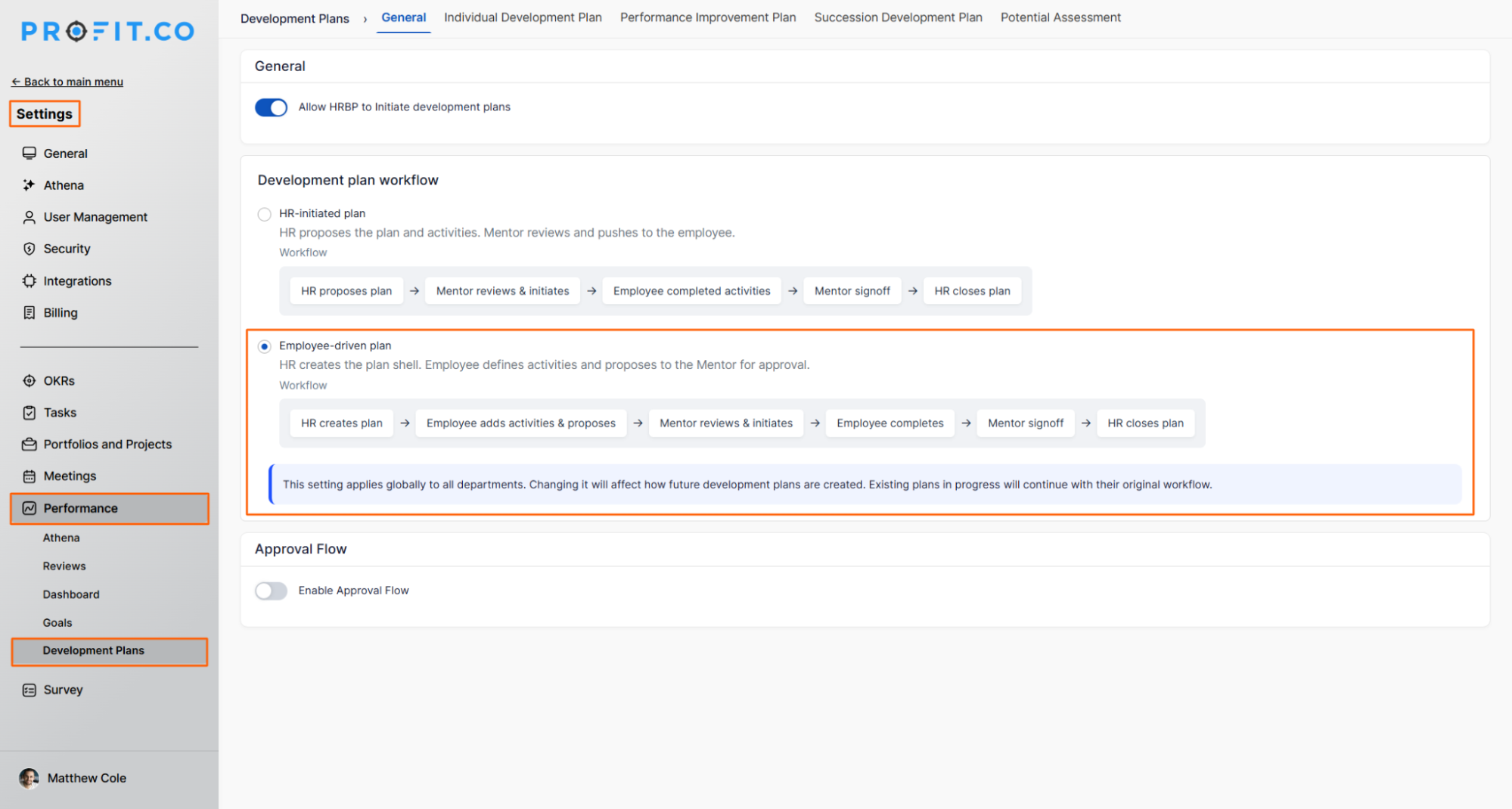
- Navigate to Settings → Performance → Development Plans from the left navigation panel.
- Under the Development Plan Workflow options, select Employee Driven Plan.
Step 2
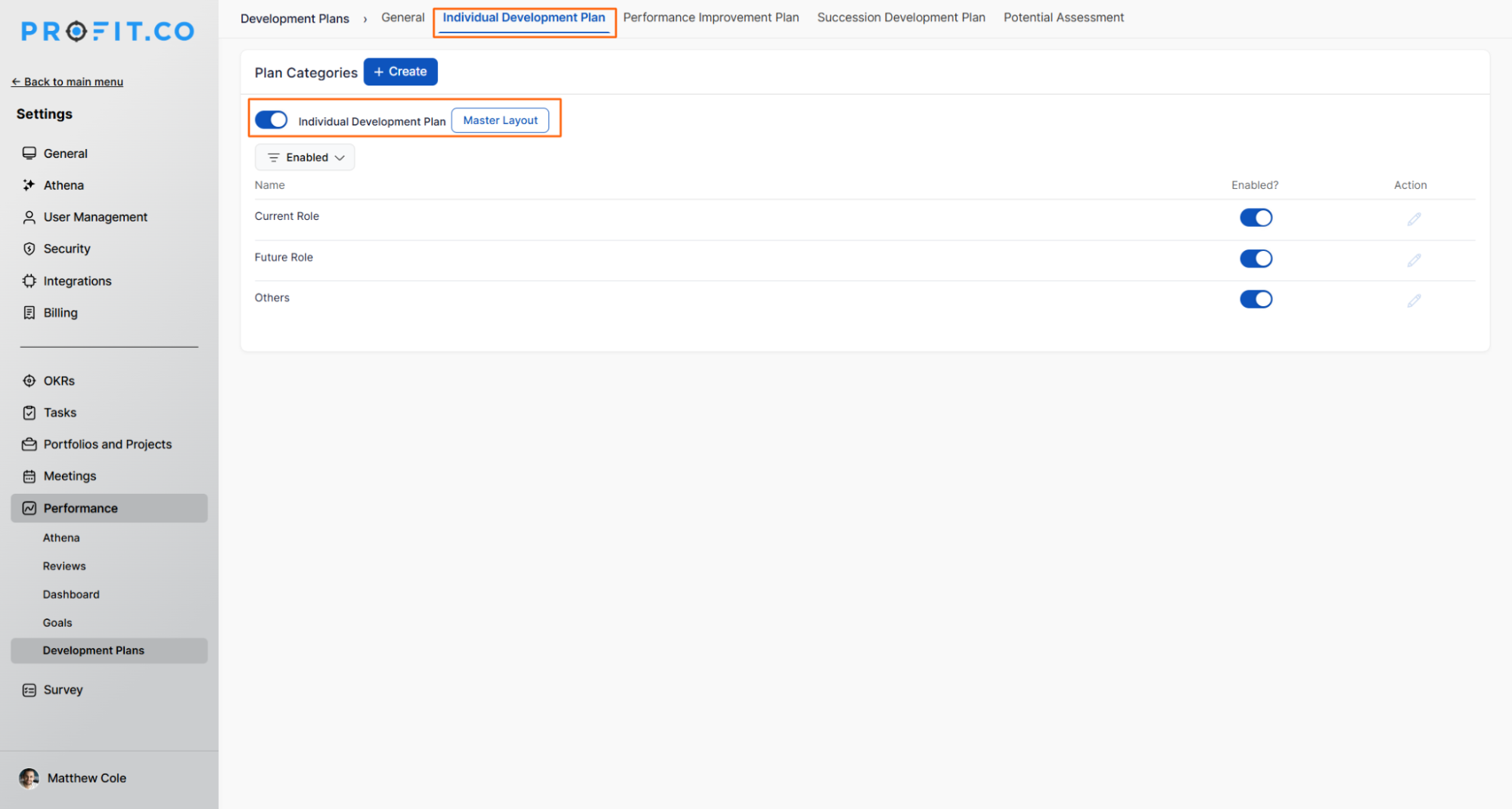
- Switch to the Individual Development Plan tab.
- Enable the Individual Development Plan toggle.
Step 3
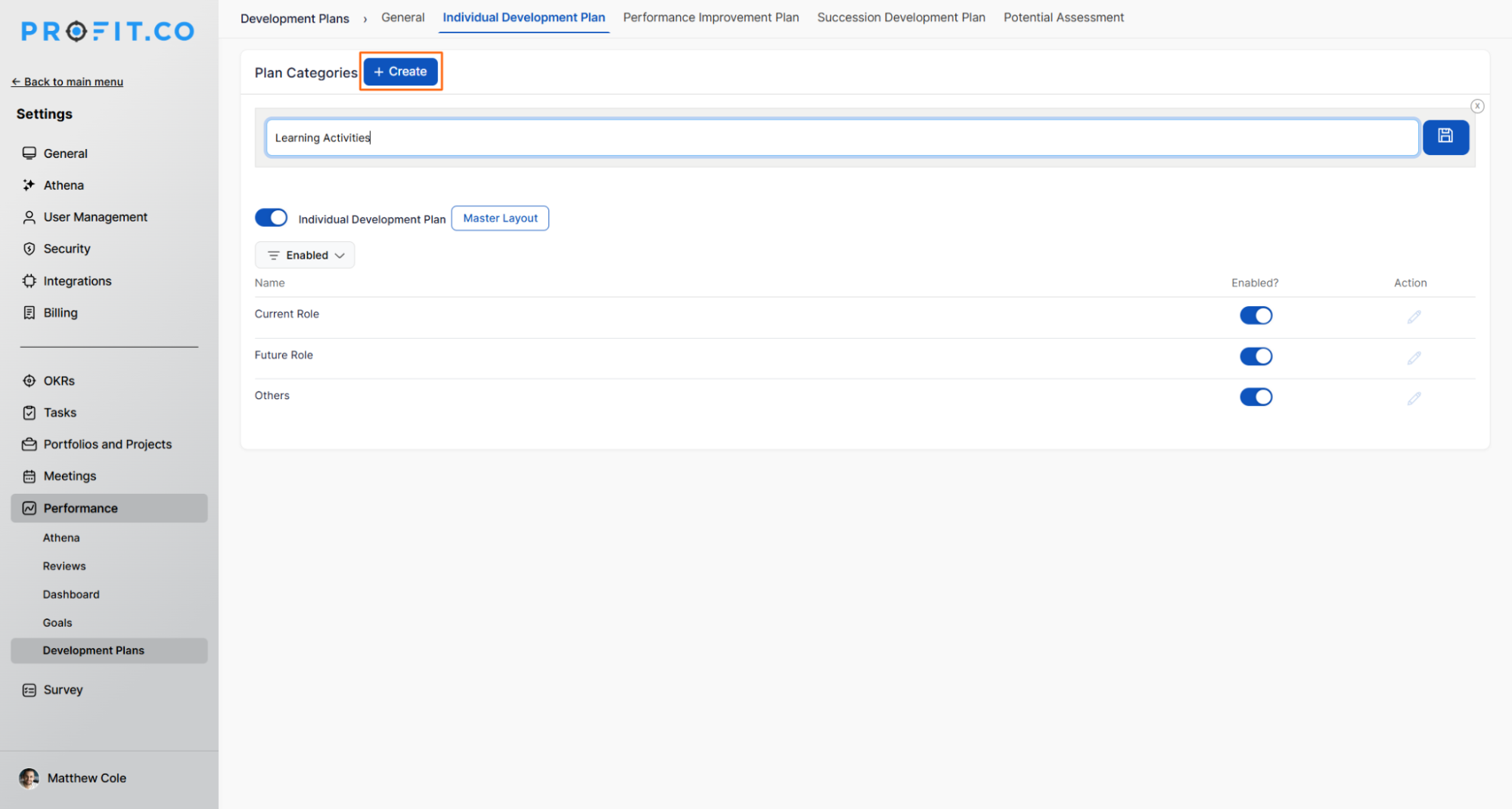
- Create the plan categories that will be available when building an IDP.
- Categories organize development activities by theme, competency area, or role type.
How to Initiate an Employee-Driven IDP
Step 1
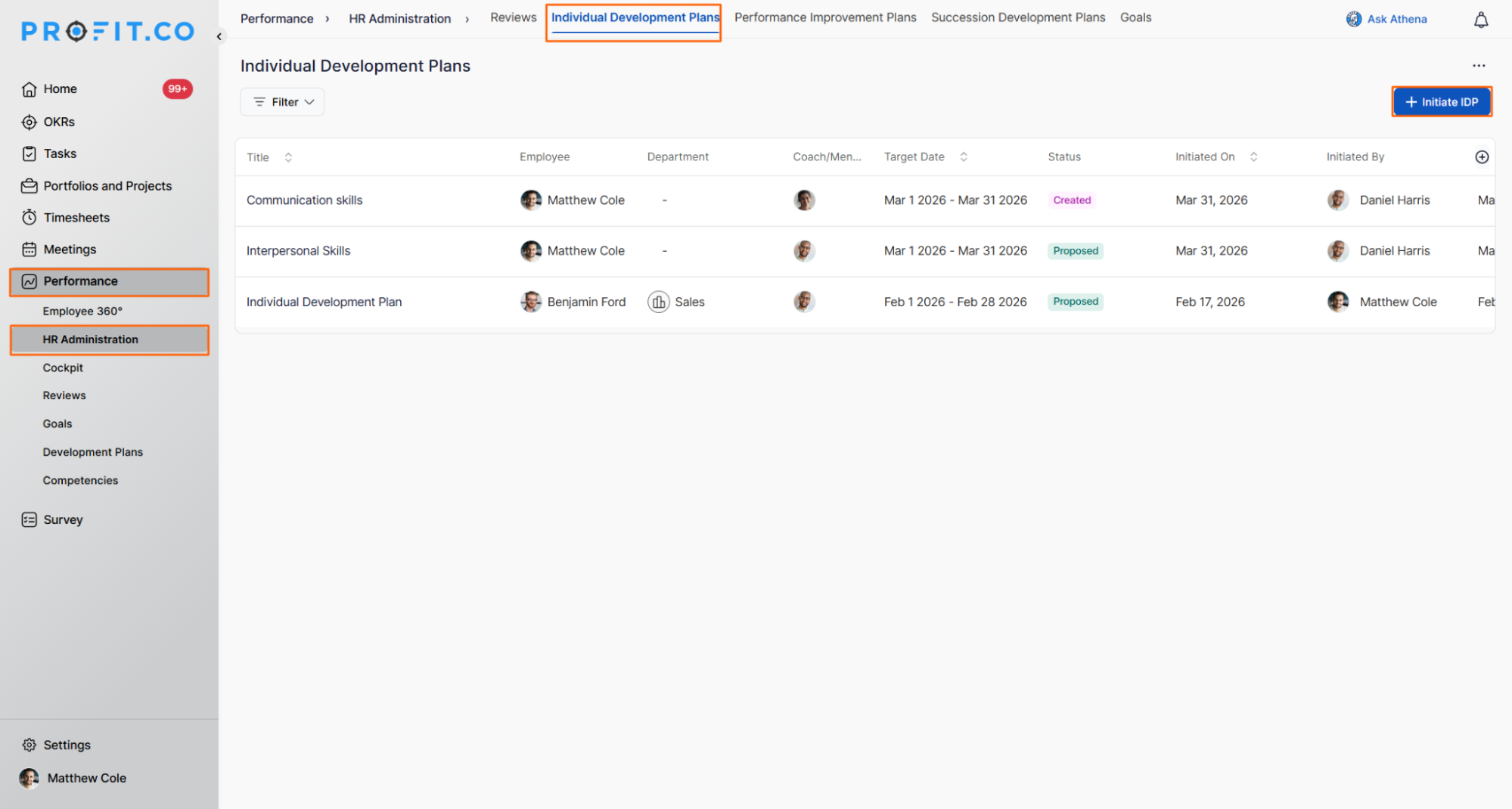
- Navigate to Performance → HR Administration from the left navigation panel.
- Switch to the Individual Plan tab.
- Click the + Initiate IDP button.
Step 2
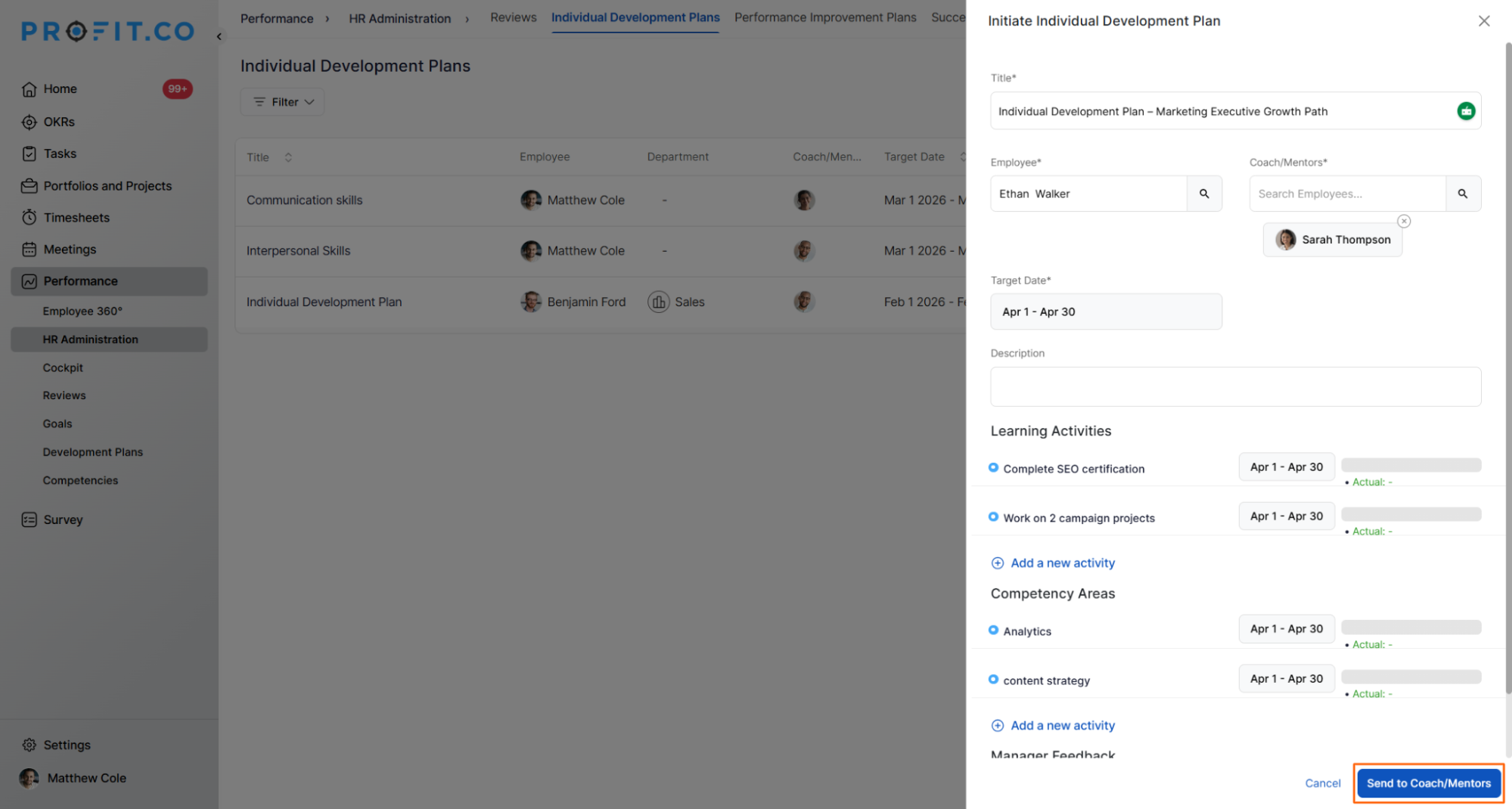
- Enter the plan title and select the employee.
- Select the Coach / Mentor(s) and set the target date.
- Add activities for the Current Role and Future Role, then fill in all required details.
- Once all details are complete, click Send to Coach/Mentors.
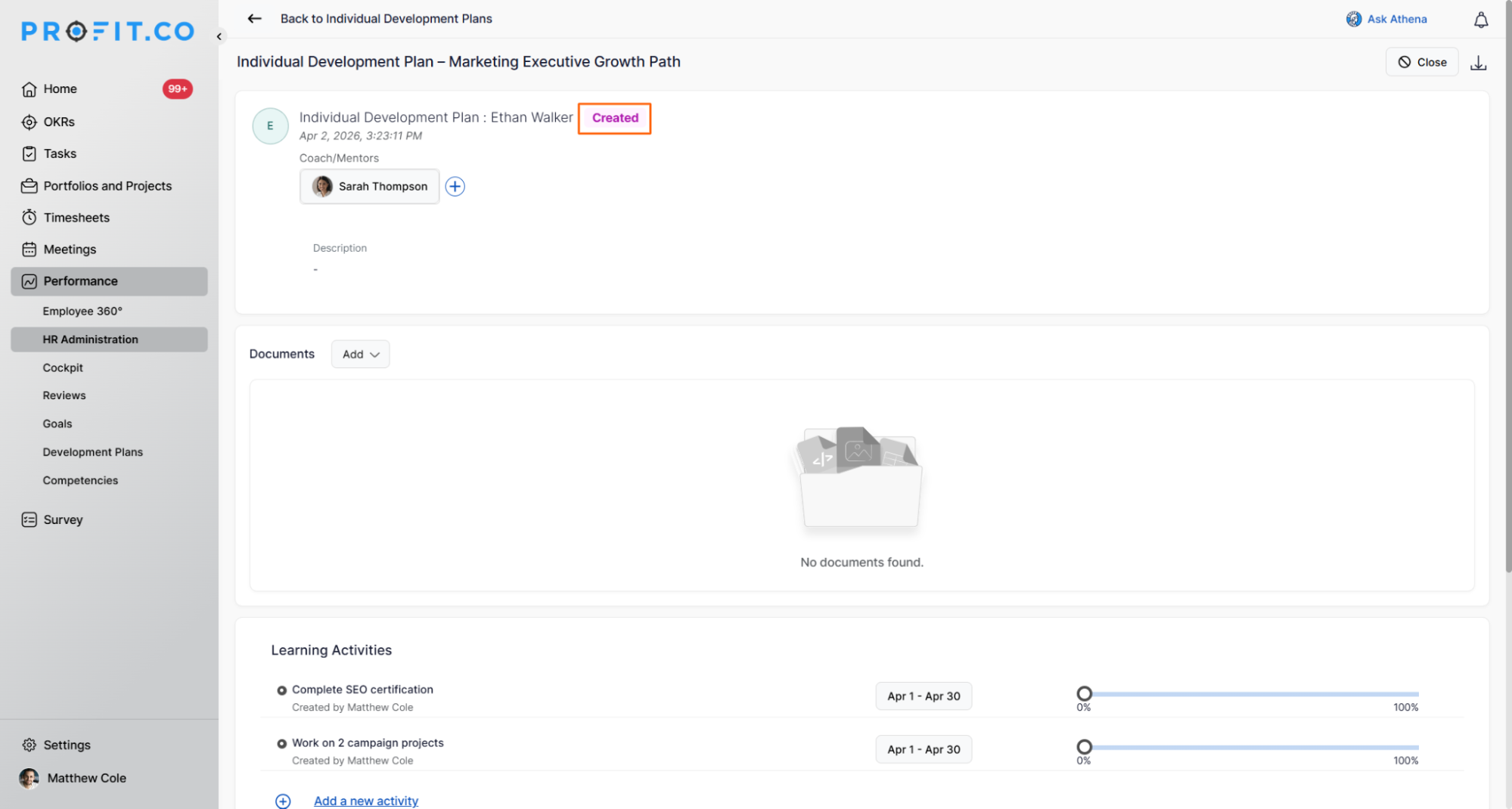
- The IDP is generated and moves to Created status.
IDP Lifecycle: From Proposal to Closure
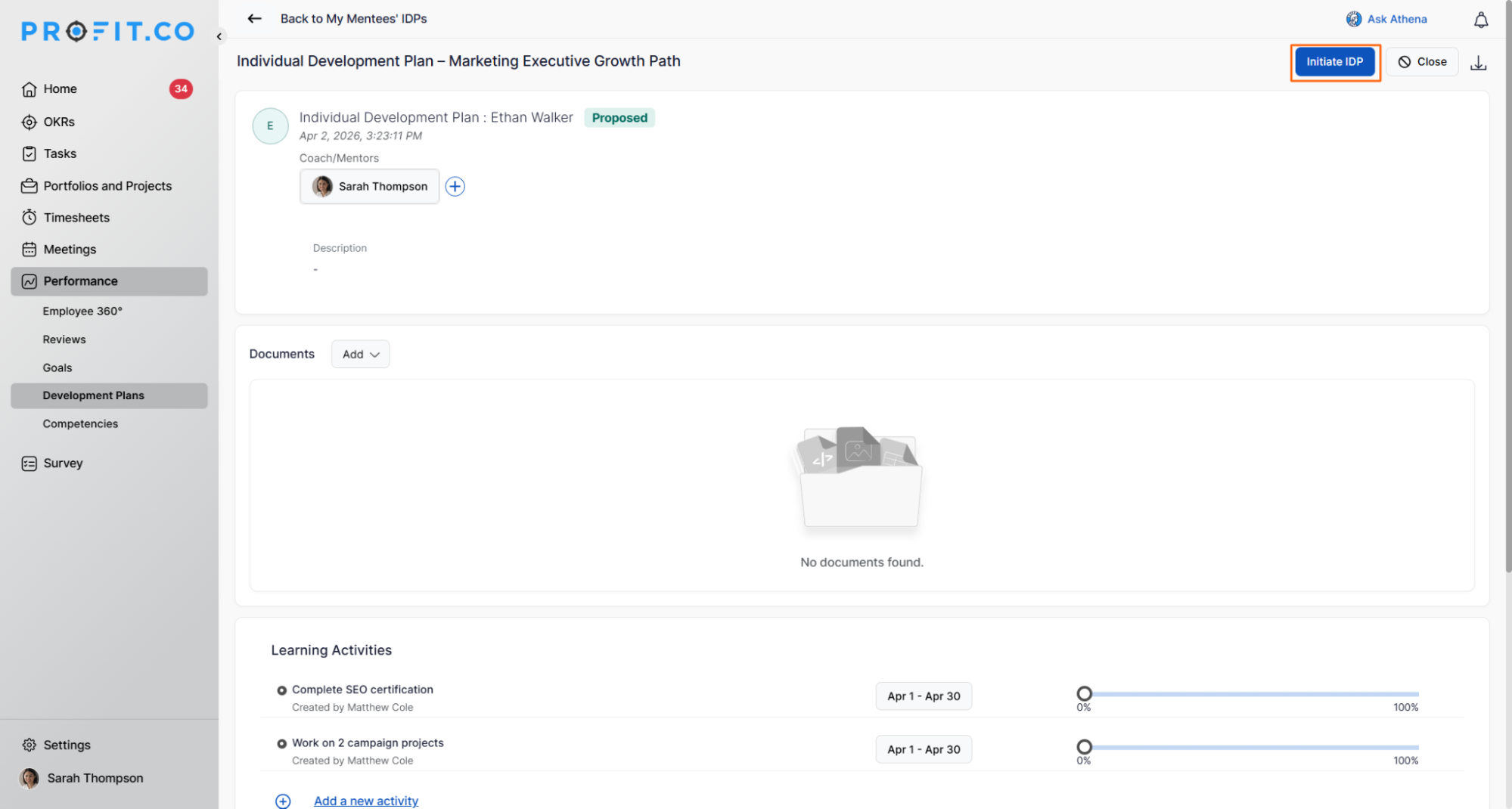
Employee Adds Activities and Proposes the Plan
- After HR initiates the IDP, the employee receives it and adds their development activities.
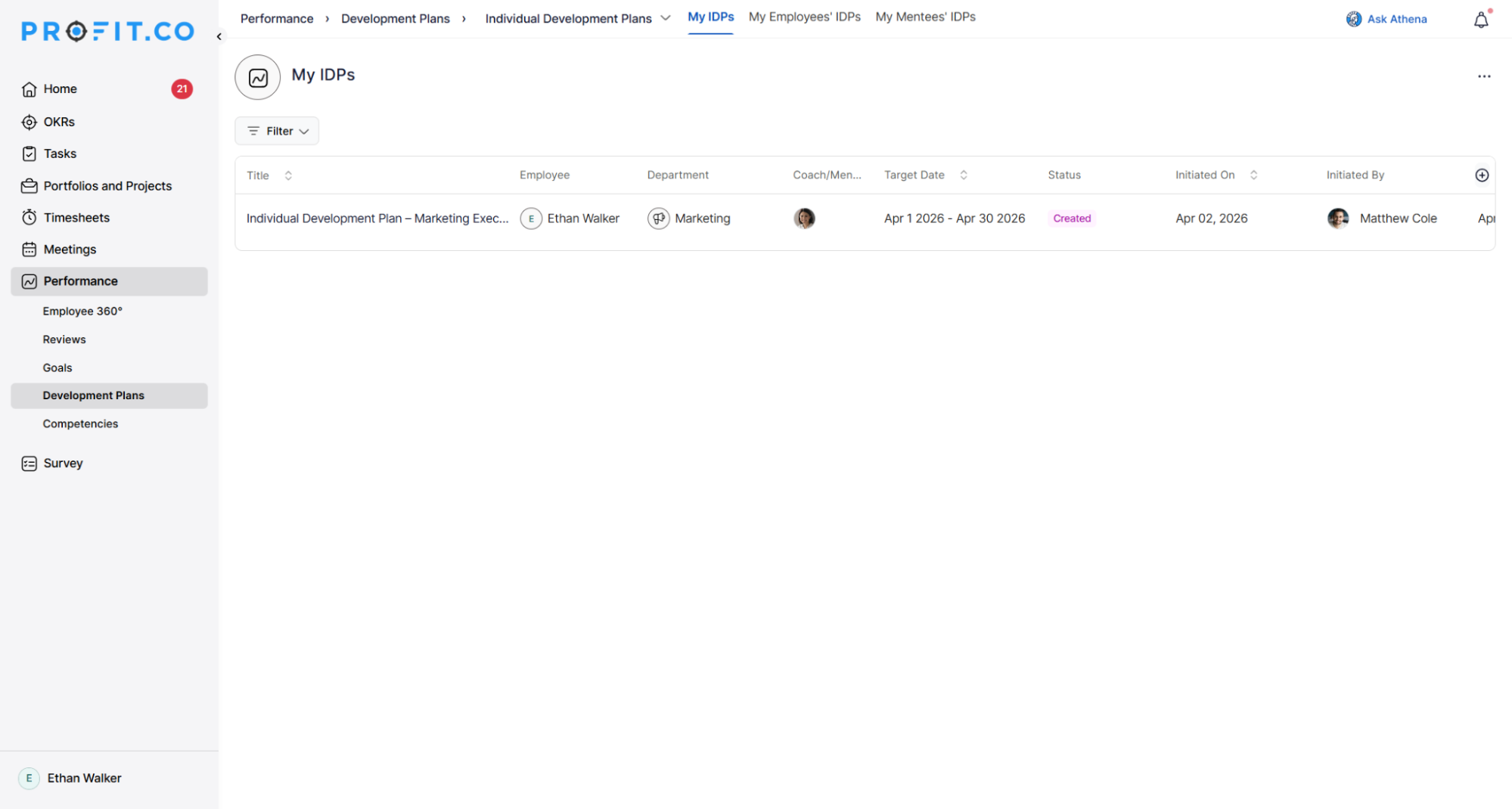
- The employee reviews the structure, adds activities for their current and future roles, and proposes the plan.
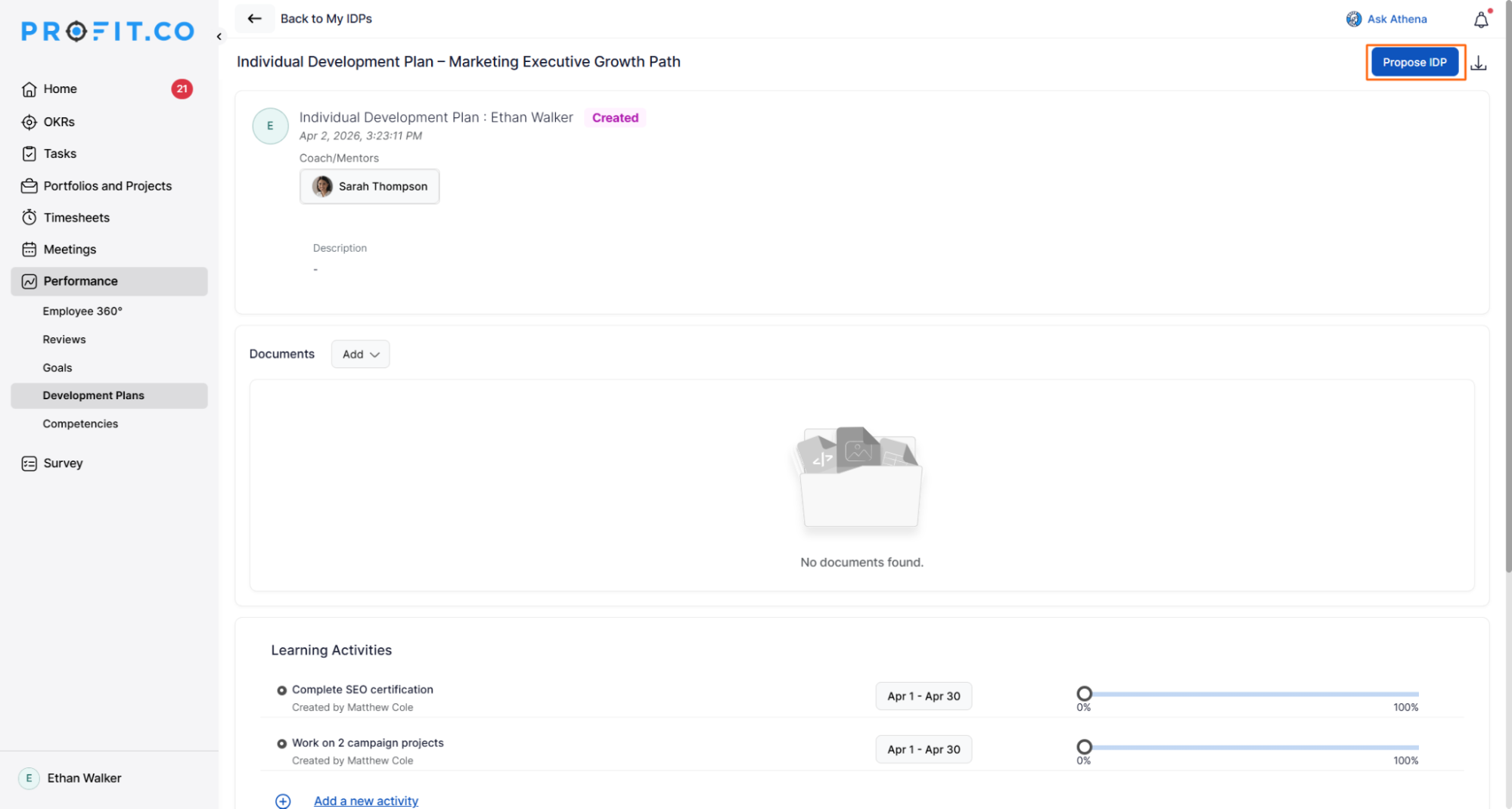
- The plan status moves to "Proposed" once submitted.
Coach / Mentor Reviews and Initiates
- The coach reviews the proposed plan, modifies details if needed, and adds additional coach/mentors if required.
- The coach then formally initiates the IDP for the employee.
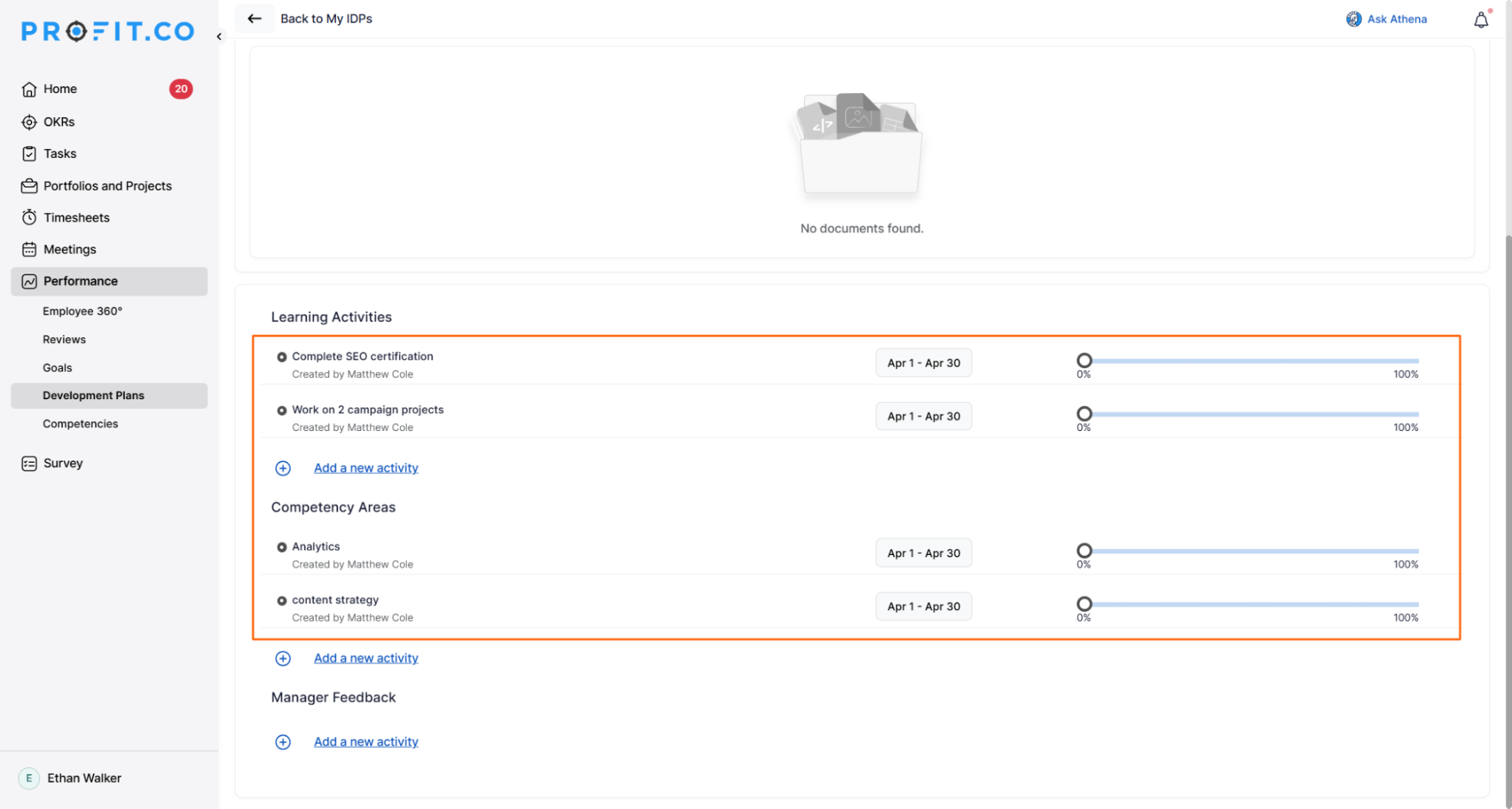
Employee Tracks Progress
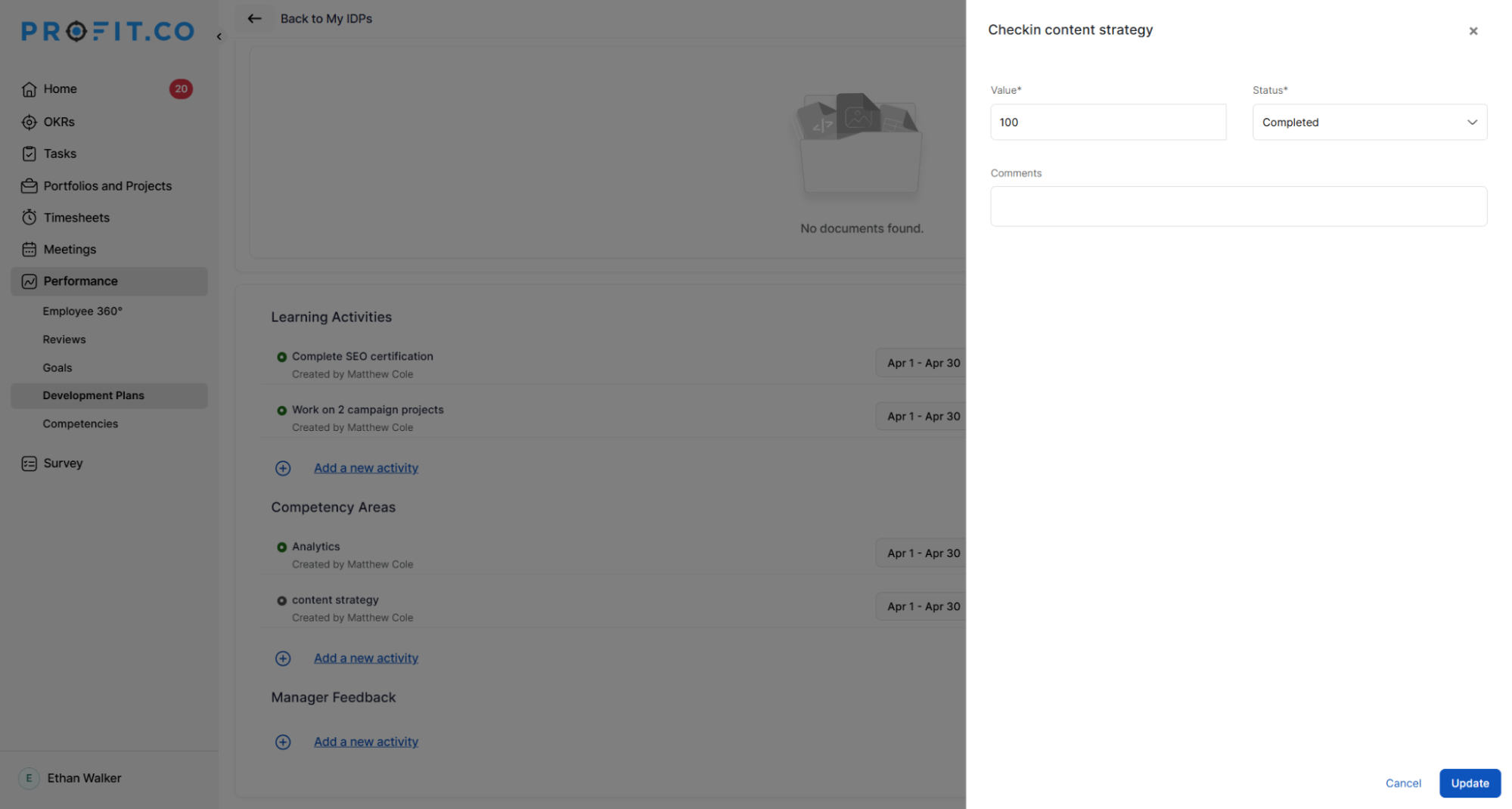
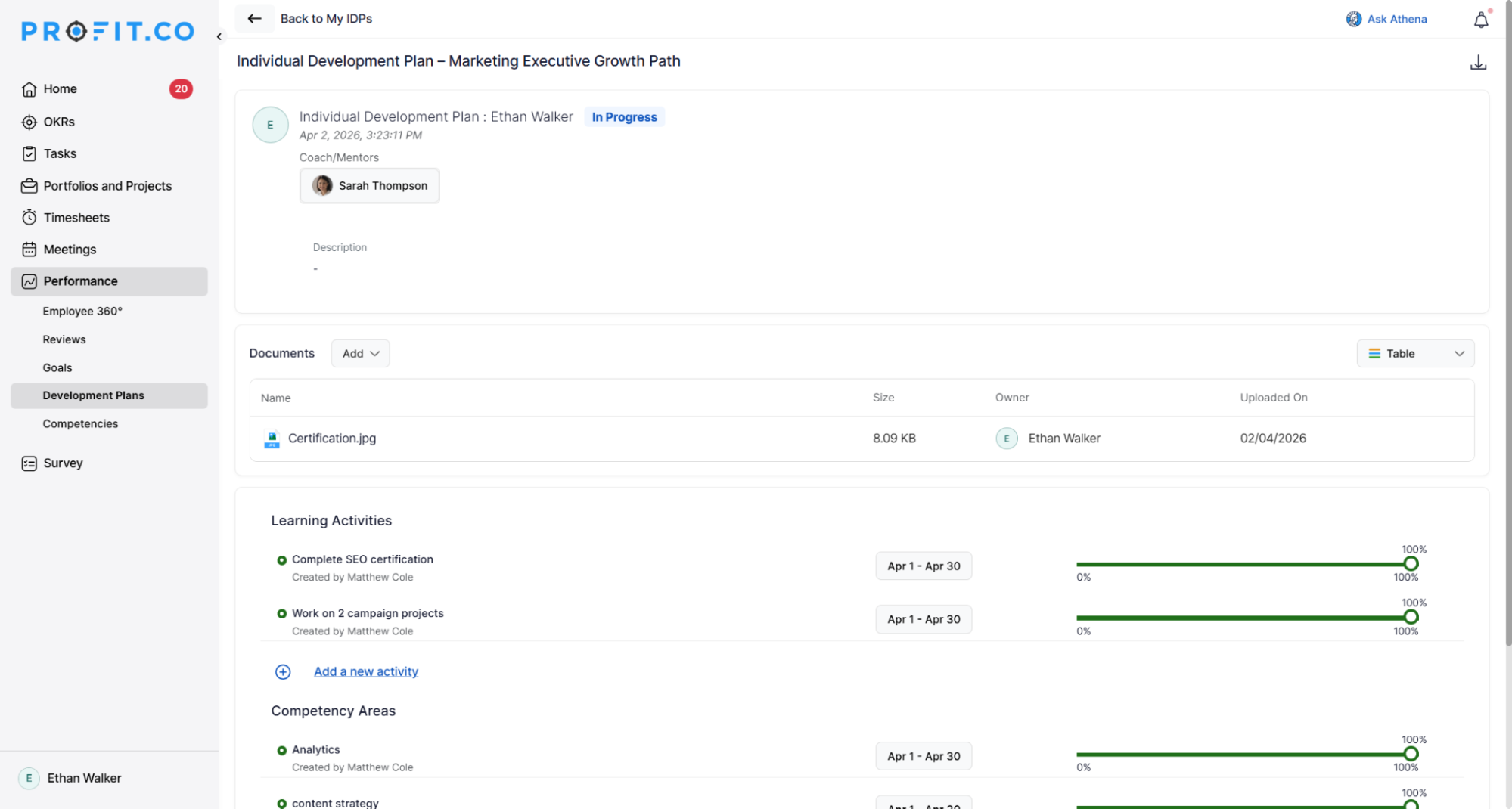
- Once initiated, the employee begins logging progress on their activities.
- Both the employee and mentor can collaborate and use the update button to log progress regularly.
Sign-off and Closure
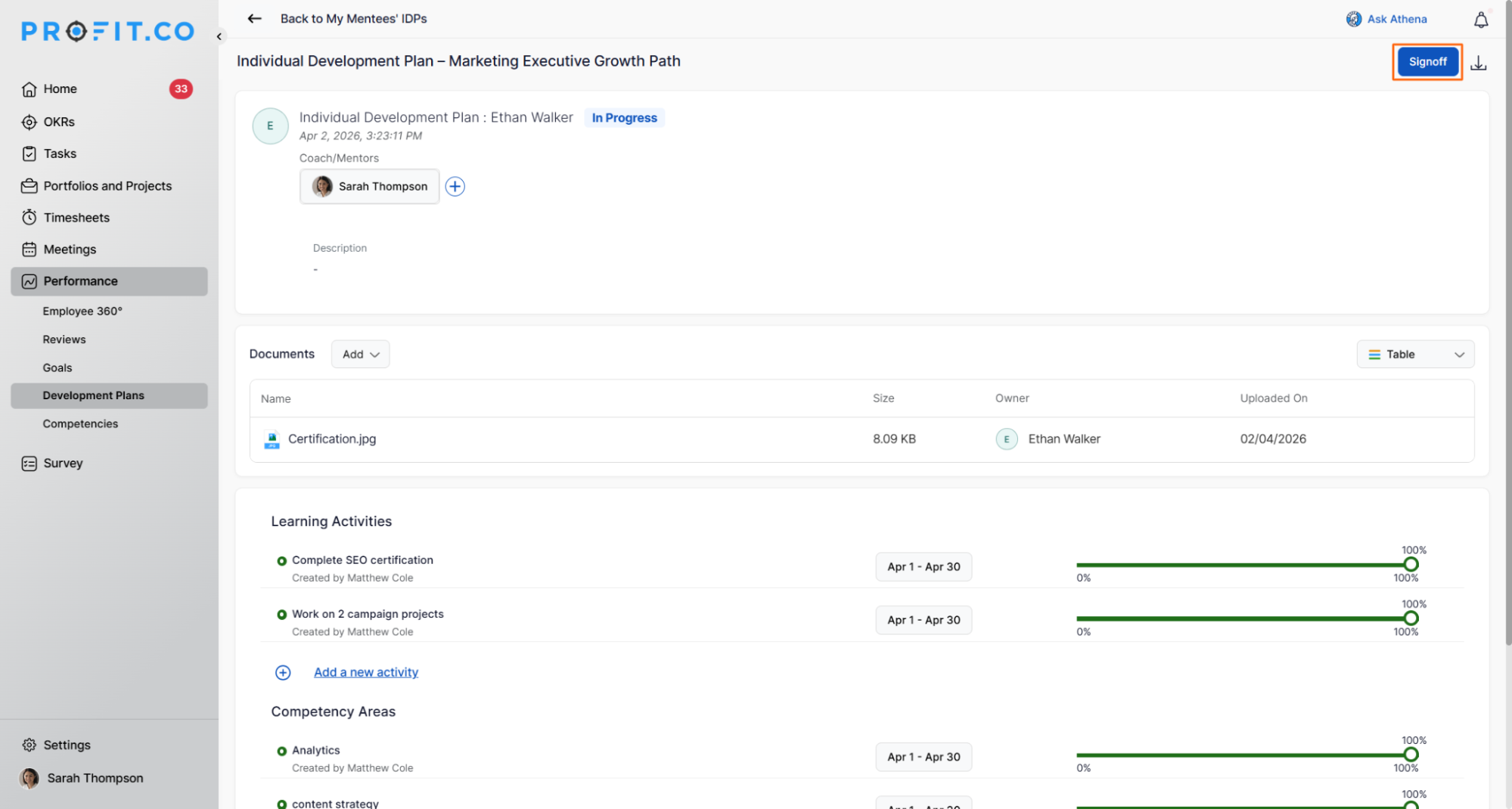
- Once activities are completed, the coach clicks Sign-off, adds comments, and confirms.
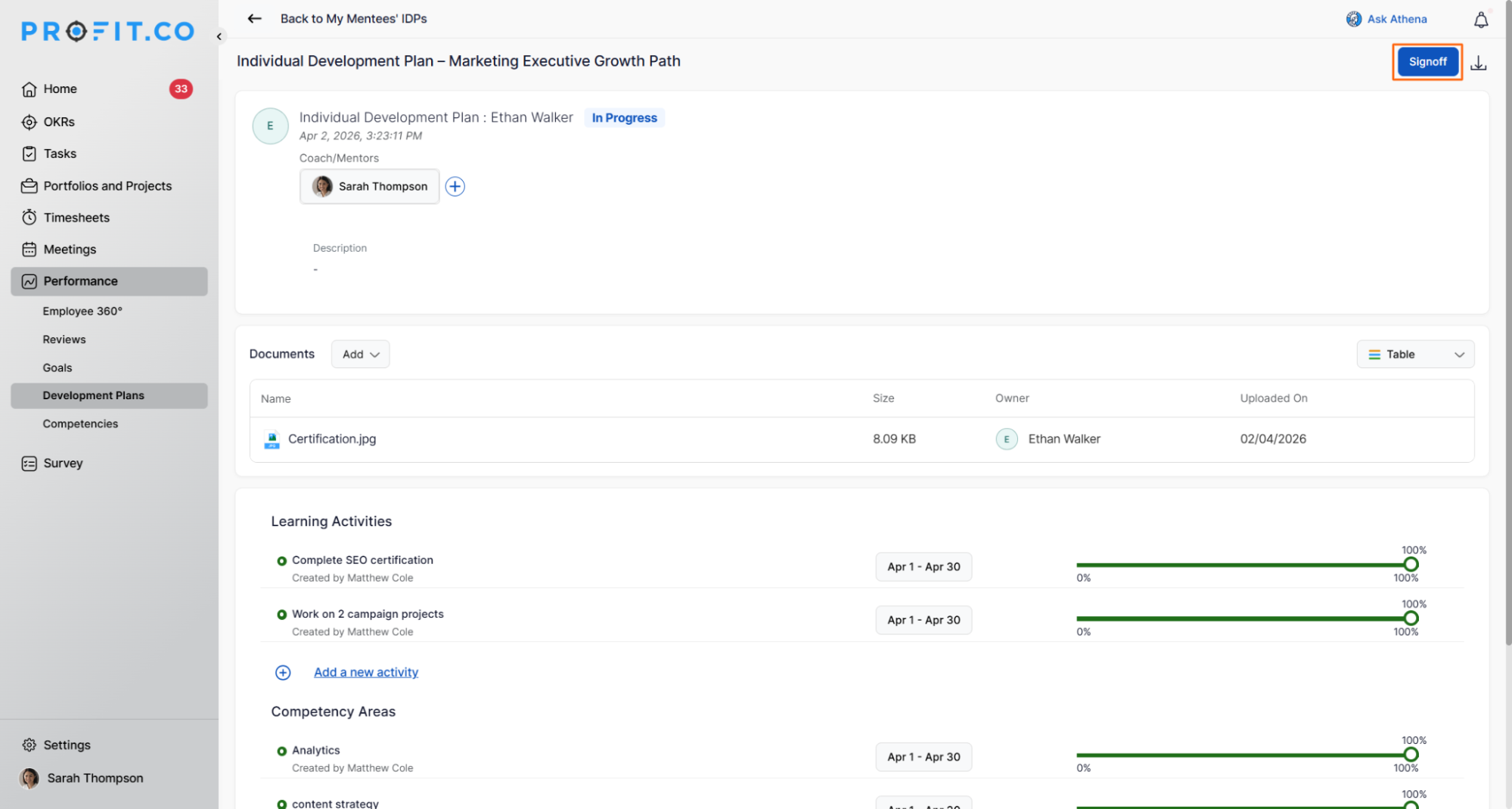
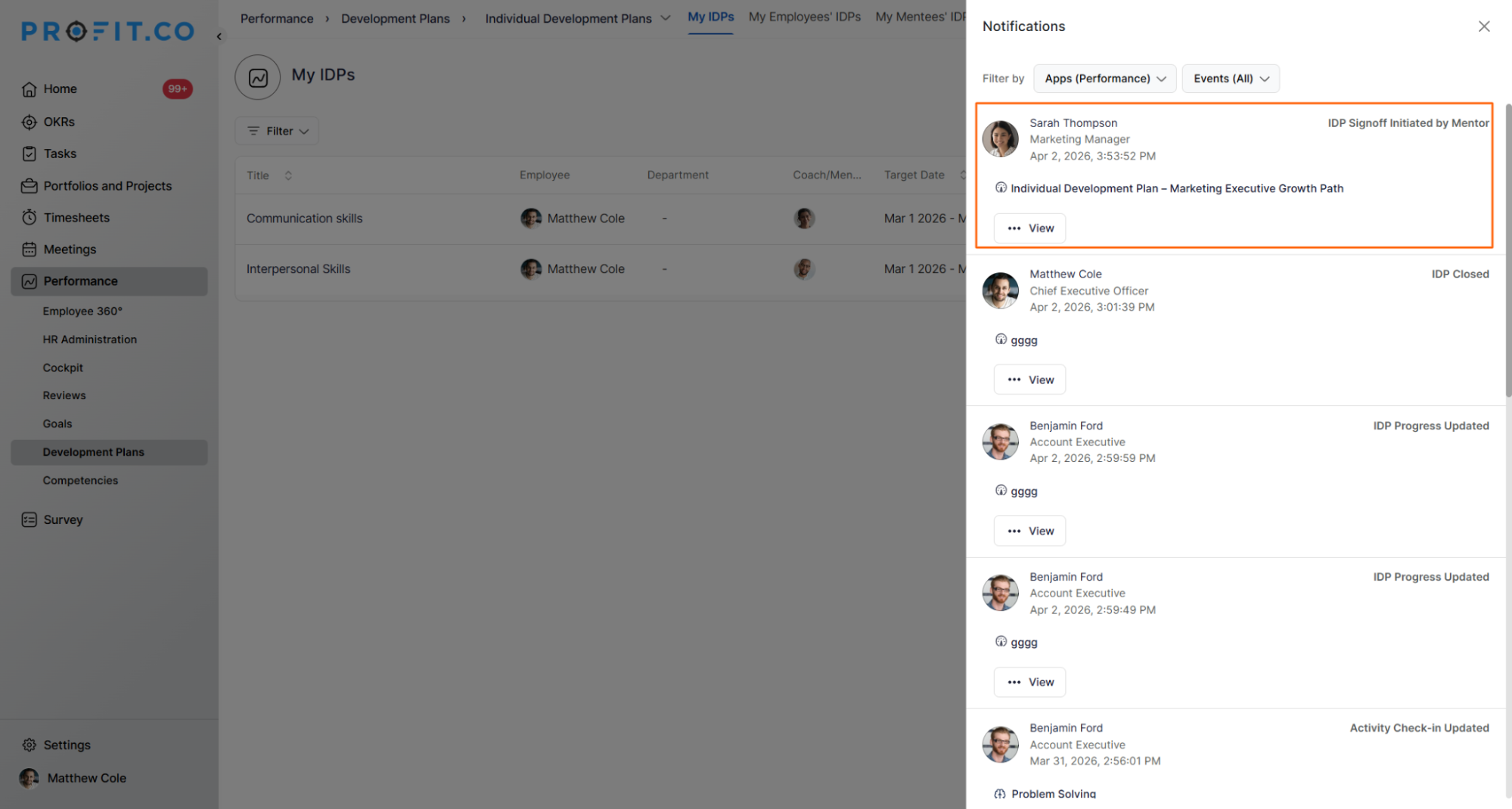
- The sign-off request is sent to the HRBP (the IDP initiator) for review.
- The HRBP reviews the sign-off and formally closes the IDP.
Note: Individual Development Plans can be deleted directly from the HR Administration page when they are no longer needed or were created in error.
Best Practices for Employee-Driven IDPs
- Select the Employee Driven Plan workflow in Settings before initiating any IDPs, the workflow type determines the stage sequence and should not be changed once active plans are running.
- Create Plan Categories aligned to your competency framework before the first IDP is initiated, so employees have a consistent structure when adding their activities.
- Brief employees on the Proposed stage before launch, in the Employee Driven workflow, the plan remains in Proposed status until the employee actively adds activities and submits, which can delay progress if employees are unprepared.
Related Questions
- Click here to learn more about How to initiate an Individual Development Plan (IDP) in Profit.co?
- Click here to learn more about How does a user progress in the Individual Development Plan (IDP) in Profit.co?
- Click here to learn more about How to enable Individual Development Plan (IDP) in Profit.co?
Frequently Asked Questions
The plan remains in Proposed status until the employee actively adds activities and submits their proposal. The coach cannot initiate the IDP until this step is complete. HR Admins can monitor pending plans from the HR Administration page and follow up with employees as needed.
Yes. During the Mentor Reviews & Initiates stage, the coach can modify IDP details and add additional coach/mentors before formally initiating the plan. Changes to coaching assignments after initiation are not explicitly covered in the current documentation.
Only the HRBP who initiated the IDP can close it after the coach's sign-off is received. Once closed, HR retains the ability to reopen the IDP if ongoing refinement or corrections are needed, without requiring a new plan to be created from scratch.
Related Questions
-
What is Review Summary Information and How the Scores are calculated in Performance Reviews?
Table of Contents Why this feature? How to Enable Review Summary Information Understanding Score Calculations in ...Read more
-
How do I Import Goals in Profit.co?
In Profit.co, you can import multiple goals at once using a CSV file, allowing you to quickly set up goals for ...Read more
-
How to Customize the Email Template for Review Reminder in Profit.co?
In Profit.co, you can personalize the review reminder email notification sent to employees during a performance review ...Read more
-
What are Competency Activities?
In Profit.co, users can now create activities under competencies to document the actions they are taking to demonstrate ...Read more