



How do I enable the Portfolios and Projects module in Profit.co?
Category: PPM
Profit.co allows Super Users to enable the Portfolios and Projects (PPM) module through Settings, providing a unified workspace for managing all projects and portfolios efficiently.
Table of Contents
Why This Feature?
The Portfolios and Projects module in Profit.co offers a comprehensive framework to strategically manage an organization’s diverse projects.
By enabling this module, users can:
- Create, organize, and track projects under multiple portfolios.
- Gain full visibility into the organization’s project pipeline.
- Ensure consistent evaluation and informed decision-making across all initiatives.
- Directly link projects to the company’s overall strategy, ensuring that every project contributes to achieving organizational goals.
Note: Only Super Users can enable or disable the Portfolios and Projects module from Settings.
What is the purpose of the Portfolios and Projects module?
It’s a centralized workspace for managing all organizational projects, helping users define, monitor, and report progress across portfolios.
Who can enable or disable this module?
Only Super Users have access to enable or disable the module under Settings → General → Apps.
How to Enable the Portfolios and Projects Module
Follow the steps below to enable the PPM module in Profit.co.
Step 1: Navigate to the Apps Section
From the left navigation panel, go to Settings → General → Apps.
On the Apps page, locate the Portfolios and Projects toggle.
Enable the toggle to activate the module.
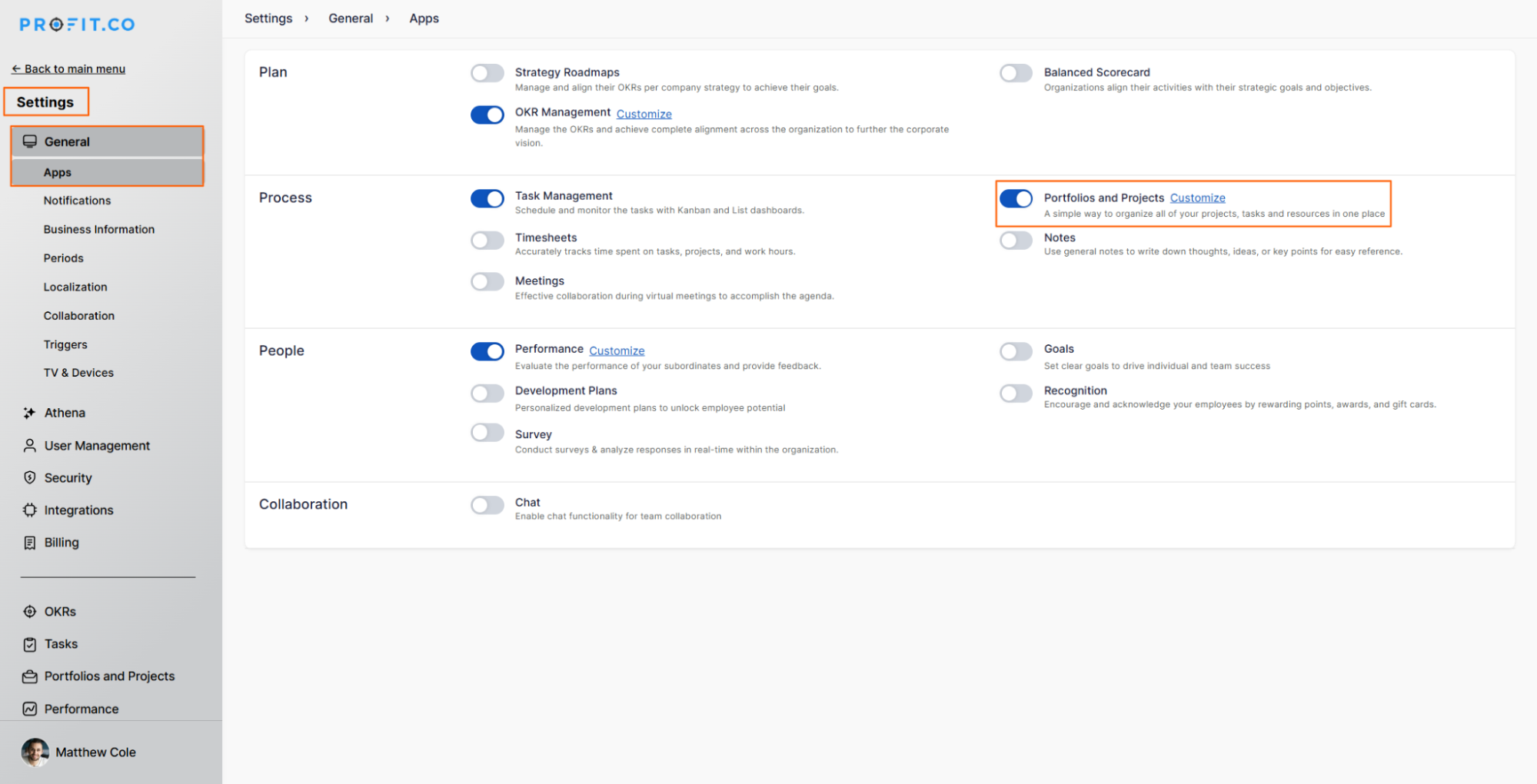
Note: Once enabled, all project-related configuration options become accessible to authorized users.
Step 2: Access the Portfolios and Projects Module
After enabling the module:
The Portfolios and Projects menu will appear in the left navigation panel.
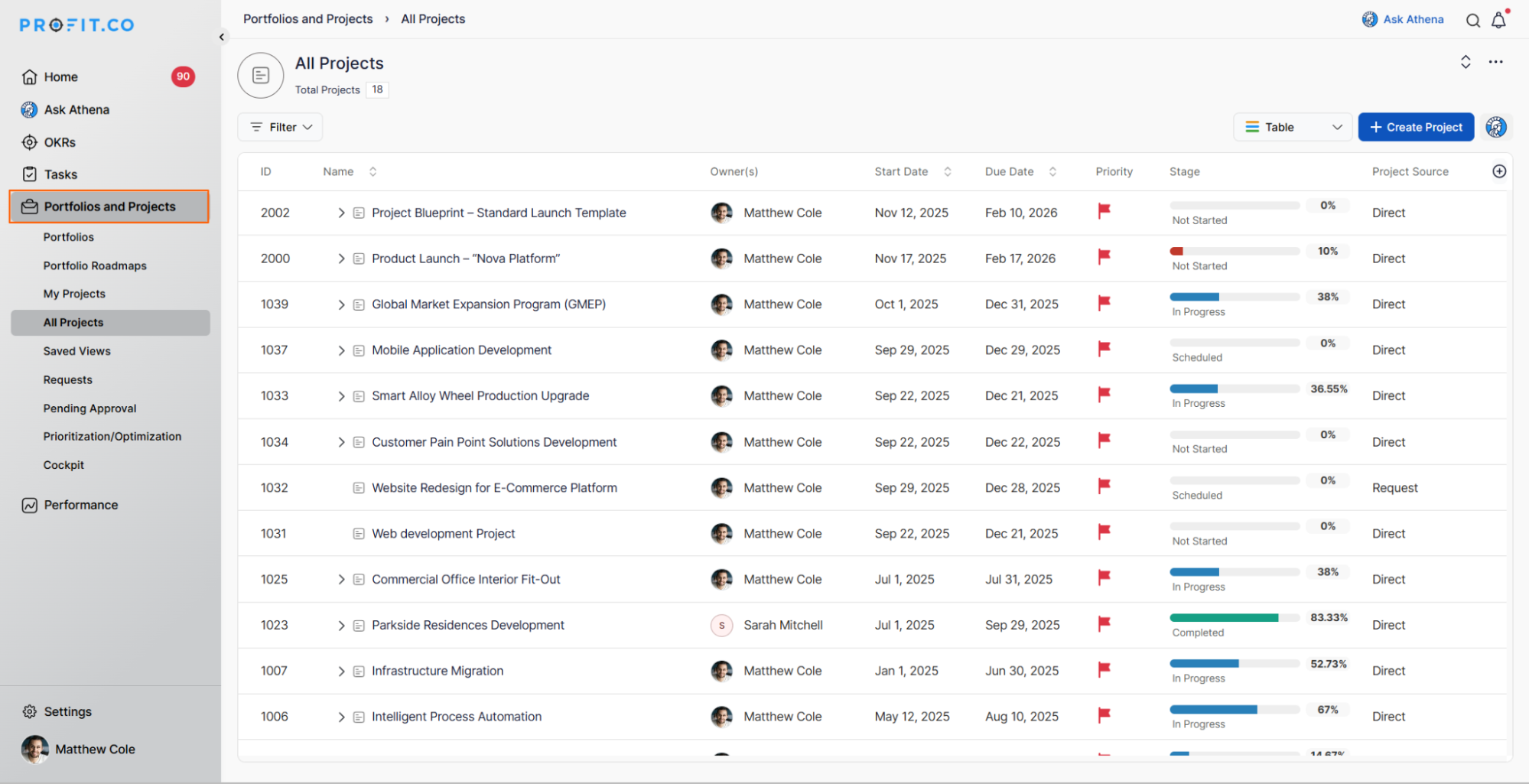
You can now create portfolios, manage projects, and configure templates under this section.
Best practices
- Only allow Super Users or Project Admins to modify module-level settings.
- Regularly review module access permissions to maintain data security.
- Enable the module organization-wide to streamline project tracking and reporting.
Related Questions
How to create a project in the PPM module?
How to create a project request in the PPM module?
Frequently Asked Questions
No. Only Super Users can enable or disable modules from the Settings panel.
No. Enabling the module simply makes the Portfolios and Projects section visible and active. Other modules remain unaffected.
Yes. You can disable it anytime by returning to Settings → General → Apps and switching off the Portfolios and Projects toggle.
Related Questions
-
How to create a Project in the PPM module?
Profit.co provides an option for users to create a project within the Project Portfolio Management (PPM) module. This ...Read more
-
How do I manage tollgate compliance across projects in Profit.co?
In Profit.co, you can Manage tollgate compliance across projects by associating tollgate sequences with projects, ...Read more
-
How do I set up resource rate cards and cost allocation in Profit.co?
In Profit.co, you can set up resource rate cards by creating Resource Types with specific hourly cost rates, assigning ...Read more
-
How to View Critical Tasks of a Project in Profit.co?
Profit.co's Critical Path Method (CPM) feature helps project managers identify the most essential sequence of tasks ...Read more