



How do I set up a document repository for projects in Profit.co?
Category: PPM
In Profit.co, the Document Repository allows you to centralize all project-related files and links in one location, making it easy for team members to access important documents, resources, and references throughout the project lifecycle.
Table of Contents
- What is the document repository in Profit.co?
- How do I access the document repository for a project?
- How do I add documents to the Project Repository?
- How do I add document links to the repository?
- Best practices for managing a project document repository
- Related Questions
- Frequently Asked Questions
What is the document repository in Profit.co?
The Document Repository is a centralized storage location within each project where you can upload files or add links to external documents. It provides a single source of truth for all project-related documentation, ensuring team members always have access to the latest versions and resources.
How do I access the document repository for a project?
Follow these steps to navigate to the Document Repository:
Step 1
Click on Portfolios and Projects from the left navigation panel.
Select either "My Projects" or "All Projects" depending on your preferred view.
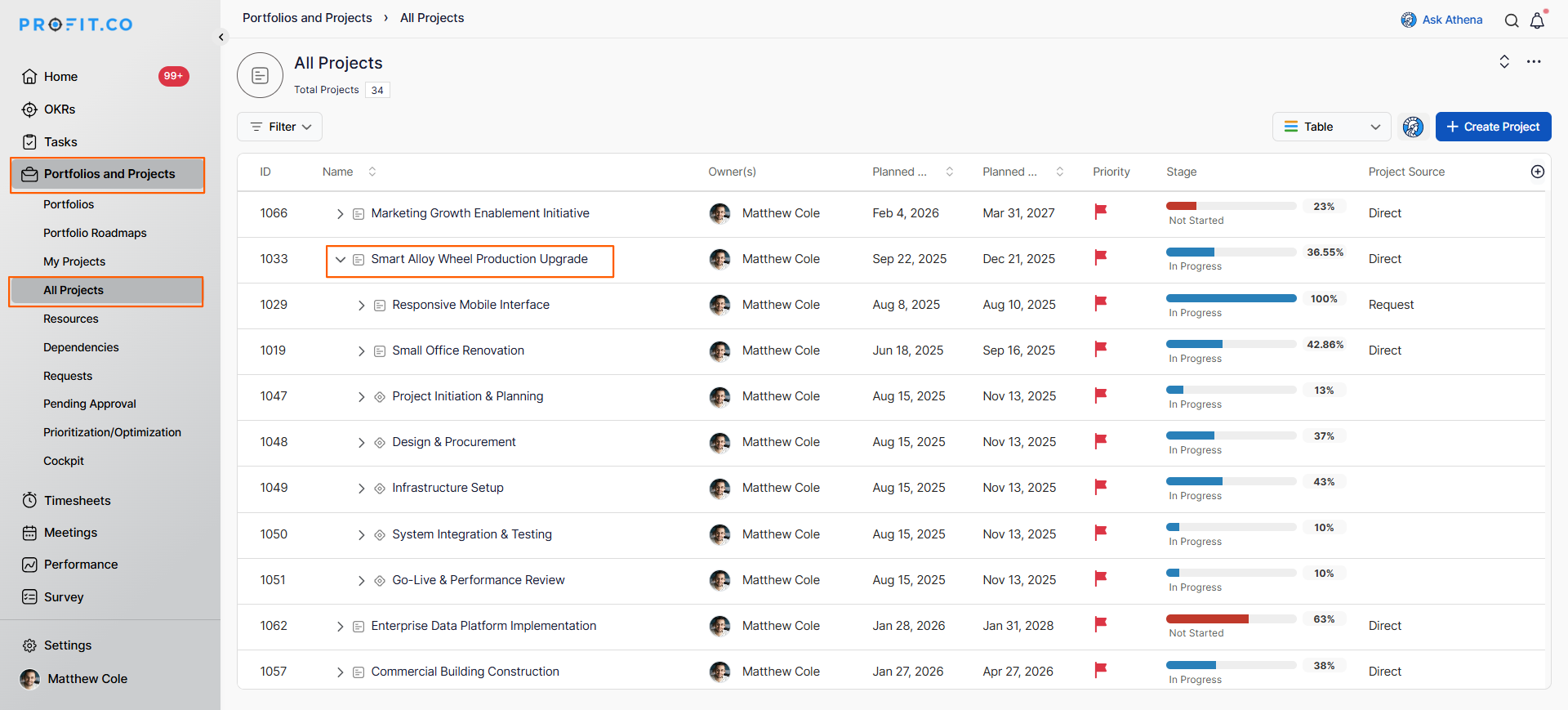
On the project page, locate and click on the project where you want to add documents.
On the project overview page, scroll down to the Document section.
This is where all project documents and links are stored and managed.
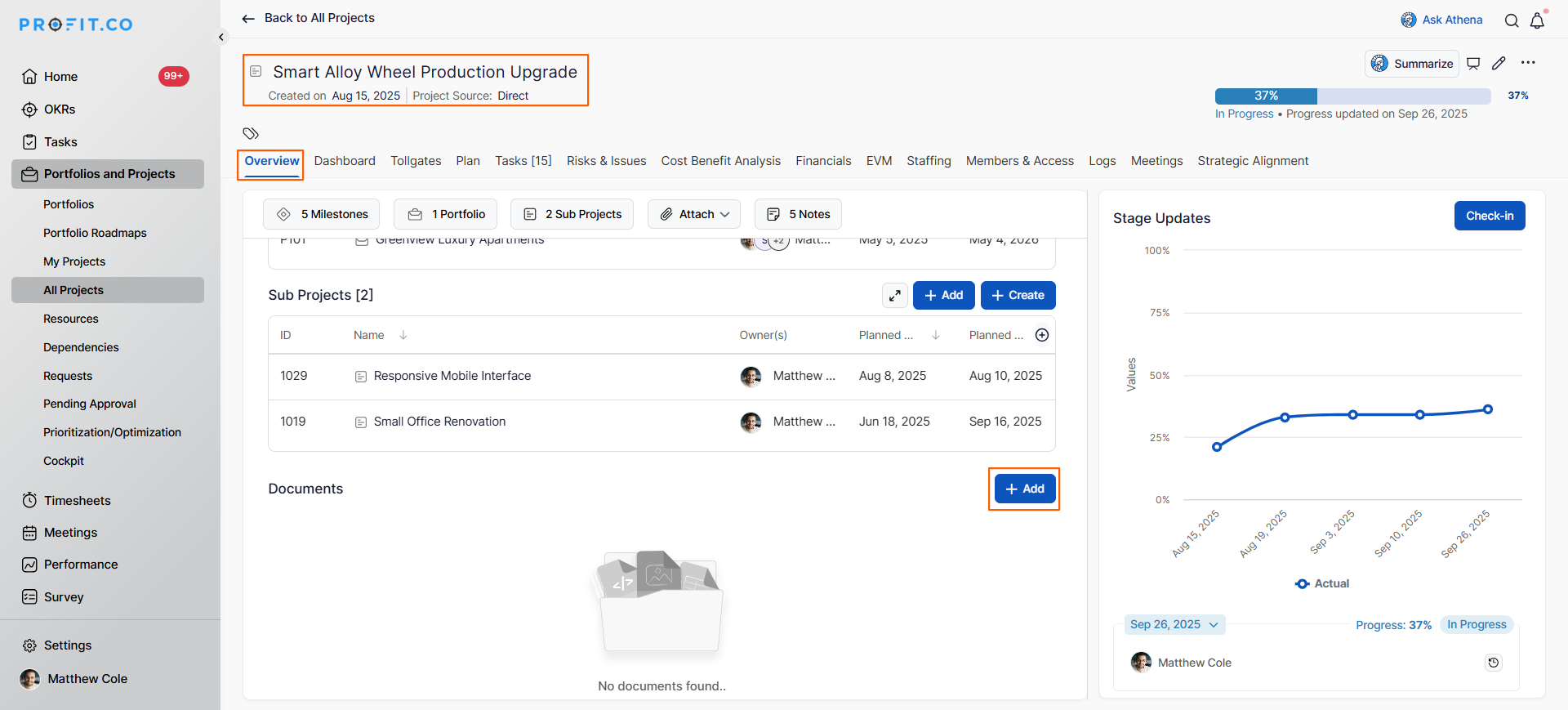
You will now see the document repository interface with options to add new documents.
How do I add documents to the Project Repository?
You can add documents from multiple sources, including your local computer, cloud storage services, and external links:
Step 1
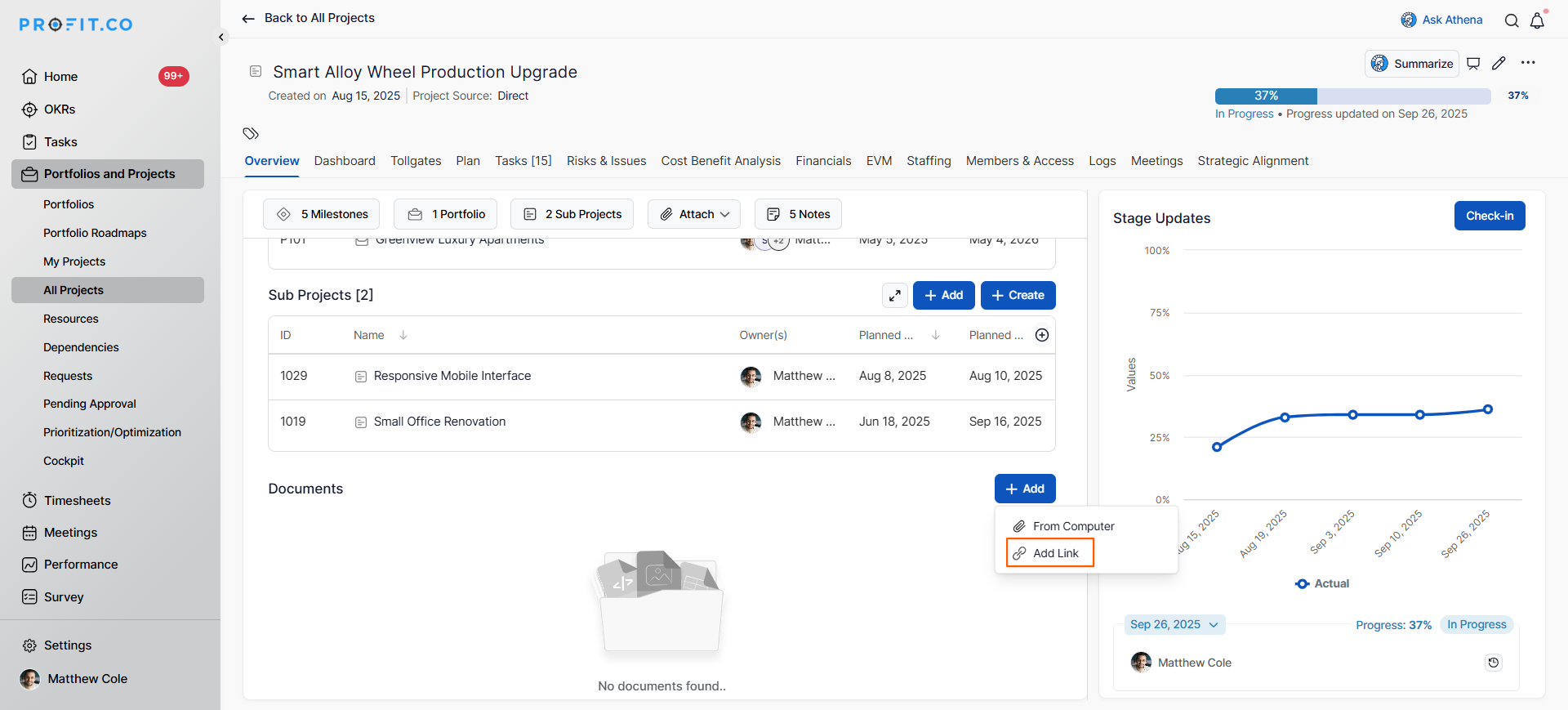
In the Document section, click on the + Add button.
A dropdown menu will appear with four upload options.
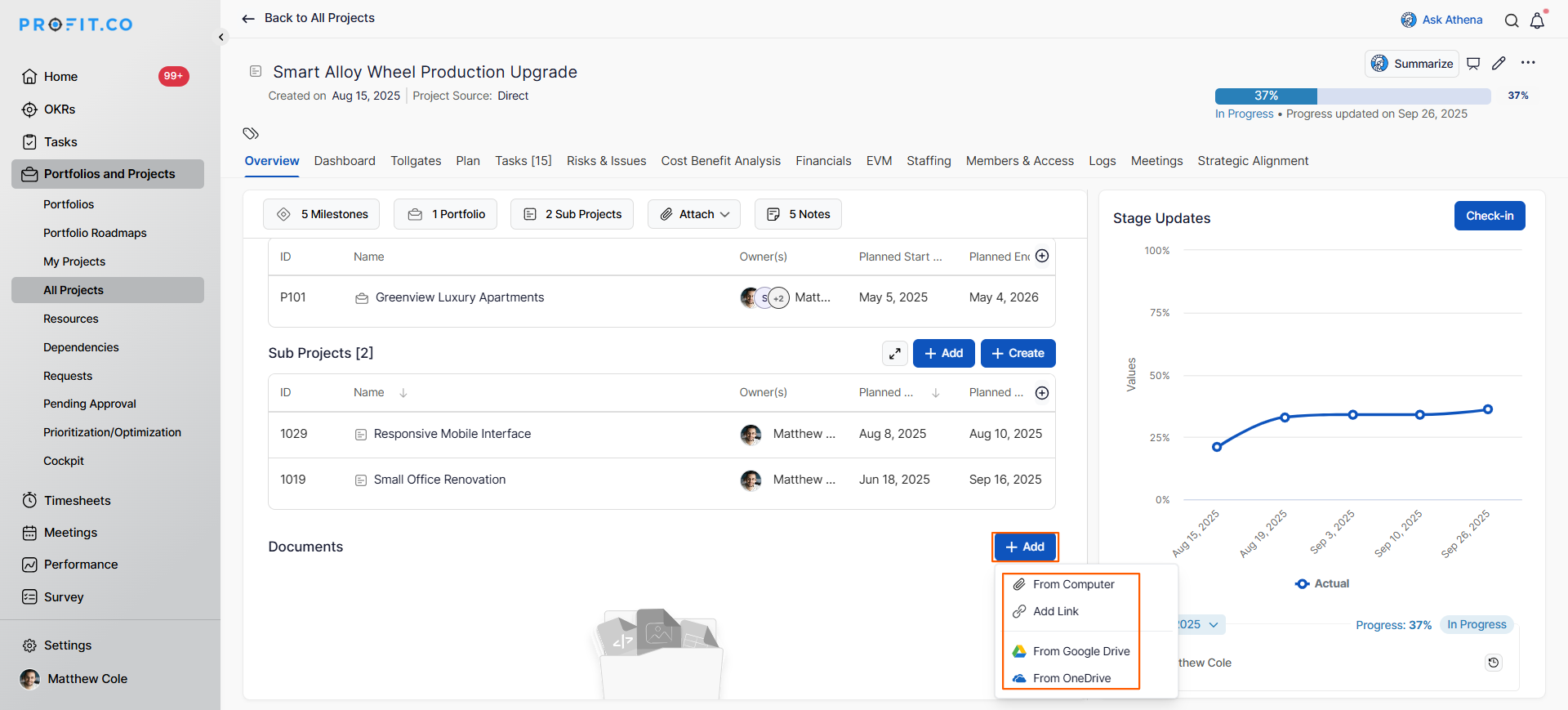
The dropdown provides the following options:
| Upload Option | Source | Best For |
|---|---|---|
| From Computer | Local device files | Files stored on your laptop or desktop |
| Add Link | External URLs | Documents hosted on websites or other platforms |
| From Google Drive | Google Drive cloud storage | Files stored in your Google Drive |
| From OneDrive | OneDrive cloud storage | Files stored in your Microsoft OneDrive |
- Choose the appropriate option based on where your document is located:
- A file browser window will open.
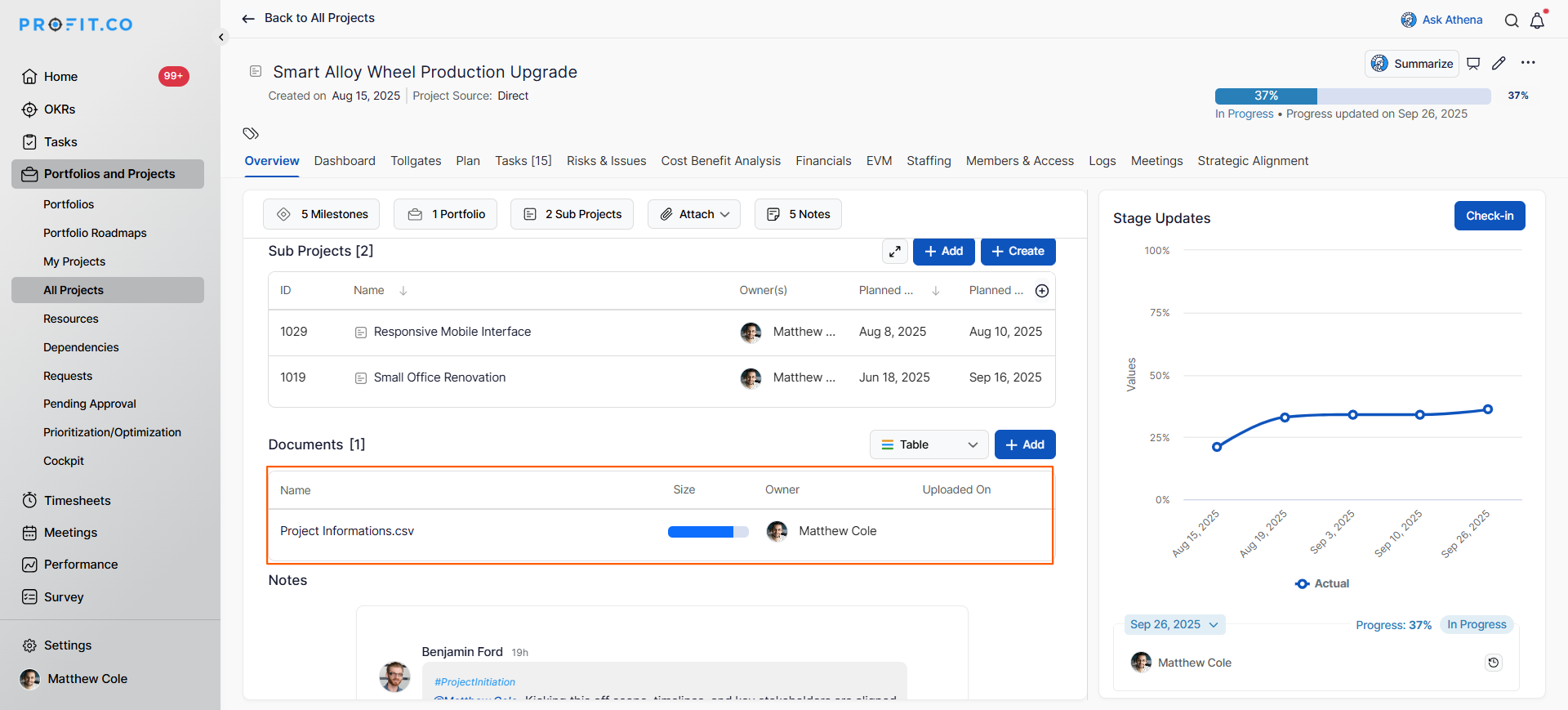
- The file will be uploaded to the project document repository.
- The document will now appear in the document list with its filename.
Note:
- You can upload multiple files by repeating this process.
- Files are immediately accessible to team members with project access
How do I add document links to the repository?
Add links to external documents or resources:
Step 1
- In the Document section, click on the +Add button.
- A dropdown menu will appear.
- Select Add Link from the dropdown options.
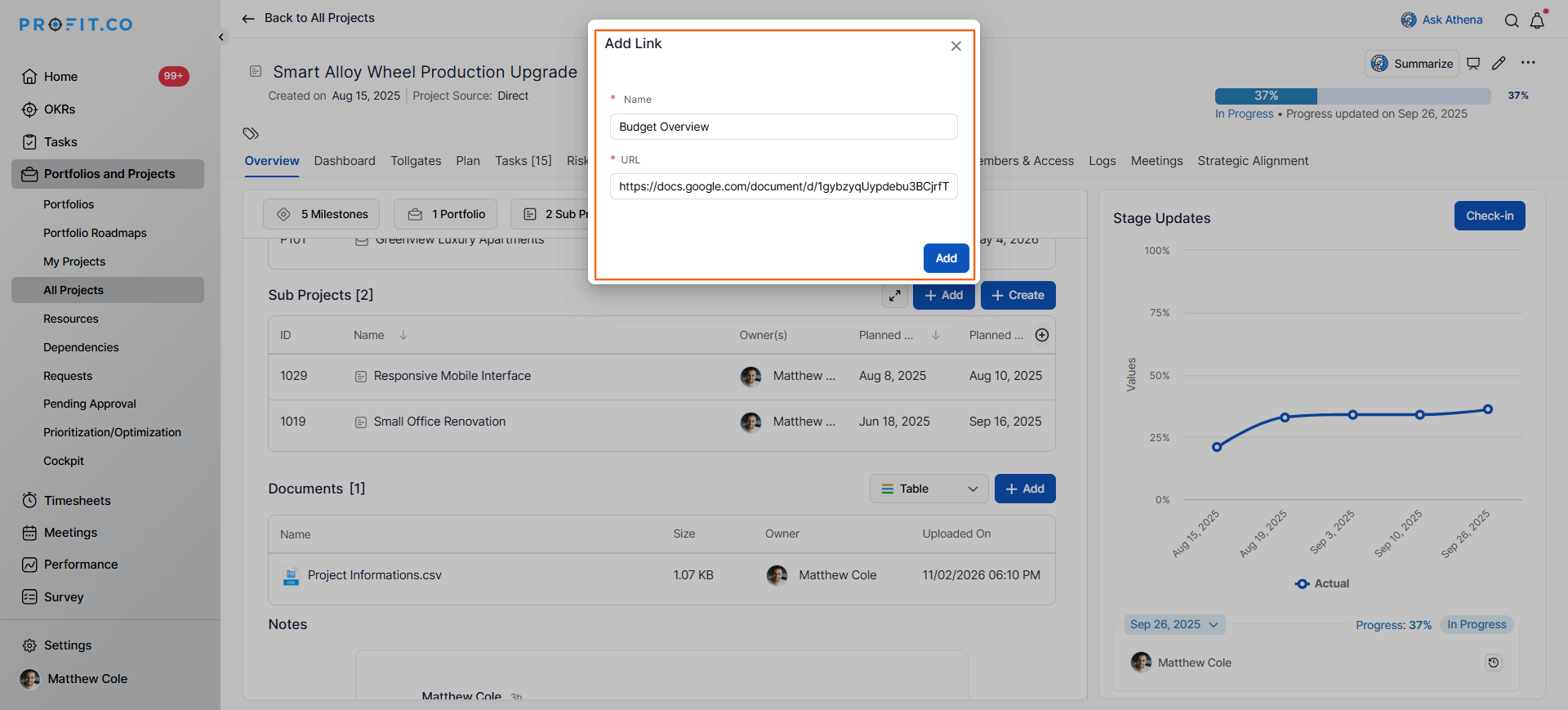
- A dialog box will appear with two fields:
- Name: Enter a descriptive name for the link
- Link: Enter the full URL of the external resource
- Click Add to save the link to the repository.
- The link will appear in the document list with the name you provided.
Best practices for managing a project document repository
- Upload documents as soon as they're finalized rather than waiting, ensuring immediate team access.
- Upload all project kickoff documents immediately to establish the repository as the go-to resource location.
- For documents that change frequently, use links to external locations rather than re-uploading files repeatedly.
Related Questions
To learn how to create a new project in profit.co, Click here
Frequently Asked Questions
Uploading stores a copy of the file in Profit.co, while adding a link that points to a file stored elsewhere (Google Drive, SharePoint, etc.). Use links for documents that change frequently.
Documents typically remain accessible as long as the project exists in the system. Check your organization's archival policies for specific retention rules.
Yes, all documents in the repository can be downloaded.
Related Questions
-
How to create a Project in the PPM module?
Profit.co provides an option for users to create a project within the Project Portfolio Management (PPM) module. This ...Read more
-
How do I manage tollgate compliance across projects in Profit.co?
In Profit.co, you can Manage tollgate compliance across projects by associating tollgate sequences with projects, ...Read more
-
How do I set up resource rate cards and cost allocation in Profit.co?
In Profit.co, you can set up resource rate cards by creating Resource Types with specific hourly cost rates, assigning ...Read more
-
How to View Critical Tasks of a Project in Profit.co?
Profit.co's Critical Path Method (CPM) feature helps project managers identify the most essential sequence of tasks ...Read more