



How do I View the Project Dashboard in Profit.co?
Category: PPM
In Profit.co, the Project Dashboard provides a comprehensive overview of your project's performance, including budget, milestones, tasks, risks, issues, and strategic alignment in a single view.
Table of Contents
- What is the Project Dashboard in Profit.co?
- How do I access the Project Dashboard?
- What summary cards are available on the Project Dashboard?
- What detailed widgets can I view on the Project Dashboard?
- What insights and performance widgets are available at the project level?
- How do I download the Project Dashboard as a one-pager?
- Best practices for using the Project Dashboard in Profit.co
- Related Questions
- Frequently Asked Questions
What is the Project Dashboard in Profit.co?
The Project Dashboard is a centralized view that consolidates all critical project information, metrics, and performance indicators. It displays summary cards and detailed widgets that help you monitor budget, progress, risks, issues, and strategic alignment in real-time.
How do I access the Project Dashboard?
Follow these steps to navigate to the Project Dashboard:
Step 1
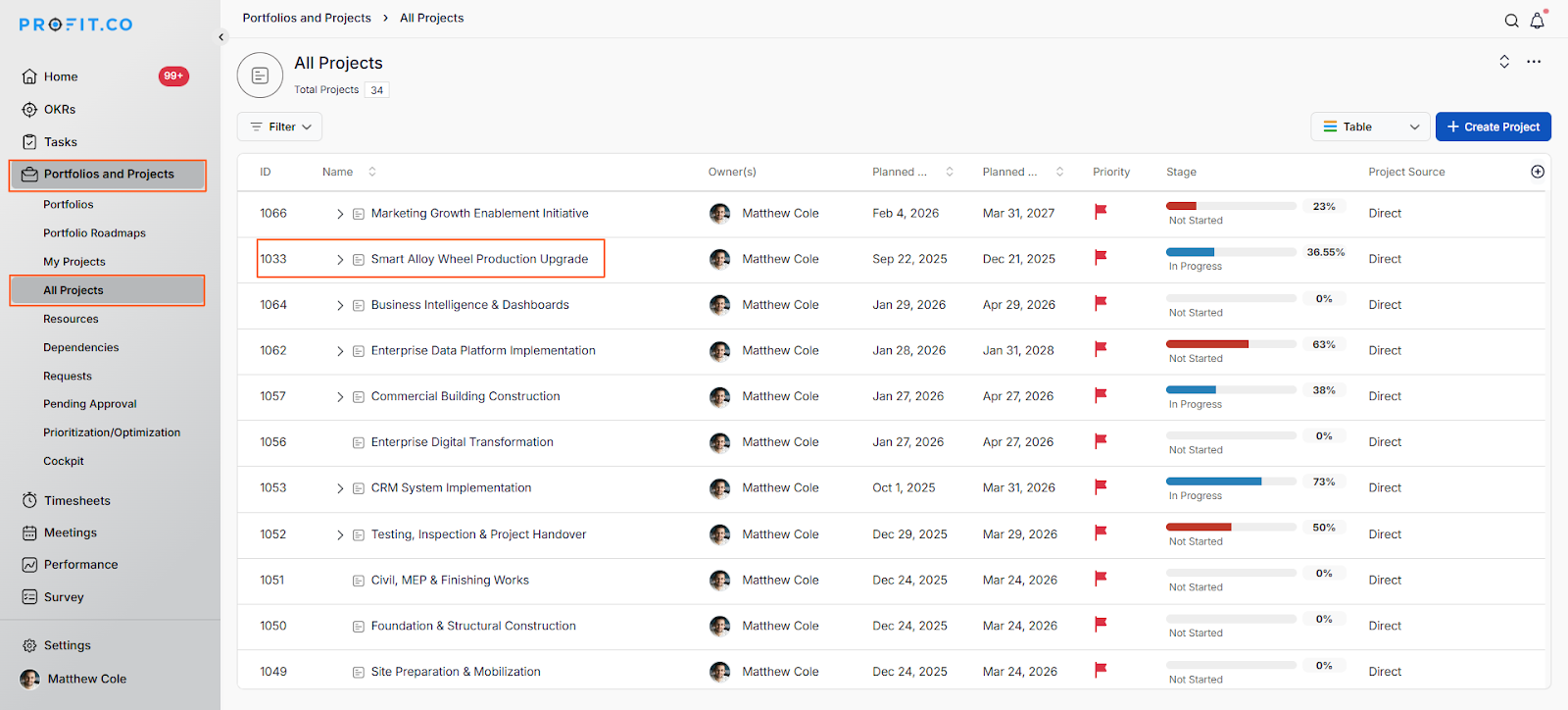
- Click on Portfolios and Projects → All Projects from the left navigation panel.
- On the All Projects page, click on the project you want to view.
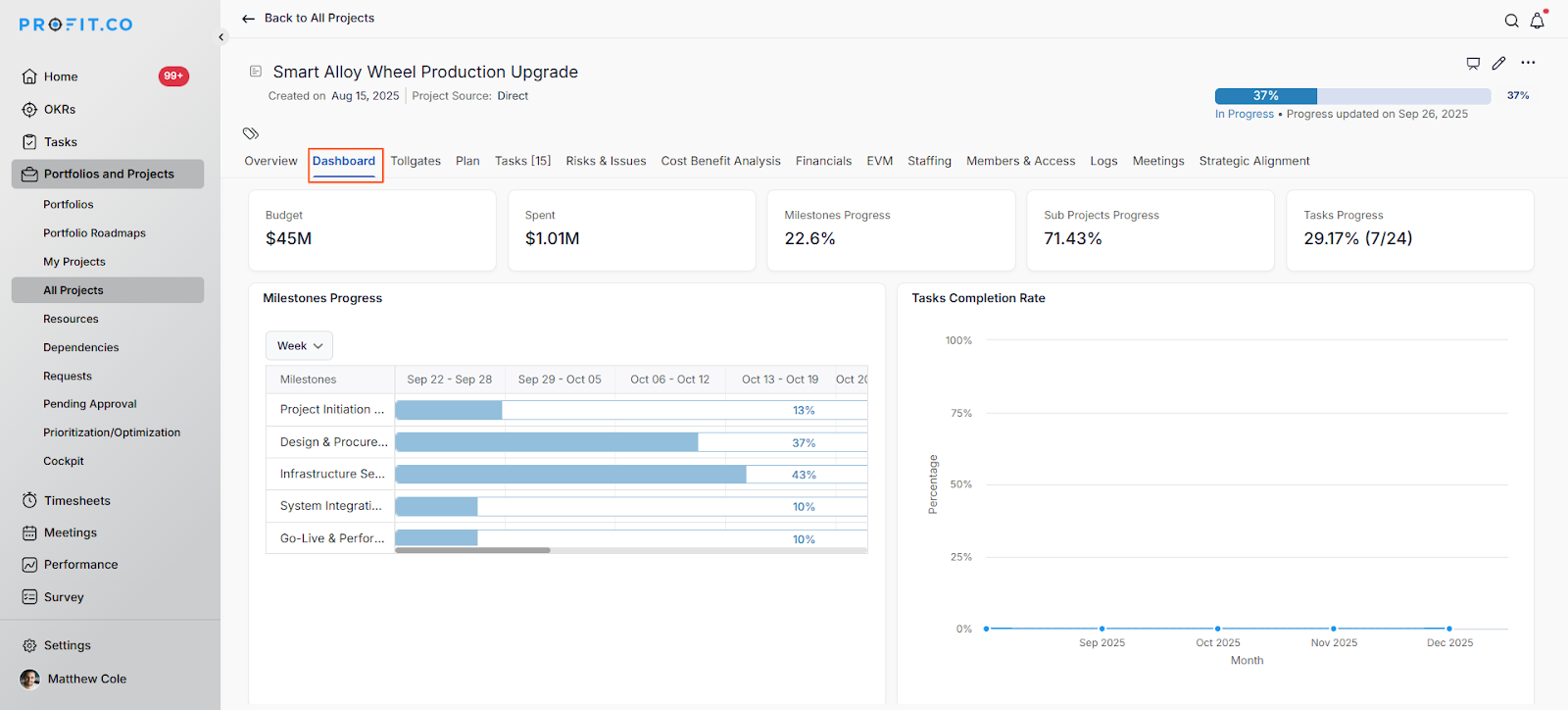
- Click on the Dashboard tab at the top of the project page.
What summary cards are available on the Project Dashboard?
The Project Dashboard displays key metrics as summary cards at the top of the page:
| Summary Card | Description |
|---|---|
| Budget | Total allocated budget for the project |
| Spent | Amount of budget spent to date |
| Milestones Progress | Overall completion percentage of project milestones |
| Sub Projects Progress | Aggregate progress of all sub-projects |
| Tasks Progress | Completion status of project tasks with count (e.g., 7/24) |
These summary cards provide an at-a-glance view of your project's financial and progress status.
What detailed widgets can I view on the Project Dashboard?
The Project Dashboard includes several detailed widgets that provide in-depth insights:
| Widget | Purpose |
|---|---|
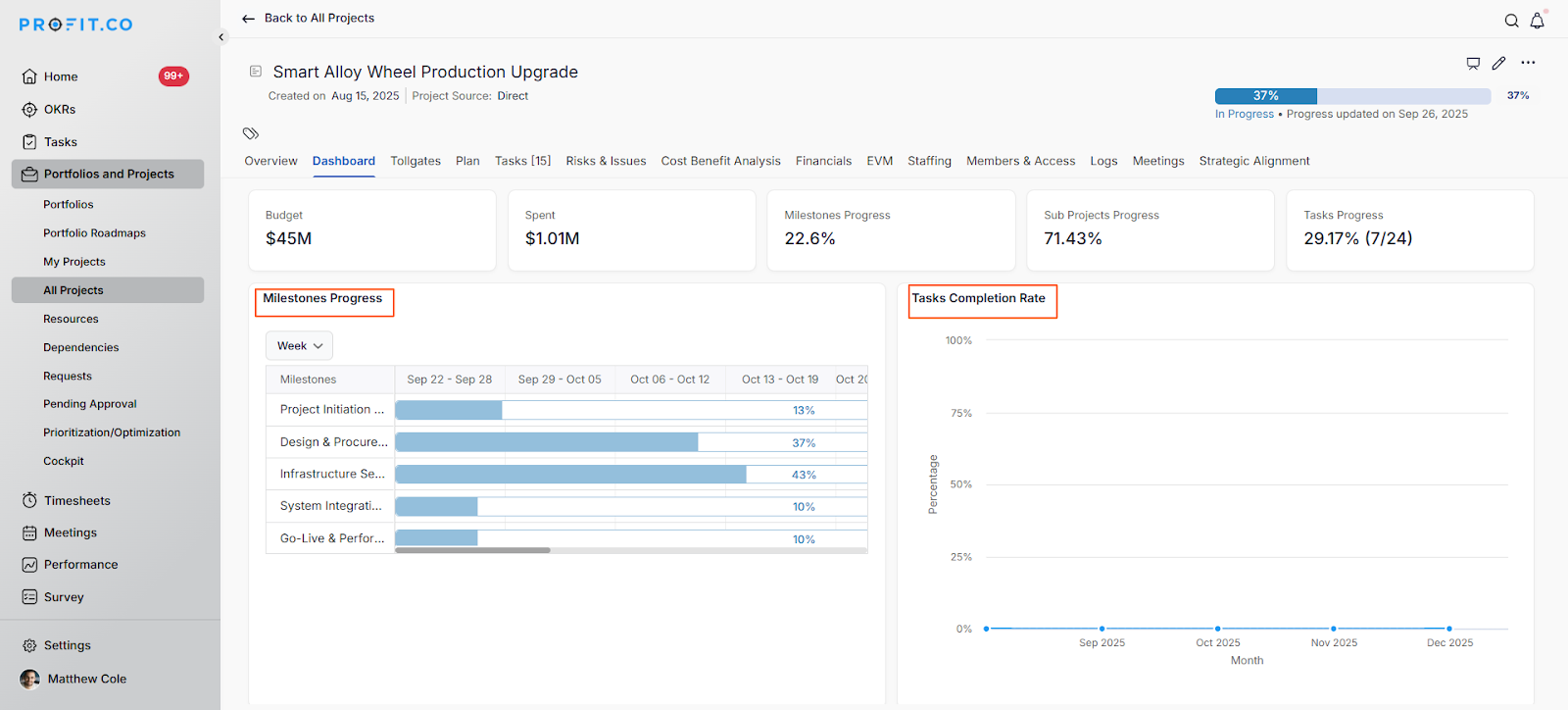
| Milestones Progress | Timeline view of milestone completion |
| Tasks Completion Rate | Trend analysis of task completion over time |
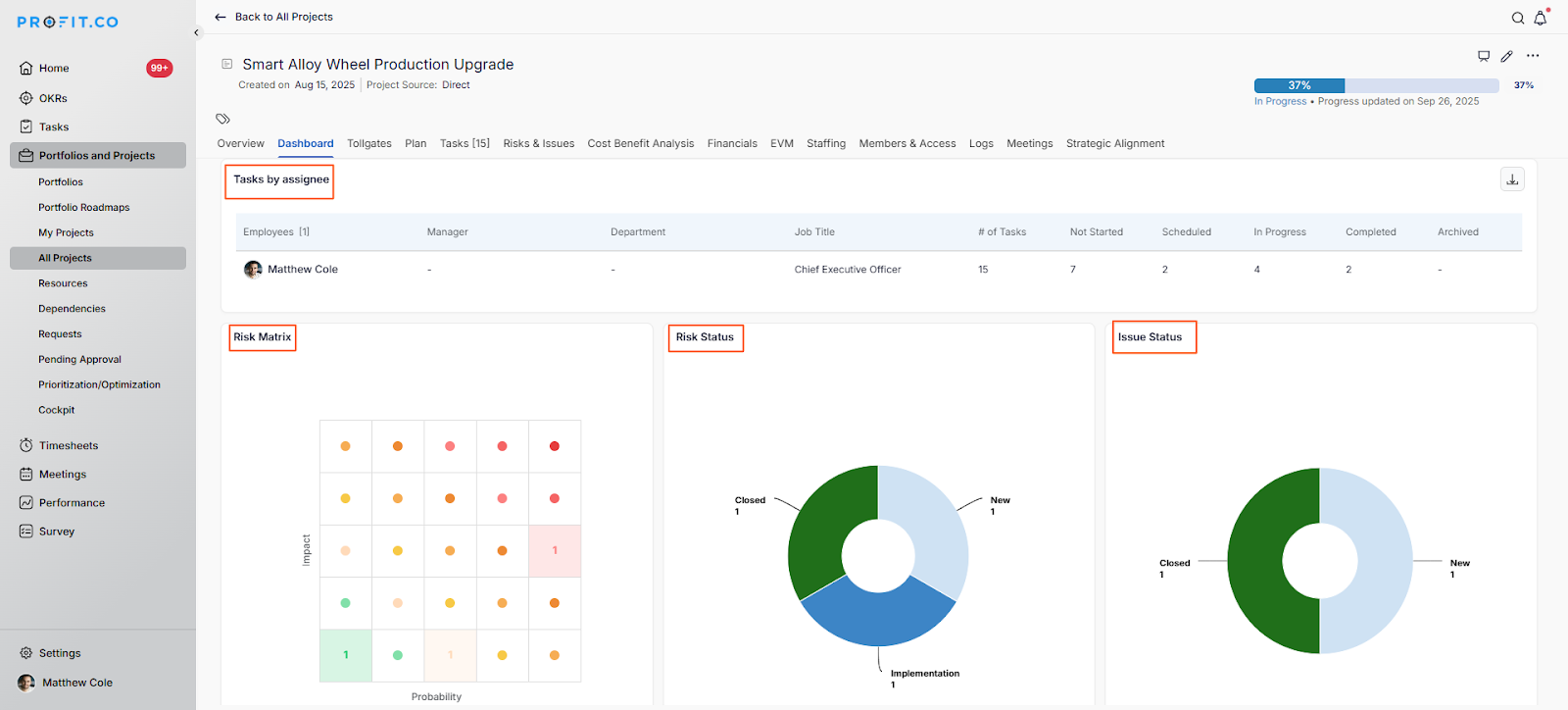
| Tasks by Assignee | Breakdown of task distribution and status by team member |
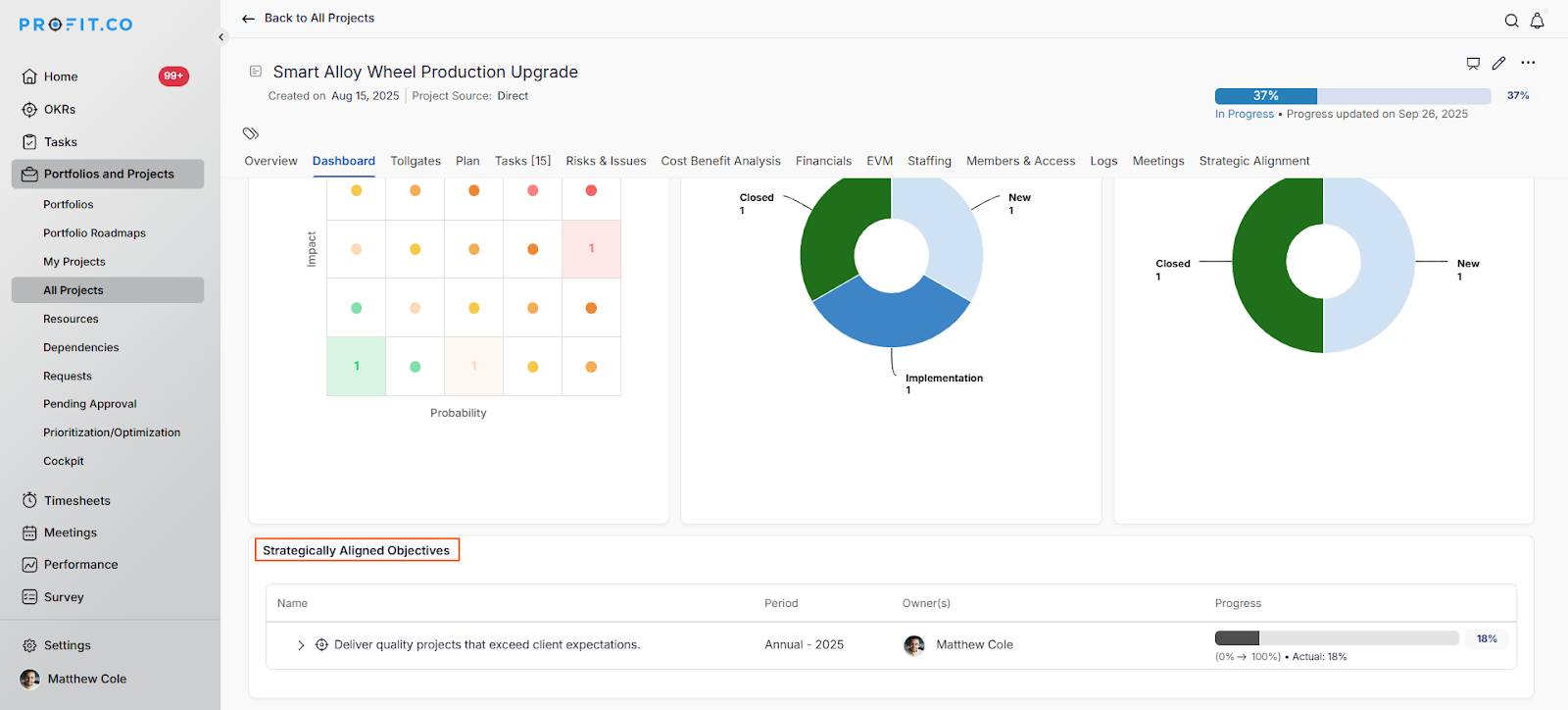
| Risk Matrix | Visual representation of risks by impact and probability |
| Risk Status | Distribution of risks by current status (New, Closed, etc.) |
| Issue Status | Distribution of issues by current status |
| Strategically Aligned Objectives | OKRs linked to this project |
What insights and performance widgets are available at the project level?
- The Milestones Progress widget displays your project milestones in a timeline format.
- The Tasks Completion Rate widget shows task completion trends over time.
- The Tasks by Assignee widget provides a detailed breakdown of task distribution.
- The Risk Matrix widget visualizes risks based on two dimensions.
- The Risk Status widget displays the distribution of risks by their current status.
- The Issue Status widget shows the current state of project issues.
- The Strategically Aligned Objectives widget shows OKRs and objectives linked to your project.
How do I download the Project Dashboard as a one-pager?
You can export the entire Project Dashboard as a single document:
Step 1
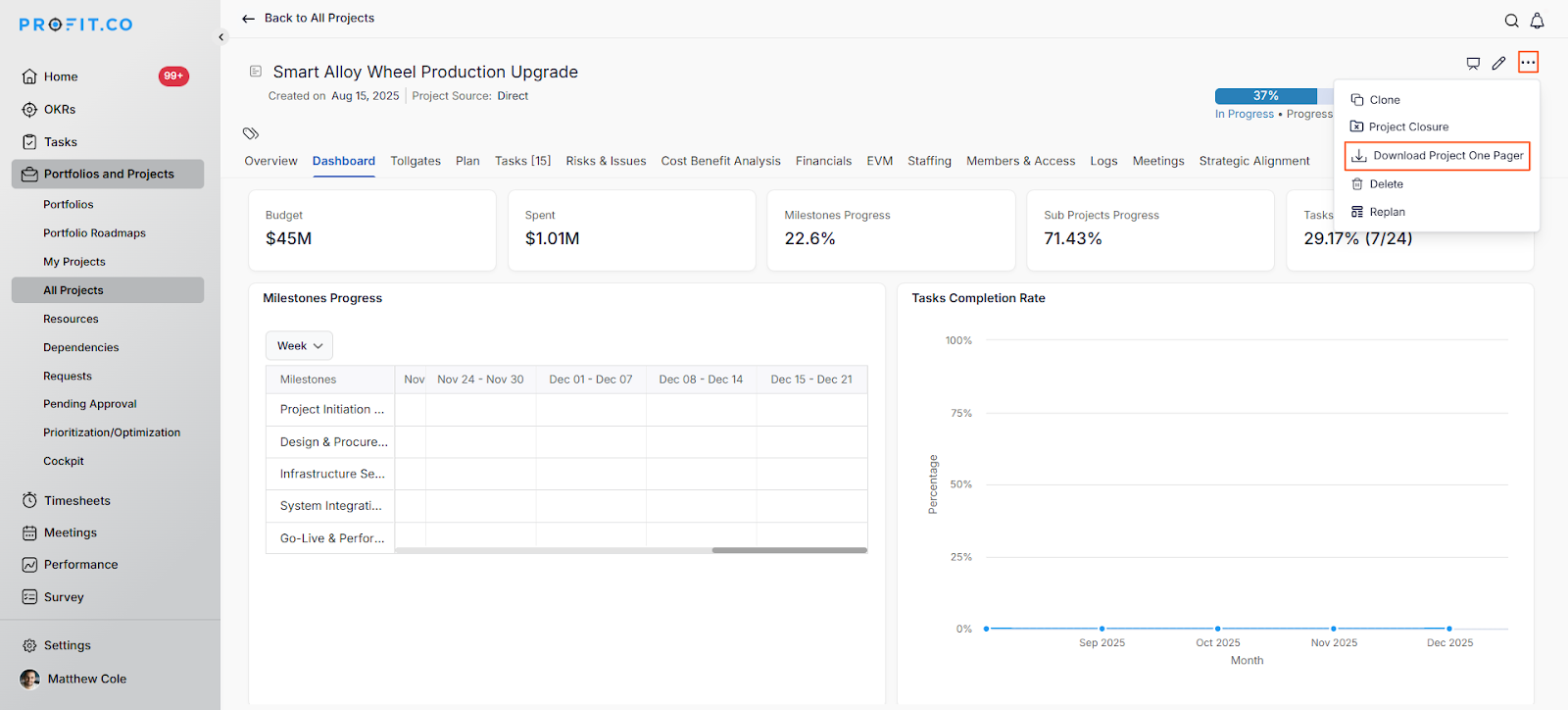
- Click on the More Options icon (three dots) in the top right corner of the Dashboard.
- Select Download Project One-Pager from the dropdown menu.
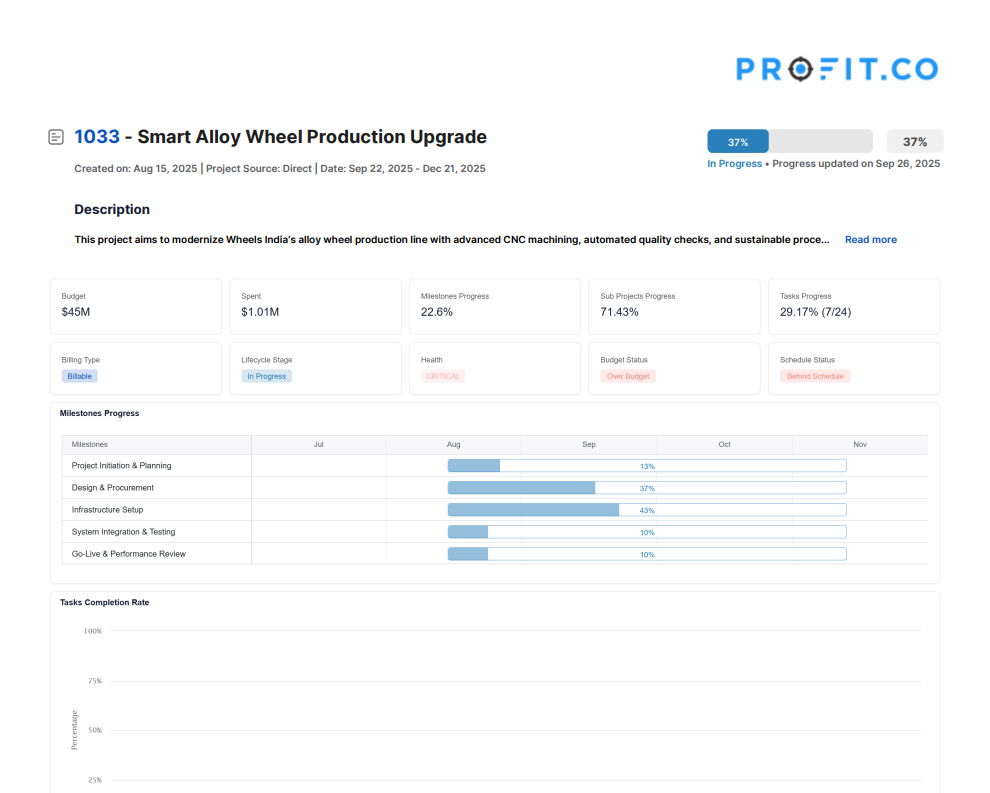
The system will generate a comprehensive PDF containing all dashboard information, which you can share with stakeholders or use for reporting purposes.
Best practices for using the Project Dashboard in Profit.co
- Review the Project Dashboard regularly (weekly or bi-weekly) to stay informed about project health and progress.
- Pay special attention to the Risk Matrix widget and address high-impact, high-probability risks immediately.
- Use the Tasks by Assignee widget to ensure workload is balanced across team members and no one is overloaded.
- Monitor the Tasks Completion Rate trend to identify if the project is on track or falling behind schedule.
- Keep the Risk Status and Issue Status widgets current by updating risk and issue statuses as they change.
- Link your projects to strategic objectives using the Strategic Alignment feature to demonstrate business value.
Related Questions
To learn more about how to create and manage projects in Profit.co, click here
Frequently Asked Questions
The Project Dashboard reflects real-time data. Updates to tasks, risks, issues, and progress are reflected immediately in the dashboard widgets.
Yes, you can download the Project Dashboard as a one-pager and share it with external stakeholders who don't have access to Profit.co.
Navigate to the Risks & Issues tab in your project to add new risks and issues. They will automatically appear in the dashboard widgets.
Related Questions
-
How to create a Project in the PPM module?
Profit.co provides an option for users to create a project within the Project Portfolio Management (PPM) module. This ...Read more
-
How do I manage tollgate compliance across projects in Profit.co?
In Profit.co, you can Manage tollgate compliance across projects by associating tollgate sequences with projects, ...Read more
-
How do I set up resource rate cards and cost allocation in Profit.co?
In Profit.co, you can set up resource rate cards by creating Resource Types with specific hourly cost rates, assigning ...Read more
-
How to View Critical Tasks of a Project in Profit.co?
Profit.co's Critical Path Method (CPM) feature helps project managers identify the most essential sequence of tasks ...Read more